

Best Business Laptops Under $700 | A Smarter Way to Buy
Buying a dependable work computer on a strict budget is less about chasing the fastest processor and more about avoiding expensive compromises. The best business laptops under $700 should open large spreadsheets without stuttering, stay stable during video meetings, offer enough ports for a real desk setup, and protect work files with current security features. They should also remain serviceable long enough to justify the purchase.
That is a demanding brief. Many inexpensive laptops look attractive because a retailer highlights a Core i7 or Ryzen 7 badge while quietly pairing it with 8GB of non-upgradeable memory, a dim display, weak battery capacity, or Windows 11 Home. Other models carry genuine commercial features but only fall below $700 during promotions. A third group consists of renewed corporate systems that can be excellent values, provided the seller gives clear battery, condition, return, and warranty terms.
This guide separates those categories instead of pretending every recommendation is equivalent. The top four picks are purpose-built or small-business-oriented systems. Several later options are consumer laptops that make sense for freelancers and home offices because they prioritize performance, screen space, or portability. The final two are renewed enterprise machines for buyers who value premium keyboards, docking, and Windows 11 Pro more than owning the newest hardware.
We also apply a firm configuration rule. A listing must have at least 8GB of memory, at least 128GB of storage for ChromeOS or 256GB for Windows, and a Full HD-class display. For most Windows buyers, 16GB RAM and a 512GB SSD are the preferred target. Four-gigabyte Windows configurations and 1366 × 768 displays are excluded, even when their prices look tempting.
Editorial Price Rule: The phrase “under $700” refers to the laptop’s final advertised price before sales tax, optional protection plans, accessories, or subscription software. Because promotions change, buy only when the exact configuration remains at $699.99 or less.
Readers who need centralized management, longer onsite support, vPro-class administration, or a premium display may be better served by our broader business laptop recommendations or our guide to the best business laptops under $1,000. This article focuses on practical individual and small-team purchases where every dollar matters.
Quick Summary: Our 10 Business Laptop Recommendations
The ASUS ExpertBook B1 B1403CVA earns the best-overall position because it combines Windows 11 Pro, a spill-resistant keyboard, business-minded security, upgrade flexibility, and a realistic sub-$700 configuration. The HP ProBook 445 G11 is the stronger choice when endpoint security and a 16:10 screen matter, but it must be on sale to qualify.
The Acer TravelMate P2 14 has the most convincing desk-to-travel connectivity, while the HP 255 G10 delivers excellent everyday processing value. Large-screen users should compare the Dell Inspiron 16 5645, MSI Modern 15 F13M, and Acer Aspire 5 A515-58M-54LG. Google Workspace organizations can save substantially with the ASUS Chromebook Plus CX34. Finally, the renewed Dell Latitude 7420 and Lenovo ThinkPad T14 Gen 2 offer enterprise-grade design at budget pricing, with battery condition and refurbisher quality as the main variables.
Smart Comparison Table
| Rank | Laptop | Best For | Recommended Configuration | Buy-Below Price | Main Trade-Off |
|---|---|---|---|---|---|
| 1 | ASUS ExpertBook B1 B1403CVA | Best overall | Core i5, 16GB, 512GB, Windows 11 Pro | $699 | Display color is basic |
| 2 | HP ProBook 445 G11 | Security and hybrid work | Ryzen 5 7535U, 16GB, 256GB, Windows 11 Pro | $699 | Often costs more without a sale |
| 3 | Acer TravelMate P2 14 TMP214-55 | Ports and office docking | Core i5-1335U, 16GB, 512GB, Windows 11 Pro | $699 | Plain design and variable seller stock |
| 4 | HP 255 G10 | Performance value | Ryzen 5 7530U, 16GB, 512GB, Windows 11 Pro | $599 | Entry-level chassis and webcam |
| 5 | Dell Inspiron 16 5645 | Large-screen multitasking | Ryzen 5 8540U, 16GB, 512GB | $699 | Less portable; Home edition is common |
| 6 | MSI Modern 15 F13M | Multi-monitor desk work | Core i5, 16GB, 512GB | $649 | Modest display brightness |
| 7 | Acer Aspire 5 A515-58M-54LG | Balanced 15-inch value | Core i5-1335U, 16GB, 512GB | $699 | Memory is not designed for easy expansion |
| 8 | ASUS Chromebook Plus CX34 | Cloud-first work | Core 3 or Core i3, 8GB, 128GB | $499 | ChromeOS cannot replace every Windows app |
| 9 | Dell Latitude 7420 Renewed | Refurbished enterprise value | Core i7, 16GB, 512GB, Windows 11 Pro | $450 | Battery health depends on refurbisher |
| 10 | Lenovo ThinkPad T14 Gen 2 Renewed | Typing and Linux-friendly work | Core i5, 16GB, 512GB, Windows 11 Pro | $500 | Older platform and inconsistent condition |
How We Evaluated These Affordable Work Laptops
We evaluated each laptop against a repeatable business-use workload rather than a gaming or synthetic-performance checklist. The workflow includes Microsoft 365 or Google Workspace, 15 to 25 mixed browser tabs, Slack or Teams, a 1080p video call, cloud file synchronization, PDF review, and light photo or presentation editing. This represents how an office laptop actually feels during a busy morning.
Performance was judged as a complete system. A modern processor cannot compensate for insufficient memory, slow storage, or aggressive heat-related throttling. Six-core Ryzen and current Core i5 chips generally provide the strongest value, but older enterprise processors can still feel responsive when paired with 16GB of RAM and a healthy NVMe SSD.
We also considered keyboard consistency, touchpad behavior, webcam clarity, fan noise, charging convenience, Wi-Fi reliability, sleep and wake behavior, and whether the laptop can drive an external display. These details rarely dominate a store listing, yet they determine whether a machine feels professional after the first week.
Security received more weight than it would in a general budget-laptop roundup. Windows 11 Pro, TPM 2.0, biometric login, webcam shutters, firmware support, and vendor security tools all improve the fit for business. Hardware alone is not enough: the U.S. Cybersecurity and Infrastructure Security Agency recommends that small businesses require multifactor authentication, so a responsible setup should combine device security with protected accounts.
How We Selected the Final 10
The initial shortlist included mainstream budget notebooks, enterprise clearance systems, Chromebooks, and refurbished corporate laptops. We removed configurations with only 4GB of RAM, 64GB of eMMC storage, low-resolution screens, or processors that struggle with modern multitasking. We also rejected products whose normal U.S. price sits far above $700 unless a specific, repeatable renewed channel makes the lower price realistic.
To reduce unnecessary repetition with our other buying guides, this list avoids several laptop families previously featured heavily in budget, student, creator, and gaming roundups. We prioritized dedicated business lines such as ExpertBook, ProBook, TravelMate, Latitude, and ThinkPad, then filled clear use-case gaps with office-friendly Inspiron, Modern, Aspire, and Chromebook Plus models.
Availability matters. A laptop that appeared in one short-lived clearance event is not automatically a useful recommendation. Each pick needs either an active manufacturer page, an established U.S. retail presence, or a mature renewed market with replacement units and parts. Because configurations vary, every product section states the version to target rather than treating the family name as a complete specification.
Who This Guide Is For
This shortlist is designed for independent professionals, remote employees, consultants, real-estate agents, sales representatives, nonprofit staff, teachers, and small organizations that do not require a fully managed enterprise fleet. It is also useful for students who need one machine for coursework, internships, and early-career work; those buyers can compare our student laptop hub and college laptop recommendations for education-specific priorities.
It is not intended for professional 3D rendering, advanced engineering simulations, sustained 4K video editing, local large-language-model development, or current AAA gaming. Those workloads demand stronger cooling and graphics, and our creator laptop guide or gaming laptop category will set more appropriate expectations.
ASUS ExpertBook B1 B1403CVA | Best Overall Business Laptop Under $700
Award: 🧭 Best Overall Business Laptop Under $700
Editorial Rating: 9.0/10
Ideal Buyer: Small-business owners, consultants, hybrid workers, and office teams
Recommended Price: $579–$699 for a Core i5, 16GB, 512GB configuration
The ASUS ExpertBook B1 B1403CVA is the most complete new business laptop in this price class. It does not rely on one attention-grabbing specification. Instead, it covers the fundamentals that matter over several years: Windows 11 Pro availability, a spill-resistant keyboard, a physical webcam shield, TPM-backed security, a broad port selection, replaceable memory options, and a design tested to business-oriented durability standards.
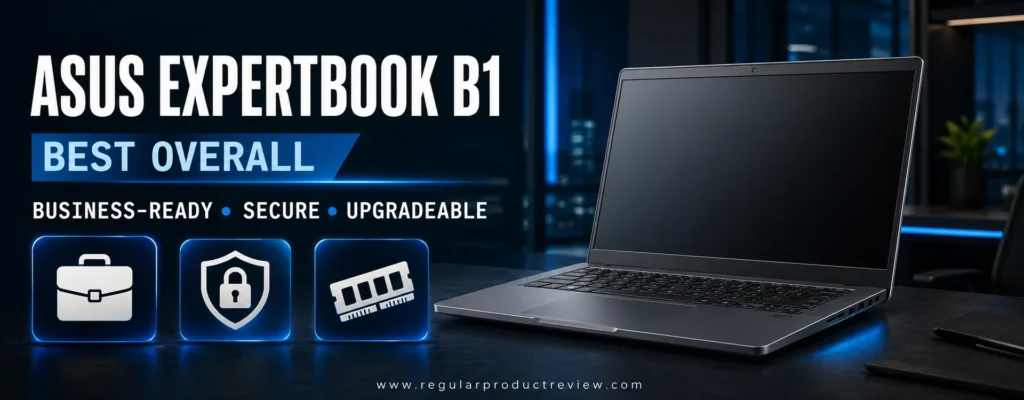
The recommended configuration uses a 13th-generation Intel Core i5 processor, 16GB of memory, a 512GB PCIe SSD, and a 14-inch Full HD anti-glare display. ASUS sells multiple versions, so the model name alone is not enough. Some listings use a Core i3, 8GB of RAM, or smaller storage. Those can handle basic work, but the 16GB/512GB version offers the better balance for browser-heavy multitasking and long-term use.
According to the official ASUS ExpertBook B1 specifications, configurations can include Windows 11 Pro, modern Intel Core processors, expandable memory, Wi-Fi 6E, and business security features. That configurability is valuable, but it makes seller verification essential.
Key Specifications
| Specification | Recommended Configuration |
|---|---|
| Processor | Intel Core i5-1335U or comparable Core 5 option |
| Graphics | Integrated Intel Iris Xe-class graphics |
| Memory | 16GB; configuration and slot use vary |
| Storage | 512GB PCIe NVMe SSD |
| Display | 14-inch Full HD anti-glare |
| Operating system | Windows 11 Pro preferred |
| Wireless | Up to Wi-Fi 6E and Bluetooth |
| Security | TPM, webcam shield, optional fingerprint/IR by SKU |
| Ports | USB-C, USB-A, HDMI, audio, and Ethernet on selected SKUs |
| Weight | Varies by configuration; approximately mid-three-pound class |
Design, Keyboard, and Daily Usability
The understated gray chassis fits client meetings and shared offices without looking generic. It is not a luxury ultrabook, and some flex may be noticeable compared with aluminum machines, but the design feels purposeful. The hinge opens wide enough for comfortable desk positioning, and the anti-glare treatment is more useful under office lighting than a glossy budget panel.
Typing is one of the ExpertBook’s strengths. The keyboard offers a practical layout, useful travel, and spill resistance that provides extra protection against everyday accidents. The touchpad is sufficiently large for document navigation, though executives accustomed to premium haptic pads will notice the difference.
Performance is well matched to Microsoft 365, QuickBooks, CRM dashboards, browser-based research, and frequent video meetings. Sixteen gigabytes of RAM provides enough breathing room for multitasking, while the NVMe SSD keeps startup, updates, and file searches responsive. Integrated graphics can handle multiple office displays and light media work, but this is not a substitute for a dedicated creator or gaming system.
The standard display is the main compromise. Resolution and anti-glare usability are appropriate, yet color gamut and brightness vary and may be modest. Designers who need accurate Adobe RGB or DCI-P3 coverage should consider the best creator laptops instead. Mobile professionals who want a brighter, lighter chassis should also compare our ultrabook recommendations.
Pros and Cons
| Pros | Cons |
|---|---|
| Genuine business-focused feature set | Base display is not color-critical |
| Windows 11 Pro configurations | Exact biometric features vary by SKU |
| Spill-resistant keyboard and webcam shield | Plastic-heavy construction at lower prices |
| Strong ports, including wired networking on many SKUs | Seller listings may combine specifications |
| 16GB/512GB versions offer good longevity | Speakers are designed more for calls than entertainment |
Expert Recommendation: Choose the B1403CVA only after confirming 16GB of RAM, a 512GB SSD, Full HD resolution, Windows 11 Pro, and the seller’s warranty. At $699 or less, it is the strongest all-around new option in this guide.
HP ProBook 445 G11 | Best Secure Laptop for Small Business
Award: 🛡️ Best Security-Focused Value
Editorial Rating: 8.9/10
Ideal Buyer: Growing businesses, healthcare or finance staff, and hybrid professionals
Recommended Price: $649–$699 during authorized promotions
The HP ProBook 445 G11 is what many buyers imagine when they hear “business laptop.” It combines Windows 11 Pro, a serviceable chassis, a 16:10 display, hardware security, and HP’s commercial support ecosystem. Its usual list price can exceed this guide’s limit, so the recommendation is conditional: buy the Ryzen 5 configuration only when an authorized U.S. seller reduces the final price to $699.99 or less.
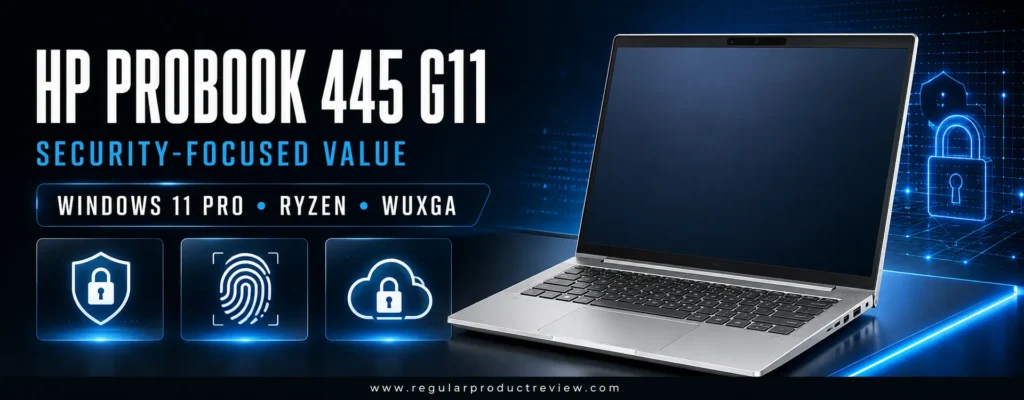
The recommended A3RP1UA-style configuration pairs an AMD Ryzen 5 7535U with 16GB of DDR5 memory, a 256GB SSD, and a 14-inch WUXGA display. HP’s official ProBook 445 G11 page lists Windows 11 Pro, Radeon 660M graphics, two SODIMM slots, and a 1920 × 1200-class panel for this configuration. Storage is smaller than several rivals, but the platform is better prepared for managed work.
Key Specifications
| Specification | Recommended Configuration |
|---|---|
| Processor | AMD Ryzen 5 7535U, 6 cores/12 threads |
| Graphics | AMD Radeon 660M integrated graphics |
| Memory | 16GB DDR5; two SODIMM slots |
| Storage | 256GB PCIe NVMe SSD |
| Display | 14-inch WUXGA, 16:10 |
| Operating system | Windows 11 Pro |
| Security | TPM, HP security tools, optional biometrics by SKU |
| Connectivity | USB-C, USB-A, HDMI, Ethernet, Wi-Fi |
| Upgrade path | Memory and storage serviceability are key advantages |
The Ryzen 5 7535U is well suited to long office sessions. It handles accounting software, large PDF packages, browser-based dashboards, and simultaneous communications apps more comfortably than entry-level quad-core chips. Radeon 660M graphics are not intended for demanding creative production, but they support smooth interface acceleration and light media tasks.
The 16:10 display shows more rows in spreadsheets and more vertical space in documents than a traditional 16:9 panel. That small difference has a meaningful effect during full workdays. Brightness and color coverage still depend on the exact panel, so buyers should not assume every ProBook 445 G11 has the same display quality.
Security is the reason to choose the ProBook over a similarly fast consumer laptop. Windows 11 Pro makes domain joining, BitLocker management, Remote Desktop hosting, and business policy controls easier. HP’s commercial tools add layers that are particularly useful for organizations without a large IT department. However, buyers must confirm which Wolf Security license or trial is included, because seller descriptions can make temporary services sound permanent.
The keyboard is comfortable for reports and email, and the chassis gives technicians better upgrade access than most thin consumer models. The 256GB SSD is adequate for cloud-centered work but may feel restrictive for large local archives. Budgeting for a later SSD upgrade is reasonable; paying more than $700 for the base drive is not.
Readers comparing larger commercial systems can explore our business laptop category and best business laptops guide. If you do not need Windows 11 Pro or commercial security, a model from our budget laptop collection may provide more storage for the same money.
Pros and Cons
| Pros | Cons |
|---|---|
| Windows 11 Pro and commercial security | Qualifies only during sales |
| Strong Ryzen 5 performance | 256GB SSD is modest |
| 16:10 WUXGA workspace | Display brightness varies by configuration |
| Two SODIMM slots improve longevity | Some security services are time-limited |
| Better serviceability than many consumer laptops | Premium HP support plans cost extra |
Editorial Insight: The ProBook is the better organizational purchase; the ExpertBook is the easier value purchase. Choose HP when manageability and security outweigh storage capacity.
Acer TravelMate P2 14 TMP214-55 | Best Business Laptop for Ports
Award: 🔌 Best Connectivity for Office and Field Work
Editorial Rating: 8.7/10
Ideal Buyer: Field staff, operations teams, presenters, and wired-office users
Recommended Price: $599–$699 for Core i5, 16GB, and 512GB
The Acer TravelMate P2 14 TMP214-55 is designed for people who regularly connect to projectors, wired networks, external drives, and office displays. That sounds ordinary until you compare it with thin consumer laptops that require a hub for basic work. The TravelMate keeps its professional identity through practical ports, an anti-glare screen, Windows 11 Pro configurations, and hardware built around maintainable productivity rather than fashion.
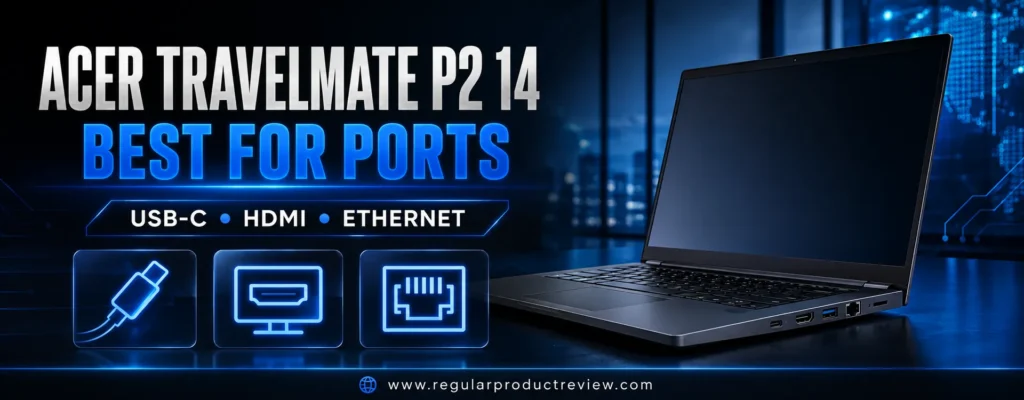
The preferred TMP214-55-58BP-style configuration uses an Intel Core i5-1335U, 16GB of memory, a 512GB SSD, and a 14-inch 1920 × 1200 IPS display. The official Acer TravelMate P2 specifications show the family’s WUXGA display and broad configuration range. Retail listings vary substantially, so verify the part number and ignore pages that mix 8GB and 16GB versions.
Key Specifications
| Specification | Recommended Configuration |
|---|---|
| Processor | Intel Core i5-1335U |
| Graphics | Intel Iris Xe-class integrated graphics |
| Memory | 16GB DDR4 |
| Storage | 512GB NVMe SSD |
| Display | 14-inch IPS, 1920 × 1200, anti-glare |
| Operating system | Windows 11 Pro |
| Networking | Wi-Fi 6-class wireless and Gigabit Ethernet |
| Ports | USB-C, USB-A, HDMI, Ethernet, audio; verify exact SKU |
| Business features | TPM, webcam privacy features, service-friendly design |
The Core i5-1335U remains a capable office processor. Its mix of performance and efficiency cores keeps everyday applications responsive without demanding a large cooling system. With 16GB of RAM, it can support multiple browser profiles, cloud synchronization, Excel, Teams, and an external monitor at the same time.
The 16:10 screen is especially useful for inventory systems, ticket queues, documents, and web dashboards. It is not a premium color-accurate panel, but the matte surface reduces distracting reflections. The chassis is conservative and somewhat plain; that is acceptable when durability and ports matter more than presentation.
TravelMate availability is the biggest concern. Acer sells many near-identical configurations through business resellers, and model numbers can be difficult to compare. Some listings advertise unusually high maximum-memory figures without clearly stating the installed amount. Trust the exact manufacturer part number, not a generic family title.
This model is more appropriate than an inexpensive gaming notebook for workers who need stable drivers, wired networking, and quiet office behavior. Buyers who also need GPU performance should move to our gaming laptops under $1,000 guide. Those prioritizing a thinner chassis can compare the best ultrabooks under $1,000.
Pros and Cons
| Pros | Cons |
|---|---|
| Excellent physical connectivity | Retail availability can be inconsistent |
| 16GB/512GB business configuration | Model-number confusion is common |
| WUXGA anti-glare display | Styling is functional rather than premium |
| Windows 11 Pro and Ethernet | Speakers and webcam are merely adequate |
| Good fit for desks, projectors, and field work | Battery claims vary by test method |
Expert Tip: Confirm that the seller lists TMP214-55, Core i5-1335U, 16GB RAM, 512GB SSD, WUXGA IPS, and Windows 11 Pro on the same page. If any field is missing, request the full manufacturer part number before buying.
HP 255 G10 | Best Performance Value for Everyday Office Work
Award: ⚡ Best Office Performance per Dollar
Editorial Rating: 8.6/10
Ideal Buyer: Bookkeepers, administrators, remote workers, and cost-conscious teams
Recommended Price: $449–$599 for Ryzen 5, 16GB, 512GB, and Full HD
The HP 255 G10 is less polished than the ProBook, but it gives budget-focused buyers more memory and storage for less money. The recommended version combines AMD’s Ryzen 5 7530U, 16GB of RAM, a 512GB SSD, a 15.6-inch Full HD display, and Windows 11 Pro. That configuration is widely suitable for office software, web applications, invoicing, online meetings, and moderate multitasking.
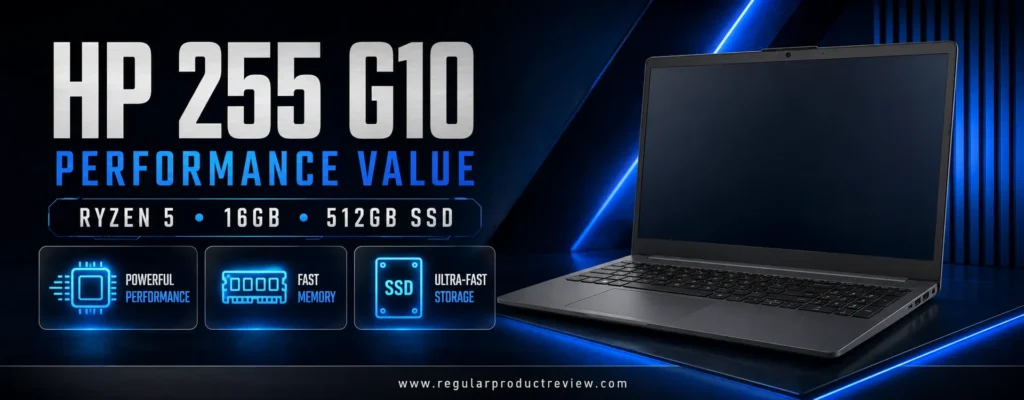
HP’s official 255 G10 specifications document the Ryzen 5 7530U option and the family’s broad display, memory, and storage choices. This flexibility is both an advantage and a risk. Sellers frequently customize or repackage the model, so the same “HP 255 G10” title may refer to a slow Ryzen 3 version, an 8GB system, or a low-quality display.
Key Specifications
| Specification | Recommended Configuration |
|---|---|
| Processor | AMD Ryzen 5 7530U, 6 cores/12 threads |
| Graphics | Integrated AMD Radeon graphics |
| Memory | 16GB |
| Storage | 512GB PCIe NVMe SSD |
| Display | 15.6-inch Full HD IPS-class panel preferred |
| Operating system | Windows 11 Pro preferred |
| Connectivity | USB-C, USB-A, HDMI, audio, Wi-Fi, Bluetooth |
| Keyboard | Full-size layout with numeric keypad |
The Ryzen 5 7530U is based on a mature architecture rather than the newest silicon, but six cores and twelve threads remain highly effective for productivity. Large spreadsheets recalculate smoothly, browser tabs recover quickly, and background cloud sync is less disruptive than on entry-level dual- or quad-core processors.
The full-size keyboard and numeric keypad make this one of the better options for accounting, inventory, and data entry. The 15.6-inch canvas also reduces the need for an external monitor when working away from a desk. In exchange, the HP 255 is not as compact or rigid as a premium 14-inch business notebook.
Cost savings are visible in the chassis, touchpad, speakers, and webcam. None is unusable, but the experience is utilitarian. Battery capacity and screen brightness also vary by SKU. A retailer may use “IPS-level” language loosely, so verify viewing-angle specifications and resolution.
The HP 255 G10 is a strong alternative for buyers reading our best budget laptops under $500 guide but willing to spend a little more for 16GB of RAM. Students moving between class and part-time work should also compare the best student laptops under $500.
Pros and Cons
| Pros | Cons |
|---|---|
| Strong six-core Ryzen performance | Chassis feels entry-level |
| 16GB/512GB configurations are affordable | Display quality varies widely |
| Numeric keypad helps data-entry work | Basic webcam and speakers |
| Windows 11 Pro listings are available | USB-C capabilities depend on SKU |
| Easy recommendation below $600 | Less portable than 14-inch rivals |
Expert Recommendation: Treat Ryzen 5 7530U, 16GB RAM, 512GB SSD, Full HD resolution, and Windows 11 Pro as one indivisible specification. A cheaper listing that removes two of those features is not the same value.
Dell Inspiron 16 5645 | Best Large-Screen Laptop for Multitasking
Award: 📊 Best Large-Screen Productivity Pick
Editorial Rating: 8.6/10
Ideal Buyer: Spreadsheet users, analysts, home-office professionals, and multitaskers
Recommended Price: $599–$699 for Ryzen 5, 16GB, and 512GB
The Dell Inspiron 16 5645 is not part of Dell’s Latitude business line, yet it can be a better purchase for a solo professional who values screen space and performance more than enterprise management. Its 16-inch, 1920 × 1200 display provides a noticeably larger workspace for side-by-side windows, long spreadsheets, research, and presentation editing.
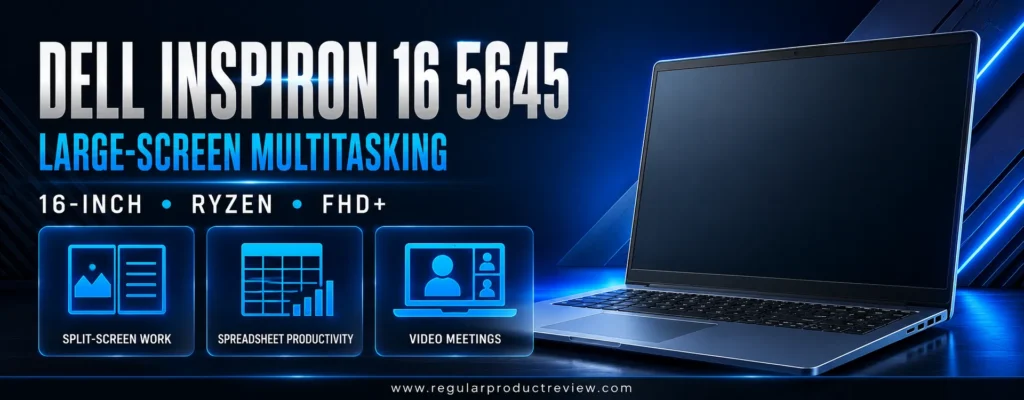
The recommended configuration uses an AMD Ryzen 5 8540U, 16GB of dual-channel DDR5 memory, a 512GB NVMe SSD, and the non-touch FHD+ display. Dell’s official Inspiron 16 5645 specifications list Ryzen 5 and Ryzen 7 processors, several memory arrangements, Windows Home or Pro, and multiple 16-inch panels. The 300-nit, 100% sRGB option is preferable when available below the budget, while the common 250-nit panel is adequate for indoor office use.
Key Specifications
| Specification | Recommended Configuration |
|---|---|
| Processor | AMD Ryzen 5 8540U, 6 cores/12 threads |
| Graphics | Integrated AMD Radeon 740M-class graphics |
| Memory | 16GB DDR5, preferably 2 × 8GB |
| Storage | 512GB PCIe NVMe SSD |
| Display | 16-inch, 1920 × 1200, non-touch |
| Operating system | Windows 11 Home; Pro may be optional |
| Ports | USB-C, USB-A, HDMI, audio, SD card reader by SKU |
| Weight | Approximately mid-four-pound class, configuration dependent |
The Ryzen 5 8540U gives the Inspiron a newer, efficient performance foundation. It handles demanding browser sessions, Microsoft 365, web conferencing, and light content preparation without making the chassis behave like a gaming laptop. Integrated graphics can accelerate basic photo tools and drive external displays, but sustained video exports remain outside this model’s specialty.
The larger chassis creates space for a comfortable keyboard and number pad. Accountants and operations staff will appreciate the dedicated numeric entry, although the offset touchpad takes time to adjust to. The hinge and palm rest feel solid enough for normal use, but the Inspiron lacks the reinforced, easily managed identity of a Latitude or ProBook.
Portability is the clear trade-off. A 16-inch laptop consumes more bag space, feels heavier during air travel, and is less comfortable on a small café table. The battery also has to illuminate a larger panel. Home-office buyers who move only between rooms may consider those small costs for the improved workspace.
Windows 11 Home is common at this price. It supports Microsoft 365, VPN clients, encryption on supported hardware, and ordinary small-business apps, but organizations that need domain join, policy management, or Remote Desktop hosting should calculate the cost of a Pro upgrade before purchasing.
Professionals who need more graphics performance can explore our creator laptops under $1,500 guide. Buyers who want a smaller travel machine should compare models in our ultrabook category.
Pros and Cons
| Pros | Cons |
|---|---|
| Spacious 16:10 display | Heavier and bulkier than 14-inch options |
| Strong Ryzen 5 productivity performance | Windows 11 Home is common |
| 16GB dual-channel configurations | Base 250-nit panel is only average |
| Full-size keyboard with number pad | Consumer support differs from Latitude service |
| Upgrade-friendly memory options on many configurations | Not built for frequent rugged field use |
Editorial Insight: Choose the Inspiron 16 when the laptop will serve as the primary screen. If it will spend most of its time docked to a monitor, the TravelMate or ExpertBook is easier to carry and manage.
MSI Modern 15 F13M | Best Affordable Laptop for a Multi-Monitor Desk
Award: 🖥️ Best Budget Pick for Two External Displays
Editorial Rating: 8.4/10
Ideal Buyer: Remote employees, support teams, freelancers, and presentation-heavy users
Recommended Price: $499–$649 for Core i5, 16GB, and 512GB
The MSI Modern 15 F13M has a useful productivity advantage that is easy to overlook: supported configurations can connect to displays through USB-C and HDMI, allowing a compact three-screen workspace when the laptop panel is included. That flexibility makes it appealing for customer support, market research, communications, and anyone who keeps dashboards visible while working in a primary application.
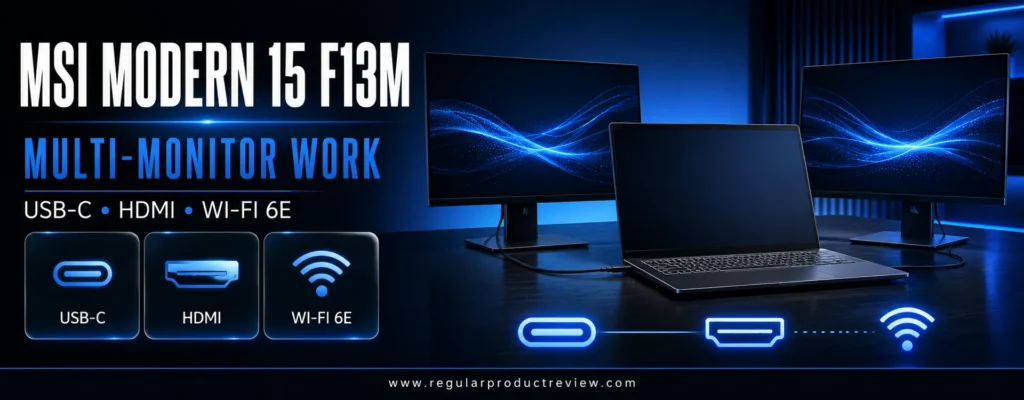
The preferred configuration combines a 13th-generation Intel Core i5, 16GB of memory, a 512GB NVMe SSD, and a 15.6-inch Full HD IPS-level display. MSI’s official Modern 15 F13M overview lists USB-C Power Delivery charging, HDMI display output, Wi-Fi 6E, a 180-degree hinge, and Windows 11 Home or Pro options.
Key Specifications
| Specification | Recommended Configuration |
|---|---|
| Processor | Intel Core i5-1335U or Core i5-1334U |
| Graphics | Integrated Intel Iris Xe-class graphics |
| Memory | 16GB preferred; up to two memory slots by configuration |
| Storage | 512GB NVMe PCIe SSD |
| Display | 15.6-inch Full HD IPS-level |
| Operating system | Windows 11 Home; Pro versions may exist |
| Wireless | Wi-Fi 6E and Bluetooth |
| Ports | USB-C with display/charging support, USB-A, HDMI, audio |
| Security | Firmware TPM, webcam shutter, Kensington lock provision |
The Core i5 U-series processor provides enough speed for standard business software while keeping power draw manageable. Sixteen gigabytes of RAM is important because the Modern 15’s appeal rests on multitasking. An 8GB version can run office apps, but it leaves less headroom for simultaneous video calls, several browser windows, and background synchronization.
MSI’s full-size keyboard suits numeric entry, and the 180-degree hinge makes it easier to share a presentation across a table. The chassis is slim for a 15-inch laptop, though it does not have the dense, rigid feel of a premium business machine. Keyboard flex and speaker quality are acceptable rather than exceptional.
Display resolution and viewing angles are suitable for work, but brightness and color coverage are usually modest. This is a productivity canvas, not a professional photo-editing panel. The ability to attach better monitors partially offsets that limitation for desk-based users.
USB-C Power Delivery is convenient, but charger behavior can depend on wattage and SKU. Buyers should verify that the included or selected USB-C adapter supplies enough power for normal operation. Do not assume every regional Modern 15 configuration has identical ports, memory slots, or keyboard backlighting.
If visual production is central to your business, compare our creator laptop recommendations rather than accepting a limited-gamut panel. If your work includes gaming after hours, our gaming laptops under $1,500 guide covers systems with dedicated graphics.
Pros and Cons
| Pros | Cons |
|---|---|
| Supports a productive multi-display setup | Display brightness is modest |
| Core i5 performance suits office workloads | Build feels less rigid than commercial models |
| USB-C charging and display output | Webcam quality is basic |
| Wi-Fi 6E and useful port selection | Configuration details vary by region and seller |
| Often priced well below $700 | Windows 11 Pro is not standard on every listing |
Expert Tip: Buy a 16GB configuration rather than planning around an unverified upgrade. Also confirm that USB-C explicitly supports both DisplayPort output and Power Delivery on the exact U.S. model.
Acer Aspire 5 A515-58M-54LG | Best Balanced 15-Inch Work Laptop
Award: ⚖️ Best Balanced 15-Inch Value
Editorial Rating: 8.4/10
Ideal Buyer: General office users, teachers, home businesses, and first-time professionals
Recommended Price: $549–$699
The Acer Aspire 5 A515-58M-54LG is a straightforward productivity laptop with a well-matched Core i5 processor, 16GB of LPDDR5 memory, a 512GB SSD, and a 15.6-inch Full HD IPS display. Unlike some budget models that force buyers to choose between enough RAM and enough storage, this exact configuration starts with both.
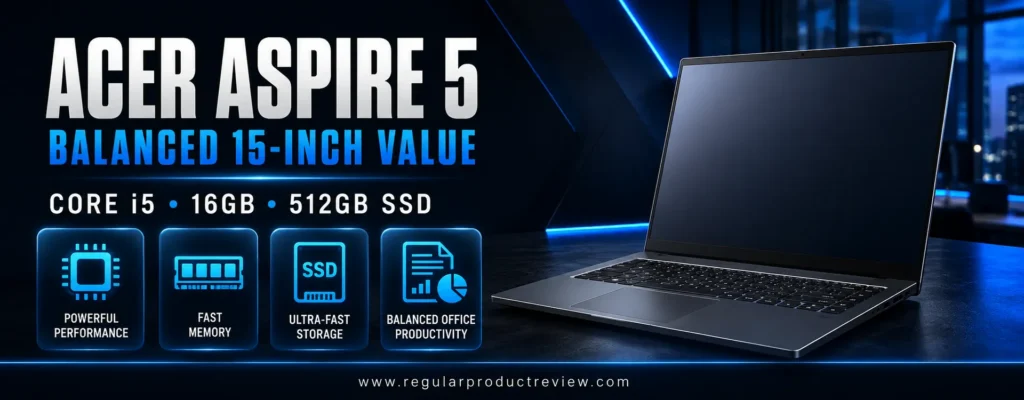
Acer’s official A515-58M-54LG store page confirms the Intel Core i5-1335U, 16GB of memory, 512GB SSD, Full HD IPS display, and Windows 11 Home. The official $699.99 reference price sits at the absolute limit and availability changes, so the Aspire is most compelling when discounted below $650.
Key Specifications
| Specification | A515-58M-54LG |
|---|---|
| Processor | Intel Core i5-1335U |
| Graphics | Intel Iris Xe eligible integrated graphics |
| Memory | 16GB LPDDR5 |
| Storage | 512GB PCIe SSD |
| Display | 15.6-inch Full HD IPS, 60Hz |
| Operating system | Windows 11 Home |
| Wireless | Wi-Fi 6-class wireless and Bluetooth |
| Ports | USB-C, USB-A, HDMI, audio; check full listing |
The Aspire 5 feels responsive during normal office use because the CPU, memory, and SSD are balanced. It is capable of handling demanding spreadsheets, browser-based project tools, presentation editing, and high-resolution video calls. Performance is not dramatically better than every rival, but there is no obvious bottleneck in the recommended specification.
The Full HD IPS panel offers wider viewing angles than low-end TN displays and enough resolution for side-by-side windows. Color and brightness remain ordinary, so outdoor visibility and creative accuracy are limited. The larger deck supports comfortable typing and a number pad, though the keyboard backlight varies by configuration.
LPDDR5 memory improves efficiency but is soldered, removing the easy upgrade path found in the ProBook or many Modern 15 versions. Sixteen gigabytes is sufficient for the target workload, but power users should understand that it is the permanent ceiling. Storage serviceability may also require disassembly and should be confirmed before purchase.
The Aspire 5 lacks Windows 11 Pro and dedicated enterprise tools. For a freelancer or home office, that may not matter. For an organization that needs centralized identity, BitLocker policy control, and commercial support, the ExpertBook or ProBook remains the better fit.
Budget shoppers can compare the Aspire with our best budget laptops and budget laptops under $500 before deciding whether 16GB of standard memory justifies spending closer to $700.
Pros and Cons
| Pros | Cons |
|---|---|
| Balanced Core i5, 16GB, and 512GB specification | Soldered memory limits future upgrades |
| Full HD IPS display | Windows 11 Home rather than Pro |
| Comfortable 15-inch workspace | Average brightness and color coverage |
| Often discounted below list price | Consumer warranty and management features |
| Good everyday responsiveness | Official availability can fluctuate |
Expert Recommendation: The A515-58M-54LG is the version to target. Similar Aspire 5 listings may use 8GB memory, different processors, or non-IPS displays, so match the complete suffix before checkout.
ASUS Chromebook Plus CX34 | Best Cloud-First Business Laptop
Award: ☁️ Best for Google Workspace and Browser-Based Work
Editorial Rating: 8.5/10
Ideal Buyer: Cloud-first teams, nonprofits, education staff, and mobile administrators
Recommended Price: $349–$499 for 8GB and 128GB
The ASUS Chromebook Plus CX34 is the best option here for organizations whose work already lives in Google Workspace, Microsoft 365 on the web, Slack, Zoom, CRM platforms, and browser-based accounting tools. ChromeOS reduces maintenance, starts quickly, and provides a strong security model without requiring the hardware resources of Windows.
The recommended CX3402 configuration uses an Intel Core 3 100U or Core i3-1215U, 8GB of LPDDR5 memory, 128GB of UFS storage, and a 14-inch Full HD anti-glare display. ASUS’s official Chromebook Plus CX34 specifications show a wide range of processors, touch options, and storage capacities, while the ASUS U.S. store listing documents a current Core 3, 8GB, 128GB configuration.
Key Specifications
| Specification | Recommended Configuration |
|---|---|
| Processor | Intel Core 3 100U or Core i3-1215U |
| Graphics | Integrated Intel graphics |
| Memory | 8GB LPDDR5 |
| Storage | 128GB UFS; cloud storage expected |
| Display | 14-inch Full HD anti-glare |
| Operating system | ChromeOS |
| Webcam | Full HD on Chromebook Plus configurations |
| Wireless | Wi-Fi 6-class connectivity |
| Ports | USB-C, USB-A, audio; exact count varies |
ChromeOS handles browser multitasking smoothly on 8GB of RAM, and Chromebook Plus requirements provide a more consistent baseline than bargain Chromebooks. Google Docs, Sheets, Meet, web-based Microsoft 365, and progressive web apps feel fast. Android and Linux application support expands the options, but neither guarantees compatibility with specialized Windows software.
That limitation must drive the decision. QuickBooks Desktop, full-featured Adobe desktop applications, proprietary VPN clients, hardware programming utilities, and legacy line-of-business software may not work. A Chromebook is excellent when the workflow fits it and frustrating when chosen solely because it is cheap.
The CX34 is portable, the keyboard is comfortable, and the anti-glare display works well in offices and classrooms. Local storage is limited, but cloud-first organizations should already use controlled shared drives and backup policies. An external SSD can handle temporary large files.
Before purchasing a Chromebook for a multi-year deployment, verify its automatic update schedule on Google’s ChromeOS update policy page. Organizations using Chrome Enterprise should also budget for any required management licenses; the consumer laptop price does not automatically include enterprise administration.
Readers who need a Windows system can return to our business laptop category. Students and education workers can compare ChromeOS with models in our best student laptops guide.
Pros and Cons
| Pros | Cons |
|---|---|
| Fast, secure cloud-first experience | Cannot run every Windows application |
| 8GB Chromebook Plus baseline | 128GB local storage is limited |
| Full HD anti-glare display | Enterprise management may require licensing |
| Strong webcam and video-call experience | Soldered memory |
| Usually far below the $700 ceiling | Not suitable for specialized desktop workflows |
Editorial Insight: Do not ask whether ChromeOS is “good enough.” Ask whether every required application, peripheral, VPN, and file workflow has been verified. If the answer is yes, the CX34 can reduce purchase and maintenance costs substantially.
Dell Latitude 7420 Renewed | Best Refurbished Enterprise Laptop
Award: ♻️ Best Renewed Enterprise Value
Editorial Rating: 8.7/10
Ideal Buyer: Consultants, nonprofit teams, IT-savvy buyers, and docking-station users
Recommended Price: $300–$450 for Core i7, 16GB, and 512GB
The Dell Latitude 7420 illustrates why a professionally renewed corporate laptop can outperform a new bargain model in usability. It was designed as a premium enterprise notebook, so it offers a stronger chassis, better keyboard, better docking support, more mature firmware management, and Windows 11 Pro. The trade-off is age: battery wear, cosmetic condition, and seller quality matter more than the processor badge.
The recommended renewed configuration uses an 11th-generation Intel Core i7 or Core i5, 16GB of memory, a 512GB NVMe SSD, and a 14-inch Full HD display. Dell’s official Latitude 7420 documentation covers the carbon-fiber and aluminum variants, including clamshell and 2-in-1 designs. Buy the clamshell unless touch and tablet modes are specifically required.
Key Specifications
| Specification | Recommended Renewed Configuration |
|---|---|
| Processor | Intel Core i5-1145G7 or Core i7-1185G7 |
| Graphics | Intel Iris Xe integrated graphics |
| Memory | 16GB |
| Storage | 512GB NVMe SSD |
| Display | 14-inch Full HD, non-touch preferred for value |
| Operating system | Windows 11 Pro |
| Wireless | Wi-Fi 6 and Bluetooth |
| Ports | Thunderbolt 4/USB-C, USB-A, HDMI, audio |
| Condition requirement | Professional renewal, warranty, return window, battery disclosure |
The four-core processors are older than the chips in our new recommendations, but performance remains sufficient for email, Office, web apps, meetings, and moderate spreadsheet work. Sixteen gigabytes of RAM and a healthy SSD are more important than upgrading from an 11th-generation Core i7 to a newer low-end processor with only 8GB.
Build quality is the Latitude’s advantage. The keyboard, hinge, webcam options, and port placement were designed for daily corporate use. Thunderbolt 4 makes it easy to connect a single-cable dock, network adapter, storage, and multiple monitors. Dell’s support documentation and replacement-part ecosystem also make long-term maintenance more predictable.
Renewed purchasing requires discipline. A listing should identify the processor, memory, storage, display resolution, operating system, refurbisher, warranty length, return period, and charger type. Battery health should be stated as a percentage or minimum capacity. “Excellent condition” without a battery policy is not enough.
The Latitude is a better renewed choice than an unverified marketplace machine with upgraded RAM installed by an unknown seller. Buyers who prefer a new warranty should choose the ExpertBook or explore the best business laptops under $1,000. Environmentally conscious teams can compare this approach with new efficient models in our ultrabook guide.
Pros and Cons
| Pros | Cons |
|---|---|
| Premium enterprise build at a low price | Battery health varies |
| Windows 11 Pro and Thunderbolt 4 | Older four-core processor platform |
| Strong keyboard, docking, and support documentation | Cosmetic grading is not standardized |
| 16GB/512GB configurations are affordable | Original manufacturer warranty may have expired |
| Better service ecosystem than many budget laptops | Renewed seller quality determines the experience |
Renewed Buying Rule: Require at least a 90-day warranty, a clearly stated return window, the correct USB-C charger, and a written battery standard. Prefer a one-year warranty whenever the price difference is modest.
Lenovo ThinkPad T14 Gen 2 Renewed | Best Laptop for Typing and Flexible IT Use
Award: ⌨️ Best Renewed Pick for Writers and IT Professionals
Editorial Rating: 8.8/10
Ideal Buyer: Writers, developers, administrators, Linux users, and keyboard-first professionals
Recommended Price: $250–$500 for Core i5, 16GB, and 512GB
The Lenovo ThinkPad T14 Gen 2 remains attractive because its fundamentals are unusually strong: a precise keyboard, TrackPoint navigation, robust ports, Ethernet, USB-C docking, and a mature business design. In renewed condition, it can cost less than a basic new laptop while providing a far more professional working surface.
The configuration to target uses an Intel Core i5-1145G7, 16GB of RAM, a 512GB SSD, a Full HD IPS display, and Windows 11 Pro. The official Lenovo ThinkPad T14 Gen 2 specifications document multiple chassis materials, display choices, weights, and business options. Avoid 1366 × 768 panels, 8GB-only configurations with no clear upgrade disclosure, and listings that omit battery condition.
Key Specifications
| Specification | Recommended Renewed Configuration |
|---|---|
| Processor | Intel Core i5-1145G7 with vPro on selected SKUs |
| Graphics | Intel Iris Xe integrated graphics |
| Memory | 16GB total; soldered/slot arrangement varies |
| Storage | 512GB NVMe SSD |
| Display | 14-inch Full HD IPS, non-touch |
| Operating system | Windows 11 Pro |
| Networking | Wi-Fi 6, Bluetooth, Gigabit Ethernet |
| Ports | USB-C/Thunderbolt, USB-A, HDMI, Ethernet, microSD, audio |
| Input | ThinkPad keyboard, TrackPoint, touchpad |
Typing comfort is the defining feature. The key shape, spacing, and feedback support long reports, coding sessions, and high-volume email. The TrackPoint allows cursor movement without leaving the home row, while the touchpad remains available for conventional navigation. Buyers who dislike shallow consumer keyboards will notice the difference immediately.
The 11th-generation Core i5 is no longer cutting-edge, but it handles normal professional work well. Its four cores are less suitable for sustained rendering or complex data modeling than newer six- and eight-core options. For browsers, Office, remote terminals, code editors, and video meetings, the 16GB configuration remains practical.
IT flexibility is another advantage. ThinkPads are widely documented, parts are common, and Linux compatibility is generally stronger than on obscure budget models, although every peripheral should still be tested. The Ethernet port and docking connector help in offices where wireless-only laptops create unnecessary friction.
The purchase risk is identical to the Latitude’s: the refurbisher matters. Keyboard shine, palm-rest wear, display pressure marks, and diminished battery capacity are possible. A lower price does not justify a short or unclear return window.
Professionals considering a newer premium design can explore our best business laptops and ultrabooks under $1,000. Buyers who need strong graphics should look at gaming laptops rather than trying to turn an older ThinkPad into a workstation.
Pros and Cons
| Pros | Cons |
|---|---|
| Excellent keyboard and TrackPoint | Older four-core processor |
| Strong port selection with Ethernet | Battery and cosmetic condition vary |
| Windows 11 Pro and business firmware options | Display quality varies across original SKUs |
| Mature documentation and parts ecosystem | No meaningful modern gaming capability |
| Excellent value from reputable refurbishers | Must verify charger, warranty, and return policy |
Expert Recommendation: For most buyers, a renewed Core i5 with 16GB and a healthy battery is smarter than paying extra for a Core i7 with only 8GB. Memory, condition, and warranty matter more than the sticker.
Business Laptop Buying Guide | How to Spend $700 Wisely
A $700 budget is large enough to buy a genuinely useful work laptop, but not large enough to ignore trade-offs. The goal is to protect the parts of the experience that affect productivity every day and compromise only where the effect is manageable. This buying guide turns specifications into decisions so you can compare unfamiliar configurations without relying on a retailer’s “business” label.
Start With the Workload, Not the Brand
Write down the five applications that must run, the number of browser tabs you typically keep open, the peripherals you connect, and whether the laptop leaves your desk. This short inventory is more useful than choosing a logo first.
A bookkeeper may need a numeric keypad, reliable local storage, and Windows desktop accounting software. A salesperson may prioritize a light 14-inch chassis, clear microphones, HDMI, and long unplugged time. A support specialist may need two external displays and Ethernet. A cloud administrator may be perfectly served by ChromeOS, while an engineering firm may discover that no sub-$700 laptop meets its application requirements.
Match the purchase to the hardest routine task, not the easiest. Almost any modern laptop can open email. The meaningful question is whether it remains responsive when email, a video call, cloud sync, a large workbook, and 20 tabs are active together.
Processor: Choose the Right Class, Not the Highest Number
For ordinary office work, current and recent Intel Core i5, Core 5, AMD Ryzen 5, and comparable processors provide the best balance. Six-core Ryzen chips such as the 7530U and 7535U are strong multitaskers. Intel’s 13th-generation Core i5-1335U combines performance and efficiency cores for responsive mixed workloads. AMD’s Ryzen 5 8540U offers newer architecture and competent integrated graphics.
Do not assume a Core i7 is always faster in practice. A thin laptop may limit sustained power, and an older Core i7 can lose to a newer Core i5 in multi-core work. Memory, cooling, SSD speed, and power settings influence the total experience. Under $700, a well-balanced Core i5/16GB configuration is usually preferable to a Core i7/8GB configuration.
Entry-level Intel N-series and low-end Ryzen chips can handle browser and document work, but they provide less margin for growth. They may be reasonable below $350; they are not competitive near $700. For demanding graphics or gaming, consult our best gaming laptops and gaming laptops under $1,000 rather than overpaying for integrated graphics.
Memory: 16GB Is the Sweet Spot
Eight gigabytes is the minimum for a new Windows business laptop, not the ideal target. Windows, security software, communication apps, and browser tabs consume memory before the primary work application opens. When RAM fills, the system uses the SSD as temporary memory, reducing responsiveness.
For a laptop expected to last three to five years, 16GB of RAM is the safest choice. It supports smoother multitasking and leaves room for larger web applications. Thirty-two gigabytes is useful for development environments, large data sets, virtual machines, and advanced creative tools, but uncommon in new sub-$700 systems.
Upgradeability changes the calculation. A laptop with one free SODIMM slot can begin with 8GB if the buyer is comfortable installing compatible memory. Soldered 16GB is fine for mainstream work, but it sets a permanent ceiling. Always check whether “up to 64GB” describes the platform maximum or the memory actually installed.
Storage: 512GB Is Comfortable, 256GB Can Work
A 512GB NVMe SSD is the practical standard for Windows. It leaves room for the operating system, recovery files, applications, local documents, synchronized cloud folders, and updates. A 256GB drive can serve a cloud-centered business, but free space must be monitored carefully.
Storage type matters. NVMe SSDs are substantially more responsive than eMMC storage during updates, application launches, and large file transfers. This guide excludes eMMC-based Windows machines. ChromeOS is an exception because it expects cloud storage and can operate well with 128GB of local UFS storage.
If the internal SSD is replaceable, a smaller drive is less concerning. Confirm physical format, supported capacity, warranty implications, and whether opening the chassis is permitted. External SSDs are convenient for archives but should not be the only copy of business-critical data.
Display: Resolution, Brightness, and Aspect Ratio
Full HD 1920 × 1080 or WUXGA 920 × 1200 is the minimum sensible resolution at this budget. WUXGA’s 16:10 ratio adds vertical workspace, making documents, websites, and spreadsheets easier to view. A 1366 × 768 panel creates cramped text and should be avoided in a $700 purchase.
Brightness is often the hidden compromise. A 250-nit panel is adequate in controlled indoor lighting but looks washed out near windows and outdoors. Three hundred nits is a better target for mobile work. Anti-glare coatings reduce reflections and are generally preferable for business use.
Color gamut matters only when the job depends on visual accuracy. A standard 45% NTSC panel is acceptable for documents and dashboards but inadequate for professional design, photography, and branded media work. For those tasks, look for 100% sRGB or better and compare our creator laptop category with the best creator laptops.
Windows 11 Home vs Windows 11 Pro
Windows 11 Home runs Microsoft 365, web browsers, video conferencing, most VPN clients, and ordinary business applications. Freelancers and very small offices may not need more. Windows 11 Pro becomes important when the organization requires domain joining, Group Policy, Remote Desktop hosting, advanced deployment controls, or managed BitLocker encryption.
Do not pay for Pro solely because the word sounds professional. Ask whoever manages the network whether the required features depend on it. If an upgrade will be necessary, add its cost to the laptop before comparing prices. A $649 Home laptop plus an operating-system upgrade can cost more than a $699 commercial model that already includes Pro.
ChromeOS follows a different model. It can be excellent for web-first organizations but may require Chrome Enterprise licensing for centralized management. Confirm both application compatibility and management cost.
Security: Hardware Is Only the Starting Point
Look for TPM 2.0, a physical webcam shutter, fingerprint or facial authentication, current firmware support, and a vendor process for security updates. Commercial families often add BIOS protections, drive sanitization tools, and better deployment support.
Security also depends on configuration. Turn on automatic updates, use a password manager, encrypt business data, separate administrator and daily-use accounts where practical, and enable MFA. CISA explains that multifactor authentication adds an extra protection layer by requiring another form of identity verification.
For renewed laptops, verify that the device is not locked to a former organization, that the BIOS is not password-protected, and that the operating system has a legitimate activation. Perform a clean reset before adding company data.
Webcam and Microphones for Hybrid Work
A 1080p webcam is preferable, but sensor resolution is only one factor. Exposure control, microphone noise reduction, network stability, and room lighting have greater influence than many buyers expect. A strong 720p camera in good light can look better than a poor 1080p unit in a dark room.
A physical shutter provides reliable privacy. Dual microphones help with voice pickup, while AI noise reduction can reduce steady background sound. For frequent client calls, a modest external webcam or headset may improve communication more than moving from a Core i5 to a Core i7.
Ports and Docking
Count the ports you use today and add one. A practical business laptop should offer at least one USB-C port, two USB-A connections or a planned hub, HDMI or USB-C display output, and a headphone jack. Ethernet is valuable in offices, hotels, labs, and field locations where Wi-Fi is unreliable.
USB-C is a connector shape, not a complete capability. A port may support data only, data plus charging, data plus DisplayPort, or high-speed Thunderbolt/USB4. Verify Power Delivery and display support explicitly. A single-cable desk setup requires charging, video, data, and dock compatibility.
Thunderbolt 4 is especially useful on renewed Latitude and ThinkPad models because corporate docks are widely available. Standard USB-C is sufficient for many users, but dock resolution and refresh-rate limits must be checked.
Keyboard, Touchpad, and Number Pad
The keyboard is the tool you touch most. Look for consistent feedback, a stable deck, logical navigation keys, and a backlight if you work in dim environments. Spill resistance is useful but does not make a laptop waterproof.
Fifteen- and sixteen-inch models often include a numeric keypad. That is valuable for finance and data entry but shifts the typing position left. Fourteen-inch systems center the keyboard and are easier to carry. Renewed ThinkPads offer exceptional typing value, while the ExpertBook and ProBook provide strong modern alternatives.
Touchpad size matters less than accuracy. Check that two-finger scrolling, palm rejection, and click behavior remain predictable. Professionals who spend all day at a desk should budget for an ergonomic mouse rather than using the touchpad as the only pointing device.
Battery Life: Ignore One Perfect Number
Manufacturer battery claims use controlled tests and cannot predict your exact runtime. Video calls, maximum brightness, weak Wi-Fi, background synchronization, external drives, and browser extensions can cut endurance sharply. Renewed batteries add another variable.
Compare battery capacity in watt-hours when available, then look for independent tests using similar display brightness. USB-C charging makes travel easier because one compatible charger can serve several devices. For renewed laptops, request a minimum battery-health guarantee; 80% of original capacity is a reasonable baseline for a professional refurbisher.
Build Quality, Warranty, and Repairability
Budget consumer laptops often prioritize initial specifications, while business models allocate more cost to hinges, keyboard protection, firmware support, and service documentation. That difference may not appear in a comparison chart, but it affects ownership.
For a new laptop, a one-year warranty is standard. Onsite and accidental-damage coverage cost extra. Read who provides service: the manufacturer, retailer, or third-party seller. Marketplace “seller warranty” is not identical to manufacturer coverage.
For renewed products, insist on a return window and written condition standards. Check the keyboard, all ports, webcam, speakers, Wi-Fi, charger, SSD health, and battery immediately. Record the unboxing if the seller has an unclear reputation.
New, Open-Box, or Renewed?
New systems provide the cleanest warranty and battery history. Open-box laptops can save money when sold by a major retailer with an easy return policy, but accessories and cosmetic condition should be checked. Renewed corporate laptops offer the highest hardware quality per dollar but require the most buyer diligence.
The right choice depends on risk tolerance. A solo consultant who can reinstall Windows may save hundreds with a Latitude 7420. A small company deploying ten laptops may prefer identical new ExpertBooks to simplify support. Standardization has value even when the per-unit price is higher.
Configuration Verification Checklist
Before placing an order, confirm all of the following on the same listing:
- Complete model and manufacturer part number
- Processor family and exact processor number
- Installed RAM and whether it is soldered or upgradeable
- SSD capacity and storage type
- Display resolution, panel type, brightness, and touch status
- Windows edition or ChromeOS
- USB-C charging and display-output capabilities
- Wi-Fi and Ethernet availability
- Webcam resolution and privacy shutter
- Fingerprint reader or facial recognition, if required
- Included charger wattage
- Manufacturer or seller warranty
- Return window and restocking fees
- New, open-box, or renewed condition
- Final price below $700 before tax and optional extras
Business Buyer Profiles
| Buyer Type | Best Match | Why |
|---|---|---|
| Small-business owner | ASUS ExpertBook B1 | Complete new business feature set |
| Security-focused team | HP ProBook 445 G11 | Windows 11 Pro, serviceability, HP security |
| Field or operations worker | Acer TravelMate P2 14 | Ethernet and practical ports |
| Accountant or administrator | HP 255 G10 | Number pad, 16GB, strong Ryzen value |
| Spreadsheet-heavy home office | Dell Inspiron 16 5645 | Large 16:10 workspace |
| Multi-monitor remote worker | MSI Modern 15 F13M | USB-C and HDMI display flexibility |
| General office user | Acer Aspire 5 | Balanced Core i5/16GB/512GB configuration |
| Google Workspace organization | ASUS Chromebook Plus CX34 | Low-maintenance cloud-first workflow |
| Budget enterprise buyer | Dell Latitude 7420 Renewed | Premium docking and business design |
| Writer or IT professional | ThinkPad T14 Gen 2 Renewed | Keyboard, ports, documentation |
If none of these profiles matches, broaden the search through our business laptops under $1,000 and best 2-in-1 laptops under $1,000 guides rather than forcing an unsuitable purchase below $700.
Pullquote: The best affordable business laptop is not the model with the longest specification list. It is the model that runs every required tool, connects to the real workplace, and remains supportable after the sale ends.
Business Laptop Comparison Tables for Faster Decisions
The following tables reorganize the ten recommendations by purchase risk, operating system, mobility, and upgrade potential. They are designed for final-stage comparison after the buyer has confirmed application compatibility.
New vs Sale-Dependent vs Renewed
| Laptop | Purchase Type | Price Reliability | Warranty Priority | Best Strategy |
|---|---|---|---|---|
| ASUS ExpertBook B1 | New | Frequently fits budget | Confirm manufacturer coverage | Buy 16GB/512GB/Pro below $700 |
| HP ProBook 445 G11 | New, sale-dependent | Often above budget | Manufacturer warranty strongly preferred | Wait for authorized promotion |
| Acer TravelMate P2 14 | New, reseller-dependent | Varies by part number | Verify authorized seller | Match exact TMP214-55 SKU |
| HP 255 G10 | New | Commonly below budget | Confirm seller-added upgrades | Prefer factory or clearly documented configuration |
| Dell Inspiron 16 5645 | New/clearance | Promotion dependent | Dell coverage preferred | Choose 16GB dual-channel memory |
| MSI Modern 15 F13M | New | Usually under budget | Verify U.S. warranty | Confirm USB-C display and charging |
| Acer Aspire 5 | New/clearance | Near $700 list price | Acer or major-retailer coverage | Buy exact A515-58M-54LG suffix |
| ASUS Chromebook Plus CX34 | New | Comfortably below budget | Check update life and warranty | Verify app compatibility first |
| Dell Latitude 7420 | Renewed | Usually well below budget | Seller/refurbisher quality is critical | Require battery and return standards |
| ThinkPad T14 Gen 2 | Renewed | Usually well below budget | One-year warranty preferred | Inspect display, BIOS, battery, and keyboard |
Performance and Upgrade Comparison
| Laptop | Office Performance | RAM Target | Storage Target | Upgrade Outlook |
|---|---|---|---|---|
| ExpertBook B1 | Very good | 16GB | 512GB | Good on many SKUs |
| ProBook 445 G11 | Very good | 16GB | 256GB+ | Excellent for memory; storage serviceable |
| TravelMate P2 14 | Very good | 16GB | 512GB | Generally business-friendly; verify model |
| HP 255 G10 | Very good | 16GB | 512GB | Configuration dependent |
| Inspiron 16 5645 | Very good | 16GB dual-channel | 512GB | Good memory potential on many versions |
| MSI Modern 15 F13M | Good to very good | 16GB | 512GB | Strong memory potential on selected versions |
| Aspire 5 A515-58M | Very good | 16GB soldered | 512GB | Limited RAM upgrade |
| Chromebook Plus CX34 | Good for web apps | 8GB soldered | 128GB | Limited; cloud storage expected |
| Latitude 7420 Renewed | Good | 16GB | 512GB | Memory may be fixed; SSD serviceability varies |
| ThinkPad T14 Gen 2 Renewed | Good | 16GB | 512GB | One SODIMM arrangement on many Intel SKUs |
Portability and Desk Use
| Laptop | Mobility | Desk Strength | Standout Connection | Main Limitation |
|---|---|---|---|---|
| ExpertBook B1 | Good | Excellent | Ethernet plus USB-C on many SKUs | Average base display |
| ProBook 445 G11 | Good | Excellent | USB-C, HDMI, Ethernet | Sale price required |
| TravelMate P2 14 | Good | Excellent | Strong wired port selection | Plain chassis |
| HP 255 G10 | Fair | Very good | HDMI and number pad | Larger, basic build |
| Inspiron 16 5645 | Fair | Excellent | Large 16:10 panel | Bulky for travel |
| MSI Modern 15 F13M | Fair to good | Excellent | USB-C plus HDMI multi-display | Modest panel brightness |
| Aspire 5 | Fair | Very good | Balanced standard ports | Consumer security set |
| Chromebook Plus CX34 | Very good | Good | USB-C and Wi-Fi 6 | ChromeOS compatibility |
| Latitude 7420 Renewed | Very good | Excellent | Thunderbolt 4 docking | Battery uncertainty |
| ThinkPad T14 Gen 2 Renewed | Good | Excellent | Ethernet and USB-C docking | Older platform |
For touchscreen alternatives, browse our 2-in-1 laptop category and best 2-in-1 laptops. Buyers who prioritize portability over business ports should consult the ultrabook category and best ultrabooks under $1,000.
Business Laptop FAQs and Final Buying Verdict
1. What is the best business laptop under $700 overall?
The ASUS ExpertBook B1 B1403CVA is the best overall choice when configured with a Core i5 processor, 16GB of RAM, a 512GB SSD, Full HD display, and Windows 11 Pro. It combines business security, useful ports, a spill-resistant keyboard, and upgrade potential without requiring a renewed purchase. Confirm the exact SKU because lower-cost versions can have different memory, storage, and biometric features.
2. Is $700 enough for a reliable business laptop?
Yes, for Microsoft 365, Google Workspace, accounting, CRM tools, browser research, video calls, and moderate multitasking. A $700 laptop is not ideal for advanced CAD, complex local AI work, professional video production, or modern high-end gaming. Reliability depends on configuration and support, not price alone; 16GB of RAM, NVMe storage, Full HD resolution, and a clear warranty should be prioritized.
3. Should a business laptop have 8GB or 16GB of RAM?
Sixteen gigabytes is the preferred capacity. Eight gigabytes remains usable for focused work, especially on ChromeOS, but it provides less headroom for Teams, browser tabs, spreadsheets, and background security tools. If the memory is soldered, choose 16GB at purchase. If an 8GB Windows model has an accessible empty slot, calculate the upgrade cost before comparing it with a factory 16GB option.
4. Is Windows 11 Pro necessary for a small business?
Not always. Windows 11 Home runs most applications used by freelancers and small offices. Pro is valuable when the organization needs domain joining, Group Policy, managed BitLocker, Remote Desktop hosting, or business deployment controls. Ask the IT administrator which features are required. Do not assume a Home laptop is insecure, but include any planned Pro upgrade in the final budget.
5. Are Chromebooks suitable for business use?
Yes, when the workflow is browser-first. The ASUS Chromebook Plus CX34 works well with Google Workspace, Microsoft 365 web apps, Meet, Zoom, Slack, and many cloud platforms. It is a poor fit when the business depends on Windows-only desktop software, specialized drivers, or proprietary VPN tools. Verify every required application and peripheral before purchasing.
6. Is a renewed Latitude or ThinkPad better than a new budget laptop?
It can be. A renewed Latitude 7420 or ThinkPad T14 Gen 2 may offer a better keyboard, stronger chassis, Windows 11 Pro, docking, and mature service documentation at a lower price. A new laptop provides a more predictable battery and warranty. The renewed option is smart only when the refurbisher discloses battery standards, includes the correct charger, provides a meaningful warranty, and accepts returns.
7. Which laptop is best for Excel and accounting?
The HP 255 G10 is a strong budget choice because its Ryzen 5 processor, 16GB of RAM, 512GB SSD, large display, and numeric keypad support spreadsheet and data-entry work. The Dell Inspiron 16 5645 provides a larger 16:10 workspace. For advanced financial models, prioritize 16GB or 32GB of memory and a bright external monitor.
8. Which pick is easiest to carry?
The ASUS Chromebook Plus CX34 and renewed Dell Latitude 7420 are among the most travel-friendly options in this list. The ExpertBook B1, ProBook 445 G11, and TravelMate P2 14 balance portability with fuller business connectivity. The 15- and 16-inch models are better for desk work but occupy more bag space.
9. Which laptop has the best keyboard?
The renewed Lenovo ThinkPad T14 Gen 2 has the best keyboard for extended typing, followed by the ASUS ExpertBook B1 and HP ProBook 445 G11. Keyboard preference is personal, so buyers who write for hours should try the layout in a store or purchase from a seller with easy returns.
10. Can these laptops handle two external monitors?
Several can, but the connection method matters. The MSI Modern 15 F13M is specifically attractive for USB-C plus HDMI display arrangements. The Latitude 7420 supports capable Thunderbolt docking, and many ExpertBook, ProBook, TravelMate, and Inspiron configurations can drive multiple displays. Verify the exact USB-C DisplayPort capability, dock resolution limits, and charging wattage.
11. What processor should I avoid near $700?
Avoid paying close to $700 for entry-level processors intended for basic web use, particularly when paired with only 8GB of fixed memory. Processor names change, so evaluate cores, architecture, power class, and independent performance instead of rejecting a brand. A Core i5-1335U, Ryzen 5 7530U, Ryzen 5 7535U, or Ryzen 5 8540U-class processor is a reasonable target.
12. Is a 256GB SSD large enough for business?
It can be sufficient when files are stored in managed cloud services and only core applications remain local. Windows updates, recovery data, synchronized folders, and offline files consume space quickly, so 512GB is more comfortable. The ProBook’s 256GB drive is acceptable because the platform is serviceable; buyers should still verify upgrade procedures and backup policy.
13. How much battery life should I expect?
Expect less than the manufacturer’s maximum claim during real business use. Video calls, bright displays, multiple browser windows, weak wireless signals, and background synchronization increase power draw. A new laptop may cover most of a workday under moderate use, but workloads differ. Renewed buyers should request a minimum battery-health figure and carry a compatible charger.
14. Do I need a dedicated graphics card for office work?
No. Integrated Intel Iris Xe-class and AMD Radeon graphics handle documents, video calls, browser acceleration, streaming, and multiple monitors. Dedicated graphics are needed for sustained 3D work, professional rendering, some engineering applications, and demanding games. If that describes the workload, compare our creator laptops under $1,500 or gaming laptops under $1,500 instead.
15. Which model is best for video meetings?
The Chromebook Plus CX34 offers a strong web-conferencing experience in its intended cloud workflow, while the ProBook 445 G11 has business-oriented camera and noise-reduction options. Exact webcam hardware varies, so check whether the selected SKU includes 1080p or IR. Lighting, microphone placement, headset quality, and network stability can matter more than resolution alone.
16. What should I inspect immediately after delivery?
Confirm the model number, CPU, installed RAM, SSD capacity, display resolution, Windows edition, warranty status, and charger. Test every port, Wi-Fi, Bluetooth, webcam, microphones, speakers, keyboard, touchpad, sleep/wake, and external display output. Run operating-system and firmware updates before storing sensitive work. Renewed buyers should also inspect battery health, SSD health, BIOS locks, cosmetic condition, and activation.
17. Should I buy an extended warranty?
An extended warranty makes sense when downtime would cost more than the coverage, the laptop travels frequently, or the seller offers affordable onsite service. It is less compelling when the plan approaches a large percentage of the laptop’s price or excludes accidental damage. Compare the manufacturer plan, credit-card benefits, retailer policy, and repair options before paying.
18. When should I spend more than $700?
Spend more when the job requires a bright color-accurate display, all-day verified battery life, premium mobility, enterprise fleet management, 32GB of memory, dedicated graphics, a current AI processor, or multi-year onsite support. Our best business laptops under $1,000 and best business laptop roundup cover the next performance and support tier. Do not spend more merely to obtain a higher processor label while keeping the same weak screen and limited memory.
Final Verdict: Which Business Laptop Under $700 Should You Buy?
The ASUS ExpertBook B1 B1403CVA is our primary recommendation because it delivers the most coherent new-business package below the ceiling. A properly configured model includes enough memory and storage for real multitasking, Windows 11 Pro, useful security, a work-friendly keyboard, and connectivity that does not immediately demand a dock.
Choose the HP ProBook 445 G11 instead when commercial security, serviceability, and a 16:10 display are the priorities and only when the final authorized price is below $700. The Acer TravelMate P2 14 is the best fit for port-heavy office and field environments. The HP 255 G10 offers the strongest low-cost performance for routine administration, while the Dell Inspiron 16 5645 provides the best large-screen workspace.
The MSI Modern 15 F13M makes sense at a multi-monitor desk, and the Acer Aspire 5 A515-58M-54LG is a balanced mainstream option when its exact 16GB configuration is discounted. The ASUS Chromebook Plus CX34 is the lowest-maintenance choice for a fully cloud-based workflow, but compatibility must be proven before purchase.
For maximum hardware quality per dollar, a renewed Dell Latitude 7420 or Lenovo ThinkPad T14 Gen 2 can be exceptional. Their value depends on the refurbisher, battery, warranty, and return policy. They should never be presented as new products, and a vague marketplace listing is not worth the risk.
Final Expert Recommendation: Buy the ExpertBook B1 for the safest all-around new choice, the ProBook 445 G11 for security, the HP 255 G10 for performance value, or a warrantied Latitude 7420 for renewed enterprise quality. In every case, confirm the complete model number and keep the final pre-tax laptop price at $699.99 or less.
Before ordering, compare the latest prices, confirm the exact configuration, review the warranty, and choose the laptop that matches your real applications rather than the most impressive marketing badge.