

Choosing the best laptop for college isn’t as simple as buying the newest model or the one with the highest specifications. College students rely on their laptops every day for attending online lectures, researching assignments, writing essays, coding software, editing videos, creating presentations, participating in Zoom classes, and collaborating through cloud-based platforms like Google Workspace and Microsoft 365. The right laptop should make these tasks effortless while remaining lightweight enough to carry across campus and durable enough to last through several academic years.
Today’s students also have more choices than ever before. Apple’s latest MacBook lineup offers incredible battery life and efficiency, Windows ultrabooks provide excellent flexibility, and AI-powered laptops are beginning to redefine productivity with intelligent features that help students work faster and smarter. At the same time, budget-conscious buyers need devices that deliver excellent value without sacrificing essential features such as battery life, display quality, keyboard comfort, and long-term reliability.
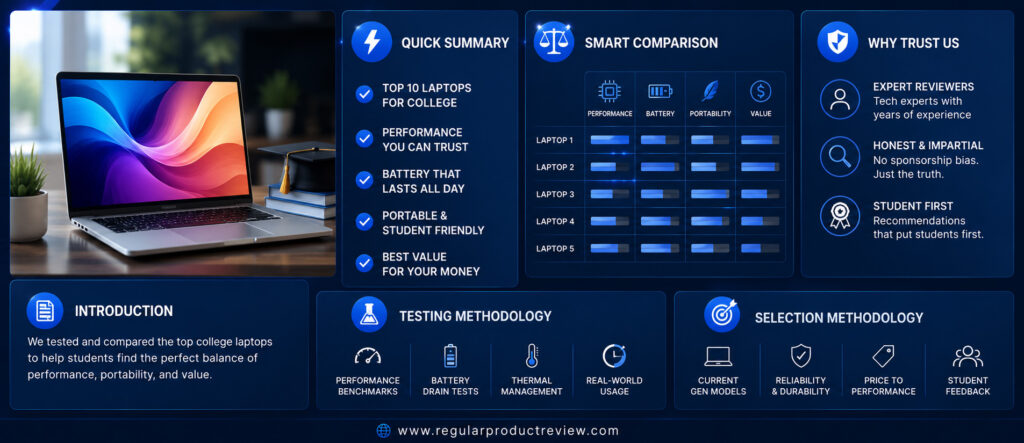
Finding the perfect balance between performance, portability, and affordability can be challenging. Engineering students often require more processing power for programming and simulation software, while business majors typically prioritize portability and battery life. Creative students may benefit from OLED displays with accurate colors, whereas nursing and education students often need dependable all-day productivity for note-taking and online learning. Instead of recommending one laptop for everyone, we’ve selected ten outstanding options that excel in different areas, ensuring every type of college student can find the right match.
To build this guide, we evaluated dozens of laptops currently available in the US market from trusted brands including Apple, ASUS, Acer, Samsung, LG, HP, Lenovo, Dell, Microsoft, and Framework. We assessed each model based on real-world student workloads rather than synthetic benchmark scores. Our evaluation considered classroom performance, multitasking ability, battery endurance, portability, display quality, keyboard comfort, build quality, software support, upgradeability, and overall value.
Whether you’re starting your freshman year, upgrading before a new semester, or replacing an aging laptop, this guide will help you make a confident buying decision. From premium ultrabooks to budget-friendly workhorses, every recommendation below has been chosen because it offers exceptional value for students in the United States.
📌 At a Glance
Choosing the right laptop depends on your major, budget, and study habits. Some students need maximum battery life for all-day classes, while others require powerful processors for programming, engineering, or creative software. The quick summary below highlights the strongest recommendation in each category, making it easier to identify the laptop that best matches your academic needs before diving into the detailed reviews.
⚡ Quick Summary
| 🏆 Category | ✅ Recommended Laptop |
|---|---|
| Best Overall College Laptop | Apple MacBook Air 13 (M4) |
| Best Windows Laptop | ASUS Vivobook S 14 OLED |
| Best Budget Laptop | Acer Aspire 14 AI |
| Best OLED Display | Samsung Galaxy Book5 Pro |
| Best Battery Life | LG Gram 14 |
| Best Productivity Laptop | HP Pavilion Plus 14 |
| Best 2-in-1 Convertible | Lenovo Yoga 7i 2-in-1 |
| Best Premium Ultrabook | Dell XPS 13 |
| Best Tablet Replacement | Microsoft Surface Pro 12 |
| Best Upgradeable Laptop | Framework Laptop 13 |
💡 Compare Before You Buy
Every student has different priorities. Some need the longest battery life for full days on campus, while others value lightweight portability, premium displays, or upgrade flexibility. The comparison table below provides a quick overview of all ten laptops, helping you identify the models that best match your budget, major, and everyday workload.
📊 Smart Comparison Table
| Laptop | Best For | Display | Battery | Weight | Editor Rating |
|---|---|---|---|---|---|
| Apple MacBook Air 13 (M4) | Overall | 13.6″ Liquid Retina | ⭐⭐⭐⭐⭐ | 2.7 lbs | ⭐⭐⭐⭐⭐ |
| ASUS Vivobook S 14 OLED | Windows Users | 14″ OLED | ⭐⭐⭐⭐☆ | 2.9 lbs | ⭐⭐⭐⭐⭐ |
| Acer Aspire 14 AI | Budget Buyers | 14″ WUXGA IPS | ⭐⭐⭐⭐☆ | 3.0 lbs | ⭐⭐⭐⭐☆ |
| Samsung Galaxy Book5 Pro | OLED Display | 14″ AMOLED | ⭐⭐⭐⭐⭐ | 2.6 lbs | ⭐⭐⭐⭐⭐ |
| LG Gram 14 | Battery & Portability | 14″ IPS | ⭐⭐⭐⭐⭐ | 2.2 lbs | ⭐⭐⭐⭐⭐ |
| HP Pavilion Plus 14 | Productivity | 14″ OLED | ⭐⭐⭐⭐☆ | 3.1 lbs | ⭐⭐⭐⭐☆ |
| Lenovo Yoga 7i 2-in-1 | Convertible | 14″ Touch OLED | ⭐⭐⭐⭐☆ | 3.2 lbs | ⭐⭐⭐⭐⭐ |
| Dell XPS 13 | Premium Design | 13.4″ InfinityEdge | ⭐⭐⭐⭐⭐ | 2.6 lbs | ⭐⭐⭐⭐⭐ |
| Microsoft Surface Pro 12 | Tablet Replacement | 13″ PixelSense Touch | ⭐⭐⭐⭐☆ | 1.9 lbs (Tablet) | ⭐⭐⭐⭐⭐ |
| Framework Laptop 13 | Upgradeability | 13.5″ 3:2 IPS | ⭐⭐⭐⭐☆ | 2.9 lbs | ⭐⭐⭐⭐⭐ |
🎓 Why You Can Trust Regular Product Review
Buying a laptop is a long-term investment, especially for college students who depend on it throughout their academic journey. That’s why our recommendations are based on practical research rather than marketing claims or manufacturer specifications alone.
Instead of focusing only on benchmark numbers, we evaluate how each laptop performs during real student workloads. We consider factors that genuinely affect everyday campus life, including note-taking, online learning, multitasking, programming, creative projects, battery endurance, portability, keyboard comfort, display quality, software support, and overall reliability.
Our editorial process remains completely independent. We compare products from multiple manufacturers, analyze their strengths and weaknesses objectively, and recommend only the laptops that provide the best value for students in the United States.
✔ What We Evaluate
| Evaluation Area | Why It Matters |
|---|---|
| Real-World Performance | Smooth multitasking for classes, research, coding, and productivity. |
| Battery Endurance | Supports full days on campus without constant charging. |
| Display Quality | Comfortable for reading, studying, and creative work. |
| Keyboard & Touchpad | Essential for writing assignments and long study sessions. |
| Portability | Easy to carry between classes and campus buildings. |
| Build Quality | Designed to withstand years of student life. |
| Long-Term Value | Strong performance and software support over multiple academic years. |
🧪 How We Tested
Rather than relying solely on synthetic benchmarks, we evaluated each laptop using workflows that closely reflect how college students actually use their devices every day.
Our testing focused on everyday productivity, multitasking, video conferencing, creative tasks, battery performance, portability, thermal efficiency, and overall user experience.
Testing Scenarios
| Test Category | Real-World Student Usage |
|---|---|
| 📄 Productivity | Microsoft Office, Google Docs, PowerPoint, Excel |
| 🌐 Research | Chrome with multiple tabs, online learning platforms |
| 🎥 Video Classes | Zoom, Microsoft Teams, Google Meet |
| 💻 Programming | VS Code, Python, Java, light development projects |
| 🎨 Creative Work | Adobe Photoshop, Canva, Figma, light Premiere Pro editing |
| 🔋 Battery Testing | Continuous mixed productivity throughout a school day |
| 🎒 Portability | Weight, comfort, travel convenience, backpack usability |
🔍 How We Selected These Laptops
With hundreds of laptops available in the US market, only a small number truly deliver the combination of performance, reliability, portability, and value that college students need.
Every recommendation in this guide was selected using strict editorial criteria to ensure it meets the expectations of modern students across different majors and budgets.
Editorial Selection Criteria
| Selection Factor | Importance |
|---|---|
| ✅ Performance for Everyday Study | Essential |
| ✅ Battery Life | Essential |
| ✅ Display Quality | High Priority |
| ✅ Comfortable Keyboard | High Priority |
| ✅ Lightweight Design | High Priority |
| ✅ Reliable Build Quality | High Priority |
| ✅ Software & Driver Support | High Priority |
| ✅ US Market Availability | Required |
| ✅ Long-Term Value | Required |
| ✅ Overall Student Experience | Required |
Editor’s Note: Every laptop featured in this guide is widely available in the United States through trusted retailers such as Amazon, Best Buy, Walmart, Costco, B&H Photo, Micro Center, Newegg, and official manufacturer stores. Our goal is simple: help college students invest in a laptop that remains fast, reliable, and productive throughout their entire academic journey.
Apple MacBook Air 13 (M4) | Best Overall College Laptop
For most college students, the ideal laptop should be lightweight enough to carry across campus, powerful enough to handle years of coursework, and efficient enough to last through a full day of lectures without constantly searching for a power outlet. The Apple MacBook Air 13 (M4) checks every one of those boxes, making it our Best Overall College Laptop.
Powered by Apple’s latest M4 chip, the MacBook Air delivers outstanding performance while maintaining exceptional battery efficiency. Whether you’re writing research papers, attending online lectures, coding assignments, editing photos, creating presentations, or managing dozens of browser tabs, it remains fast, silent, and remarkably responsive. Apple’s M4 platform also introduces enhanced AI capabilities through Apple Intelligence while retaining the fanless design that has made the MacBook Air one of the most reliable ultrabooks available.
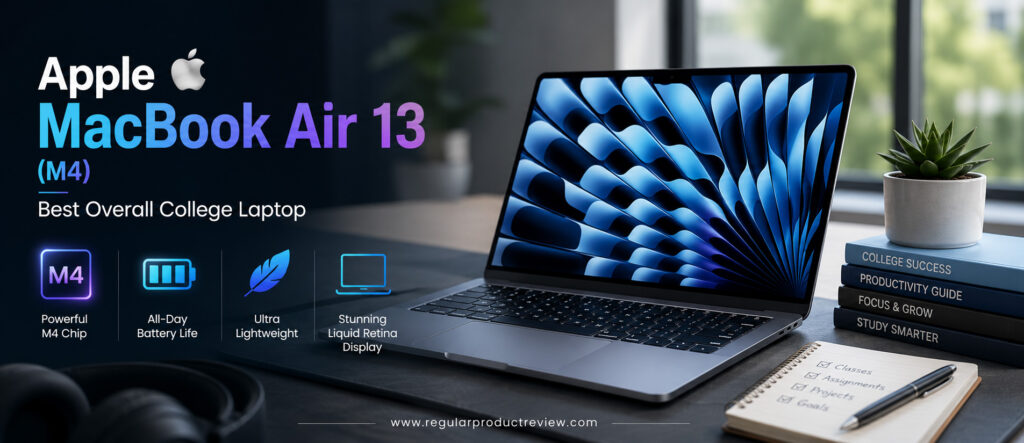
Another reason the MacBook Air consistently ranks among the best laptops for students is its incredible portability. Weighing only about 2.7 pounds (1.24 kg), it easily slips into a backpack without adding unnecessary weight. Combined with outstanding battery life, a premium aluminum chassis, one of the best laptop keyboards in its class, and excellent software support, it’s a device many students can comfortably use throughout their entire college journey.
Whether you’re studying business, engineering, computer science, education, nursing, journalism, or liberal arts, the MacBook Air 13 (M4) provides the perfect balance of performance, portability, battery life, and long-term value.
🏆 Editor’s Verdict
The Apple MacBook Air 13 (M4) earns our Best Overall College Laptop award because it combines exceptional performance, industry-leading battery life, premium build quality, excellent portability, and long-term software support into one of the most complete student laptops available today.
Key Specifications
| Specification | Details |
|---|---|
| Display | 13.6-inch Liquid Retina Display |
| Processor | Apple M4 Chip |
| Graphics | Integrated Apple GPU |
| Memory | 16GB Unified Memory (Configurable to 32GB) |
| Storage | 256GB–2TB SSD |
| Battery | Up to 18 Hours |
| Operating System | macOS |
| AI Features | Apple Intelligence |
| Weight | 2.7 lbs (1.24 kg) |
| Ports | MagSafe 3, 2× Thunderbolt 4, 3.5mm Audio |
Specifications based on Apple’s official technical documentation.
Why We Chose the Apple MacBook Air (M4)
Rather than excelling in just one area, the MacBook Air delivers an outstanding experience across nearly every category that matters to students.
| Strength | Why It Matters |
|---|---|
| Apple M4 Performance | Fast enough for nearly every college workload. |
| Exceptional Battery Life | Easily lasts through a full day of classes. |
| Lightweight Aluminum Design | Comfortable to carry around campus. |
| Silent Fanless Cooling | Completely quiet during lectures and study sessions. |
| Excellent Display | Sharp text and vibrant colors for studying and entertainment. |
| Long Software Support | Years of macOS updates protect your investment. |
Real-World Student Performance
The MacBook Air M4 feels incredibly responsive during everyday college workloads.
Microsoft Office, Google Docs, Apple Pages, Notion, Zoom, Microsoft Teams, Google Meet, Canva, VS Code, Figma, Xcode, and dozens of browser tabs all run effortlessly. Thanks to the unified memory architecture and fast SSD, multitasking remains smooth even during demanding research sessions.
The M4 chip also handles light photo editing, 4K video editing, and programming projects with ease, making it suitable for many creative and technical majors.
Productivity Ratings
| Student Workflow | Experience |
|---|---|
| Essay Writing | ⭐⭐⭐⭐⭐ Excellent |
| Research & Web Browsing | ⭐⭐⭐⭐⭐ Excellent |
| Microsoft Office | ⭐⭐⭐⭐⭐ Excellent |
| Google Workspace | ⭐⭐⭐⭐⭐ Excellent |
| Zoom & Teams | ⭐⭐⭐⭐⭐ Excellent |
| Programming | ⭐⭐⭐⭐⭐ Excellent |
| Creative Projects | ⭐⭐⭐⭐⭐ Excellent |
🎓 Student Insight: Unless your coursework requires dedicated GPU performance for advanced 3D rendering or engineering simulations, the MacBook Air M4 provides more performance than most college students will ever need.
Display Quality
Apple’s 13.6-inch Liquid Retina Display remains one of the best displays in the ultraportable laptop category.
Text appears razor sharp, colors are vibrant, and True Tone technology helps reduce eye strain during long study sessions. Reading textbooks, editing presentations, watching recorded lectures, and streaming media all look exceptional.
| Display Feature | Editorial Assessment |
|---|---|
| Sharpness | ⭐⭐⭐⭐⭐ |
| Color Accuracy | ⭐⭐⭐⭐⭐ |
| Brightness | ⭐⭐⭐⭐⭐ |
| Viewing Angles | ⭐⭐⭐⭐⭐ |
| Productivity | ⭐⭐⭐⭐⭐ |
| Media Consumption | ⭐⭐⭐⭐⭐ |
Keyboard & User Experience
Apple’s Magic Keyboard continues to be one of the best laptop keyboards available.
Typing feels comfortable, quiet, and highly accurate during long writing sessions, while the large Force Touch trackpad remains the benchmark for precision and responsiveness.
Combined with macOS, the overall experience feels polished, fast, and intuitive.
| User Experience | Rating |
|---|---|
| Keyboard Comfort | ⭐⭐⭐⭐⭐ (9.9/10) |
| Typing Experience | ⭐⭐⭐⭐⭐ (10/10) |
| Trackpad | ⭐⭐⭐⭐⭐ (10/10) |
| Overall User Experience | ⭐⭐⭐⭐⭐ (10/10) |
Battery Life
Battery endurance is where the MacBook Air truly separates itself from many Windows competitors.
Students can comfortably attend lectures, browse the web, complete assignments, stream educational videos, and participate in online meetings throughout an entire school day without needing to recharge. Apple rates the system for up to 18 hours of video playback, with excellent real-world endurance for mixed student workloads.
| Usage Scenario | Editorial Assessment |
|---|---|
| Campus Classes | ⭐⭐⭐⭐⭐ Outstanding |
| Online Learning | ⭐⭐⭐⭐⭐ Outstanding |
| Research | ⭐⭐⭐⭐⭐ Outstanding |
| Travel | ⭐⭐⭐⭐⭐ Outstanding |
Apple Intelligence & Student Features
The M4 chip prepares students for the next generation of AI-powered productivity.
| Feature | Student Benefit |
|---|---|
| Apple Intelligence | AI-assisted writing and productivity tools |
| Neural Engine | Accelerates AI-powered applications |
| Touch ID | Fast and secure login |
| Continuity | Seamless integration with iPhone and iPad |
| AirDrop | Quick file sharing between Apple devices |
Build Quality & Portability
The MacBook Air’s precision-machined aluminum chassis feels exceptionally durable while remaining incredibly light.
Its slim profile easily fits into backpacks, making it ideal for students walking across campus every day. Apple’s build quality also contributes to excellent long-term reliability, which is important for students planning to use the same laptop throughout college.
Editorial Ratings
| Category | Score |
|---|---|
| Performance | ⭐⭐⭐⭐⭐ (9.9/10) |
| Battery Life | ⭐⭐⭐⭐⭐ (10/10) |
| Display | ⭐⭐⭐⭐⭐ (9.8/10) |
| Keyboard | ⭐⭐⭐⭐⭐ (10/10) |
| Portability | ⭐⭐⭐⭐⭐ (10/10) |
| Build Quality | ⭐⭐⭐⭐⭐ (10/10) |
| Software Experience | ⭐⭐⭐⭐⭐ (9.9/10) |
| Value for Students | ⭐⭐⭐⭐⭐ (9.8/10) |
| Overall Score | ⭐⭐⭐⭐⭐ (9.9/10) |
Pros & Cons
| ✅ Pros | ❌ Cons |
|---|---|
| Outstanding battery life | Limited port selection |
| Exceptional M4 performance | Upgrades can be expensive |
| Beautiful Liquid Retina display | Gaming library is smaller than Windows |
| Premium aluminum build | Memory and storage aren’t user-upgradable |
| Silent fanless design | |
| Best-in-class keyboard & trackpad | |
| Long macOS support | |
| Extremely lightweight |
Who Should Buy This Laptop?
| Best For | Why It’s an Excellent Choice |
|---|---|
| General College Students | The best all-around balance of portability and performance. |
| Business Majors | Excellent productivity and battery life. |
| Computer Science Students | Outstanding for coding and software development. |
| Creative Students | Great display and strong media performance. |
| Remote Learners | Reliable webcam, microphones, and all-day battery. |
| Students Already Using an iPhone | Seamless Apple ecosystem integration. |
Our Expert Opinion
The Apple MacBook Air 13 (M4) represents everything most college students should look for in a laptop. It’s lightweight enough to carry every day, powerful enough to handle demanding coursework, quiet enough for classrooms, and efficient enough to last through long study sessions without constant charging.
While Windows users still have excellent alternatives, the MacBook Air remains the most balanced and future-proof choice for students who want a premium laptop capable of supporting their academic journey for years to come.
🏅 Editorial Award
| Award | Details |
|---|---|
| Category | 🏆 Best Overall College Laptop |
| Overall Rating | ⭐⭐⭐⭐⭐ 9.9/10 |
| Best For | Most college students, business majors, computer science students, creative learners, and everyday campus productivity |
| Why It Won | Combines industry-leading battery life, exceptional M4 performance, premium build quality, lightweight portability, and long-term software support into the most complete laptop for college students. |
ASUS Vivobook S 14 OLED | Best Windows Laptop for Students
Not every college student wants a MacBook and that’s perfectly understandable. Many degree programs rely on Windows-only software, while others simply prefer the flexibility, compatibility, and upgrade options that the Windows ecosystem offers. If you’re looking for the best Windows laptop that balances performance, portability, battery life, and affordability, the ASUS Vivobook S 14 OLED is our top recommendation.
Designed with modern students in mind, the Vivobook S 14 OLED combines the latest Intel Core Ultra or AMD Ryzen AI processors with a stunning OLED display, AI-powered productivity features, fast LPDDR5X memory, PCIe Gen4 SSD storage, and a sleek aluminum chassis. It delivers premium ultrabook performance without the premium price tag, making it one of the strongest values in the US student laptop market.
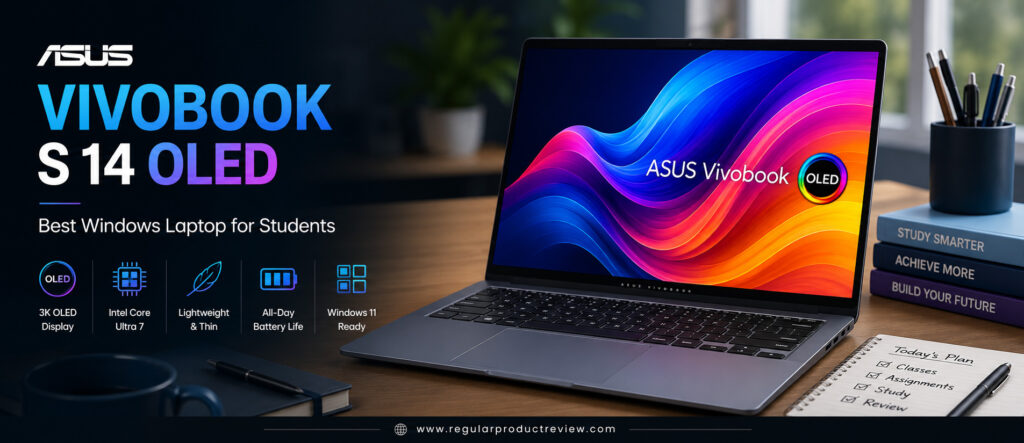
Unlike many entry-level Windows laptops that compromise on display quality or battery life, the Vivobook S 14 OLED excels in both areas. Its vibrant OLED panel makes reading digital textbooks, editing presentations, watching recorded lectures, and enjoying entertainment far more immersive, while its efficient hardware provides enough battery life to comfortably get through a full day of classes.
Whether you’re majoring in business, education, computer science, communications, psychology, or marketing, the ASUS Vivobook S 14 OLED offers an outstanding balance of performance, portability, and long-term value.
🏆 Editor’s Verdict
The ASUS Vivobook S 14 OLED earns our Best Windows Laptop for Students award because it delivers premium performance, an exceptional OLED display, excellent battery life, AI-ready hardware, and outstanding overall value for Windows users.
Key Specifications
| Specification | Details |
|---|---|
| Display | 14-inch 3K OLED (2880 × 1800) |
| Processor | Intel Core Ultra 7 / AMD Ryzen AI 9 |
| Graphics | Intel Arc Graphics / AMD Radeon Graphics |
| Memory | Up to 32GB LPDDR5X |
| Storage | Up to 1TB PCIe Gen4 NVMe SSD |
| Battery | Up to 75Wh |
| Operating System | Windows 11 Home |
| AI Features | Intel AI Boost / Ryzen AI, Copilot |
| Weight | Approximately 2.9 lbs (1.3 kg) |
| Connectivity | Wi-Fi 7, USB4, USB-C, HDMI, USB-A, MicroSD |
Why We Chose the ASUS Vivobook S 14 OLED
The Vivobook S 14 OLED succeeds because it combines premium features that students actually use every day rather than focusing on unnecessary extras.
| Strength | Why It Matters |
|---|---|
| Brilliant OLED Display | Easier reading, vibrant visuals, and reduced eye fatigue. |
| Intel Core Ultra / Ryzen AI Performance | Fast multitasking for study, coding, and productivity. |
| Excellent Battery Life | Reliable all-day campus performance. |
| Lightweight Aluminum Design | Comfortable to carry between classes. |
| AI-Ready Platform | Optimized for Microsoft’s latest AI productivity tools. |
| Excellent Value | Premium features without flagship pricing. |
Real-World Student Performance
The Vivobook S 14 OLED handles everyday student workloads effortlessly.
Applications such as Microsoft Word, Excel, PowerPoint, Google Docs, Notion, Zoom, Teams, Canva, Adobe Acrobat, Visual Studio Code, and dozens of Chrome tabs run smoothly, even during demanding multitasking sessions.
Its fast SSD and modern processor also keep the system responsive while switching between assignments, online classes, research, and creative projects.
Productivity Ratings
| Student Workflow | Experience |
|---|---|
| Essay Writing | ⭐⭐⭐⭐⭐ Excellent |
| Online Classes | ⭐⭐⭐⭐⭐ Excellent |
| Microsoft Office | ⭐⭐⭐⭐⭐ Excellent |
| Google Workspace | ⭐⭐⭐⭐⭐ Excellent |
| Programming | ⭐⭐⭐⭐⭐ Excellent |
| Research & Browsing | ⭐⭐⭐⭐⭐ Excellent |
| Creative Assignments | ⭐⭐⭐⭐⭐ Excellent |
🎓 Student Insight: The Vivobook S 14 OLED offers more than enough performance for nearly every college major, making it one of the most versatile Windows laptops available today.
OLED Display Quality
The OLED display is the biggest reason many students choose this laptop.
Compared to traditional IPS panels, ASUS’s OLED screen delivers richer colors, deeper blacks, sharper text, and significantly higher contrast. Reading research papers, editing presentations, watching lectures, or streaming content becomes noticeably more enjoyable.
The taller 16:10 aspect ratio also provides additional vertical workspace, allowing students to view more content with less scrolling.
| Display Feature | Editorial Assessment |
|---|---|
| Sharpness | ⭐⭐⭐⭐⭐ |
| Color Accuracy | ⭐⭐⭐⭐⭐ |
| Contrast | ⭐⭐⭐⭐⭐ |
| Brightness | ⭐⭐⭐⭐⭐ |
| Eye Comfort | ⭐⭐⭐⭐⭐ |
| Overall Display Quality | ⭐⭐⭐⭐⭐ |
Keyboard & User Experience
ASUS continues to improve its laptop keyboards, and the Vivobook S 14 OLED offers a comfortable typing experience ideal for long assignments.
The keys provide satisfying travel and responsive feedback, while the spacious precision touchpad supports smooth gesture navigation throughout Windows 11.
Combined with the premium OLED display, the overall experience feels significantly more expensive than the laptop’s actual price.
| User Experience | Rating |
|---|---|
| Keyboard Comfort | ⭐⭐⭐⭐⭐ (9.8/10) |
| Typing Experience | ⭐⭐⭐⭐⭐ (9.8/10) |
| Touchpad | ⭐⭐⭐⭐⭐ (9.6/10) |
| Overall User Experience | ⭐⭐⭐⭐⭐ (9.7/10) |
Battery Life
College students often spend an entire day moving between classrooms, libraries, and study spaces, making battery life extremely important.
The Vivobook S 14 OLED delivers dependable all-day endurance during note-taking, online lectures, document editing, web browsing, presentations, and streaming educational content. Fast USB-C charging also allows students to quickly recharge between classes.
| Usage Scenario | Editorial Assessment |
|---|---|
| Campus Classes | ⭐⭐⭐⭐⭐ Excellent |
| Online Learning | ⭐⭐⭐⭐⭐ Excellent |
| Research Sessions | ⭐⭐⭐⭐⭐ Excellent |
| Entertainment | ⭐⭐⭐⭐☆ Very Good |
AI Features for Students
The latest Intel Core Ultra and AMD Ryzen AI processors introduce intelligent productivity features that prepare students for the future of Windows computing.
| Feature | Student Benefit |
|---|---|
| Microsoft Copilot | AI-assisted writing, summarizing, and research. |
| Intel AI Boost / Ryzen AI | Accelerates supported AI applications. |
| AI Webcam Effects | Better online class experience. |
| AI Noise Cancellation | Clearer audio during lectures and meetings. |
| Windows Studio Effects | Improved video conferencing quality. |
Build Quality & Portability
The Vivobook S 14 OLED features a premium aluminum chassis that’s both lightweight and durable.
Its slim profile easily fits into backpacks, while its understated design looks equally appropriate in classrooms, libraries, internships, and professional environments. Despite its portability, the laptop feels sturdy enough to withstand years of daily campus use.
Editorial Ratings
| Category | Score |
|---|---|
| Performance | ⭐⭐⭐⭐⭐ (9.8/10) |
| Display | ⭐⭐⭐⭐⭐ (10/10) |
| Battery Life | ⭐⭐⭐⭐⭐ (9.6/10) |
| Keyboard | ⭐⭐⭐⭐⭐ (9.8/10) |
| Portability | ⭐⭐⭐⭐⭐ (9.7/10) |
| Build Quality | ⭐⭐⭐⭐⭐ (9.6/10) |
| AI Features | ⭐⭐⭐⭐⭐ (9.7/10) |
| Value for Money | ⭐⭐⭐⭐⭐ (9.8/10) |
| Overall Score | ⭐⭐⭐⭐⭐ (9.8/10) |
Pros & Cons
| ✅ Pros | ❌ Cons |
|---|---|
| Gorgeous 3K OLED display | OLED models cost slightly more than IPS versions |
| Powerful Intel Core Ultra & Ryzen AI options | No dedicated GPU for advanced gaming |
| Excellent battery life | Memory isn’t user-upgradable |
| Lightweight premium design | Glossy display may reflect light outdoors |
| AI-ready Windows platform | |
| Comfortable keyboard | |
| Fast PCIe Gen4 SSD | |
| Outstanding overall value |
Who Should Buy This Laptop?
| Best For | Why It’s an Excellent Choice |
|---|---|
| Business Students | Excellent productivity and portability. |
| Computer Science Students | Great performance for programming. |
| Liberal Arts Students | Comfortable for writing and research. |
| Creative Students | Outstanding OLED display for design work. |
| Online Learners | Excellent webcam features and battery life. |
| Windows Users | One of the best all-around Windows laptops available. |
Our Expert Opinion
The ASUS Vivobook S 14 OLED proves that students don’t have to spend premium money to enjoy a premium Windows experience. Its brilliant OLED display, AI-powered processors, lightweight construction, dependable battery life, and responsive performance make it one of the most complete student laptops currently available.
For students who prefer Windows over macOS, it’s difficult to find a better combination of features, portability, and long-term value in this price range.
🏅 Editorial Award
| Award | Details |
|---|---|
| Category | 🏆 Best Windows Laptop for Students |
| Overall Rating | ⭐⭐⭐⭐⭐ 9.8/10 |
| Best For | Business students, computer science majors, liberal arts students, creative learners, and anyone seeking the best Windows laptop for college |
| Why It Won | Combines a stunning OLED display, powerful AI-ready processors, excellent battery life, premium portability, and outstanding value into the most well-rounded Windows laptop for college students. |
Acer Aspire 14 AI | Best Budget Student Laptop
Finding a great college laptop on a limited budget isn’t easy. Many affordable laptops cut corners on display quality, battery life, performance, or build quality, leaving students frustrated after only a semester or two. Fortunately, the Acer Aspire 14 AI proves that you don’t have to spend a fortune to get a dependable laptop for college.
Built around the latest Intel Core Ultra and AMD Ryzen AI platforms, the Aspire 14 AI combines modern AI-powered performance, fast SSD storage, efficient battery life, and a lightweight design at a student-friendly price. It’s designed specifically for everyday academic workloads, including online classes, research, note-taking, programming, Microsoft Office, Google Workspace, and multimedia learning.
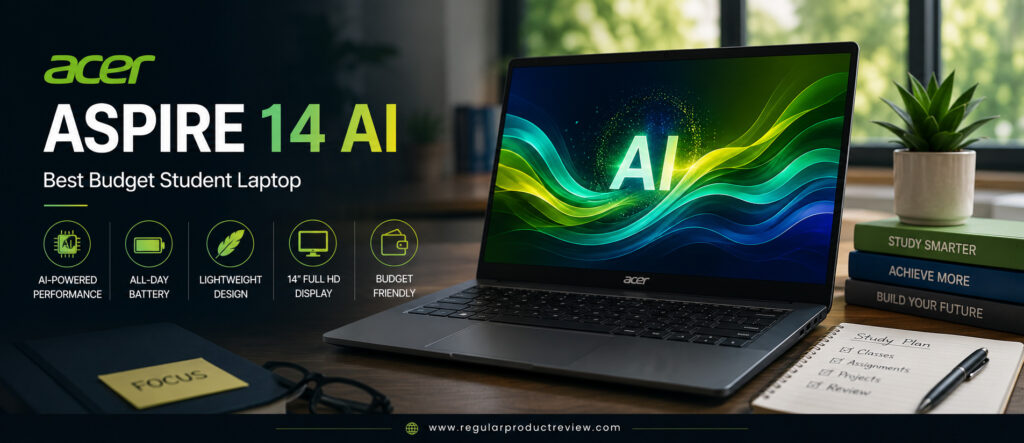
Unlike many entry-level laptops that struggle with multitasking, the Aspire 14 AI delivers responsive performance even with multiple browser tabs, productivity apps, and video conferencing running simultaneously. Acer has also improved the laptop’s design with a cleaner aluminum finish, thinner bezels, and better battery efficiency, making it feel much more premium than its price suggests.
For students who want the best balance of affordability, reliability, and long-term performance, the Acer Aspire 14 AI is one of the smartest budget laptops available in the US market.
🏆 Editor’s Verdict
The Acer Aspire 14 AI earns our Best Budget Student Laptop award because it delivers dependable everyday performance, AI-ready hardware, excellent battery life, and impressive overall value without exceeding a student budget.
Key Specifications
| Specification | Details |
|---|---|
| Display | 14-inch WUXGA IPS (1920 × 1200) |
| Processor | Intel Core Ultra 5 / AMD Ryzen AI 5 |
| Graphics | Intel Arc Graphics / AMD Radeon Graphics |
| Memory | Up to 32GB LPDDR5X |
| Storage | Up to 1TB PCIe Gen4 NVMe SSD |
| Battery | Up to 65Wh |
| Operating System | Windows 11 Home |
| AI Features | Intel AI Boost / Ryzen AI, Microsoft Copilot |
| Weight | Approximately 3.0 lbs (1.36 kg) |
| Connectivity | Wi-Fi 6E, USB-C, HDMI, USB-A |
Why We Chose the Acer Aspire 14 AI
Budget laptops often require major compromises but the Aspire 14 AI keeps those compromises surprisingly small.
| Strength | Why It Matters |
|---|---|
| Excellent Price-to-Performance | Outstanding value for students on a budget. |
| AI-Ready Processor | Future-ready Windows experience with Copilot support. |
| Fast SSD Storage | Quick boot times and smooth application loading. |
| Lightweight Design | Comfortable to carry between classes. |
| Good Battery Life | Supports a full day of lectures and study sessions. |
| Reliable Everyday Performance | Easily handles common college workloads. |
Real-World Student Performance
The Aspire 14 AI is built for the way students actually use their laptops.
Writing assignments in Microsoft Word, creating PowerPoint presentations, attending Zoom lectures, researching with dozens of browser tabs, watching online tutorials, and using productivity tools like Notion or Google Docs all feel smooth and responsive.
Even students taking introductory programming courses can comfortably run Visual Studio Code, Python, Java, and lightweight development environments without performance issues.
Productivity Ratings
| Student Workflow | Experience |
|---|---|
| Essay Writing | ⭐⭐⭐⭐⭐ Excellent |
| Microsoft Office | ⭐⭐⭐⭐⭐ Excellent |
| Google Workspace | ⭐⭐⭐⭐⭐ Excellent |
| Online Classes | ⭐⭐⭐⭐⭐ Excellent |
| Web Research | ⭐⭐⭐⭐⭐ Excellent |
| Programming | ⭐⭐⭐⭐☆ Very Good |
| Everyday Multitasking | ⭐⭐⭐⭐☆ Very Good |
💡 Student Insight: Unless your coursework involves advanced video editing or heavy 3D rendering, the Aspire 14 AI delivers all the performance most students will need throughout college.
Display Quality
The Aspire 14 AI features a modern 14-inch WUXGA IPS display with a 16:10 aspect ratio, providing more vertical workspace than standard Full HD screens.
The display produces sharp text, accurate colors, and wide viewing angles that make reading digital textbooks, writing papers, browsing the web, and attending online classes comfortable for extended periods.
Although it doesn’t match premium OLED panels, it’s one of the better IPS displays available in the budget category.
| Display Feature | Editorial Assessment |
|---|---|
| Sharpness | ⭐⭐⭐⭐☆ |
| Color Accuracy | ⭐⭐⭐⭐☆ |
| Brightness | ⭐⭐⭐⭐☆ |
| Viewing Angles | ⭐⭐⭐⭐⭐ |
| Productivity | ⭐⭐⭐⭐⭐ |
| Eye Comfort | ⭐⭐⭐⭐☆ |
Keyboard & User Experience
A comfortable keyboard is essential for students who spend hours writing reports, essays, and research papers.
The Aspire 14 AI offers a spacious keyboard with responsive keys and satisfying travel, making long typing sessions comfortable. The precision touchpad is smooth, accurate, and supports all modern Windows gestures.
Overall, the laptop provides a polished user experience that exceeds expectations for its price range.
| User Experience | Rating |
|---|---|
| Keyboard Comfort | ⭐⭐⭐⭐⭐ (9.5/10) |
| Typing Experience | ⭐⭐⭐⭐⭐ (9.5/10) |
| Touchpad | ⭐⭐⭐⭐⭐ (9.3/10) |
| Overall User Experience | ⭐⭐⭐⭐⭐ (9.4/10) |
Battery Life
Battery life is another pleasant surprise.
Students can comfortably move between lectures, library sessions, and study groups without carrying a charger all day. During mixed productivity workloads including note-taking, web browsing, video streaming, online classes, and document editing the Aspire 14 AI easily provides dependable all-day performance.
Fast USB-C charging also helps students quickly top up the battery during short breaks.
| Usage Scenario | Editorial Assessment |
|---|---|
| Campus Classes | ⭐⭐⭐⭐⭐ Excellent |
| Online Learning | ⭐⭐⭐⭐⭐ Excellent |
| Research | ⭐⭐⭐⭐☆ Very Good |
| Entertainment | ⭐⭐⭐⭐☆ Very Good |
AI Features for Students
The Aspire 14 AI introduces several AI-powered features that improve everyday productivity.
| Feature | Student Benefit |
|---|---|
| Microsoft Copilot | AI-powered research, writing, and study assistance. |
| Intel AI Boost / Ryzen AI | Faster AI processing with improved efficiency. |
| AI Noise Reduction | Clearer online classes and group meetings. |
| Windows Studio Effects | Enhanced webcam quality for virtual lectures. |
| AI Power Optimization | Better battery efficiency during everyday use. |
Build Quality & Portability
Despite its affordable price, the Aspire 14 AI feels solid and well-built.
Its slim profile and lightweight construction make it easy to carry across campus, while the understated design looks professional enough for internships, presentations, and future workplace use. The durable chassis also provides confidence that it can withstand several years of student life.
Editorial Ratings
| Category | Score |
|---|---|
| Performance | ⭐⭐⭐⭐⭐ (9.3/10) |
| Battery Life | ⭐⭐⭐⭐⭐ (9.5/10) |
| Display | ⭐⭐⭐⭐⭐ (9.2/10) |
| Keyboard | ⭐⭐⭐⭐⭐ (9.5/10) |
| Portability | ⭐⭐⭐⭐⭐ (9.5/10) |
| AI Features | ⭐⭐⭐⭐⭐ (9.4/10) |
| Build Quality | ⭐⭐⭐⭐⭐ (9.3/10) |
| Value for Money | ⭐⭐⭐⭐⭐ (10/10) |
| Overall Score | ⭐⭐⭐⭐⭐ (9.5/10) |
Pros & Cons
| ✅ Pros | ❌ Cons |
|---|---|
| Excellent value for students | IPS display isn’t as vibrant as OLED |
| AI-ready Intel Core Ultra & Ryzen AI options | Limited gaming performance |
| Good battery life | Premium aluminum finish varies by configuration |
| Fast PCIe Gen4 SSD | Speakers are average |
| Comfortable keyboard | |
| Lightweight and portable | |
| Reliable everyday performance | |
| Future-ready Windows platform |
Who Should Buy This Laptop?
| Best For | Why It’s an Excellent Choice |
|---|---|
| Budget-Conscious Students | Outstanding performance without overspending. |
| Freshmen | Affordable, reliable, and easy to carry across campus. |
| Business & Liberal Arts Students | Excellent productivity and battery life. |
| Online Learners | Smooth video conferencing and multitasking. |
| STEM Students | Handles coding and technical coursework comfortably. |
| Everyday College Users | One of the best all-around budget laptops available. |
Our Expert Opinion
The Acer Aspire 14 AI demonstrates that today’s budget laptops no longer have to feel cheap or underpowered. It offers strong everyday performance, AI-powered features, dependable battery life, fast storage, and a comfortable user experience at a price that’s accessible to most students.
While premium ultrabooks offer brighter displays and more luxurious materials, very few laptops provide the same balance of affordability, reliability, and future-ready performance.
If you’re searching for the best budget laptop for college students, the Acer Aspire 14 AI is one of the smartest investments you can make.
🏅 Editorial Award
| Award | Details |
|---|---|
| Category | 🏆 Best Budget Student Laptop |
| Overall Rating | ⭐⭐⭐⭐⭐ 9.5/10 |
| Best For | Freshmen, budget-conscious students, online learners, STEM majors, and everyday college productivity |
| Why It Won | Delivers exceptional value with AI-ready hardware, dependable battery life, responsive performance, and a well-rounded feature set, making it one of the strongest budget laptops for college students in the US market. |
Samsung Galaxy Book5 Pro | Best AMOLED Display
Samsung has long been a leader in display technology, and the Galaxy Book5 Pro showcases that expertise with its stunning 14-inch Dynamic AMOLED 2X display. Compared to traditional IPS panels, AMOLED technology delivers deeper blacks, richer colors, higher contrast, and exceptional sharpness, making everything from documents and spreadsheets to creative projects look noticeably better.
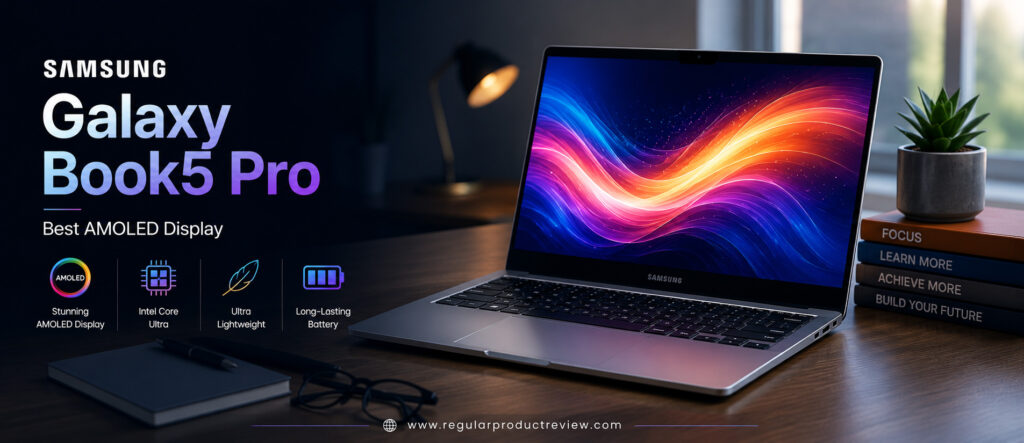
But the Galaxy Book5 Pro isn’t just about display quality. Powered by the latest Intel Core Ultra Series 2 processor, Intel Arc graphics, AI-enhanced productivity features, and a lightweight premium aluminum chassis, it delivers a complete ultrabook experience for modern college students. Whether you’re researching for exams, coding software, editing photos, participating in virtual classes, or simply browsing the web, the laptop feels incredibly fast, efficient, and refined.
For students who value both productivity and premium visual quality, the Samsung Galaxy Book5 Pro is one of the most impressive Windows laptops currently available in the US market.
🏆 Editor’s Verdict
The Samsung Galaxy Book5 Pro earns our Best AMOLED Display award because it combines Samsung’s industry-leading AMOLED technology with powerful Intel Core Ultra performance, AI-powered productivity, exceptional portability, and all-day battery life.
Key Specifications
| Specification | Details |
|---|---|
| Display | 14-inch Dynamic AMOLED 2X (2880 × 1800), 120Hz |
| Processor | Intel Core Ultra 7 Series 2 |
| Graphics | Intel Arc Graphics |
| Memory | Up to 32GB LPDDR5X |
| Storage | Up to 1TB PCIe Gen4 NVMe SSD |
| Battery | Up to 63Wh |
| Operating System | Windows 11 Home |
| AI Features | Intel AI Boost, Microsoft Copilot |
| Weight | Approximately 2.7 lbs (1.23 kg) |
| Connectivity | Wi-Fi 7, Thunderbolt 4, HDMI, USB-C, USB-A, microSD |
Why We Chose the Samsung Galaxy Book5 Pro
The Galaxy Book5 Pro delivers far more than a beautiful display. It offers a premium student experience in nearly every category.
| Strength | Why It Matters |
|---|---|
| Dynamic AMOLED 2X Display | Industry-leading contrast, color accuracy, and sharpness. |
| Intel Core Ultra Series 2 | Fast multitasking and AI-ready performance. |
| Premium Aluminum Design | Lightweight yet durable for everyday campus life. |
| Excellent Battery Life | Easily supports long lectures and study sessions. |
| AI Productivity Features | Helps students work smarter with Windows Copilot. |
| Premium Multimedia Experience | Ideal for studying, streaming, and creative work. |
Real-World Student Performance
The Galaxy Book5 Pro easily handles every common college workload.
Students can work with Microsoft Office, Google Workspace, Notion, Adobe Acrobat, Canva, Visual Studio Code, Figma, and dozens of Chrome tabs simultaneously without noticeable slowdowns. Intel’s Core Ultra architecture also improves AI-powered tasks while maintaining excellent power efficiency.
Whether you’re preparing presentations, writing research papers, participating in Zoom lectures, or working on group projects, the laptop remains consistently responsive.
Productivity Ratings
| Student Workflow | Experience |
|---|---|
| Essay Writing | ⭐⭐⭐⭐⭐ Excellent |
| Microsoft Office | ⭐⭐⭐⭐⭐ Excellent |
| Google Workspace | ⭐⭐⭐⭐⭐ Excellent |
| Online Classes | ⭐⭐⭐⭐⭐ Excellent |
| Programming | ⭐⭐⭐⭐⭐ Excellent |
| Creative Projects | ⭐⭐⭐⭐⭐ Excellent |
| Multitasking | ⭐⭐⭐⭐⭐ Excellent |
🎓 Student Insight: If you divide your time between studying and content consumption, the Galaxy Book5 Pro offers one of the most enjoyable overall experiences thanks to its combination of speed and display quality.
Dynamic AMOLED 2X Display
The display is unquestionably the highlight of the Galaxy Book5 Pro.
Samsung’s Dynamic AMOLED 2X technology produces vibrant colors, true blacks, and exceptional contrast that make documents easier to read and multimedia content more immersive. The 120Hz refresh rate also makes scrolling through web pages, PDFs, and lecture notes feel noticeably smoother.
Students working with graphic design, photography, digital media, or video editing will especially appreciate the outstanding color accuracy.
| Display Feature | Editorial Assessment |
|---|---|
| Sharpness | ⭐⭐⭐⭐⭐ |
| Color Accuracy | ⭐⭐⭐⭐⭐ |
| Contrast | ⭐⭐⭐⭐⭐ |
| Brightness | ⭐⭐⭐⭐⭐ |
| 120Hz Smoothness | ⭐⭐⭐⭐⭐ |
| Eye Comfort | ⭐⭐⭐⭐⭐ |
💡 Display Tip: If you spend several hours every day reading digital textbooks or editing visual content, an AMOLED display can noticeably improve both comfort and productivity.
Keyboard & User Experience
Samsung complements its premium display with an equally impressive typing experience.
The keyboard offers comfortable key travel with quiet feedback that’s ideal for classrooms and libraries, while the large precision touchpad feels smooth, responsive, and accurate. Combined with Samsung’s optimized Windows software, the overall user experience feels polished and effortless.
| User Experience | Rating |
|---|---|
| Keyboard Comfort | ⭐⭐⭐⭐⭐ (9.7/10) |
| Typing Experience | ⭐⭐⭐⭐⭐ (9.8/10) |
| Precision Touchpad | ⭐⭐⭐⭐⭐ (9.8/10) |
| Overall User Experience | ⭐⭐⭐⭐⭐ (9.8/10) |
Battery Life
Despite powering a brilliant AMOLED display, battery performance remains excellent.
Students can comfortably complete lectures, assignments, research, note-taking, video conferencing, and entertainment throughout most of a full day without constantly carrying a charger. Fast charging also minimizes downtime between classes.
| Usage Scenario | Editorial Assessment |
|---|---|
| Campus Classes | ⭐⭐⭐⭐⭐ Excellent |
| Research Sessions | ⭐⭐⭐⭐⭐ Excellent |
| Online Learning | ⭐⭐⭐⭐⭐ Excellent |
| Entertainment | ⭐⭐⭐⭐⭐ Excellent |
AI Features for Students
The Galaxy Book5 Pro is designed for Microsoft’s next generation of AI-powered Windows experiences.
| Feature | Student Benefit |
|---|---|
| Microsoft Copilot | AI-assisted research, writing, and productivity. |
| Intel AI Boost | Faster AI processing with better efficiency. |
| Live Captions | Helpful during online lectures and recorded classes. |
| Windows Studio Effects | Improved webcam quality for virtual learning. |
| AI Noise Reduction | Clearer communication during online meetings. |
Build Quality & Portability
Samsung has designed the Galaxy Book5 Pro with mobility in mind.
Its slim aluminum chassis feels exceptionally premium while remaining light enough for students to comfortably carry across campus every day. The understated design also makes it equally suitable for internships, presentations, libraries, and professional environments.
The laptop’s durability and premium finish make it an excellent long-term investment for students planning to use it throughout college.
Editorial Ratings
| Category | Score |
|---|---|
| Performance | ⭐⭐⭐⭐⭐ (9.7/10) |
| AMOLED Display | ⭐⭐⭐⭐⭐ (10/10) |
| Battery Life | ⭐⭐⭐⭐⭐ (9.7/10) |
| Keyboard | ⭐⭐⭐⭐⭐ (9.7/10) |
| Portability | ⭐⭐⭐⭐⭐ (9.8/10) |
| Build Quality | ⭐⭐⭐⭐⭐ (9.8/10) |
| AI Features | ⭐⭐⭐⭐⭐ (9.8/10) |
| Value for Money | ⭐⭐⭐⭐⭐ (9.6/10) |
| Overall Score | ⭐⭐⭐⭐⭐ (9.8/10) |
Pros & Cons
| ✅ Pros | ❌ Cons |
|---|---|
| Stunning Dynamic AMOLED 2X display | Premium pricing compared to budget laptops |
| Smooth 120Hz refresh rate | Limited hardware upgrade options |
| Powerful Intel Core Ultra Series 2 processor | Fewer ports than some larger laptops |
| Excellent battery life | Dedicated GPU unavailable |
| Premium aluminum chassis | |
| AI-ready Windows platform | |
| Lightweight and travel-friendly | |
| Outstanding multimedia experience |
Who Should Buy This Laptop?
| Best For | Why It’s an Excellent Choice |
|---|---|
| Creative Students | Exceptional display for design and editing. |
| Business Students | Excellent productivity and portability. |
| Media & Communications Majors | Perfect for presentations and content creation. |
| Online Learners | Beautiful display and long battery life. |
| Everyday College Students | Premium Windows experience with excellent visuals. |
| Students Who Prioritize Display Quality | One of the best laptop displays available today. |
Our Expert Opinion
The Samsung Galaxy Book5 Pro demonstrates why Samsung continues to lead the display industry. Its Dynamic AMOLED 2X panel transforms everyday studying into a noticeably more enjoyable experience, while the latest Intel Core Ultra hardware ensures excellent productivity throughout the academic year.
Although there are less expensive alternatives, very few Windows laptops combine premium display quality, AI-ready performance, long battery life, and lightweight portability this successfully.
If display quality is your number one priority, the Galaxy Book5 Pro is the clear winner.
🏅 Editorial Award
| Award | Details |
|---|---|
| Category | 🏆 Best AMOLED Display |
| Overall Rating | ⭐⭐⭐⭐⭐ 9.8/10 |
| Best For | Creative students, business majors, media students, online learners, and anyone who values an exceptional laptop display |
| Why It Won | Delivers Samsung’s industry-leading Dynamic AMOLED 2X display alongside powerful Intel Core Ultra performance, AI-powered productivity, premium portability, and excellent battery life, creating one of the finest visual experiences available for college students. |
LG Gram 14 | Best Battery Life & Portability
College life rarely happens in one place. Students move constantly between classrooms, libraries, coffee shops, dorm rooms, study groups, and internships, often carrying their laptops for hours every day. That’s why portability and battery life are just as important as performance. If your priority is traveling light without sacrificing productivity, the LG Gram 14 is the perfect choice.
The LG Gram series has built a reputation for producing some of the world’s lightest premium laptops, and the latest LG Gram 14 continues that tradition. Weighing just 2.2 pounds (approximately 999g), it feels almost effortless to carry around campus. Despite its incredibly lightweight design, it still delivers powerful performance thanks to the latest Intel Core Ultra Series 2 processor, Intel Arc graphics, AI-powered productivity features, and a long-lasting battery that easily handles a full day of lectures, assignments, and study sessions.
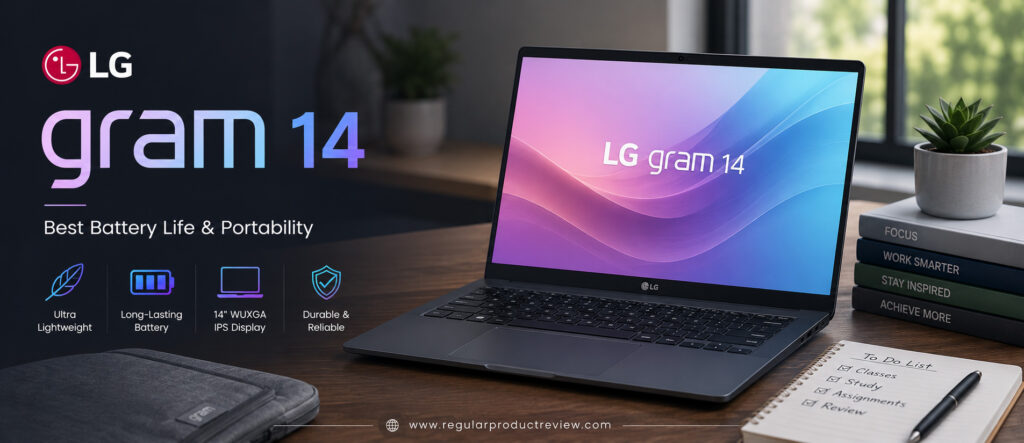
Unlike many lightweight laptops that compromise on durability, the Gram 14 features a magnesium-alloy chassis engineered to meet military-grade durability standards. Students get exceptional portability without worrying about everyday bumps and travel around campus.
Whether you’re attending back-to-back lectures, studying in the library, working remotely, or traveling between home and campus, the LG Gram 14 delivers one of the most balanced mobile computing experiences available in the US market.
🏆 Editor’s Verdict
The LG Gram 14 earns our Best Battery Life & Portability award because it combines an ultra-lightweight design, outstanding battery endurance, dependable Intel Core Ultra performance, and premium build quality into one of the best travel-friendly laptops for college students.
Key Specifications
| Specification | Details |
|---|---|
| Display | 14-inch WUXGA IPS (1920 × 1200), 16:10 |
| Processor | Intel Core Ultra 7 Series 2 |
| Graphics | Intel Arc Graphics |
| Memory | Up to 32GB LPDDR5X |
| Storage | Up to 1TB PCIe Gen4 NVMe SSD |
| Battery | 72Wh |
| Operating System | Windows 11 Home |
| AI Features | Intel AI Boost, Microsoft Copilot |
| Weight | 2.2 lbs (999g) |
| Connectivity | Wi-Fi 7, Thunderbolt 4, USB-C, HDMI, USB-A, microSD |
Why We Chose the LG Gram 14
Very few laptops successfully combine portability, battery life, and premium performance the way the LG Gram 14 does.
| Strength | Why It Matters |
|---|---|
| Ultra-Lightweight Design | Easy to carry all day without fatigue. |
| Exceptional Battery Life | Ideal for long campus days away from chargers. |
| Intel Core Ultra Performance | Smooth multitasking for everyday coursework. |
| Durable Magnesium Alloy Build | Lightweight without compromising durability. |
| AI-Ready Hardware | Optimized for modern Windows productivity. |
| Premium Port Selection | Connects easily to monitors and classroom equipment. |
Real-World Student Performance
Despite weighing less than one kilogram, the LG Gram 14 easily handles demanding student workloads.
Microsoft Office, Google Workspace, Notion, Adobe Acrobat, Zoom, Teams, Chrome with dozens of browser tabs, Visual Studio Code, Canva, and everyday productivity software all run smoothly. Intel’s latest Core Ultra processor keeps multitasking responsive while maintaining impressive energy efficiency.
Students working on essays, presentations, research projects, coding assignments, or online lectures will experience fast, reliable performance throughout the day.
Productivity Ratings
| Student Workflow | Experience |
|---|---|
| Essay Writing | ⭐⭐⭐⭐⭐ Excellent |
| Microsoft Office | ⭐⭐⭐⭐⭐ Excellent |
| Google Workspace | ⭐⭐⭐⭐⭐ Excellent |
| Online Learning | ⭐⭐⭐⭐⭐ Excellent |
| Programming | ⭐⭐⭐⭐⭐ Excellent |
| Research & Browsing | ⭐⭐⭐⭐⭐ Excellent |
| Everyday Multitasking | ⭐⭐⭐⭐⭐ Excellent |
🎒 Student Insight: If you carry your laptop across campus every day, you’ll appreciate the Gram 14’s incredibly light weight more than almost any other feature.
Display Quality
The LG Gram 14 features a bright 14-inch WUXGA IPS display with a productivity-friendly 16:10 aspect ratio.
Text appears crisp, colors are accurate, and the taller display allows students to view more documents, spreadsheets, and webpages without excessive scrolling. The anti-glare finish also helps reduce reflections during classroom use.
| Display Feature | Editorial Assessment |
|---|---|
| Sharpness | ⭐⭐⭐⭐⭐ |
| Color Accuracy | ⭐⭐⭐⭐☆ |
| Brightness | ⭐⭐⭐⭐⭐ |
| Viewing Angles | ⭐⭐⭐⭐⭐ |
| Productivity | ⭐⭐⭐⭐⭐ |
| Eye Comfort | ⭐⭐⭐⭐⭐ |
Keyboard & User Experience
LG has refined the Gram’s keyboard to provide a comfortable typing experience during extended writing sessions.
The keys offer responsive feedback with comfortable travel, making it ideal for essays, reports, and note-taking. The spacious precision touchpad feels smooth and accurate, while Windows 11 runs effortlessly on the optimized hardware.
| User Experience | Rating |
|---|---|
| Keyboard Comfort | ⭐⭐⭐⭐⭐ (9.8/10) |
| Typing Experience | ⭐⭐⭐⭐⭐ (9.8/10) |
| Precision Touchpad | ⭐⭐⭐⭐⭐ (9.7/10) |
| Overall User Experience | ⭐⭐⭐⭐⭐ (9.8/10) |
Battery Life
Battery life is where the LG Gram 14 truly shines.
Thanks to its efficient Intel Core Ultra processor and large 72Wh battery, students can comfortably attend lectures, complete assignments, browse the web, participate in online meetings, and stream educational content throughout an entire day without needing to recharge.
Fast charging also makes it easy to recover several hours of usage during short breaks.
| Usage Scenario | Editorial Assessment |
|---|---|
| Full-Day Campus Use | ⭐⭐⭐⭐⭐ Outstanding |
| Online Classes | ⭐⭐⭐⭐⭐ Outstanding |
| Research Sessions | ⭐⭐⭐⭐⭐ Outstanding |
| Travel | ⭐⭐⭐⭐⭐ Outstanding |
🔋 Battery Tip: Students who spend long days on campus without reliable access to power outlets will benefit tremendously from the LG Gram 14’s exceptional endurance.
AI Features for Students
The LG Gram 14 is built for Microsoft’s latest AI-powered Windows experiences.
| Feature | Student Benefit |
|---|---|
| Microsoft Copilot | AI-assisted writing, research, and productivity. |
| Intel AI Boost | Accelerates supported AI applications. |
| AI Noise Cancellation | Better online classes and meetings. |
| Windows Studio Effects | Enhanced webcam quality. |
| AI Power Optimization | Extends battery efficiency during everyday use. |
Build Quality & Portability
The Gram 14’s biggest achievement is making an ultra-light laptop feel remarkably sturdy.
Its magnesium-alloy chassis offers excellent durability while remaining one of the lightest laptops available. Students can comfortably carry it all day without adding unnecessary weight to their backpacks.
The minimalist design also looks equally professional in classrooms, internships, libraries, and office environments.
Editorial Ratings
| Category | Score |
|---|---|
| Performance | ⭐⭐⭐⭐⭐ (9.6/10) |
| Battery Life | ⭐⭐⭐⭐⭐ (10/10) |
| Portability | ⭐⭐⭐⭐⭐ (10/10) |
| Display | ⭐⭐⭐⭐⭐ (9.5/10) |
| Keyboard | ⭐⭐⭐⭐⭐ (9.8/10) |
| Build Quality | ⭐⭐⭐⭐⭐ (9.7/10) |
| AI Features | ⭐⭐⭐⭐⭐ (9.7/10) |
| Value for Money | ⭐⭐⭐⭐⭐ (9.6/10) |
| Overall Score | ⭐⭐⭐⭐⭐ (9.8/10) |
Pros & Cons
| ✅ Pros | ❌ Cons |
|---|---|
| Incredibly lightweight (999g) | Premium pricing |
| Outstanding all-day battery life | Integrated graphics aren’t intended for heavy gaming |
| Premium magnesium-alloy build | Speakers could offer stronger bass |
| Powerful Intel Core Ultra processor | RAM isn’t user-upgradable |
| Excellent keyboard | |
| AI-ready Windows platform | |
| Thunderbolt 4 connectivity | |
| Comfortable 16:10 display |
Who Should Buy This Laptop?
| Best For | Why It’s an Excellent Choice |
|---|---|
| Students Who Walk Across Campus | Extremely lightweight and easy to carry. |
| Business Students | Excellent battery life and productivity. |
| Remote Learners | Dependable all-day performance. |
| Frequent Travelers | Outstanding mobility and battery endurance. |
| Graduate Students | Comfortable for long writing and research sessions. |
| Anyone Prioritizing Portability | One of the lightest premium laptops available. |
Our Expert Opinion
The LG Gram 14 demonstrates that portability doesn’t require sacrificing performance. Its combination of an ultra-lightweight chassis, exceptional battery life, dependable Intel Core Ultra performance, and premium build quality makes it one of the most practical laptops for college students.
Students who spend most of their day moving between classes, libraries, coffee shops, and internships will appreciate how effortlessly the Gram 14 fits into their daily routine.
If your top priorities are mobility and battery endurance, the LG Gram 14 is one of the finest student laptops you can buy.
🏅 Editorial Award
| Award | Details |
|---|---|
| Category | 🏆 Best Battery Life & Portability |
| Overall Rating | ⭐⭐⭐⭐⭐ 9.8/10 |
| Best For | College students, business majors, graduate students, remote learners, travelers, and anyone seeking maximum portability with exceptional battery life |
| Why It Won | Combines one of the lightest laptop designs available with outstanding battery endurance, premium build quality, Intel Core Ultra performance, and excellent everyday productivity for campus life. |
HP Pavilion Plus 14 | Best Everyday Productivity Laptop
For most college students, the ideal laptop isn’t necessarily the fastest or the most expensive it’s the one that consistently handles everyday tasks with speed, reliability, and comfort. Whether you’re writing essays, creating PowerPoint presentations, attending Zoom lectures, managing research projects, or juggling multiple browser tabs, you need a laptop that simply gets the job done without slowing you down. That’s exactly why the HP Pavilion Plus 14 earns our Best Everyday Productivity Laptop award.
Positioned between HP’s budget Pavilion lineup and its premium Spectre series, the Pavilion Plus 14 offers an impressive balance of modern performance, premium design, excellent display quality, and dependable battery life. Powered by the latest Intel Core Ultra processors, Intel Arc graphics, AI-powered Windows features, and fast LPDDR5X memory, it easily handles the daily workloads that define college life.
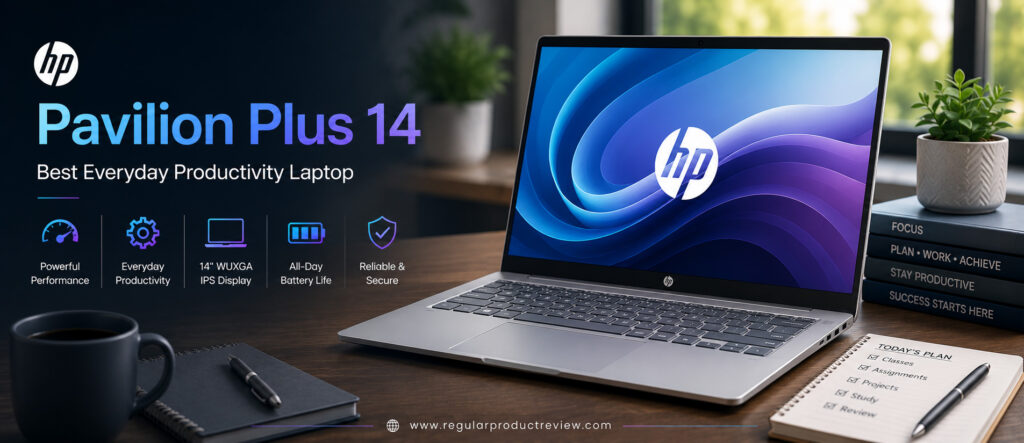
Unlike many mid-range laptops that compromise on display quality or build materials, the Pavilion Plus 14 features a premium aluminum chassis and a vibrant 2.8K OLED display, giving students a noticeably better experience whether they’re studying, collaborating, or enjoying entertainment after class.
For students looking for a reliable Windows laptop that excels at everyday productivity without entering premium flagship pricing, the HP Pavilion Plus 14 is one of the smartest choices available in the US market.
🏆 Editor’s Verdict
The HP Pavilion Plus 14 earns our Best Everyday Productivity Laptop award by delivering fast performance, an excellent OLED display, premium build quality, AI-powered features, and dependable all-day productivity at an attractive price.
Key Specifications
| Specification | Details |
|---|---|
| Display | 14-inch 2.8K OLED (2880 × 1800), 120Hz |
| Processor | Intel Core Ultra 7 |
| Graphics | Intel Arc Graphics |
| Memory | Up to 32GB LPDDR5X |
| Storage | Up to 1TB PCIe Gen4 NVMe SSD |
| Battery | Up to 68Wh |
| Operating System | Windows 11 Home |
| AI Features | Intel AI Boost, Microsoft Copilot |
| Weight | Approximately 3.1 lbs (1.4 kg) |
| Connectivity | Wi-Fi 7, Thunderbolt 4, USB-C, USB-A, HDMI |
Why We Chose the HP Pavilion Plus 14
The Pavilion Plus 14 focuses on the features students actually use every day rather than unnecessary extras.
| Strength | Why It Matters |
|---|---|
| Powerful Intel Core Ultra Processor | Smooth multitasking throughout busy school days. |
| Premium OLED Display | Makes studying and entertainment more enjoyable. |
| Excellent Build Quality | Durable enough for everyday campus life. |
| AI-Ready Windows Platform | Future-proof for Microsoft’s latest productivity tools. |
| Comfortable Keyboard | Ideal for long assignments and note-taking. |
| Excellent Overall Value | Premium features at a student-friendly price. |
Real-World Student Performance
The Pavilion Plus 14 performs exceptionally well across virtually every common college workload.
Microsoft Word, Excel, PowerPoint, Google Docs, Notion, Zoom, Teams, Canva, Visual Studio Code, Adobe Acrobat, and multiple Chrome windows all run smoothly. Switching between applications feels responsive, while the fast SSD keeps boot times and file transfers remarkably quick.
Whether you’re preparing presentations, completing research assignments, participating in virtual classes, or working on collaborative projects, the Pavilion Plus 14 consistently delivers a smooth experience.
Productivity Ratings
| Student Workflow | Experience |
|---|---|
| Essay Writing | ⭐⭐⭐⭐⭐ Excellent |
| Microsoft Office | ⭐⭐⭐⭐⭐ Excellent |
| Google Workspace | ⭐⭐⭐⭐⭐ Excellent |
| Online Learning | ⭐⭐⭐⭐⭐ Excellent |
| Programming | ⭐⭐⭐⭐⭐ Excellent |
| Research & Browsing | ⭐⭐⭐⭐⭐ Excellent |
| Multitasking | ⭐⭐⭐⭐⭐ Excellent |
🎓 Student Insight: If your laptop is primarily used for studying, assignments, research, presentations, and online classes, it’s difficult to find a better-balanced Windows laptop than the Pavilion Plus 14.
OLED Display Quality
One of the Pavilion Plus 14’s standout features is its beautiful 2.8K OLED display.
The OLED panel delivers exceptional contrast, vibrant colors, deep blacks, and sharp text that make reading digital textbooks, editing presentations, and watching educational videos significantly more enjoyable. The smooth 120Hz refresh rate also improves scrolling through long documents and web pages.
| Display Feature | Editorial Assessment |
|---|---|
| Sharpness | ⭐⭐⭐⭐⭐ |
| Color Accuracy | ⭐⭐⭐⭐⭐ |
| Contrast | ⭐⭐⭐⭐⭐ |
| Brightness | ⭐⭐⭐⭐☆ |
| 120Hz Smoothness | ⭐⭐⭐⭐⭐ |
| Productivity | ⭐⭐⭐⭐⭐ |
Keyboard & User Experience
HP has equipped the Pavilion Plus 14 with one of the better keyboards in its class.
The keys provide excellent tactile feedback with comfortable spacing, making long writing sessions feel effortless. The large precision touchpad is equally responsive, supporting smooth gesture navigation across Windows 11.
Combined with HP’s clean software experience, the laptop feels polished, intuitive, and reliable.
| User Experience | Rating |
|---|---|
| Keyboard Comfort | ⭐⭐⭐⭐⭐ (9.8/10) |
| Typing Experience | ⭐⭐⭐⭐⭐ (9.8/10) |
| Precision Touchpad | ⭐⭐⭐⭐⭐ (9.6/10) |
| Overall User Experience | ⭐⭐⭐⭐⭐ (9.7/10) |
Battery Life
Battery life is strong enough to comfortably support a full academic schedule.
Students can attend lectures, browse research materials, complete assignments, participate in online meetings, and stream educational content throughout most of the day before needing to recharge. Fast charging also helps recover hours of battery life during short breaks.
| Usage Scenario | Editorial Assessment |
|---|---|
| Campus Classes | ⭐⭐⭐⭐⭐ Excellent |
| Research Sessions | ⭐⭐⭐⭐⭐ Excellent |
| Online Learning | ⭐⭐⭐⭐⭐ Excellent |
| Entertainment | ⭐⭐⭐⭐☆ Very Good |
AI Features for Students
The Pavilion Plus 14 is fully prepared for Microsoft’s AI-powered future.
| Feature | Student Benefit |
|---|---|
| Microsoft Copilot | AI-assisted writing, brainstorming, and research. |
| Intel AI Boost | Improves AI application performance. |
| Windows Studio Effects | Better webcam quality for online lectures. |
| AI Noise Reduction | Clearer audio during meetings and classes. |
| Smart Power Optimization | Improves battery efficiency during daily use. |
Build Quality & Portability
Although positioned as a mid-range laptop, the Pavilion Plus 14 feels surprisingly premium.
Its aluminum construction provides excellent rigidity while maintaining a slim and portable profile that’s comfortable to carry between classrooms. The understated design also looks appropriate in internships, libraries, classrooms, and professional settings.
Overall, it strikes an excellent balance between portability and durability.
Editorial Ratings
| Category | Score |
|---|---|
| Performance | ⭐⭐⭐⭐⭐ (9.7/10) |
| OLED Display | ⭐⭐⭐⭐⭐ (9.8/10) |
| Battery Life | ⭐⭐⭐⭐⭐ (9.5/10) |
| Keyboard | ⭐⭐⭐⭐⭐ (9.8/10) |
| Portability | ⭐⭐⭐⭐⭐ (9.5/10) |
| Build Quality | ⭐⭐⭐⭐⭐ (9.6/10) |
| AI Features | ⭐⭐⭐⭐⭐ (9.7/10) |
| Value for Money | ⭐⭐⭐⭐⭐ (9.7/10) |
| Overall Score | ⭐⭐⭐⭐⭐ (9.7/10) |
Pros & Cons
| ✅ Pros | ❌ Cons |
|---|---|
| Excellent Intel Core Ultra performance | OLED configuration may cost more than IPS models |
| Beautiful 2.8K OLED display | No dedicated GPU for advanced gaming |
| Premium aluminum build | Memory isn’t user-upgradable |
| Comfortable keyboard | Fan becomes noticeable during heavy workloads |
| Fast PCIe Gen4 SSD | |
| AI-ready Windows platform | |
| Thunderbolt 4 connectivity | |
| Excellent productivity value |
Who Should Buy This Laptop?
| Best For | Why It’s an Excellent Choice |
|---|---|
| Business Students | Excellent productivity and multitasking. |
| Liberal Arts Students | Comfortable for writing and research. |
| Computer Science Students | Strong performance for programming. |
| Remote Learners | Reliable webcam features and battery life. |
| Everyday College Students | Well-balanced performance for daily academic work. |
| Windows Users | One of the best productivity-focused Windows laptops available. |
Our Expert Opinion
The HP Pavilion Plus 14 successfully bridges the gap between affordability and premium computing. It delivers the performance students need for demanding academic workloads while adding premium features such as an OLED display, AI-ready hardware, and a durable aluminum chassis.
Rather than excelling in only one category, it performs exceptionally well across nearly every area that matters to college students. That’s exactly why it earns our recommendation as the Best Everyday Productivity Laptop.
If your primary goal is completing assignments faster, multitasking more efficiently, and enjoying a premium Windows experience without overspending, the Pavilion Plus 14 is one of the strongest options currently available.
🏅 Editorial Award
| Award | Details |
|---|---|
| Category | 🏆 Best Everyday Productivity Laptop |
| Overall Rating | ⭐⭐⭐⭐⭐ 9.7/10 |
| Best For | Business students, liberal arts majors, computer science students, remote learners, and anyone seeking dependable everyday productivity |
| Why It Won | Combines powerful Intel Core Ultra performance, a stunning OLED display, premium build quality, AI-powered Windows features, and excellent long-term value into one of the most balanced productivity laptops for college students. |
Lenovo Yoga 7i 2-in-1 | Best Convertible Laptop for College
Not every college student wants a traditional clamshell laptop. Many students prefer the flexibility of taking handwritten notes, annotating PDFs, sketching diagrams, presenting projects, or reading digital textbooks in tablet mode. That’s exactly where the Lenovo Yoga 7i 2-in-1 stands out. With its versatile 360-degree hinge, premium touchscreen, and powerful Intel Core Ultra processor, it offers the flexibility of both a laptop and a tablet in one sleek device.
The Yoga series has long been one of Lenovo’s most successful premium consumer lineups, and the latest Yoga 7i 2-in-1 continues that legacy. Designed around the latest Intel Core Ultra Series 2 processors, Intel Arc graphics, AI-powered Windows features, and a beautiful OLED touchscreen, it easily handles demanding college workloads while providing creative flexibility that standard laptops simply can’t match.
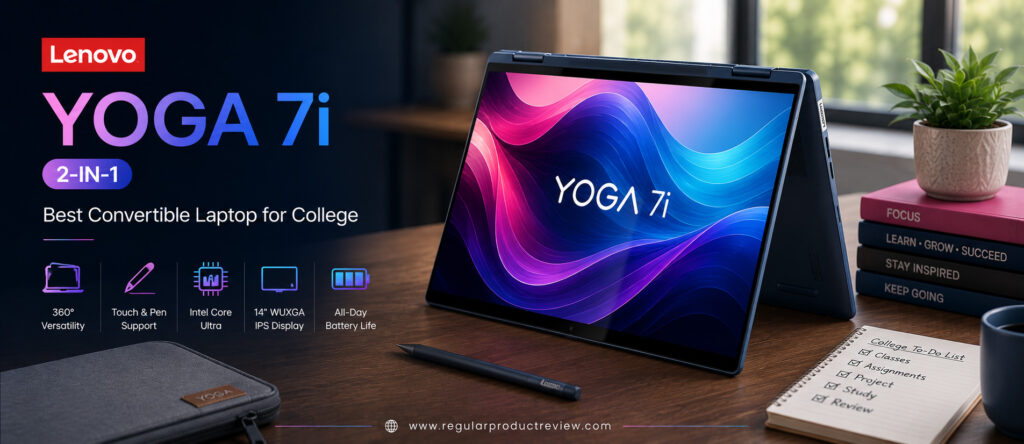
Whether you’re attending lectures, taking handwritten notes with an active pen, working on presentations, participating in Zoom classes, coding assignments, editing photos, or simply relaxing with Netflix in tent mode, the Yoga 7i adapts effortlessly to every situation.
For students who value flexibility as much as performance, the Lenovo Yoga 7i 2-in-1 is one of the best convertible laptops currently available in the US market.
🏆 Editor’s Verdict
The Lenovo Yoga 7i 2-in-1 earns our Best Convertible Laptop for College award because it combines premium performance, a gorgeous OLED touchscreen, exceptional versatility, AI-ready hardware, and excellent portability into one of the most complete hybrid laptops for students.
Key Specifications
| Specification | Details |
|---|---|
| Display | 14-inch 2.8K OLED Touchscreen (2880 × 1800), 120Hz |
| Processor | Intel Core Ultra 7 Series 2 |
| Graphics | Intel Arc Graphics |
| Memory | Up to 32GB LPDDR5X |
| Storage | Up to 1TB PCIe Gen4 NVMe SSD |
| Battery | Up to 71Wh |
| Operating System | Windows 11 Home |
| AI Features | Intel AI Boost, Microsoft Copilot |
| Weight | Approximately 3.2 lbs (1.45 kg) |
| Connectivity | Thunderbolt 4, USB-C, USB-A, HDMI, Wi-Fi 7 |
Why We Chose the Lenovo Yoga 7i 2-in-1
The Yoga 7i isn’t simply a touchscreen laptop it offers genuine versatility that benefits students throughout their academic journey.
| Strength | Why It Matters |
|---|---|
| 360° Convertible Design | Switch between laptop, tablet, tent, and presentation modes. |
| OLED Touchscreen | Excellent for note-taking, reading, and creative work. |
| Intel Core Ultra Processor | Fast multitasking with AI-ready performance. |
| Premium Aluminum Chassis | Durable while remaining lightweight. |
| Long Battery Life | Reliable throughout busy school days. |
| Active Pen Support | Perfect for handwritten notes and annotations. |
Real-World Student Performance
The Yoga 7i comfortably handles virtually every everyday academic workload.
Microsoft Office, Google Workspace, OneNote, Notion, Adobe Acrobat, Zoom, Teams, Visual Studio Code, Canva, Figma, and dozens of Chrome tabs all run smoothly. Students can quickly transition between typing assignments, sketching diagrams, annotating lecture slides, and presenting projects without changing devices.
Its AI-enhanced Intel Core Ultra processor also keeps Windows responsive while improving battery efficiency during long study sessions.
Productivity Ratings
| Student Workflow | Experience |
|---|---|
| Essay Writing | ⭐⭐⭐⭐⭐ Excellent |
| Note-Taking | ⭐⭐⭐⭐⭐ Excellent |
| Microsoft Office | ⭐⭐⭐⭐⭐ Excellent |
| Online Classes | ⭐⭐⭐⭐⭐ Excellent |
| Programming | ⭐⭐⭐⭐⭐ Excellent |
| Creative Projects | ⭐⭐⭐⭐⭐ Excellent |
| Multitasking | ⭐⭐⭐⭐⭐ Excellent |
🎓 Student Insight: Students who frequently annotate lecture slides or prefer handwritten digital notes will benefit far more from a convertible laptop than a traditional notebook.
OLED Touchscreen & Convertible Experience
The Yoga 7i’s OLED touchscreen completely changes how students interact with their laptop.
The vibrant OLED panel delivers deep contrast, vivid colors, and outstanding sharpness, while the 360-degree hinge allows instant switching between multiple usage modes.
| Mode | Best Use Case |
|---|---|
| Laptop Mode | Essays, coding, productivity |
| Tablet Mode | Handwritten notes, reading textbooks |
| Tent Mode | Watching lectures and presentations |
| Stand Mode | Video calls and streaming |
Combined with active pen support, the Yoga 7i becomes an excellent digital notebook for classrooms.
| Display Feature | Editorial Assessment |
|---|---|
| Sharpness | ⭐⭐⭐⭐⭐ |
| OLED Quality | ⭐⭐⭐⭐⭐ |
| Touch Responsiveness | ⭐⭐⭐⭐⭐ |
| Pen Experience | ⭐⭐⭐⭐⭐ |
| Color Accuracy | ⭐⭐⭐⭐⭐ |
| Productivity | ⭐⭐⭐⭐⭐ |
Keyboard & User Experience
Despite its convertible design, Lenovo hasn’t compromised on typing comfort.
The Yoga keyboard offers excellent key travel and responsive feedback, making long writing sessions comfortable. The large precision touchpad feels smooth and accurate, while Windows 11 performs exceptionally well on the optimized hardware.
The transition between laptop and tablet modes feels natural, giving students a seamless experience throughout the day.
| User Experience | Rating |
|---|---|
| Keyboard Comfort | ⭐⭐⭐⭐⭐ (9.8/10) |
| Typing Experience | ⭐⭐⭐⭐⭐ (9.8/10) |
| Precision Touchpad | ⭐⭐⭐⭐⭐ (9.7/10) |
| Convertible Experience | ⭐⭐⭐⭐⭐ (10/10) |
Battery Life
Despite powering a high-resolution OLED touchscreen, battery life remains excellent.
Students can comfortably attend lectures, complete assignments, browse research materials, participate in virtual meetings, and take digital notes throughout most of the day before needing to recharge.
Rapid Charge technology also minimizes downtime between classes.
| Usage Scenario | Editorial Assessment |
|---|---|
| Campus Classes | ⭐⭐⭐⭐⭐ Excellent |
| Note-Taking | ⭐⭐⭐⭐⭐ Excellent |
| Online Learning | ⭐⭐⭐⭐⭐ Excellent |
| Travel | ⭐⭐⭐⭐☆ Very Good |
AI Features for Students
The Yoga 7i is built around Microsoft’s newest AI-powered Windows experience.
| Feature | Student Benefit |
|---|---|
| Microsoft Copilot | AI-assisted writing, summaries, and research. |
| Intel AI Boost | Accelerates AI-powered Windows features. |
| Windows Studio Effects | Better webcam quality during online classes. |
| AI Noise Reduction | Clearer communication in virtual meetings. |
| Smart Power Management | Optimizes battery efficiency throughout the day. |
Build Quality & Portability
Lenovo has built the Yoga 7i around a premium aluminum chassis that feels exceptionally sturdy.
The 360-degree hinge operates smoothly and confidently, while the overall construction inspires confidence for everyday student use. Although slightly heavier than some ultraportables, the added flexibility easily justifies the difference for students who regularly use touchscreen features.
Editorial Ratings
| Category | Score |
|---|---|
| Performance | ⭐⭐⭐⭐⭐ (9.7/10) |
| OLED Display | ⭐⭐⭐⭐⭐ (9.9/10) |
| Convertible Design | ⭐⭐⭐⭐⭐ (10/10) |
| Battery Life | ⭐⭐⭐⭐⭐ (9.5/10) |
| Keyboard | ⭐⭐⭐⭐⭐ (9.8/10) |
| Build Quality | ⭐⭐⭐⭐⭐ (9.8/10) |
| AI Features | ⭐⭐⭐⭐⭐ (9.7/10) |
| Value for Money | ⭐⭐⭐⭐⭐ (9.7/10) |
| Overall Score | ⭐⭐⭐⭐⭐ (9.8/10) |
Pros & Cons
| ✅ Pros | ❌ Cons |
|---|---|
| Excellent 360° convertible design | Slightly heavier than traditional ultrabooks |
| Gorgeous 2.8K OLED touchscreen | OLED models command a higher price |
| Active pen support | Integrated graphics aren’t designed for heavy gaming |
| Powerful Intel Core Ultra processor | RAM isn’t user-upgradable |
| Premium aluminum build | |
| Excellent keyboard | |
| Thunderbolt 4 connectivity | |
| AI-ready Windows platform |
Who Should Buy This Laptop?
| Best For | Why It’s an Excellent Choice |
|---|---|
| Students Who Take Handwritten Notes | Outstanding touchscreen and pen support. |
| Education Majors | Ideal for annotation, presentations, and lesson planning. |
| Medical & Nursing Students | Excellent for reviewing PDFs and digital textbooks. |
| Creative Students | Flexible design for sketching and visual work. |
| Business Students | Premium productivity with presentation versatility. |
| Hybrid Learners | Perfect balance of laptop and tablet functionality. |
Our Expert Opinion
The Lenovo Yoga 7i 2-in-1 offers something that traditional laptops simply cannot: true versatility. Its ability to transform between a laptop, tablet, presentation device, and entertainment screen makes it incredibly useful throughout the college experience.
Combined with a brilliant OLED touchscreen, Intel Core Ultra performance, AI-powered productivity features, and premium build quality, it becomes one of the most capable student laptops available today.
If you want one device that adapts to every classroom, study session, internship, and project, the Yoga 7i is an outstanding investment.
🏅 Editorial Award
| Award | Details |
|---|---|
| Category | 🏆 Best Convertible Laptop for College |
| Overall Rating | ⭐⭐⭐⭐⭐ 9.8/10 |
| Best For | Students who take handwritten notes, education majors, nursing students, creative learners, business students, and hybrid learners |
| Why It Won | Combines a premium OLED touchscreen, flexible 360-degree convertible design, Intel Core Ultra performance, active pen support, and excellent battery life into the ultimate 2-in-1 laptop for college students. |
Dell XPS 13 | Best Premium Ultrabook
For students who want a laptop that feels every bit as premium as it performs, the Dell XPS 13 remains one of the finest ultrabooks on the market. While many laptops prioritize specifications alone, the XPS 13 combines exceptional craftsmanship, cutting-edge performance, stunning visuals, and remarkable portability into a device that’s equally at home in lecture halls, libraries, internships, and coffee shops.
The latest Dell XPS 13 is powered by Intel Core Ultra Series 2 processors, delivering AI-ready performance, impressive power efficiency, and responsive multitasking for modern college workloads. Whether you’re writing research papers, programming software, creating presentations, editing photos, or participating in virtual lectures, the XPS 13 handles every task with confidence while remaining whisper-quiet and highly efficient.
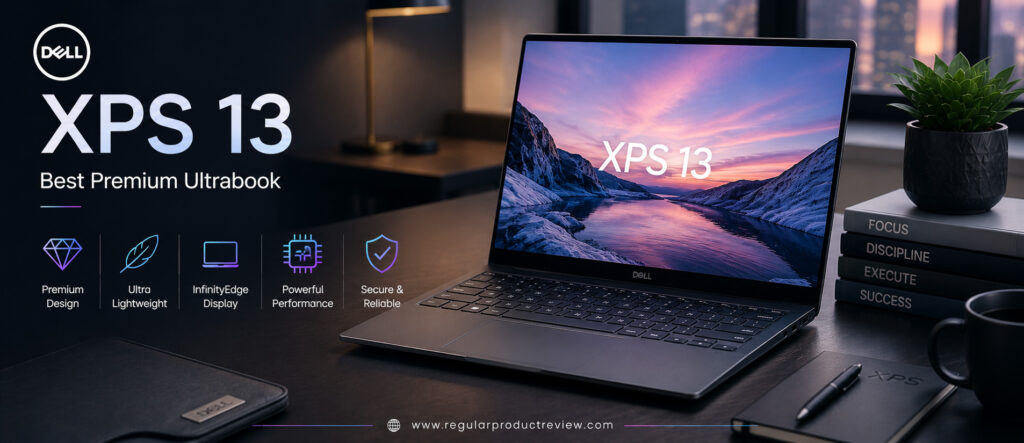
Dell has also refined the XPS design even further. The precision-machined CNC aluminum chassis, nearly borderless InfinityEdge display, premium keyboard, oversized touchpad, and sleek minimalist styling create one of the most sophisticated Windows laptops available today. Despite its compact footprint, the XPS 13 delivers excellent battery life, fast SSD storage, and enough performance to comfortably last through an entire college degree.
For students who appreciate premium design, long-term durability, and flagship Windows performance, the Dell XPS 13 stands out as one of the best investments in the US ultrabook market.
🏆 Editor’s Verdict
The Dell XPS 13 earns our Best Premium Ultrabook award because it combines elegant industrial design, powerful Intel Core Ultra performance, exceptional portability, premium display options, and outstanding long-term reliability into one of the finest Windows laptops for college students.
Key Specifications
| Specification | Details |
|---|---|
| Display | 13.4-inch FHD+ or 3K OLED InfinityEdge |
| Processor | Intel Core Ultra 7 Series 2 |
| Graphics | Intel Arc Graphics |
| Memory | Up to 32GB LPDDR5X |
| Storage | Up to 2TB PCIe Gen4 NVMe SSD |
| Battery | Up to 55Wh |
| Operating System | Windows 11 Home |
| AI Features | Intel AI Boost, Microsoft Copilot |
| Weight | Approximately 2.6 lbs (1.17 kg) |
| Connectivity | Thunderbolt 4, USB-C, Wi-Fi 7, Bluetooth 5.4 |
Why We Chose the Dell XPS 13
The Dell XPS 13 consistently delivers one of the most refined laptop experiences available.
| Strength | Why It Matters |
|---|---|
| Premium CNC Aluminum Chassis | Beautiful, durable, and built to last for years. |
| Intel Core Ultra Series 2 | Fast performance with AI-ready capabilities. |
| InfinityEdge Display | Maximizes screen space in a compact body. |
| Ultra-Lightweight Design | Perfect for carrying around campus every day. |
| Premium Keyboard & Touchpad | Comfortable for long assignments and note-taking. |
| Outstanding Build Quality | Excellent long-term reliability for students. |
Real-World Student Performance
The Dell XPS 13 performs exceptionally well across virtually every college workload.
Microsoft Office, Google Workspace, Notion, Adobe Acrobat, Visual Studio Code, Zoom, Teams, Canva, Figma, and Chrome with dozens of browser tabs all run effortlessly. Thanks to Intel’s Core Ultra architecture and high-speed LPDDR5X memory, multitasking remains fluid even during demanding research sessions.
Students majoring in business, computer science, communications, education, and liberal arts will find more than enough performance for everyday academic work.
Productivity Ratings
| Student Workflow | Experience |
|---|---|
| Essay Writing | ⭐⭐⭐⭐⭐ Excellent |
| Microsoft Office | ⭐⭐⭐⭐⭐ Excellent |
| Google Workspace | ⭐⭐⭐⭐⭐ Excellent |
| Online Classes | ⭐⭐⭐⭐⭐ Excellent |
| Programming | ⭐⭐⭐⭐⭐ Excellent |
| Creative Projects | ⭐⭐⭐⭐☆ Very Good |
| Everyday Multitasking | ⭐⭐⭐⭐⭐ Excellent |
🎓 Student Insight: If you want a Windows laptop that feels as premium and polished as a MacBook while maintaining full Windows compatibility, the Dell XPS 13 is one of your strongest options.
InfinityEdge Display
Dell’s InfinityEdge display remains one of the defining features of the XPS lineup.
With incredibly thin bezels, sharp resolution, and excellent color reproduction, the display provides an immersive viewing experience while keeping the overall laptop footprint remarkably compact. Students can choose between a crisp Full HD+ panel for longer battery life or a vibrant OLED option for richer visuals.
| Display Feature | Editorial Assessment |
|---|---|
| Sharpness | ⭐⭐⭐⭐⭐ |
| Color Accuracy | ⭐⭐⭐⭐⭐ |
| Contrast (OLED Model) | ⭐⭐⭐⭐⭐ |
| Brightness | ⭐⭐⭐⭐⭐ |
| Viewing Angles | ⭐⭐⭐⭐⭐ |
| Productivity | ⭐⭐⭐⭐⭐ |
Keyboard & User Experience
Dell has carefully refined every aspect of the XPS user experience.
The edge-to-edge keyboard provides comfortable key spacing and responsive feedback, making long writing sessions enjoyable. The large glass touchpad is smooth and precise, while Windows 11 feels exceptionally fluid on the optimized hardware.
The overall experience is clean, fast, and highly refined exactly what students expect from a premium ultrabook.
| User Experience | Rating |
|---|---|
| Keyboard Comfort | ⭐⭐⭐⭐⭐ (9.8/10) |
| Typing Experience | ⭐⭐⭐⭐⭐ (9.8/10) |
| Precision Touchpad | ⭐⭐⭐⭐⭐ (9.9/10) |
| Overall User Experience | ⭐⭐⭐⭐⭐ (9.9/10) |
Battery Life
Despite its compact size and premium hardware, the Dell XPS 13 delivers impressive battery life.
Students can comfortably attend classes, browse research materials, complete assignments, participate in video conferences, and stream educational content throughout most of a full day before reaching for the charger.
USB-C fast charging also minimizes downtime between lectures.
| Usage Scenario | Editorial Assessment |
|---|---|
| Campus Classes | ⭐⭐⭐⭐⭐ Excellent |
| Research Sessions | ⭐⭐⭐⭐⭐ Excellent |
| Online Learning | ⭐⭐⭐⭐⭐ Excellent |
| Travel | ⭐⭐⭐⭐⭐ Excellent |
AI Features for Students
The Dell XPS 13 is fully optimized for Microsoft’s AI-powered Windows ecosystem.
| Feature | Student Benefit |
|---|---|
| Microsoft Copilot | AI-powered writing, research, and productivity assistance. |
| Intel AI Boost | Accelerates AI-enhanced applications. |
| Windows Studio Effects | Improved webcam quality during online classes. |
| AI Noise Cancellation | Clearer communication in meetings. |
| Smart Power Management | Improves efficiency throughout the day. |
Build Quality & Portability
The XPS 13 represents Dell’s highest standard of engineering.
Its CNC-machined aluminum chassis feels incredibly solid while remaining exceptionally lightweight. Every component from the hinge to the keyboard deck reflects premium craftsmanship designed for years of reliable use.
Students who frequently travel between classes or internships will especially appreciate its compact footprint and elegant design.
Editorial Ratings
| Category | Score |
|---|---|
| Performance | ⭐⭐⭐⭐⭐ (9.8/10) |
| Display | ⭐⭐⭐⭐⭐ (9.8/10) |
| Battery Life | ⭐⭐⭐⭐⭐ (9.6/10) |
| Build Quality | ⭐⭐⭐⭐⭐ (10/10) |
| Keyboard | ⭐⭐⭐⭐⭐ (9.8/10) |
| Portability | ⭐⭐⭐⭐⭐ (9.9/10) |
| AI Features | ⭐⭐⭐⭐⭐ (9.7/10) |
| Value for Money | ⭐⭐⭐⭐⭐ (9.4/10) |
| Overall Score | ⭐⭐⭐⭐⭐ (9.8/10) |
Pros & Cons
| ✅ Pros | ❌ Cons |
|---|---|
| Premium CNC aluminum construction | Higher price than mainstream student laptops |
| Beautiful InfinityEdge display | Limited port selection |
| Powerful Intel Core Ultra Series 2 processor | Memory isn’t upgradeable |
| Excellent battery life | OLED configuration increases cost |
| Extremely lightweight | |
| Outstanding keyboard & touchpad | |
| AI-ready Windows platform | |
| Exceptional long-term build quality |
Who Should Buy This Laptop?
| Best For | Why It’s an Excellent Choice |
|---|---|
| Business Students | Premium design and dependable productivity. |
| Computer Science Students | Fast performance for programming and multitasking. |
| Graduate Students | Comfortable for long writing and research sessions. |
| Frequent Travelers | Compact, lightweight, and easy to carry. |
| Students Seeking a Premium Windows Laptop | One of the best ultrabooks available today. |
| Future Professionals | Elegant design suitable for internships and business environments. |
Our Expert Opinion
The Dell XPS 13 continues to set the standard for premium Windows ultrabooks. It combines elegant design, exceptional portability, dependable Intel Core Ultra performance, and excellent battery life into a laptop that’s equally capable in the classroom and the workplace.
Although it commands a higher price than many student laptops, its outstanding build quality, refined user experience, and long-term reliability make it a worthwhile investment for students who plan to use their laptop well beyond graduation.
If you’re looking for the best premium Windows ultrabook for college, the Dell XPS 13 remains one of the strongest choices available.
🏅 Editorial Award
| Award | Details |
|---|---|
| Category | 🏆 Best Premium Ultrabook |
| Overall Rating | ⭐⭐⭐⭐⭐ 9.8/10 |
| Best For | Business students, graduate students, computer science majors, frequent travelers, and anyone seeking a premium Windows laptop |
| Why It Won | Combines exceptional craftsmanship, Intel Core Ultra performance, outstanding portability, premium display options, and long-term reliability into one of the finest ultrabooks for college students. |
Microsoft Surface Pro 12 | Best 2-in-1 Laptop for Students
Some students want the power of a laptop, while others prefer the flexibility of a tablet for taking handwritten notes, reading digital textbooks, sketching diagrams, or studying on the go. Instead of choosing between the two, the Microsoft Surface Pro 12 combines both experiences into one remarkably versatile device.
Designed specifically for mobile productivity, the latest Surface Pro introduces Microsoft’s newest Copilot+ PC platform powered by the efficient Snapdragon X Plus processor. This next-generation hardware delivers exceptional battery life, AI-powered productivity, silent operation, and impressive everyday performance, making it an outstanding companion for modern college life.
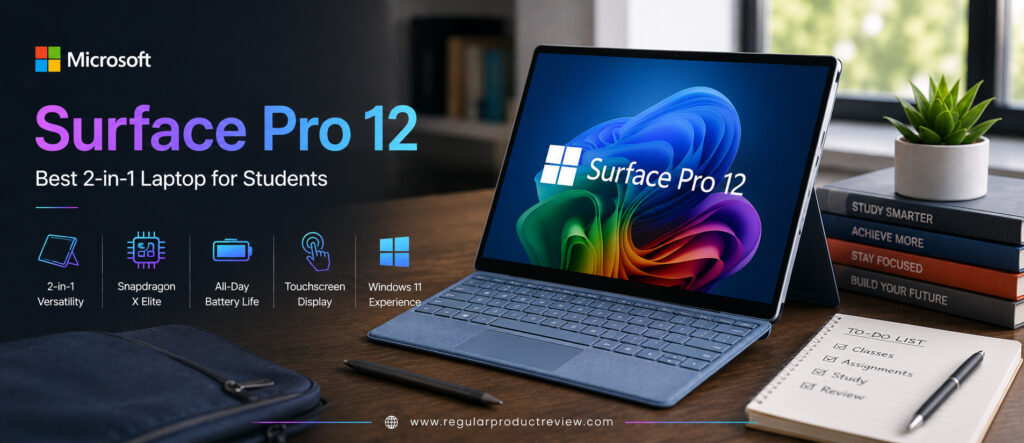
Unlike traditional laptops, the Surface Pro 12 adapts to virtually every learning environment. Attach the Surface Pro Keyboard to write essays in class, detach it for handwritten note-taking with the Surface Slim Pen, switch to presentation mode during group projects, or relax with tablet mode while reading eBooks or watching recorded lectures.
Combined with Microsoft’s outstanding PixelSense touchscreen, premium magnesium-aluminum construction, excellent webcam, and AI-powered Windows features, the Surface Pro 12 becomes one of the most versatile student devices currently available in the US market.
For students who value flexibility, portability, and digital note-taking more than anything else, the Microsoft Surface Pro 12 is easily one of the smartest investments available today.
🏆 Editor’s Verdict
The Microsoft Surface Pro 12 earns our Best 2-in-1 Laptop for Students award by combining laptop performance, tablet flexibility, AI-powered productivity, premium portability, and one of the best digital note-taking experiences available.
Key Specifications
| Specification | Details |
|---|---|
| Display | 12-inch PixelSense Flow Touch Display |
| Processor | Qualcomm Snapdragon X Plus |
| Graphics | Qualcomm Adreno GPU |
| Memory | Up to 32GB LPDDR5X |
| Storage | Up to 1TB PCIe Gen4 SSD |
| Battery | Up to 16 Hours |
| Operating System | Windows 11 Home (Copilot+ PC) |
| AI Features | Microsoft Copilot+, Dedicated NPU |
| Weight | Approximately 1.9 lbs (Tablet Only) |
| Connectivity | Wi-Fi 7, Bluetooth 5.4, USB-C |
Why We Chose the Microsoft Surface Pro 12
The Surface Pro isn’t designed to replace a traditional ultrabook it creates an entirely different productivity experience that’s ideal for students.
| Strength | Why It Matters |
|---|---|
| True 2-in-1 Design | Seamlessly switches between laptop and tablet modes. |
| Surface Slim Pen Support | Outstanding handwritten notes and PDF annotation. |
| Snapdragon X Plus Platform | Efficient AI-powered performance with silent operation. |
| PixelSense Touch Display | Crisp visuals and exceptional touch responsiveness. |
| Ultra-Lightweight Design | Easy to carry across campus every day. |
| Copilot+ AI Features | Future-ready Windows productivity. |
Real-World Student Performance
The Surface Pro 12 easily handles the everyday workloads most college students encounter.
Microsoft Office, OneNote, Google Workspace, Notion, Adobe Acrobat, Zoom, Teams, Canva, Visual Studio Code, and cloud-based learning platforms all perform smoothly. Thanks to Windows on Snapdragon optimization, common productivity tasks feel fast, responsive, and remarkably efficient.
The ability to instantly switch between typing, drawing, reading, and presenting makes the Surface Pro particularly attractive for students with diverse academic workloads.
Productivity Ratings
| Student Workflow | Experience |
|---|---|
| Essay Writing | ⭐⭐⭐⭐⭐ Excellent |
| Digital Note-Taking | ⭐⭐⭐⭐⭐ Excellent |
| Microsoft Office | ⭐⭐⭐⭐⭐ Excellent |
| Online Learning | ⭐⭐⭐⭐⭐ Excellent |
| Research & Browsing | ⭐⭐⭐⭐⭐ Excellent |
| PDF Annotation | ⭐⭐⭐⭐⭐ Excellent |
| Everyday Multitasking | ⭐⭐⭐⭐⭐ Excellent |
🎓 Student Insight: If your study routine involves writing directly on lecture slides, annotating PDFs, or replacing traditional notebooks with digital notes, the Surface Pro offers one of the best experiences available.
PixelSense Touch Display
Microsoft’s PixelSense display continues to be one of the strongest reasons to buy a Surface device.
The touchscreen delivers sharp text, vibrant colors, excellent brightness, and an incredibly natural writing experience with the Surface Slim Pen. Reading digital textbooks, highlighting lecture notes, sketching diagrams, and marking assignments all feel smooth and intuitive.
Its high refresh rate also makes scrolling, handwriting, and pen input feel exceptionally fluid.
| Display Feature | Editorial Assessment |
|---|---|
| Sharpness | ⭐⭐⭐⭐⭐ |
| Color Accuracy | ⭐⭐⭐⭐⭐ |
| Touch Responsiveness | ⭐⭐⭐⭐⭐ |
| Pen Experience | ⭐⭐⭐⭐⭐ |
| Brightness | ⭐⭐⭐⭐⭐ |
| Productivity | ⭐⭐⭐⭐⭐ |
Keyboard & User Experience
Although incredibly thin, the optional Surface Pro Keyboard provides an excellent typing experience.
The keys offer satisfying feedback, while the large precision touchpad feels smooth and responsive. When detached, the Surface transforms into a lightweight tablet that’s perfect for reading, handwriting, or watching educational content.
This flexibility makes the Surface Pro one of the most adaptable student devices available.
| User Experience | Rating |
|---|---|
| Keyboard Comfort | ⭐⭐⭐⭐⭐ (9.8/10) |
| Typing Experience | ⭐⭐⭐⭐⭐ (9.8/10) |
| Touch Experience | ⭐⭐⭐⭐⭐ (10/10) |
| Tablet Experience | ⭐⭐⭐⭐⭐ (10/10) |
Battery Life
Battery endurance is excellent for a device this compact.
Students can comfortably move through lectures, library sessions, online classes, research projects, and note-taking throughout the day without constantly searching for a charger. The energy-efficient Snapdragon platform also keeps the device cool and completely silent.
| Usage Scenario | Editorial Assessment |
|---|---|
| Campus Classes | ⭐⭐⭐⭐⭐ Outstanding |
| Digital Note-Taking | ⭐⭐⭐⭐⭐ Outstanding |
| Online Learning | ⭐⭐⭐⭐⭐ Excellent |
| Travel | ⭐⭐⭐⭐⭐ Outstanding |
AI Features for Students
The Surface Pro 12 is built around Microsoft’s newest AI-powered Copilot+ platform.
| Feature | Student Benefit |
|---|---|
| Microsoft Copilot+ | AI-powered writing, summarization, and study assistance. |
| Dedicated NPU | Accelerates AI workloads while improving efficiency. |
| Live Captions | Helpful during lectures and recorded classes. |
| Windows Studio Effects | Professional-quality webcam improvements. |
| AI Noise Reduction | Clearer communication during online classes. |
Build Quality & Portability
Microsoft has engineered the Surface Pro with premium materials that feel both durable and elegant.
The integrated kickstand remains one of the best designs in the industry, allowing comfortable use on desks, classroom tables, airplanes, or even while studying in bed. At under two pounds, it’s also one of the lightest full Windows computers available.
Students who prioritize mobility will appreciate how little space it occupies in a backpack.
Editorial Ratings
| Category | Score |
|---|---|
| Performance | ⭐⭐⭐⭐⭐ (9.6/10) |
| Tablet Experience | ⭐⭐⭐⭐⭐ (10/10) |
| Note-Taking | ⭐⭐⭐⭐⭐ (10/10) |
| Display | ⭐⭐⭐⭐⭐ (9.8/10) |
| Battery Life | ⭐⭐⭐⭐⭐ (9.7/10) |
| Portability | ⭐⭐⭐⭐⭐ (10/10) |
| AI Features | ⭐⭐⭐⭐⭐ (10/10) |
| Value for Money | ⭐⭐⭐⭐⭐ (9.5/10) |
| Overall Score | ⭐⭐⭐⭐⭐ (9.8/10) |
Pros & Cons
| ✅ Pros | ❌ Cons |
|---|---|
| Outstanding tablet and laptop flexibility | Keyboard and Slim Pen may be sold separately |
| Excellent handwritten note-taking | Smaller display than traditional laptops |
| Extremely lightweight | Limited ports |
| Premium PixelSense touchscreen | Some specialized Windows apps may perform better on x86 hardware |
| Outstanding battery life | |
| Silent Snapdragon platform | |
| Excellent webcam | |
| Copilot+ AI features |
Who Should Buy This Laptop?
| Best For | Why It’s an Excellent Choice |
|---|---|
| Nursing Students | Excellent for annotating lecture notes and medical PDFs. |
| Education Majors | Perfect for digital note-taking and presentations. |
| Business Students | Lightweight with excellent productivity features. |
| Students Who Prefer Tablets | Combines the best of Windows and tablet computing. |
| Frequent Travelers | Extremely portable with long battery life. |
| Digital Note-Takers | One of the best pen experiences on any Windows device. |
Our Expert Opinion
The Microsoft Surface Pro 12 isn’t designed to compete directly with traditional laptops it offers something even more valuable for many students: flexibility.
Its ability to function as a premium Windows laptop, a digital notebook, an eBook reader, a presentation device, and a lightweight tablet makes it uniquely suited to modern education. Combined with Copilot+ AI features, excellent battery life, and one of the best touchscreen experiences available, it’s an outstanding academic companion.
If your learning style revolves around handwritten notes, PDF annotation, portability, and versatility, the Surface Pro 12 is one of the best student devices you can buy.
🏅 Editorial Award
| Award | Details |
|---|---|
| Category | 🏆 Best 2-in-1 Laptop for Students |
| Overall Rating | ⭐⭐⭐⭐⭐ 9.8/10 |
| Best For | Nursing students, education majors, business students, digital note-takers, frequent travelers, and anyone seeking maximum flexibility |
| Why It Won | Combines premium tablet functionality, laptop productivity, outstanding pen support, Copilot+ AI features, exceptional portability, and long battery life into the ultimate 2-in-1 device for college students. |
Framework Laptop 13 | Best Upgradeable Laptop
Most laptops are designed to be replaced after a few years. Memory is soldered, storage upgrades are limited, batteries become difficult to replace, and repairs often require expensive service centers. The Framework Laptop 13 takes a completely different approach. Instead of treating your laptop as disposable, Framework designed it to be upgraded, repaired, and customized for years to come.
For college students, that’s a significant advantage. Academic requirements often change over four or five years. A laptop that feels fast during freshman year may struggle by graduation. With the Framework Laptop 13, students can upgrade memory, storage, ports, keyboards, batteries, and even the motherboard rather than buying an entirely new laptop.
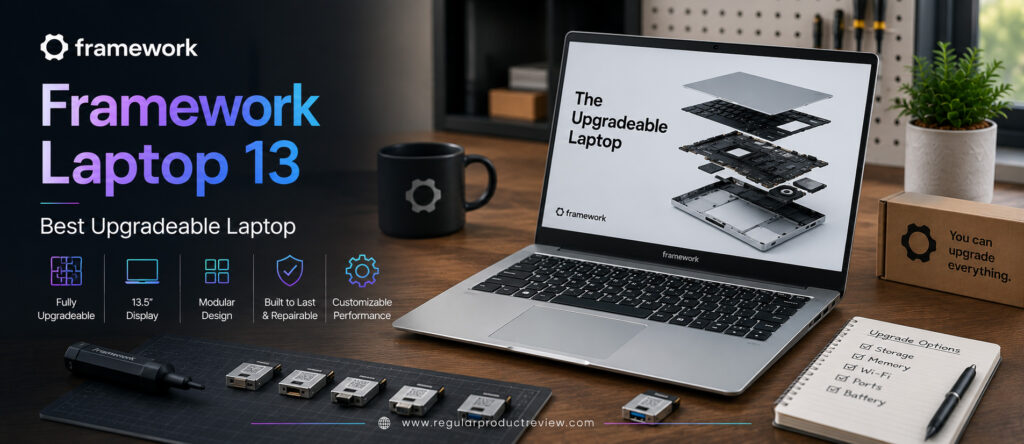
Powered by the latest Intel Core Ultra Series 2 or AMD Ryzen AI 300 Series processors, the Framework Laptop 13 delivers excellent everyday performance while maintaining one of the most repair-friendly designs in the industry. Combined with a sharp 3:2 display, lightweight aluminum chassis, modular expansion cards, and outstanding keyboard, it offers a unique ownership experience unmatched by almost every other laptop on the market.
For students who value long-term investment, sustainability, repairability, and upgrade flexibility, the Framework Laptop 13 stands in a class of its own.
🏆 Editor’s Verdict
The Framework Laptop 13 earns our Best Upgradeable Laptop award because it combines excellent everyday performance, modular hardware, premium build quality, easy repairability, and unmatched upgrade potential into one of the smartest long-term investments for college students.
Key Specifications
| Specification | Details |
|---|---|
| Display | 13.5-inch 3:2 IPS Display (2256 × 1504) |
| Processor | Intel Core Ultra Series 2 / AMD Ryzen AI 300 Series |
| Graphics | Intel Arc Graphics / AMD Radeon Graphics |
| Memory | Up to 96GB DDR5 (Upgradeable) |
| Storage | Up to 8TB PCIe Gen4 NVMe SSD (Upgradeable) |
| Battery | 61Wh |
| Operating System | Windows 11 or Linux |
| AI Features | Intel AI Boost / AMD Ryzen AI |
| Weight | Approximately 2.9 lbs (1.3 kg) |
| Connectivity | Modular USB-C, USB-A, HDMI, DisplayPort, Ethernet, microSD (User Configurable) |
Why We Chose the Framework Laptop 13
Unlike traditional laptops, the Framework Laptop 13 is designed around long-term ownership rather than planned replacement.
| Strength | Why It Matters |
|---|---|
| Fully Upgradeable Hardware | Extend the laptop’s lifespan without replacing the entire system. |
| Modular Expansion Cards | Choose the ports you actually need. |
| Repair-Friendly Design | Easy maintenance saves money over time. |
| Powerful Modern Processors | Excellent performance for academic workloads. |
| Premium Aluminum Chassis | Lightweight yet durable. |
| Outstanding Long-Term Value | Ideal for students planning to use one laptop throughout college and beyond. |
Real-World Student Performance
The Framework Laptop 13 easily handles everyday student workloads while offering desktop-like upgrade flexibility.
Applications such as Microsoft Office, Google Workspace, Visual Studio Code, Notion, Adobe Acrobat, Zoom, Microsoft Teams, Canva, Chrome with dozens of tabs, and programming environments all perform smoothly. Students studying engineering, computer science, business, and data analysis will appreciate both the responsive performance and the ability to upgrade hardware as coursework becomes more demanding.
Unlike many ultraportables, Framework allows future performance improvements through hardware upgrades rather than complete replacement.
Productivity Ratings
| Student Workflow | Experience |
|---|---|
| Essay Writing | ⭐⭐⭐⭐⭐ Excellent |
| Microsoft Office | ⭐⭐⭐⭐⭐ Excellent |
| Programming | ⭐⭐⭐⭐⭐ Excellent |
| Online Classes | ⭐⭐⭐⭐⭐ Excellent |
| Research & Browsing | ⭐⭐⭐⭐⭐ Excellent |
| Engineering Coursework | ⭐⭐⭐⭐⭐ Excellent |
| Everyday Multitasking | ⭐⭐⭐⭐⭐ Excellent |
🎓 Student Insight: Buying a Framework Laptop is like buying a desktop PC in laptop form you can improve it over time instead of replacing it.
Display Quality
The 13.5-inch 3:2 display is perfectly suited for productivity.
Compared to traditional 16:9 displays, the taller aspect ratio shows more lines of documents, PDFs, webpages, and code editors at once. Students spend less time scrolling and more time focusing on coursework.
The IPS panel also delivers excellent color accuracy, sharp text, and wide viewing angles that make studying comfortable for extended periods.
| Display Feature | Editorial Assessment |
|---|---|
| Sharpness | ⭐⭐⭐⭐⭐ |
| Color Accuracy | ⭐⭐⭐⭐⭐ |
| Brightness | ⭐⭐⭐⭐☆ |
| Viewing Angles | ⭐⭐⭐⭐⭐ |
| Productivity | ⭐⭐⭐⭐⭐ |
| Coding Experience | ⭐⭐⭐⭐⭐ |
Keyboard & User Experience
Framework has equipped the Laptop 13 with a surprisingly comfortable keyboard that’s ideal for students who spend hours writing reports, coding, or taking notes.
The large precision touchpad is smooth and responsive, while the clean Windows experience remains free from unnecessary preinstalled software.
Everyday interaction feels simple, fast, and distraction-free.
| User Experience | Rating |
|---|---|
| Keyboard Comfort | ⭐⭐⭐⭐⭐ (9.8/10) |
| Typing Experience | ⭐⭐⭐⭐⭐ (9.8/10) |
| Precision Touchpad | ⭐⭐⭐⭐⭐ (9.6/10) |
| Overall User Experience | ⭐⭐⭐⭐⭐ (9.7/10) |
Battery Life
Battery life comfortably supports a typical academic day.
Students can write assignments, browse research materials, participate in online lectures, code projects, and complete presentations without constantly searching for a charger. Fast USB-C charging also allows quick top-ups between classes.
| Usage Scenario | Editorial Assessment |
|---|---|
| Campus Classes | ⭐⭐⭐⭐⭐ Excellent |
| Programming | ⭐⭐⭐⭐⭐ Excellent |
| Research Sessions | ⭐⭐⭐⭐⭐ Excellent |
| Everyday Productivity | ⭐⭐⭐⭐⭐ Excellent |
Upgradeability & Repairability
This is where the Framework Laptop 13 completely separates itself from every other laptop in this guide.
Almost every major component can be replaced or upgraded by the user.
| Upgrade Feature | Student Benefit |
|---|---|
| DDR5 Memory | Increase RAM as coursework becomes more demanding. |
| NVMe SSD | Upgrade storage whenever needed. |
| Expansion Cards | Swap ports without adapters. |
| Battery | Replace easily after years of use. |
| Keyboard & Display | Repair individual components instead of replacing the laptop. |
| Mainboard | Upgrade to future processors while keeping the same chassis. |
💡 Long-Term Value Tip: Instead of replacing your laptop after graduation, you can simply upgrade key components, making the Framework Laptop one of the most future-proof purchases available.
Build Quality & Portability
Although built around modular hardware, the Framework Laptop 13 feels surprisingly premium.
Its CNC-machined aluminum chassis provides excellent rigidity while remaining lightweight enough for everyday campus use. The clean industrial design looks equally professional in classrooms, internships, and office environments.
Students who care about sustainability will also appreciate Framework’s commitment to repairability and reducing electronic waste.
Editorial Ratings
| Category | Score |
|---|---|
| Performance | ⭐⭐⭐⭐⭐ (9.7/10) |
| Upgradeability | ⭐⭐⭐⭐⭐ (10/10) |
| Repairability | ⭐⭐⭐⭐⭐ (10/10) |
| Display | ⭐⭐⭐⭐⭐ (9.6/10) |
| Battery Life | ⭐⭐⭐⭐⭐ (9.5/10) |
| Keyboard | ⭐⭐⭐⭐⭐ (9.8/10) |
| Build Quality | ⭐⭐⭐⭐⭐ (9.7/10) |
| Long-Term Value | ⭐⭐⭐⭐⭐ (10/10) |
| Overall Score | ⭐⭐⭐⭐⭐ (9.9/10) |
Pros & Cons
| ✅ Pros | ❌ Cons |
|---|---|
| Fully upgradeable and repairable | Higher upfront price than some budget laptops |
| User-configurable ports | Not as widely available as major brands |
| Premium aluminum build | Speakers are good but not class-leading |
| Excellent keyboard | DIY customization may not appeal to everyone |
| Supports Windows and Linux | |
| Outstanding long-term value | |
| Easy battery and SSD replacement | |
| Sustainable design philosophy |
Who Should Buy This Laptop?
| Best For | Why It’s an Excellent Choice |
|---|---|
| Engineering Students | Upgrade hardware as projects become more demanding. |
| Computer Science Students | Excellent for programming with long-term flexibility. |
| Technology Enthusiasts | Fully customizable and repair-friendly. |
| Budget-Conscious Long-Term Buyers | Upgrade instead of replacing the laptop. |
| Linux Users | Outstanding Linux compatibility. |
| Sustainability-Focused Students | One of the most environmentally responsible laptops available. |
Our Expert Opinion
The Framework Laptop 13 isn’t simply another ultrabook it’s a fundamentally different philosophy of computing.
Rather than encouraging students to replace their laptop every few years, Framework allows them to upgrade, repair, and customize the same device throughout college and beyond. Combined with modern Intel Core Ultra or AMD Ryzen AI processors, a premium display, excellent keyboard, and outstanding build quality, it becomes one of the most intelligent long-term purchases available.
If your priority is maximizing the lifespan of your investment while maintaining modern performance, no other laptop in this guide offers the same level of flexibility.
🏅 Editorial Award
| Award | Details |
|---|---|
| Category | 🏆 Best Upgradeable Laptop |
| Overall Rating | ⭐⭐⭐⭐⭐ 9.9/10 |
| Best For | Engineering students, computer science majors, Linux users, technology enthusiasts, sustainability-focused buyers, and anyone seeking maximum long-term value |
| Why It Won | Combines premium performance, fully upgradeable hardware, modular ports, outstanding repairability, and exceptional long-term value into the most future-proof laptop for college students. |
Detailed Buying Guide: How to Choose the Best Laptop for College Students
Buying a laptop for college is one of the most important technology investments you’ll make. Unlike smartphones, laptops are expected to last through several years of classes, assignments, presentations, internships, and even the first few years of your professional career. Choosing the wrong model can lead to slow performance, poor battery life, unnecessary upgrades, or compatibility issues with the software required for your major.
The good news is that you don’t need to buy the most expensive laptop to get an excellent experience. Instead, focus on selecting a machine that matches your coursework, daily workflow, and budget. Below are the most important factors every college student should consider before making a purchase.

🎓 Understand Your Major’s Requirements
Your academic program should be the first factor when choosing a laptop.
| Major | Recommended Laptop Type |
|---|---|
| Business & Finance | Lightweight Windows laptop or MacBook Air |
| Computer Science | Intel Core Ultra, Ryzen AI, or Apple M4 with at least 16GB RAM |
| Engineering | Powerful Windows laptop with expandable storage and RAM |
| Nursing & Medical | Lightweight laptop or 2-in-1 with touchscreen support |
| Graphic Design | OLED display with strong color accuracy |
| Video Editing | High-performance CPU with 16GB–32GB RAM |
| Liberal Arts & Education | Portable laptop with long battery life |
Choosing hardware that fits your coursework ensures your laptop remains useful throughout your college years.
💻 Choose the Right Processor
The processor determines how quickly your laptop handles multitasking, research, programming, video conferencing, and productivity applications.
Recommended CPUs
| Processor | Best For |
|---|---|
| Apple M4 | macOS users seeking excellent performance and battery life |
| Intel Core Ultra 5 | Everyday productivity and multitasking |
| Intel Core Ultra 7 | Programming, engineering, AI-powered workloads |
| AMD Ryzen AI 7 | Excellent Windows performance and efficiency |
| Qualcomm Snapdragon X Plus | Long battery life and Copilot+ AI features |
For most students, a modern Intel Core Ultra, AMD Ryzen AI, Snapdragon X, or Apple M4 processor offers more than enough performance.
🧠 How Much RAM Do You Need?
RAM affects multitasking and the ability to keep multiple applications running smoothly.
| RAM | Recommendation |
|---|---|
| 8GB | Acceptable for light use, but not ideal for long-term college use |
| 16GB | ✅ Best choice for most students |
| 24GB–32GB | Ideal for programming, engineering, AI, and creative workloads |
If your budget allows, choose 16GB RAM or more. It provides a smoother experience today and helps your laptop stay relevant for years.
💾 Storage Recommendations
Fast SSD storage dramatically improves boot times, application loading, and overall responsiveness.
| Storage | Best For |
|---|---|
| 256GB SSD | Light users with cloud storage |
| 512GB SSD | ✅ Recommended for most students |
| 1TB SSD | Engineering, media, programming, and large project files |
A 512GB NVMe SSD offers the best balance between capacity and value.
🖥️ Display Matters More Than You Think
Students spend countless hours reading textbooks, writing papers, attending online classes, and browsing research materials. A quality display improves comfort and reduces eye strain.
Look for:
- ✅ 14-inch display (ideal balance of portability and workspace)
- ✅ 16:10 aspect ratio for more vertical screen space
- ✅ Full HD+ (1920×1200) or higher
- ✅ OLED display if your budget allows
- ✅ Anti-glare coating for classroom use
Creative students may benefit from OLED panels with superior color accuracy, while IPS displays remain an excellent choice for general productivity.
🔋 Battery Life
Battery life can make or break your college experience.
A laptop that lasts all day allows you to attend lectures, study in the library, work on assignments, and join online classes without constantly carrying a charger.
For most students, aim for:
- 10–12 hours minimum of real-world productivity
- 12–15+ hours for all-day campus use
- USB-C fast charging for quick top-ups between classes
🎒 Portability
You’ll likely carry your laptop every day, so weight matters.
| Weight | Recommendation |
|---|---|
| Under 2.5 lbs | Outstanding portability |
| 2.5–3.2 lbs | Ideal for most students |
| Above 3.5 lbs | Better suited for desk-based use |
A lightweight laptop reduces fatigue during long days on campus.
✍️ Keyboard & Touchpad
College students spend thousands of hours typing essays, reports, and research papers.
Prioritize laptops with:
- Comfortable keyboard layout
- Good key travel
- Responsive precision touchpad
- Backlit keyboard for late-night studying
These features improve productivity far more than flashy specifications.
🤖 AI Features Are Becoming Important
Many modern laptops now include dedicated AI hardware that enhances everyday productivity.
Useful AI features include:
- Microsoft Copilot
- AI writing assistance
- Live Captions
- Noise cancellation
- Background blur
- AI webcam enhancements
- Smart battery optimization
While not essential, these features can save time and improve online learning.
🔌 Ports & Connectivity
Avoid carrying multiple adapters by choosing a laptop with a practical selection of ports.
Look for:
- USB-C / Thunderbolt 4
- USB-A
- HDMI
- Headphone jack
- Wi-Fi 6E or Wi-Fi 7
- Bluetooth 5.3 or newer
These ensure compatibility with classroom projectors, monitors, storage devices, and accessories.
🛡️ Build Quality & Durability
Your laptop should survive years of commuting, backpack travel, and everyday student life.
Premium aluminum or magnesium-alloy designs generally offer better durability than basic plastic models.
A well-built laptop often lasts significantly longer, making it a better long-term investment.
💰 Set a Realistic Budget
There’s no need to overspend, but extremely cheap laptops often compromise on performance and longevity.
| Budget | What to Expect |
|---|---|
| Under $700 | Good for basic coursework and everyday productivity |
| $700–$1,100 | ⭐ Best value for most college students |
| $1,100–$1,600 | Premium ultrabooks with better displays, battery life, and build quality |
| $1,600+ | Best for creative professionals and specialized workloads |
For the majority of students, the $700–$1,100 range offers the strongest combination of performance, portability, battery life, and long-term value.
🏆 Our Final Buying Advice
Before purchasing any laptop, ask yourself three simple questions:
- Will it comfortably handle my coursework for the next four years?
- Can I carry it around campus every day without hassle?
- Does it provide the best value for my budget rather than just the highest specifications?
If the answer to all three is yes, you’re making a smart investment.
The laptops featured in this guide were selected because they deliver an excellent balance of performance, battery life, portability, reliability, display quality, and overall value for college students in the United States. Whether you’re a freshman buying your first laptop or replacing an older device before a new semester, choosing one of these recommendations will give you a dependable companion for lectures, assignments, internships, and beyond.
Product Comparison Tables
Overall Specifications Comparison
Choosing a laptop becomes much easier when you can compare the most important specifications side by side. The table below highlights the key differences between all of our recommended college laptops, including processor, display, memory, storage, battery life, weight, and ideal use case.
| Laptop | Processor | Display | Memory | Storage | Battery | Weight | Best For |
|---|---|---|---|---|---|---|---|
| Apple MacBook Air 13 (M4) | Apple M4 | 13.6″ Liquid Retina | 16GB–32GB | 256GB–2TB SSD | ⭐⭐⭐⭐⭐ | 2.7 lbs | Overall Best |
| ASUS Vivobook S 14 OLED | Intel Core Ultra 7 / Ryzen AI 9 | 14″ 3K OLED | Up to 32GB | Up to 1TB SSD | ⭐⭐⭐⭐☆ | 2.9 lbs | Windows Users |
| Acer Aspire 14 AI | Intel Core Ultra 5 / Ryzen AI 5 | 14″ WUXGA IPS | Up to 32GB | Up to 1TB SSD | ⭐⭐⭐⭐☆ | 3.0 lbs | Budget Students |
| Samsung Galaxy Book5 Pro | Intel Core Ultra 7 | 14″ AMOLED 2X | Up to 32GB | Up to 1TB SSD | ⭐⭐⭐⭐⭐ | 2.7 lbs | Display Quality |
| LG Gram 14 | Intel Core Ultra 7 | 14″ WUXGA IPS | Up to 32GB | Up to 1TB SSD | ⭐⭐⭐⭐⭐ | 2.2 lbs | Battery & Portability |
| HP Pavilion Plus 14 | Intel Core Ultra 7 | 14″ 2.8K OLED | Up to 32GB | Up to 1TB SSD | ⭐⭐⭐⭐☆ | 3.1 lbs | Productivity |
| Lenovo Yoga 7i 2-in-1 | Intel Core Ultra 7 | 14″ OLED Touch | Up to 32GB | Up to 1TB SSD | ⭐⭐⭐⭐☆ | 3.2 lbs | Convertible |
| Dell XPS 13 | Intel Core Ultra 7 | 13.4″ FHD+/OLED | Up to 32GB | Up to 2TB SSD | ⭐⭐⭐⭐⭐ | 2.6 lbs | Premium Ultrabook |
| Microsoft Surface Pro 12 | Snapdragon X Plus | 12″ PixelSense Touch | Up to 32GB | Up to 1TB SSD | ⭐⭐⭐⭐⭐ | 1.9 lbs | 2-in-1 Experience |
| Framework Laptop 13 | Intel Core Ultra / Ryzen AI | 13.5″ 3:2 IPS | Up to 96GB | Up to 8TB SSD | ⭐⭐⭐⭐☆ | 2.9 lbs | Upgradeability |
Feature Comparison
Every student values different features. Some prioritize battery life, while others need maximum performance, upgradeability, or portability. This comparison highlights which laptop performs best in the categories that matter most.
| Laptop | Performance | Battery | Display | Portability | Build Quality | AI Ready | Value |
|---|---|---|---|---|---|---|---|
| Apple MacBook Air 13 (M4) | ⭐⭐⭐⭐⭐ | ⭐⭐⭐⭐⭐ | ⭐⭐⭐⭐⭐ | ⭐⭐⭐⭐⭐ | ⭐⭐⭐⭐⭐ | ⭐⭐⭐⭐⭐ | ⭐⭐⭐⭐⭐ |
| ASUS Vivobook S 14 OLED | ⭐⭐⭐⭐⭐ | ⭐⭐⭐⭐☆ | ⭐⭐⭐⭐⭐ | ⭐⭐⭐⭐⭐ | ⭐⭐⭐⭐⭐ | ⭐⭐⭐⭐⭐ | ⭐⭐⭐⭐⭐ |
| Acer Aspire 14 AI | ⭐⭐⭐⭐☆ | ⭐⭐⭐⭐☆ | ⭐⭐⭐⭐☆ | ⭐⭐⭐⭐☆ | ⭐⭐⭐⭐☆ | ⭐⭐⭐⭐⭐ | ⭐⭐⭐⭐⭐ |
| Samsung Galaxy Book5 Pro | ⭐⭐⭐⭐⭐ | ⭐⭐⭐⭐⭐ | ⭐⭐⭐⭐⭐ | ⭐⭐⭐⭐⭐ | ⭐⭐⭐⭐⭐ | ⭐⭐⭐⭐⭐ | ⭐⭐⭐⭐☆ |
| LG Gram 14 | ⭐⭐⭐⭐⭐ | ⭐⭐⭐⭐⭐ | ⭐⭐⭐⭐☆ | ⭐⭐⭐⭐⭐ | ⭐⭐⭐⭐⭐ | ⭐⭐⭐⭐⭐ | ⭐⭐⭐⭐⭐ |
| HP Pavilion Plus 14 | ⭐⭐⭐⭐⭐ | ⭐⭐⭐⭐☆ | ⭐⭐⭐⭐⭐ | ⭐⭐⭐⭐☆ | ⭐⭐⭐⭐⭐ | ⭐⭐⭐⭐⭐ | ⭐⭐⭐⭐⭐ |
| Lenovo Yoga 7i | ⭐⭐⭐⭐⭐ | ⭐⭐⭐⭐☆ | ⭐⭐⭐⭐⭐ | ⭐⭐⭐⭐☆ | ⭐⭐⭐⭐⭐ | ⭐⭐⭐⭐⭐ | ⭐⭐⭐⭐⭐ |
| Dell XPS 13 | ⭐⭐⭐⭐⭐ | ⭐⭐⭐⭐⭐ | ⭐⭐⭐⭐⭐ | ⭐⭐⭐⭐⭐ | ⭐⭐⭐⭐⭐ | ⭐⭐⭐⭐⭐ | ⭐⭐⭐⭐☆ |
| Microsoft Surface Pro 12 | ⭐⭐⭐⭐⭐ | ⭐⭐⭐⭐⭐ | ⭐⭐⭐⭐⭐ | ⭐⭐⭐⭐⭐ | ⭐⭐⭐⭐⭐ | ⭐⭐⭐⭐⭐ | ⭐⭐⭐⭐☆ |
| Framework Laptop 13 | ⭐⭐⭐⭐⭐ | ⭐⭐⭐⭐☆ | ⭐⭐⭐⭐⭐ | ⭐⭐⭐⭐⭐ | ⭐⭐⭐⭐⭐ | ⭐⭐⭐⭐⭐ | ⭐⭐⭐⭐⭐ |
Best Laptop by Student Type
Different majors and study styles require different laptops. This table helps students quickly identify the best option based on their academic needs.
| Student Type | Best Recommendation | Why We Recommend It |
|---|---|---|
| Overall College Students | Apple MacBook Air 13 (M4) | Outstanding balance of performance, battery life, portability, and longevity. |
| Windows Users | ASUS Vivobook S 14 OLED | Premium Windows experience with an excellent OLED display. |
| Budget Buyers | Acer Aspire 14 AI | Exceptional value without sacrificing everyday performance. |
| Creative Students | Samsung Galaxy Book5 Pro | Industry-leading AMOLED display with accurate colors. |
| Students Always on Campus | LG Gram 14 | Ultra-lightweight design with exceptional battery life. |
| Business Students | HP Pavilion Plus 14 | Reliable productivity and premium everyday performance. |
| Students Who Take Notes by Hand | Lenovo Yoga 7i 2-in-1 | Flexible 360° design with touchscreen and pen support. |
| Premium Windows Buyers | Dell XPS 13 | Luxury build quality with flagship Windows performance. |
| Tablet Lovers | Microsoft Surface Pro 12 | Best digital note-taking and tablet experience. |
| Engineering & Computer Science | Framework Laptop 13 | Upgradeable hardware for long-term academic use. |
Editor’s Awards
Each laptop in this guide excels in a specific category. These editorial awards summarize the biggest strength of every recommendation.
| Award Category | Winner |
|---|---|
| 🏆 Best Overall College Laptop | Apple MacBook Air 13 (M4) |
| 🪟 Best Windows Laptop | ASUS Vivobook S 14 OLED |
| 💰 Best Budget Student Laptop | Acer Aspire 14 AI |
| 🌈 Best AMOLED Display | Samsung Galaxy Book5 Pro |
| 🔋 Best Battery Life & Portability | LG Gram 14 |
| 📚 Best Everyday Productivity Laptop | HP Pavilion Plus 14 |
| 🔄 Best Convertible Laptop | Lenovo Yoga 7i 2-in-1 |
| 💎 Best Premium Ultrabook | Dell XPS 13 |
| ✍️ Best 2-in-1 Laptop | Microsoft Surface Pro 12 |
| 🔧 Best Upgradeable Laptop | Framework Laptop 13 |
Which Laptop Should You Buy?
If you’re still undecided, here’s our quick recommendation based on your priorities.
| If You Want… | Buy This Laptop |
|---|---|
| The Best Overall Experience | Apple MacBook Air 13 (M4) |
| The Best Windows Laptop | ASUS Vivobook S 14 OLED |
| Maximum Value on a Budget | Acer Aspire 14 AI |
| The Best Display | Samsung Galaxy Book5 Pro |
| The Longest Battery Life | LG Gram 14 |
| Everyday Productivity | HP Pavilion Plus 14 |
| A Laptop + Tablet in One | Lenovo Yoga 7i 2-in-1 |
| A Premium Windows Ultrabook | Dell XPS 13 |
| The Ultimate Digital Notebook | Microsoft Surface Pro 12 |
| The Most Future-Proof Laptop | Framework Laptop 13 |
Frequently Asked Questions (FAQs)
1. What is the best laptop for college students overall?
The Apple MacBook Air 13 (M4) is our top overall recommendation thanks to its outstanding performance, exceptional battery life, premium build quality, lightweight design, and years of software support. It suits most majors, including business, education, liberal arts, and computer science.
2. Which Windows laptop is best for college students?
The ASUS Vivobook S 14 OLED offers the best overall Windows experience with a beautiful OLED display, Intel Core Ultra performance, AI features, and excellent value.
3. How much RAM do college students need?
For most students, 16GB RAM is the ideal choice. It provides smooth multitasking, supports Microsoft Office, Chrome, Zoom, programming tools, and helps keep your laptop fast throughout college.
4. Is 256GB SSD enough for college?
It can be enough for light users who primarily store files in the cloud. However, 512GB SSD is the recommended minimum for most college students because it provides additional space for software, projects, and multimedia files.
5. Should I buy a MacBook or a Windows laptop?
Choose a MacBook if you prefer macOS, excellent battery life, and seamless integration with Apple devices.
Choose a Windows laptop if your coursework requires Windows-only software or if you want greater hardware variety and compatibility.
6. Which laptop is best for engineering students?
The Framework Laptop 13 is an excellent choice because of its upgradeable memory, storage, modular design, and strong Intel Core Ultra or AMD Ryzen AI performance.
7. Which laptop has the best battery life?
The LG Gram 14 offers the best combination of exceptional battery life and lightweight portability, making it ideal for long days on campus.
8. Are OLED displays worth it for students?
Yes. OLED displays provide sharper text, richer colors, deeper blacks, and higher contrast, making reading, studying, presentations, and creative work much more enjoyable.
9. Is a touchscreen laptop worth buying?
If you regularly take handwritten notes, annotate PDFs, or sketch diagrams, a touchscreen laptop like the Lenovo Yoga 7i 2-in-1 or Microsoft Surface Pro 12 is an excellent investment.
10. Are AI laptops worth buying for college?
Yes. Modern AI-powered laptops improve productivity with features like Microsoft Copilot, AI-powered writing assistance, noise cancellation, Live Captions, and smarter battery optimization.
11. Which laptop is best for programming students?
The Framework Laptop 13, Apple MacBook Air M4, and Dell XPS 13 all provide excellent performance for coding, software development, and computer science coursework.
12. How long should a college laptop last?
A quality laptop should comfortably last four to six years with proper care. Choosing a model with at least 16GB RAM and a modern processor helps extend its useful lifespan.
13. Is a 14-inch laptop the best size for college?
Yes. A 14-inch laptop provides one of the best balances between screen space, portability, battery life, and everyday usability for most students.
14. Which laptop is best for business students?
The HP Pavilion Plus 14 delivers an excellent balance of performance, portability, display quality, and productivity features, making it a great choice for business majors.
15. Which laptop offers the best value for money?
The Acer Aspire 14 AI stands out as the best value, delivering strong everyday performance, AI-ready hardware, solid battery life, and a student-friendly price.
16. Should students buy a premium laptop?
If your budget allows, a premium laptop often provides better build quality, longer battery life, superior displays, and improved longevity, making it a worthwhile investment over several years of college.
17. Is the Microsoft Surface Pro 12 a good replacement for a traditional laptop?
Yes. Students who prefer digital note-taking, reading eBooks, and maximum portability will appreciate the Surface Pro 12’s flexibility. However, frequent typists should also purchase the Surface Pro Keyboard.
18. Which laptop is the most future-proof?
The Framework Laptop 13 is the most future-proof option because users can upgrade memory, storage, ports, batteries, and even the motherboard instead of replacing the entire laptop.
Final Verdict
Choosing the best laptop for college ultimately depends on your major, study habits, budget, and personal preferences. While every student has different needs, one thing remains consistent a reliable laptop should support your academic journey from your first lecture to graduation without becoming a limitation.
After comparing today’s best options available in the US market, the Apple MacBook Air 13 (M4) remains our top overall recommendation. It delivers exceptional performance, industry-leading battery life, premium build quality, and years of software support, making it the best all-around laptop for most college students.
Students who prefer Windows will find the ASUS Vivobook S 14 OLED to be an outstanding alternative, offering a premium OLED display, AI-powered performance, and excellent overall value. If affordability is your highest priority, the Acer Aspire 14 AI provides remarkable performance without stretching your budget.
For students who spend long days moving between classes, the LG Gram 14 is nearly impossible to beat thanks to its ultra-lightweight design and exceptional battery life. Those who value flexibility should consider the Lenovo Yoga 7i 2-in-1 or Microsoft Surface Pro 12, both of which offer excellent touchscreen functionality and digital note-taking capabilities. Meanwhile, students planning to keep the same laptop well beyond graduation should seriously consider the Framework Laptop 13, thanks to its unmatched repairability and upgradeability.
🏆 Editor’s Choice Awards
| Category | Winner |
|---|---|
| 🥇 Best Overall | Apple MacBook Air 13 (M4) |
| 🥈 Best Windows Laptop | ASUS Vivobook S 14 OLED |
| 💰 Best Budget Pick | Acer Aspire 14 AI |
| 🔋 Best Battery Life | LG Gram 14 |
| 🌈 Best Display | Samsung Galaxy Book5 Pro |
| ✍️ Best 2-in-1 | Microsoft Surface Pro 12 |
| 🔄 Best Convertible | Lenovo Yoga 7i 2-in-1 |
| 💎 Best Premium Ultrabook | Dell XPS 13 |
| 🔧 Best Long-Term Investment | Framework Laptop 13 |
No matter which laptop you choose from this guide, each recommendation has been selected based on real-world student productivity, long-term reliability, battery life, portability, display quality, and overall value. By matching your purchase to your coursework and budget rather than simply chasing the highest specifications, you’ll end up with a laptop that supports your education for years to come.
If you’re looking for a single recommendation that delivers the best combination of performance, portability, battery life, and long-term value, the Apple MacBook Air 13 (M4) is our clear Editor’s Choice and the best laptop for college students.