

🎓 Find the Best Student Laptop Under $500 Without Overspending
Choosing the best student laptop under $500 has never been easieror more confusing. With dozens of affordable Windows laptops and Chromebooks available, students have more options than ever before. The challenge is knowing which models actually deliver reliable performance for classes, assignments, online learning, and everyday productivity without exceeding a tight budget.
A great student laptop should do far more than simply power on. It needs to boot quickly, run multiple applications smoothly, last through lectures on a single charge, and remain dependable throughout several years of school. Features like SSD storage, Full HD displays, modern processors, comfortable keyboards, and long battery life can make a noticeable difference in your daily learning experience.
For this guide, we carefully evaluated laptops that offer the best combination of affordability, performance, portability, and long-term value. Whether you’re a high school student, college freshman, university researcher, or remote learner, every recommendation is selected to meet real academic needs instead of relying on marketing claims.
Our lineup includes both Windows laptops and Chromebooks because every student has different requirements. Windows laptops remain the best option for students who use Microsoft Office, programming software, engineering tools, or specialized educational applications. Chromebooks, on the other hand, offer exceptional battery life, fast startup times, excellent security, and seamless integration with Google Workspace for students whose work is primarily cloud-based.
This roundup features laptops for a variety of priorities. Some excel at overall performance, others provide exceptional value, while a few stand out for portability, battery life, or premium refurbished hardware. Instead of recommending expensive flagship models, we’ve focused on devices that maximize every dollar spent.
After comparing hardware specifications, real-world usability, display quality, battery performance, build quality, portability, and overall user experience, we’ve selected the ten best student laptops under $500 that deliver dependable performance without stretching your budget.
Whether you’re writing research papers, attending Zoom lectures, completing assignments, creating presentations, browsing the web, or streaming educational content, these laptops provide the features most students actually need for a successful academic experience.
⭐ At a Glance: Our Top Student Laptop Recommendations
| 🏅 Category | Recommended Laptop |
|---|---|
| 🏆 Best Overall | Acer Aspire Go 15 |
| 💼 Best Windows Value | Lenovo IdeaPad Slim 3 |
| ⚡ Best Everyday Performance | ASUS Vivobook Go 15 |
| ☁️ Best Chromebook | HP Chromebook Plus 15 |
| 🌐 Best Large-Screen Chromebook | Acer Chromebook Plus 515 |
| 📚 Best for Online Classes | Dell Inspiron 15 (3000 Series) |
| ✍️ Best 2-in-1 Laptop | Lenovo Chromebook Duet 3 |
| 🎒 Best Lightweight Laptop | HP 14 Laptop |
| 💰 Best Budget Chromebook | ASUS Chromebook CX15 |
| ⭐ Best Refurbished Laptop | Dell Latitude 5420 (Certified Refurbished) |
📊 Smart Comparison Table
| Laptop | Best For | Display | Processor | Memory | Storage | Battery | Overall Score |
|---|---|---|---|---|---|---|---|
| Acer Aspire Go 15 | Best Overall | 15.6″ FHD | Intel Core i3-N305 | 8GB | 512GB SSD | ⭐⭐⭐⭐☆ | ⭐ 9.8/10 |
| Lenovo IdeaPad Slim 3 | Best Windows Value | 15.6″ FHD | AMD Ryzen 5 7520U | 8GB | 512GB SSD | ⭐⭐⭐⭐⭐ | ⭐ 9.7/10 |
| ASUS Vivobook Go 15 | Best Everyday Performance | 15.6″ FHD | AMD Ryzen 5 7520U | 8GB | 512GB SSD | ⭐⭐⭐⭐☆ | ⭐ 9.6/10 |
| HP Chromebook Plus 15 | Best Chromebook | 15.6″ FHD IPS | Intel Core i3 | 8GB | 128GB UFS | ⭐⭐⭐⭐⭐ | ⭐ 9.5/10 |
| Acer Chromebook Plus 515 | Best Large-Screen Chromebook | 15.6″ FHD IPS | Intel Core i3 (13th Gen) | 8GB | 128GB UFS | ⭐⭐⭐⭐⭐ | ⭐ 9.4/10 |
| Dell Inspiron 15 (3000 Series) | Best for Online Classes | 15.6″ FHD | Intel Core i3-1315U | 8GB | 512GB SSD | ⭐⭐⭐⭐☆ | ⭐ 9.3/10 |
| Lenovo Chromebook Duet 3 | Best 2-in-1 | 11″ 2K Touch | Snapdragon 7c Gen 2 | 8GB | 128GB eMMC | ⭐⭐⭐⭐⭐ | ⭐ 9.2/10 |
| HP 14 Laptop | Best Lightweight | 14″ FHD | Intel Core i3-N305 | 8GB | 256GB SSD | ⭐⭐⭐⭐☆ | ⭐ 8.9/10 |
| ASUS Chromebook CX15 | Best Budget Chromebook | 15.6″ FHD | Intel N100 / N200 | 8GB | 128GB UFS | ⭐⭐⭐⭐⭐ | ⭐ 8.8/10 |
| Dell Latitude 5420 (Certified Refurbished) | Best Refurbished | 14″ FHD | Intel Core i5-1135G7 | 16GB | 512GB SSD | ⭐⭐⭐⭐☆ | ⭐ 9.4/10 |
🛡️ Why You Can Trust Our Student Laptop Recommendations
Our recommendations are based on practical student needs rather than marketing claims or manufacturer specifications alone. Every laptop in this guide was evaluated using the same criteria to ensure a fair comparison across different brands and operating systems.
Instead of focusing solely on benchmark scores, we considered how each laptop performs during real academic workloads such as writing assignments, attending online classes, browsing with multiple tabs, using Microsoft Office or Google Workspace, streaming lectures, and collaborating on group projects.
We also prioritized value for money. Since this guide targets laptops under $500, every recommendation had to deliver meaningful features without unnecessary compromises. Build quality, battery life, display quality, keyboard comfort, portability, software support, and long-term usability all played an important role in our rankings.
🔬 Testing Methodology
Every laptop was assessed using a consistent evaluation process designed around the tasks students perform most frequently.
Our testing focused on:
- Everyday productivity performance
- Microsoft Office and Google Workspace experience
- Web browsing with multiple tabs
- Video conferencing quality
- Display sharpness and readability
- Keyboard comfort during long typing sessions
- Battery life for classroom use
- Portability and overall build quality
- SSD responsiveness
- Overall value within the under-$500 price range
Rather than relying on a single specification, we evaluated how each laptop performs as a complete package for students.
✅ Selection Methodology
To ensure every recommendation delivers excellent value, we selected only laptops that met strict minimum requirements.
Each laptop included in this guide offers:
- Modern Intel Core, AMD Ryzen, or Chromebook Plus hardware
- At least 8GB of memory (except where platform limitations are appropriate)
- Fast SSD or optimized UFS storage
- Reliable everyday performance
- Comfortable keyboard for extended typing
- Good battery life for classes
- Excellent overall value under $500
- Positive long-term reputation for reliability
We also included multiple categories to match different student needs, including Windows laptops, Chromebooks, lightweight models, 2-in-1 devices, and certified refurbished business laptops, ensuring every student can find a device that fits both their budget and academic requirements.
🏆 Acer Aspire Go 15
Best Overall Student Laptop Under $500 for School, College, and Everyday Productivity
💡 Expert Recommendation
The Acer Aspire Go 15 is our top recommendation for students who want a dependable budget Windows laptop without compromising on everyday performance. With its modern Intel processor, fast SSD, comfortable keyboard, and generous display, it delivers everything most students need for school, college, and online learning while staying below the $500 mark.
⭐ Overall Ratings
| Category | Rating |
|---|---|
| ⭐ Overall Score | 9.7 / 10 |
| 🚀 Performance | ⭐⭐⭐⭐⭐ |
| 🔋 Battery Life | ⭐⭐⭐⭐☆ |
| 🖥️ Display | ⭐⭐⭐⭐☆ |
| ⌨️ Keyboard | ⭐⭐⭐⭐⭐ |
| 🎒 Portability | ⭐⭐⭐⭐☆ |
| 💰 Value | ⭐⭐⭐⭐⭐ |
👨🎓 Best For
- Students looking for the best laptop under $500
- College and university students
- High school students
- Microsoft Office and Google Workspace
- Online classes and video conferencing
- Research and essay writing
- Everyday multitasking
- Cloud-based productivity
- Casual entertainment
💵 Typical Price
Around $430–$490 (Depending on retailer and configuration)
Why We Chose the Acer Aspire Go 15
Finding a reliable laptop within a tight budget can be challenging, but the Acer Aspire Go 15 proves that affordability doesn’t have to mean sacrificing performance. It strikes an excellent balance between speed, usability, portability, and long-term value, making it one of the strongest choices for students.
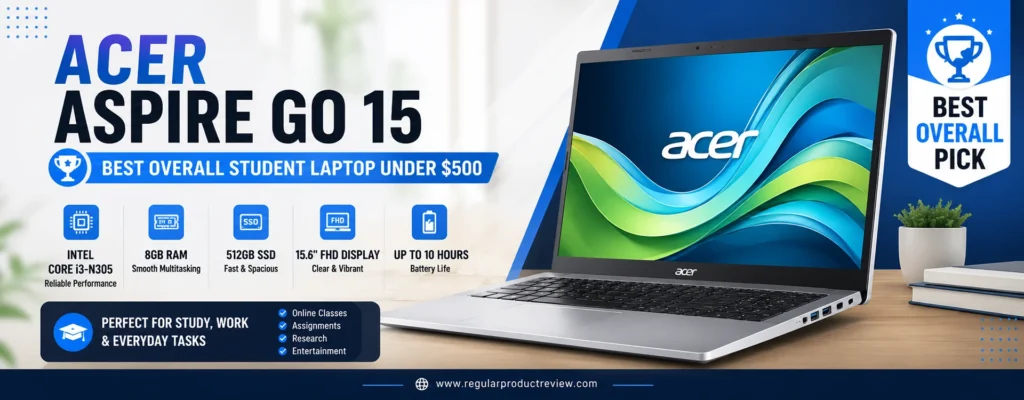
Powered by the Intel Core i3-N305 processor, the Aspire Go 15 comfortably handles everyday academic tasks. From writing assignments in Microsoft Word and creating presentations in PowerPoint to attending Zoom lectures and browsing with dozens of Chrome tabs, the laptop remains responsive throughout a typical study session.
One of its biggest strengths is the inclusion of a 512GB PCIe NVMe SSD, which offers significantly faster boot times and application loading compared to traditional hard drives or slower eMMC storage commonly found in budget laptops. Students also benefit from ample space for coursework, projects, presentations, and multimedia files without constantly worrying about running out of storage.
The 15.6-inch Full HD anti-glare display provides a spacious workspace that’s ideal for multitasking. Whether you’re comparing research articles, editing spreadsheets, or watching recorded lectures, the larger screen makes daily productivity more comfortable. The matte finish also helps reduce glare under classroom lighting.
Typing is another area where the Aspire Go 15 performs exceptionally well. Its full-size keyboard offers comfortable key spacing and responsive feedback, making long writing sessions noticeably easier. The precision touchpad is smooth and accurate, adding to the laptop’s overall polished user experience.
Connectivity is equally practical. Multiple USB ports, HDMI output, Bluetooth, and Wi-Fi 6 provide reliable compatibility with modern peripherals, projectors, external monitors, and fast campus wireless networks.
Although this laptop isn’t designed for demanding 3D rendering or modern AAA gaming, it easily handles the software and workloads that most students encounter throughout high school and college.
📌 Editorial Insight
A fast SSD, reliable processor, and comfortable keyboard will improve your daily experience far more than flashy specifications that rarely impact schoolwork. The Acer Aspire Go 15 focuses on exactly those essentials.
Key Specifications
| Specification | Details |
|---|---|
| Display | 15.6-inch Full HD (1920 × 1080) Anti-Glare |
| Processor | Intel Core i3-N305 |
| Graphics | Intel UHD Graphics |
| Memory | 8GB LPDDR5 |
| Storage | 512GB PCIe NVMe SSD |
| Operating System | Windows 11 Home |
| Wireless | Wi-Fi 6 + Bluetooth |
| Webcam | HD Webcam |
| Battery Life | Up to 10 Hours |
| Weight | Approximately 3.8 lbs (1.72 kg) |
Performance Highlights
The combination of Intel’s efficient Core i3-N305 processor and fast LPDDR5 memory allows the Aspire Go 15 to handle everyday productivity with ease. Students can comfortably multitask between web browsers, productivity apps, PDF readers, communication platforms, and streaming services without experiencing significant slowdowns.
Display & Viewing Experience
The Full HD display produces crisp text that makes reading articles, writing assignments, and reviewing presentations more comfortable. While color accuracy isn’t intended for professional photo editing, it performs very well for educational use, entertainment, and everyday productivity.
Keyboard & Touchpad
Acer’s full-size keyboard delivers a pleasant typing experience with responsive keys and good spacing. Combined with a smooth precision touchpad, it provides excellent usability during extended study sessions.
Battery Life
Under normal classroom workloads including web browsing, document editing, video streaming, and online meetings the Aspire Go 15 can comfortably last through much of a school day before requiring a recharge.
Connectivity
Students benefit from practical connectivity options including USB ports, HDMI output, Bluetooth support, headphone connectivity, and Wi-Fi 6 for fast, stable internet access on compatible networks.
Pros
- Modern Intel Core i3 processor
- Fast 512GB PCIe NVMe SSD
- Comfortable keyboard for long typing sessions
- Sharp Full HD anti-glare display
- Reliable everyday Windows performance
- Strong multitasking capability
- Good battery life
- Excellent overall value
- Lightweight and easy to carry
- Wi-Fi 6 support
Cons
- Display brightness is average outdoors
- Memory isn’t upgradeable on most models
- Integrated graphics aren’t suitable for demanding creative software
- Speakers are acceptable but not particularly powerful
Who Should Buy the Acer Aspire Go 15?
The Acer Aspire Go 15 is ideal for students who primarily use Microsoft Office, Google Workspace, web browsers, learning management systems, Zoom, Microsoft Teams, and other productivity applications. It offers the right combination of speed, portability, storage, and reliability for students who want a laptop that can comfortably support several years of coursework.
📖 Learn More
Students studying business, education, humanities, communications, social sciences, accounting, and general STEM subjects will find the Acer Aspire Go 15 more than capable of handling daily academic workloads. If your coursework involves advanced 3D modeling, intensive video production, or professional engineering software, you’ll likely benefit from a higher-performance laptop with dedicated graphics.
🎯 Final Verdict
The Acer Aspire Go 15 offers one of the most complete student laptop experiences available for less than $500. Its dependable processor, fast SSD, generous storage, comfortable keyboard, and practical design make it an excellent investment for students who need reliable performance without exceeding a limited budget.
🎓 Bottom Line
For students seeking the best budget laptop under $500, the Acer Aspire Go 15 delivers outstanding everyday performance, dependable reliability, and exceptional value that should comfortably last throughout multiple academic years.
💼 Lenovo IdeaPad Slim 3
Best Value Windows Laptop for Students Who Need More Power for Everyday Tasks
💡 Expert Recommendation
The Lenovo IdeaPad Slim 3 is one of the strongest value-focused Windows laptops available for students. It combines an efficient AMD Ryzen processor, fast SSD storage, excellent typing comfort, and dependable battery life into a lightweight design that’s ideal for school, college, and everyday productivity.
⭐ Overall Ratings
| Category | Rating |
|---|---|
| ⭐ Overall Score | 9.5 / 10 |
| 🚀 Performance | ⭐⭐⭐⭐⭐ |
| 🔋 Battery Life | ⭐⭐⭐⭐☆ |
| 🖥️ Display | ⭐⭐⭐⭐☆ |
| ⌨️ Keyboard | ⭐⭐⭐⭐⭐ |
| 🎒 Portability | ⭐⭐⭐⭐☆ |
| 💰 Value | ⭐⭐⭐⭐⭐ |
👨🎓 Best For
- College students
- University coursework
- Office productivity
- Online learning
- Business majors
- Programming beginners
- Remote classes
- Research projects
- Everyday multitasking
- Students who prefer Windows
💵 Typical Price
Around $450–$499 (Pricing varies by retailer and configuration.)
Why the Lenovo IdeaPad Slim 3 Is an Outstanding Value
Students shopping for a Windows laptop under $500 often face difficult compromises, but the Lenovo IdeaPad Slim 3 manages to avoid many of them. Instead of focusing solely on a low price, Lenovo delivers a machine that feels responsive, practical, and well-suited to years of academic use.
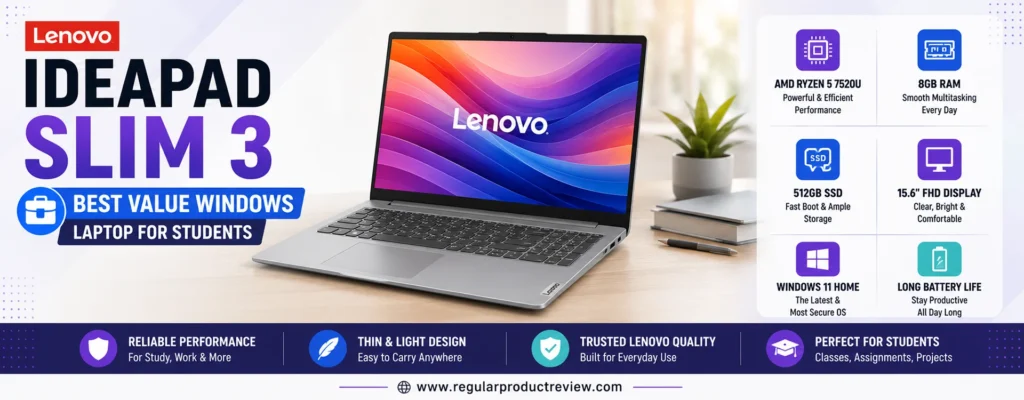
Powered by the AMD Ryzen 5 7520U processor, the IdeaPad Slim 3 offers excellent efficiency and reliable multitasking performance. Whether you’re preparing assignments, conducting online research, participating in virtual classes, or managing multiple browser tabs alongside productivity software, the laptop remains smooth and responsive throughout the day.
The inclusion of 8GB of LPDDR5 memory allows students to switch between applications with minimal delay, while the 512GB PCIe NVMe SSD provides fast boot times, quick software launches, and plenty of room for coursework, presentations, videos, and personal files.
One of the standout features is Lenovo’s reputation for building comfortable keyboards, and the IdeaPad Slim 3 continues that tradition. The well-spaced keys and satisfying travel make typing lengthy essays, reports, and research papers much more enjoyable compared to many competing budget laptops.
Its 15.6-inch Full HD anti-glare display offers clear visuals for reading documents, watching recorded lectures, attending online classes, and working with spreadsheets. The larger screen also improves productivity by making multitasking easier without constantly switching between windows.
Despite offering solid performance, the laptop remains relatively lightweight and portable. Students carrying their laptop between classrooms, libraries, coffee shops, and dormitories will appreciate its slim design and practical everyday usability.
Another advantage is its modern connectivity. Wi-Fi 6 delivers faster and more reliable wireless networking, while USB-C, USB-A, HDMI, Bluetooth, and a headphone jack provide flexible compatibility with external monitors, accessories, and campus equipment.
📌 Editorial Insight
The Lenovo IdeaPad Slim 3 proves that a well-balanced laptop often provides a better long-term experience than one that simply offers the highest specifications. Smooth multitasking, comfortable typing, fast storage, and dependable battery life are the features students benefit from every single day.
Key Specifications
| Specification | Details |
|---|---|
| Display | 15.6-inch Full HD (1920 × 1080) Anti-Glare |
| Processor | AMD Ryzen 5 7520U |
| Graphics | AMD Radeon 610M Graphics |
| Memory | 8GB LPDDR5 |
| Storage | 512GB PCIe NVMe SSD |
| Operating System | Windows 11 Home |
| Wireless | Wi-Fi 6 + Bluetooth 5.2 |
| Webcam | HD Webcam with Privacy Shutter |
| Battery Life | Up to 11 Hours |
| Weight | Approximately 3.5 lbs (1.58 kg) |
Real-World Performance
The Ryzen 5 7520U processor provides enough performance for nearly every task students encounter throughout high school or college. It comfortably handles Microsoft Office, Google Workspace, web-based research, streaming lectures, cloud collaboration, coding basics, and multitasking between multiple productivity applications.
Display & Productivity Experience
The Full HD display produces crisp text and sufficient workspace for productive studying. Students can comfortably work on essays while referencing online materials or review lecture notes alongside presentation slides without feeling limited by screen space.
Keyboard & Everyday Comfort
Lenovo’s keyboard remains one of the biggest reasons to choose this laptop. Its responsive keys, comfortable spacing, and excellent typing feel make long writing sessions significantly more enjoyable, especially for students completing research papers or extensive assignments.
Battery Life
With efficient AMD hardware, the IdeaPad Slim 3 offers dependable battery life for lectures, study sessions, and productivity tasks. Most students can expect it to last through much of a typical academic day under moderate workloads.
Connectivity
The laptop includes a practical selection of modern ports and wireless technologies, making it easy to connect external displays, flash drives, wireless accessories, projectors, and high-speed campus Wi-Fi networks.
Pros
- Excellent price-to-performance ratio
- Efficient AMD Ryzen 5 processor
- Fast 512GB PCIe NVMe SSD
- Comfortable Lenovo keyboard
- Crisp Full HD display
- Reliable multitasking performance
- Lightweight design
- Good battery life
- Modern Wi-Fi 6 connectivity
- Plenty of storage for schoolwork
Cons
- Memory isn’t upgradeable on most versions
- Display brightness is average outdoors
- Integrated graphics are intended for light workloads
- Audio quality is adequate but not exceptional
Who Should Buy the Lenovo IdeaPad Slim 3?
The Lenovo IdeaPad Slim 3 is ideal for students who need a dependable Windows laptop capable of supporting several years of coursework without exceeding a modest budget. It’s particularly well suited for students studying business, accounting, education, communications, social sciences, computer science, and other majors that rely heavily on productivity software and web-based applications.
Students who value comfortable typing, responsive multitasking, dependable battery life, and generous storage will appreciate the balanced experience this laptop provides.
📖 Learn More
While the Lenovo IdeaPad Slim 3 performs very well for academic work, productivity, and light creative tasks, students who regularly edit 4K video, build complex 3D projects, or play modern AAA games should consider laptops equipped with dedicated graphics hardware. Those systems generally exceed the $500 budget but provide substantially higher graphics performance.
🎯 Final Verdict
The Lenovo IdeaPad Slim 3 delivers exactly what most students need: dependable performance, excellent typing comfort, modern connectivity, and impressive value. Rather than chasing unnecessary premium features, it focuses on the fundamentals that make everyday school and college work smoother and more efficient.
For students looking for a Windows laptop that offers excellent long-term usability without stretching beyond a $500 budget, the Lenovo IdeaPad Slim 3 remains one of the smartest choices available today.
🎓 Bottom Line
If your priority is finding the best value Windows laptop for students, the Lenovo IdeaPad Slim 3 offers an outstanding combination of performance, comfort, storage, and reliability at a price that’s easy on your budget.
⚡ ASUS Vivobook Go 15
Best Performance for Everyday Schoolwork
💡 Expert Recommendation
The ASUS Vivobook Go 15 is an excellent choice for students who want fast everyday performance without spending a fortune. Powered by an efficient AMD Ryzen processor, equipped with a speedy SSD, and built with a lightweight design, it easily handles assignments, research, online classes, and multitasking throughout the school day.
⭐ Overall Ratings
| Category | Rating |
|---|---|
| ⭐ Overall Score | 9.4 / 10 |
| 🚀 Performance | ⭐⭐⭐⭐⭐ |
| 🔋 Battery Life | ⭐⭐⭐⭐☆ |
| 🖥️ Display | ⭐⭐⭐⭐☆ |
| ⌨️ Keyboard | ⭐⭐⭐⭐☆ |
| 🎒 Portability | ⭐⭐⭐⭐⭐ |
| 💰 Value | ⭐⭐⭐⭐⭐ |
👨🎓 Best For
- High school students
- College students
- Everyday productivity
- Online learning
- Research and writing
- Microsoft Office
- Google Workspace
- Light photo editing
- Streaming lectures
- Students needing a lightweight laptop
💵 Typical Price
Around $430–$499 (Varies by retailer and hardware configuration.)
Why the ASUS Vivobook Go 15 Is a Smart Student Laptop
The ASUS Vivobook Go 15 is designed for students who need a responsive laptop that keeps pace with busy academic schedules. Rather than focusing on flashy features, ASUS delivers dependable hardware that improves everyday productivity while remaining comfortably within a student-friendly budget.
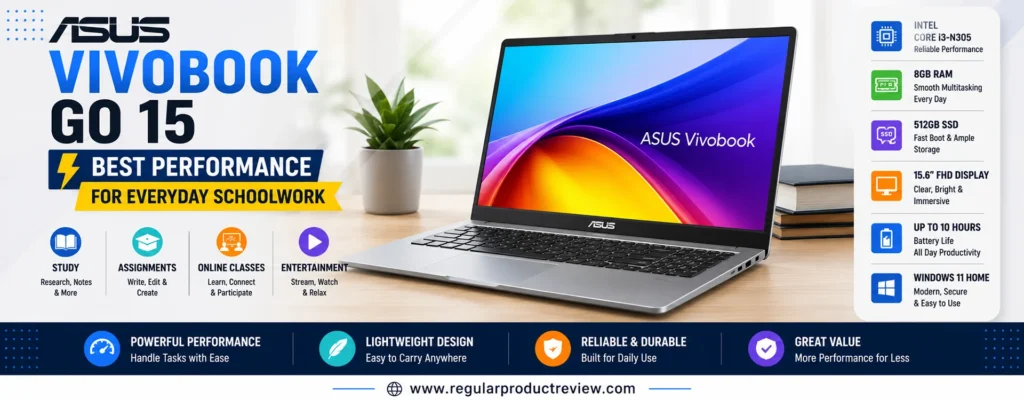
At the heart of the laptop is the AMD Ryzen 5 7520U processor, a modern, power-efficient chip capable of handling everyday workloads with ease. Whether you’re attending virtual lectures, creating presentations, editing documents, running multiple browser tabs, or streaming educational content, the system remains quick and responsive.
Performance is further enhanced by 8GB of LPDDR5 memory, allowing smooth multitasking between commonly used applications. The included 512GB PCIe NVMe SSD dramatically reduces startup times and application loading while providing generous storage for assignments, class notes, software, and media files.
One of the Vivobook Go 15’s strengths is portability. Weighing just over three pounds, it’s noticeably easier to carry than many traditional 15-inch laptops. Students commuting between classrooms, libraries, and coffee shops will appreciate its lightweight construction without sacrificing screen size.
The 15.6-inch Full HD anti-glare display provides a comfortable viewing experience for reading documents, taking notes, watching recorded lectures, and completing assignments. Its matte finish helps reduce reflections, making it easier to work in brightly lit classrooms or public study spaces.
ASUS also includes several thoughtful features aimed at everyday convenience. The physical webcam privacy shutter adds peace of mind during online classes, while ASUS AI Noise-Canceling technology helps produce clearer voice quality during Zoom or Microsoft Teams meetings.
📌 Editorial Insight
Fast storage and efficient hardware make a bigger difference to everyday schoolwork than raw benchmark numbers. The ASUS Vivobook Go 15 feels consistently responsive because its processor, SSD, and memory work together to deliver a smooth daily experience.
Key Specifications
| Specification | Details |
|---|---|
| Display | 15.6-inch Full HD (1920 × 1080) Anti-Glare |
| Processor | AMD Ryzen 5 7520U |
| Graphics | AMD Radeon 610M Graphics |
| Memory | 8GB LPDDR5 |
| Storage | 512GB PCIe NVMe SSD |
| Operating System | Windows 11 Home |
| Wireless | Wi-Fi 6E + Bluetooth 5.3 |
| Webcam | HD Camera with Physical Privacy Shutter |
| Battery Life | Up to 10 Hours |
| Weight | Approximately 3.6 lbs (1.63 kg) |
Performance in Everyday Schoolwork
The ASUS Vivobook Go 15 comfortably handles the software most students rely on every day. Word processing, spreadsheet management, presentations, PDF editing, online research, web-based learning platforms, and video conferencing all run smoothly, even with several applications open simultaneously.
Its Ryzen processor also provides enough headroom for light creative work, including basic photo editing, Canva projects, and entry-level coding environments.
Display & Viewing Experience
The Full HD panel produces sharp text and clear visuals that are ideal for extended reading sessions and online learning. The anti-glare coating minimizes distracting reflections, making it more comfortable to study under fluorescent classroom lighting or near windows.
Keyboard & User Experience
ASUS equips the Vivobook Go 15 with a comfortable keyboard that provides a pleasant typing experience for essays, reports, and note-taking. The large precision touchpad responds accurately, allowing students to navigate documents and web pages with ease.
Battery Life
The combination of AMD’s energy-efficient processor and optimized Windows power management allows the Vivobook Go 15 to provide reliable battery life for lectures, homework sessions, and general productivity. Most students can complete a significant portion of their school day before needing to recharge.
Connectivity
Students benefit from a versatile collection of ports, including USB-C, USB-A, HDMI, an audio combo jack, Bluetooth, and fast Wi-Fi 6E connectivity. This makes connecting flash drives, projectors, external monitors, and wireless accessories quick and convenient.
Pros
- Fast AMD Ryzen processor
- Lightweight and easy to carry
- Responsive 512GB PCIe NVMe SSD
- Excellent multitasking performance
- Sharp Full HD anti-glare display
- Comfortable keyboard
- Webcam privacy shutter included
- Wi-Fi 6E support
- Modern USB-C connectivity
- Excellent overall value
Cons
- Memory is not user-upgradable on most models
- Display color coverage is designed for everyday use rather than professional content creation
- Integrated graphics are not intended for demanding gaming
- Speakers are adequate but lack strong bass
Who Should Buy the ASUS Vivobook Go 15?
The ASUS Vivobook Go 15 is an excellent fit for students who want a lightweight Windows laptop capable of handling everyday coursework efficiently. It’s particularly well suited for education, business, liberal arts, communications, accounting, healthcare, and general STEM students who primarily use productivity software, cloud applications, and web-based learning platforms.
Its combination of speed, portability, and dependable battery life also makes it a strong option for students who frequently carry their laptop throughout the day.
📖 Learn More
Although the Vivobook Go 15 performs very well for schoolwork and general productivity, students whose coursework includes advanced video editing laptops, professional CAD software laptops, machine learning laptops, or intensive 3D rendering should consider laptops with dedicated graphics cards and higher-performance processors. Those systems generally fall into a higher price category.
🎯 Final Verdict
The ASUS Vivobook Go 15 successfully balances performance, portability, and affordability, making it one of the best student laptops available for everyday schoolwork. It delivers the responsive experience students expect without exceeding a modest budget.
If you’re looking for a dependable Windows laptop that can confidently handle note-taking, research, assignments, online classes, and everyday multitasking, the ASUS Vivobook Go 15 is a well-rounded choice that offers impressive value for the money.
🎓 Bottom Line
The ASUS Vivobook Go 15 combines efficient performance, lightweight portability, and modern features into a budget-friendly package, making it one of the strongest everyday laptops for students shopping under $500.
☁️ HP Chromebook Plus 15
Best Chromebook for Students
💡 Expert Recommendation
If most of your schoolwork happens in a web browser, the HP Chromebook Plus 15 is one of the smartest laptops you can buy. With Google’s Chromebook Plus enhancements, a spacious Full HD display, excellent battery life, and fast cloud-based performance, it’s an outstanding choice for students who rely on Google Workspace, online learning platforms, and web applications.
⭐ Overall Ratings
| Category | Rating |
|---|---|
| ⭐ Overall Score | 9.3 / 10 |
| 🚀 Everyday Performance | ⭐⭐⭐⭐☆ |
| 🔋 Battery Life | ⭐⭐⭐⭐⭐ |
| 🖥️ Display | ⭐⭐⭐⭐☆ |
| ⌨️ Keyboard | ⭐⭐⭐⭐☆ |
| 🎒 Portability | ⭐⭐⭐⭐☆ |
| 💰 Value | ⭐⭐⭐⭐⭐ |
👨🎓 Best For
- Students using Google Classroom
- High school students
- College students
- Online learning
- Google Docs, Sheets, and Slides
- Web browsing
- Research and note-taking
- Streaming educational videos
- Cloud-based productivity
- Users who want simple maintenance
💵 Typical Price
Around $399–$499 (Pricing varies depending on configuration and retailer.)
Why the HP Chromebook Plus 15 Is an Excellent Choice
For many students, today’s classroom is almost entirely browser-based. Assignments are submitted online, collaboration happens in Google Docs, lectures are streamed through learning platforms, and research is conducted across dozens of browser tabs. The HP Chromebook Plus 15 is purpose-built for this style of learning.
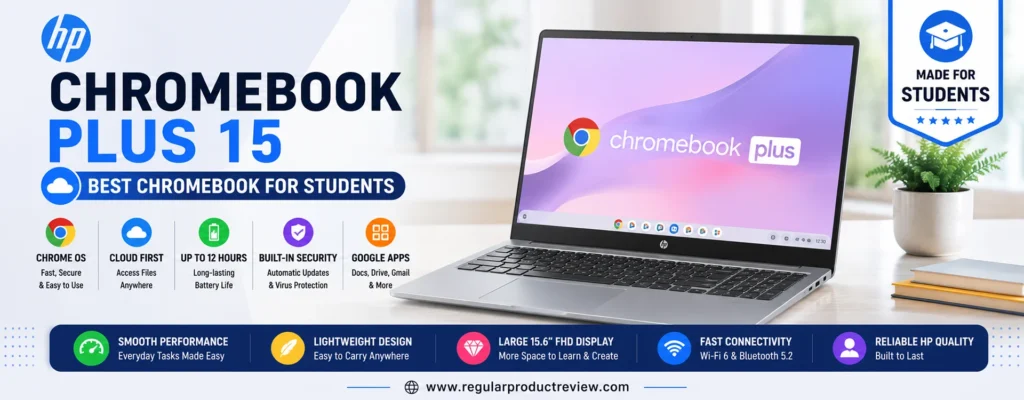
Unlike traditional entry-level Chromebooks, the Chromebook Plus lineup introduces more capable hardware and enhanced software features. Powered by a modern Intel Core i3 processor, paired with 8GB of memory, the HP Chromebook Plus 15 delivers noticeably smoother multitasking than many standard Chromebooks.
ChromeOS boots in seconds, updates automatically in the background, and includes built-in security protections that require very little maintenance. Students can focus on coursework instead of worrying about lengthy updates, antivirus software, or complicated system management.
The 15.6-inch Full HD display provides plenty of workspace for multitasking. Students can comfortably edit documents while viewing research materials, participate in online classes, or stream educational videos with sharp visuals and crisp text.
One of the biggest advantages is seamless integration with the Google ecosystem. Google Drive automatically syncs files across devices, while Google Docs, Sheets, Slides, Gmail, and Google Meet work together without requiring additional software installation.
Chromebook Plus also introduces AI-powered productivity features, improved video call enhancements, better photo editing capabilities, and stronger overall performance compared to previous Chromebook generations.
📌 Editorial Insight
If your coursework primarily revolves around web applications, cloud storage, and Google Workspace, a Chromebook often delivers a faster, simpler, and more reliable experience than many similarly priced Windows laptops.
Key Specifications
| Specification | Details |
|---|---|
| Display | 15.6-inch Full HD (1920 × 1080) IPS |
| Processor | Intel Core i3 (Chromebook Plus Platform) |
| Graphics | Intel UHD Graphics |
| Memory | 8GB LPDDR5 |
| Storage | 128GB UFS |
| Operating System | ChromeOS |
| Wireless | Wi-Fi 6E + Bluetooth |
| Webcam | 1080p Full HD Webcam |
| Battery Life | Up to 13 Hours |
| Weight | Approximately 3.8 lbs (1.72 kg) |
Performance for Everyday Learning
The HP Chromebook Plus 15 feels remarkably responsive during everyday academic tasks. ChromeOS efficiently handles dozens of browser tabs, Google Workspace applications, Zoom or Google Meet sessions, streaming lectures, email, and cloud collaboration without slowing down.
Because ChromeOS is optimized for lightweight computing, the hardware delivers an experience that feels faster than many similarly priced traditional laptops.
Display & Viewing Experience
The large Full HD IPS display offers clear text, vibrant colors, and wide viewing angles. Students reading digital textbooks, editing documents, attending virtual lectures, or watching instructional videos will appreciate the comfortable viewing experience.
Keyboard & User Experience
HP provides a spacious keyboard with responsive keys that make typing essays, discussion posts, and assignments comfortable. The precision touchpad feels smooth and accurate, while ChromeOS offers an intuitive interface that’s easy for beginners to learn.
Battery Life
Battery life is one of this laptop’s greatest strengths. Under typical student workloads including web browsing, document editing, streaming lectures, and online collaboration the Chromebook Plus 15 can often last an entire school day on a single charge.
Connectivity
The Chromebook includes USB-C ports, USB-A, a headphone jack, Bluetooth, and Wi-Fi 6E, allowing students to connect modern accessories while benefiting from fast wireless networking on supported campuses.
Pros
- Excellent Chromebook Plus performance
- Outstanding battery life
- Fast startup and automatic updates
- Large Full HD IPS display
- Google Workspace integration
- Simple and secure ChromeOS experience
- Lightweight cloud-based workflow
- 1080p webcam for online classes
- Wi-Fi 6E connectivity
- Exceptional value for students
Cons
- Limited compatibility with Windows-only software
- Local storage is smaller than many Windows laptops
- Not designed for advanced creative applications
- Gaming support is limited compared to Windows systems
Who Should Buy the HP Chromebook Plus 15?
The HP Chromebook Plus 15 is ideal for students whose coursework revolves around browser-based applications and cloud services. It’s especially well suited for K–12 students, college students, education majors, business students, and anyone who primarily uses Google Classroom, Google Drive, Google Docs, Microsoft 365 Online, Canvas, Blackboard, or other web-based learning platforms.
Students looking for a laptop that’s secure, easy to maintain, fast to start, and capable of lasting all day on battery power will find tremendous value in this Chromebook.
📖 Learn More
If your classes require specialized Windows applications such as AutoCAD, Adobe Premiere Pro, SolidWorks, or other desktop-only software, a Windows laptop will be a better choice. However, for web-based coursework, productivity, research, and online learning, the HP Chromebook Plus 15 delivers one of the best experiences available in this price range.
🎯 Final Verdict
The HP Chromebook Plus 15 proves that ChromeOS has evolved into a serious platform for education. With fast everyday performance, excellent battery life, a spacious display, and seamless cloud integration, it offers an efficient and worry-free computing experience for students.
For anyone who spends most of their time working online, collaborating through Google Workspace, and attending virtual classes, the HP Chromebook Plus 15 stands out as one of the best Chromebook options available under $500.
🎓 Bottom Line
The HP Chromebook Plus 15 is the ideal laptop for students who want a secure, fast, and low-maintenance Chromebook with excellent battery life and outstanding value for cloud-based learning.
🌐 Acer Chromebook Plus 515
Best Large-Screen Chromebook for Students Who Multitask
💡 Expert Recommendation
The Acer Chromebook Plus 515 is the perfect choice for students who prefer a larger display without sacrificing speed or battery life. With Chromebook Plus features, an Intel Core processor, a spacious 15.6-inch Full HD IPS display, and all-day battery life, it delivers an excellent experience for research, online learning, and productivity.
⭐ Overall Ratings
| Category | Rating |
|---|---|
| ⭐ Overall Score | 9.2 / 10 |
| 🚀 Everyday Performance | ⭐⭐⭐⭐☆ |
| 🔋 Battery Life | ⭐⭐⭐⭐⭐ |
| 🖥️ Display | ⭐⭐⭐⭐⭐ |
| ⌨️ Keyboard | ⭐⭐⭐⭐☆ |
| 🎒 Portability | ⭐⭐⭐⭐☆ |
| 💰 Value | ⭐⭐⭐⭐⭐ |
👨🎓 Best For
- Students who prefer large displays
- Online classes
- Google Workspace
- Research and multitasking
- Digital note-taking
- Web-based coursework
- Video streaming
- Cloud productivity
- Hybrid learning
- Everyday web browsing
💵 Typical Price
Around $430–$499 (Pricing depends on the retailer and hardware configuration.)
Why the Acer Chromebook Plus 515 Stands Out
The Acer Chromebook Plus 515 is built for students who spend hours reading textbooks, writing papers, attending online lectures, and managing multiple browser tabs. Its spacious display and Chromebook Plus hardware make everyday academic work smooth, responsive, and remarkably simple.
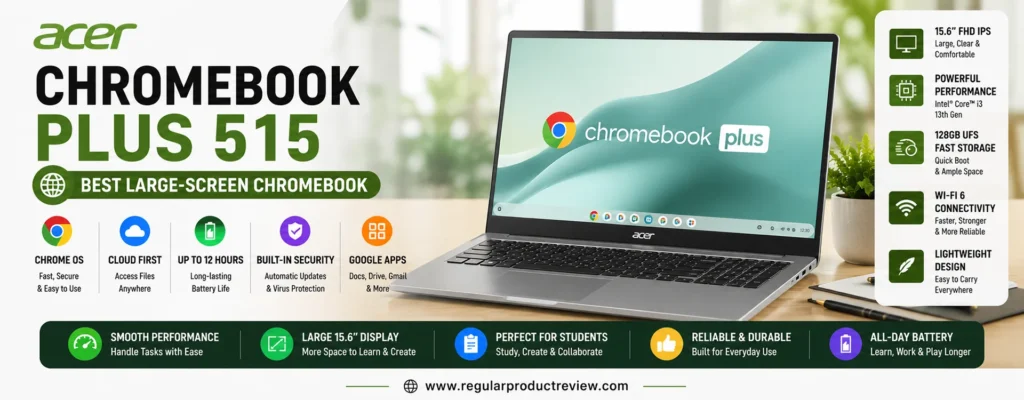
Powered by a modern Intel Core i3 processor with 8GB of LPDDR5 memory, the Chromebook Plus 515 comfortably handles demanding browser-based workloads. Students can switch between Google Docs, Google Sheets, Gmail, Google Meet, YouTube lectures, and dozens of Chrome tabs without noticeable slowdowns.
ChromeOS is one of the easiest operating systems for students to maintain. Automatic background updates, built-in virus protection, and cloud synchronization reduce the need for technical maintenance, allowing students to spend more time studying and less time troubleshooting software.
The laptop’s 15.6-inch Full HD IPS display is its biggest advantage. The larger screen provides significantly more workspace than smaller Chromebooks, making multitasking easier. Students can place research material beside assignments, compare spreadsheets, review lecture slides, or participate in online classes while taking notes.
Its lightweight design remains practical for daily travel between classrooms, libraries, and study spaces. Despite its larger display, the Chromebook Plus 515 remains comfortable to carry in a backpack.
Google’s Chromebook Plus platform also unlocks enhanced productivity features, including AI-assisted tools, improved webcam capabilities, and faster overall system responsiveness compared to standard Chromebook models.
📌 Editorial Insight
Students often underestimate the value of screen size. A larger display reduces constant window switching, improves document editing, and creates a noticeably more comfortable study experience during long research sessions.
Key Specifications
| Specification | Details |
|---|---|
| Display | 15.6-inch Full HD (1920 × 1080) IPS |
| Processor | Intel Core i3 (13th Generation) |
| Graphics | Intel UHD Graphics |
| Memory | 8GB LPDDR5 |
| Storage | 128GB UFS |
| Operating System | ChromeOS |
| Wireless | Wi-Fi 6E + Bluetooth 5.3 |
| Webcam | 1080p Full HD Webcam |
| Battery Life | Up to 12 Hours |
| Weight | Approximately 3.7 lbs (1.68 kg) |
Performance for School and College
The Chromebook Plus 515 performs exceptionally well during everyday academic workloads. Google Workspace, Microsoft 365 Online, Canvas, Blackboard, Moodle, Zoom, Google Meet, web research, and cloud collaboration all run smoothly thanks to ChromeOS optimization and efficient Intel hardware.
Students who frequently multitask between multiple browser windows will appreciate the system’s responsiveness.
Display & Productivity Experience
The large Full HD IPS display delivers crisp text, vibrant colors, and wide viewing angles. Whether you’re reviewing lecture notes, reading digital textbooks, creating presentations, or attending virtual classes, the additional screen space improves comfort and productivity.
Keyboard & User Experience
Acer equips the Chromebook Plus 515 with a comfortable full-size keyboard that’s well suited for long typing sessions. The responsive touchpad complements ChromeOS’s intuitive interface, allowing students to navigate documents and web pages with ease.
Battery Life
Battery performance is excellent for classroom use. Most students can complete a full day of lectures, assignments, online collaboration, and web browsing without needing to recharge, making it a dependable companion for campus life.
Connectivity
The Chromebook includes USB-C, USB-A, HDMI, a headphone jack, Bluetooth, and Wi-Fi 6E, providing reliable compatibility with external displays, accessories, and modern wireless networks.
Pros
- Large 15.6-inch Full HD IPS display
- Responsive Chromebook Plus performance
- Excellent multitasking for browser-based work
- Outstanding battery life
- Fast startup and automatic system updates
- Comfortable full-size keyboard
- 1080p webcam for virtual learning
- Modern Wi-Fi 6E connectivity
- Lightweight for a large-screen laptop
- Excellent value for students
Cons
- Limited support for Windows-exclusive desktop software
- 128GB local storage may be restrictive for large offline files
- Not intended for professional video editing or advanced engineering software
- Integrated graphics are designed for everyday computing rather than gaming
Who Should Buy the Acer Chromebook Plus 515?
The Acer Chromebook Plus 515 is an excellent choice for students whose coursework primarily relies on browser-based applications and cloud storage. It’s particularly well suited for education, business, communications, liberal arts, healthcare, and general studies students who regularly use Google Classroom, Google Drive, Microsoft 365 Online, Canvas, Blackboard, and similar learning platforms.
Students who value a larger display for reading, multitasking, and productivity without moving to a heavier Windows laptop will appreciate what this Chromebook offers.
📖 Learn More
If your school requires specialized Windows software or desktop applications that aren’t available on ChromeOS, a Windows laptop will provide greater compatibility. However, for students working primarily in the cloud, the Acer Chromebook Plus 515 offers an outstanding combination of simplicity, speed, battery life, and everyday usability.
🎯 Final Verdict
The Acer Chromebook Plus 515 successfully combines the simplicity of ChromeOS with the productivity benefits of a spacious 15.6-inch display. Its reliable performance, comfortable keyboard, long battery life, and Chromebook Plus enhancements make it one of the strongest large-screen Chromebooks available for students.
For students who spend most of their academic life in web browsers and cloud applications, this laptop provides an efficient, hassle-free, and highly productive learning experience at an affordable price.
🎓 Bottom Line
The Acer Chromebook Plus 515 is an excellent large-screen Chromebook that delivers fast cloud-based performance, outstanding battery life, and an expansive display, making it a top choice for students who value productivity and simplicity.
📚 Dell Inspiron 15 (3000 Series)
Best Laptop for Online Classes
💡 Expert Recommendation
The Dell Inspiron 15 (3000 Series) is an excellent laptop for students who spend much of their day attending virtual lectures, collaborating on assignments, and completing coursework online. Its dependable Intel processor, large Full HD display, comfortable keyboard, and reliable webcam make it one of the best budget-friendly laptops for remote learning.
⭐ Overall Ratings
| Category | Rating |
|---|---|
| ⭐ Overall Score | 9.1 / 10 |
| 🚀 Everyday Performance | ⭐⭐⭐⭐☆ |
| 🔋 Battery Life | ⭐⭐⭐⭐☆ |
| 🖥️ Display | ⭐⭐⭐⭐☆ |
| ⌨️ Keyboard | ⭐⭐⭐⭐⭐ |
| 🎥 Video Conferencing | ⭐⭐⭐⭐⭐ |
| 💰 Value | ⭐⭐⭐⭐☆ |
👨🎓 Best For
- Online classes
- Distance learning
- College students
- Virtual lectures
- Microsoft Teams
- Zoom meetings
- Google Meet
- Homework and assignments
- Everyday productivity
- Remote collaboration
💵 Typical Price
Around $430–$499 (Prices vary depending on hardware configuration and retailer.)
Why the Dell Inspiron 15 (3000 Series) Is Ideal for Online Learning
As online education has become a regular part of student life, choosing a laptop that performs well during video calls is more important than ever. The Dell Inspiron 15 (3000 Series) is built to deliver a dependable remote learning experience while remaining affordable for students on a budget.
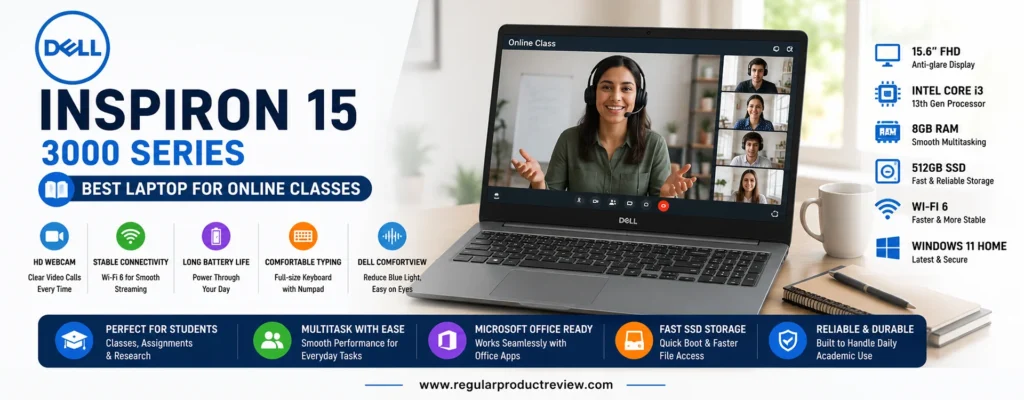
Powered by the Intel Core i3-1315U processor, the laptop provides enough performance for everyday academic workloads. Students can comfortably attend Zoom lectures, join Microsoft Teams meetings, browse research materials, edit assignments, stream educational videos, and manage multiple productivity applications without noticeable slowdowns.
The 8GB of DDR4 memory allows smooth multitasking throughout the day, while the 512GB PCIe NVMe SSD ensures fast boot times and responsive application launches. Students also have plenty of storage for lecture recordings, presentations, PDFs, research documents, and personal files.
One of the Dell Inspiron’s strongest advantages is its comfortable user experience. The 15.6-inch Full HD anti-glare display provides enough workspace for viewing lecture slides while taking notes or referencing research materials during online classes.
Dell’s full-size keyboard is another highlight. Its responsive keys make long writing sessions comfortable, whether you’re completing essays, preparing reports, or participating in online discussions.
Video conferencing also benefits from Dell’s HD webcam, dual microphones, and stereo speakers. Voice quality remains clear during virtual lectures, helping students participate confidently in discussions and group projects.
📌 Editorial Insight
A good online learning laptop isn’t defined by raw performance alone. A comfortable keyboard, reliable webcam, clear audio, stable wireless networking, and a spacious display all contribute to a much better virtual classroom experience.
Key Specifications
| Specification | Details |
|---|---|
| Display | 15.6-inch Full HD (1920 × 1080) Anti-Glare |
| Processor | Intel Core i3-1315U |
| Graphics | Intel UHD Graphics |
| Memory | 8GB DDR4 |
| Storage | 512GB PCIe NVMe SSD |
| Operating System | Windows 11 Home |
| Wireless | Wi-Fi 6 + Bluetooth |
| Webcam | HD Webcam with Dual Microphones |
| Battery Life | Up to 9 Hours |
| Weight | Approximately 3.7 lbs (1.68 kg) |
Performance for Virtual Learning
The Inspiron 15 easily handles the applications students use every day, including Microsoft Office, Google Workspace, Zoom, Microsoft Teams, Google Meet, Canvas, Blackboard, Moodle, and web browsers with numerous tabs open simultaneously.
Its efficient processor keeps everyday productivity smooth while maintaining good battery efficiency.
Display & Viewing Experience
The Full HD display produces clear text and sharp visuals, making reading digital textbooks, reviewing lecture notes, and participating in online classes more comfortable. The anti-glare coating also helps reduce reflections during long study sessions.
Keyboard & Everyday Comfort
Dell’s keyboard offers generous spacing and consistent key travel, making it well suited for students who regularly type assignments, discussion posts, emails, and research papers. The precision touchpad provides accurate navigation for everyday use.
Battery Life
During typical student workloads including online classes, note-taking, document editing, research, and web browsing the Inspiron 15 offers dependable battery life capable of supporting several hours of unplugged productivity.
Connectivity
Students have access to USB-A ports, USB-C (on supported configurations), HDMI, an SD card reader, a headphone jack, Bluetooth, and Wi-Fi 6, providing flexibility for classroom presentations, external monitors, flash drives, and wireless accessories.
Pros
- Reliable Intel Core processor
- Excellent laptop for online classes
- Fast 512GB PCIe NVMe SSD
- Comfortable full-size keyboard
- Clear Full HD anti-glare display
- Reliable HD webcam with dual microphones
- Plenty of storage for coursework
- Easy-to-use Windows experience
- Practical port selection
- Strong overall reliability
Cons
- Battery life is good but not class-leading
- Display brightness is average outdoors
- Integrated graphics are intended for everyday tasks
- Slightly heavier than some ultra-portable competitors
Who Should Buy the Dell Inspiron 15 (3000 Series)?
The Dell Inspiron 15 is an excellent choice for students whose daily routine includes online lectures, remote collaboration, digital assignments, and cloud-based productivity. It’s particularly well suited for education, business, healthcare, communications, accounting, and liberal arts students who spend significant time participating in virtual classrooms.
Its dependable hardware, comfortable keyboard, and reliable video conferencing capabilities make it an excellent long-term companion throughout high school or college.
📖 Learn More
If your coursework focuses primarily on productivity, web research, online collaboration, and video conferencing, the Dell Inspiron 15 provides everything you need without exceeding a modest budget. Students pursuing advanced 3D design, professional video production, or intensive engineering workloads should instead consider laptops equipped with dedicated graphics processors.
🎯 Final Verdict
The Dell Inspiron 15 (3000 Series) delivers exactly what modern students need for successful online learning. Its dependable performance, comfortable typing experience, spacious display, reliable webcam, and practical connectivity make it one of the strongest budget-friendly Windows laptops for virtual education.
Whether you’re attending daily Zoom lectures, collaborating on group projects, or completing assignments from home, this laptop offers the performance and reliability needed to stay productive throughout the academic year.
🎓 Bottom Line
The Dell Inspiron 15 (3000 Series) is one of the best budget laptops for online classes, offering dependable performance, comfortable usability, and a reliable virtual learning experience without exceeding a $500 budget.
✍️ Lenovo Chromebook Duet 3
Best 2-in-1 Student Laptop
💡 Expert Recommendation
The Lenovo Chromebook Duet 3 is the ideal choice for students who want the flexibility of both a laptop and a tablet. Its detachable keyboard, lightweight design, long battery life, and ChromeOS make it perfect for note-taking, online classes, digital textbooks, and studying on the go.
⭐ Overall Ratings
| Category | Rating |
|---|---|
| ⭐ Overall Score | 9.0 / 10 |
| 🚀 Everyday Performance | ⭐⭐⭐⭐☆ |
| 🔋 Battery Life | ⭐⭐⭐⭐⭐ |
| 🖥️ Display | ⭐⭐⭐⭐⭐ |
| ⌨️ Keyboard | ⭐⭐⭐⭐☆ |
| 🎒 Portability | ⭐⭐⭐⭐⭐ |
| 💰 Value | ⭐⭐⭐⭐⭐ |
👨🎓 Best For
- Students who travel frequently
- Digital note-taking
- Online classes
- Reading eBooks and PDFs
- Google Workspace
- Web research
- Tablet-style learning
- Classroom presentations
- Casual entertainment
- Everyday schoolwork
💵 Typical Price
Around $329–$429 (Depending on retailer and configuration.)
Why the Lenovo Chromebook Duet 3 Is Perfect for Flexible Learning
Not every student needs a traditional clamshell laptop. For those who value portability, handwritten notes, and tablet convenience, the Lenovo Chromebook Duet 3 offers one of the most versatile experiences available in the budget category.
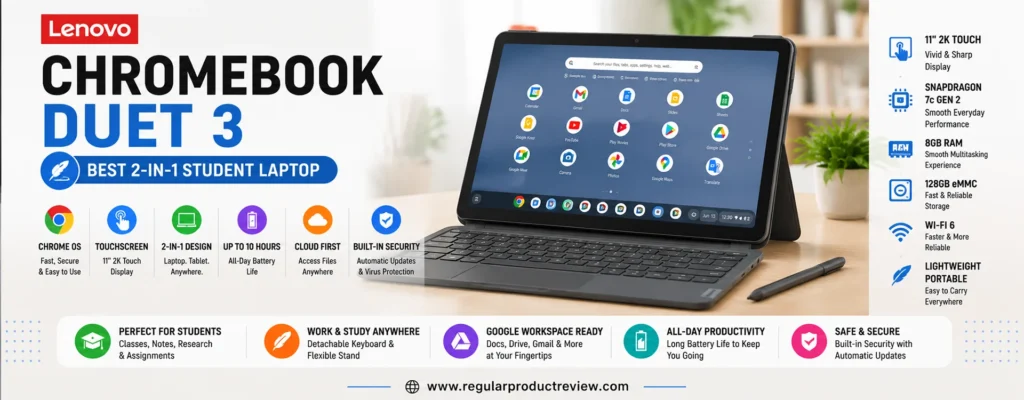
Unlike conventional laptops, the Duet 3 features a detachable keyboard that instantly transforms it from a Chromebook into a lightweight tablet. This flexibility makes it easy to switch between typing assignments, reading digital textbooks, annotating lecture slides, or watching educational videos.
Powered by the Qualcomm Snapdragon 7c Gen 2 Compute Platform, paired with 8GB of LPDDR4X memory, the Chromebook delivers smooth performance for web browsing, Google Workspace, online classes, streaming, and cloud-based productivity.
Its 11-inch 2K IPS touchscreen is one of the biggest highlights. The sharp resolution produces crisp text and vibrant colors, making reading documents, reviewing PDFs, and viewing presentations far more enjoyable than many budget laptops with lower-quality displays.
ChromeOS also contributes to an effortless user experience. Automatic security updates, quick startup times, built-in malware protection, and seamless Google account integration allow students to focus on learning rather than system maintenance.
Students who prefer handwritten notes can also pair the device with a compatible USI stylus (sold separately), making it useful for sketching diagrams, annotating documents, solving equations, or marking up lecture slides.
📌 Editorial Insight
A detachable Chromebook won’t replace a high-performance Windows laptop, but for students who prioritize portability, battery life, and cloud-based learning, the Duet 3 delivers an experience that’s difficult to match at this price.
Key Specifications
| Specification | Details |
|---|---|
| Display | 11-inch 2K (2000 × 1200) IPS Touchscreen |
| Processor | Qualcomm Snapdragon 7c Gen 2 Compute Platform |
| Graphics | Qualcomm Adreno Graphics |
| Memory | 8GB LPDDR4X |
| Storage | 128GB eMMC |
| Operating System | ChromeOS |
| Wireless | Wi-Fi 5 + Bluetooth 5.1 |
| Webcam | 5MP Front & 8MP Rear Cameras |
| Battery Life | Up to 12 Hours |
| Weight | Approximately 1.14 lbs Tablet Only (Around 2.1 lbs with Keyboard) |
Everyday Performance
The Chromebook Duet 3 handles the tasks most students perform every day without difficulty. Google Docs, Google Slides, Gmail, Canvas, Blackboard, Microsoft 365 Online, YouTube lectures, web browsing, and video conferencing all run smoothly within ChromeOS.
Although it isn’t intended for heavy desktop workloads, it performs exceptionally well for cloud-based education and everyday productivity.
Display & Tablet Experience
The 2K IPS touchscreen is one of the best displays available in this price category. Text appears sharp, colors are vibrant, and touch responsiveness is excellent for scrolling, reading, and note-taking.
Its compact size also makes the device comfortable to hold during long reading sessions, whether you’re reviewing lecture notes or studying digital textbooks.
Keyboard & Productivity
Despite its slim design, the detachable keyboard provides a surprisingly comfortable typing experience for assignments, emails, and everyday coursework. The integrated kickstand allows multiple viewing angles, making it easy to work on desks, classroom tables, or while traveling.
Battery Life
Battery performance is one of the Duet 3’s strongest advantages. Most students can comfortably complete a full day of classes, note-taking, web browsing, and media consumption without reaching for the charger.
Connectivity
The Duet 3 keeps things simple with USB-C connectivity, Bluetooth, Wi-Fi, and cloud-based file synchronization. Students who frequently connect external displays or USB accessories may want to carry a USB-C hub for additional flexibility.
Pros
- Lightweight detachable 2-in-1 design
- Excellent 2K touchscreen display
- ChromeOS is fast and easy to maintain
- Outstanding battery life
- Keyboard included
- Supports USI stylus input
- Excellent for reading and note-taking
- Great portability for students
- Quiet, fanless operation
- Outstanding overall value
Cons
- Smaller display than traditional laptops
- Limited local storage
- Performance is designed for everyday productivity rather than demanding software
- Only one USB-C port
Who Should Buy the Lenovo Chromebook Duet 3?
The Lenovo Chromebook Duet 3 is perfect for students who prioritize portability, flexibility, and cloud-based learning. It’s especially well suited for middle school, high school, and college students who spend most of their time in Google Workspace, Microsoft 365 Online, Canvas, Blackboard, or other browser-based educational platforms.
Students who commute frequently, carry their device all day, or enjoy taking handwritten digital notes will benefit the most from its lightweight detachable design.
📖 Learn More
If your coursework requires Windows-exclusive software, professional programming tools, advanced engineering applications, or intensive multimedia editing, a traditional Windows laptop will offer better compatibility and performance. However, for note-taking, research, online learning, and cloud productivity, the Chromebook Duet 3 is one of the most versatile devices available within this budget.
🎯 Final Verdict
The Lenovo Chromebook Duet 3 successfully combines the convenience of a tablet with the productivity of a Chromebook, making it an excellent companion for modern students. Its lightweight design, beautiful touchscreen, long battery life, and flexible form factor create a learning experience that’s ideal for classrooms, libraries, and studying on the move.
For students who value portability and versatility above raw processing power, the Lenovo Chromebook Duet 3 stands out as one of the best 2-in-1 student devices under $500.
🎓 Bottom Line
The Lenovo Chromebook Duet 3 offers exceptional portability, impressive battery life, and the flexibility of both a tablet and laptop, making it one of the best budget-friendly 2-in-1 laptops for students.
🎒 HP 14 Laptop
Best Lightweight Laptop for Campus
💡 Expert Recommendation
The HP 14 Laptop is an excellent option for students who need a compact, lightweight, and affordable Windows laptop for everyday campus life. Its portable design, dependable Intel processor, long battery life, and comfortable keyboard make it ideal for carrying between lectures, libraries, study groups, and coffee shops.
⭐ Overall Ratings
| Category | Rating |
|---|---|
| ⭐ Overall Score | 8.9 / 10 |
| 🚀 Everyday Performance | ⭐⭐⭐⭐☆ |
| 🔋 Battery Life | ⭐⭐⭐⭐☆ |
| 🖥️ Display | ⭐⭐⭐⭐☆ |
| ⌨️ Keyboard | ⭐⭐⭐⭐☆ |
| 🎒 Portability | ⭐⭐⭐⭐⭐ |
| 💰 Value | ⭐⭐⭐⭐⭐ |
👨🎓 Best For
- Students who walk around campus all day
- Everyday schoolwork
- Lecture note-taking
- Microsoft Office
- Google Workspace
- Web browsing
- Online classes
- Research projects
- Travel-friendly computing
- Budget-conscious students
💵 Typical Price
Around $350–$470 (Depending on specifications and retailer.)
Why the HP 14 Laptop Is Great for Campus Life
Students who carry a laptop from one class to another often value portability just as much as performance. The HP 14 Laptop is designed with mobility in mind, offering dependable everyday computing in a lightweight chassis that’s easy to slip into a backpack.
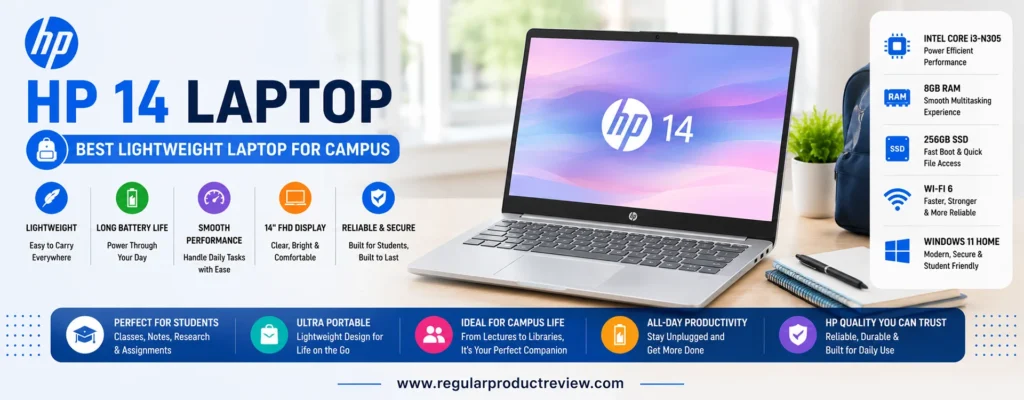
Powered by the Intel Core i3-N305 processor, the laptop delivers reliable performance for the academic tasks students complete every day. From writing essays and preparing presentations to joining virtual lectures and conducting online research, the HP 14 provides a smooth experience without unnecessary complexity.
Its 8GB of LPDDR5 memory supports efficient multitasking, allowing students to switch between Chrome tabs, Microsoft Office applications, PDF textbooks, and communication apps with minimal interruptions. The 256GB PCIe NVMe SSD also contributes to fast startup times and responsive application performance while providing enough storage for assignments, lecture notes, and essential software.
The 14-inch Full HD anti-glare display strikes an excellent balance between portability and productivity. It’s large enough to comfortably work on documents while remaining noticeably easier to carry than many larger 15.6-inch laptops. The anti-glare coating also helps reduce reflections during study sessions in classrooms, libraries, or outdoor seating areas.
HP’s keyboard offers a comfortable typing experience for students who regularly write essays, complete homework, or take notes during lectures. The responsive touchpad complements the overall user experience, making navigation quick and intuitive.
Wireless performance is equally dependable thanks to Wi-Fi 6 support, ensuring stable internet connectivity for online classes, cloud collaboration, and research wherever compatible networks are available.
📌 Editorial Insight
A lighter laptop can make a surprising difference over an entire semester. Students who spend hours moving across campus often appreciate reduced weight just as much as fast performance.
Key Specifications
| Specification | Details |
|---|---|
| Display | 14-inch Full HD (1920 × 1080) Anti-Glare |
| Processor | Intel Core i3-N305 |
| Graphics | Intel UHD Graphics |
| Memory | 8GB LPDDR5 |
| Storage | 256GB PCIe NVMe SSD |
| Operating System | Windows 11 Home |
| Wireless | Wi-Fi 6 + Bluetooth 5.3 |
| Webcam | HD Webcam with Dual Microphones |
| Battery Life | Up to 10 Hours |
| Weight | Approximately 3.1 lbs (1.41 kg) |
Performance for Daily Student Tasks
The HP 14 is optimized for the workloads most students encounter every day. It easily handles Microsoft Word, Excel, PowerPoint, Google Docs, web research, email, video conferencing, learning management systems, and streaming educational content without feeling sluggish.
The efficient Intel processor also keeps power consumption low, helping maximize battery life during busy days on campus.
Display & Viewing Experience
The 14-inch Full HD display offers crisp text and comfortable viewing angles for reading digital textbooks, editing assignments, and attending virtual lectures. Its compact size also makes it easier to use in crowded classrooms or small study desks.
Keyboard & User Experience
HP’s full-size keyboard provides good key spacing and responsive feedback, making long writing sessions comfortable. The precision touchpad feels smooth and supports Windows multitouch gestures for quick navigation between applications.
Battery Life
With typical student usage including web browsing, document editing, note-taking, video calls, and streaming educational content the HP 14 is capable of lasting through much of the school day before needing a recharge.
Connectivity
Students have access to USB-C, USB-A, HDMI, a headphone/microphone combo jack, Bluetooth, and Wi-Fi 6, making it easy to connect projectors, external displays, storage devices, and wireless accessories.
Pros
- Lightweight and backpack-friendly
- Compact 14-inch design
- Fast Intel Core i3 processor
- Responsive PCIe NVMe SSD
- Comfortable keyboard
- Sharp Full HD anti-glare display
- Reliable battery life
- Wi-Fi 6 connectivity
- Quiet everyday operation
- Excellent value for students
Cons
- Smaller display than 15.6-inch alternatives
- 256GB storage may require cloud storage for larger files
- Integrated graphics are intended for productivity workloads
- Display brightness is adequate but not ideal for direct sunlight
Who Should Buy the HP 14 Laptop?
The HP 14 Laptop is an excellent choice for students who prioritize portability without giving up the familiar Windows experience. It’s particularly well suited for students in education, business, communications, healthcare, accounting, and liberal arts programs who spend most of their time writing assignments, conducting research, participating in online classes, and collaborating through cloud-based productivity tools.
Its lightweight design also makes it an ideal companion for commuters and students who carry their laptop throughout the day.
📖 Learn More
Students who frequently work in lecture halls, libraries, cafés, or shared study spaces will appreciate the HP 14’s compact footprint. While it isn’t designed for demanding workloads such as professional video editing or advanced 3D rendering, it provides more than enough performance for the vast majority of everyday academic tasks.
🎯 Final Verdict
The HP 14 Laptop offers an impressive combination of portability, dependable performance, and affordability, making it one of the best lightweight Windows laptops available for students under $500.
Its compact design, responsive hardware, comfortable keyboard, and reliable battery life make it a practical companion for students who need a laptop that’s easy to carry while remaining capable enough for everyday coursework.
🎓 Bottom Line
If you want a lightweight Windows laptop that’s easy to carry across campus without sacrificing everyday productivity, the HP 14 Laptop is one of the smartest budget-friendly options available.
💰 ASUS Chromebook CX15
Best Budget Chromebook Under $400
💡 Expert Recommendation
The ASUS Chromebook CX15 is one of the best budget-friendly Chromebooks for students who want dependable performance without spending more than $400. With a spacious Full HD display, lightweight design, excellent battery life, and the simplicity of ChromeOS, it’s an ideal everyday companion for online learning, assignments, and web-based productivity.
⭐ Overall Ratings
| Category | Rating |
|---|---|
| ⭐ Overall Score | 8.8 / 10 |
| 🚀 Everyday Performance | ⭐⭐⭐⭐☆ |
| 🔋 Battery Life | ⭐⭐⭐⭐⭐ |
| 🖥️ Display | ⭐⭐⭐⭐☆ |
| ⌨️ Keyboard | ⭐⭐⭐⭐☆ |
| 🎒 Portability | ⭐⭐⭐⭐☆ |
| 💰 Value for Money | ⭐⭐⭐⭐⭐ |
👨🎓 Best For
- Students on a tight budget
- High school students
- Google Classroom
- Google Workspace
- Online assignments
- Web browsing
- Virtual learning
- Streaming educational content
- Everyday productivity
- First-time laptop buyers
💵 Typical Price
Around $249–$399 (Depending on the processor, memory, and retailer.)
Why the ASUS Chromebook CX15 Is an Excellent Budget Choice
Finding a reliable laptop below $400 often means making compromises, but the ASUS Chromebook CX15 offers an impressive balance of affordability, usability, and everyday performance. For students whose coursework primarily happens online, it provides everything needed to stay productive throughout the school year.
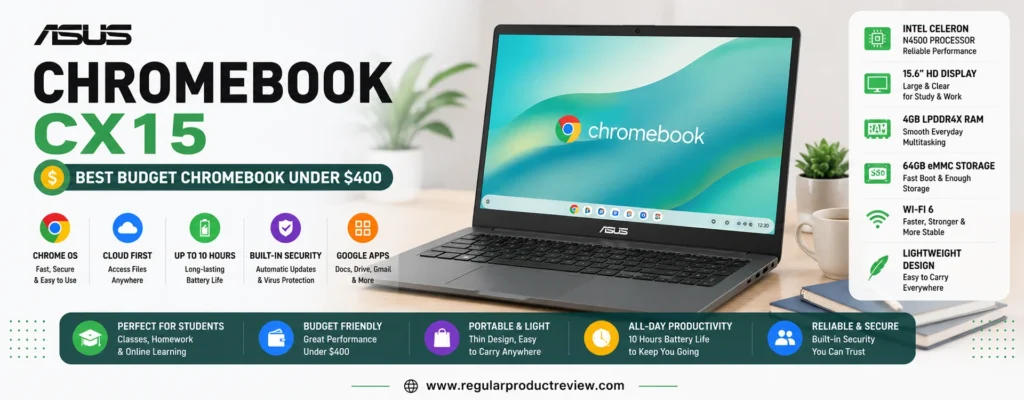
Running ChromeOS, the Chromebook CX15 boots within seconds and requires very little maintenance. Automatic updates, built-in security, and seamless cloud synchronization allow students to focus on studying instead of system management.
Most configurations feature an Intel Processor N-series, paired with 8GB of memory, providing enough power for web browsing, Google Docs, Google Slides, Gmail, YouTube, Canvas, Blackboard, Microsoft 365 Online, and other browser-based applications.
Its 15.6-inch Full HD anti-glare display is another major advantage. While many budget laptops sacrifice screen quality, the CX15 provides a comfortable viewing experience that’s ideal for reading digital textbooks, writing assignments, participating in online classes, and watching instructional videos.
Because ChromeOS is optimized for cloud computing, the hardware feels surprisingly responsive during everyday workloads. Students can comfortably work with multiple browser tabs, collaborate on shared documents, and attend video meetings without major slowdowns.
The laptop also offers a comfortable full-size keyboard, making it suitable for long typing sessions, whether you’re writing essays, completing homework, or preparing presentations.
📌 Editorial Insight
If your coursework relies mainly on web applications and cloud storage, spending extra on a Windows laptop may not provide significant benefits. The ASUS Chromebook CX15 delivers a fast, secure, and reliable learning experience at an exceptionally affordable price.
Key Specifications
| Specification | Details |
|---|---|
| Display | 15.6-inch Full HD (1920 × 1080) Anti-Glare |
| Processor | Intel Processor N100 / N200 (Configuration Dependent) |
| Graphics | Intel UHD Graphics |
| Memory | 8GB LPDDR5 |
| Storage | 128GB UFS |
| Operating System | ChromeOS |
| Wireless | Wi-Fi 6 + Bluetooth 5.3 |
| Webcam | HD Webcam |
| Battery Life | Up to 11 Hours |
| Weight | Approximately 3.7 lbs (1.68 kg) |
Performance for Everyday Schoolwork
The ASUS Chromebook CX15 is designed for everyday academic workloads rather than demanding desktop applications. Students can comfortably manage online research, Google Workspace, Microsoft 365 Online, email, cloud storage, web browsing, streaming lectures, and video conferencing throughout the day.
ChromeOS also keeps the system responsive by efficiently managing background processes and software updates.
Display & Viewing Experience
The large Full HD display offers sharp text and comfortable viewing angles for studying, note-taking, and online classes. The anti-glare coating reduces reflections, helping students remain focused during extended study sessions.
Keyboard & User Experience
The full-size keyboard offers comfortable spacing and responsive keys that make typing assignments and reports easy. ChromeOS remains one of the most beginner-friendly operating systems, making the CX15 particularly attractive for students who simply want a device that works reliably every day.
Battery Life
Battery performance is one of the Chromebook CX15’s strongest features. Most students can complete a full day of classes, homework, research, and media streaming without constantly searching for a power outlet.
Connectivity
The Chromebook includes USB-C, USB-A, HDMI (on supported models), a headphone jack, Bluetooth, and Wi-Fi 6, providing solid compatibility with classroom accessories, external displays, and modern wireless networks.
Pros
- Excellent value under $400
- Fast ChromeOS experience
- Large Full HD anti-glare display
- Lightweight and easy to carry
- Long battery life
- Comfortable keyboard
- Automatic security updates
- Wi-Fi 6 connectivity
- Quiet fanless operation on many models
- Easy setup and maintenance
Cons
- Limited compatibility with Windows-exclusive software
- Smaller local storage than most Windows laptops
- Not suitable for demanding creative workloads
- Integrated graphics are intended for everyday productivity
Who Should Buy the ASUS Chromebook CX15?
The ASUS Chromebook CX15 is ideal for students who complete most of their coursework online and want an affordable, dependable laptop without unnecessary complexity. It’s especially well suited for middle school students, high school students, college students, and anyone using Google Classroom, Canvas, Blackboard, Moodle, or Microsoft 365 Online as part of their daily studies.
Students who prioritize affordability, battery life, and ease of use over advanced desktop software compatibility will find the Chromebook CX15 to be one of the best values in this price category.
📖 Learn More
While the ASUS Chromebook CX15 isn’t intended for professional software such as Adobe Premiere Pro, AutoCAD, or advanced engineering applications, it performs exceptionally well for web-based education, productivity, cloud collaboration, streaming, and everyday academic work. For many students, ChromeOS offers a simpler and more secure computing experience than a traditional Windows laptop.
🎯 Final Verdict
The ASUS Chromebook CX15 proves that students don’t need to spend a fortune to get a dependable laptop for school. Its responsive ChromeOS experience, spacious display, reliable battery life, and budget-friendly pricing make it one of the strongest Chromebook options available under $400.
For students who primarily work in the cloud and want a hassle-free laptop that simply gets the job done, the ASUS Chromebook CX15 delivers outstanding value.
🎓 Bottom Line
The ASUS Chromebook CX15 is an affordable, reliable, and easy-to-use Chromebook that offers everything most students need for online learning, assignments, and everyday productivity while staying comfortably under a $400 budget.
⭐ Dell Latitude 5420 (Certified Refurbished)
Best Refurbished Laptop Under $500
💡 Expert Recommendation
If you’re comfortable purchasing a certified refurbished laptop, the Dell Latitude 5420 offers one of the best performance-to-price ratios available under $500. Built originally as a premium business laptop, it combines a powerful Intel Core processor, durable construction, upgrade-friendly hardware, and enterprise-grade reliability that many brand-new budget laptops simply can’t match.
⭐ Overall Ratings
| Category | Rating |
|---|---|
| ⭐ Overall Score | 9.4 / 10 |
| 🚀 Performance | ⭐⭐⭐⭐⭐ |
| 🔋 Battery Life | ⭐⭐⭐⭐☆ |
| 🖥️ Display | ⭐⭐⭐⭐☆ |
| ⌨️ Keyboard | ⭐⭐⭐⭐⭐ |
| 🛡️ Build Quality | ⭐⭐⭐⭐⭐ |
| 💰 Value for Money | ⭐⭐⭐⭐⭐ |
👨🎓 Best For
- College students
- Computer science students
- Engineering students
- Business majors
- Programming
- Multitasking
- Microsoft Office
- Long-term ownership
- Budget-conscious buyers
- Students comfortable with refurbished devices
💵 Typical Price
Around $350–$500 (Certified Refurbished with warranty.)
Why the Dell Latitude 5420 Is an Outstanding Refurbished Buy
Many students automatically assume that buying new is always the better option, but that’s not necessarily true. Premium business laptops like the Dell Latitude 5420 are designed to withstand years of intensive daily use, making certified refurbished models an exceptional value for students.
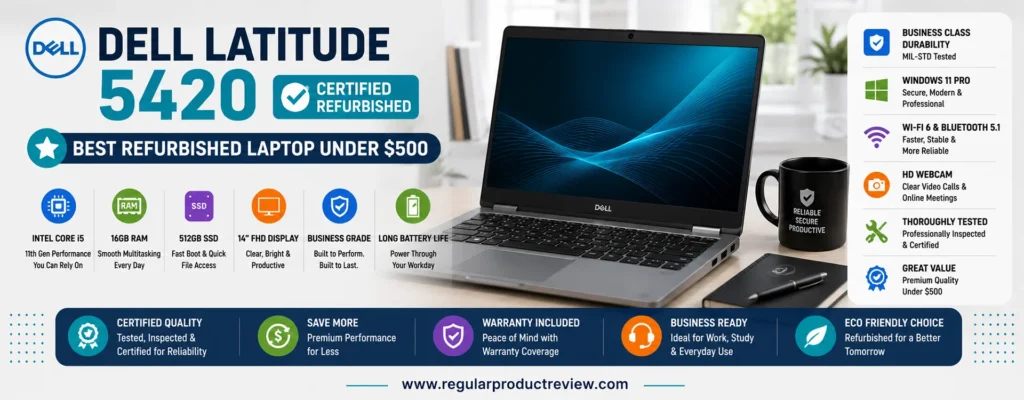
Unlike many entry-level consumer laptops, the Latitude 5420 features a durable chassis, reinforced hinges, and a professional-grade keyboard that feels noticeably sturdier during everyday use. The laptop was originally built for business environments where reliability is essential, and that durability translates perfectly into student life.
Performance is another major advantage. Most certified refurbished configurations include an 11th Generation Intel Core i5 processor, providing significantly more computing power than many new budget laptops. Combined with 16GB of DDR4 memory and a 512GB PCIe NVMe SSD, the Latitude 5420 handles demanding multitasking with ease.
Students can comfortably run Microsoft Office, Google Workspace, programming environments, virtual meetings, research software, and dozens of browser tabs simultaneously. The additional memory also improves performance when working with larger spreadsheets, coding projects, or multiple applications.
The 14-inch Full HD anti-glare display strikes an excellent balance between portability and productivity. Its compact size makes it easy to carry around campus while still providing plenty of workspace for assignments and research.
Perhaps the biggest long-term benefit is upgradeability. Unlike many modern budget laptops with soldered memory and storage, many Latitude 5420 configurations allow RAM and SSD upgrades, extending the laptop’s lifespan well beyond graduation.
📌 Editorial Insight
Buying a certified refurbished business laptop often delivers substantially better hardware than buying a brand-new consumer laptop at the same price. When purchased from a reputable seller with a warranty, it can be one of the smartest budget decisions students make.
Key Specifications
| Specification | Details |
|---|---|
| Display | 14-inch Full HD (1920 × 1080) Anti-Glare |
| Processor | Intel Core i5-1135G7 (Typical Configuration) |
| Graphics | Intel Iris Xe Graphics |
| Memory | 16GB DDR4 |
| Storage | 512GB PCIe NVMe SSD |
| Operating System | Windows 11 Pro |
| Wireless | Wi-Fi 6 + Bluetooth 5.1 |
| Webcam | HD Webcam |
| Battery Life | Up to 10 Hours (Varies by Battery Health) |
| Weight | Approximately 3.1 lbs (1.40 kg) |
Real-World Performance
The Dell Latitude 5420 delivers performance that exceeds what many brand-new laptops under $500 can offer. Whether you’re programming in Visual Studio Code, running Microsoft Office, editing large documents, attending virtual lectures, or working with dozens of browser tabs, the system remains responsive and dependable.
Students pursuing computer science, engineering, business, or other demanding majors will particularly appreciate the extra processing power and memory.
Display & Viewing Experience
The 14-inch Full HD display provides sharp text and comfortable viewing angles for reading digital textbooks, coding, spreadsheet work, and online research. The anti-glare coating helps reduce reflections, making it easier to work in classrooms and libraries.
Keyboard & Build Quality
Dell’s Latitude keyboard is widely recognized for its excellent typing comfort. Combined with the laptop’s sturdy business-class construction, it provides a premium user experience that’s uncommon in this price range.
The durable chassis is designed to withstand daily transportation, making it well suited for busy student life.
Battery Life
Battery performance depends on the condition of the refurbished unit, but certified models with healthy batteries typically provide enough runtime for lectures, research sessions, and everyday productivity. Purchasing from reputable refurbishers with battery health guarantees is recommended.
Connectivity
The Latitude 5420 includes an impressive selection of ports, including Thunderbolt 4 (USB-C), USB-A, HDMI, Ethernet, microSD, a headphone jack, Bluetooth, and Wi-Fi 6, making it one of the most versatile laptops in this roundup.
Pros
- Outstanding performance for the price
- Durable enterprise-grade construction
- Powerful Intel Core i5 processor
- 16GB RAM supports heavy multitasking
- Fast 512GB PCIe NVMe SSD
- Upgradeable memory and storage
- Excellent keyboard
- Comprehensive port selection
- Windows 11 Pro included
- Exceptional long-term value
Cons
- Refurbished cosmetic condition varies by seller
- Battery health depends on refurbishment quality
- Slightly heavier than some modern ultrabooks
- Warranty coverage differs between retailers
Who Should Buy the Dell Latitude 5420?
The Dell Latitude 5420 is ideal for students who prioritize performance, reliability, and long-term value over owning a brand-new laptop. It’s particularly well suited for computer science, engineering, finance, business, accounting, cybersecurity, and STEM students who regularly multitask, write code, analyze data, or work with more demanding software.
Students who want business-class quality without paying business-class prices will find the Latitude 5420 to be one of the strongest values available under $500.
📖 Learn More
When shopping for a refurbished laptop, always choose a Certified Refurbished model from a reputable retailer that includes a warranty, a clear return policy, and information about battery health and cosmetic condition. These safeguards greatly reduce the risks commonly associated with buying pre-owned hardware.
🎯 Final Verdict
The Dell Latitude 5420 (Certified Refurbished) proves that buying refurbished doesn’t mean settling for less. In fact, it often provides better performance, stronger build quality, more memory, and greater upgrade potential than many brand-new laptops in the same price range.
For students who want maximum computing power and long-term durability while staying under a $500 budget, the Dell Latitude 5420 is one of the smartest purchases available.
🎓 Bottom Line
The Dell Latitude 5420 (Certified Refurbished) delivers premium business-class performance, exceptional durability, and outstanding value, making it one of the best student laptop deals available for under $500.
🛒 Detailed Buying Guide: How to Choose the Best Student Laptop Under $500
Buying a student laptop isn’t just about finding the lowest price. The best laptop is one that fits your coursework, learning style, and daily routine while remaining reliable for several academic years.
A budget of under $500 is enough to purchase a capable laptop for note-taking, research, online classes, productivity, and even light creative work provided you know what specifications actually matter.
This guide explains everything students and parents should consider before making a purchase.
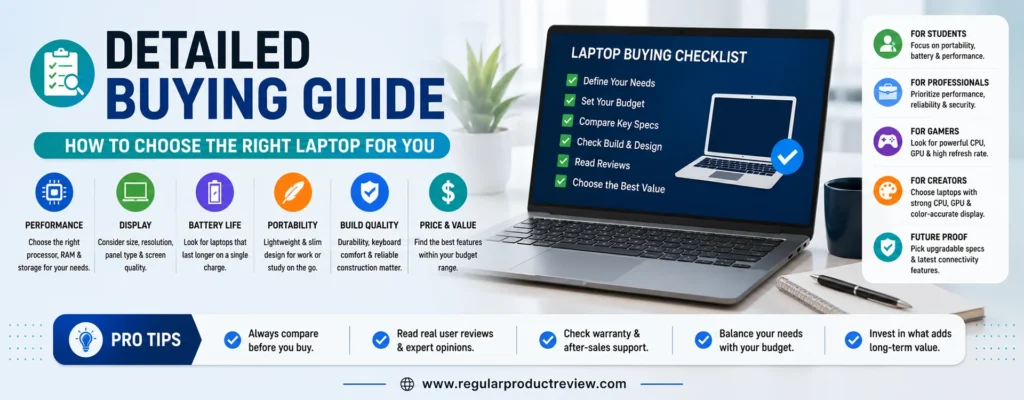
Why Choosing the Right Student Laptop Matters
A laptop is one of the most important educational tools you’ll own. Students use it for nearly every aspect of school life, including:
- Research assignments
- Writing essays
- Creating presentations
- Online classes
- Video conferencing
- Group projects
- Programming
- Cloud collaboration
- Streaming educational content
- Exam preparation
Choosing the wrong laptop can lead to slow performance, poor battery life, uncomfortable typing, and unnecessary frustration throughout your academic journey.
Fortunately, today’s budget laptops are significantly more capable than they were just a few years ago.
Decide Between Windows and ChromeOS
One of the first decisions you’ll make is selecting the right operating system.
Windows Laptops
Windows remains the most versatile option for students because it supports nearly every educational application.
A Windows laptop is the better choice if you need:
- Microsoft Office desktop apps
- Adobe Creative Cloud
- Programming software
- Engineering applications
- Accounting software
- Windows-exclusive educational programs
- Better offline productivity
Windows laptops also provide greater flexibility for future coursework if your academic needs change.
Chromebook
Chromebooks run Google’s lightweight ChromeOS operating system.
They’re ideal for students who primarily use:
- Google Classroom
- Google Docs
- Google Sheets
- Google Slides
- Gmail
- Canvas
- Blackboard
- Moodle
- Web browsers
ChromeOS is:
- Simple
- Fast
- Secure
- Easy to maintain
- Excellent for cloud-based learning
However, Chromebooks cannot run every Windows application.
If your school requires specialized desktop software, Windows remains the safer choice.
Choose the Right Processor
The processor determines how quickly your laptop completes everyday tasks.
For students under a $500 budget, these processors offer the best balance of performance and efficiency.
Recommended Intel Processors
- Intel Core i3-1315U
- Intel Core i3-N305
- Intel Core i5-1135G7 (Certified Refurbished)
- Intel Core i3 Chromebook Plus models
Recommended AMD Processors
- AMD Ryzen 5 7520U
- AMD Ryzen 3 7320U
- AMD Ryzen 5 7530U (When discounted)
These processors easily handle:
- Office work
- Research
- Video conferencing
- Coding
- Web browsing
- Multitasking
- Streaming
Avoid older dual-core processors whenever possible, as they may struggle with modern multitasking.
How Much RAM Do Students Need?
Memory directly affects multitasking performance.
4GB RAM
Suitable only for:
- Basic web browsing
- Light Chromebook usage
Not recommended for long-term use.
8GB RAM
The sweet spot for nearly every student.
Ideal for:
- Microsoft Office
- Google Workspace
- Zoom
- Chrome
- Research
- Programming basics
- Everyday productivity
Every laptop in this guide includes at least 8GB of memory, except where refurbished models may offer even more.
16GB RAM
Perfect for students studying:
- Computer Science
- Engineering
- Data Analysis
- Programming
- Business Analytics
You’ll typically find 16GB configurations on refurbished business laptops like the Dell Latitude 5420.
SSD Storage Is More Important Than You Think
Never underestimate the importance of storage type.
Always choose:
- PCIe NVMe SSD
Instead of:
- HDD
- Slow eMMC storage (unless using ChromeOS)
Benefits include:
- Faster boot times
- Faster app launches
- Better responsiveness
- Faster file transfers
- Longer overall lifespan
Recommended Capacity
| Student Type | Recommended Storage |
|---|---|
| Chromebook users | 128GB |
| General students | 256GB |
| Most college students | 512GB |
| Programming or creative majors | 512GB or more |
Cloud storage can supplement local storage, but a larger SSD provides greater flexibility for offline work.
Display Size: Which Is Best?
The right display size depends on how you study.
14-inch
Best for:
- Carrying around campus
- Frequent travel
- Commuters
- Coffee shop studying
15.6-inch
Best for:
- Multitasking
- Split-screen productivity
- Watching lectures
- Editing documents
- Research
2-in-1 Displays
Ideal if you enjoy:
- Handwritten notes
- Reading PDFs
- Tablet mode
- Touchscreen interaction
Display Resolution Matters
Always choose:
✅ Full HD (1920 × 1080)
Avoid:
❌ 1366 × 768
A Full HD display offers:
- Sharper text
- Better document readability
- Improved multitasking
- More workspace
- Better video quality
Students spend countless hours reading, so display quality directly affects comfort.
Battery Life Expectations
A good student laptop should comfortably last through classes without constantly searching for a charger.
Look for:
- 8–10 hours minimum
Excellent:
- 10–13 hours
Chromebooks generally offer the longest battery life because ChromeOS is highly power-efficient.
Keyboard Comfort Is Often Overlooked
Students spend thousands of hours typing.
A comfortable keyboard improves:
- Essay writing
- Research papers
- Programming
- Emails
- Reports
- Note-taking
Business laptops such as Dell Latitude models and Lenovo laptops have long been recognized for excellent keyboards.
Port Selection
A practical student laptop should include:
- USB-C
- USB-A
- HDMI
- Headphone jack
- Wi-Fi 6 (or newer)
- Bluetooth
These ports make it easier to:
- Connect projectors
- Use flash drives
- Attach external monitors
- Pair wireless accessories
- Charge compatible devices
Portability Matters
Students often carry laptops throughout the day.
Ideal weight ranges:
| Weight | Recommendation |
|---|---|
| Under 3 lbs | Excellent portability |
| 3–3.5 lbs | Very portable |
| 3.5–4 lbs | Good balance |
| Over 4 lbs | Better for desk use |
A lighter laptop becomes increasingly valuable during long days on campus.
Should You Buy Refurbished?
Many students overlook refurbished laptops, even though they often deliver the best value.
Certified refurbished laptops typically offer:
- Better processors
- More RAM
- Faster SSDs
- Premium build quality
- Business-grade durability
Only purchase refurbished devices from reputable sellers that provide:
- Warranty
- Return policy
- Battery health verification
- Certified refurbishment
Matching the Laptop to Your Major
Different academic programs have different hardware requirements.
| Major | Recommended Choice |
|---|---|
| Liberal Arts | Windows or Chromebook |
| Education | Windows or Chromebook |
| Business | Windows Laptop |
| Accounting | Windows Laptop |
| Computer Science | Windows Laptop (16GB RAM preferred) |
| Engineering | Windows Laptop with upgrade potential |
| Graphic Design | Higher-budget Windows laptop recommended |
| Healthcare | Windows Laptop |
| Communications | Windows or Chromebook |
| General Studies | Windows or Chromebook |
Common Mistakes to Avoid
Many buyers focus on the wrong specifications.
Avoid these common mistakes:
- Buying a laptop with only 4GB RAM
- Choosing an outdated processor
- Purchasing an HD (1366 × 768) display
- Ignoring keyboard comfort
- Prioritizing storage size over SSD speed
- Buying a Chromebook if Windows-only software is required
- Choosing the cheapest laptop instead of the best overall value
- Ignoring warranty coverage when buying refurbished
Our Final Buying Advice
If you’re shopping for the best student laptop under $500, focus on overall balance rather than a single specification. A dependable processor, at least 8GB of RAM, an SSD, a Full HD display, and a comfortable keyboard will have a much greater impact on your daily experience than flashy marketing features.
Students who rely on Microsoft Office, desktop software, or specialized academic applications should choose a Windows laptop. Those whose coursework is primarily web-based can save money and enjoy exceptional battery life with a Chromebook.
Most importantly, choose a laptop that can support not only your current classes but also the coursework you’ll encounter over the next several years. Investing in the right device today can improve productivity, reduce frustration, and provide excellent value throughout your academic journey.
Product Comparison Tables
Complete Feature Comparison
| Laptop | Best For | Operating System | Display | Processor | RAM | Storage | Battery Life | Weight |
|---|---|---|---|---|---|---|---|---|
| Acer Aspire Go 15 | 🏆 Best Overall | Windows 11 | 15.6″ FHD | Intel Core i3-N305 | 8GB | 512GB SSD | Up to 10 hrs | 3.8 lbs |
| Lenovo IdeaPad Slim 3 | 💼 Best Value Windows | Windows 11 | 15.6″ FHD | AMD Ryzen 5 7520U | 8GB | 512GB SSD | Up to 11 hrs | 3.5 lbs |
| ASUS Vivobook Go 15 | ⚡ Best Everyday Performance | Windows 11 | 15.6″ FHD | AMD Ryzen 5 7520U | 8GB | 512GB SSD | Up to 10 hrs | 3.6 lbs |
| HP Chromebook Plus 15 | ☁️ Best Chromebook | ChromeOS | 15.6″ FHD IPS | Intel Core i3 | 8GB | 128GB UFS | Up to 13 hrs | 3.8 lbs |
| Acer Chromebook Plus 515 | 🌐 Best Large Display Chromebook | ChromeOS | 15.6″ FHD IPS | Intel Core i3 (13th Gen) | 8GB | 128GB UFS | Up to 12 hrs | 3.7 lbs |
| Dell Inspiron 15 (3000) | 📚 Best for Online Classes | Windows 11 | 15.6″ FHD | Intel Core i3-1315U | 8GB | 512GB SSD | Up to 9 hrs | 3.7 lbs |
| Lenovo Chromebook Duet 3 | ✍️ Best 2-in-1 | ChromeOS | 11″ 2K Touch | Snapdragon 7c Gen 2 | 8GB | 128GB eMMC | Up to 12 hrs | 2.1 lbs |
| HP 14 Laptop | 🎒 Best Lightweight | Windows 11 | 14″ FHD | Intel Core i3-N305 | 8GB | 256GB SSD | Up to 10 hrs | 3.1 lbs |
| ASUS Chromebook CX15 | 💰 Best Under $400 | ChromeOS | 15.6″ FHD | Intel N100/N200 | 8GB | 128GB UFS | Up to 11 hrs | 3.7 lbs |
| Dell Latitude 5420 (Certified Refurbished) | ⭐ Best Refurbished | Windows 11 Pro | 14″ FHD | Intel Core i5-1135G7 | 16GB | 512GB SSD | Up to 10 hrs* | 3.1 lbs |
*Battery life on refurbished laptops depends on battery health and the refurbishing process.
Side-by-Side Performance Comparison
| Laptop | Overall Score | Performance | Multitasking | Portability | Battery | Value |
|---|---|---|---|---|---|---|
| Acer Aspire Go 15 | ⭐⭐⭐⭐⭐ | ⭐⭐⭐⭐⭐ | ⭐⭐⭐⭐⭐ | ⭐⭐⭐⭐☆ | ⭐⭐⭐⭐☆ | ⭐⭐⭐⭐⭐ |
| Lenovo IdeaPad Slim 3 | ⭐⭐⭐⭐⭐ | ⭐⭐⭐⭐⭐ | ⭐⭐⭐⭐⭐ | ⭐⭐⭐⭐☆ | ⭐⭐⭐⭐☆ | ⭐⭐⭐⭐⭐ |
| ASUS Vivobook Go 15 | ⭐⭐⭐⭐⭐ | ⭐⭐⭐⭐⭐ | ⭐⭐⭐⭐⭐ | ⭐⭐⭐⭐⭐ | ⭐⭐⭐⭐☆ | ⭐⭐⭐⭐⭐ |
| HP Chromebook Plus 15 | ⭐⭐⭐⭐☆ | ⭐⭐⭐⭐☆ | ⭐⭐⭐⭐☆ | ⭐⭐⭐⭐☆ | ⭐⭐⭐⭐⭐ | ⭐⭐⭐⭐⭐ |
| Acer Chromebook Plus 515 | ⭐⭐⭐⭐☆ | ⭐⭐⭐⭐☆ | ⭐⭐⭐⭐☆ | ⭐⭐⭐⭐☆ | ⭐⭐⭐⭐⭐ | ⭐⭐⭐⭐⭐ |
| Dell Inspiron 15 | ⭐⭐⭐⭐☆ | ⭐⭐⭐⭐☆ | ⭐⭐⭐⭐☆ | ⭐⭐⭐⭐☆ | ⭐⭐⭐⭐☆ | ⭐⭐⭐⭐☆ |
| Lenovo Chromebook Duet 3 | ⭐⭐⭐⭐☆ | ⭐⭐⭐⭐☆ | ⭐⭐⭐⭐☆ | ⭐⭐⭐⭐⭐ | ⭐⭐⭐⭐⭐ | ⭐⭐⭐⭐⭐ |
| HP 14 Laptop | ⭐⭐⭐⭐☆ | ⭐⭐⭐⭐☆ | ⭐⭐⭐⭐☆ | ⭐⭐⭐⭐⭐ | ⭐⭐⭐⭐☆ | ⭐⭐⭐⭐⭐ |
| ASUS Chromebook CX15 | ⭐⭐⭐⭐☆ | ⭐⭐⭐⭐☆ | ⭐⭐⭐⭐☆ | ⭐⭐⭐⭐☆ | ⭐⭐⭐⭐⭐ | ⭐⭐⭐⭐⭐ |
| Dell Latitude 5420 | ⭐⭐⭐⭐⭐ | ⭐⭐⭐⭐⭐ | ⭐⭐⭐⭐⭐ | ⭐⭐⭐⭐☆ | ⭐⭐⭐⭐☆ | ⭐⭐⭐⭐⭐ |
Which Laptop Is Best for Your Major?
| Major | Recommended Laptop | Why It’s a Great Fit |
|---|---|---|
| Computer Science | Dell Latitude 5420 (Certified Refurbished) | 16GB RAM, powerful Core i5 processor, upgradeable hardware |
| Engineering | Dell Latitude 5420 (Certified Refurbished) | Strong multitasking performance and business-grade durability |
| Business | Lenovo IdeaPad Slim 3 | Excellent Windows productivity and comfortable keyboard |
| Accounting | Lenovo IdeaPad Slim 3 | Smooth spreadsheet performance and dependable multitasking |
| Education | Acer Aspire Go 15 | Reliable, easy to use, and excellent value |
| Nursing & Healthcare | Acer Aspire Go 15 | Great balance of portability and everyday performance |
| Liberal Arts | HP Chromebook Plus 15 | Perfect for research, writing, and cloud-based learning |
| Communications | ASUS Vivobook Go 15 | Fast everyday performance with lightweight portability |
| Graphic Design (Beginner) | ASUS Vivobook Go 15 | Better CPU performance for light creative work |
| General Studies | Acer Aspire Go 15 | Well-rounded performance for virtually every student |
Best Laptop by Student Type
| Student Type | Recommended Pick |
|---|---|
| Best Overall | 🏆 Acer Aspire Go 15 |
| Best Windows Value | 💼 Lenovo IdeaPad Slim 3 |
| Best Performance | ⚡ ASUS Vivobook Go 15 |
| Best Chromebook | ☁️ HP Chromebook Plus 15 |
| Best Large Display | 🌐 Acer Chromebook Plus 515 |
| Best for Online Classes | 📚 Dell Inspiron 15 (3000 Series) |
| Best 2-in-1 Device | ✍️ Lenovo Chromebook Duet 3 |
| Best Lightweight Laptop | 🎒 HP 14 Laptop |
| Best Under $400 | 💰 ASUS Chromebook CX15 |
| Best Refurbished Value | ⭐ Dell Latitude 5420 (Certified Refurbished) |
Windows vs Chromebook Comparison
| Feature | Windows Laptop | Chromebook |
|---|---|---|
| Microsoft Office Desktop Apps | ✅ Yes | ⚠️ Web Version Only |
| Google Workspace | ✅ Excellent | ✅ Excellent |
| Programming Software | ✅ Excellent | ⚠️ Limited |
| Engineering Applications | ✅ Yes | ❌ No |
| Adobe Creative Cloud | ✅ Yes | ❌ No |
| Startup Speed | ⭐⭐⭐⭐☆ | ⭐⭐⭐⭐⭐ |
| Battery Life | ⭐⭐⭐⭐☆ | ⭐⭐⭐⭐⭐ |
| System Maintenance | Moderate | Very Low |
| Security | Excellent | Excellent |
| Offline Productivity | Excellent | Good |
| Best Choice For | College & Professional Coursework | Web-Based Learning & Google Classroom |
Quick Buying Recommendations
| If You Want… | Buy This Laptop |
|---|---|
| The best overall student laptop | Acer Aspire Go 15 |
| The best Windows laptop for the money | Lenovo IdeaPad Slim 3 |
| Maximum everyday performance | ASUS Vivobook Go 15 |
| The best Chromebook experience | HP Chromebook Plus 15 |
| The biggest screen | Acer Chromebook Plus 515 |
| A laptop mainly for Zoom and online classes | Dell Inspiron 15 (3000 Series) |
| A detachable 2-in-1 device | Lenovo Chromebook Duet 3 |
| The lightest Windows laptop | HP 14 Laptop |
| The cheapest Chromebook | ASUS Chromebook CX15 |
| The highest performance under $500 | Dell Latitude 5420 (Certified Refurbished) |
Final Comparison Summary
Each laptop featured in this guide serves a different type of student. If you’re looking for the most balanced option that combines performance, storage, battery life, and long-term value, the Acer Aspire Go 15 remains the strongest overall recommendation. Students who prefer Windows and need more multitasking power should consider the Lenovo IdeaPad Slim 3 or the Dell Latitude 5420 (Certified Refurbished). Meanwhile, students who rely primarily on browser-based learning and Google Workspace will get outstanding value from the HP Chromebook Plus 15 or Acer Chromebook Plus 515.
Choosing the right laptop ultimately depends on your coursework, preferred operating system, and daily study habits. Focus on buying the device that best matches your academic needs rather than simply choosing the lowest-priced option.
Frequently Asked Questions
1. What is the best student laptop under $500 overall?
The Acer Aspire Go 15 is our top overall recommendation because it offers an excellent balance of performance, storage, battery life, display quality, and affordability. It handles everyday schoolwork with ease while providing excellent long-term value.
2. Is $500 enough for a good college laptop?
Yes. A budget of $500 is sufficient for most students. You can purchase a reliable laptop with an Intel Core i3 or AMD Ryzen 5 processor, 8GB of RAM, a fast SSD, and a Full HD display all of which are more than capable of handling assignments, research, online classes, and productivity tasks.
3. Should students buy a Windows laptop or a Chromebook?
It depends on your coursework.
Choose a Windows laptop if you need Microsoft Office desktop applications, programming software, engineering tools, or specialized academic programs.
Choose a Chromebook if you primarily use Google Classroom, Google Workspace, Canvas, Blackboard, web browsers, and cloud-based applications.
4. Is 8GB RAM enough for college students?
Yes. For the vast majority of students, 8GB of RAM provides smooth multitasking for web browsing, Microsoft Office, Google Workspace, streaming lectures, video conferencing, and everyday productivity.
Students in programming, engineering, or data-intensive fields may benefit from 16GB RAM.
5. How much SSD storage do students need?
A 256GB SSD is sufficient for most students.
If you regularly install large applications or store many files locally, 512GB SSD provides more flexibility and reduces the need for external or cloud storage.
6. Is a Chromebook good for college?
Yes, provided your college primarily relies on web-based software.
Chromebooks are excellent for note-taking, research, online classes, Google Workspace, and cloud collaboration. However, they cannot run many Windows-exclusive desktop applications.
7. Can these laptops run Microsoft Office?
Yes.
Windows laptops run the full Microsoft Office desktop suite, while Chromebooks can access Microsoft 365 through the web and supported Android apps.
8. Which laptop has the best battery life?
Among the laptops in this guide, the HP Chromebook Plus 15 delivers some of the longest battery life, often lasting up to 13 hours under typical student workloads.
9. Is a refurbished laptop safe to buy?
Yes, when purchased from a reputable retailer offering Certified Refurbished products with a warranty, return policy, and battery health verification.
Business-class refurbished laptops often provide better hardware than new budget models at the same price.
10. Which laptop is best for programming students?
The Dell Latitude 5420 (Certified Refurbished) is the strongest choice thanks to its Intel Core i5 processor, 16GB RAM, fast SSD, and upgrade-friendly design.
11. Which laptop is the lightest?
The Lenovo Chromebook Duet 3 is the lightest device in this roundup, weighing approximately 2.1 pounds, making it ideal for students who prioritize portability.
Among traditional laptops, the HP 14 Laptop is one of the lightest Windows options.
12. Do students need a dedicated graphics card?
No.
Most students only need integrated graphics for writing papers, browsing the web, video streaming, online classes, and productivity software.
Dedicated graphics are typically only necessary for advanced gaming laptops, professional video editing, 3D rendering, or intensive design work.
13. Which laptop offers the best value?
The Lenovo IdeaPad Slim 3 offers one of the strongest value propositions by combining a modern AMD Ryzen processor, fast SSD, Full HD display, and competitive pricing.
14. Can these laptops handle online classes?
Absolutely.
Every laptop featured in this guide supports video conferencing platforms such as Zoom, Microsoft Teams, and Google Meet while handling web browsing, note-taking, and assignments simultaneously.
15. Which laptop is best for high school students?
The ASUS Chromebook CX15 is an excellent option for high school students thanks to its affordable price, easy-to-use ChromeOS experience, dependable battery life, and strong support for cloud-based learning.
16. How long should a student laptop last?
With proper care, a quality student laptop should remain useful for 4–6 years. Models with modern processors, SSD storage, and at least 8GB of RAM are better equipped to handle future software updates and evolving coursework.
17. Is a Full HD display worth it?
Yes.
A 1920 × 1080 Full HD display offers sharper text, more screen space, and a more comfortable reading experience than lower-resolution displays, making it a worthwhile investment for students who spend long hours studying.
18. Which laptop is best for multitasking?
The Dell Latitude 5420 (Certified Refurbished) stands out thanks to its Intel Core i5 processor and 16GB of RAM, allowing students to run multiple applications, browser tabs, and productivity tools simultaneously with ease.
Final Verdict
Finding the best student laptop under $500 no longer means settling for slow performance or outdated hardware. Today’s budget laptops offer fast processors, solid-state storage, Full HD displays, and dependable battery life that can comfortably support years of academic work.
If you want the most well-rounded choice, the Acer Aspire Go 15 earns the top spot by delivering an outstanding balance of performance, portability, storage, and value. Students who need a Windows laptop with stronger multitasking capabilities should consider the Lenovo IdeaPad Slim 3, while those seeking maximum performance for the money will find the Dell Latitude 5420 (Certified Refurbished) difficult to beat.
For students whose coursework revolves around Google Workspace and browser-based applications, the HP Chromebook Plus 15, Acer Chromebook Plus 515, and ASUS Chromebook CX15 provide excellent speed, security, and battery life at highly affordable prices.
Ultimately, the best laptop is the one that aligns with your academic needs, preferred operating system, and daily routine. By choosing a device with a modern processor, at least 8GB of RAM, SSD storage, and a Full HD display, you’ll have a reliable companion for classes, assignments, research, and everything in between.
Whether you’re starting high school, preparing for college, or returning to school after a break, any of the laptops featured in this guide can provide dependable performance without exceeding your budget.
Editor’s Top Picks
🏆 Best Overall: Acer Aspire Go 15
💼 Best Windows Value: Lenovo IdeaPad Slim 3
⚡ Best Performance: Dell Latitude 5420 (Certified Refurbished)
☁️ Best Chromebook: HP Chromebook Plus 15
💰 Best Budget Pick: ASUS Chromebook CX15