

The gaming laptop market is unusually varied in 2026. NVIDIA GeForce RTX 50 Series Laptop GPUs now appear in machines ranging from thin 16-inch OLED systems to heavy 18-inch desktop replacements. The GPU name is only the beginning, though. CPU choice, GPU power limit, cooling, display, memory layout, storage, battery, ports, weight, and regional configuration can all change the experience.
That is why this guide to the best gaming laptops of 2026 compares documented strengths and compromises instead of treating every RTX 5090—or every RTX 5060—as identical. A lower-powered GPU in a thin chassis may behave differently from the same GPU name in a larger laptop. Likewise, a 240Hz display is useful only when the laptop and game can produce frame rates that benefit from it.
For more options organized by category and budget, browse our gaming laptop guides.
Important Configuration and Availability Note
Laptop makers often reuse a family name across several model numbers. CPU, GPU, display panel, memory, SSD generation, battery, wireless card, keyboard layout, warranty, and bundled charger may differ by country or retailer. The tables below identify either a verified current configuration or a manufacturer-listed range; they are not a promise that every unit with the same family name has those parts.
Prices and promotions can change quickly. Compare the exact SKU, seller, return policy, warranty region, and whether an advertised discount requires membership, a coupon, financing, or trade-in. This article does not use a temporary sale price to justify a ranking.
Why You Can Trust This Comparison
This comparison uses official product pages and specification databases from ASUS, Lenovo, Razer, Dell, MSI, HP, Acer, and NVIDIA. Manufacturer claims are identified as such, and our conclusions are limited to what the documented specifications support.
The shortlist is based on five practical questions:
- Does the official configuration support the intended gaming resolution and workload?
- Is the display appropriate for the buyer—fast, color-focused, bright, or portable?
- Are memory and storage sufficient, and can either be upgraded?
- What are the real ownership compromises in weight, battery use, fan behavior, and price?
- Is the exact model available with reliable warranty and return coverage in the buyer’s market?
See our full review methodology and editorial policy for the standards behind these buying guides.
Quick Answer
For a buyer who wants a powerful 18-inch desktop replacement, the ASUS ROG Strix SCAR 18 (2026) is our top overall fit. Its verified 2026 configuration combines a Core Ultra 9 290HX Plus, up to an RTX 5090 Laptop GPU at 175W, a 4K 240Hz Mini LED display, and unusually broad RAM and SSD upgrade options. It is also very heavy and expensive, so it is not the automatic choice for everyone.
For a better balance of performance, screen quality, and price, consider the Lenovo Legion Pro 7i Gen 10. Buyers who carry a laptop regularly should look first at the ASUS ROG Zephyrus G16 (2026) or Razer Blade 16 (2026). If your budget is lower, compare the Lenovo LOQ 15 Gen 10 and Acer Nitro V 16 AI, then also check our current gaming laptops under $1,000 and gaming laptops under $1,500 guides.
Our Top Picks at a Glance
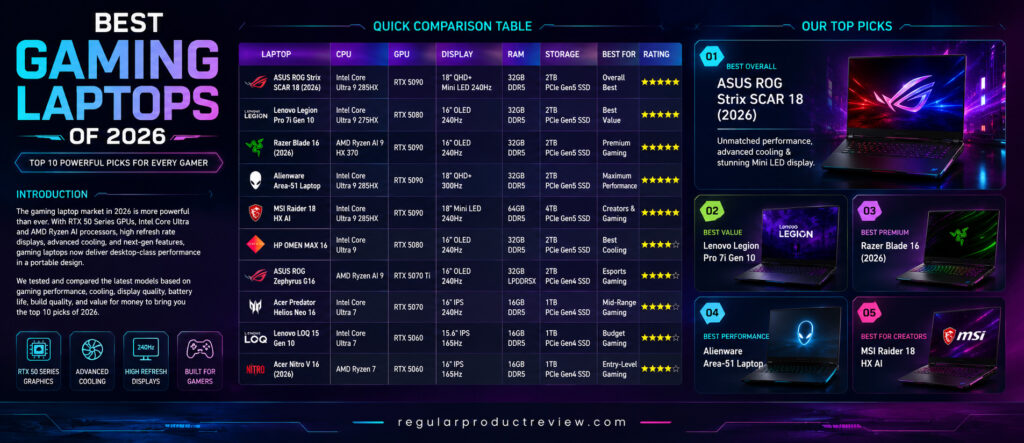
| Category | Pick | Why it stands out | Main compromise |
|---|---|---|---|
| Best overall desktop replacement | ASUS ROG Strix SCAR 18 (2026) | 175W RTX 5090 option, 4K Mini LED, extensive upgrades | Around 3.7kg before the charger |
| Best value among premium picks | Lenovo Legion Pro 7i Gen 10 | Strong RTX 5080 configuration, OLED option, 99.9Wh battery | Configuration and price vary widely |
| Best premium portable design | Razer Blade 16 (2026) | Thin aluminum body, 240Hz OLED, up to 165W RTX 5090 | Expensive; memory is fixed |
| Best maximum-performance alternative | Alienware 18 Area-51 | 18-inch 300Hz panel, RTX 5090 option, extensive storage | Up to 4.34kg plus a large adapter |
| Best for creators and gamers | MSI Raider 18 HX AI | 4K Mini LED, RTX 5090, two SSD slots, up to 96GB RAM | Large, heavy, and costly |
| Best cooling-focused design | HP OMEN MAX 16 | Tempest Cooling Pro, Fan Cleaner, high-power GPU options | Battery life is not its priority |
| Best for portable high-refresh gaming | ASUS ROG Zephyrus G16 | 1.85kg body, 240Hz OLED, RTX 5070 Ti option | Soldered memory |
| Best mid-range balance | Acer Predator Helios Neo 16 | RTX 5070, 240Hz WQXGA IPS, two RAM slots | 2.7kg and modest unplugged runtime |
| Best budget-oriented configuration | Lenovo LOQ 15 Gen 10 | RTX 5060 options and two memory slots | Battery and display vary by SKU |
| Best entry-level RTX 5060 pick | Acer Nitro V 16 AI | Ryzen 7 260, RTX 5060, 180Hz display | 95W maximum graphics power in cited SKU |
Quick Comparison Table
| Laptop | Representative verified CPU | GPU used for this comparison | Display | Battery | Approx. weight |
|---|---|---|---|---|---|
| ASUS ROG Strix SCAR 18 (2026) | Core Ultra 9 290HX Plus | RTX 5090, up to 175W | 18-inch 4K Mini LED, 240Hz | 90Wh | 3.70–3.73kg |
| Lenovo Legion Pro 7i Gen 10 | Core Ultra 9; exact chip varies by SKU | RTX 5080, up to 175W on cited config | 16-inch WQXGA OLED, 240Hz | 99.9Wh | About 2.72kg |
| Razer Blade 16 (2026) | Core Ultra 9 386H | RTX 5090, up to 165W | 16-inch QHD+ OLED, up to 240Hz | Integrated; runtime claims vary by test | About 2.09kg |
| Alienware 18 Area-51 | Core Ultra 9 290HX Plus | RTX 5090 option | 18-inch WQXGA IPS, 300Hz | 96Wh | Up to 4.34kg |
| MSI Raider 18 HX AI | Core Ultra 9 285HX | RTX 5090 option | 18-inch UHD+ Mini LED, 120Hz | 99.9Wh | 3.6kg |
| HP OMEN MAX 16 | Core Ultra 9 275HX | RTX 5080 in cited config | Up to 16-inch WQXGA OLED, 240Hz | 83Wh | About 2.68kg |
| ASUS ROG Zephyrus G16 (2026) | Core Ultra 9 386H | RTX 5070 Ti option | 16-inch 2.5K OLED, 240Hz | 90Wh | 1.85kg |
| Acer Predator Helios Neo 16 AI | Core Ultra 7 255HX | RTX 5070, 8GB | 16-inch WQXGA IPS, 240Hz | 90Wh | About 2.7kg |
| Lenovo LOQ 15 Gen 10 | Ryzen 7 250 in cited 15AHP10 config | RTX 5060, 8GB | 15.6-inch IPS; panel varies by SKU | 60Wh or 80Wh | Starting around 2.4kg |
| Acer Nitro V 16 AI | Ryzen 7 260 | RTX 5060, 8GB, up to 95W | 16-inch WUXGA IPS, 180Hz | 76Wh | 2.44kg |
Read before comparing: These rows are not universal specifications for an entire product family. They describe the cited configuration or an official option available within that family as checked on September 6, 2026.
How We Researched and Selected the Best Gaming Laptops
This is a specification- and research-based comparison. We did not benchmark all ten laptops side by side, so the guide does not publish invented frame rates, temperatures, battery runtimes, or noise measurements. Where those results matter, check independent reviews of the exact SKU in the same power mode and resolution you expect to use.
Gaming performance potential
We compared the CPU, exact GPU, VRAM, manufacturer-listed GPU power, display resolution, memory configuration, and cooling design. These factors help estimate the intended performance class, but they cannot prove an exact frame rate. BIOS mode, drivers, ambient temperature, game patch, resolution, image-quality settings, ray tracing, DLSS, and whether frame generation is enabled can all change results.
Cooling and acoustics
We considered documented vapor chambers, heat pipes, fan layouts, liquid-metal or hybrid compounds, power modes, and cleaning features. A maker’s thermal design description is not a measured temperature or noise result. Claims such as “coolest-running” and “quiet under load” have been removed unless supported by matched independent measurements.
Display quality
Panel type, resolution, refresh rate, brightness claim, color-gamut claim, variable refresh support, and response-time claim were checked. OLED usually offers excellent black levels and response, while Mini LED can provide strong HDR brightness; neither technology is automatically best for every buyer. Gloss, PWM behavior, blooming, burn-in risk, calibration, and sustained brightness require model-specific evaluation.
Build, input, and upgradeability
Chassis materials, weight, port selection, memory type, number of memory and SSD slots, and manufacturer service information were reviewed. Keyboard comfort, trackpad feel, hinge feel, and long-term durability cannot be scored responsibly from a specification sheet.
Battery and value
Battery capacity is included where officially documented, but gaming laptops normally deliver full GPU performance only when connected to their supplied power adapter. Manufacturer runtime claims use different test conditions and should not be compared as if they came from one laboratory. Value is judged within a use case—not from a temporary sale or an unexplained star score.
1. ASUS ROG Strix SCAR 18 (2026)
Selection: Best Overall Desktop-Replacement Gaming Laptop
The ASUS ROG Strix SCAR 18 (2026) is built for buyers who want maximum component headroom in a portable computer and do not mind carrying an 18-inch chassis. The 2026 model uses the Intel Core Ultra 9 290HX Plus, and ASUS lists the weight at roughly 3.70–3.73kg depending on configuration.
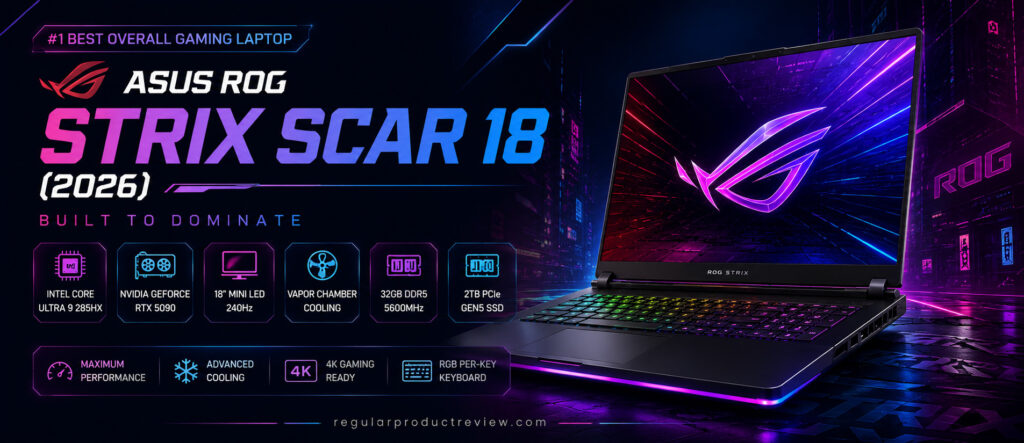
The 4K Mini LED display runs at up to 240Hz on listed models. ASUS notes that the highest refresh setting can depend on GPU mode, so check Armoury Crate and the exact SKU rather than assuming every power profile behaves the same. The RTX 5090 option has a listed 175W maximum TGP, while the tool-less lower cover and two RAM and M.2 slots make this one of the more serviceable high-end machines in the group.
Key specifications
| Feature | Verified 2026 detail |
|---|---|
| Processor | Intel Core Ultra 9 290HX Plus |
| Graphics | Up to GeForce RTX 5090 Laptop GPU, 24GB GDDR7, 175W max TGP |
| Display | 18-inch 3840×2400 Mini LED, 240Hz, G-SYNC |
| Memory | Listed with 64GB or 128GB DDR5-6400; two SO-DIMM slots |
| Storage | Up to 8TB PCIe 5.0 RAID 0; two M.2 slots |
| Battery | 90Wh |
| Weight | 3.70–3.73kg, configuration dependent |
| Wireless | Wi-Fi 7 and Bluetooth 5.4 |
Reasons to consider it
- High-power RTX 5090 option for demanding games and creator workloads
- High-resolution Mini LED display with a fast refresh rate
- Tool-less access to replaceable RAM and SSDs
- Broad wired connectivity, including 2.5Gb Ethernet and Thunderbolt 5
Reasons to pause
- Heavy even before adding its 450W adapter
- Premium price and high power consumption
- 4K gaming may still require adjusted settings or upscaling
- Not the practical choice for frequent commuting
Bottom line
Choose the SCAR 18 if your priority is an upgradeable 18-inch desktop replacement. It is our best overall fit for that demanding use case, not a universal winner for portability, battery life, or value.
2. Lenovo Legion Pro 7i Gen 10
Selection: Best Value Among the Premium Picks
The Lenovo Legion Pro 7i Gen 10 occupies a useful middle ground: it can be configured with high-power RTX 50 Series graphics, yet its 16-inch format is easier to accommodate than the largest 18-inch systems. Lenovo’s current family information includes more than one Core Ultra 9 configuration, so the full machine type and model number matter.
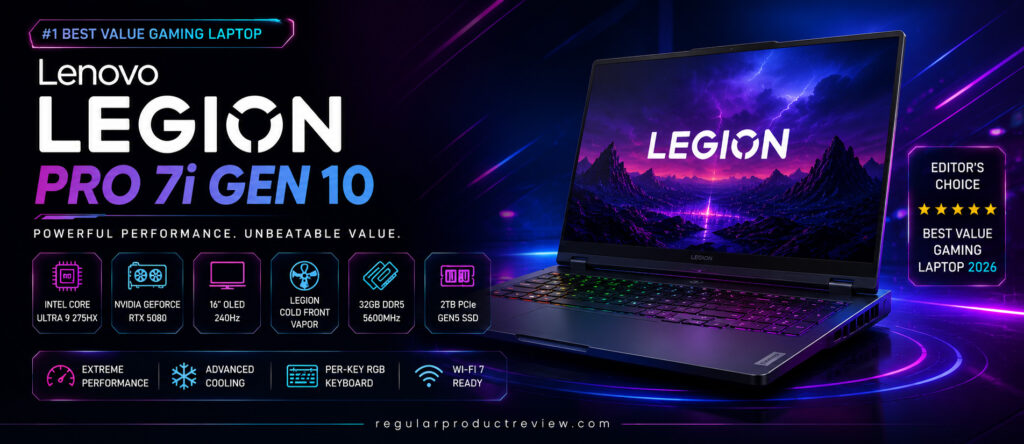
For this comparison, the relevant RTX 5080 configuration lists a 175W TGP, while the family offers a 16-inch WQXGA OLED panel at 240Hz, a 99.9Wh battery, two memory slots, and two SSD slots. That is a strong specification mix, but “best value” depends on the actual checkout price. At similar prices, compare memory, storage, warranty, panel, and GPU power rather than relying on the Legion name alone.
Key specifications
| Feature | Representative official configuration |
|---|---|
| Processor | Core Ultra 9; 275HX and newer 290HX Plus listings exist by SKU/market |
| Graphics | GeForce RTX 5080 Laptop GPU, 16GB GDDR7, up to 175W on cited config |
| Display | 16-inch 2560×1600 OLED, 240Hz option |
| Memory | 32GB in common configurations; up to 64GB, two slots |
| Storage | 1TB or 2TB NVMe configurations; two M.2 slots |
| Battery | 99.9Wh |
| Weight | About 2.72kg |
| Wireless | Wi-Fi 7 availability depends on configuration |
Reasons to consider it
- High-power RTX 5080 configuration in a 16-inch chassis
- Fast OLED option for games and creative work
- Replaceable memory and storage
- Large battery capacity for non-gaming use
Reasons to pause
- Premium configurations are still expensive
- Fan noise and surface temperature need model-specific testing
- CPU, wireless card, memory, and SSD vary by SKU
- Less portable than thin gaming laptops
Bottom line
The Legion Pro 7i Gen 10 is the shortlist’s value-oriented premium choice when its exact RTX 5080 configuration is meaningfully cheaper than comparable flagships. Check the model code and current price before treating that label as a guarantee.
3. Razer Blade 16 (2026)
Selection: Best Premium Portable Design
The Razer Blade 16 (2026) uses an Intel Core Ultra 9 386H. That distinction matters because the Ryzen AI 9 HX 370 belongs to the 2025 Blade 16. Razer pairs the 2026 processor with RTX 5080 or RTX 5090 graphics at up to 165W TGP.
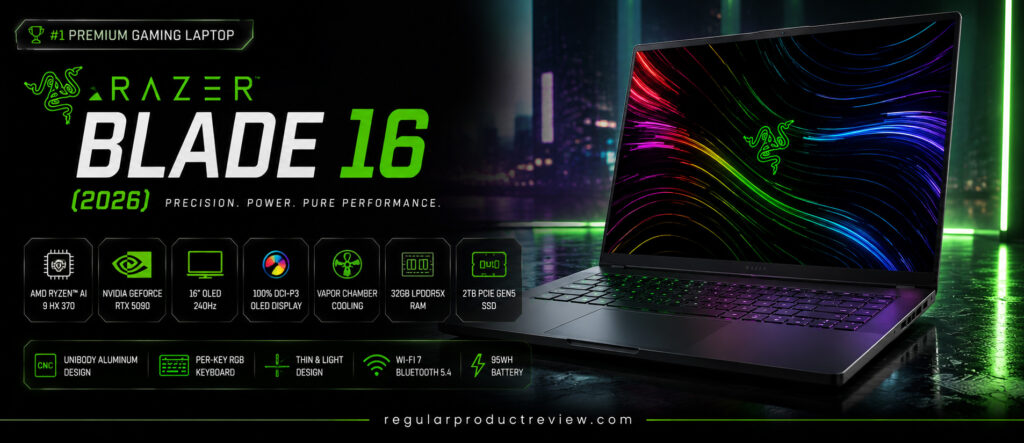
Its main appeal is packaging. Razer lists a 14.9mm minimum thickness and 4.6lb weight, a CNC-milled aluminum unibody, a QHD+ OLED panel at up to 240Hz, and fixed LPDDR5X-9600 memory. That last point is also the key ownership compromise: memory cannot be upgraded later, so buy the capacity you expect to need.
Key specifications
| Feature | Verified 2026 detail |
|---|---|
| Processor | Intel Core Ultra 9 386H, 16 cores |
| Graphics | RTX 5080 or RTX 5090 Laptop GPU, up to 165W TGP |
| Display | 16-inch QHD+ OLED, up to 240Hz, G-SYNC |
| Memory | Up to 64GB LPDDR5X-9600, soldered |
| Storage | Varies by SKU; confirm installed SSD and expansion details |
| Battery | Integrated; Razer quotes up to 13 hours office use under its test conditions |
| Weight | 4.6lb / about 2.09kg |
| Connectivity | Thunderbolt 5 and 4; Bluetooth 6.0 listed |
Reasons to consider it
- Unusually thin and light for its GPU class
- Premium aluminum construction
- Fast OLED display with strong HDR specifications
- High 165W GPU ceiling for a slim chassis
Reasons to pause
- Premium pricing
- Soldered memory limits future upgrades
- Thin designs still need independent thermal and noise testing
- Dark anodized finishes can show fingerprints
Bottom line
The Blade 16 suits a buyer who wants strong graphics in a refined, travel-friendlier chassis and accepts a high price plus fixed memory. It is not automatically faster than every thicker RTX 5090 laptop; power mode and cooling still matter.
4. Alienware 18 Area-51 Laptop
Selection: Maximum-Performance Alternative
The Alienware 18 Area-51 is another true desktop replacement. Current Dell configurations list the Core Ultra 9 290HX Plus and graphics options up to an RTX 5090.
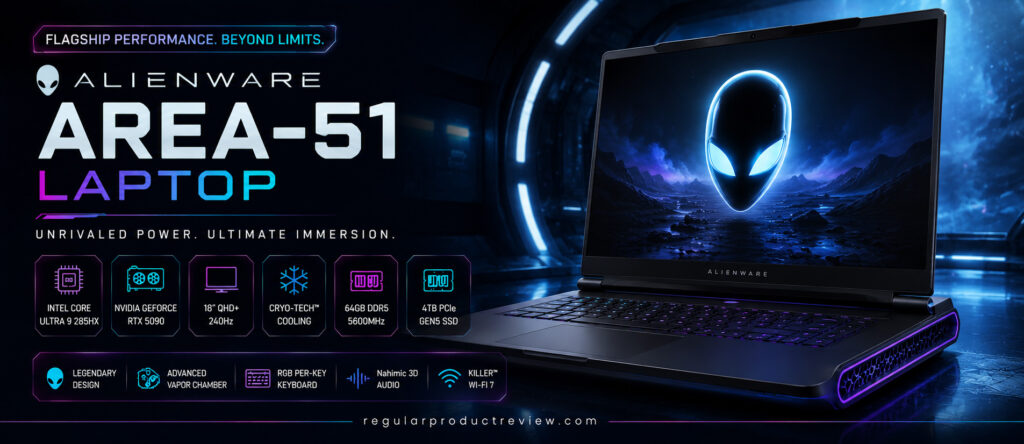
The 18-inch WQXGA display combines a 300Hz refresh rate, G-SYNC, Advanced Optimus, 500-nit rating, and 100% DCI-P3 claim. Dell also lists a 96Wh battery, Wi-Fi 7, and Thunderbolt 5 on RTX 5070 Ti-and-higher configurations. The main constraint is physical: maximum system weight is 9.56lb / 4.34kg, and the power adapter adds more.
Key specifications
| Feature | Representative current detail |
|---|---|
| Processor | Intel Core Ultra 9 290HX Plus |
| Graphics | Up to GeForce RTX 5090 Laptop GPU, 24GB GDDR7 |
| Display | 18-inch 2560×1600 IPS, 300Hz, G-SYNC |
| Memory | 32GB in cited configurations; options vary |
| Storage | 1TB PCIe Gen4 or 2TB PCIe Gen5 in cited listings |
| Battery | 96Wh |
| Weight | Up to 4.34kg |
| Wireless | Wi-Fi 7 and Bluetooth 5.4 |
Reasons to consider it
- Large, fast display for a desk-based setup
- RTX 5090 and high-end CPU configurations
- Broad port selection and 5Gb Ethernet
- Multiple memory and storage choices
Reasons to pause
- Heaviest laptop in this shortlist
- Expensive high-end configurations
- LCD contrast differs from OLED or Mini LED alternatives
- Battery capacity does not make it an unplugged gaming machine
Bottom line
Choose the Area-51 when screen size, connectivity, and configurable desktop-replacement power matter more than weight. It is a poor fit for buyers who commute daily.
5. MSI Raider 18 HX AI
Selection: Best Fit for Creators and Gamers
The MSI Raider 18 HX AI A2XW combines a Core Ultra 9 285HX with an RTX 5090 option and a large 18-inch display. It is a logical dual-purpose choice for gaming plus video, 3D, or AI workloads. The verified Mini LED configuration is UHD+ at 120Hz; buyers prioritizing esports refresh rate may prefer a lower-resolution, faster panel elsewhere.
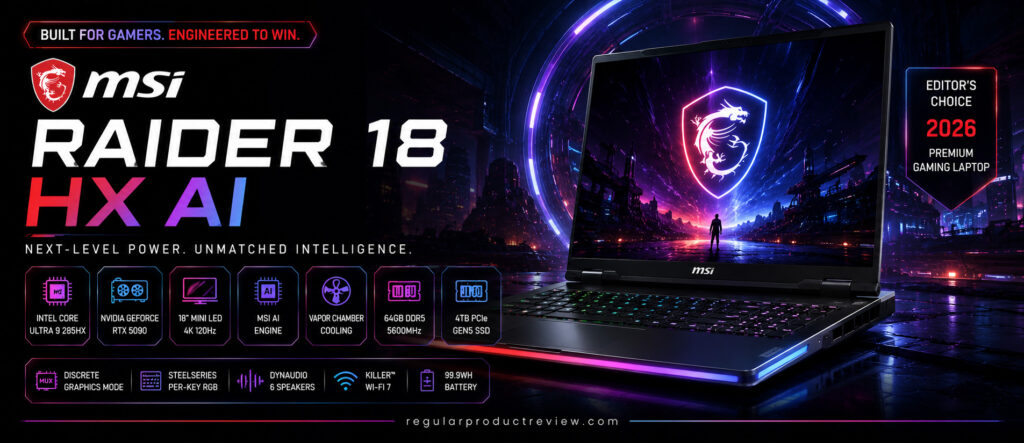
MSI lists up to 96GB of DDR5 memory, one PCIe Gen5-compatible M.2 slot plus one Gen4 slot, a 99.9Wh battery, and 3.6kg weight. Some Raider configurations may use a different panel, so do not transfer the Mini LED specification to every retailer listing. Creators should also confirm color mode, storage layout, memory capacity, and software compatibility for their workflow.
Key specifications
| Feature | Verified A2XW family detail |
|---|---|
| Processor | Intel Core Ultra 9 285HX |
| Graphics | Up to GeForce RTX 5090 Laptop GPU, 24GB GDDR7 |
| Display | 18-inch 3840×2400 Mini LED, 120Hz option |
| Memory | Up to 96GB DDR5, two slots |
| Storage | One PCIe Gen5-compatible M.2 slot and one Gen4 slot |
| Battery | 99.9Wh |
| Weight | 3.6kg |
| Connectivity | Two Thunderbolt 5 ports; exact wireless module varies |
Reasons to consider it
- Large 4K Mini LED workspace
- High-end GPU and processor options
- Replaceable memory and two SSD slots
- Useful connectivity for displays and fast storage
Reasons to pause
- Large, heavy, and expensive
- 4K gaming often benefits from upscaling or reduced settings
- Verified Mini LED panel is 120Hz, not 240Hz
- High-end hardware can produce substantial heat and fan noise
Bottom line
The Raider 18 HX AI is strongest when one large machine must handle both demanding games and creator applications. If creation is the main task, compare it with our broader creator laptop recommendations before paying for an RTX 5090.
6. HP OMEN MAX 16
Selection: Best Cooling-Focused Design
The HP OMEN MAX 16 earns its label here for documented cooling features—not because this article measured the lowest temperature. HP lists OMEN Tempest Cooling Pro, a vapor-chamber thermal system on selected configurations, Fan Cleaner technology, Cryo Compound, and an infrared thermal sensor.
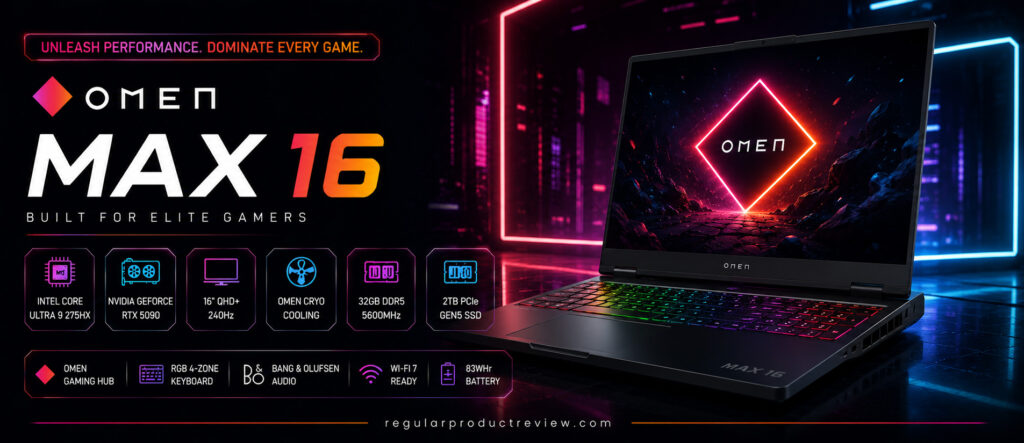
The cited Intel configuration uses a Core Ultra 9 275HX, RTX 5080, 32GB DDR5, and 1TB PCIe Gen4 SSD. The wider family includes up to a 240Hz WQXGA OLED panel, but panel type and storage vary by SKU.
Key specifications
| Feature | Representative cited detail |
|---|---|
| Processor | Intel Core Ultra 9 275HX |
| Graphics | GeForce RTX 5080 Laptop GPU, 16GB GDDR7 |
| Display | Up to 16-inch WQXGA OLED, 240Hz; verify exact panel |
| Memory | 32GB DDR5 in cited configuration |
| Storage | 1TB PCIe Gen4 NVMe SSD in cited configuration |
| Battery | 83Wh |
| Weight | About 2.68kg |
| Wireless | Wi-Fi 7 and Bluetooth 5.4 on cited family listings |
Reasons to consider it
- Cooling architecture designed for sustained high-power use
- Fast display options and high-end RTX configurations
- Replaceable DDR5 memory and NVMe storage
- More manageable than most 18-inch desktop replacements
Reasons to pause
- Real temperature and noise need independent testing
- Panel and storage specifications vary by SKU
- Heavy for daily travel
- Unplugged gaming performance and runtime will be limited
Bottom line
The OMEN MAX 16 is the cooling-focused pick because HP has built the product around a detailed thermal system. That is a design advantage to investigate, not proof that it runs cooler or quieter than every competitor.
7. ASUS ROG Zephyrus G16
Selection: Best for Portable High-Refresh Gaming
The ASUS ROG Zephyrus G16 (2026) is the most portability-oriented high-end option here. ASUS lists the Core Ultra 9 386H for the 2026 GU606, with GPU options including the RTX 5070 Ti used in this comparison.
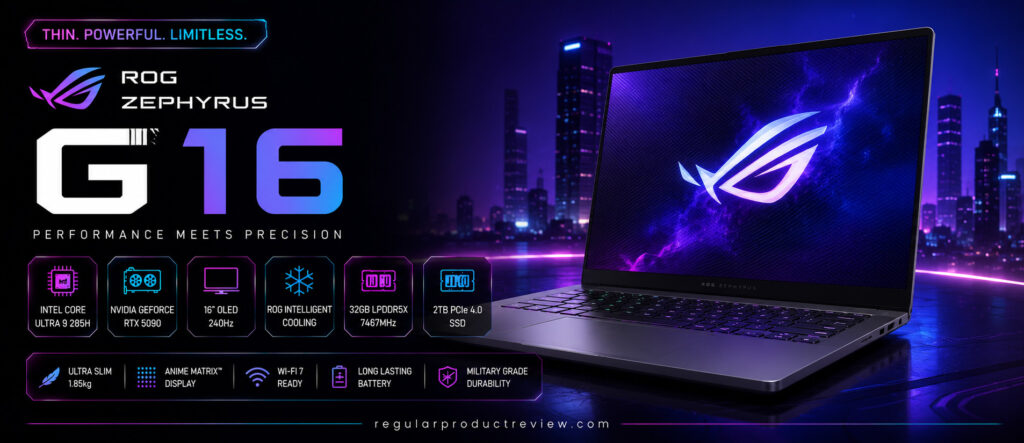
ASUS lists a 1.85kg aluminum chassis, 16-inch 2.5K OLED display at 240Hz, 90Wh battery, Wi-Fi 7, and up to 64GB of LPDDR5X memory. The memory is soldered, while the stock storage can be expanded through a second M.2 slot. High-end SKUs use a vapor chamber, but the cooling hardware varies with configuration.
Key specifications
| Feature | Verified 2026 detail |
|---|---|
| Processor | Intel Core Ultra 9 386H |
| Graphics | RTX 5070 Ti option; family scales up to RTX 5090 |
| Display | 16-inch 2560×1600 OLED, 240Hz, G-SYNC |
| Memory | Up to 64GB LPDDR5X; soldered |
| Storage | Up to 2TB PCIe Gen4 SSD; second M.2 slot available |
| Battery | 90Wh |
| Weight | 1.85kg |
| Wireless | Wi-Fi 7 |
Reasons to consider it
- Much lighter than the desktop replacements above
- Fast OLED display suited to games and creative work
- Strong CPU/GPU choices for the size
- Useful blend of gaming and everyday portability
Reasons to pause
- Memory cannot be upgraded
- Slim design places more importance on power mode and cooling
- Premium pricing
- Port selection is less expansive than on larger laptops
Bottom line
The Zephyrus G16 is the shortlist’s best fit for a buyer who regularly carries a gaming laptop. Buy the right RAM capacity at the start and verify the GPU TGP and cooling design on the exact SKU.
8. Acer Predator Helios Neo 16
Selection: Best Mid-Range Balance
The Acer Predator Helios Neo 16 AI PHN16-73 configuration cited here uses a Core Ultra 7 255HX, RTX 5070 with 8GB GDDR7, 16GB DDR5, a 1TB PCIe Gen4 SSD, and a 16-inch WQXGA IPS panel at 240Hz.
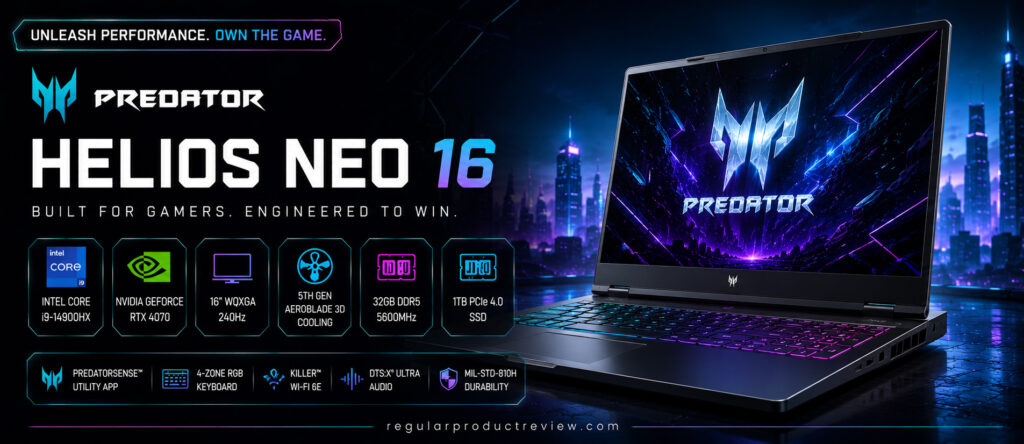
Acer also lists two memory slots, a 90Wh battery, Wi-Fi 6E, Bluetooth 5.4 or above, and about 2.7kg weight. Its 5th Gen AeroBlade fan, liquid-metal thermal material, and 240Hz panel make it a credible mid-range candidate. Actual temperatures, fan noise, speaker quality, and battery runtime still require independent testing of the exact SKU.
Key specifications
| Feature | Verified PHN16-73-7166 detail |
|---|---|
| Processor | Intel Core Ultra 7 255HX |
| Graphics | GeForce RTX 5070 Laptop GPU, 8GB GDDR7 |
| Display | 16-inch 2560×1600 IPS, 240Hz |
| Memory | 16GB DDR5; two total slots |
| Storage | 1TB PCIe Gen4 NVMe SSD |
| Battery | 90Wh |
| Weight | About 2.7kg |
| Wireless | Wi-Fi 6E; Bluetooth 5.4 or above |
Reasons to consider it
- Balanced RTX 5070 and Core Ultra 7 configuration
- Sharp, high-refresh display
- Replaceable memory and SSD
- Useful port selection, including Thunderbolt 4 and HDMI 2.1
Reasons to pause
- Heavy for a 16-inch laptop
- 8GB VRAM may require texture compromises in demanding future games
- IPS black level differs from OLED and Mini LED
- Acer’s cited maximum battery-runtime figure is only five hours under its conditions
Bottom line
The Helios Neo 16 AI makes sense when its price sits well below RTX 5080 systems and the buyer wants a 240Hz 1600p screen. Compare its exact price with similarly configured RTX 5070 and 5070 Ti laptops.
9. Lenovo LOQ 15 Gen 10
Selection: Best Budget-Oriented Configuration
The Lenovo LOQ name covers several Gen 10 platforms. The LOQ 15AHP10, for example, is available with a Ryzen 7 250 and RTX 5060; the 15IRX10 uses Intel HX processors from other families. Check the suffix because a generic “LOQ 15 Gen 10” listing is not enough to establish the CPU.
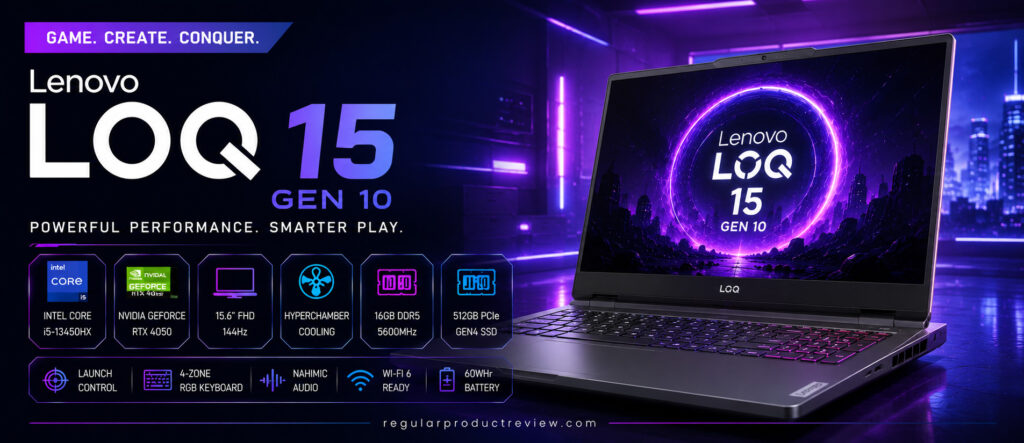
That variation is why buyers must check the machine type. Lenovo lists two memory slots, PCIe Gen4 storage, 60Wh and 80Wh battery options, Wi-Fi 6, Bluetooth 5.3, and starting weight around 2.4kg for the AMD model. Display resolution, brightness, refresh rate, and color coverage also vary, so a low price can reflect a weaker panel.
Key specifications
| Feature | Representative LOQ 15AHP10 detail |
|---|---|
| Processor | Up to AMD Ryzen 7 250 |
| Graphics | Up to GeForce RTX 5060 Laptop GPU, 8GB GDDR7 |
| Display | 15.6-inch IPS; resolution and refresh rate vary by SKU |
| Memory | Up to 32GB offering; two DDR5 slots |
| Storage | PCIe Gen4 NVMe SSD; capacity varies |
| Battery | 60Wh or 80Wh, configuration dependent |
| Weight | Starting around 2.4kg |
| Wireless | Wi-Fi 6 and Bluetooth 5.3 |
Reasons to consider it
- RTX 5060 options at a more approachable tier
- Two memory slots and expandable storage
- Full-size chassis can be easier to service than ultrathin models
- Suitable for first-time gaming-laptop buyers who choose the SKU carefully
Reasons to pause
- “LOQ 15 Gen 10” is not one fixed specification
- Some displays have modest brightness or color coverage
- Battery size varies substantially
- Build, fan noise, and thermals need model-specific evidence
Bottom line
The LOQ 15 Gen 10 can be a smart budget choice, but only after checking the exact CPU, RTX 5060 power limit, display, battery, and memory layout. Buyers who need a general-purpose low-cost machine should also compare the best budget laptops of 2026.
10. Acer Nitro V 16 (2026)
Selection: Best Entry-Level RTX 5060 Pick
The verified 2026-era configuration is the Acer Nitro V 16 AI ANV16-42. It uses a Ryzen 7 260, not an unspecified older Ryzen 7, plus an RTX 5060 Laptop GPU with 8GB GDDR7 and up to 95W maximum graphics power.
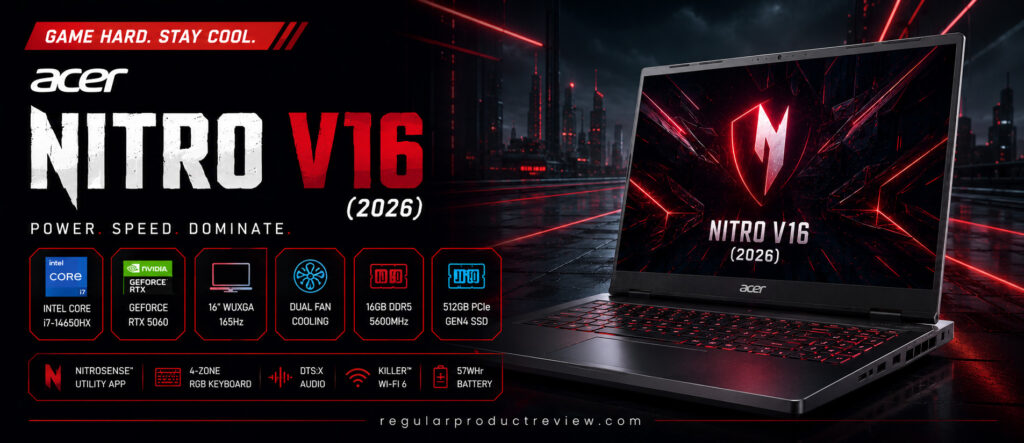
The cited model has a 16-inch 1920×1200 IPS panel at 180Hz. Acer lists 16GB DDR5, 1TB PCIe Gen4 storage, a 76Wh battery, and 2.44kg weight. This is an entry-level option because of its overall configuration and GPU power—not because the RTX 5060 is incapable. Settings, resolution, DLSS, and game demands will determine the actual experience.
Key specifications
| Feature | Verified ANV16-42-R4P0 detail |
|---|---|
| Processor | AMD Ryzen 7 260 |
| Graphics | GeForce RTX 5060 Laptop GPU, 8GB GDDR7, up to 95W |
| Display | 16-inch 1920×1200 IPS, 180Hz |
| Memory | 16GB DDR5; up to 32GB supported |
| Storage | 1TB PCIe Gen4 NVMe SSD |
| Battery | 76Wh |
| Weight | 2.44kg |
| Wireless | Wi-Fi 6 and Bluetooth 5.3 or above |
Reasons to consider it
- Modern RTX 5060 and Ryzen 7 combination
- 180Hz 16:10 display
- Upgradeable memory and storage
- Practical starting point for 1080p/1200p gaming
Reasons to pause
- Cited panel covers only 45% NTSC, so creators may want better color coverage
- Lower GPU power than some thicker RTX 5060 laptops
- Chassis rigidity, keyboard feel, and speaker quality should be checked in a hands-on review
- 2.44kg is not especially light
Bottom line
The Nitro V 16 AI is the entry-level pick for buyers who want RTX 50 Series features without moving into premium pricing. Compare it directly with the LOQ’s screen and GPU power; the better purchase can change with sales and regional SKUs.
Gaming Laptop Buying Guide (2026)
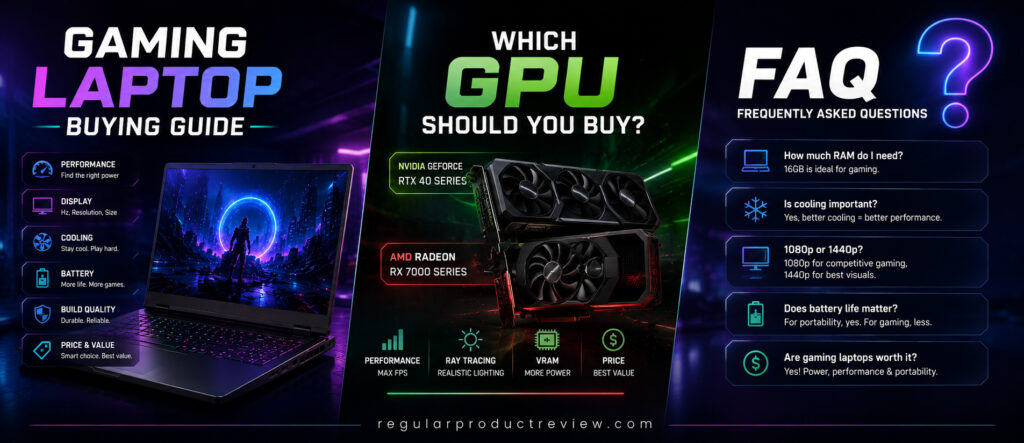
The best gaming laptop is the one that matches your games, monitor, travel routine, upgrade plan, and budget. Paying for the highest model number can be wasteful if the display, memory, cooling, or weight is wrong for your use.
1. Start with the exact GPU and its power limit
The graphics processor usually has the largest effect on gaming performance, but a laptop GPU name is not enough. Check VRAM, maximum graphics power or TGP, cooling, MUX/Advanced Optimus support, and the resolution you plan to use. NVIDIA’s official RTX 50 Series laptop comparison lists the underlying GPU specifications; the laptop maker lists how that GPU is implemented.
Do not assume that a mobile RTX 5090 performs like a desktop RTX 5090, or that every RTX 5060 performs identically. Frame generation can improve displayed frame rate in supported games, but it does not replace native rendering performance and can add artifacts or latency in some situations.
2. Match the display to the workload
For competitive games, a 165Hz, 240Hz, or 300Hz panel can make motion and input feel smoother when frame rates are high enough. For story-driven games and creation, resolution, contrast, HDR behavior, brightness, color accuracy, and response time may matter more.
OLED offers deep blacks and fast pixel response, but buyers should understand static-image retention risk and warranty terms. Mini LED can deliver strong HDR brightness but may show blooming around bright objects. IPS remains a sensible lower-cost choice when the specific panel has adequate brightness and color coverage.
3. Choose enough CPU without overspending
An HX-class processor makes sense for high-frame-rate games, streaming, compiling, rendering, and heavy multitasking. A more efficient H-class or mobile AI processor can be a better match for a thin laptop. For most GPU-bound games, moving budget from an excessive CPU tier to a stronger GPU or better display may produce a more noticeable benefit.
4. Plan memory before purchase
Sixteen gigabytes is a practical floor for a new gaming laptop, while 32GB provides more room for modern games, browsers, voice chat, recording, and creator tools. Sixty-four gigabytes is mainly for demanding professional workflows, large projects, virtual machines, or specific simulation workloads.
Check whether memory is soldered. A laptop with replaceable SO-DIMMs can be upgraded later; a model with fixed LPDDR memory must be purchased with enough capacity from day one.
5. Buy enough storage and check the slots
A 1TB SSD is a reasonable starting point because current game libraries grow quickly. Two M.2 slots are useful, but verify supported SSD length, PCIe generation, whether both slots are accessible, and whether installing a drive affects warranty terms. PCIe Gen5 can benchmark faster than Gen4, yet game-load differences may be smaller than the headline numbers suggest.
6. Treat cooling claims carefully
Vapor chambers, liquid metal, multiple fans, and large exhaust areas can support sustained performance. They do not prove that a laptop is quiet, cool to the touch, or immune to throttling. Look for independent tests conducted in comparable power modes and ambient conditions, then check whether the keyboard and palm rest stay comfortable during your workload.
7. Expect full gaming performance only when plugged in
The battery-capacity number is useful for web browsing, video, and light work, but a gaming laptop normally reduces CPU/GPU power away from its supplied adapter. Manufacturer runtime claims also use different brightness, refresh-rate, radio, and workload settings. Compare matched tests if unplugged productivity matters.
8. Count the laptop and charger together
An 18-inch laptop weighing 3.6–4.3kg may replace a desktop but becomes a burden in a daily backpack, especially with a 360–450W adapter. Thin models around 1.8–2.1kg are easier to move, though they may have soldered memory, fewer ports, or more constrained thermals.
9. Verify the exact SKU before checkout
Write down the full model code, CPU, GPU and TGP, display resolution/refresh/gamut, RAM layout, SSD capacity, battery, wireless card, keyboard layout, operating system, warranty region, and return window. If any of these are missing from a listing, ask the seller before paying.
Once the computer is chosen, a comfortable headset can matter more than another small specification upgrade. Our current guides compare gaming headsets and more portable gaming earbuds.
RTX 50 Series Laptop GPU Comparison
| Laptop GPU | VRAM | Sensible starting use case | Buying caution |
|---|---|---|---|
| RTX 5060 | 8GB GDDR7 | 1080p/1200p gaming with adjusted settings; value builds | TGP varies, and 8GB can constrain high-resolution textures |
| RTX 5070 | 8GB GDDR7 | High-refresh 1080p/1200p and selective 1440p/1600p play | Do not confuse it with the 12GB 5070 Ti |
| RTX 5070 Ti | 12GB GDDR7 | Stronger 1440p/1600p target and creator use | Laptop implementation and price can overlap RTX 5080 deals |
| RTX 5080 | 16GB GDDR7 | High-end 1600p gaming, ray tracing, and heavier creation | Diminishing value if paired with a weak display or low power limit |
| RTX 5090 | 24GB GDDR7 | Maximum mobile VRAM and demanding gaming/AI/3D workloads | Very high price; still a laptop GPU with system-dependent performance |
Resolution labels are not guarantees. Game engine, settings, ray tracing, DLSS mode, frame generation, VRAM demand, CPU limits, and laptop power design all affect playability.
Frequently Asked Questions
What is the best gaming laptop of 2026?
The ASUS ROG Strix SCAR 18 (2026) is our top fit for a no-compromise 18-inch desktop replacement because of its verified 175W RTX 5090 option, 4K 240Hz Mini LED screen, and broad upgradeability. The Zephyrus G16 or Razer Blade 16 is more sensible for frequent travel, while the LOQ or Nitro may deliver better value on a limited budget.
Which gaming laptop offers the best value?
Among the premium models here, the Lenovo Legion Pro 7i Gen 10 is our value pick when its RTX 5080 configuration is discounted below similarly equipped flagships. At lower budgets, the Lenovo LOQ 15 Gen 10 and Acer Nitro V 16 AI deserve direct price and SKU comparison. Value can change from week to week.
Is the RTX 5060 Laptop GPU good enough for gaming?
Yes, especially for 1080p or 1200p gaming with sensible settings. Its 8GB VRAM and laptop-specific power limit can require texture, ray-tracing, or resolution compromises in demanding games. Check independent benchmarks for the exact laptop, not only the GPU name.
Is an RTX 5090 laptop worth the extra money?
It can be worthwhile for buyers who need the highest mobile VRAM tier, heavy 3D or AI work, or maximum high-resolution gaming headroom. Most players will get better value from an RTX 5070 Ti or RTX 5080 configuration and can spend the difference on memory, storage, a better display, or a longer warranty.
How much RAM do I need for gaming in 2026?
Use 16GB as a practical minimum and 32GB as the comfortable recommendation for gaming plus normal multitasking. Buy 64GB only when your professional apps or project sizes justify it. On laptops with soldered memory, plan for the whole ownership period before ordering.
Should I buy OLED, Mini LED, or IPS?
OLED is compelling for black levels and response time; Mini LED is attractive for bright HDR; IPS can offer good value and fewer static-image concerns. The panel’s measured brightness, color accuracy, response, coating, and warranty matter more than the technology label alone.
Can a gaming laptop replace a desktop PC?
An 18-inch model can replace a desktop for many users, especially when it has replaceable RAM and multiple SSD slots. A desktop usually remains easier to repair and upgrade and can deliver more performance per dollar. Also remember that laptop GPUs are not the same products as desktop GPUs with matching numbers.
Are gaming laptops good for content creation?
Many are. NVIDIA Studio-supported GPUs, high-core-count CPUs, 32GB or more RAM, color-capable displays, and fast SSDs can suit editing, 3D rendering, and AI tools. Confirm application certification, display accuracy, VRAM, ports, and storage needs rather than assuming every gaming laptop is creator-ready.
Final Verdict
There is no single best gaming laptop for every buyer. The ASUS ROG Strix SCAR 18 (2026) leads this shortlist for buyers who explicitly want an upgradeable, high-power 18-inch desktop replacement. The Lenovo Legion Pro 7i Gen 10 offers a more balanced premium value proposition, while the Razer Blade 16 and ASUS ROG Zephyrus G16 prioritize portability and design.
The Alienware 18 Area-51 and MSI Raider 18 HX AI are large alternatives for maximum screen space and demanding workloads. HP’s OMEN MAX 16 offers a detailed cooling-focused design. Acer’s Helios Neo 16 AI sits in the mid-range, and the Lenovo LOQ 15 Gen 10 plus Acer Nitro V 16 AI cover more budget-conscious RTX 5060 shopping.
Choose by exact SKU, not by family name or an unexplained score. Confirm GPU power, display, RAM layout, SSD slots, battery, weight, warranty, and return terms, then compare current pricing. That process is more likely to identify the best gaming laptop for your needs than chasing the most expensive specification.