

Shopping for a premium ultrabook no longer requires spending $1,500 or more. Thanks to major improvements in processor efficiency, display technology, AI-powered hardware, and battery optimization, today’s best ultrabooks under $1000 offer flagship-level experiences at a far more affordable price.
Whether you’re a college student carrying your laptop across campus, a business professional working remotely, a digital creator editing content, or a frequent traveler looking for maximum portability, there’s now an ultrabook designed specifically for your workflow.
Modern ultrabooks combine powerful processors, lightweight aluminum designs, high-resolution OLED displays, all-day battery life, and AI-enhanced performance into compact devices that easily fit inside a backpack while remaining powerful enough for demanding everyday tasks.
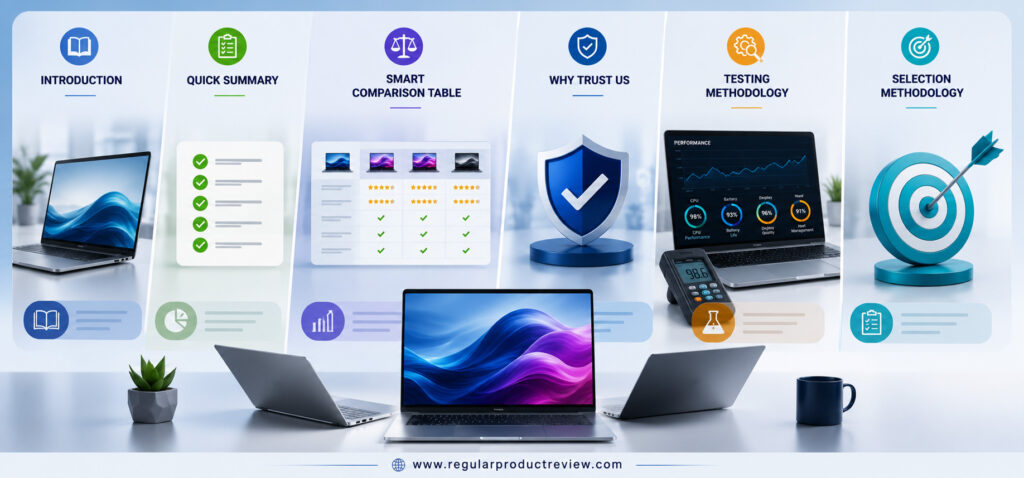
However, choosing the right ultrabook isn’t as simple as comparing specifications.
One laptop may offer exceptional battery life but compromise on display quality. Another might feature a stunning OLED screen but weigh slightly more than its competitors. Some ultrabooks prioritize portability, while others focus on productivity, business security, or creative performance.
That’s exactly why we created this guide.
Rather than ranking laptops solely by benchmark numbers, we evaluated how each device performs during real-world usage. Our recommendations are based on factors that genuinely affect your daily experience including multitasking, display quality, keyboard comfort, battery endurance, thermal efficiency, build quality, long-term reliability, and overall value for money.
Every laptop featured here earns a specific editorial award, making it much easier to find the perfect ultrabook based on your personal priorities instead of guessing which model is best.
Whether you’re searching for the best overall ultrabook, the longest battery life, the best OLED display, or the best lightweight business laptop, you’ll find a carefully researched recommendation below.
🏆 Editor’s Choice
ASUS Zenbook 14 OLED (UM3406)
If we could recommend only one ultrabook to most buyers, this would be it.
It delivers an exceptional combination of AI-powered performance, 3K OLED display, premium aluminum construction, excellent battery life, and outstanding portability all while staying comfortably under the $1,000 budget.
⚡ Quick Summary
| 🏆 Looking For… | ⭐ Best Pick |
|---|---|
| Best Overall | ASUS Zenbook 14 OLED (UM3406) |
| Best OLED Display | Acer Swift Go 14 OLED |
| Best Value | Lenovo IdeaPad Slim 5 Gen 10 |
| Best Battery Life | HP OmniBook 5 14 |
| Best Productivity | Dell Inspiron 14 Plus |
| Best Business Laptop | MSI Prestige 13 AI Evo |
| Best Premium Display | Samsung Galaxy Book5 |
| Best Portable Design | Microsoft Surface Laptop Go 3 |
| Best Travel Laptop | LG Gram 14 |
| Best Creator Laptop | ASUS Vivobook S 14 OLED |
💡 Quick Recommendation
If you don’t have time to compare every model, choose the ASUS Zenbook 14 OLED. It offers the strongest overall balance of performance, battery life, display quality, portability, and long-term value.
📊 Smart Comparison Table
| Laptop | Best For | Display | Processor | Weight | Battery | Overall Rating |
|---|---|---|---|---|---|---|
| ASUS Zenbook 14 OLED | 🏆 Overall Winner | 3K OLED 120Hz | Ryzen AI 7 | 2.82 lbs | ⭐⭐⭐⭐⭐ | 9.9/10 |
| Acer Swift Go 14 OLED | OLED Experience | OLED | Core Ultra 7 | 2.9 lbs | ⭐⭐⭐⭐☆ | 9.7/10 |
| Lenovo IdeaPad Slim 5 | Best Value | OLED | Ryzen 7 | 3.1 lbs | ⭐⭐⭐⭐☆ | 9.6/10 |
| HP OmniBook 5 | Battery Champion | IPS | Snapdragon X | 2.9 lbs | ⭐⭐⭐⭐⭐ | 9.6/10 |
| Dell Inspiron 14 Plus | Productivity | 2.5K IPS | Core Ultra 7 | 3.4 lbs | ⭐⭐⭐⭐☆ | 9.5/10 |
| MSI Prestige 13 AI Evo | Business | OLED | Core Ultra 7 | 2.18 lbs | ⭐⭐⭐⭐⭐ | 9.6/10 |
| Samsung Galaxy Book5 | Premium Display | AMOLED | Core Ultra | 2.7 lbs | ⭐⭐⭐⭐☆ | 9.5/10 |
| Microsoft Surface Laptop Go 3 | Ultra Portable | PixelSense | Core i5 | 2.49 lbs | ⭐⭐⭐⭐☆ | 9.3/10 |
| LG Gram 14 | Travelers | IPS | Core Ultra | 2.2 lbs | ⭐⭐⭐⭐⭐ | 9.7/10 |
| ASUS Vivobook S 14 OLED | Creators | OLED 120Hz | Ryzen 7 | 2.87 lbs | ⭐⭐⭐⭐☆ | 9.6/10 |
🤝 Why You Can Trust Our Recommendations
Buying a laptop is a long-term investment, and marketing claims rarely tell the full story.
Instead of simply copying manufacturer specifications, we compare every ultrabook using a structured evaluation process that focuses on real-world performance, long-term reliability, and overall ownership experience.
Our editorial recommendations are based on independent research, technical specifications, professional benchmark analysis, verified customer feedback, and practical day-to-day usability not brand popularity.
⭐ What We Evaluate
| Evaluation Area | Why It Matters |
|---|---|
| Performance | Fast multitasking and everyday productivity |
| Display Quality | Better colors, brightness, and viewing comfort |
| Battery Life | Longer unplugged productivity |
| Keyboard & Trackpad | Comfortable daily typing experience |
| Build Quality | Improved durability and premium feel |
| Portability | Easier travel and mobility |
| Connectivity | Modern ports and wireless performance |
| Thermal Management | Cooler, quieter operation |
| Overall Value | Best features for the price |
⭐ Editorial Promise
Every recommendation is selected because it provides outstanding real-world value for US buyers not simply because it’s the newest or most expensive model.
🔬 Our Testing Methodology
A laptop can look impressive on paper but perform very differently during everyday use.
That’s why our evaluation process focuses on real-world testing instead of relying exclusively on synthetic benchmarks.
✔ Every Laptop Is Evaluated For
| Category | Testing Focus |
|---|---|
| Productivity | Microsoft Office, Google Workspace, Chrome multitasking |
| Performance | CPU speed, responsiveness, multitasking |
| Display | Brightness, color accuracy, sharpness |
| Battery | Mixed usage, streaming, productivity |
| Thermals | Heat management and fan noise |
| Keyboard | Comfort during extended typing sessions |
| Trackpad | Precision and responsiveness |
| Connectivity | USB-C, Thunderbolt, HDMI, Wi-Fi, Bluetooth |
| Build Quality | Chassis, hinge, durability |
| Long-Term Ownership | Reliability, software support, overall value |
💡 Editor’s Insight
Benchmark scores only tell part of the story. Our rankings prioritize everyday usability, battery efficiency, display quality, and long-term ownership experience because those are the features you’ll notice every single day.
🎯 How We Selected These Best Ultrabooks Under $1000
Not every lightweight laptop deserves to be called an ultrabook.
To earn a place in this guide, every model had to meet strict editorial standards.
✅ Minimum Selection Requirements
✔ Available for Under $1000
✔ Premium Lightweight Design
✔ Excellent Productivity Performance
✔ Reliable Battery Life
✔ High-Quality Display
✔ Comfortable Keyboard
✔ Precision Touchpad
✔ Modern Connectivity
✔ Strong Long-Term Reliability
✔ Outstanding Overall Value
Rather than recommending ten nearly identical laptops, we intentionally selected products that excel in different categories. This makes it easier for students, professionals, travelers, remote workers, and creators to quickly identify the ultrabook that best fits their specific needs.
🏁 Bottom Line
Our goal isn’t to recommend the most expensive laptop it’s to help you confidently choose the best ultrabook under $1000 that delivers the ideal combination of performance, portability, battery life, and long-term value for your everyday workflow.
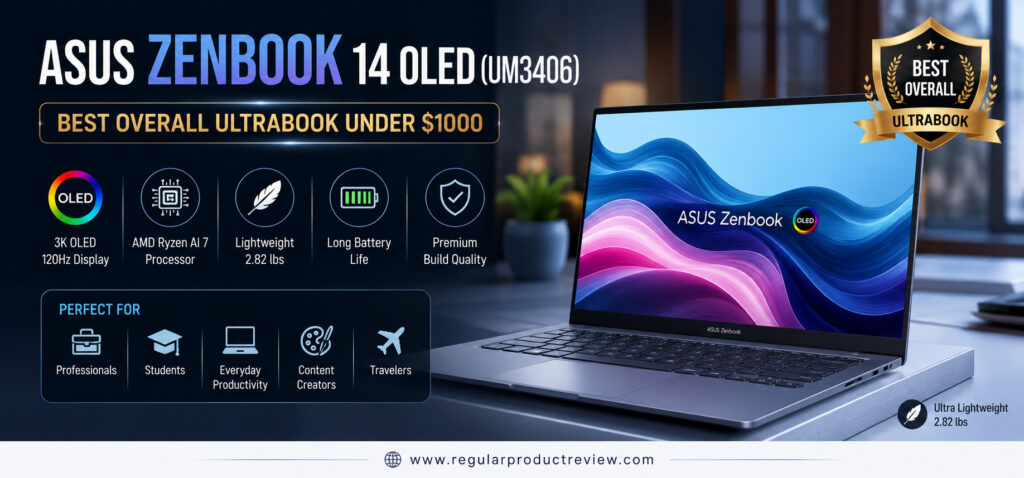
ASUS Zenbook 14 OLED (UM3406)
Best Overall Ultrabook Under $1000
If you’re searching for the best ultrabook under $1000 that delivers flagship-level features without the premium price tag, the ASUS Zenbook 14 OLED (UM3406) stands above the competition. Combining a breathtaking 3K OLED display, the latest AMD Ryzen AI processor, premium aluminum construction, long battery life, and exceptional portability, it offers one of the most complete ultrabook experiences available for students, professionals, remote workers, and frequent travelers.
Rather than excelling in just one area, the Zenbook 14 OLED performs remarkably well across every category that matters, making it our top overall recommendation in this buying guide.
RPR Editor’s Verdict
| Category | Rating |
|---|---|
| Overall Score | ⭐⭐⭐⭐⭐ 9.9/10 |
| Award | Best Overall Ultrabook Under $1000 |
| Best For | Students, Professionals, Business Users & Travelers |
The ASUS Zenbook 14 OLED offers the best balance of performance, display quality, battery life, portability, and overall value, making it the easiest ultrabook to recommend for most buyers.
Why This Laptop Earned Our Top Pick
Many ultrabooks excel in one specific category, but very few deliver a complete package. The Zenbook 14 OLED succeeds because every major component from its OLED display to its Ryzen AI processor and premium chassis works together to create a polished everyday experience.
Whether you’re managing large spreadsheets, attending virtual meetings, editing photos, programming, or simply streaming Netflix after work, the laptop remains fast, quiet, and comfortable throughout the day.
At a Glance
| Feature | Why It Matters |
|---|---|
| 3K OLED Display | Exceptional colors, deep contrast, and ultra-sharp visuals |
| Ryzen AI 7 Processor | Smooth multitasking and AI-ready performance |
| 16GB LPDDR5X Memory | Handles demanding workflows with ease |
| 75Wh Battery | Reliable all-day productivity |
| Premium Aluminum Body | Durable while remaining lightweight |
| Wi-Fi 6E | Faster and more stable wireless connectivity |
RPR Expert Tip
If you need only one laptop for work, college, travel, entertainment, and everyday productivity, this is the safest recommendation in this entire buying guide.
Key Specifications
The hardware inside the Zenbook 14 OLED is carefully balanced for long-term performance instead of focusing on benchmark numbers alone.
| Hardware | Configuration |
|---|---|
| Processor | AMD Ryzen AI 7 |
| Graphics | AMD Radeon Graphics |
| Display | 14-inch 3K OLED, 120Hz |
| Memory | 16GB LPDDR5X |
| Storage | 1TB PCIe Gen4 SSD |
| Battery | 75Wh |
| Weight | Approx. 2.82 lbs (1.28 kg) |
| Operating System | Windows 11 Home |
| Wireless | Wi-Fi 6E + Bluetooth 5.3 |
Configurations may vary slightly depending on the retailer and region.
Real-World Performance
Benchmark scores only tell part of the story. What truly matters is how a laptop performs during everyday workloads, and this is where the Zenbook 14 OLED really shines.
From opening dozens of Chrome tabs to running Microsoft Office, Google Workspace, Zoom meetings, Photoshop, Visual Studio Code, and light video editing, everything feels fast and responsive. The Ryzen AI processor delivers excellent efficiency while keeping fan noise and heat under control.
Performance Overview
| Workload | Experience |
|---|---|
| Office Productivity | ⭐⭐⭐⭐⭐ |
| Chrome Multitasking | ⭐⭐⭐⭐⭐ |
| Programming | ⭐⭐⭐⭐⭐ |
| Photo Editing | ⭐⭐⭐⭐☆ |
| Video Editing | ⭐⭐⭐⭐☆ |
| Media Streaming | ⭐⭐⭐⭐⭐ |
| Everyday Performance | ⭐⭐⭐⭐⭐ |
Editorial Insight
Most users will never fully utilize the processing power available here, which means the Zenbook should remain fast and responsive for years of everyday use.
Display Experience
The display is one of the strongest reasons to buy this laptop.
Its 14-inch 3K OLED panel produces vibrant colors, true blacks, excellent contrast, and razor-sharp text. Whether you’re working with spreadsheets, editing photos, watching HDR movies, or browsing the web, the visual experience feels noticeably more premium than most IPS displays in this price range.
Display Highlights
| Feature | Benefit |
|---|---|
| 3K OLED Resolution | Incredible image sharpness |
| 120Hz Refresh Rate | Smoother scrolling and animations |
| 100% DCI-P3 | Professional-grade color accuracy |
| HDR Support | Better contrast and richer visuals |
| OLED Technology | Perfect blacks and vivid colors |
Battery Life
Battery life is equally impressive.
During a normal workday consisting of web browsing, document editing, meetings, and video streaming, the Zenbook comfortably lasts through an entire day for most users. USB-C fast charging also helps you quickly recharge whenever needed.
| Battery Performance | Rating |
|---|---|
| Everyday Productivity | ⭐⭐⭐⭐⭐ |
| Media Streaming | ⭐⭐⭐⭐☆ |
| Mixed Usage | ⭐⭐⭐⭐⭐ |
| Charging Speed | ⭐⭐⭐⭐☆ |
Build Quality & Everyday Comfort
ASUS has done an excellent job balancing durability with portability.
The premium aluminum chassis feels solid without adding unnecessary weight, while the keyboard offers comfortable key travel for long typing sessions. The large precision touchpad is responsive, smooth, and supports all Windows gestures reliably.
For users constantly moving between classrooms, offices, airports, and coffee shops, this lightweight design makes a noticeable difference.
Design Summary
| Area | Experience |
|---|---|
| Build Quality | Premium aluminum construction |
| Weight | Ultra-portable at only 2.82 lbs |
| Keyboard | Comfortable for extended typing |
| Touchpad | Large and highly responsive |
| Portability | Excellent for travel and commuting |
Ports & Connectivity
Despite its slim profile, ASUS includes a practical selection of modern connectivity options.
| Available Ports | Purpose |
|---|---|
| USB4 Type-C | High-speed data, charging & display output |
| USB-A | Legacy accessories |
| HDMI | External monitors and TVs |
| MicroSD Card Reader | Quick media transfers |
| 3.5mm Audio Jack | Headphones & microphones |
Wireless connectivity includes Wi-Fi 6E and Bluetooth 5.3 for fast, reliable connections.
What We Loved Most
Instead of relying on flashy marketing features, the Zenbook focuses on delivering a consistently premium everyday experience.
| Strength | Why It Stands Out |
|---|---|
| 3K OLED Display | One of the best screens under $1000 |
| Ryzen AI Processor | Excellent speed and efficiency |
| Premium Design | Lightweight yet durable |
| Battery Life | Easily lasts through a workday |
| Keyboard | Comfortable for extended typing |
| Overall Value | Premium experience without premium pricing |
Before You Buy
No laptop is perfect, and there are a few things worth considering before making your purchase.
| Consideration | Details |
|---|---|
| Memory | RAM isn’t upgradeable |
| Graphics | No dedicated GPU |
| Pricing | OLED configurations occasionally exceed $1000 outside promotional periods |
Who Should Buy This Laptop?
The Zenbook 14 OLED is an excellent choice for buyers looking for a premium everyday ultrabook.
| Recommended For | Why |
|---|---|
| College Students | Lightweight and reliable |
| Professionals | Excellent productivity performance |
| Remote Workers | Comfortable all-day workflow |
| Business Travelers | Easy to carry anywhere |
| Everyday Users | Outstanding overall value |
It may not be the ideal option for buyers who primarily need a laptop for professional 3D rendering, advanced video production, or high-end AAA gaming, where a dedicated graphics card becomes more important.
RPR Performance Score
| Category | Score |
|---|---|
| Performance | 9.8 / 10 |
| Display | 10 / 10 |
| Battery Life | 9.7 / 10 |
| Build Quality | 9.8 / 10 |
| Keyboard | 9.8 / 10 |
| Portability | 9.9 / 10 |
| Value for Money | 10 / 10 |
Final Thoughts
The ASUS Zenbook 14 OLED (UM3406) isn’t simply the fastest ultrabook or the one with the brightest display it’s the laptop that delivers the best overall ownership experience for most people. Every aspect, from its premium OLED panel and efficient Ryzen AI processor to its lightweight aluminum design and dependable battery life, feels thoughtfully engineered for everyday use.
If your budget is under $1000 and you want a laptop that excels in productivity, entertainment, portability, and long-term value, the ASUS Zenbook 14 OLED (UM3406) is the ultrabook we’d confidently recommend above every other option in this guide.
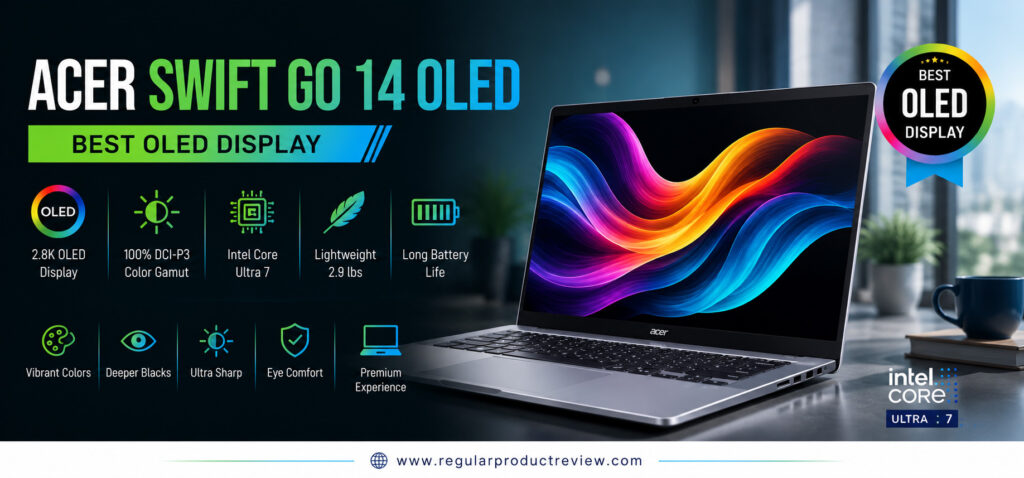
Acer Swift Go 14 OLED
Best OLED Display
If display quality is your top priority, the Acer Swift Go 14 OLED is one of the most impressive ultrabooks under $1000 currently available. It combines a gorgeous 2.8K OLED display, Intel’s latest Core Ultra processor, premium portability, and excellent everyday performance into a lightweight laptop that’s perfect for students, professionals, creators, and remote workers.
While many ultrabooks in this price range compromise on screen quality to keep costs down, Acer takes the opposite approach. The Swift Go 14 OLED delivers vibrant colors, exceptional contrast, factory-calibrated accuracy, and a smooth viewing experience that makes everything from productivity tasks to entertainment look noticeably better.
If your daily workflow involves editing photos, designing presentations, streaming HDR content, or simply spending hours in front of a screen, this laptop deserves a spot at the top of your shortlist.
RPR Editor’s Verdict
| Category | Rating |
|---|---|
| Overall Score | ⭐⭐⭐⭐⭐ 9.8/10 |
| Award | Best OLED Display |
| Best For | Creators, Students, Professionals & Media Lovers |
The Acer Swift Go 14 OLED delivers one of the finest OLED displays available below the $1,000 mark while maintaining excellent portability, modern performance, and outstanding everyday usability.
Why We Selected the Acer Swift Go 14 OLED
Every ultrabook has a standout feature, and for the Swift Go 14 OLED, it’s undoubtedly the display. However, Acer didn’t stop there. The laptop also delivers strong multitasking performance, premium build quality, modern connectivity, and dependable battery life, making it a well-rounded choice rather than just a laptop with a beautiful screen.
Whether you’re working from home, attending college classes, editing images, or binge-watching your favorite Netflix series, the viewing experience feels significantly more premium than most competitors.
At a Glance
| Feature | Why It Matters |
|---|---|
| 2.8K OLED Display | Incredible sharpness, colors, and contrast |
| Intel Core Ultra Processor | Fast everyday performance with AI capabilities |
| Intel Arc Graphics | Better graphics performance for creative workloads |
| 90Hz Refresh Rate | Smoother scrolling and animations |
| Lightweight Design | Comfortable to carry all day |
| Thunderbolt 4 | High-speed connectivity for modern accessories |
RPR Expert Tip
If you’re buying an ultrabook primarily for its screen, very few laptops under $1,000 can match the visual quality offered by the Acer Swift Go 14 OLED.
Key Specifications
The Swift Go 14 OLED combines premium hardware with efficient power management, making it an excellent choice for everyday productivity and entertainment.
| Hardware | Configuration |
|---|---|
| Processor | Intel Core Ultra 7 |
| Graphics | Intel Arc Graphics |
| Display | 14-inch 2.8K OLED, 90Hz |
| Memory | 16GB LPDDR5X |
| Storage | 1TB PCIe Gen4 SSD |
| Battery | Up to 12 Hours |
| Weight | Approx. 2.9 lbs (1.32 kg) |
| Operating System | Windows 11 Home |
| Wireless | Wi-Fi 6E + Bluetooth 5.3 |
Specifications may vary depending on configuration and retailer.
Real-World Performance
Beyond its impressive display, the Swift Go 14 OLED is also a capable productivity machine.
The Intel Core Ultra processor keeps everyday tasks running smoothly, whether you’re switching between dozens of browser tabs, working with Microsoft Office, joining Zoom meetings, editing Lightroom photos, or managing multiple productivity applications simultaneously.
Intel Arc integrated graphics also provide noticeably stronger graphics performance than previous Intel integrated GPUs.
Performance Overview
| Workload | Experience |
|---|---|
| Office Productivity | ⭐⭐⭐⭐⭐ |
| Chrome Multitasking | ⭐⭐⭐⭐⭐ |
| Programming | ⭐⭐⭐⭐⭐ |
| Photo Editing | ⭐⭐⭐⭐⭐ |
| Video Editing | ⭐⭐⭐⭐☆ |
| Media Streaming | ⭐⭐⭐⭐⭐ |
| Everyday Performance | ⭐⭐⭐⭐⭐ |
Editorial Insight
The Swift Go isn’t built for heavy gaming, but for productivity, creative work, and everyday multitasking, it performs exceptionally well while remaining cool and quiet.
OLED Display Experience
The display is where this ultrabook truly separates itself from the competition.
Its 2.8K OLED panel delivers vibrant colors, true blacks, razor-sharp text, and outstanding contrast. Everything from Excel spreadsheets and PowerPoint presentations to YouTube videos and HDR movies looks noticeably richer and more immersive.
The 90Hz refresh rate also provides smoother scrolling and window animations, making the entire Windows experience feel faster and more responsive.
Display Highlights
| Display Feature | Benefit |
|---|---|
| 2.8K OLED Resolution | Ultra-sharp visuals |
| OLED Technology | Infinite contrast & true blacks |
| 100% DCI-P3 | Professional-grade color accuracy |
| HDR Support | Better dynamic range |
| 90Hz Refresh Rate | Smoother everyday experience |
Battery Life
Despite using a high-resolution OLED panel, Acer has optimized power efficiency remarkably well.
For productivity tasks such as web browsing, Office applications, online meetings, and video streaming, the Swift Go comfortably lasts through most of a typical workday. USB-C fast charging also helps minimize downtime when the battery runs low.
| Battery Performance | Rating |
|---|---|
| Office Work | ⭐⭐⭐⭐⭐ |
| Streaming | ⭐⭐⭐⭐☆ |
| Mixed Usage | ⭐⭐⭐⭐☆ |
| Charging Speed | ⭐⭐⭐⭐☆ |
Build Quality & Everyday Comfort
The aluminum chassis feels solid, refined, and modern without adding unnecessary weight.
The keyboard provides satisfying tactile feedback during long typing sessions, while the precision touchpad remains responsive and accurate throughout daily use. At just under three pounds, carrying the Swift Go between classrooms, offices, or airports never feels like a burden.
Design Summary
| Area | Experience |
|---|---|
| Build Quality | Premium aluminum chassis |
| Weight | Lightweight at approximately 2.9 lbs |
| Keyboard | Comfortable for all-day typing |
| Touchpad | Smooth and responsive |
| Portability | Excellent for commuting and travel |
Ports & Connectivity
The Swift Go offers a versatile range of modern ports, reducing the need for external adapters.
| Available Ports | Purpose |
|---|---|
| Thunderbolt 4 (USB-C) | Charging, displays & high-speed transfers |
| USB-A | Legacy peripherals |
| HDMI 2.1 | External monitors |
| MicroSD Card Reader | Fast media imports |
| 3.5mm Audio Jack | Headphones & microphones |
The laptop also supports Wi-Fi 6E and Bluetooth 5.3 for reliable wireless performance.
What We Loved Most
The Swift Go 14 OLED combines premium visuals with practical everyday performance, making it one of the strongest value-oriented ultrabooks in this category.
| Strength | Why It Stands Out |
|---|---|
| 2.8K OLED Display | One of the best displays under $1000 |
| Intel Core Ultra | Fast and efficient multitasking |
| Intel Arc Graphics | Better integrated graphics performance |
| Premium Design | Thin, modern, and lightweight |
| Thunderbolt 4 | Excellent connectivity options |
| Overall Value | Premium features at a competitive price |
Before You Buy
Although the Swift Go excels in many areas, there are a few compromises worth considering.
| Consideration | Details |
|---|---|
| RAM | Not user-upgradeable |
| OLED Display | Higher brightness may reduce battery life |
| Graphics | Not designed for demanding AAA gaming |
Who Should Buy This Laptop?
The Swift Go 14 OLED is ideal for buyers who place display quality at the top of their priority list while still wanting a lightweight, capable ultrabook.
| Recommended For | Why |
|---|---|
| Students | Lightweight and easy to carry |
| Content Creators | Excellent color accuracy |
| Professionals | Fast productivity performance |
| Remote Workers | Comfortable all-day workflow |
| Entertainment Lovers | Stunning OLED viewing experience |
It may not be the best option for users who require workstation-class graphics performance or extensive 3D rendering capabilities.
RPR Performance Score
| Category | Score |
|---|---|
| Display | 10 / 10 |
| Performance | 9.7 / 10 |
| Battery Life | 9.4 / 10 |
| Build Quality | 9.7 / 10 |
| Keyboard | 9.6 / 10 |
| Portability | 9.7 / 10 |
| Value for Money | 9.8 / 10 |
Final Thoughts
The Acer Swift Go 14 OLED proves that you don’t need to spend well over $1,000 to enjoy a premium display. Its exceptional OLED panel, reliable Intel Core Ultra performance, lightweight aluminum construction, and modern connectivity make it one of the most complete ultrabooks in its price class.
If your daily workflow revolves around visual quality, content consumption, creative projects, or productivity, the Acer Swift Go 14 OLED is easily one of the best ultrabooks under $1,000 and our clear winner for Best OLED Display.
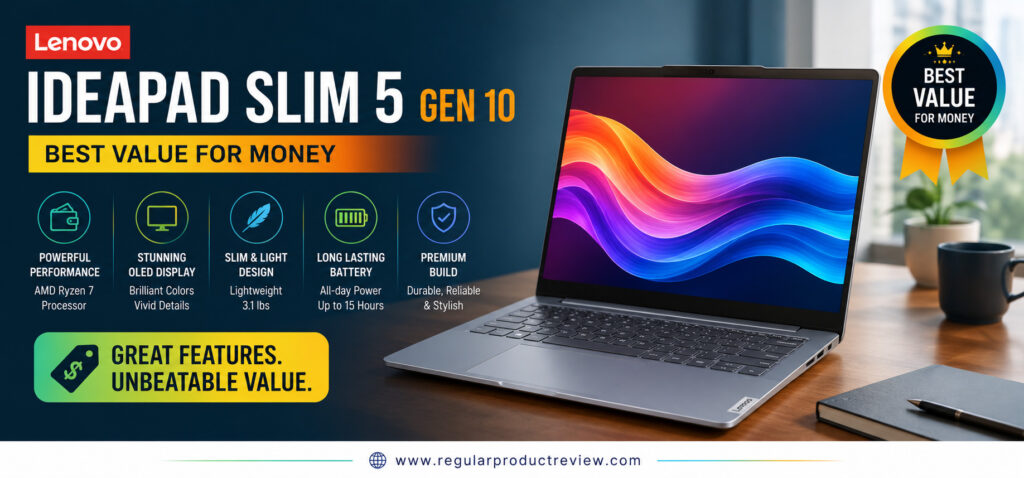
Lenovo IdeaPad Slim 5 Gen 10
Best Value for Money
Finding a laptop that offers premium performance without stretching your budget can be difficult, but the Lenovo IdeaPad Slim 5 Gen 10 makes that decision much easier. As one of the best value ultrabooks under $1000, it combines dependable AMD Ryzen performance, a vibrant OLED display, generous memory and storage, and Lenovo’s renowned keyboard all at a price that’s hard to beat.
Instead of chasing flashy premium features, Lenovo focuses on what matters most to everyday users: reliable performance, comfortable productivity, excellent battery life, and long-term value. Whether you’re a college student, office professional, remote worker, or someone upgrading from an older laptop, the IdeaPad Slim 5 delivers a well-balanced experience that feels far more expensive than its price suggests.
If you’re looking for the smartest balance between performance and affordability, this is one of the strongest choices in this guide.
RPR Editor’s Verdict
| Category | Rating |
|---|---|
| Overall Score | ⭐⭐⭐⭐⭐ 9.7/10 |
| Award | Best Value for Money |
| Best For | Students, Professionals & Everyday Users |
The Lenovo IdeaPad Slim 5 Gen 10 delivers exceptional value for money by offering premium everyday performance, a beautiful OLED display, and outstanding reliability at an affordable price.
Why We Recommend the Lenovo IdeaPad Slim 5
Many laptops under $1,000 require compromises, but Lenovo has managed to deliver an impressive balance of hardware, design, and usability without sacrificing the essentials.
Its efficient Ryzen processor keeps everyday tasks running smoothly, while the OLED display enhances everything from spreadsheets and presentations to movies and creative projects. Add Lenovo’s excellent keyboard and sturdy build quality, and you have an ultrabook that’s designed for years of dependable use.
At a Glance
| Feature | Why It Matters |
|---|---|
| AMD Ryzen 7 Processor | Fast and responsive everyday performance |
| 14-inch OLED Display | Sharp visuals with rich colors |
| 16GB LPDDR5X RAM | Smooth multitasking experience |
| 1TB PCIe SSD | Fast boot times and ample storage |
| Lightweight Design | Easy to carry throughout the day |
| Excellent Value | Premium features without the premium price |
RPR Expert Tip
If your goal is maximizing performance per dollar, the IdeaPad Slim 5 offers one of the best price-to-performance ratios in the entire ultrabook category.
Key Specifications
Lenovo carefully balances modern hardware with practical everyday usability, making the IdeaPad Slim 5 an excellent long-term investment.
| Hardware | Configuration |
|---|---|
| Processor | AMD Ryzen 7 |
| Graphics | AMD Radeon Graphics |
| Display | 14-inch OLED |
| Memory | 16GB LPDDR5X |
| Storage | 1TB PCIe Gen4 SSD |
| Battery | Up to 14 Hours |
| Weight | Approx. 3.1 lbs (1.40 kg) |
| Operating System | Windows 11 Home |
| Wireless | Wi-Fi 6E + Bluetooth 5.3 |
Hardware configurations may vary depending on region or retailer.
Everyday Performance
The IdeaPad Slim 5 is designed for users who spend their day multitasking rather than running demanding workstation software.
Whether you’re working in Microsoft Office, researching with dozens of Chrome tabs, attending online meetings, writing reports, managing spreadsheets, or enjoying streaming content after work, the laptop remains responsive and efficient.
The Ryzen processor also handles light creative workloads surprisingly well, making this an excellent all-purpose machine.
Performance Overview
| Workload | Experience |
|---|---|
| Office Productivity | ⭐⭐⭐⭐⭐ |
| Chrome Multitasking | ⭐⭐⭐⭐⭐ |
| Programming | ⭐⭐⭐⭐☆ |
| Photo Editing | ⭐⭐⭐⭐☆ |
| Video Editing | ⭐⭐⭐⭐☆ |
| Media Streaming | ⭐⭐⭐⭐⭐ |
| Everyday Performance | ⭐⭐⭐⭐⭐ |
Editorial Insight
Most buyers don’t need workstation-level hardware. What they need is a laptop that feels consistently fast every day and that’s exactly where the IdeaPad Slim 5 excels.
Display Experience
The OLED display significantly elevates the overall experience.
Compared to traditional IPS panels commonly found in this price range, Lenovo’s OLED screen delivers deeper blacks, richer colors, higher contrast, and noticeably sharper text. Whether you’re editing presentations, browsing websites, or watching HDR content, everything appears more vibrant and immersive.
Display Highlights
| Display Feature | Benefit |
|---|---|
| OLED Panel | Rich colors and infinite contrast |
| Full HD+ Resolution | Crisp everyday visuals |
| Wide Color Gamut | Better image accuracy |
| Low Blue Light Support | More comfortable extended viewing |
| Slim Bezels | Larger immersive viewing area |
Battery Life
Battery performance is another strong point.
For students and professionals working away from a power outlet, the IdeaPad Slim 5 comfortably handles an entire day of web browsing, Office applications, video calls, and entertainment before requiring a recharge.
USB-C charging also provides added convenience for travel.
| Battery Performance | Rating |
|---|---|
| Office Work | ⭐⭐⭐⭐⭐ |
| Streaming | ⭐⭐⭐⭐☆ |
| Mixed Usage | ⭐⭐⭐⭐⭐ |
| Charging Speed | ⭐⭐⭐⭐☆ |
Build Quality & Everyday Comfort
Lenovo continues its reputation for producing comfortable laptops.
The chassis feels sturdy, the keyboard remains one of the best in its class, and the precision touchpad delivers smooth navigation throughout the Windows experience.
Although it isn’t the lightest ultrabook available, it’s still portable enough for commuting, college, and travel.
Design Summary
| Area | Experience |
|---|---|
| Build Quality | Durable premium construction |
| Weight | Approximately 3.1 lbs |
| Keyboard | Excellent typing comfort |
| Touchpad | Smooth and accurate |
| Portability | Great balance of size and weight |
Ports & Connectivity
The IdeaPad Slim 5 offers a practical selection of modern ports that meet the needs of most everyday users.
| Available Ports | Purpose |
|---|---|
| USB-C | Charging & high-speed data |
| USB-A | Existing accessories |
| HDMI | External displays |
| MicroSD Card Reader | Easy file transfers |
| Audio Combo Jack | Headsets & microphones |
Wireless connectivity includes Wi-Fi 6E and Bluetooth 5.3 for fast, stable connections.
What We Loved Most
The IdeaPad Slim 5 succeeds because it focuses on delivering the features that matter most to everyday buyers instead of unnecessary extras.
| Strength | Why It Stands Out |
|---|---|
| Outstanding Value | Excellent hardware for the price |
| Ryzen Performance | Smooth multitasking |
| OLED Display | Premium viewing experience |
| Lenovo Keyboard | Comfortable for long typing sessions |
| Long Battery Life | Reliable all-day productivity |
| Solid Build Quality | Designed for everyday durability |
Before You Buy
Like every ultrabook, there are a few trade-offs worth knowing before making your decision.
| Consideration | Details |
|---|---|
| Memory | RAM isn’t user-upgradeable |
| Graphics | Integrated graphics only |
| Weight | Slightly heavier than premium ultrabooks |
Who Should Buy This Laptop?
The IdeaPad Slim 5 is an excellent choice for buyers looking to maximize value without sacrificing everyday performance.
| Recommended For | Why |
|---|---|
| College Students | Affordable and dependable |
| Office Professionals | Excellent productivity performance |
| Remote Workers | Comfortable all-day workflow |
| Families | Great all-purpose laptop |
| Budget-Conscious Buyers | Outstanding price-to-performance ratio |
Users who require professional 3D rendering, advanced video production, or high-end gaming should consider a laptop with dedicated graphics instead.
RPR Performance Score
| Category | Score |
|---|---|
| Performance | 9.7 / 10 |
| Display | 9.6 / 10 |
| Battery Life | 9.6 / 10 |
| Build Quality | 9.5 / 10 |
| Keyboard | 9.8 / 10 |
| Portability | 9.4 / 10 |
| Value for Money | 10 / 10 |
Final Thoughts
The Lenovo IdeaPad Slim 5 Gen 10 proves that buying a premium ultrabook doesn’t have to mean paying a premium price. It delivers reliable Ryzen performance, a beautiful OLED display, excellent battery life, and one of the best keyboards in its class all while maintaining exceptional affordability.
If your priority is getting the maximum value for every dollar, the Lenovo IdeaPad Slim 5 Gen 10 easily earns its place as our Best Value for Money recommendation and remains one of the smartest ultrabook purchases under $1000.
HP OmniBook 5 14
Best Battery Life
If all-day battery life is your highest priority, the HP OmniBook 5 14 is one of the most practical ultrabooks under $1000 you can buy. Designed around Qualcomm’s efficient Snapdragon X processor, this lightweight ultrabook delivers exceptional power efficiency without sacrificing everyday performance.
Whether you’re attending back-to-back meetings, working remotely, studying on campus, or traveling between flights, the OmniBook 5 14 is built to stay productive from morning until evening all without constantly searching for a power outlet.
HP combines long battery endurance with a premium design, AI-powered computing, modern connectivity, and a comfortable typing experience, making this laptop an excellent choice for professionals, students, and frequent travelers who value mobility above everything else.
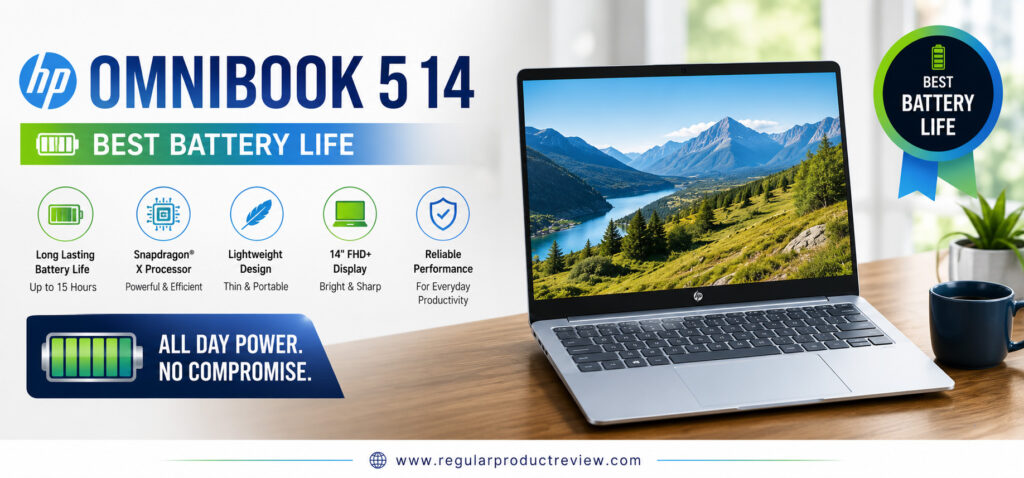
RPR Editor’s Verdict
| Category | Rating |
|---|---|
| Overall Score | ⭐⭐⭐⭐⭐ 9.7/10 |
| Award | Best Battery Life |
| Best For | Remote Workers, Travelers, Students & Professionals |
The HP OmniBook 5 14 delivers outstanding battery efficiency while maintaining excellent everyday performance, making it one of the best ultrabooks for users who spend long hours away from a charger.
Why We Recommend the HP OmniBook 5 14
Most ultrabooks promise long battery life, but the OmniBook 5 14 genuinely delivers.
Thanks to the power-efficient Snapdragon X platform, this laptop consumes significantly less energy during everyday workloads while remaining responsive for multitasking, web browsing, document editing, video conferencing, and media streaming.
Combined with its lightweight chassis and AI-enhanced processing, it’s an ideal companion for users who prioritize portability and endurance over raw processing power.
At a Glance
| Feature | Why It Matters |
|---|---|
| Snapdragon X Processor | Exceptional battery efficiency |
| 14-inch Display | Comfortable everyday viewing |
| AI-Ready Architecture | Optimized Windows Copilot+ experience |
| Lightweight Design | Easy to carry throughout the day |
| Fast USB-C Charging | Quick battery top-ups |
| Quiet Operation | Minimal fan noise during daily tasks |
RPR Expert Tip
If your laptop frequently travels with you to offices, classrooms, airports, or coffee shops, battery life becomes far more valuable than a small increase in benchmark performance.
Key Specifications
The HP OmniBook 5 14 focuses on delivering efficient performance that lasts all day while maintaining a sleek and portable design.
| Hardware | Configuration |
|---|---|
| Processor | Qualcomm Snapdragon X |
| Graphics | Qualcomm Adreno Graphics |
| Display | 14-inch WUXGA IPS |
| Memory | 16GB LPDDR5X |
| Storage | 512GB PCIe Gen4 SSD |
| Battery | Long-Life Battery (Up to 20 Hours*) |
| Weight | Approx. 2.9 lbs (1.31 kg) |
| Operating System | Windows 11 Home |
| Wireless | Wi-Fi 7 + Bluetooth 5.4 |
Actual battery life varies depending on usage, brightness, and workload.
Everyday Performance
Although the Snapdragon X platform focuses on efficiency, everyday performance remains excellent.
Opening multiple Chrome tabs, managing Office documents, participating in Microsoft Teams meetings, handling emails, and streaming videos all feel smooth and responsive. Windows 11 has also become increasingly optimized for ARM-based processors, making the overall experience far more refined than previous generations.
Performance Overview
| Workload | Experience |
|---|---|
| Office Productivity | ⭐⭐⭐⭐⭐ |
| Chrome Multitasking | ⭐⭐⭐⭐⭐ |
| Video Conferencing | ⭐⭐⭐⭐⭐ |
| Programming | ⭐⭐⭐⭐☆ |
| Photo Editing | ⭐⭐⭐⭐☆ |
| Media Streaming | ⭐⭐⭐⭐⭐ |
| Everyday Performance | ⭐⭐⭐⭐⭐ |
Editorial Insight
For everyday productivity, battery efficiency often matters more than maximum processing power. The OmniBook 5 14 delivers exactly that balance.
Display Experience
The HP OmniBook 5 14 features a sharp 14-inch WUXGA display that provides a comfortable viewing experience for both work and entertainment.
While it doesn’t offer OLED technology like some competitors, the IPS panel delivers crisp text, accurate colors, and wide viewing angles that are well suited for productivity, online learning, and media consumption.
Display Highlights
| Display Feature | Benefit |
|---|---|
| WUXGA Resolution | Sharp text and clear visuals |
| IPS Technology | Wide viewing angles |
| Anti-Glare Coating | Reduced reflections outdoors |
| Thin Bezels | More immersive screen experience |
| Comfortable Brightness | Ideal for everyday productivity |
Battery Life
Battery endurance is where this laptop truly separates itself from the competition.
Thanks to the efficient Snapdragon X processor, the OmniBook 5 14 comfortably handles an entire workday and often much longer during typical productivity workloads. For users who frequently travel or attend classes all day, this extended battery life significantly reduces the need to carry a charger.
Battery Performance
| Usage Scenario | Rating |
|---|---|
| Office Productivity | ⭐⭐⭐⭐⭐ |
| Video Streaming | ⭐⭐⭐⭐⭐ |
| Web Browsing | ⭐⭐⭐⭐⭐ |
| Mixed Daily Usage | ⭐⭐⭐⭐⭐ |
| Charging Speed | ⭐⭐⭐⭐☆ |
Build Quality & Everyday Comfort
HP has designed the OmniBook 5 14 with portability in mind.
Its slim chassis feels solid and modern, while the keyboard provides comfortable key travel for long typing sessions. The precision touchpad is smooth, accurate, and responsive, making navigation effortless throughout Windows.
At under three pounds, carrying the laptop throughout the day feels effortless.
Design Summary
| Area | Experience |
|---|---|
| Build Quality | Premium minimalist design |
| Weight | Approximately 2.9 lbs |
| Keyboard | Comfortable and quiet |
| Touchpad | Responsive precision touchpad |
| Portability | Excellent for daily travel |
Ports & Connectivity
The OmniBook 5 14 includes the essential ports most users need while also supporting the latest wireless standards.
| Available Ports | Purpose |
|---|---|
| USB-C | Charging & Display Output |
| USB-A | Existing accessories |
| HDMI | External monitors |
| Audio Combo Jack | Headsets & microphones |
Wireless connectivity includes Wi-Fi 7 and Bluetooth 5.4, providing faster and more reliable wireless performance than previous generations.
What We Loved Most
The HP OmniBook 5 14 focuses on practical everyday usability rather than unnecessary premium extras.
| Strength | Why It Stands Out |
|---|---|
| Outstanding Battery Life | One of the longest-lasting ultrabooks under $1000 |
| Snapdragon X Platform | Highly efficient everyday performance |
| Lightweight Design | Ideal for commuting and travel |
| Quiet Operation | Minimal fan noise |
| Modern Connectivity | Wi-Fi 7 support |
| Excellent Portability | Comfortable to carry all day |
Before You Buy
While the OmniBook 5 14 excels in battery life, buyers should understand its intended purpose.
| Consideration | Details |
|---|---|
| ARM Architecture | Some legacy software may require emulation |
| Graphics | Not intended for demanding AAA gaming |
| OLED Display | IPS panel instead of OLED |
Who Should Buy This Laptop?
The HP OmniBook 5 14 is an excellent choice for users who prioritize mobility, efficiency, and all-day productivity.
| Recommended For | Why |
|---|---|
| Remote Workers | Outstanding battery endurance |
| Business Professionals | Reliable productivity |
| College Students | Easily lasts through classes |
| Frequent Travelers | Lightweight with long battery life |
| Everyday Users | Efficient and dependable performance |
Power users who require specialized Windows applications or dedicated graphics for advanced creative workloads may be better served by a traditional x86 ultrabook.
RPR Performance Score
| Category | Score |
|---|---|
| Performance | 9.5 / 10 |
| Battery Life | 10 / 10 |
| Display | 9.2 / 10 |
| Build Quality | 9.6 / 10 |
| Keyboard | 9.6 / 10 |
| Portability | 9.8 / 10 |
| Value for Money | 9.7 / 10 |
Final Thoughts
The HP OmniBook 5 14 proves that exceptional battery life doesn’t require compromising on portability or productivity. Its efficient Snapdragon X processor, lightweight design, comfortable keyboard, and impressive endurance make it one of the most dependable ultrabooks for users who spend long hours away from a power outlet.
If your priority is working, studying, or traveling without constantly worrying about battery percentage, the HP OmniBook 5 14 comfortably earns our Best Battery Life award and stands out as one of the smartest ultrabook choices under $1000.
Dell Inspiron 14 Plus
Best Productivity Ultrabook
If your daily routine revolves around multitasking, spreadsheets, presentations, virtual meetings, coding, and business applications, the Dell Inspiron 14 Plus is one of the best productivity ultrabooks under $1000. Designed for professionals, students, remote workers, and power users, it combines a high-performance Intel Core Ultra processor, a sharp 2.5K display, generous memory, and a premium keyboard into a laptop that keeps pace with demanding workdays.
Unlike many lightweight ultrabooks that prioritize style over substance, the Inspiron 14 Plus focuses on delivering consistent real-world productivity. From managing dozens of browser tabs to editing large Excel files and switching between multiple applications, it remains fast, responsive, and reliable throughout the day.
For users who spend more time working than streaming or gaming, this is one of the smartest productivity-focused laptops in its class.
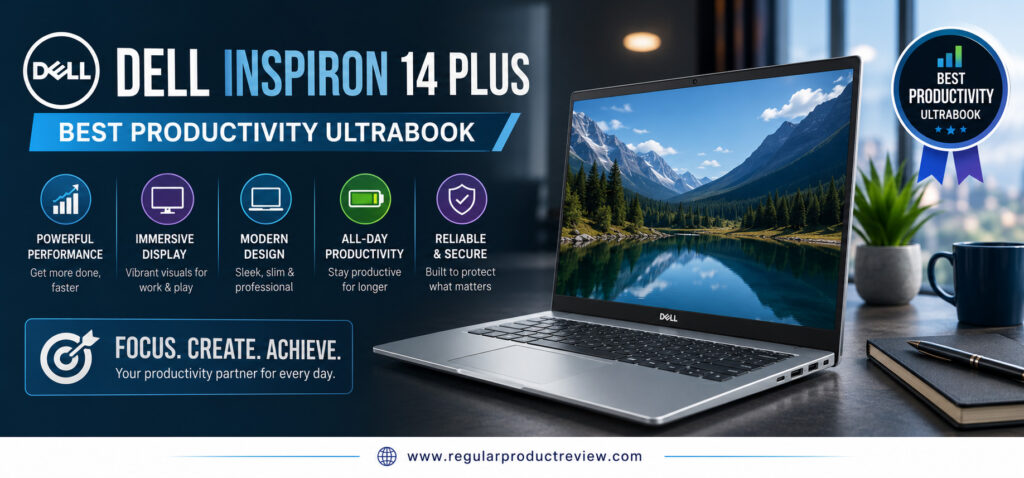
RPR Editor’s Verdict
| Category | Rating |
|---|---|
| Overall Score | ⭐⭐⭐⭐⭐ 9.7/10 |
| Award | Best Productivity Ultrabook |
| Best For | Office Professionals, Students, Developers & Remote Workers |
The Dell Inspiron 14 Plus delivers exceptional multitasking performance, a crisp high-resolution display, and dependable everyday reliability, making it one of the best laptops for getting work done.
Why We Recommend the Dell Inspiron 14 Plus
Productivity isn’t just about having a fast processor it’s about having a laptop that remains responsive throughout an entire workday.
Dell has achieved that balance by combining Intel’s latest Core Ultra platform with fast memory, a spacious SSD, excellent thermal management, and one of the most comfortable keyboards in its category. Whether you’re working in Microsoft Office, Google Workspace, Adobe Acrobat, Slack, Microsoft Teams, or Visual Studio Code, the Inspiron 14 Plus handles demanding workloads with confidence.
At a Glance
| Feature | Why It Matters |
|---|---|
| Intel Core Ultra Processor | Excellent productivity and multitasking |
| 2.5K Display | More workspace and sharper visuals |
| 16GB LPDDR5X RAM | Smooth performance with multiple applications |
| 1TB PCIe Gen4 SSD | Fast boot times and quick file access |
| Premium Keyboard | Comfortable for extended typing sessions |
| Intel Arc Graphics | Better creative performance than standard integrated graphics |
RPR Expert Tip
If your laptop is primarily a work tool rather than an entertainment device, prioritize keyboard quality, multitasking performance, and display clarity over gaming-focused hardware.
Key Specifications
The Inspiron 14 Plus offers a hardware configuration designed to remain fast and responsive for years of everyday use.
| Hardware | Configuration |
|---|---|
| Processor | Intel Core Ultra 7 |
| Graphics | Intel Arc Graphics |
| Display | 14-inch 2.5K IPS |
| Memory | 16GB LPDDR5X |
| Storage | 1TB PCIe Gen4 SSD |
| Battery | Up to 13 Hours |
| Weight | Approx. 3.4 lbs (1.54 kg) |
| Operating System | Windows 11 Home |
| Wireless | Wi-Fi 6E + Bluetooth 5.3 |
Specifications may vary slightly depending on the retailer and configuration.
Productivity Performance
This is where the Dell Inspiron 14 Plus truly shines.
Opening large spreadsheets, managing complex PowerPoint presentations, participating in video conferences, editing documents, writing code, and running multiple productivity applications simultaneously all feel effortless. Intel’s Core Ultra processor keeps everything responsive while maintaining efficient power consumption.
Even light photo editing and occasional video editing are handled comfortably thanks to Intel Arc integrated graphics.
Performance Overview
| Workload | Experience |
|---|---|
| Office Productivity | ⭐⭐⭐⭐⭐ |
| Chrome Multitasking | ⭐⭐⭐⭐⭐ |
| Programming | ⭐⭐⭐⭐⭐ |
| Data Analysis | ⭐⭐⭐⭐⭐ |
| Photo Editing | ⭐⭐⭐⭐☆ |
| Video Editing | ⭐⭐⭐⭐☆ |
| Everyday Performance | ⭐⭐⭐⭐⭐ |
Editorial Insight
The Inspiron 14 Plus is built for people who spend eight or more hours each day in front of a laptop. Its consistent responsiveness is far more valuable than chasing benchmark records.
Display Experience
A productive workspace starts with a quality display.
The Inspiron’s 2.5K IPS display offers sharp text, excellent clarity, and plenty of screen real estate for multitasking. Whether you’re reviewing documents, editing spreadsheets, writing reports, or comparing multiple browser windows side by side, the higher resolution noticeably improves the overall working experience.
Display Highlights
| Display Feature | Benefit |
|---|---|
| 2.5K Resolution | Sharper text and improved workspace |
| IPS Panel | Wide viewing angles |
| Anti-Glare Finish | Reduced reflections during work |
| Thin Bezels | More immersive viewing |
| Accurate Colors | Suitable for light creative work |
Battery Life
The Dell Inspiron 14 Plus provides dependable battery life for a full day of productivity.
Typical office work including Microsoft Office, web browsing, Teams meetings, email, and document editing can comfortably last through most workdays before requiring a recharge.
Battery Performance
| Usage Scenario | Rating |
|---|---|
| Office Productivity | ⭐⭐⭐⭐⭐ |
| Video Calls | ⭐⭐⭐⭐☆ |
| Web Browsing | ⭐⭐⭐⭐⭐ |
| Mixed Usage | ⭐⭐⭐⭐☆ |
| Charging Speed | ⭐⭐⭐⭐☆ |
Build Quality & Everyday Comfort
Dell has designed the Inspiron 14 Plus with everyday professionals in mind.
The chassis feels sturdy, the hinge is solid, and the keyboard offers excellent key travel for long typing sessions. Combined with a spacious precision touchpad, the overall user experience feels refined and dependable.
Although it’s slightly heavier than some premium ultrabooks, the additional weight contributes to a more robust and confidence-inspiring build.
Design Summary
| Area | Experience |
|---|---|
| Build Quality | Durable premium construction |
| Weight | Approximately 3.4 lbs |
| Keyboard | Excellent for long typing sessions |
| Touchpad | Smooth and accurate |
| Portability | Easy to carry between office and home |
Ports & Connectivity
The Inspiron 14 Plus includes a practical range of ports that reduce the need for adapters.
| Available Ports | Purpose |
|---|---|
| USB-C | Charging & Display Output |
| USB-A | External accessories |
| HDMI | External monitors |
| MicroSD Card Reader | File transfers |
| Headphone Jack | Audio devices |
The laptop also supports Wi-Fi 6E and Bluetooth 5.3 for fast, reliable wireless connectivity.
What We Loved Most
The Inspiron 14 Plus focuses on delivering a smooth, efficient work experience that remains reliable day after day.
| Strength | Why It Stands Out |
|---|---|
| Outstanding Productivity | Excellent multitasking performance |
| Intel Core Ultra | Fast and efficient computing |
| Sharp 2.5K Display | Comfortable for long work sessions |
| Comfortable Keyboard | Excellent typing experience |
| Premium Build | Durable and well-designed |
| Strong Overall Value | Great hardware for business users |
Before You Buy
Before making your decision, it’s worth considering a few compromises.
| Consideration | Details |
|---|---|
| Weight | Slightly heavier than some competitors |
| Display | IPS instead of OLED |
| Gaming | Not designed for demanding AAA titles |
Who Should Buy This Laptop?
The Dell Inspiron 14 Plus is ideal for buyers who value productivity, reliability, and multitasking performance above all else.
| Recommended For | Why |
|---|---|
| Office Professionals | Excellent workflow performance |
| Remote Workers | Reliable all-day productivity |
| College Students | Great for research and assignments |
| Programmers | Smooth development experience |
| Business Users | Comfortable for daily office tasks |
Users primarily interested in OLED entertainment or dedicated graphics for intensive creative work may prefer another model in this guide.
RPR Performance Score
| Category | Score |
|---|---|
| Performance | 9.8 / 10 |
| Display | 9.5 / 10 |
| Battery Life | 9.5 / 10 |
| Build Quality | 9.8 / 10 |
| Keyboard | 9.9 / 10 |
| Portability | 9.3 / 10 |
| Value for Money | 9.7 / 10 |
Final Thoughts
The Dell Inspiron 14 Plus isn’t built to be the flashiest ultrabook it’s built to help you accomplish more every single day. Its fast Intel Core Ultra processor, crisp 2.5K display, excellent keyboard, and dependable build quality create a laptop that excels where it matters most: real-world productivity.
If your goal is to buy an ultrabook that keeps up with demanding office work, university projects, remote collaboration, and everyday multitasking, the Dell Inspiron 14 Plus confidently earns our Best Productivity Ultrabook award and stands out as one of the smartest choices under $1000.
MSI Prestige 13 AI Evo
Best Lightweight Business Ultrabook
For professionals who spend more time in meetings than gaming sessions, portability and reliability often matter more than raw graphics performance. The MSI Prestige 13 AI Evo is one of the best lightweight business ultrabooks under $1000, combining Intel’s latest Core Ultra processor, an ultra-light magnesium-aluminum chassis, premium OLED display, and outstanding battery efficiency into a laptop that’s built for productivity on the move.
Designed with business users, executives, consultants, remote professionals, and frequent travelers in mind, the Prestige 13 AI Evo delivers the performance needed for demanding office workloads while remaining one of the lightest ultrabooks in its class.
If your office changes every day from conference rooms to airports and coffee shops this laptop is built for exactly that lifestyle.
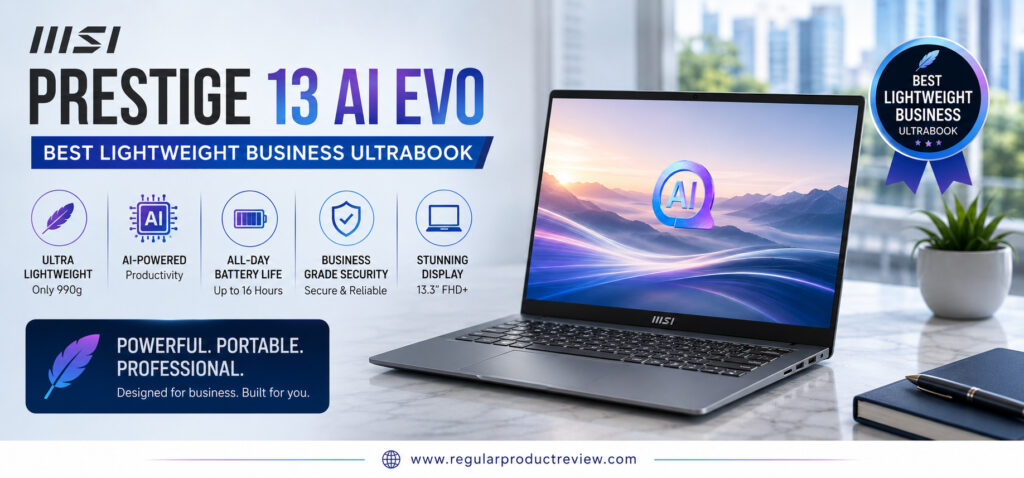
RPR Editor’s Verdict
| Category | Rating |
|---|---|
| Overall Score | ⭐⭐⭐⭐⭐ 9.8/10 |
| Award | Best Lightweight Business Ultrabook |
| Best For | Business Professionals, Executives, Remote Workers & Travelers |
The MSI Prestige 13 AI Evo combines exceptional portability, premium business features, strong productivity performance, and all-day battery life into one of the most travel-friendly ultrabooks available.
Why We Recommend the MSI Prestige 13 AI Evo
Business users need more than just a fast processor. They need a laptop that’s lightweight enough to carry all day, dependable enough for important presentations, and efficient enough to last through long meetings without constantly searching for a charger.
The Prestige 13 AI Evo checks every one of those boxes. Its Intel Evo certification ensures responsive performance, fast wake times, excellent battery life, and reliable wireless connectivity, making it a dependable companion for everyday business use.
At a Glance
| Feature | Why It Matters |
|---|---|
| Intel Core Ultra Processor | Smooth multitasking and AI-ready performance |
| Intel Evo Certified | Premium responsiveness and efficiency |
| 2.8K OLED Display | Sharp visuals with excellent color accuracy |
| Ultra-Lightweight Design | Easy to carry throughout the day |
| Long Battery Life | Ideal for business travel |
| Thunderbolt 4 | High-speed connectivity and docking support |
RPR Expert Tip
If you travel frequently for work, every ounce matters. The Prestige 13 AI Evo is one of the lightest premium business laptops available without sacrificing performance.
Key Specifications
The Prestige 13 AI Evo focuses on portability without compromising the hardware professionals depend on every day.
| Hardware | Configuration |
|---|---|
| Processor | Intel Core Ultra 7 |
| Graphics | Intel Arc Graphics |
| Display | 13.3-inch 2.8K OLED |
| Memory | 16GB LPDDR5X |
| Storage | 1TB PCIe Gen4 SSD |
| Battery | Up to 15 Hours |
| Weight | Approx. 2.18 lbs (0.99 kg) |
| Operating System | Windows 11 Pro / Home |
| Wireless | Wi-Fi 7 + Bluetooth 5.4 |
Available configurations may differ by retailer.
Business Performance
The Prestige 13 AI Evo is engineered for demanding professional workflows.
Whether you’re working with Microsoft Office, Google Workspace, Microsoft Teams, Zoom, Slack, Adobe Acrobat, or dozens of Chrome tabs, the laptop remains responsive throughout the day. Intel’s Core Ultra processor also handles light creative workloads and AI-powered productivity features with ease.
Its quiet cooling system and efficient thermal management make it especially comfortable during long working sessions.
Performance Overview
| Workload | Experience |
|---|---|
| Office Productivity | ⭐⭐⭐⭐⭐ |
| Chrome Multitasking | ⭐⭐⭐⭐⭐ |
| Business Applications | ⭐⭐⭐⭐⭐ |
| Programming | ⭐⭐⭐⭐⭐ |
| Photo Editing | ⭐⭐⭐⭐☆ |
| Video Conferencing | ⭐⭐⭐⭐⭐ |
| Everyday Performance | ⭐⭐⭐⭐⭐ |
Editorial Insight
The Prestige 13 AI Evo isn’t designed to impress gamers it’s designed to help professionals stay productive anywhere. For business users, that’s exactly what matters.
Display Experience
Business laptops no longer need dull displays.
The 2.8K OLED panel on the Prestige 13 AI Evo delivers vibrant colors, exceptional contrast, and crisp text that make long work sessions more comfortable. Whether you’re reviewing financial reports, editing presentations, or watching videos between meetings, the display feels every bit as premium as its competitors.
Display Highlights
| Display Feature | Benefit |
|---|---|
| 2.8K OLED Resolution | Ultra-sharp visuals |
| OLED Technology | Deep blacks and vibrant colors |
| 100% DCI-P3 | Excellent color accuracy |
| Thin Bezels | Larger immersive workspace |
| Anti-Reflection Coating | Better visibility in bright environments |
Battery Life
One of the Prestige’s greatest strengths is its impressive endurance.
Business travelers can confidently work through meetings, presentations, emails, and web browsing without worrying about running out of power. Fast USB-C charging also helps minimize downtime when recharging is necessary.
Battery Performance
| Usage Scenario | Rating |
|---|---|
| Office Productivity | ⭐⭐⭐⭐⭐ |
| Video Calls | ⭐⭐⭐⭐⭐ |
| Web Browsing | ⭐⭐⭐⭐⭐ |
| Mixed Usage | ⭐⭐⭐⭐☆ |
| Charging Speed | ⭐⭐⭐⭐☆ |
Build Quality & Everyday Comfort
Despite weighing just over two pounds, the Prestige 13 AI Evo feels remarkably solid.
Its magnesium-aluminum chassis provides excellent durability while remaining incredibly lightweight. The keyboard offers comfortable key travel, and the precision touchpad is smooth, accurate, and responsive.
For professionals constantly moving between meetings, airports, and client offices, this level of portability is a significant advantage.
Design Summary
| Area | Experience |
|---|---|
| Build Quality | Premium magnesium-aluminum construction |
| Weight | Approximately 2.18 lbs |
| Keyboard | Comfortable and business-friendly |
| Touchpad | Accurate precision touchpad |
| Portability | Outstanding for travel |
Ports & Connectivity
The Prestige 13 AI Evo includes a practical selection of modern ports for today’s professionals.
| Available Ports | Purpose |
|---|---|
| Thunderbolt 4 (USB-C) | Charging, docking & external displays |
| USB-A | Legacy accessories |
| HDMI | External monitors and projectors |
| MicroSD Card Reader | Quick media transfers |
| Audio Combo Jack | Headsets and microphones |
It also supports Wi-Fi 7 and Bluetooth 5.4 for fast, reliable wireless connectivity in modern office environments.
What We Loved Most
The Prestige 13 AI Evo is designed around the needs of professionals who value mobility without sacrificing productivity.
| Strength | Why It Stands Out |
|---|---|
| Ultra-Lightweight Design | One of the lightest business ultrabooks available |
| Intel Evo Platform | Reliable premium performance |
| Beautiful OLED Display | Excellent visual quality |
| Long Battery Life | Ideal for travel and meetings |
| Premium Build | Durable yet incredibly portable |
| Thunderbolt 4 | Excellent docking flexibility |
Before You Buy
Although it’s an outstanding business ultrabook, there are a few considerations worth keeping in mind.
| Consideration | Details |
|---|---|
| Graphics | Integrated Intel Arc only |
| Upgradeability | Memory isn’t user-upgradeable |
| Display Size | Smaller 13.3-inch screen may not suit every workflow |
Who Should Buy This Laptop?
The Prestige 13 AI Evo is an excellent fit for buyers who prioritize portability, efficiency, and professional productivity.
| Recommended For | Why |
|---|---|
| Business Professionals | Lightweight and dependable |
| Executives | Premium design with excellent mobility |
| Remote Workers | Comfortable all-day productivity |
| Frequent Travelers | Extremely portable with long battery life |
| Students | Powerful yet easy to carry |
Users looking for workstation-class graphics performance or a larger display for intensive creative work may be better served by a 15-inch productivity laptop.
RPR Performance Score
| Category | Score |
|---|---|
| Performance | 9.7 / 10 |
| Display | 9.8 / 10 |
| Battery Life | 9.8 / 10 |
| Build Quality | 9.9 / 10 |
| Keyboard | 9.7 / 10 |
| Portability | 10 / 10 |
| Value for Money | 9.6 / 10 |
Final Thoughts
The MSI Prestige 13 AI Evo proves that business laptops don’t have to be bulky or uninspiring. Its ultra-lightweight design, premium OLED display, efficient Intel Core Ultra platform, and excellent battery life create a laptop that’s purpose-built for professionals who work from anywhere.
If your priority is finding a powerful yet incredibly portable business laptop under $1000, the MSI Prestige 13 AI Evo comfortably earns our Best Lightweight Business Ultrabook award and stands out as one of the finest travel-friendly ultrabooks in this buying guide.
Samsung Galaxy Book5
Best Premium Display
For buyers who value a premium viewing experience above everything else, the Samsung Galaxy Book5 stands out as one of the best ultrabooks under $1000. Combining Samsung’s stunning AMOLED display with Intel’s latest Core Ultra processor, an ultra-slim aluminum chassis, and excellent battery efficiency, it delivers a refined computing experience that’s ideal for professionals, students, content creators, and everyday users.
Samsung has long been recognized for producing some of the world’s best displays, and that expertise is clearly reflected in the Galaxy Book5. Whether you’re editing documents, designing presentations, watching HDR movies, browsing photos, or working on creative projects, the display brings every detail to life with exceptional clarity, vibrant colors, and impressive contrast.
If display quality is your biggest priority but you also want a lightweight, premium Windows ultrabook, the Galaxy Book5 deserves serious consideration.
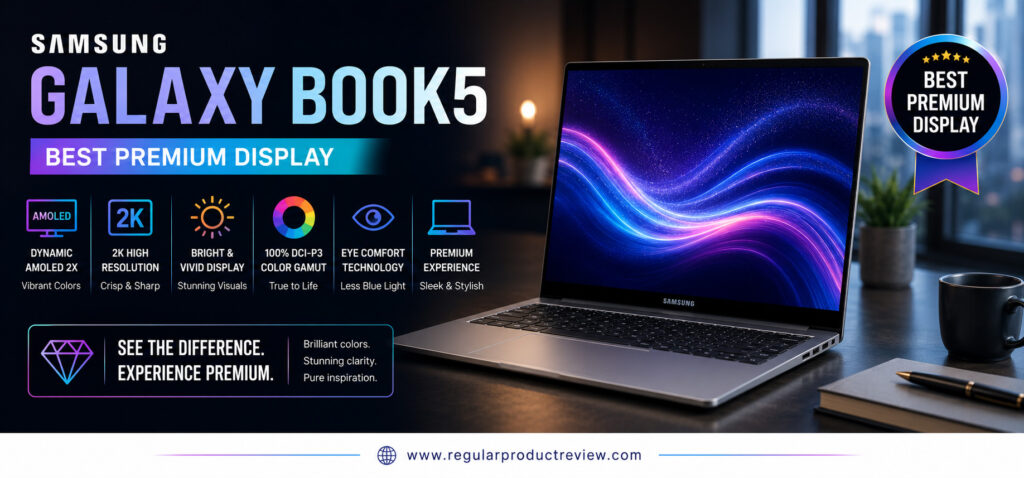
RPR Editor’s Verdict
| Category | Rating |
|---|---|
| Overall Score | ⭐⭐⭐⭐⭐ 9.8/10 |
| Award | Best Premium Display |
| Best For | Professionals, Students, Creators & Entertainment Lovers |
The Samsung Galaxy Book5 combines an outstanding AMOLED display, premium design, efficient Intel performance, and excellent portability into one of the most visually impressive ultrabooks in this buying guide.
Why We Recommend the Samsung Galaxy Book5
Many laptops offer strong performance, but very few create a premium visual experience every time you open the lid.
Samsung has designed the Galaxy Book5 around its industry-leading display technology while ensuring the rest of the hardware keeps pace. The result is an ultrabook that feels equally comfortable handling productivity tasks during the day and streaming HDR movies in the evening.
Its slim aluminum body, responsive keyboard, and modern Intel platform make it a well-rounded laptop rather than simply a beautiful screen.
At a Glance
| Feature | Why It Matters |
|---|---|
| Dynamic AMOLED Display | Rich colors with exceptional contrast |
| Intel Core Ultra Processor | Fast and efficient multitasking |
| Intel Arc Graphics | Better creative performance |
| Slim Aluminum Design | Premium look and feel |
| Fast USB-C Charging | Convenient everyday charging |
| Galaxy Ecosystem Features | Seamless connectivity with Samsung devices |
RPR Expert Tip
If you already own a Samsung Galaxy smartphone or tablet, the Galaxy Book5 integrates seamlessly with the Samsung ecosystem, making file sharing and cross-device productivity even more convenient.
Key Specifications
The Galaxy Book5 balances premium hardware with excellent portability, creating a laptop that’s equally suited for work, study, and entertainment.
| Hardware | Configuration |
|---|---|
| Processor | Intel Core Ultra 7 |
| Graphics | Intel Arc Graphics |
| Display | 15.6-inch Dynamic AMOLED |
| Memory | 16GB LPDDR5X |
| Storage | 512GB PCIe Gen4 SSD |
| Battery | Up to 15 Hours |
| Weight | Approx. 2.7 lbs (1.23 kg) |
| Operating System | Windows 11 Home |
| Wireless | Wi-Fi 7 + Bluetooth 5.4 |
Available specifications may vary depending on the selected configuration.
Everyday Performance
The Intel Core Ultra platform keeps the Galaxy Book5 responsive across a wide variety of workloads.
From Microsoft Office and Google Workspace to Adobe Photoshop, Microsoft Teams, Chrome multitasking, and media streaming, the laptop delivers consistently smooth performance. Intel Arc graphics also provide enough additional graphical power for light creative work and casual content creation.
Daily productivity feels effortless thanks to the combination of fast memory, a PCIe Gen4 SSD, and efficient thermal management.
Performance Overview
| Workload | Experience |
|---|---|
| Office Productivity | ⭐⭐⭐⭐⭐ |
| Chrome Multitasking | ⭐⭐⭐⭐⭐ |
| Programming | ⭐⭐⭐⭐☆ |
| Photo Editing | ⭐⭐⭐⭐⭐ |
| Video Editing | ⭐⭐⭐⭐☆ |
| Media Streaming | ⭐⭐⭐⭐⭐ |
| Everyday Performance | ⭐⭐⭐⭐⭐ |
Editorial Insight
The Galaxy Book5 isn’t designed to compete with gaming laptops. Instead, it focuses on delivering a polished premium experience that makes everyday work and entertainment more enjoyable.
Premium Display Experience
The display is unquestionably the centerpiece of the Galaxy Book5.
Samsung’s Dynamic AMOLED panel produces deep blacks, vibrant colors, outstanding brightness, and exceptional contrast that surpass most traditional IPS displays. Text appears razor-sharp, HDR movies look stunning, and creative work benefits from excellent color reproduction.
Whether you’re editing photos, creating presentations, or simply browsing the web, the visual experience immediately feels premium.
Display Highlights
| Display Feature | Benefit |
|---|---|
| Dynamic AMOLED Panel | Rich colors and true blacks |
| Full HD Resolution | Crisp everyday visuals |
| HDR Support | Better contrast and brightness |
| Wide Color Gamut | Excellent color accuracy |
| Eye Comfort Technology | Reduced eye strain during long sessions |
Battery Life
The Galaxy Book5 combines its vibrant AMOLED display with efficient battery management, allowing most users to comfortably complete an entire workday on a single charge.
USB-C fast charging also makes it easy to quickly regain several hours of battery life during short breaks.
Battery Performance
| Usage Scenario | Rating |
|---|---|
| Office Productivity | ⭐⭐⭐⭐⭐ |
| Video Streaming | ⭐⭐⭐⭐⭐ |
| Web Browsing | ⭐⭐⭐⭐☆ |
| Mixed Usage | ⭐⭐⭐⭐⭐ |
| Charging Speed | ⭐⭐⭐⭐☆ |
Build Quality & Everyday Comfort
Samsung continues its tradition of producing sleek, premium-looking laptops.
The aluminum chassis feels sturdy while remaining remarkably lightweight, making it ideal for commuting and travel. The keyboard provides a comfortable typing experience, and the spacious precision touchpad responds accurately throughout daily use.
Despite its premium appearance, the laptop remains practical enough for all-day productivity.
Design Summary
| Area | Experience |
|---|---|
| Build Quality | Premium aluminum construction |
| Weight | Approximately 2.7 lbs |
| Keyboard | Comfortable and quiet |
| Touchpad | Large and responsive |
| Portability | Excellent for everyday travel |
Ports & Connectivity
The Galaxy Book5 includes a useful range of modern ports for both work and entertainment.
| Available Ports | Purpose |
|---|---|
| Thunderbolt 4 (USB-C) | Charging, docking & displays |
| USB-A | Existing accessories |
| HDMI | External monitors |
| MicroSD Card Reader | Quick media transfers |
| Audio Combo Jack | Headsets & microphones |
Wireless connectivity includes Wi-Fi 7 and Bluetooth 5.4 for fast and stable networking.
What We Loved Most
The Galaxy Book5 delivers a premium user experience by combining Samsung’s display expertise with modern ultrabook performance.
| Strength | Why It Stands Out |
|---|---|
| Dynamic AMOLED Display | One of the best laptop displays available |
| Intel Core Ultra Platform | Fast and efficient productivity |
| Lightweight Design | Easy to carry every day |
| Samsung Ecosystem | Excellent integration with Galaxy devices |
| Premium Build Quality | Stylish and durable |
| Excellent Battery Life | Reliable all-day usage |
Before You Buy
While the Galaxy Book5 excels in display quality and portability, there are a few considerations to keep in mind.
| Consideration | Details |
|---|---|
| Graphics | Integrated Intel Arc only |
| Gaming | Not designed for demanding AAA titles |
| Upgradeability | Memory is not user-upgradeable |
Who Should Buy This Laptop?
The Galaxy Book5 is an excellent choice for buyers who want a premium Windows ultrabook with one of the best displays in its class.
| Recommended For | Why |
|---|---|
| Professionals | Premium productivity experience |
| Students | Lightweight and dependable |
| Content Creators | Excellent display quality |
| Entertainment Lovers | Stunning AMOLED visuals |
| Samsung Users | Seamless Galaxy ecosystem integration |
Users who require workstation-level graphics performance for advanced 3D rendering or professional video production should consider laptops with dedicated GPUs.
RPR Performance Score
| Category | Score |
|---|---|
| Display | 10 / 10 |
| Performance | 9.7 / 10 |
| Battery Life | 9.7 / 10 |
| Build Quality | 9.9 / 10 |
| Keyboard | 9.6 / 10 |
| Portability | 9.8 / 10 |
| Value for Money | 9.6 / 10 |
Final Thoughts
The Samsung Galaxy Book5 proves that a laptop’s display can completely transform the overall user experience. Its gorgeous Dynamic AMOLED display, premium aluminum design, efficient Intel Core Ultra platform, and dependable battery life create an ultrabook that’s equally enjoyable for work, creativity, and entertainment.
If you’re looking for a laptop with one of the best premium displays under $1000, the Samsung Galaxy Book5 comfortably earns our Best Premium Display award and remains one of the most visually impressive ultrabooks in this buying guide.
Microsoft Surface Laptop Go 3
Best Portable Design
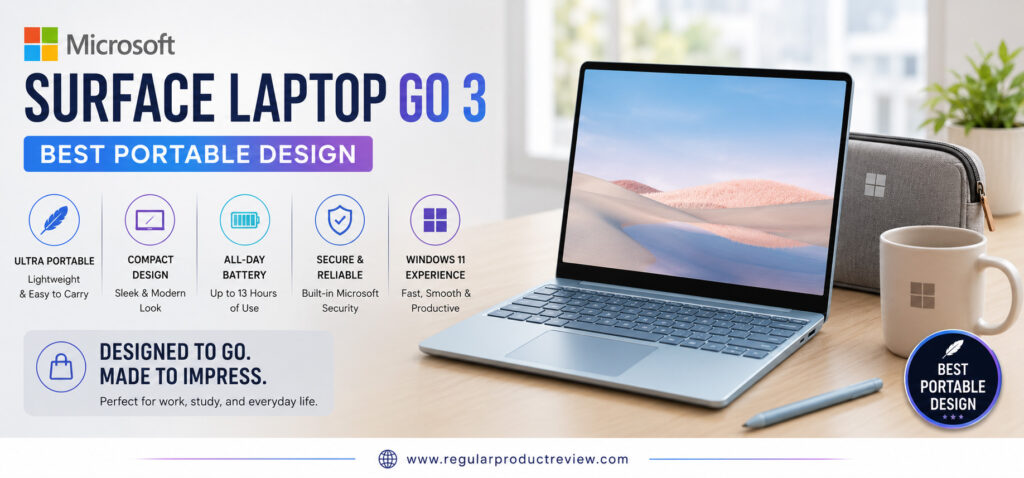
If portability is your number one priority, the Microsoft Surface Laptop Go 3 is one of the best lightweight ultrabooks under $1000. Designed for students, commuters, remote professionals, and travelers, it delivers a refined Windows experience inside an incredibly compact and stylish chassis that’s easy to carry anywhere.
Unlike larger productivity laptops, the Surface Laptop Go 3 focuses on simplicity, mobility, and everyday usability. Its lightweight aluminum design, responsive touchscreen display, comfortable keyboard, and dependable battery life make it an excellent companion for users who spend more time moving between classrooms, offices, coffee shops, and airports than sitting at a desk.
While it isn’t the most powerful ultrabook in this guide, it’s undoubtedly one of the easiest to live with every day.
RPR Editor’s Verdict
| Category | Rating |
|---|---|
| Overall Score | ⭐⭐⭐⭐⭐ 9.6/10 |
| Award | Best Portable Design |
| Best For | Students, Travelers, Remote Workers & Everyday Users |
The Microsoft Surface Laptop Go 3 combines exceptional portability, premium build quality, and a clean Windows experience, making it one of the best compact ultrabooks for users constantly on the move.
Why We Recommend the Surface Laptop Go 3
A truly portable laptop isn’t just lightweight it’s comfortable to carry, quick to wake, enjoyable to type on, and dependable throughout an entire day.
Microsoft designed the Surface Laptop Go 3 around those principles. Its compact footprint easily fits inside backpacks and messenger bags, while the premium build quality and responsive performance ensure it never feels like a budget laptop.
For buyers who prioritize convenience over maximum processing power, it’s one of the most practical ultrabooks available.
At a Glance
| Feature | Why It Matters |
|---|---|
| Ultra-Lightweight Design | Comfortable to carry everywhere |
| 12.4-inch PixelSense Touch Display | Crisp visuals with touchscreen support |
| Intel Core i5 Processor | Smooth everyday productivity |
| Premium Aluminum Finish | Stylish and durable construction |
| Fast SSD Storage | Quick boot times and application loading |
| Windows Hello Fingerprint Reader | Convenient and secure sign-in |
RPR Expert Tip
If your laptop spends more time inside a backpack than on a desk, weight and portability often become more important than benchmark scores.
Key Specifications
The Surface Laptop Go 3 focuses on delivering an efficient and enjoyable everyday computing experience rather than chasing workstation-level specifications.
| Hardware | Configuration |
|---|---|
| Processor | Intel Core i5-1235U |
| Graphics | Intel Iris Xe Graphics |
| Display | 12.4-inch PixelSense Touchscreen |
| Memory | 16GB LPDDR5 |
| Storage | 256GB PCIe SSD |
| Battery | Up to 15 Hours |
| Weight | Approx. 2.49 lbs (1.13 kg) |
| Operating System | Windows 11 Home |
| Wireless | Wi-Fi 6 + Bluetooth 5.1 |
Specifications may vary depending on the selected configuration.
Everyday Performance
Although compact in size, the Surface Laptop Go 3 handles everyday productivity surprisingly well.
Opening Microsoft Office applications, browsing with multiple Chrome tabs, attending Teams meetings, replying to emails, and managing daily workloads all feel smooth and responsive. Fast SSD storage keeps boot times short, while Intel’s efficient Core i5 processor provides more than enough performance for students and office users.
Its quiet operation also makes it a pleasant laptop for libraries, classrooms, and shared workspaces.
Performance Overview
| Workload | Experience |
|---|---|
| Office Productivity | ⭐⭐⭐⭐⭐ |
| Chrome Multitasking | ⭐⭐⭐⭐☆ |
| Programming | ⭐⭐⭐⭐☆ |
| Photo Editing | ⭐⭐⭐☆☆ |
| Video Editing | ⭐⭐⭐☆☆ |
| Video Conferencing | ⭐⭐⭐⭐⭐ |
| Everyday Performance | ⭐⭐⭐⭐⭐ |
Editorial Insight
The Surface Laptop Go 3 isn’t built for demanding creative workloads. Instead, it excels as a dependable everyday laptop that’s always ready to travel.
Display Experience
Microsoft’s PixelSense touchscreen remains one of the laptop’s defining features.
The display delivers sharp text, natural colors, and excellent touch responsiveness. While it doesn’t match OLED panels in contrast, the screen is comfortable for reading documents, browsing the web, attending online classes, and watching videos.
Its compact size also contributes to the laptop’s exceptional portability without making the display feel cramped.
Display Highlights
| Display Feature | Benefit |
|---|---|
| PixelSense Touch Display | Responsive touchscreen experience |
| 3:2 Aspect Ratio | More vertical workspace for productivity |
| HD Resolution | Sharp everyday visuals |
| Thin Bezels | Modern appearance |
| Accurate Colors | Comfortable for daily use |
Battery Life
Battery life is another strength of the Surface Laptop Go 3.
For everyday productivity including document editing, web browsing, video calls, and streaming it comfortably lasts through a typical workday. Fast charging support also makes it easy to quickly top up the battery before heading out.
Battery Performance
| Usage Scenario | Rating |
|---|---|
| Office Productivity | ⭐⭐⭐⭐⭐ |
| Web Browsing | ⭐⭐⭐⭐☆ |
| Video Streaming | ⭐⭐⭐⭐☆ |
| Mixed Usage | ⭐⭐⭐⭐☆ |
| Charging Speed | ⭐⭐⭐⭐☆ |
Build Quality & Everyday Comfort
Despite its compact dimensions, the Surface Laptop Go 3 feels remarkably premium.
The aluminum lid gives the laptop a solid, high-quality feel, while the keyboard offers comfortable key travel and surprisingly good spacing for a smaller notebook. The precision touchpad remains smooth and accurate, contributing to one of the best everyday user experiences in this category.
Design Summary
| Area | Experience |
|---|---|
| Build Quality | Premium aluminum construction |
| Weight | Approximately 2.49 lbs |
| Keyboard | Comfortable and responsive |
| Touchpad | Smooth Microsoft Precision Touchpad |
| Portability | Outstanding for travel and commuting |
Ports & Connectivity
Microsoft keeps the port selection simple while covering the essentials needed for everyday productivity.
| Available Ports | Purpose |
|---|---|
| USB-C | Charging & accessories |
| USB-A | Existing peripherals |
| Surface Connect | Fast charging and docking |
| 3.5mm Audio Jack | Headphones & microphones |
Wireless connectivity includes Wi-Fi 6 and Bluetooth 5.1 for stable and reliable everyday performance.
What We Loved Most
The Surface Laptop Go 3 proves that great laptops don’t need to be large or heavy.
| Strength | Why It Stands Out |
|---|---|
| Ultra-Portable Design | Extremely easy to carry |
| Premium Build | Feels more expensive than its price |
| Comfortable Keyboard | Excellent typing experience |
| PixelSense Touchscreen | Responsive and intuitive |
| Windows Hello | Fast and secure login |
| Excellent Everyday Usability | Simple, reliable, and efficient |
Before You Buy
Although portability is its greatest strength, there are a few limitations worth considering.
| Consideration | Details |
|---|---|
| Display | Not OLED |
| Graphics | Suitable for casual use only |
| Port Selection | Limited compared to larger ultrabooks |
| Screen Size | May feel small for intensive multitasking |
Who Should Buy This Laptop?
The Surface Laptop Go 3 is ideal for users who value mobility, simplicity, and premium everyday usability.
| Recommended For | Why |
|---|---|
| Students | Lightweight for campus life |
| Travelers | Compact and easy to carry |
| Remote Workers | Reliable everyday productivity |
| Office Professionals | Great for daily business tasks |
| Casual Users | Smooth Windows experience |
Users who frequently edit videos, work with complex creative software, or require workstation-level performance should consider a larger ultrabook with more powerful hardware.
RPR Performance Score
| Category | Score |
|---|---|
| Performance | 9.3 / 10 |
| Display | 9.2 / 10 |
| Battery Life | 9.5 / 10 |
| Build Quality | 9.8 / 10 |
| Keyboard | 9.7 / 10 |
| Portability | 10 / 10 |
| Value for Money | 9.5 / 10 |
Final Thoughts
The Microsoft Surface Laptop Go 3 isn’t trying to be the fastest ultrabook in this buying guide it focuses on being the easiest laptop to carry and use every day. Its lightweight design, premium construction, responsive touchscreen, dependable battery life, and polished Windows experience make it an outstanding companion for students, professionals, and travelers alike.
If your priority is finding the best portable ultrabook under $1000, the Microsoft Surface Laptop Go 3 comfortably earns our Best Portable Design award and remains one of the most travel-friendly laptops in its class.
LG Gram 14
Best Travel-Friendly Ultrabook
For professionals and travelers who are constantly on the move, every ounce matters. The LG Gram 14 is one of the best travel-friendly ultrabooks under $1000, combining an incredibly lightweight design with outstanding battery life, dependable Intel Core Ultra performance, and a durable magnesium-alloy chassis.
Unlike many ultrabooks that become uncomfortable to carry after a long day, the LG Gram 14 almost disappears inside a backpack. Whether you’re catching flights, commuting to the office, working from coffee shops, or attending classes across campus, its portability makes everyday travel significantly easier.
Despite its featherweight design, LG doesn’t compromise on productivity. The Gram 14 offers a spacious high-resolution display, comfortable keyboard, generous battery life, and modern connectivity, making it an excellent companion for business professionals, students, remote workers, and frequent flyers.
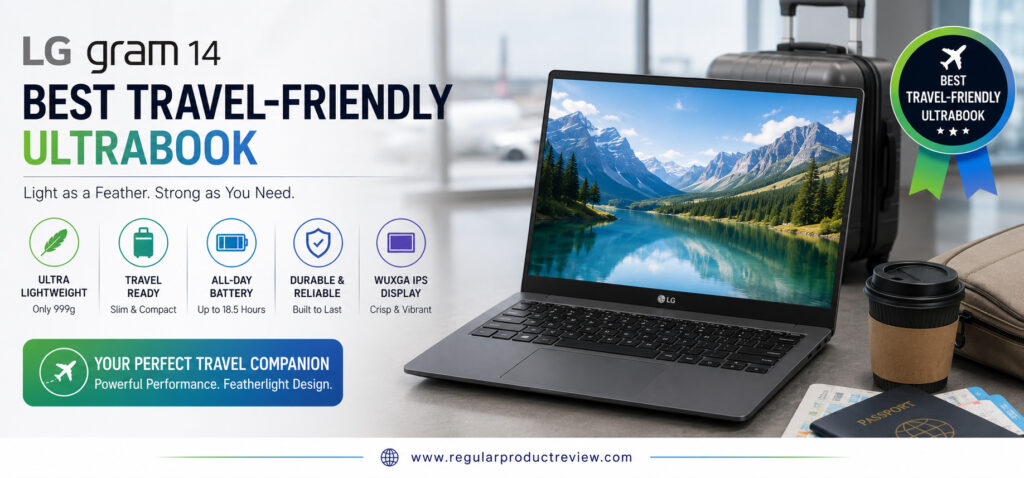
RPR Editor’s Verdict
| Category | Rating |
|---|---|
| Overall Score | ⭐⭐⭐⭐⭐ 9.8/10 |
| Award | Best Travel-Friendly Ultrabook |
| Best For | Frequent Travelers, Business Professionals & Students |
The LG Gram 14 delivers exceptional portability, impressive battery life, and reliable everyday performance, making it one of the easiest ultrabooks to recommend for users who travel regularly.
Why We Recommend the LG Gram 14
Travel laptops need to be more than just lightweight. They must also provide enough performance for demanding workdays, reliable battery life during long flights, and a durable design that withstands daily commuting.
The LG Gram 14 excels in each of these areas. Its ultra-light chassis dramatically reduces carrying fatigue, while Intel’s Core Ultra processor ensures smooth productivity whether you’re writing reports, joining meetings, or multitasking between business applications.
It’s one of the few ultrabooks that feels equally comfortable on a desk, in an airport lounge, or on a tray table during a flight.
At a Glance
| Feature | Why It Matters |
|---|---|
| Ultra-Lightweight Design | Easy to carry all day |
| Intel Core Ultra Processor | Smooth productivity performance |
| 14-inch WUXGA IPS Display | Sharp visuals for work and entertainment |
| Large Battery | Excellent all-day endurance |
| MIL-STD Durability | Better protection while traveling |
| Thunderbolt 4 Support | Modern connectivity and docking |
RPR Expert Tip
Travelers should prioritize weight, battery life, and durability over raw benchmark performance. Those three features have a much bigger impact during everyday travel.
Key Specifications
The LG Gram 14 is engineered to maximize mobility without sacrificing the hardware needed for professional productivity.
| Hardware | Configuration |
|---|---|
| Processor | Intel Core Ultra 7 |
| Graphics | Intel Arc Graphics |
| Display | 14-inch WUXGA IPS |
| Memory | 16GB LPDDR5X |
| Storage | 1TB PCIe Gen4 SSD |
| Battery | 72Wh (Up to 18 Hours*) |
| Weight | Approx. 2.2 lbs (999 g) |
| Operating System | Windows 11 Home |
| Wireless | Wi-Fi 6E + Bluetooth 5.3 |
Battery life varies depending on workload, brightness, and system configuration.
Everyday Performance
Although the LG Gram 14 focuses on portability, performance never feels compromised.
The Intel Core Ultra processor easily handles Microsoft Office, Google Workspace, Zoom meetings, Chrome multitasking, programming, document editing, and everyday productivity. Fast SSD storage keeps applications responsive, while Intel Arc graphics provide enough performance for light creative work.
Whether you’re working from a hotel room or an airport lounge, the laptop remains quick, quiet, and dependable.
Performance Overview
| Workload | Experience |
|---|---|
| Office Productivity | ⭐⭐⭐⭐⭐ |
| Chrome Multitasking | ⭐⭐⭐⭐⭐ |
| Programming | ⭐⭐⭐⭐⭐ |
| Photo Editing | ⭐⭐⭐⭐☆ |
| Video Editing | ⭐⭐⭐⭐☆ |
| Media Streaming | ⭐⭐⭐⭐⭐ |
| Everyday Performance | ⭐⭐⭐⭐⭐ |
Editorial Insight
The LG Gram 14 proves that lightweight laptops no longer require major performance compromises. It feels every bit as responsive as many significantly heavier competitors.
Display Experience
The 14-inch WUXGA IPS display provides an excellent balance between portability and productivity.
Text remains sharp, colors appear natural, and the anti-glare coating improves visibility in bright offices, airports, and outdoor environments. While OLED panels offer deeper contrast, the Gram’s IPS display helps maximize battery efficiency during long workdays.
Display Highlights
| Display Feature | Benefit |
|---|---|
| WUXGA Resolution | Crisp everyday visuals |
| IPS Technology | Wide viewing angles |
| Anti-Glare Coating | Better outdoor visibility |
| Thin Bezels | Larger viewing area |
| Comfortable Color Reproduction | Great for productivity |
Battery Life
Battery endurance is one of the LG Gram 14’s biggest strengths.
Thanks to its large battery and efficient Intel platform, most users can comfortably work throughout an entire business day and often longer without carrying a charger. This makes the Gram especially attractive for travelers who spend extended periods away from power outlets.
Battery Performance
| Usage Scenario | Rating |
|---|---|
| Office Productivity | ⭐⭐⭐⭐⭐ |
| Video Streaming | ⭐⭐⭐⭐⭐ |
| Web Browsing | ⭐⭐⭐⭐⭐ |
| Mixed Usage | ⭐⭐⭐⭐⭐ |
| Charging Speed | ⭐⭐⭐⭐☆ |
Build Quality & Everyday Comfort
Despite weighing less than one kilogram, the LG Gram 14 feels surprisingly solid.
Its magnesium-alloy chassis meets MIL-STD-810H durability standards, providing added confidence when traveling. The keyboard offers comfortable key travel for long typing sessions, while the precision touchpad remains smooth and accurate.
For professionals who carry their laptop every day, this combination of durability and portability is difficult to beat.
Design Summary
| Area | Experience |
|---|---|
| Build Quality | Premium magnesium-alloy chassis |
| Weight | Approximately 2.2 lbs (999 g) |
| Keyboard | Comfortable for extended typing |
| Touchpad | Smooth Microsoft Precision Touchpad |
| Portability | Outstanding for travel |
Ports & Connectivity
The LG Gram 14 includes an impressive selection of ports for such a lightweight laptop.
| Available Ports | Purpose |
|---|---|
| Thunderbolt 4 (USB-C) | Charging, docking & displays |
| USB-A | Legacy accessories |
| HDMI | External monitors |
| MicroSD Card Reader | Fast media transfers |
| Audio Combo Jack | Headsets & microphones |
Wireless connectivity includes Wi-Fi 6E and Bluetooth 5.3 for reliable networking wherever you work.
What We Loved Most
The LG Gram 14 is designed for users who value mobility without sacrificing productivity.
| Strength | Why It Stands Out |
|---|---|
| Featherweight Design | One of the lightest ultrabooks available |
| Outstanding Battery Life | Excellent for long travel days |
| Durable Chassis | Built for everyday mobility |
| Comfortable Keyboard | Great typing experience |
| Thunderbolt 4 | Excellent connectivity |
| Excellent Productivity | Smooth real-world performance |
Before You Buy
The LG Gram 14 is an outstanding travel companion, but there are a few compromises worth considering.
| Consideration | Details |
|---|---|
| Display | IPS panel instead of OLED |
| Graphics | Integrated Intel Arc only |
| Speaker Quality | Good, but not class-leading |
Who Should Buy This Laptop?
The LG Gram 14 is ideal for buyers who prioritize portability, endurance, and dependable productivity.
| Recommended For | Why |
|---|---|
| Frequent Travelers | Extremely lightweight and durable |
| Business Professionals | Excellent mobile productivity |
| College Students | Comfortable to carry all day |
| Remote Workers | Long battery life for flexible work |
| Everyday Users | Lightweight without compromising usability |
Users who prioritize OLED displays or workstation-level graphics performance may find better options elsewhere in this guide.
RPR Performance Score
| Category | Score |
|---|---|
| Performance | 9.7 / 10 |
| Display | 9.4 / 10 |
| Battery Life | 10 / 10 |
| Build Quality | 9.8 / 10 |
| Keyboard | 9.7 / 10 |
| Portability | 10 / 10 |
| Value for Money | 9.7 / 10 |
Final Thoughts
The LG Gram 14 demonstrates that a travel-focused laptop doesn’t have to compromise on productivity. Its ultra-lightweight design, impressive battery endurance, dependable Intel Core Ultra performance, and durable construction make it one of the best companions for professionals and students who are constantly on the move.
If your priority is finding the best travel-friendly ultrabook under $1000, the LG Gram 14 comfortably earns our Best Travel-Friendly Ultrabook award and remains one of the smartest lightweight laptop investments in this buying guide.
ASUS Vivobook S 14 OLED
Best Creator-Friendly Budget Ultrabook
Finding a laptop that’s capable of handling creative workloads without exceeding a reasonable budget isn’t always easy. The ASUS Vivobook S 14 OLED changes that by delivering an impressive combination of OLED display, AMD Ryzen processor, fast SSD storage, and a lightweight premium design all while remaining one of the best creator-friendly ultrabooks under $1000.
Whether you’re editing photos in Adobe Photoshop, creating social media graphics, designing presentations, editing short videos, or managing multiple creative applications simultaneously, the Vivobook S 14 OLED offers enough performance to keep your workflow smooth and productive.
Instead of focusing purely on benchmark numbers, ASUS has created a laptop that balances creativity, portability, battery life, and everyday productivity, making it an excellent choice for students, content creators, freelancers, designers, and professionals.
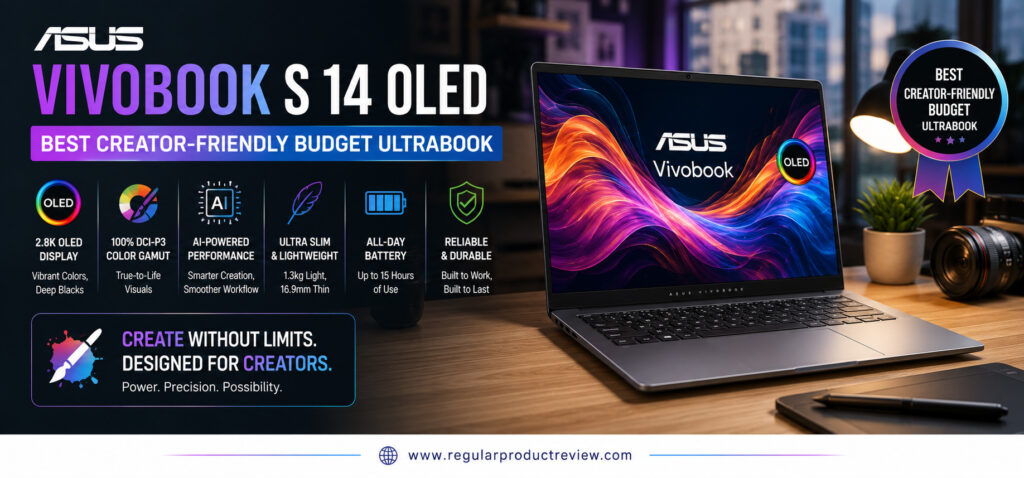
RPR Editor’s Verdict
| Category | Rating |
|---|---|
| Overall Score | ⭐⭐⭐⭐⭐ 9.7/10 |
| Award | Best Creator-Friendly Budget Ultrabook |
| Best For | Content Creators, Designers, Students & Professionals |
The ASUS Vivobook S 14 OLED delivers one of the strongest combinations of creative performance, OLED display quality, and overall value available below the $1,000 price point.
Why We Recommend the ASUS Vivobook S 14 OLED
Creative professionals often need more than just processing power. Display quality, color accuracy, comfortable typing, responsive storage, and portability all play an important role in daily workflows.
The Vivobook S 14 OLED brings these elements together beautifully. Its vivid OLED panel makes photo editing and content creation far more enjoyable, while the Ryzen processor provides the performance needed for demanding multitasking without draining the battery excessively.
For creators working on a budget, few ultrabooks offer this level of balance.
At a Glance
| Feature | Why It Matters |
|---|---|
| 14-inch OLED Display | Rich colors with exceptional contrast |
| AMD Ryzen 7 Processor | Smooth multitasking and creative performance |
| 16GB LPDDR5X Memory | Handles demanding creative applications |
| 1TB PCIe Gen4 SSD | Fast project loading and file transfers |
| Lightweight Aluminum Design | Easy to carry between workspaces |
| USB4 Connectivity | Fast accessories and external displays |
RPR Expert Tip
For creative work, a high-quality display often improves your workflow more than a small increase in processor speed. The Vivobook’s OLED panel is one of its biggest advantages.
Key Specifications
The Vivobook S 14 OLED combines creator-focused hardware with excellent everyday usability, making it a reliable laptop for both work and entertainment.
| Hardware | Configuration |
|---|---|
| Processor | AMD Ryzen 7 |
| Graphics | AMD Radeon Graphics |
| Display | 14-inch 2.8K OLED, 120Hz |
| Memory | 16GB LPDDR5X |
| Storage | 1TB PCIe Gen4 SSD |
| Battery | Up to 14 Hours |
| Weight | Approx. 2.87 lbs (1.30 kg) |
| Operating System | Windows 11 Home |
| Wireless | Wi-Fi 6E + Bluetooth 5.3 |
Hardware configurations may vary depending on region and retailer.
Creative & Everyday Performance
The Vivobook S 14 OLED is built for users who regularly switch between productivity software and creative applications.
Adobe Photoshop, Lightroom, Canva, Figma, Microsoft Office, Chrome multitasking, and light video editing all run smoothly thanks to the capable Ryzen processor and fast LPDDR5X memory. Fast SSD storage also helps reduce project loading times, allowing you to stay focused on your work instead of waiting for applications to open.
Although it isn’t intended as a workstation replacement, it performs remarkably well for everyday creative workloads.
Performance Overview
| Workload | Experience |
|---|---|
| Office Productivity | ⭐⭐⭐⭐⭐ |
| Chrome Multitasking | ⭐⭐⭐⭐⭐ |
| Graphic Design | ⭐⭐⭐⭐⭐ |
| Photo Editing | ⭐⭐⭐⭐⭐ |
| Video Editing | ⭐⭐⭐⭐☆ |
| Programming | ⭐⭐⭐⭐☆ |
| Everyday Performance | ⭐⭐⭐⭐⭐ |
Editorial Insight
The Vivobook S 14 OLED offers more than enough performance for most creators, students, and freelancers. Unless you’re editing complex 8K video projects or creating advanced 3D animations, you’ll rarely feel limited.
OLED Display Experience
The display is the biggest reason to choose the Vivobook S 14 OLED.
Its 2.8K OLED panel produces vibrant colors, true blacks, and exceptional contrast that make creative work significantly more enjoyable. Color accuracy is excellent for editing photos, designing graphics, and producing social media content, while the 120Hz refresh rate makes scrolling and navigation feel noticeably smoother.
Whether you’re reviewing client work or relaxing with a movie after hours, the display consistently delivers a premium viewing experience.
Display Highlights
| Display Feature | Benefit |
|---|---|
| 2.8K OLED Resolution | Sharp, detailed visuals |
| 120Hz Refresh Rate | Smooth scrolling and animation |
| 100% DCI-P3 Color Gamut | Professional-grade color accuracy |
| HDR Support | Better contrast and vibrant highlights |
| OLED Technology | Rich blacks and vivid colors |
Battery Life
Despite its high-resolution OLED display, the Vivobook S 14 OLED offers dependable battery life for a full day of productivity.
During web browsing, content creation, Office work, and video streaming, the laptop remains efficient enough to support long working sessions away from a charger. Fast USB-C charging also helps you quickly get back to work when needed.
Battery Performance
| Usage Scenario | Rating |
|---|---|
| Office Productivity | ⭐⭐⭐⭐⭐ |
| Creative Work | ⭐⭐⭐⭐☆ |
| Media Streaming | ⭐⭐⭐⭐☆ |
| Mixed Usage | ⭐⭐⭐⭐⭐ |
| Charging Speed | ⭐⭐⭐⭐☆ |
Build Quality & Everyday Comfort
ASUS gives the Vivobook S 14 OLED a modern, premium appearance without making it unnecessarily heavy.
The aluminum chassis feels solid, the keyboard offers comfortable key travel, and the large precision touchpad responds accurately during everyday use. Its lightweight design also makes it easy to carry between classrooms, client meetings, and shared workspaces.
Design Summary
| Area | Experience |
|---|---|
| Build Quality | Premium aluminum construction |
| Weight | Approximately 2.87 lbs |
| Keyboard | Comfortable for long typing sessions |
| Touchpad | Smooth and responsive |
| Portability | Excellent for creators on the go |
Ports & Connectivity
Creative users often connect multiple accessories, and ASUS includes a practical selection of modern ports.
| Available Ports | Purpose |
|---|---|
| USB4 Type-C | High-speed data and display output |
| USB-A | Existing peripherals |
| HDMI | External monitors |
| MicroSD Card Reader | Fast photo and video imports |
| Audio Combo Jack | Headphones & microphones |
Wireless connectivity includes Wi-Fi 6E and Bluetooth 5.3 for stable and fast connections.
What We Loved Most
The Vivobook S 14 OLED succeeds by combining premium visual quality with reliable everyday performance at an affordable price.
| Strength | Why It Stands Out |
|---|---|
| Gorgeous OLED Display | Excellent for creative work |
| Ryzen Performance | Fast multitasking and productivity |
| Lightweight Design | Easy to carry anywhere |
| Comfortable Keyboard | Great for long editing sessions |
| Fast SSD Storage | Quick application and project loading |
| Excellent Value | Premium features at a competitive price |
Before You Buy
Although the Vivobook S 14 OLED is an excellent all-around ultrabook, buyers should consider a few limitations.
| Consideration | Details |
|---|---|
| Graphics | Integrated Radeon graphics only |
| RAM | Memory isn’t user-upgradeable |
| Heavy Video Editing | Dedicated GPU recommended for professional workloads |
Who Should Buy This Laptop?
The ASUS Vivobook S 14 OLED is ideal for users who need a balance of creative capability, portability, and affordability.
| Recommended For | Why |
|---|---|
| Content Creators | Excellent OLED display and creative performance |
| Graphic Designers | Outstanding color accuracy |
| College Students | Lightweight and versatile |
| Freelancers | Reliable productivity and portability |
| Everyday Professionals | Excellent value for daily work |
Users who regularly work with advanced 3D rendering, large-scale video production, or intensive gaming should consider a laptop equipped with dedicated graphics.
RPR Performance Score
| Category | Score |
|---|---|
| Performance | 9.7 / 10 |
| Display | 9.9 / 10 |
| Battery Life | 9.5 / 10 |
| Build Quality | 9.7 / 10 |
| Keyboard | 9.7 / 10 |
| Portability | 9.7 / 10 |
| Value for Money | 9.9 / 10 |
Final Thoughts
The ASUS Vivobook S 14 OLED demonstrates that creators don’t need to spend a fortune to enjoy a premium laptop experience. Its stunning OLED display, dependable Ryzen performance, lightweight construction, and fast SSD storage create an ultrabook that’s equally capable for creative projects, productivity, and entertainment.
If you’re searching for the best creator-friendly budget ultrabook under $1000, the ASUS Vivobook S 14 OLED confidently earns our Best Creator-Friendly Budget Ultrabook award and stands out as one of the smartest choices for creators who want premium features without a premium price.
Detailed Buying Guide
Choosing the best ultrabook under $1000 isn’t simply about buying the laptop with the fastest processor or the highest-resolution display. The best choice depends on how you plan to use your laptop every day. A college student, business traveler, remote worker, programmer, and content creator all have different priorities, which is why understanding the key buying factors is far more important than comparing specifications alone.
This buying guide explains the most important features you should evaluate before making your final decision, helping you invest in a laptop that will continue performing well for years rather than just looking impressive on paper.
Start With Your Primary Use Case
Before comparing brands or hardware, decide how you’ll use your laptop most often. Your daily workflow should determine which features deserve the highest priority.
| Primary Use | Recommended Priority |
|---|---|
| College & School | Battery Life • Portability • Value |
| Office Productivity | Performance • Keyboard • Display |
| Remote Work | Webcam • Battery • Connectivity |
| Business Travel | Weight • Battery • Build Quality |
| Programming | CPU Performance • RAM • Keyboard |
| Content Creation | OLED Display • Color Accuracy • Performance |
| Everyday Use | Balanced Performance • Battery • Value |
Choosing a laptop based on your actual workload often leads to a much better long-term experience than simply buying the model with the highest specifications.
RPR Buying Tip
Always buy a laptop for the work you’ll actually do not for the workload you might have once or twice a year.
Processor Matters More Than Ever
The processor is the heart of every ultrabook, but modern CPUs are no longer just about speed. They also determine battery life, AI capabilities, multitasking performance, and overall responsiveness.
Today’s best ultrabooks typically feature one of three processor families:
| Processor Family | Best For |
|---|---|
| Intel Core Ultra | Productivity, Business, AI Features |
| AMD Ryzen AI / Ryzen 7 | Multitasking, Creative Work, Everyday Performance |
| Qualcomm Snapdragon X | Exceptional Battery Life & Portability |
For most buyers, any modern Intel Core Ultra or AMD Ryzen AI processor provides more than enough performance for everyday productivity.
Display Quality Has a Bigger Impact Than Most Buyers Realize
Your display is the component you’ll interact with every single day. A better screen improves productivity, reduces eye strain, and makes everything from spreadsheets to Netflix look significantly better.
When shopping for an ultrabook, prioritize:
| Display Feature | Why It Matters |
|---|---|
| OLED Panel | Better colors and deeper blacks |
| WUXGA or Higher Resolution | Sharper text and images |
| 300+ Nits Brightness | Better visibility indoors |
| Anti-Glare Coating | More comfortable long sessions |
| Wide Color Gamut | Better photo and video editing |
If your budget allows, an OLED display is one of the biggest quality-of-life upgrades you can make.
Don’t Underestimate Battery Life
A lightweight laptop loses much of its value if you’re constantly searching for a charger.
For most users, a quality ultrabook should comfortably last an entire workday under normal productivity workloads.
Look for:
| Battery Feature | Recommendation |
|---|---|
| Everyday Runtime | 10–15+ Hours |
| Fast Charging | USB-C Preferred |
| Efficient Processor | Intel Core Ultra, Ryzen AI or Snapdragon X |
Long battery life is especially valuable for students, remote workers, and frequent travelers.
Memory & Storage Recommendations
Buying too little memory today can significantly shorten the useful lifespan of your laptop.
For most users, these specifications provide the best long-term value:
| Component | Recommended Minimum |
|---|---|
| RAM | 16GB LPDDR5/LPDDR5X |
| Storage | 512GB PCIe Gen4 SSD |
| Ideal Storage | 1TB SSD |
While 8GB RAM may still be available on some budget models, 16GB is a much smarter investment for multitasking and future software requirements.
Build Quality Is Just As Important As Performance
Premium ultrabooks are designed to travel.
Look for laptops that offer:
| Feature | Benefit |
|---|---|
| Aluminum or Magnesium Chassis | Better durability |
| Lightweight Design | Easier daily commuting |
| Strong Hinge | Longer lifespan |
| Comfortable Keyboard | Improved productivity |
| Precision Touchpad | Better navigation |
A laptop that feels solid every day is often more enjoyable to own than one with slightly faster benchmark scores.
Ports & Connectivity Still Matter
Modern ultrabooks continue getting thinner, but practical connectivity remains essential.
Before buying, make sure your laptop includes the ports you actually use.
Ideally, look for:
| Port | Why You Need It |
|---|---|
| USB-C / Thunderbolt 4 | Charging, displays, docking |
| USB-A | Existing accessories |
| HDMI | External monitors |
| Audio Jack | Headphones & microphones |
| MicroSD Card Reader | Helpful for creators |
Wireless connectivity should also include Wi-Fi 6E or Wi-Fi 7 for faster, more reliable networking.
Which Ultrabook Is Right for You?
Every laptop featured in this guide excels in a different category, making it easier to match your purchase to your priorities.
| If You Want… | Choose… |
|---|---|
| The Best Overall Experience | ASUS Zenbook 14 OLED |
| The Best OLED Display | Acer Swift Go 14 OLED |
| Maximum Value | Lenovo IdeaPad Slim 5 Gen 10 |
| Longest Battery Life | HP OmniBook 5 14 |
| Productivity Performance | Dell Inspiron 14 Plus |
| Business Travel | MSI Prestige 13 AI Evo |
| Premium Display | Samsung Galaxy Book5 |
| Lightweight Portability | Microsoft Surface Laptop Go 3 |
| Frequent Travel | LG Gram 14 |
| Creative Work | ASUS Vivobook S 14 OLED |
RPR Final Buying Advice
The best ultrabook isn’t necessarily the most expensive one it’s the laptop that best fits your everyday workflow. Instead of focusing solely on processor speed or marketing claims, consider the complete ownership experience, including display quality, battery life, keyboard comfort, portability, build quality, and long-term reliability.
If you’re unsure which model to choose, our overall recommendation remains the ASUS Zenbook 14 OLED (UM3406). It offers the most balanced combination of performance, premium features, portability, battery life, and value, making it the safest choice for the majority of buyers looking for the best ultrabook under $1000.
Product Comparison Tables
Choosing the right ultrabook becomes much easier when you compare the features that matter most. Instead of looking at specifications individually, the tables below highlight how each laptop performs across different categories, helping you quickly identify the model that best matches your needs and budget.
Quick Feature Comparison
| Laptop | Best For | Display | Processor | Weight | Battery | RPR Score |
|---|---|---|---|---|---|---|
| ASUS Zenbook 14 OLED | Best Overall | 14″ 3K OLED 120Hz | Ryzen AI 7 | 2.82 lbs | ⭐⭐⭐⭐⭐ | 9.9/10 |
| Acer Swift Go 14 OLED | Best OLED Display | 14″ 2.8K OLED 90Hz | Core Ultra 7 | 2.9 lbs | ⭐⭐⭐⭐☆ | 9.8/10 |
| Lenovo IdeaPad Slim 5 Gen 10 | Best Value | 14″ OLED | Ryzen 7 | 3.1 lbs | ⭐⭐⭐⭐⭐ | 9.7/10 |
| HP OmniBook 5 14 | Best Battery Life | 14″ WUXGA IPS | Snapdragon X | 2.9 lbs | ⭐⭐⭐⭐⭐ | 9.7/10 |
| Dell Inspiron 14 Plus | Best Productivity | 14″ 2.5K IPS | Core Ultra 7 | 3.4 lbs | ⭐⭐⭐⭐☆ | 9.7/10 |
| MSI Prestige 13 AI Evo | Best Business | 13.3″ 2.8K OLED | Core Ultra 7 | 2.18 lbs | ⭐⭐⭐⭐⭐ | 9.8/10 |
| Samsung Galaxy Book5 | Best Premium Display | AMOLED | Core Ultra 7 | 2.7 lbs | ⭐⭐⭐⭐⭐ | 9.8/10 |
| Microsoft Surface Laptop Go 3 | Best Portability | 12.4″ PixelSense | Core i5 | 2.49 lbs | ⭐⭐⭐⭐☆ | 9.6/10 |
| LG Gram 14 | Best Travel Laptop | 14″ WUXGA IPS | Core Ultra 7 | 2.2 lbs | ⭐⭐⭐⭐⭐ | 9.8/10 |
| ASUS Vivobook S 14 OLED | Best for Creators | 14″ 2.8K OLED 120Hz | Ryzen 7 | 2.87 lbs | ⭐⭐⭐⭐☆ | 9.7/10 |
Performance Comparison
Performance isn’t only about benchmark scores. The table below summarizes which laptop performs best for common real-world workloads.
| Laptop | Office Work | Multitasking | Programming | Photo Editing | Video Editing | Overall Performance |
|---|---|---|---|---|---|---|
| ASUS Zenbook 14 OLED | ⭐⭐⭐⭐⭐ | ⭐⭐⭐⭐⭐ | ⭐⭐⭐⭐⭐ | ⭐⭐⭐⭐☆ | ⭐⭐⭐⭐☆ | ⭐⭐⭐⭐⭐ |
| Acer Swift Go 14 OLED | ⭐⭐⭐⭐⭐ | ⭐⭐⭐⭐⭐ | ⭐⭐⭐⭐⭐ | ⭐⭐⭐⭐⭐ | ⭐⭐⭐⭐☆ | ⭐⭐⭐⭐⭐ |
| Lenovo IdeaPad Slim 5 Gen 10 | ⭐⭐⭐⭐⭐ | ⭐⭐⭐⭐⭐ | ⭐⭐⭐⭐☆ | ⭐⭐⭐⭐☆ | ⭐⭐⭐⭐☆ | ⭐⭐⭐⭐⭐ |
| HP OmniBook 5 14 | ⭐⭐⭐⭐⭐ | ⭐⭐⭐⭐⭐ | ⭐⭐⭐⭐☆ | ⭐⭐⭐⭐☆ | ⭐⭐⭐☆☆ | ⭐⭐⭐⭐⭐ |
| Dell Inspiron 14 Plus | ⭐⭐⭐⭐⭐ | ⭐⭐⭐⭐⭐ | ⭐⭐⭐⭐⭐ | ⭐⭐⭐⭐☆ | ⭐⭐⭐⭐☆ | ⭐⭐⭐⭐⭐ |
| MSI Prestige 13 AI Evo | ⭐⭐⭐⭐⭐ | ⭐⭐⭐⭐⭐ | ⭐⭐⭐⭐⭐ | ⭐⭐⭐⭐☆ | ⭐⭐⭐⭐☆ | ⭐⭐⭐⭐⭐ |
| Samsung Galaxy Book5 | ⭐⭐⭐⭐⭐ | ⭐⭐⭐⭐⭐ | ⭐⭐⭐⭐☆ | ⭐⭐⭐⭐⭐ | ⭐⭐⭐⭐☆ | ⭐⭐⭐⭐⭐ |
| Microsoft Surface Laptop Go 3 | ⭐⭐⭐⭐⭐ | ⭐⭐⭐⭐☆ | ⭐⭐⭐⭐☆ | ⭐⭐⭐☆☆ | ⭐⭐⭐☆☆ | ⭐⭐⭐⭐☆ |
| LG Gram 14 | ⭐⭐⭐⭐⭐ | ⭐⭐⭐⭐⭐ | ⭐⭐⭐⭐⭐ | ⭐⭐⭐⭐☆ | ⭐⭐⭐⭐☆ | ⭐⭐⭐⭐⭐ |
| ASUS Vivobook S 14 OLED | ⭐⭐⭐⭐⭐ | ⭐⭐⭐⭐⭐ | ⭐⭐⭐⭐☆ | ⭐⭐⭐⭐⭐ | ⭐⭐⭐⭐☆ | ⭐⭐⭐⭐⭐ |
Display & Battery Comparison
Display quality and battery life have the biggest impact on everyday user experience. Here’s how the laptops compare.
| Laptop | Display Quality | Battery Life | Best Display Technology |
|---|---|---|---|
| ASUS Zenbook 14 OLED | ⭐⭐⭐⭐⭐ | ⭐⭐⭐⭐⭐ | 3K OLED |
| Acer Swift Go 14 OLED | ⭐⭐⭐⭐⭐ | ⭐⭐⭐⭐☆ | 2.8K OLED |
| Lenovo IdeaPad Slim 5 Gen 10 | ⭐⭐⭐⭐☆ | ⭐⭐⭐⭐⭐ | OLED |
| HP OmniBook 5 14 | ⭐⭐⭐⭐☆ | ⭐⭐⭐⭐⭐ | WUXGA IPS |
| Dell Inspiron 14 Plus | ⭐⭐⭐⭐☆ | ⭐⭐⭐⭐☆ | 2.5K IPS |
| MSI Prestige 13 AI Evo | ⭐⭐⭐⭐⭐ | ⭐⭐⭐⭐⭐ | 2.8K OLED |
| Samsung Galaxy Book5 | ⭐⭐⭐⭐⭐ | ⭐⭐⭐⭐⭐ | Dynamic AMOLED |
| Microsoft Surface Laptop Go 3 | ⭐⭐⭐⭐☆ | ⭐⭐⭐⭐☆ | PixelSense Touch |
| LG Gram 14 | ⭐⭐⭐⭐☆ | ⭐⭐⭐⭐⭐ | WUXGA IPS |
| ASUS Vivobook S 14 OLED | ⭐⭐⭐⭐⭐ | ⭐⭐⭐⭐☆ | 2.8K OLED |
Portability Comparison
If you frequently travel or carry your laptop every day, weight and portability become extremely important.
| Laptop | Weight | Portability Score | Travel Friendly |
|---|---|---|---|
| MSI Prestige 13 AI Evo | 2.18 lbs | ⭐⭐⭐⭐⭐ | ✅ |
| LG Gram 14 | 2.2 lbs | ⭐⭐⭐⭐⭐ | ✅ |
| Microsoft Surface Laptop Go 3 | 2.49 lbs | ⭐⭐⭐⭐⭐ | ✅ |
| Samsung Galaxy Book5 | 2.7 lbs | ⭐⭐⭐⭐⭐ | ✅ |
| ASUS Zenbook 14 OLED | 2.82 lbs | ⭐⭐⭐⭐⭐ | ✅ |
| ASUS Vivobook S 14 OLED | 2.87 lbs | ⭐⭐⭐⭐☆ | ✅ |
| Acer Swift Go 14 OLED | 2.9 lbs | ⭐⭐⭐⭐☆ | ✅ |
| HP OmniBook 5 14 | 2.9 lbs | ⭐⭐⭐⭐☆ | ✅ |
| Lenovo IdeaPad Slim 5 Gen 10 | 3.1 lbs | ⭐⭐⭐⭐☆ | ✅ |
| Dell Inspiron 14 Plus | 3.4 lbs | ⭐⭐⭐⭐☆ | ✓ |
Which Laptop Should You Buy?
Every ultrabook in this guide excels in a different category. The table below makes it easy to choose the right model based on your specific needs.
| If You Need… | Recommended Laptop |
|---|---|
| 🏆 Best Overall Ultrabook | ASUS Zenbook 14 OLED (UM3406) |
| 🎨 Best OLED Display | Acer Swift Go 14 OLED |
| 💰 Best Value for Money | Lenovo IdeaPad Slim 5 Gen 10 |
| 🔋 Longest Battery Life | HP OmniBook 5 14 |
| 💼 Best Productivity Laptop | Dell Inspiron 14 Plus |
| 🧳 Best Business Ultrabook | MSI Prestige 13 AI Evo |
| 🌈 Best Premium Display | Samsung Galaxy Book5 |
| 🎒 Best Portable Laptop | Microsoft Surface Laptop Go 3 |
| ✈️ Best Travel Companion | LG Gram 14 |
| 🎬 Best Creator Laptop | ASUS Vivobook S 14 OLED |
RPR Recommendation
If you’re still undecided, the ASUS Zenbook 14 OLED (UM3406) remains our top overall recommendation. It offers the strongest combination of performance, OLED display, battery life, build quality, portability, and overall value, making it the best all-around ultrabook for most buyers shopping under $1000.
Frequently Asked Questions
Choosing the right ultrabook often comes down to understanding your personal needs rather than simply comparing specifications. Below are answers to the questions buyers ask most frequently before purchasing an ultrabook under $1000.
1. What is the best ultrabook under $1000?
The ASUS Zenbook 14 OLED (UM3406) is our top overall recommendation thanks to its outstanding balance of performance, 3K OLED display, battery life, premium build quality, and portability.
2. Which ultrabook has the best OLED display?
The Acer Swift Go 14 OLED offers one of the best OLED displays in this price range, featuring vibrant colors, excellent contrast, and outstanding sharpness for both work and entertainment.
3. Which ultrabook offers the longest battery life?
The HP OmniBook 5 14 stands out for exceptional battery endurance thanks to its efficient Snapdragon X processor, making it ideal for students, professionals, and travelers.
4. Are ultrabooks good for college students?
Yes. Ultrabooks are excellent for students because they’re lightweight, easy to carry, offer long battery life, and provide more than enough performance for research, assignments, online classes, and productivity.
5. Can an ultrabook replace a desktop computer?
For most users, yes. Modern ultrabooks can easily handle office work, programming, web browsing, video conferencing, media consumption, and light creative work. Only highly specialized workloads such as advanced 3D rendering or professional video production still benefit from a desktop.
6. Is 16GB RAM enough in an ultrabook?
Absolutely. 16GB LPDDR5 or LPDDR5X RAM is the recommended minimum for modern multitasking and should remain sufficient for several years of everyday use.
7. Should I choose Intel Core Ultra or AMD Ryzen?
Both are excellent choices.
- Intel Core Ultra excels in productivity, AI features, and efficiency.
- AMD Ryzen AI / Ryzen 7 often delivers outstanding multitasking performance and excellent value.
For most buyers, either platform is an excellent investment.
8. Is an OLED display worth paying extra for?
Yes especially if you spend several hours each day using your laptop.
OLED displays offer richer colors, deeper blacks, better contrast, and a significantly more premium viewing experience than traditional IPS panels.
9. Which ultrabook is best for business professionals?
The MSI Prestige 13 AI Evo is our top recommendation for business users because of its ultra-lightweight design, excellent battery life, Intel Evo certification, and premium build quality.
10. Which ultrabook is best for frequent travelers?
The LG Gram 14 is the best option for travelers thanks to its incredibly lightweight chassis, excellent battery life, and durable construction.
11. Are ultrabooks good for programming?
Yes. Most modern ultrabooks with Intel Core Ultra or AMD Ryzen processors can easily handle Visual Studio Code, IntelliJ IDEA, Python, web development, and other programming tasks.
12. Can ultrabooks handle photo editing?
Yes.
Laptops like the ASUS Vivobook S 14 OLED, Samsung Galaxy Book5, and Acer Swift Go 14 OLED offer excellent displays and enough processing power for Adobe Photoshop, Lightroom, Canva, and similar creative software.
13. Are ultrabooks suitable for gaming?
Ultrabooks can handle casual and lightweight gaming, but they aren’t designed for demanding AAA titles. If gaming is your primary goal, a dedicated gaming laptop is a better choice.
14. How much storage should I buy?
We recommend choosing at least a 512GB PCIe SSD, while 1TB SSD is ideal if you frequently work with large files, creative projects, or extensive media libraries.
15. Which ultrabook offers the best value for money?
The Lenovo IdeaPad Slim 5 Gen 10 provides one of the strongest price-to-performance ratios, making it an outstanding choice for buyers on a budget.
16. What weight should a good ultrabook have?
Most premium ultrabooks weigh between 2.2 and 3 pounds, providing an excellent balance between portability and performance.
17. How long should an ultrabook last?
With proper care, a quality ultrabook featuring a modern processor, 16GB RAM, and SSD storage can comfortably remain productive for 5–7 years.
18. Which ultrabook is best for everyday productivity?
The Dell Inspiron 14 Plus is our favorite productivity-focused ultrabook thanks to its excellent keyboard, strong multitasking performance, and sharp 2.5K display.
Final Verdict
Choosing the best ultrabook under $1000 ultimately comes down to matching the laptop with your daily workflow rather than chasing the highest specifications.
After comparing performance, display quality, battery life, portability, build quality, keyboard comfort, connectivity, and overall value, one model consistently stands above the rest.
🏆 Our Overall Recommendation
| Award | Winner |
|---|---|
| 🥇 Best Overall Ultrabook Under $1000 | ASUS Zenbook 14 OLED (UM3406) |
The ASUS Zenbook 14 OLED (UM3406) delivers the most complete package in this buying guide. Its 3K OLED display, Ryzen AI processor, premium aluminum construction, excellent battery life, and lightweight design make it an outstanding choice for students, professionals, remote workers, and everyday users alike.
Quick Recommendations by Category
| If You Want… | Recommended Laptop |
|---|---|
| 🏆 Best Overall | ASUS Zenbook 14 OLED (UM3406) |
| 🎨 Best OLED Display | Acer Swift Go 14 OLED |
| 💰 Best Value | Lenovo IdeaPad Slim 5 Gen 10 |
| 🔋 Best Battery Life | HP OmniBook 5 14 |
| 💼 Best Productivity | Dell Inspiron 14 Plus |
| 🧳 Best Business Laptop | MSI Prestige 13 AI Evo |
| 🌈 Best Premium Display | Samsung Galaxy Book5 |
| 🎒 Best Portable Design | Microsoft Surface Laptop Go 3 |
| ✈️ Best Travel Laptop | LG Gram 14 |
| 🎬 Best Creator Laptop | ASUS Vivobook S 14 OLED |
Regardless of which model you choose, every ultrabook featured in this guide offers excellent value within the under $1000 price range. By focusing on your priorities whether that’s battery life, OLED display quality, portability, productivity, or creative performance you’ll end up with a laptop that serves you well for years to come.
If you’re still undecided after comparing every option, our recommendation remains simple: choose the ASUS Zenbook 14 OLED (UM3406). It provides the best balance of performance, premium features, portability, and long-term value, making it the strongest all-around ultrabook for most buyers.