

Finding the best student laptop in 2026 is about much more than simply choosing the fastest processor or the lowest price. Today’s students need a laptop that can handle everything from online classes and research projects to video conferencing, note-taking, coding, content creation, and even light gaming. The ideal student laptop should deliver reliable performance, long battery life, excellent portability, and enough power to remain useful throughout several years of college or university.
Whether you’re starting your freshman year, pursuing an engineering degree, studying business, attending medical school, or taking online courses, having the right laptop can make studying more productive and less stressful. A lightweight design makes it easier to carry between classes, while a dependable battery means you won’t constantly search for a power outlet during busy days on campus.
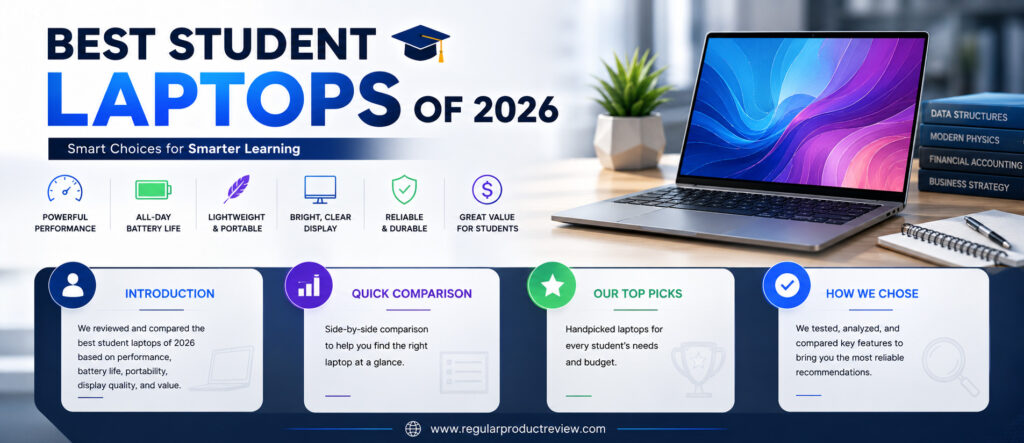
Laptop manufacturers have also made significant improvements in recent years. Apple continues to lead with its highly efficient M-series chips, while Windows laptops from Dell, ASUS, Lenovo, HP, Acer, and Microsoft now offer better AI-powered features, brighter displays, improved battery life, and faster processors than ever before. Students now have more excellent choices across every budget, making it easier to find a laptop that matches both academic needs and personal preferences.
However, not every student needs the same type of laptop. Engineering and computer science students typically require higher processing power and more memory for programming, simulations, and development tools. Business students often prioritize portability and battery life, while graphic design and multimedia students benefit from color-accurate displays and stronger graphics performance. Budget-conscious students may simply need a dependable laptop for web browsing, document editing, online learning, and everyday productivity.
To help you make a smart investment, we carefully evaluated the best student laptops of 2026 based on real-world performance, portability, battery life, display quality, keyboard comfort, build quality, software experience, upgrade potential, and overall value. Whether you’re looking for the best laptop for college, university, high school, or online learning, this guide highlights the models that offer the best combination of performance, reliability, and long-term value.
Quick Comparison Table
| Laptop | Best For | Display | Battery Life | Weight | Price Category |
|---|---|---|---|---|---|
| Apple MacBook Air 13 (M5) | Best Overall | 13.6-inch Liquid Retina | Up to 18 Hours | Ultra-Light | Premium |
| Dell XPS 14 (2026) | Best Windows Laptop | 14-inch OLED | Up to 17 Hours | Lightweight | Premium |
| Microsoft Surface Laptop 13 | Best Battery Life | 13-inch PixelSense | Up to 20 Hours | Lightweight | Premium |
| Lenovo IdeaPad Slim 3x | Best Value | 15.3-inch IPS | Up to 14 Hours | Lightweight | Mid-Range |
| ASUS Zenbook A14 (2026) | Best Lightweight Laptop | 14-inch OLED | Up to 22 Hours | Ultra-Light | Premium |
| HP OmniBook 5 14 | Best Everyday Laptop | 14-inch IPS | Up to 16 Hours | Lightweight | Mid-Range |
| Acer Chromebook Plus 514 | Best Budget Option | 14-inch Full HD | Up to 12 Hours | Lightweight | Budget |
| ASUS Vivobook 16 | Best Large Display | 16-inch IPS | Up to 15 Hours | Moderate | Mid-Range |
Battery life varies depending on workload, display brightness, installed applications, and system configuration.
Our Top Picks
🏆 Best Overall Student Laptop
Apple MacBook Air 13 (M5)
The MacBook Air 13 powered by Apple’s M5 chip delivers an exceptional balance of performance, battery life, portability, and long-term reliability. It’s the best choice for most college and university students who want a laptop that remains fast throughout years of daily use.
💻 Best Windows Student Laptop
Dell XPS 14 (2026)
With its premium design, vibrant OLED display, powerful Intel processor, and comfortable keyboard, the Dell XPS 14 is an outstanding Windows alternative for students who need performance without sacrificing portability.
🔋 Best Battery Life
Microsoft Surface Laptop 13
Students who spend long days on campus will appreciate the Surface Laptop 13’s exceptional battery life, lightweight design, and comfortable typing experience.
💰 Best Value Student Laptop
Lenovo IdeaPad Slim 3x
The IdeaPad Slim 3x offers impressive everyday performance, a comfortable keyboard, solid battery life, and excellent value, making it one of the smartest choices for budget-conscious students.
🎒 Best Lightweight Laptop
ASUS Zenbook A14 (2026)
The Zenbook A14 is designed for students who carry their laptop everywhere. Its incredibly lightweight construction makes it one of the easiest premium laptops to transport between classes.
📚 Best Everyday College Laptop
HP OmniBook 5 14
The HP OmniBook 5 14 combines dependable performance, good battery life, and a practical design that works well for note-taking, assignments, presentations, and online classes.
💵 Best Budget Student Laptop
Acer Chromebook Plus 514
Students with basic computing needs will appreciate the Chromebook Plus 514 for its affordability, excellent security, fast startup times, and smooth ChromeOS experience.
🖥️ Best Large Display Laptop
ASUS Vivobook 16
Students who regularly multitask, work with spreadsheets, edit documents, or watch educational content will benefit from the Vivobook 16’s spacious display and comfortable workspace.
How We Chose These Student Laptops
Every laptop featured in this guide was selected using the same evaluation process to ensure fair comparisons based on real-world student needs rather than marketing specifications alone.
Everyday Performance
Students often run multiple applications simultaneously, including web browsers with dozens of tabs, Microsoft Office, Google Workspace, Zoom, research tools, and productivity apps. We selected laptops that remain responsive under typical academic workloads.
Battery Life
Battery life is one of the most important factors for students. We prioritized laptops that can comfortably last through lectures, library sessions, study groups, and commuting without requiring frequent charging.
Portability
Students carry their laptops every day. Weight, thickness, durability, and charger size were all considered to identify laptops that are comfortable to transport around campus.
Display Quality
A high-quality display reduces eye strain during long study sessions. We evaluated brightness, color accuracy, sharpness, viewing angles, and overall readability for documents, videos, presentations, and creative work.
Keyboard and Trackpad
Students spend countless hours typing notes, essays, research papers, and assignments. Comfortable keyboards and responsive trackpads played a major role in our rankings.
Build Quality
A student laptop should withstand years of daily use. Premium construction, hinge durability, chassis strength, and overall reliability were carefully considered.
Software Experience
We evaluated Windows, macOS, and ChromeOS based on ease of use, software compatibility, security, productivity features, and long-term support.
Overall Value
Finally, we compared performance, battery life, display quality, portability, durability, and features against each laptop’s price. The best student laptop isn’t necessarily the most expensive—it’s the one that provides the greatest long-term value throughout your academic journey.
Apple MacBook Air 13 (M5)
Award 🏆 Best Overall Student Laptop
Editor’s Rating: 9.9/10
Apple continues to set the standard for ultraportable laptops, and the MacBook Air 13 powered by the latest M5 chip is easily one of the best investments a student can make in 2026. Rather than focusing only on raw specifications, Apple has refined every part of the experience—from exceptional battery life and silent performance to premium build quality and one of the best laptop keyboards available today.
The MacBook Air feels equally comfortable in a lecture hall, library, coffee shop, or dorm room. Whether you’re writing research papers, attending Zoom classes, editing presentations, coding assignments, or managing dozens of browser tabs, the M5 chip keeps everything running smoothly without slowing down.
One of its biggest strengths is battery life. Most students can comfortably get through an entire day of classes without carrying a charger, making it an ideal companion for busy campus life. Combined with its lightweight aluminum body, the MacBook Air is incredibly easy to carry between classes without adding unnecessary weight to your backpack.
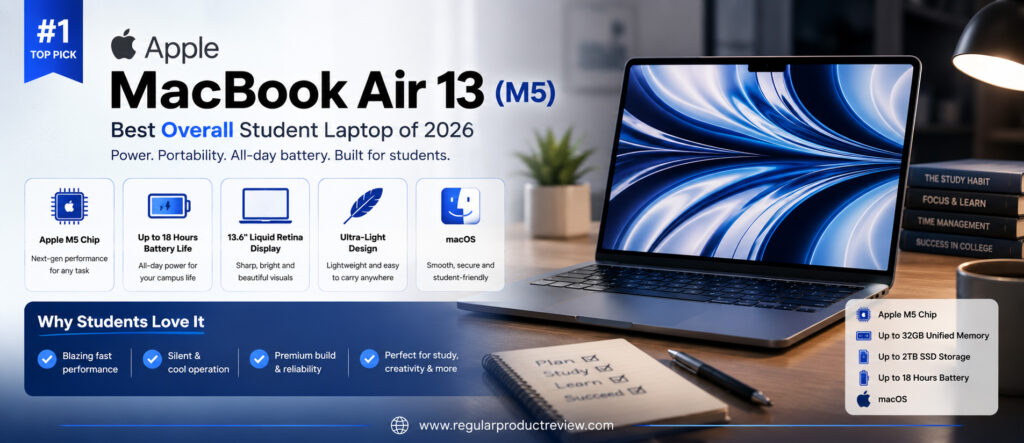
The stunning Liquid Retina display also makes long study sessions more enjoyable. Text appears razor-sharp, colors look vibrant, and the screen remains comfortable to use whether you’re reading digital textbooks, editing documents, or streaming educational videos.
Key Specifications
| Feature | Specification |
|---|---|
| Processor | Apple M5 Chip |
| Display | 13.6-inch Liquid Retina |
| Memory | Up to 32GB Unified Memory |
| Storage | Up to 2TB SSD |
| Battery Life | Up to 18 Hours |
| Weight | Approximately 2.7 lbs (1.24 kg) |
| Operating System | macOS |
| AI Features | Apple Intelligence |
Why We Like It
The MacBook Air M5 combines exceptional speed, industry-leading battery life, premium portability, and long-term software support into one of the most dependable laptops for students.
Pros
- Outstanding battery life
- Extremely lightweight and portable
- Powerful Apple M5 performance
- Beautiful Liquid Retina display
- Premium aluminum build quality
- Silent fanless design
- Excellent keyboard and trackpad
- Years of macOS software updates
Cons
- Limited port selection
- Premium price
- Gaming support remains limited
Who Should Buy the Apple MacBook Air 13 (M5)?
The MacBook Air M5 is ideal for college students, university students, business majors, medical students, writers, creators, and anyone looking for a premium laptop that will remain fast and reliable throughout several years of school.
Our Verdict
The Apple MacBook Air 13 (M5) delivers nearly everything students need in a modern laptop. Its combination of performance, battery life, portability, and reliability makes it the best overall student laptop of 2026.
Dell XPS 14 (2026)
Award 💻 Best Windows Student Laptop
Editor’s Rating: 9.8/10
The Dell XPS lineup has long been recognized as one of the best premium Windows laptop families, and the XPS 14 (2026) continues that reputation with an impressive balance of performance, portability, and elegant design. It’s an excellent choice for students who prefer Windows but don’t want to compromise on premium quality.
Built with a precision-machined aluminum chassis, the XPS 14 feels exceptionally solid while remaining compact enough to carry around campus every day. The nearly borderless display maximizes screen space without making the laptop feel bulky, giving students more room for multitasking, research, spreadsheets, and creative projects.
Performance is another highlight. Whether you’re writing papers, building presentations, editing photos, programming, or running demanding productivity software, the latest Intel processor delivers fast and responsive performance throughout the day. Engineering, business, and computer science students will particularly appreciate its ability to handle heavier workloads.
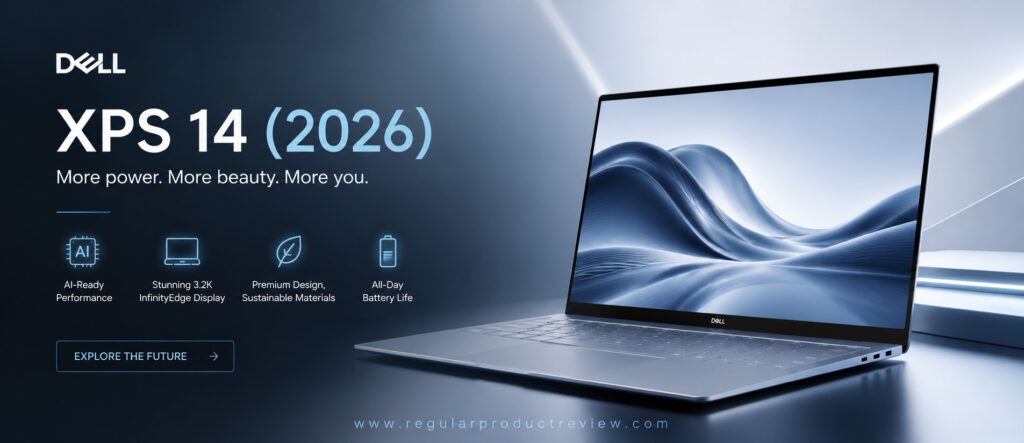
The keyboard offers comfortable travel for extended typing sessions, while the large precision touchpad provides smooth navigation. Combined with strong battery life and premium build quality, the XPS 14 is one of the most complete Windows laptops available.
Key Specifications
| Feature | Specification |
|---|---|
| Processor | Intel Core Ultra Series |
| Display | 14-inch OLED |
| Memory | Up to 32GB LPDDR5X |
| Storage | Up to 2TB SSD |
| Battery Life | Up to 17 Hours |
| Weight | Approximately 3.7 lbs (1.68 kg) |
| Graphics | Intel Arc Graphics |
| Operating System | Windows 11 |
Why We Like It
The Dell XPS 14 delivers premium performance, an outstanding display, excellent build quality, and dependable battery life in a compact package that’s perfect for students.
Pros
- Gorgeous OLED display
- Excellent Windows performance
- Premium aluminum construction
- Comfortable keyboard
- Strong battery life
- Fast SSD storage
- Excellent speakers
- Compact and portable
Cons
- Premium pricing
- Limited upgrade options
- Fewer ports than some competitors
Who Should Buy the Dell XPS 14 (2026)?
Students studying engineering, programming, business, architecture, finance, or multimedia who want a premium Windows laptop with excellent performance and long-term reliability.
Our Verdict
The Dell XPS 14 remains one of the finest Windows laptops available. It combines premium hardware, excellent performance, and superb portability, making it an outstanding choice for students who prefer the Windows ecosystem.
Microsoft Surface Laptop 13
Award 🔋 Best Battery Life
Editor’s Rating: 9.7/10
Microsoft designed the Surface Laptop 13 for people who value simplicity, portability, and all-day productivity. For students constantly moving between classrooms, libraries, cafés, and study groups, few laptops offer such a balanced combination of lightweight portability and exceptional battery life.
The Surface Laptop feels incredibly refined from the moment you open it. Its slim profile, comfortable keyboard, responsive precision touchpad, and vibrant PixelSense display create an enjoyable experience for everything from note-taking and essay writing to online classes and web research.
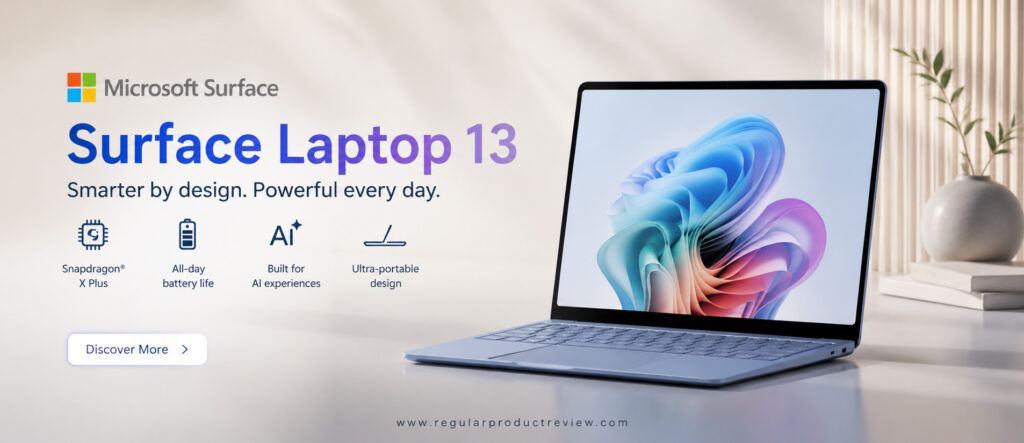
Windows 11 runs exceptionally well on the latest Surface hardware, delivering smooth multitasking across Microsoft Office, Google Workspace, Teams, Zoom, OneNote, and countless educational applications. Students who spend most of their day working with productivity software will appreciate how effortlessly the laptop handles everyday workloads.
Battery life is where the Surface Laptop truly stands out. It comfortably lasts through a full day of lectures, assignments, meetings, and entertainment, allowing students to leave their chargers behind during most school days.
Key Specifications
| Feature | Specification |
|---|---|
| Processor | Snapdragon X Plus |
| Display | 13-inch PixelSense Touch Display |
| Memory | Up to 32GB LPDDR5X |
| Storage | Up to 1TB SSD |
| Battery Life | Up to 20 Hours |
| Weight | Approximately 2.9 lbs (1.31 kg) |
| AI Features | Copilot+ PC |
| Operating System | Windows 11 |
Why We Like It
The Surface Laptop combines outstanding battery life, lightweight portability, a beautiful touchscreen display, and an exceptional typing experience into one of the most student-friendly Windows laptops available.
Pros
- Exceptional battery life
- Lightweight premium design
- Beautiful PixelSense touchscreen
- Comfortable keyboard
- Quiet and efficient performance
- Excellent webcam
- Copilot+ AI features
- Great portability
Cons
- Limited ports
- Snapdragon compatibility may vary with some legacy software
- Premium pricing
Who Should Buy the Microsoft Surface Laptop 13?
The Surface Laptop 13 is an excellent choice for business students, education majors, liberal arts students, remote learners, and anyone who prioritizes portability, battery life, and everyday productivity.
Our Verdict
The Microsoft Surface Laptop 13 proves that students don’t need bulky hardware to stay productive. Its combination of outstanding battery life, premium design, smooth Windows experience, and everyday reliability makes it one of the best student laptops you can buy in 2026.
Lenovo IdeaPad Slim 3x
Award 💰 Best Value Student Laptop
Editor’s Rating: 9.5/10
The Lenovo IdeaPad Slim 3x proves that students don’t have to spend premium prices to get a dependable laptop for everyday college life. Built for productivity, portability, and affordability, it offers an excellent balance of performance and value, making it one of the smartest choices for students on a budget.
Whether you’re attending virtual lectures, writing essays, conducting research, creating presentations, or streaming educational content, the IdeaPad Slim 3x delivers a smooth and responsive experience. Lenovo has focused on providing reliable everyday performance rather than unnecessary premium features, resulting in a laptop that handles common student workloads with ease.
The lightweight design also makes it easy to carry between classrooms, libraries, and coffee shops. Despite its affordable price, the laptop feels well-built and comfortable to use for extended study sessions. The full-size keyboard provides a pleasant typing experience, while the large touchpad offers accurate navigation for daily productivity tasks.
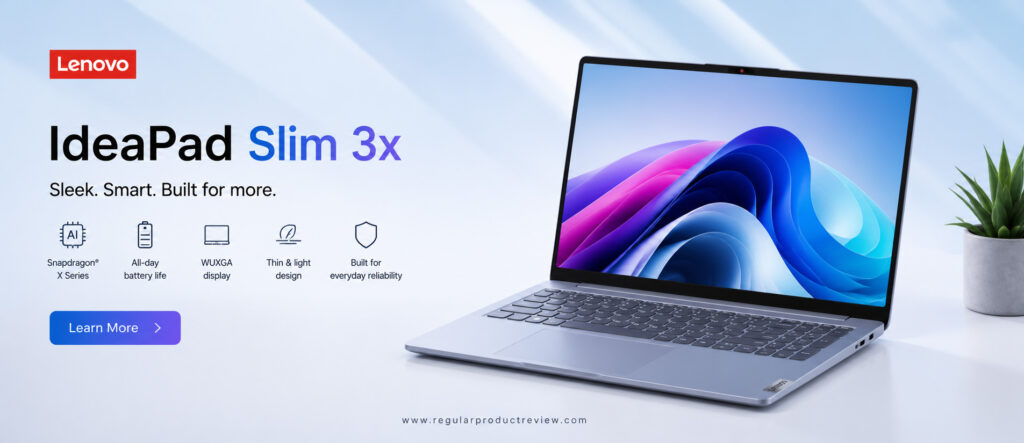
Battery life is another highlight. Most students can comfortably complete a full day of classes and assignments before needing to recharge, making it a practical choice for busy academic schedules.
Key Specifications
| Feature | Specification |
|---|---|
| Processor | Snapdragon X Series |
| Display | 15.3-inch Full HD IPS |
| Memory | Up to 16GB LPDDR5X |
| Storage | Up to 1TB SSD |
| Battery Life | Up to 14 Hours |
| Weight | Approximately 3.3 lbs (1.50 kg) |
| AI Features | Copilot+ Ready |
| Operating System | Windows 11 |
Why We Like It
The IdeaPad Slim 3x delivers dependable everyday performance, solid battery life, and excellent portability at a price that’s accessible for most students.
Pros
- Excellent value for money
- Lightweight and portable
- Comfortable keyboard
- Good battery life
- Fast SSD storage
- Quiet operation
- Modern Windows experience
- Affordable pricing
Cons
- Display brightness could be higher
- Not designed for heavy creative workloads
- Limited graphics performance
Who Should Buy the Lenovo IdeaPad Slim 3x?
This laptop is ideal for high school students, college students, online learners, business majors, and anyone looking for a reliable Windows laptop without stretching their budget.
Our Verdict
The Lenovo IdeaPad Slim 3x offers one of the best price-to-performance ratios in 2026. For students who want dependable performance, solid battery life, and everyday reliability, it’s an outstanding value.
ASUS Zenbook A14 (2026)
Award 🎒 Best Lightweight Student Laptop
Editor’s Rating: 9.7/10
Students who carry their laptop all day know that every ounce matters, and that’s exactly where the ASUS Zenbook A14 excels. Designed with portability as its top priority, this premium ultrabook combines an incredibly lightweight chassis with impressive performance, long battery life, and one of the best OLED displays available in its class.
Despite its slim profile, the Zenbook A14 never feels underpowered. It easily handles multitasking, web research, Microsoft Office, Google Workspace, programming assignments, video conferencing, and creative applications without slowing down. For students who split their time between classrooms, libraries, internships, and coffee shops, this level of portability makes a noticeable difference every day.
The OLED display is another standout feature. Text appears razor-sharp, colors are vibrant, and the deep contrast makes reading documents, watching lectures, and editing presentations far more enjoyable. Combined with exceptional battery life, students can confidently leave their charger at home for most school days.
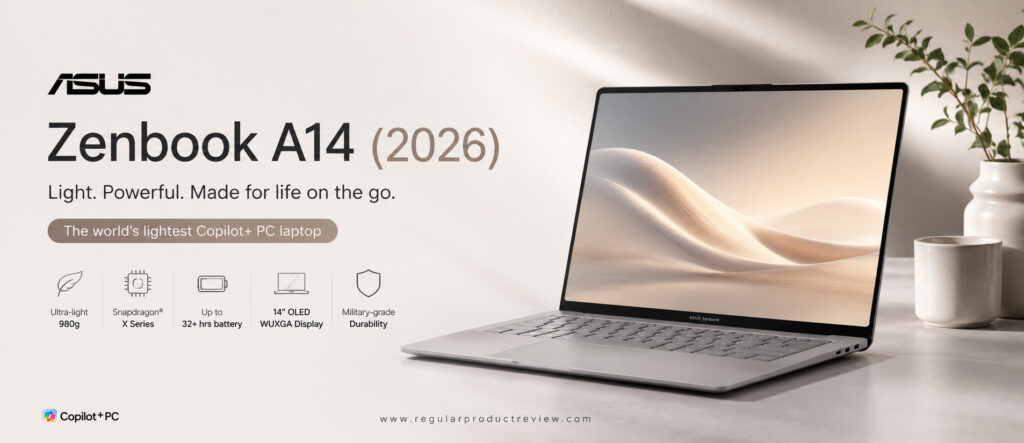
ASUS also deserves credit for creating a laptop that feels premium without becoming overly expensive. The build quality, keyboard, and overall user experience rival many flagship ultrabooks costing significantly more.
Key Specifications
| Feature | Specification |
|---|---|
| Processor | Snapdragon X Elite |
| Display | 14-inch OLED |
| Memory | Up to 32GB LPDDR5X |
| Storage | Up to 1TB SSD |
| Battery Life | Up to 22 Hours |
| Weight | Approximately 2.2 lbs (1.00 kg) |
| AI Features | Copilot+ PC |
| Operating System | Windows 11 |
Why We Like It
The Zenbook A14 successfully combines outstanding portability, beautiful display quality, excellent battery life, and premium performance into one of the lightest laptops students can buy.
Pros
- Extremely lightweight
- Gorgeous OLED display
- Outstanding battery life
- Premium build quality
- Comfortable keyboard
- Fast everyday performance
- Quiet operation
- Excellent portability
Cons
- Premium pricing
- Limited upgrade options
- Not intended for intensive gaming
Who Should Buy the ASUS Zenbook A14 (2026)?
The Zenbook A14 is perfect for students who travel frequently, commute daily, or simply want one of the lightest premium laptops available without sacrificing performance or battery life.
Our Verdict
The ASUS Zenbook A14 sets a new benchmark for lightweight student laptops. Its combination of portability, premium display, long battery life, and dependable performance makes it one of the best ultrabooks of 2026.
HP OmniBook 5 14
Award 📚 Best Everyday College Laptop
Editor’s Rating: 9.4/10
The HP OmniBook 5 14 is designed for students who need a dependable laptop that performs well across a wide range of everyday academic tasks. Rather than specializing in one area, HP has created a balanced laptop that delivers reliable performance, comfortable ergonomics, good battery life, and practical features at a competitive price.
From writing essays and creating presentations to attending online lectures and managing dozens of browser tabs, the OmniBook 5 14 handles everyday productivity with ease. Windows 11 feels smooth and responsive, while the latest hardware provides enough performance to remain useful throughout several years of college.
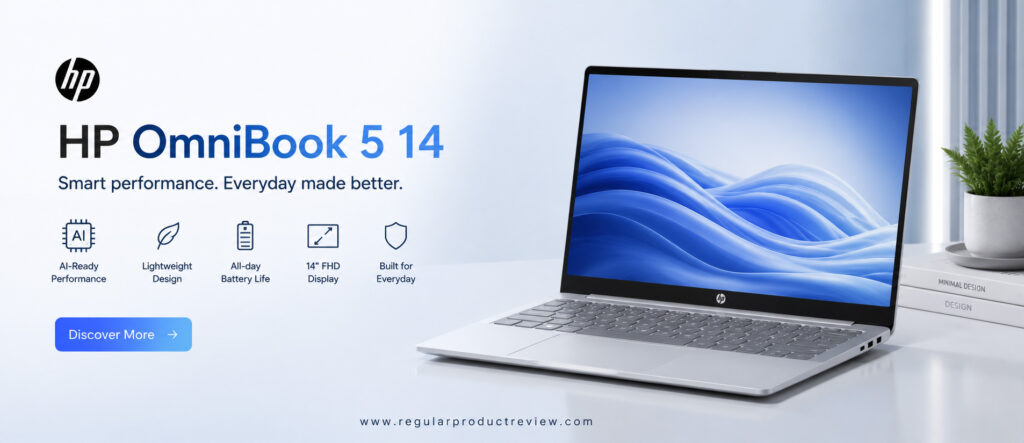
The laptop also offers one of the better typing experiences in its class. The keyboard feels comfortable during long writing sessions, making it an excellent choice for students who spend hours working on assignments, reports, and research papers. The responsive touchpad and clear webcam further enhance the overall user experience.
Its 14-inch display strikes a nice balance between portability and workspace, giving students enough screen space for multitasking while remaining compact enough to carry comfortably around campus.
Key Specifications
| Feature | Specification |
|---|---|
| Processor | AMD Ryzen AI 300 Series |
| Display | 14-inch Full HD IPS |
| Memory | Up to 32GB DDR5 |
| Storage | Up to 1TB SSD |
| Battery Life | Up to 16 Hours |
| Weight | Approximately 3.1 lbs (1.40 kg) |
| AI Features | HP AI Companion |
| Operating System | Windows 11 |
Why We Like It
The OmniBook 5 14 delivers dependable performance, practical features, comfortable ergonomics, and excellent everyday usability, making it a smart choice for most students.
Pros
- Reliable everyday performance
- Comfortable keyboard
- Good battery life
- Lightweight design
- Fast SSD storage
- Excellent webcam
- Solid build quality
- Competitive pricing
Cons
- Display is good but not OLED
- Speakers are average
- Limited gaming capability
Who Should Buy the HP OmniBook 5 14?
The HP OmniBook 5 14 is ideal for college students, business majors, education students, online learners, and professionals returning to school who need a dependable laptop for daily productivity.
Our Verdict
The HP OmniBook 5 14 delivers exactly what most students need: reliable performance, comfortable portability, good battery life, and excellent overall value. It’s a dependable everyday laptop that handles academic life with confidence.
Acer Chromebook Plus 514
Award 💵 Best Budget Student Laptop
Editor’s Rating: 9.3/10
Not every student needs a high-end Windows laptop or a premium MacBook. For students whose daily routine revolves around web browsing, Google Workspace, online classes, research, email, and cloud-based applications, the Acer Chromebook Plus 514 offers exceptional value at an affordable price.
ChromeOS has matured significantly over the past few years, and the Chromebook Plus platform takes the experience even further with faster hardware, AI-powered productivity features, improved multitasking, and better compatibility with Android applications. The result is a laptop that feels fast, secure, and remarkably easy to use from the moment you power it on.
One of the Chromebook Plus 514’s biggest advantages is its simplicity. Boot times are almost instant, software updates happen automatically, and the operating system requires very little maintenance. Students can spend less time troubleshooting technical issues and more time focusing on assignments, research, and collaboration.
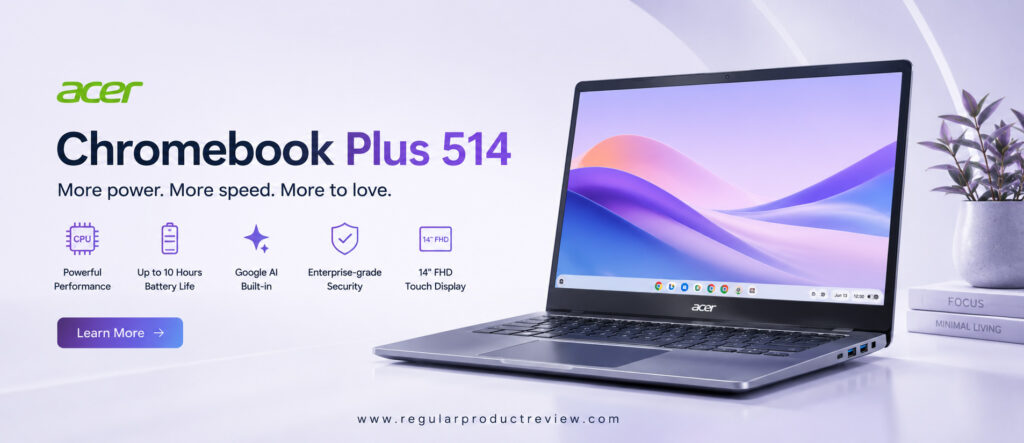
Battery life is another major strength. Whether you’re attending lectures, working in the library, or studying at a coffee shop, the Chromebook Plus 514 comfortably lasts through a full day of classes without needing a charger. Its lightweight design also makes carrying it around campus effortless.
Key Specifications
| Feature | Specification |
|---|---|
| Processor | Intel Core i3 / Intel Core 5 |
| Display | 14-inch Full HD IPS Touchscreen |
| Memory | Up to 16GB LPDDR5 |
| Storage | Up to 512GB SSD |
| Battery Life | Up to 12 Hours |
| Weight | Approximately 3.2 lbs (1.45 kg) |
| Operating System | ChromeOS |
| AI Features | Google AI & Chromebook Plus Features |
Why We Like It
The Chromebook Plus 514 combines affordability, speed, security, and excellent battery life into a package that’s perfect for students who rely primarily on web-based applications.
Pros
- Excellent value
- Fast and lightweight ChromeOS
- Long battery life
- Comfortable keyboard
- Quick startup time
- Automatic software updates
- Excellent security
- Supports Android apps
Cons
- Limited compatibility with specialized desktop software
- Less suitable for advanced creative workloads
- Gaming options are limited
Who Should Buy the Acer Chromebook Plus 514?
The Chromebook Plus 514 is ideal for high school students, online learners, liberal arts students, business majors, and anyone whose daily workflow centers around Google Workspace, web applications, and cloud storage.
Our Verdict
The Acer Chromebook Plus 514 proves that a great student laptop doesn’t have to be expensive. For everyday academic work, it delivers excellent performance, impressive reliability, and outstanding value.
ASUS Vivobook 16
Award 🖥️ Best Large Display Student Laptop
Editor’s Rating: 9.4/10
Students who frequently multitask or prefer working on a larger screen will appreciate everything the ASUS Vivobook 16 has to offer. Its spacious 16-inch display provides significantly more workspace than traditional 13- or 14-inch laptops, making it easier to manage research papers, spreadsheets, coding projects, presentations, and multiple browser windows simultaneously.
The larger display doesn’t just improve productivity—it also creates a more comfortable experience for extended study sessions. Reading digital textbooks, reviewing lecture notes, editing assignments, and participating in online classes all feel more natural when you have extra screen real estate.
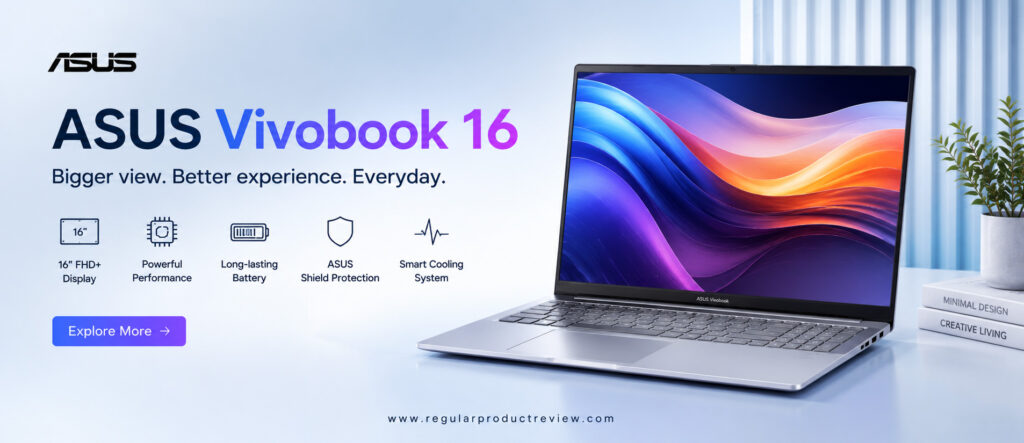
Performance is equally dependable. Equipped with modern AMD Ryzen or Intel Core processors, the Vivobook 16 easily handles everyday productivity tasks along with light photo editing, programming, and multitasking. Students studying engineering, business, finance, or computer science will appreciate the additional workspace when managing multiple applications.
Although larger than ultraportable laptops, ASUS has done an excellent job keeping the chassis relatively slim and easy to carry. For students who don’t mind a slightly larger backpack, the additional screen space is often well worth the trade-off.
Key Specifications
| Feature | Specification |
|---|---|
| Processor | AMD Ryzen 8000 Series / Intel Core Ultra |
| Display | 16-inch Full HD IPS |
| Memory | Up to 32GB DDR5 |
| Storage | Up to 1TB SSD |
| Battery Life | Up to 15 Hours |
| Weight | Approximately 4.1 lbs (1.86 kg) |
| Graphics | Integrated AMD Radeon / Intel Arc |
| Operating System | Windows 11 |
Why We Like It
The Vivobook 16 offers an excellent balance of screen size, everyday performance, comfortable typing, and overall value, making it an outstanding productivity laptop for students.
Pros
- Large 16-inch display
- Excellent multitasking experience
- Comfortable full-size keyboard
- Reliable everyday performance
- Good battery life
- Fast SSD storage
- Competitive pricing
- Solid build quality
Cons
- Larger footprint than ultraportable laptops
- Slightly heavier for daily commuting
- Display isn’t OLED on most configurations
Who Should Buy the ASUS Vivobook 16?
The ASUS Vivobook 16 is an excellent choice for engineering students, business majors, programmers, finance students, content creators, and anyone who values a larger display for multitasking and productivity.
Our Verdict
The ASUS Vivobook 16 offers one of the best large-screen experiences in the student laptop category. Its spacious display, dependable performance, practical design, and competitive price make it an outstanding choice for students who want more room to work without moving to a bulky workstation.
Student Laptop Buying Guide
Choosing the right student laptop is about finding a device that fits both your academic requirements and your budget. A laptop should remain fast, reliable, and comfortable to use throughout several years of school, not just during the first semester.
Choose the Right Operating System
The first decision is choosing between Windows, macOS, and ChromeOS.
- Windows offers the broadest software compatibility and is ideal for engineering, programming, business, and most university courses.
- macOS provides exceptional battery life, premium build quality, and seamless integration with Apple devices, making it a great choice for students already invested in the Apple ecosystem.
- ChromeOS is perfect for students whose coursework primarily involves web browsing, Google Workspace, online classes, and cloud-based applications.
Processor Performance
A modern processor ensures your laptop stays responsive for years.
- Intel Core Ultra
- AMD Ryzen AI Series
- Snapdragon X Series
- Apple M5
All provide excellent performance for everyday student workloads.
Memory (RAM)
RAM affects multitasking performance.
- 8GB is the minimum recommended for basic schoolwork.
- 16GB is the best choice for most college students.
- 32GB is recommended for engineering, programming, virtualization, AI development, or professional creative applications.
Storage
Solid-state drives (SSDs) provide significantly faster performance than traditional hard drives.
- 256GB SSD works for light users.
- 512GB SSD offers the best balance of storage and value.
- 1TB SSD is ideal for students storing large projects, videos, software, or datasets.
Battery Life
Look for a laptop that can last at least 10–12 hours under typical classroom usage. Longer battery life means fewer interruptions and greater flexibility throughout the school day.
Display Quality
Students spend countless hours looking at their screens. A bright, sharp display helps reduce eye strain during long study sessions.
Consider:
- Full HD or higher resolution
- IPS or OLED panel
- Anti-glare coating
- Good brightness for classroom use
Portability
Students carry laptops almost every day.
If portability matters, choose a laptop weighing under 3.5 pounds (1.6 kg) with a compact charger.
Keyboard & Webcam
Comfortable keyboards make writing essays and research papers much easier, while a high-quality webcam is essential for virtual classes, online interviews, and group meetings.
Long-Term Value
Instead of buying the cheapest laptop available, invest in one that will remain reliable throughout your entire academic journey. Better build quality, longer software support, and stronger performance usually provide greater value over four or five years of use.
Student Laptops vs Regular Laptops
Many students wonder whether they actually need a laptop marketed specifically for education or if a standard consumer laptop will do the job. While regular laptops can certainly handle everyday tasks, student-focused laptops are designed with priorities that matter most during school, college, and university life.
A good student laptop emphasizes portability, long battery life, comfortable typing, dependable performance, and long-term reliability. These features become increasingly important when you’re carrying your laptop across campus, attending back-to-back classes, completing assignments in the library, or working from coffee shops.
The comparison below highlights the biggest differences.
| Feature | Student Laptops | Regular Laptops |
|---|---|---|
| Portability | Lightweight and easy to carry | Varies by model |
| Battery Life | Optimized for all-day use | Moderate to excellent |
| Performance | Balanced for productivity and multitasking | Ranges from basic to high-performance |
| Keyboard | Designed for long typing sessions | Quality varies significantly |
| Webcam & Microphone | Better for online classes and meetings | Depends on the model |
| Display | Focused on comfort and productivity | May prioritize entertainment or gaming |
| Durability | Built for frequent travel | Varies by product line |
| Price | Budget to premium | Budget to premium |
Should You Buy a Student Laptop?
A student laptop is the better choice if you:
- Carry your laptop to campus every day.
- Attend online lectures or virtual meetings.
- Write research papers, reports, and assignments regularly.
- Need long battery life between classes.
- Want a laptop that will remain reliable for four or more years.
- Value portability and comfort over gaming performance.
A regular laptop may be a better option if you:
- Mostly use your laptop at home.
- Need dedicated graphics for gaming or professional creative work.
- Require specialized hardware for engineering, architecture, or advanced video production.
- Don’t travel frequently with your laptop.
Frequently Asked Questions
Which is the best student laptop in 2026?
The Apple MacBook Air 13 (M5) is our top overall recommendation because it delivers exceptional performance, industry-leading battery life, premium portability, and long-term reliability that easily lasts throughout college or university.
Which Windows laptop is best for students?
The Dell XPS 14 (2026) is the best Windows student laptop thanks to its excellent performance, premium build quality, beautiful OLED display, comfortable keyboard, and strong battery life.
How much RAM does a student laptop need?
For most students, 16GB of RAM is the ideal choice. It provides enough memory for multitasking, Microsoft Office, Google Workspace, web browsing, programming, and video conferencing. Students with basic needs can still manage with 8GB, while engineering or creative majors may benefit from 32GB.
Is a Chromebook good enough for college?
Yes—if your coursework mainly involves web browsing, Google Workspace, online learning platforms, email, and cloud storage. Students using specialized software for engineering, architecture, or programming should generally choose a Windows laptop or MacBook instead.
How much storage should a student laptop have?
A 512GB SSD is the best balance for most students. It provides enough room for documents, presentations, applications, photos, and school projects while leaving space for future coursework.
Which laptop offers the longest battery life?
Among the laptops featured in this guide, the ASUS Zenbook A14 (2026) and Microsoft Surface Laptop 13 deliver some of the longest battery life, making them excellent choices for students who spend long days on campus.
Should students buy a MacBook or a Windows laptop?
Both are excellent choices. A MacBook is ideal for students who value battery life, portability, and the Apple ecosystem, while Windows laptops offer broader software compatibility and more hardware options across different budgets.
How long should a student laptop last?
A high-quality student laptop should comfortably last four to six years with proper care. Choosing a laptop with a modern processor, sufficient RAM, and fast SSD storage helps ensure it remains responsive throughout your academic journey.
Final Verdict
The best student laptop isn’t necessarily the most expensive model—it’s the one that supports your coursework, fits comfortably within your budget, and remains reliable throughout years of daily use.
If you want the best overall experience, the Apple MacBook Air 13 (M5) remains our top recommendation. It combines outstanding battery life, premium portability, exceptional performance, and industry-leading efficiency into a laptop that’s suitable for nearly every type of student.
Students who prefer Windows should seriously consider the Dell XPS 14 (2026), while those prioritizing all-day battery life will appreciate the Microsoft Surface Laptop 13. Budget-conscious buyers will find excellent value in the Lenovo IdeaPad Slim 3x and Acer Chromebook Plus 514, while students who want a larger display for multitasking should look at the ASUS Vivobook 16.
Ultimately, the smartest purchase is the laptop that matches your academic workload, software requirements, portability needs, and long-term goals. Investing in a dependable laptop today can improve productivity, reduce frustration, and support your success throughout school, college, or university.
CTA
Ready to choose your next student laptop?
Compare the latest prices, available configurations, student discounts, and warranty options before making your final decision. The right laptop will help you stay productive, organized, and prepared for every class, assignment, and project.
You may also enjoy these buying guides:
- Best Business Laptops of 2026
- Best Ultrabooks of 2026
- Best Budget Laptops
- Best Laptops for Programming
- Best Gaming Laptops
- Best Chromebooks
- Best Windows Laptops
Bookmark Regular Product Review for expert buying guides, hands-on comparisons, and regularly updated recommendations that help you choose the right laptop with confidence.