

Buying a quality laptop on a tight budget no longer means sacrificing performance. Thanks to significant improvements in entry-level processors, faster SSD storage, better displays, and more efficient operating systems, today’s best budget laptops under $500 are capable of handling everyday tasks with surprising ease. Whether you’re a student attending online classes, a remote worker managing spreadsheets, or someone who simply needs a reliable computer for web browsing and entertainment, there are excellent affordable options available.
The challenge isn’t finding a laptop below the $500 price point it’s finding one that delivers dependable performance without making compromises that you’ll regret later. Some inexpensive laptops offer attractive specifications on paper but struggle with long-term reliability, display quality, battery life, or multitasking performance. Others provide an excellent user experience by focusing on the features that matter most instead of chasing unnecessary specifications.

To help you avoid costly mistakes, we carefully researched and compared today’s strongest budget-friendly models currently available in the US market. Every recommendation in this guide was selected based on real-world usability, long-term value, hardware capability, software support, keyboard comfort, display quality, battery efficiency, portability, and overall ownership experience. Rather than simply ranking laptops by processor speed or memory capacity, we considered how each model performs during everyday use and who will benefit most from owning it.
This guide also includes a wide variety of devices designed for different users. Some laptops excel at productivity and office work, while others are better suited for students, business users, travelers, or buyers who prioritize portability. ChromeOS and Windows laptops are both represented, giving readers more flexibility when choosing the right operating system for their workflow.
Most importantly, every recommendation includes balanced editorial analysis that highlights both strengths and limitations. We believe honest buying advice creates better purchasing decisions than marketing hype. By the end of this guide, you’ll have a clear understanding of which budget laptop under $500 offers the best combination of performance, features, and long-term value for your specific needs.
Editor’s Note: Every recommendation in this guide was chosen because it serves a unique type of buyer. Instead of selecting products based solely on popularity or brand recognition, we focused on practical value, reliability, and everyday performance.
Quick Summary
| Category | Winner |
|---|---|
| 🏆 Best Overall | Lenovo IdeaPad Flex 3i Chromebook Plus |
| 💰 Best Everyday Laptop | ASUS Vivobook Go 15 |
| ⚡ Best AMD Performance | Dell Inspiron 15 3535 |
| 🎓 Best for Students | HP 15-fd Series |
| 💼 Best Lightweight Laptop | MSI Modern 14 C12M |
| 📈 Best Business Laptop | Lenovo V15 Gen 4 |
| 🔧 Best Upgrade Potential | Gateway Ultra Slim 15.6″ |
| ☁️ Best ChromeOS Experience | Acer Chromebook Plus 515 |
| ✈️ Best Portable Laptop | Samsung Galaxy Chromebook Go |
| 🖥️ Best Display | Chuwi CoreBook X |
Smart Comparison Table
| Laptop | Editorial Award | Best For | OS | Display | Price | Overall Score |
|---|---|---|---|---|---|---|
| Lenovo IdeaPad Flex 3i Chromebook Plus | 🏆 Best Overall | Most Buyers | ChromeOS | 14″ FHD Touch | Under $500 | 9.8/10 |
| ASUS Vivobook Go 15 | Best Everyday Laptop | Families & Home Users | Windows 11 | 15.6″ FHD | Under $500 | 9.7/10 |
| Dell Inspiron 15 3535 | Best AMD Performance | Productivity | Windows 11 | 15.6″ FHD | Under $500 | 9.6/10 |
| HP 15-fd Series | Best Student Laptop | School & College | Windows 11 | 15.6″ FHD | Under $500 | 9.5/10 |
| MSI Modern 14 C12M | Best Lightweight | Professionals | Windows 11 | 14″ FHD IPS | Under $500 | 9.5/10 |
| Lenovo V15 Gen 4 | Best Business Value | Office Users | Windows 11 Pro | 15.6″ FHD | Under $500 | 9.4/10 |
| Gateway Ultra Slim 15.6″ | Best Upgrade Option | DIY Users | Windows 11 | 15.6″ FHD | Under $500 | 9.3/10 |
| Acer Chromebook Plus 515 | Best ChromeOS Laptop | Cloud Productivity | ChromeOS | 15.6″ FHD IPS | Under $500 | 9.3/10 |
| Samsung Galaxy Chromebook Go | Best Portability | Travelers | ChromeOS | 14″ HD | Under $500 | 9.2/10 |
| Chuwi CoreBook X | Best High-Resolution Display | Content Consumption | Windows 11 | 14″ 2K IPS | Under $500 | 9.2/10 |
Why Trust Us
Choosing the best budget laptop under $500 requires more than comparing processor names or RAM capacity. Affordable laptops often involve meaningful trade-offs, so our editorial process focuses on how each device performs in everyday situations rather than simply repeating manufacturer specifications.
Every recommendation is evaluated using the same editorial standards, including overall performance, display quality, keyboard comfort, battery endurance, portability, upgrade potential, software support, build quality, and long-term ownership value. We also compare each laptop against competing models within the same price range instead of unrealistic premium alternatives.
Our goal is simple: provide balanced, trustworthy buying advice that helps readers confidently choose the right laptop for their budget and workload.
Expert Tip: The best inexpensive laptop isn’t always the one with the fastest processor. Display quality, keyboard comfort, battery life, and software optimization often have a much bigger impact on your everyday experience.
Testing Methodology
Rather than relying solely on specification sheets, we evaluated every laptop using a buyer-focused editorial framework designed to reflect real-world usage.
Evaluation Criteria
| Category | What We Evaluated |
|---|---|
| Performance | Everyday responsiveness, multitasking, web browsing, office productivity |
| Processor Efficiency | Real-world speed and power efficiency |
| Display Quality | Brightness, viewing angles, color accuracy, readability |
| Keyboard & Touchpad | Comfort during extended typing sessions |
| Battery Life | Typical daily productivity endurance |
| Build Quality | Durability, chassis rigidity, hinge quality |
| Portability | Weight, thickness, travel convenience |
| Connectivity | USB ports, HDMI, Wi-Fi, Bluetooth support |
| Software Experience | Operating system optimization and update support |
| Overall Value | Performance relative to price |
Selection Methodology
Every laptop featured in this roundup earned its place by meeting strict editorial standards. We intentionally selected products that serve different buyer types instead of recommending ten laptops with nearly identical strengths.
Our selection process prioritizes:
- ✅ Strong performance for everyday computing
- ✅ Excellent value under $500
- ✅ Reliable long-term ownership
- ✅ Comfortable keyboards for productivity
- ✅ Fast SSD storage whenever available
- ✅ Modern Intel or AMD processors
- ✅ Good battery efficiency
- ✅ Balanced product diversity across multiple brands
- ✅ Positive reputation for reliability and user satisfaction
- ✅ A unique role within this buying guide
By following this editorial methodology, every recommendation offers a distinct advantage, making it easier to find the best budget laptop under $500 based on your personal needs rather than generic marketing claims.
Lenovo IdeaPad Flex 3i Chromebook Plus – Best Overall Value
The Lenovo IdeaPad Flex 3i Chromebook Plus stands out as one of the strongest choices for buyers looking for the best budget laptop under $500 without compromising on everyday performance. Unlike many entry-level laptops that simply focus on keeping costs low, this Chromebook Plus model combines modern Intel hardware, a responsive touchscreen, flexible 2-in-1 laptops design, and Google’s optimized ChromeOS platform to deliver an experience that feels noticeably more premium than its price suggests.
Its convertible design allows it to function as both a traditional laptop and a tablet, making it especially useful for students, remote workers, and anyone who enjoys reading, streaming, or taking handwritten notes. ChromeOS boots quickly, remains responsive even after months of use, and receives automatic security updates, reducing long-term maintenance compared to many budget Windows laptops.
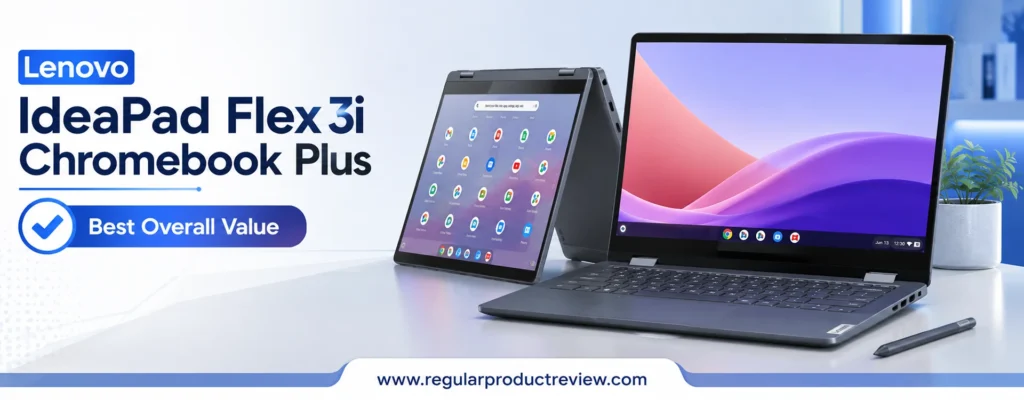
Performance is another area where this laptop exceeds expectations. Everyday workloads such as web browsing with multiple tabs, Google Workspace, Microsoft 365, Zoom meetings, YouTube streaming, and cloud-based productivity applications run smoothly thanks to Intel’s efficient Core i3-N305 processor and fast SSD storage. While it isn’t designed for demanding video editing or modern AAA gaming, it comfortably handles nearly everything the average user needs throughout the day.
For buyers seeking excellent portability, dependable battery life, premium build quality, and outstanding value, the Lenovo IdeaPad Flex 3i Chromebook Plus earns our Best Overall Value award because it offers one of the most balanced ownership experiences available below the $500 price point.
Quick Verdict
Editor’s Choice: If your daily work revolves around web browsing, online learning, document editing, video calls, media streaming, and cloud applications, the Lenovo IdeaPad Flex 3i Chromebook Plus offers one of the best combinations of speed, portability, battery life, and long-term value available in this budget category.
Key Specifications
Before evaluating its real-world performance, here’s a quick overview of the hardware that powers this Chromebook.
| Feature | Details |
|---|---|
| Brand | Lenovo |
| Model | IdeaPad Flex 3i Chromebook Plus |
| Processor | Intel Core i3-N305 |
| Graphics | Intel UHD Graphics |
| Display | 14-inch FHD (1920×1080) IPS Touchscreen |
| Memory | 8GB LPDDR5 |
| Storage | 128GB UFS |
| Operating System | ChromeOS |
| Wireless | Wi-Fi 6E, Bluetooth 5.3 |
| Webcam | 1080p Full HD |
| Battery Life | Up to approximately 10 hours |
| Weight | Around 3.5 lbs (1.6 kg) |
Why We Recommend It
The Lenovo IdeaPad Flex 3i Chromebook Plus strikes an excellent balance between affordability and usability. Rather than relying on outdated hardware, it pairs a modern Intel processor with efficient ChromeOS software, allowing the laptop to remain quick and responsive during everyday workloads.
Its convertible hinge adds flexibility for students, casual creators, and travelers, while the Full HD IPS touchscreen provides a noticeably better viewing experience than many competing laptops in the same price range.
For buyers who primarily use browser-based applications, productivity software, online classes, or media streaming, this laptop delivers excellent real-world value without unnecessary complexity.
Performance Breakdown
Everyday Performance
Powered by Intel’s Core i3-N305 processor, the laptop feels fast during common computing tasks. Opening dozens of Chrome tabs, participating in video conferences, editing Google Docs, managing spreadsheets, and streaming high-resolution content remain smooth thanks to ChromeOS’s lightweight optimization.
Unlike many inexpensive Windows laptops that can slow down over time, ChromeOS maintains excellent responsiveness while requiring very little maintenance.
Display Quality
The 14-inch Full HD IPS touchscreen delivers sharp text, wide viewing angles, and good color reproduction for everyday work and entertainment. Whether you’re watching Netflix, attending virtual meetings, or browsing the web, the display provides a comfortable viewing experience.
Touch support also enhances productivity in tablet mode, making navigation more intuitive.
Battery Life
Battery performance is one of the strongest aspects of this Chromebook. Typical users can comfortably complete a full school day or workday before reaching for the charger, making it an excellent companion for commuting, classrooms, and travel.
Keyboard & Touchpad
Lenovo continues its reputation for comfortable keyboards by offering responsive key travel and a spacious layout that feels natural during extended typing sessions. The precision touchpad tracks accurately and supports ChromeOS gestures smoothly.
Build Quality & Design
Although positioned as a budget laptop, the chassis feels well assembled and durable. The 360-degree hinge operates smoothly while providing enough stability in laptop mode. Its lightweight construction also makes carrying it between classes or meetings effortless.
Pros & Cons
Every laptop involves trade-offs. Here’s a quick summary of where this model shines and where buyers should set realistic expectations.
| ✅ Pros | ❌ Cons |
|---|---|
| Excellent overall value | Not suitable for demanding gaming |
| Fast ChromeOS performance | Limited local storage capacity |
| Responsive Full HD touchscreen | ChromeOS software limitations for some desktop applications |
| Comfortable keyboard | Memory cannot be upgraded |
| Long battery life | Limited offline workflow compared to Windows |
| Lightweight convertible design | Fewer legacy ports than some competitors |
Who Should Buy
This laptop is an excellent choice for:
- Students attending online classes.
- Remote workers using browser-based productivity tools.
- Families needing an affordable shared laptop.
- Travelers who value portability.
- Everyday users focused on web browsing and media consumption.
- Buyers wanting a simple, low-maintenance operating system.
Who Should Avoid
You may prefer another option if you:
- Need professional video editing software.
- Frequently use Windows-only applications.
- Play modern PC games.
- Require expandable memory or storage.
- Depend heavily on specialized desktop software.
Our Expert Opinion
The Lenovo IdeaPad Flex 3i Chromebook Plus proves that a budget laptop doesn’t have to feel cheap. Its efficient hardware, responsive ChromeOS experience, excellent battery life, and flexible convertible design make it one of the easiest laptops to recommend below the $500 mark.
While power users may eventually outgrow ChromeOS, most students, professionals, and home users will appreciate its simplicity, speed, and reliability. Instead of chasing unnecessary specifications, Lenovo has focused on delivering a polished everyday computing experience and that decision pays off.
Bottom Line
If your daily workflow centers around web applications, productivity tools, video streaming, and online communication, the Lenovo IdeaPad Flex 3i Chromebook Plus offers exceptional value. It combines strong everyday performance, premium usability, and dependable battery life, making it our top recommendation in this buying guide.
| Award | Details |
|---|---|
| 🏆 Editorial Award | Best Overall Value |
| Overall Score | 9.8/10 |
| Best For | Students, Remote Workers, Families, Everyday Users |
| Why It Won | Outstanding balance of performance, portability, battery life, usability, and long-term value under $500. |
ASUS Vivobook Go 15 (E1504 Series) – Best Everyday Laptop
The ASUS Vivobook Go 15 (E1504 Series) is designed for people who want a dependable Windows laptop for everyday computing without spending more than necessary. While many laptops in this price range focus on meeting the bare minimum, ASUS has created a machine that delivers a balanced experience with a modern design, comfortable keyboard, responsive SSD storage, and efficient AMD Ryzen or Intel processor options, depending on the configuration.
For home users, students, remote workers, and families, the Vivobook Go 15 offers the kind of versatility that’s difficult to find under the $500 mark. It handles common daily tasks such as web browsing, Microsoft Office, Google Workspace, video streaming, online learning, and video conferencing with confidence while maintaining smooth responsiveness throughout the day.
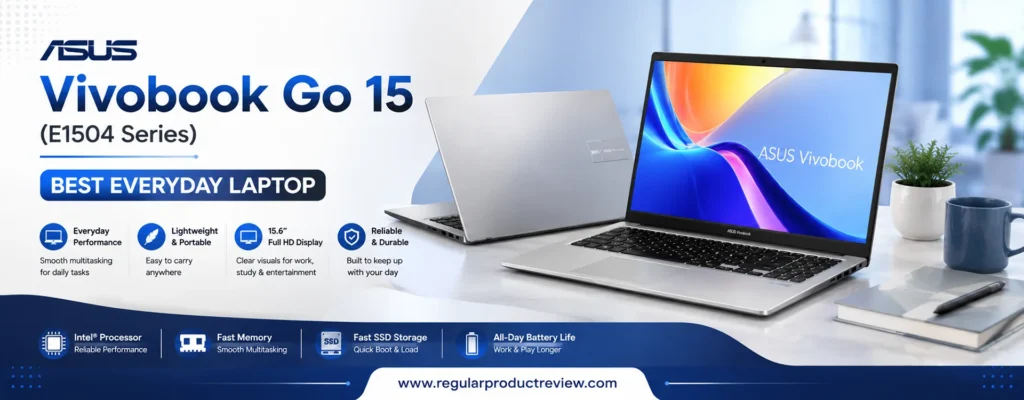
One of its biggest strengths is usability. The spacious 15.6-inch Full HD display provides plenty of room for multitasking, while the ergonomic ASUS ErgoSense keyboard makes long typing sessions more comfortable. Combined with its lightweight design and respectable battery life, the laptop feels much more expensive than many competing budget models.
Although it isn’t intended for demanding gaming or professional creative workloads, the ASUS Vivobook Go 15 delivers exactly what most everyday users need: reliability, simplicity, and consistent performance. For buyers searching for the best everyday laptop under $500, it earns our recommendation thanks to its excellent balance of practicality, value, and overall user experience.
Quick Verdict
Best Everyday Laptop: The ASUS Vivobook Go 15 offers one of the most balanced Windows experiences in the budget category, making it an excellent choice for students, home users, office productivity, and daily multitasking.
Key Specifications
Before exploring its real-world performance, here’s a quick look at the laptop’s core hardware.
| Feature | Details |
|---|---|
| Brand | ASUS |
| Model | Vivobook Go 15 (E1504 Series) |
| Processor | AMD Ryzen 5 7520U (configuration may vary) |
| Graphics | AMD Radeon Graphics |
| Display | 15.6-inch Full HD (1920×1080) Anti-Glare |
| Memory | 8GB LPDDR5 |
| Storage | 512GB PCIe NVMe SSD |
| Operating System | Windows 11 Home |
| Wireless | Wi-Fi 6, Bluetooth 5.3 |
| Webcam | HD Webcam with Privacy Shutter |
| Battery | 42Wh |
| Weight | Approximately 3.6 lbs (1.63 kg) |
Why We Recommend It
The ASUS Vivobook Go 15 earns its place in this guide because it delivers a complete everyday computing experience instead of focusing on a single standout feature. Its modern Ryzen processor, fast SSD, generous storage capacity, and Full HD display make it well-suited for school, work, and entertainment.
ASUS also includes thoughtful usability improvements such as the ErgoSense keyboard, physical webcam privacy shutter, and durable hinge design. These practical features improve the ownership experience without increasing the overall price.
For buyers who prefer Windows over ChromeOS and want a laptop that can comfortably handle years of everyday use, this model offers exceptional value.
Performance Breakdown
Everyday Performance
Powered by an efficient AMD Ryzen processor, the Vivobook Go 15 handles common productivity tasks with ease. Opening multiple browser tabs, working with Microsoft Office, joining Zoom meetings, streaming Full HD videos, and managing daily workloads all feel responsive.
While it isn’t built for heavy video editing or demanding gaming, it provides enough performance for most users who need a dependable everyday computer.
Display Quality
The 15.6-inch Full HD anti-glare display offers a comfortable viewing experience for work and entertainment. Text appears sharp, documents are easy to read, and the larger screen size improves multitasking compared to many compact budget laptops.
The matte finish also helps reduce reflections when working in bright environments.
Battery Life
Battery life comfortably supports several hours of mixed productivity, web browsing, streaming, and office work. While heavy workloads naturally reduce runtime, most users can expect dependable all-day performance for typical daily activities.
Fast charging support also helps minimize downtime between sessions.
Keyboard & Touchpad
ASUS’s ErgoSense keyboard is one of the strongest highlights of this laptop. The keys provide satisfying travel and consistent feedback, making long typing sessions noticeably more comfortable.
The large precision touchpad is smooth, accurate, and responsive, contributing to an overall premium feel.
Build Quality & Design
The Vivobook Go 15 features a clean, minimalist design that looks more expensive than its price suggests. Despite its lightweight construction, the chassis feels solid enough for everyday commuting, classroom use, and home productivity.
Its slim profile also makes carrying the laptop between meetings or classes convenient.
Pros & Cons
Every budget laptop makes compromises. Here’s where the ASUS Vivobook Go 15 performs particularly well and where buyers should keep realistic expectations.
| ✅ Pros | ❌ Cons |
|---|---|
| Excellent Windows performance for daily tasks | Not designed for AAA gaming |
| Spacious 15.6-inch Full HD display | Display brightness is average outdoors |
| Fast PCIe NVMe SSD storage | Memory is not user-upgradable |
| Comfortable ASUS ErgoSense keyboard | No dedicated graphics card |
| Lightweight and portable design | Limited color accuracy for creative professionals |
| Strong value for money | Battery capacity is smaller than some competitors |
Who Should Buy
The ASUS Vivobook Go 15 is an excellent choice for:
- Students needing a reliable Windows laptop.
- Home users browsing, streaming, and shopping online.
- Office workers using Microsoft Office and Teams.
- Remote workers attending virtual meetings.
- Families looking for a shared household laptop.
- Buyers wanting large SSD storage without exceeding their budget.
Who Should Avoid
Consider another option if you:
- Edit 4K video professionally.
- Play graphics-intensive PC games.
- Require professional-grade color accuracy.
- Need dedicated GPU performance.
- Perform heavy engineering or CAD workloads.
Our Expert Opinion
The ASUS Vivobook Go 15 (E1504 Series) succeeds because it focuses on delivering a polished everyday experience rather than chasing premium specifications. Its efficient hardware, spacious display, fast SSD, comfortable keyboard, and clean Windows 11 experience make it one of the safest recommendations for buyers shopping below $500.
Instead of excelling in only one area, it performs consistently well across the categories that matter most to everyday users. That balance makes it an easy recommendation for families, students, professionals, and anyone seeking dependable performance without overspending.
Bottom Line
If you’re looking for a dependable Windows laptop that can comfortably handle work, school, streaming, and everyday computing, the ASUS Vivobook Go 15 is one of the strongest choices available in this price range. Its combination of usability, modern hardware, and excellent value earns it our Best Everyday Laptop award.
| Award | Details |
|---|---|
| 🏆 Editorial Award | Best Everyday Laptop |
| Overall Score | 9.7/10 |
| Best For | Students, Families, Home Users, Office Productivity |
| Why It Won | Delivers an excellent balance of Windows performance, usability, display quality, portability, and long-term value for everyday computing. |
Dell Inspiron 15 3535 – Best AMD Performance
The Dell Inspiron 15 3535 is an excellent choice for buyers who want stronger multitasking performance without exceeding a $500 budget. Unlike many entry-level laptops that rely on older processors or limited storage, this Inspiron model pairs AMD’s efficient Ryzen platform with fast SSD storage and a spacious 15.6-inch Full HD display, creating a well-rounded laptop for work, study, and everyday productivity.
Dell’s Inspiron lineup has built a strong reputation for reliability, and the 3535 continues that tradition with a practical design that prioritizes long-term usability over flashy aesthetics. Whether you’re managing spreadsheets, attending virtual meetings, browsing with dozens of tabs open, or working on school assignments, the laptop remains responsive throughout the day.
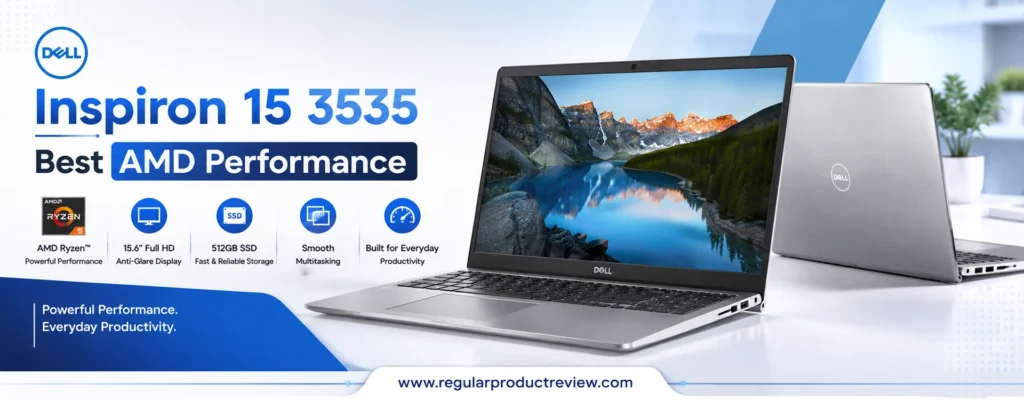
Another advantage is its upgrade-friendly design. Depending on the configuration, users can expand memory or storage in the future, extending the laptop’s lifespan and making it a smarter long-term investment than many competitors in the same price range.
Although this laptop isn’t intended for professional video editing or modern AAA gaming, its AMD Ryzen processor delivers excellent everyday performance while maintaining good power efficiency. For users who prefer Windows and frequently multitask, the Dell Inspiron 15 3535 earns our Best AMD Performance award thanks to its dependable speed, upgrade potential, and outstanding value.
Quick Verdict
Best AMD Performance: The Dell Inspiron 15 3535 delivers smooth multitasking, dependable productivity, and upgrade flexibility, making it one of the strongest Windows laptops available for buyers shopping under $500.
Key Specifications
Before exploring its real-world performance, here’s a quick overview of the hardware.
| Feature | Details |
|---|---|
| Brand | Dell |
| Model | Inspiron 15 3535 |
| Processor | AMD Ryzen 5 7520U (configuration may vary) |
| Graphics | AMD Radeon 610M Graphics |
| Display | 15.6-inch Full HD (1920×1080) Anti-Glare |
| Memory | 8GB LPDDR5 |
| Storage | 512GB PCIe NVMe SSD |
| Operating System | Windows 11 Home |
| Wireless | Wi-Fi 6, Bluetooth 5.3 |
| Webcam | 720p HD Webcam |
| Battery | 41Wh |
| Weight | Approximately 3.65 lbs (1.66 kg) |
Why We Recommend It
The Dell Inspiron 15 3535 stands out because it combines AMD’s efficient Ryzen architecture with Dell’s mature hardware design. Everyday applications launch quickly, multitasking feels responsive, and the fast SSD significantly improves boot times and file access compared to older hard drive-based systems.
Its large Full HD display and comfortable keyboard also make it well suited for students, professionals, and home users who spend several hours each day working on documents, emails, spreadsheets, or online meetings.
For buyers who value reliability and long-term usability, the Inspiron 15 3535 is one of the safest investments in the budget laptop category.
Performance Breakdown
Everyday Performance
The AMD Ryzen 5 7520U provides excellent efficiency for everyday computing. Switching between Microsoft Office, Google Chrome, Zoom, Spotify, and messaging applications remains smooth even with multiple programs running simultaneously.
Compared with many entry-level processors commonly found in budget laptops, Ryzen’s modern architecture offers faster application loading and better multitasking responsiveness.
Productivity & Multitasking
If your daily routine includes managing large spreadsheets, writing reports, researching with dozens of browser tabs, or attending back-to-back virtual meetings, the Inspiron 15 3535 handles these workloads comfortably.
Its SSD storage keeps Windows responsive, while the Ryzen processor maintains consistent performance throughout extended work sessions.
Display Quality
The 15.6-inch Full HD anti-glare display provides sharp text and comfortable viewing angles for office work, online learning, and streaming content. While color accuracy isn’t designed for professional photo editing, it performs well for general productivity and entertainment.
The matte finish also helps reduce reflections when working near windows or under bright office lighting.
Battery Life
Battery life is sufficient for a typical workday consisting of web browsing, document editing, video conferencing, and media playback. Under lighter workloads, users can comfortably complete several hours of productivity before needing to recharge.
Fast charging support further improves convenience for busy professionals and students.
Keyboard & Touchpad
Dell’s full-size keyboard offers comfortable spacing and responsive feedback, making it suitable for extended typing sessions. The precision touchpad tracks accurately and supports Windows gestures smoothly, providing a familiar user experience for both new and experienced users.
Build Quality & Design
The Inspiron 15 3535 follows Dell’s clean, professional design language with a durable chassis that feels solid for daily commuting and office use. While the construction is primarily plastic to keep costs down, the overall build quality inspires confidence for long-term ownership.
Pros & Cons
Every laptop has strengths and compromises. Here’s where the Dell Inspiron 15 3535 performs particularly well and where buyers should set realistic expectations.
| ✅ Pros | ❌ Cons |
|---|---|
| Excellent AMD Ryzen multitasking performance | Not built for demanding gaming |
| Fast 512GB PCIe NVMe SSD | Integrated graphics have limited creative performance |
| Comfortable keyboard for long typing sessions | Battery capacity is average |
| Large Full HD anti-glare display | Display color accuracy isn’t creator-focused |
| Upgrade-friendly design on select configurations | Webcam quality is basic |
| Reliable Dell build quality and support | No keyboard backlighting on some models |
Who Should Buy
The Dell Inspiron 15 3535 is ideal for:
- Students handling assignments and online classes.
- Office professionals using Microsoft Office daily.
- Remote workers attending frequent video meetings.
- Small business owners managing productivity software.
- Home users who multitask regularly.
- Buyers seeking dependable Windows performance under $500.
Who Should Avoid
Consider another option if you:
- Play modern AAA PC games.
- Edit professional 4K videos.
- Need dedicated graphics acceleration.
- Require a color-accurate display for professional design work.
- Want a premium aluminum chassis.
Our Expert Opinion
The Dell Inspiron 15 3535 proves that a budget laptop can still deliver a polished Windows experience. Its combination of AMD Ryzen performance, responsive SSD storage, practical upgrade options, and Dell’s reputation for reliability makes it one of the strongest productivity-focused laptops in this price category.
Instead of chasing premium specifications that inflate the price, Dell has focused on the essentials that matter most to everyday users. That thoughtful balance makes this laptop particularly appealing for students, professionals, and families who need dependable performance without overspending.
Bottom Line
If multitasking performance is your top priority, the Dell Inspiron 15 3535 is one of the best Windows laptops you can buy for under $500. It offers dependable speed, practical features, and long-term value, making it an outstanding choice for work, study, and everyday productivity.
| Award | Details |
|---|---|
| 🏆 Editorial Award | Best AMD Performance |
| Overall Score | 9.6/10 |
| Best For | Professionals, Students, Remote Workers, Productivity Users |
| Why It Won | Combines efficient AMD Ryzen performance, fast SSD storage, reliable build quality, and strong multitasking capabilities at an affordable price. |
HP 15-fd Series – Best for Students
The HP 15-fd Series is built for students who need a dependable Windows laptop that can comfortably handle classes, assignments, research, and everyday productivity without exceeding a tight budget. In the under $500 category, it strikes an excellent balance between performance, portability, battery life, and ease of use, making it one of the smartest choices for school and college.
Unlike many entry-level laptops that sacrifice usability to keep costs low, the HP 15-fd Series focuses on delivering a smooth everyday experience. Equipped with modern Intel Core or AMD Ryzen processors (depending on the configuration), fast NVMe SSD storage, and a bright Full HD display, it performs well for note-taking, web research, Microsoft Office, Google Workspace, video conferencing, and online learning.
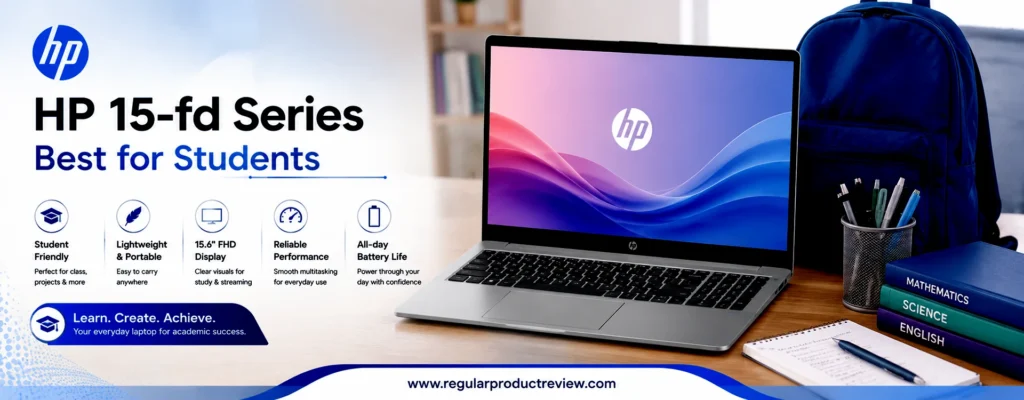
Students often carry their laptops between classrooms, libraries, and home, so portability matters just as much as performance. The HP 15-fd features a relatively lightweight design that fits easily into a backpack while providing a full-size keyboard for comfortable typing during long study sessions. Combined with dependable battery life, it can handle a typical day of lectures, assignments, and streaming without constantly searching for a power outlet.
While this laptop isn’t designed for intensive gaming or professional creative work, it excels at what most students actually need every day. Its practical feature set, reliable performance, and affordable pricing make the HP 15-fd Series our Best for Students recommendation in this buying guide.
Quick Verdict
Best for Students: The HP 15-fd Series offers an excellent combination of portability, everyday performance, battery life, and affordability, making it one of the most well-rounded student laptops under $500.
Key Specifications
Before examining its real-world performance, here’s a quick overview of the hardware.
| Feature | Details |
|---|---|
| Brand | HP |
| Model | HP 15-fd Series |
| Processor | Intel Core i3-N305 (configuration may vary) |
| Graphics | Intel UHD Graphics |
| Display | 15.6-inch Full HD (1920×1080) Anti-Glare |
| Memory | 8GB DDR4 |
| Storage | 512GB PCIe NVMe SSD |
| Operating System | Windows 11 Home |
| Wireless | Wi-Fi 6, Bluetooth 5.3 |
| Webcam | HP True Vision HD Camera |
| Battery | 41Wh |
| Weight | Approximately 3.5 lbs (1.59 kg) |
Why We Recommend It
The HP 15-fd Series earns its recommendation because it focuses on the features students use every day. Fast SSD storage keeps Windows responsive, while the modern processor handles research, assignments, online classes, and multitasking without unnecessary delays.
HP also pays attention to everyday comfort. The full-size keyboard is pleasant to type on, the display offers plenty of workspace for documents and web browsing, and the laptop remains light enough for daily commuting between home, school, and campus.
For buyers looking for an affordable Windows laptop that can remain useful throughout several academic years, this model delivers impressive overall value.
Performance Breakdown
Everyday Performance
The HP 15-fd Series performs confidently during typical student workloads. Opening multiple browser tabs, writing reports in Microsoft Word, creating presentations, editing spreadsheets, attending Zoom classes, and streaming educational videos all feel smooth thanks to the efficient processor and fast SSD storage.
For everyday productivity, it provides more than enough performance without making the system feel sluggish.
Display Quality
The 15.6-inch Full HD anti-glare display offers sharp text and comfortable viewing angles, making it easy to read lecture notes, research articles, and digital textbooks. The matte screen also helps minimize reflections in classrooms, libraries, and brightly lit study areas.
Although it’s not intended for professional color-sensitive work, it delivers a pleasant viewing experience for general productivity and entertainment.
Battery Life
Battery life is well suited for students who spend long hours away from home. During typical school activities including web browsing, note-taking, document editing, and online classes the laptop provides dependable endurance throughout most of the day.
This reduces the need to carry a charger between every class.
Keyboard & Touchpad
HP’s full-size keyboard provides comfortable key spacing and responsive feedback, making it ideal for writing essays, completing assignments, and taking lecture notes. The precision touchpad supports Windows gestures accurately and feels smooth during everyday navigation.
Build Quality & Design
The HP 15-fd features a clean, professional appearance with a slim profile that makes it easy to carry around campus. While its plastic construction helps keep the price affordable, the overall chassis feels sturdy enough for daily student life when handled with reasonable care.
Pros & Cons
Every budget laptop comes with trade-offs. Here’s where the HP 15-fd Series performs particularly well and where buyers should keep realistic expectations.
| ✅ Pros | ❌ Cons |
|---|---|
| Excellent value for students | Not suitable for demanding gaming |
| Fast PCIe NVMe SSD storage | Display brightness is average outdoors |
| Comfortable full-size keyboard | Integrated graphics limit creative workloads |
| Lightweight and backpack-friendly | Memory upgrades depend on configuration |
| Reliable Windows 11 experience | Battery is good but not class-leading |
| Good selection of everyday ports | Plastic chassis isn’t as premium as higher-end models |
Who Should Buy
The HP 15-fd Series is an excellent choice for:
- High school and college students.
- Online learners attending virtual classes.
- Office users with light productivity needs.
- Families purchasing a first laptop.
- Writers and researchers.
- Buyers seeking dependable Windows performance under $500.
Who Should Avoid
Consider another option if you:
- Play graphics-intensive PC games.
- Edit professional videos regularly.
- Need dedicated GPU performance.
- Require a premium metal chassis.
- Perform advanced engineering or 3D design work.
Our Expert Opinion
The HP 15-fd Series succeeds because it focuses on practical everyday usability rather than unnecessary premium features. Its responsive Windows experience, comfortable keyboard, fast SSD, and portable design make it an excellent companion for students who need a reliable laptop for classes, assignments, research, and entertainment.
While power users may require stronger hardware, most students will appreciate the balance of affordability, performance, and long-term reliability. It’s a laptop that delivers exactly what its target audience needs without asking them to exceed their budget.
Bottom Line
If you’re searching for the best student laptop under $500, the HP 15-fd Series is one of the strongest choices available today. It combines dependable performance, portability, and everyday practicality, making it an easy recommendation for school, college, and home learning.
| Award | Details |
|---|---|
| 🏆 Editorial Award | Best for Students |
| Overall Score | 9.5/10 |
| Best For | Students, Online Learning, Everyday Productivity, Families |
| Why It Won | Delivers an excellent balance of affordability, portability, comfortable typing, reliable performance, and long-term value for academic use. |
MSI Modern 14 C12M – Best Lightweight Productivity
The MSI Modern 14 C12M proves that an affordable laptop doesn’t have to compromise on portability or professional usability. While MSI is widely recognized for its gaming laptops, the Modern series takes a different approach by focusing on lightweight productivity, clean aesthetics, and dependable everyday performance. For buyers looking for the best lightweight laptop under $500, this model stands out as one of the strongest options in its class.
Powered by a 12th Gen Intel Core processor, the Modern 14 C12M delivers enough performance for office productivity, online learning, remote work, web development, document editing, and multitasking. Whether you’re working with Microsoft Office, Google Workspace, Slack, Zoom, or dozens of browser tabs, the system remains responsive throughout a typical workday.
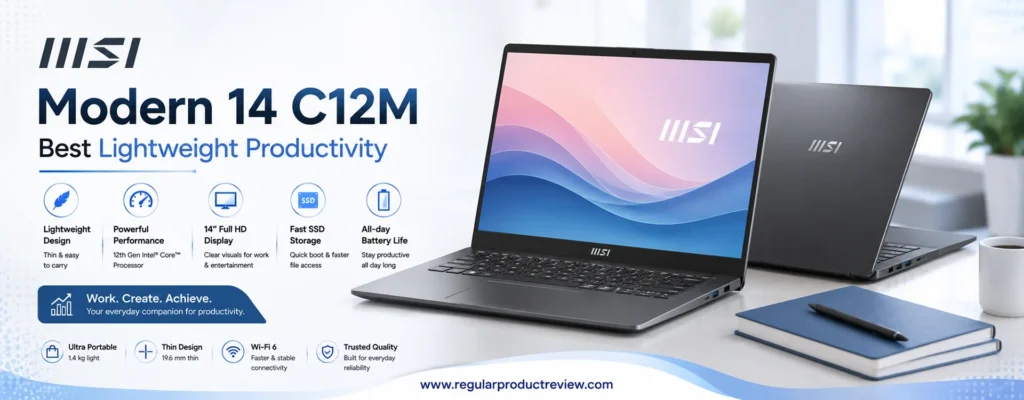
Portability is where this laptop truly shines. Weighing just over 3 pounds (1.4 kg), it’s noticeably lighter than many competing 15.6-inch budget laptops. Combined with its slim profile, it’s an excellent companion for commuters, business travelers, university students, and professionals who frequently work from different locations.
Although it isn’t intended for graphics-intensive gaming or professional 3D rendering, the MSI Modern 14 C12M offers an impressive combination of mobility, efficiency, and everyday performance. For users who prioritize portability without sacrificing productivity, it earns our Best Lightweight Productivity award.
Quick Verdict
Best Lightweight Productivity: The MSI Modern 14 C12M combines a lightweight chassis, efficient Intel performance, responsive SSD storage, and a professional design, making it an outstanding Windows laptop for work, study, and travel.
Key Specifications
Before diving into its real-world performance, here’s a quick overview of the core hardware.
| Feature | Details |
|---|---|
| Brand | MSI |
| Model | Modern 14 C12M |
| Processor | Intel Core i5-1235U (configuration may vary) |
| Graphics | Intel Iris Xe Graphics* |
| Display | 14-inch Full HD (1920×1080) IPS-Level |
| Memory | 8GB DDR4 |
| Storage | 512GB PCIe NVMe SSD |
| Operating System | Windows 11 Home |
| Wireless | Wi-Fi 6E, Bluetooth 5.3 |
| Webcam | HD Webcam |
| Battery | 39.3Wh |
| Weight | Approximately 3.0 lbs (1.4 kg) |
Note: Some lower-end configurations may use Intel UHD Graphics instead of Iris Xe Graphics depending on the installed memory configuration.
Why We Recommend It
The MSI Modern 14 C12M earns its recommendation because it focuses on productivity rather than unnecessary extras. Its efficient Intel processor, fast NVMe SSD, lightweight design, and compact footprint make it particularly attractive for professionals, students, and remote workers who carry their laptop every day.
Unlike many budget laptops that feel bulky or outdated, the Modern 14 offers a cleaner, more premium design while maintaining strong everyday performance. Its smaller footprint also makes it easier to use in classrooms, coffee shops, airports, and shared workspaces.
For buyers seeking portability without paying ultrabooks prices, this laptop delivers exceptional value.
Performance Breakdown
Everyday Performance
The Intel Core i5-1235U provides excellent responsiveness for daily productivity. Office applications launch quickly, browser multitasking remains smooth, and video conferencing platforms such as Microsoft Teams, Google Meet, and Zoom perform reliably even while other applications remain open.
For most productivity workloads, the laptop feels significantly faster than older dual-core budget systems.
Productivity & Multitasking
This laptop is particularly well suited for professionals who spend their day switching between documents, spreadsheets, email, cloud storage, and communication tools.
The fast PCIe NVMe SSD minimizes loading times, while the efficient processor keeps multitasking smooth without noticeable slowdowns during everyday office work.
Display Quality
The 14-inch Full HD IPS-level display produces crisp text and comfortable viewing angles, making it pleasant for document editing, web browsing, presentations, and media streaming. While it isn’t a creator-grade display, it provides a balanced visual experience for everyday productivity.
Its smaller screen size also contributes to better portability without feeling cramped for typical office tasks.
Battery Life
Battery performance comfortably supports several hours of mixed productivity, making it suitable for meetings, lectures, and travel. While heavy multitasking naturally shortens runtime, most users can complete a significant portion of their workday without reaching for the charger.
The included fast charging support also helps reduce downtime between sessions.
Keyboard & Touchpad
The keyboard offers comfortable spacing and responsive key travel, making it easy to type reports, emails, and assignments over extended periods. The precision touchpad tracks accurately and supports Windows multi-touch gestures smoothly, creating a polished user experience.
Build Quality & Design
One of the strongest aspects of the MSI Modern 14 C12M is its minimalist design. The slim chassis looks clean and professional while remaining easy to carry in a backpack or briefcase. Despite its lightweight construction, the laptop feels well assembled and durable enough for daily commuting and frequent travel.
Pros & Cons
Every laptop involves compromises. Here’s where the MSI Modern 14 C12M excels and where buyers should keep realistic expectations.
| ✅ Pros | ❌ Cons |
|---|---|
| Extremely lightweight and portable | Not suitable for modern AAA gaming |
| Strong Intel productivity performance | Battery capacity is average |
| Fast 512GB PCIe NVMe SSD | Memory upgrades depend on configuration |
| Sharp Full HD IPS-level display | Display color accuracy isn’t creator-focused |
| Clean, professional design | Limited upgrade flexibility compared to larger laptops |
| Comfortable keyboard for long typing sessions | No dedicated graphics card |
Who Should Buy
The MSI Modern 14 C12M is an excellent choice for:
- Business professionals.
- Remote workers.
- University students.
- Frequent travelers.
- Writers and content creators with light workloads.
- Buyers who prioritize portability over raw graphics performance.
Who Should Avoid
You may want another laptop if you:
- Play graphics-intensive PC games.
- Edit professional 4K video regularly.
- Need dedicated GPU acceleration.
- Prefer a larger 15.6-inch display.
- Require extensive hardware upgrades in the future.
Our Expert Opinion
The MSI Modern 14 C12M successfully delivers what many budget laptops struggle to achieve: a premium-feeling portable design without sacrificing everyday usability. Its efficient Intel processor, lightweight chassis, responsive storage, and professional appearance make it one of the best productivity-focused laptops available below $500.
Rather than chasing gaming performance or oversized hardware, MSI has concentrated on creating a dependable companion for modern work and study. That thoughtful approach makes the Modern 14 an excellent investment for users who spend more time creating documents than playing games.
Bottom Line
If portability is your top priority, the MSI Modern 14 C12M is one of the best lightweight Windows laptops you can buy under $500. It offers dependable productivity, excellent mobility, and strong everyday performance, making it an easy recommendation for professionals, students, and frequent travelers.
| Award | Details |
|---|---|
| 🏆 Editorial Award | Best Lightweight Productivity |
| Overall Score | 9.5/10 |
| Best For | Professionals, Remote Workers, Students, Travelers |
| Why It Won | Combines excellent portability, dependable Intel performance, a lightweight design, and strong productivity features at an affordable price. |
Lenovo V15 Gen 4 – Best Business Budget Laptop
The Lenovo V15 Gen 4 is built with one goal in mind: delivering dependable business productivity at an affordable price. While many consumer laptops emphasize entertainment features or flashy designs, the V15 Gen 4 focuses on practicality, reliability, and long-term usability. For professionals, small business owners, and remote workers shopping for the best business laptop under $500, it’s one of the most compelling options available.
Powered by modern AMD Ryzen or Intel Core processors (depending on the configuration), the laptop handles everyday office workloads with confidence. Whether you’re managing large Excel spreadsheets, preparing presentations, attending Microsoft Teams meetings, or working with cloud-based business applications, the V15 Gen 4 delivers smooth and consistent performance.
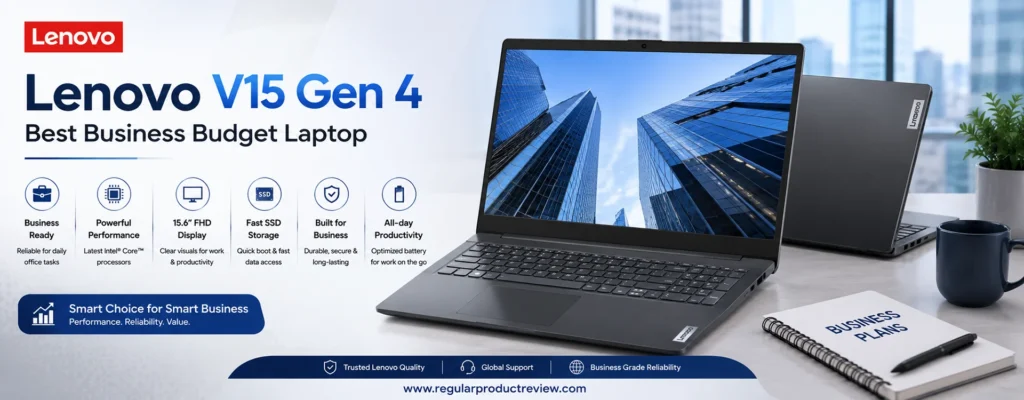
Business users also benefit from Lenovo’s reputation for producing comfortable keyboards and durable designs. Long typing sessions remain comfortable, while the clean, professional appearance fits naturally into office environments, classrooms, and client meetings. Combined with a Full HD anti-glare display and fast SSD storage, the laptop provides an efficient work experience that feels more premium than its budget-friendly price suggests.
Although it isn’t designed for graphics-intensive gaming or advanced creative production, the Lenovo V15 Gen 4 excels where business users spend most of their time productivity, communication, multitasking, and reliability. That balanced approach earns it our Best Business Budget Laptop award.
Quick Verdict
Best Business Budget Laptop: The Lenovo V15 Gen 4 combines dependable performance, a comfortable keyboard, fast SSD storage, and business-focused practicality, making it one of the best Windows laptops under $500 for professionals and office users.
Key Specifications
Before examining its real-world performance, here’s a quick overview of the hardware.
| Feature | Details |
|---|---|
| Brand | Lenovo |
| Model | V15 Gen 4 |
| Processor | AMD Ryzen 5 7430U (configuration may vary) |
| Graphics | AMD Radeon Graphics |
| Display | 15.6-inch Full HD (1920×1080) Anti-Glare |
| Memory | 8GB DDR4 (Upgradeable on select models) |
| Storage | 512GB PCIe NVMe SSD |
| Operating System | Windows 11 Pro (varies by configuration) |
| Wireless | Wi-Fi 6, Bluetooth 5.2 |
| Webcam | HD Webcam with Privacy Shutter |
| Battery | 38Wh |
| Weight | Approximately 3.7 lbs (1.68 kg) |
Why We Recommend It
The Lenovo V15 Gen 4 earns its recommendation because it focuses on delivering consistent business performance rather than unnecessary premium features. Its modern Ryzen processor, fast SSD, upgrade-friendly design, and professional appearance make it an excellent choice for office environments.
Unlike many consumer-focused budget laptops, the V15 emphasizes productivity and reliability. Features like the anti-glare display, physical webcam privacy shutter, and comfortable keyboard improve the day-to-day work experience while keeping the overall cost affordable.
For buyers seeking a dependable Windows laptop that can remain productive for years, the V15 Gen 4 offers excellent long-term value.
Performance Breakdown
Everyday Performance
The AMD Ryzen 5 7430U delivers responsive performance for common business workloads. Applications such as Microsoft Office, Outlook, Google Workspace, QuickBooks, web browsers, and communication platforms launch quickly and remain smooth during multitasking.
Even with multiple browser tabs, spreadsheets, and video meetings running simultaneously, the system maintains dependable responsiveness throughout a typical workday.
Productivity & Multitasking
Business users often work across several applications at once, and the Lenovo V15 Gen 4 handles these scenarios confidently. Creating presentations, managing databases, editing documents, and participating in virtual meetings all feel fluid thanks to the efficient processor and fast NVMe SSD.
The laptop also performs well for students pursuing business, finance, or engineering courses that rely on productivity software.
Display Quality
The 15.6-inch Full HD anti-glare display offers sharp text and comfortable readability for documents, spreadsheets, and presentations. The matte coating minimizes reflections, making the screen easier to use in brightly lit offices or classrooms.
While it isn’t intended for professional photo editing, it provides an excellent viewing experience for productivity-focused users.
Battery Life
Battery life comfortably supports several hours of office work, document editing, video conferencing, and web browsing. Under moderate workloads, most professionals can complete a significant portion of their workday before needing to recharge.
Its efficient hardware also helps reduce unnecessary power consumption during lighter tasks.
Keyboard & Touchpad
Lenovo continues to deliver one of the strongest typing experiences in the budget laptop category. The full-size keyboard features well-spaced keys with satisfying feedback, making it ideal for writing reports, responding to emails, and working with documents throughout the day.
The precision touchpad is accurate, responsive, and supports Windows multi-touch gestures without issue.
Build Quality & Design
The Lenovo V15 Gen 4 adopts a simple, professional design that feels appropriate in both office and educational environments. While its chassis is primarily plastic to maintain affordability, the construction feels sturdy enough for daily commuting and long-term use.
Its understated appearance also appeals to users who prefer a clean, business-oriented aesthetic over flashy consumer designs.
Pros & Cons
Every business laptop involves compromises. Here’s where the Lenovo V15 Gen 4 performs particularly well and where buyers should keep realistic expectations.
| ✅ Pros | ❌ Cons |
|---|---|
| Excellent business productivity performance | Not designed for gaming |
| Comfortable Lenovo keyboard | Battery capacity is average |
| Fast PCIe NVMe SSD storage | Display color accuracy isn’t creator-focused |
| Upgrade-friendly design on select models | Plastic chassis instead of aluminum |
| Full HD anti-glare display | Integrated graphics limit heavy creative workloads |
| Professional, office-friendly design | Keyboard backlighting varies by configuration |
Who Should Buy
The Lenovo V15 Gen 4 is an excellent choice for:
- Small business owners.
- Office professionals.
- Remote workers.
- College students studying business or finance.
- Freelancers managing productivity software.
- Buyers seeking a dependable Windows laptop for work.
Who Should Avoid
Consider another option if you:
- Play modern AAA games.
- Edit professional videos or 3D graphics.
- Require a premium metal ultrabook.
- Need advanced color accuracy for creative work.
- Prefer a compact 14-inch laptop for maximum portability.
Our Expert Opinion
The Lenovo V15 Gen 4 demonstrates that a budget business laptops can still deliver an enjoyable and productive user experience. Its efficient Ryzen processor, responsive SSD storage, comfortable keyboard, and professional design make it one of the strongest office-focused laptops available below $500.
Rather than competing with multimedia laptops, Lenovo has concentrated on the features professionals use every day. That focus results in a dependable machine capable of supporting work, study, and business productivity for years to come.
Bottom Line
If your priority is a reliable Windows laptop for office work, business applications, remote meetings, and everyday productivity, the Lenovo V15 Gen 4 is one of the best values available under $500. Its combination of performance, usability, and business-focused features makes it an easy recommendation.
| Award | Details |
|---|---|
| 🏆 Editorial Award | Best Business Budget Laptop |
| Overall Score | 9.4/10 |
| Best For | Office Professionals, Small Business Owners, Remote Workers, Students |
| Why It Won | Delivers dependable business performance, excellent typing comfort, fast SSD storage, and long-term productivity value at an affordable price. |
Gateway Ultra Slim 15.6″ – Best Budget Upgrade Option
Finding a laptop that’s both affordable and upgrade-friendly has become increasingly difficult in recent years. Many budget laptops now use soldered memory or limited storage options, making future upgrades nearly impossible. The Gateway Ultra Slim 15.6″ takes a different approach by giving buyers the flexibility to improve their system over time, making it an excellent choice for users who want a laptop that can grow with their needs.
At first glance, the Gateway Ultra Slim focuses on delivering the essentials: a large Full HD display, fast SSD storage, a modern Intel processor, and Windows 11. However, its real strength lies beneath the chassis. Depending on the configuration, users can upgrade the memory and replace or expand the SSD, extending the laptop’s useful lifespan without purchasing an entirely new system.
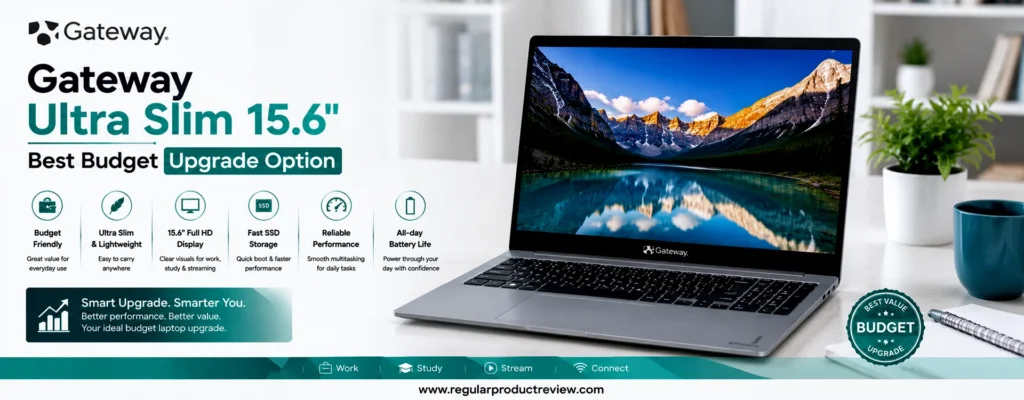
For students, home users, freelancers, and budget-conscious professionals, this flexibility offers significant long-term value. Instead of paying more upfront for higher-end specifications, buyers can start with an affordable configuration and improve performance later as workloads increase.
While it isn’t built for demanding gaming or professional content creation, the Gateway Ultra Slim 15.6″ provides dependable everyday performance, generous upgrade potential, and excellent overall value. That combination earns it our Best Budget Upgrade Option award.
Quick Verdict
Best Budget Upgrade Option: The Gateway Ultra Slim 15.6″ is an excellent choice for buyers who value future upgrade flexibility. Its expandable hardware, fast SSD, and dependable everyday performance make it one of the smartest long-term investments under $500.
Key Specifications
Before diving into real-world performance, here’s a quick overview of the hardware.
| Feature | Details |
|---|---|
| Brand | Gateway |
| Model | Ultra Slim 15.6″ |
| Processor | Intel Core i5-1235U (configuration may vary) |
| Graphics | Intel Iris Xe Graphics |
| Display | 15.6-inch Full HD (1920×1080) IPS |
| Memory | 8GB DDR4 (Upgradeable on select models) |
| Storage | 512GB PCIe NVMe SSD (Upgradeable) |
| Operating System | Windows 11 Home |
| Wireless | Wi-Fi 6, Bluetooth 5.1 |
| Webcam | HD Webcam |
| Battery | Up to 8 hours |
| Weight | Approximately 4.0 lbs (1.8 kg) |
Why We Recommend It
The Gateway Ultra Slim 15.6″ stands out because it gives buyers something that’s becoming increasingly rare in the budget laptop market-hardware flexibility. While many competing laptops lock users into fixed memory and storage configurations, this model allows upgrades on supported versions, helping extend its useful life.
Beyond its upgrade potential, the laptop also delivers solid everyday performance for web browsing, office productivity, streaming, online classes, and remote work. The combination of a modern Intel processor, responsive SSD storage, and Full HD IPS display creates a smooth experience for typical daily computing.
For users planning to keep their laptop for several years, the ability to upgrade later adds significant long-term value.
Performance Breakdown
Everyday Performance
Powered by Intel’s efficient Core i5-1235U, the Gateway Ultra Slim handles everyday computing with confidence. Web browsing, Microsoft Office, Google Workspace, email, streaming services, and video conferencing all run smoothly without noticeable slowdowns.
For typical home and office workloads, the system feels responsive thanks to its fast NVMe SSD and modern processor architecture.
Multitasking Performance
The laptop performs well when switching between multiple applications throughout the day. Running several browser tabs, editing documents, managing spreadsheets, and participating in video meetings simultaneously remains comfortable for most users.
Future memory upgrades on supported configurations can further improve multitasking performance as workloads become more demanding.
Display Quality
The 15.6-inch Full HD IPS display provides sharp text, wide viewing angles, and a comfortable workspace for productivity. Whether you’re writing reports, attending online classes, or watching movies, the display offers a pleasant viewing experience that’s noticeably better than many entry-level TN panels.
Its larger screen also makes multitasking easier by providing more room for multiple application windows.
Battery Life
Battery performance is suitable for everyday use, supporting several hours of web browsing, office work, streaming, and light multitasking. While heavier workloads naturally reduce runtime, most users can comfortably complete a large portion of their daily tasks before needing to recharge.
Keyboard & Touchpad
The full-size keyboard offers comfortable spacing and consistent feedback, making it suitable for writing documents, emails, and assignments. The precision touchpad tracks accurately and supports Windows gestures smoothly, contributing to a user-friendly experience.
Build Quality & Design
The Gateway Ultra Slim 15.6″ features a clean, understated design that prioritizes practicality over premium materials. While the chassis is primarily plastic, it feels sturdy enough for everyday commuting, home use, and office productivity.
Its slim profile also makes it relatively easy to carry despite the larger display.
Upgrade Potential
One of the biggest reasons this laptop earns its award is its serviceability.
| Upgrade Component | Upgrade Potential |
|---|---|
| Memory (RAM) | Upgradeable on supported configurations |
| SSD Storage | Replaceable PCIe NVMe SSD |
| Wi-Fi Card | Serviceable |
| Battery | Replaceable with proper servicing |
Unlike many budget laptops with permanently soldered components, the Gateway Ultra Slim 15.6″ provides buyers with greater flexibility for future upgrades and maintenance.
Pros & Cons
Every laptop comes with compromises. Here’s a quick summary of the Gateway Ultra Slim’s strengths and limitations.
| ✅ Pros | ❌ Cons |
|---|---|
| Excellent hardware upgrade potential | Build materials feel basic |
| Strong Intel everyday performance | Not suitable for modern AAA gaming |
| Fast PCIe NVMe SSD | Speakers are average |
| Full HD IPS display | Battery life trails some competitors |
| Comfortable keyboard | Display brightness is moderate outdoors |
| Excellent long-term value | Brand support network is smaller than major manufacturers |
Who Should Buy
The Gateway Ultra Slim 15.6″ is ideal for:
- Budget-conscious buyers.
- Students planning future upgrades.
- Home office users.
- Freelancers.
- DIY enthusiasts.
- Buyers wanting a laptop with longer upgrade potential.
Who Should Avoid
Consider another option if you:
- Need professional creative workstation performance.
- Frequently play demanding PC games.
- Want premium aluminum construction.
- Require enterprise-level business support.
- Prefer an ultra-light travel laptop.
Our Expert Opinion
The Gateway Ultra Slim 15.6″ earns its place in this guide because it offers something increasingly uncommon in the entry-level market: meaningful upgrade flexibility. While many affordable laptops are essentially fixed from day one, this model gives users the opportunity to improve memory and storage over time, extending its lifespan and increasing its overall value.
Combined with dependable Intel performance, responsive SSD storage, and a comfortable Full HD display, it delivers a practical ownership experience for users who think beyond their initial purchase.
Bottom Line
If you’re looking for a laptop that won’t become obsolete after a few years, the Gateway Ultra Slim 15.6″ is one of the best upgrade-friendly options available under $500. Its combination of solid everyday performance and future expandability makes it a smart long-term investment.
| Award | Details |
|---|---|
| 🏆 Editorial Award | Best Budget Upgrade Option |
| Overall Score | 9.3/10 |
| Best For | Students, Home Users, DIY Enthusiasts, Budget Buyers |
| Why It Won | Offers rare upgrade flexibility, dependable Intel performance, fast SSD storage, and excellent long-term value in the budget laptop category. |
Acer Chromebook Plus 515 – Best ChromeOS Experience
The Acer Chromebook Plus 515 demonstrates how far ChromeOS laptops have evolved in recent years. No longer limited to basic web browsing, the Chromebook Plus platform introduces faster hardware, enhanced multitasking capabilities, AI-powered productivity features, and a premium user experience that rivals many Windows laptops in the same price range. For buyers seeking the best ChromeOS laptop under $500, the Acer Chromebook Plus 515 stands at the top of the list.
Unlike traditional budget Chromebooks, this model is built around Intel’s modern Core processor, generous memory, and a large 15.6-inch Full HD IPS display. The result is a laptop that feels fast, responsive, and effortless during everyday workloads. Whether you’re working in Google Workspace, attending video meetings, editing documents, streaming 4K content, or managing dozens of Chrome tabs, the system maintains impressive responsiveness.
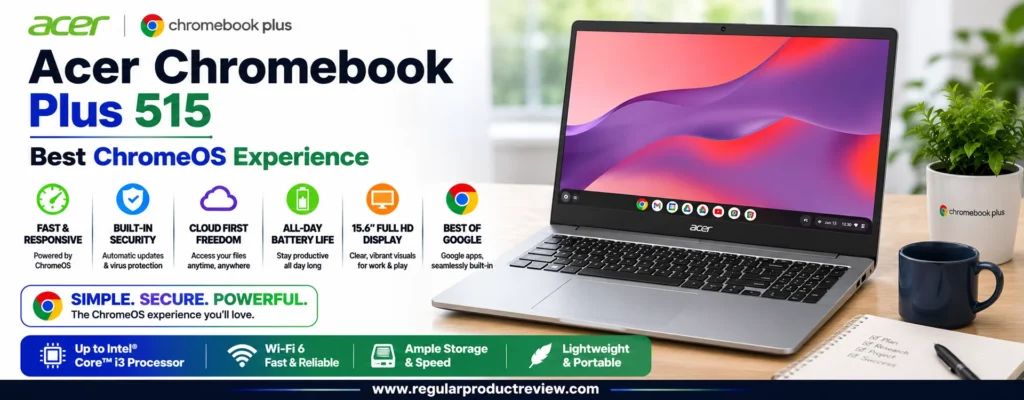
One of ChromeOS’s biggest advantages is simplicity. Automatic updates, built-in security protection, and extremely fast boot times reduce maintenance while providing a smooth long-term ownership experience. Combined with excellent battery efficiency, the Chromebook Plus 515 becomes an outstanding choice for students, educators, professionals, and families who spend most of their time working in the cloud.
Although specialized Windows software and high-end gaming remain outside its intended use, the Acer Chromebook Plus 515 delivers one of the most refined ChromeOS experiences available today. Its excellent balance of performance, usability, display quality, and battery life earns it our Best ChromeOS Experience award.
Quick Verdict
Best ChromeOS Experience: The Acer Chromebook Plus 515 offers premium ChromeOS performance, a spacious Full HD display, modern Intel hardware, and excellent battery life, making it one of the best laptops under $500 for cloud-based productivity.
Key Specifications
Before evaluating its real-world performance, here’s a quick overview of the hardware.
| Feature | Details |
|---|---|
| Brand | Acer |
| Model | Chromebook Plus 515 |
| Processor | Intel Core i3-1215U |
| Graphics | Intel UHD Graphics |
| Display | 15.6-inch Full HD (1920×1080) IPS Anti-Glare |
| Memory | 8GB LPDDR5 |
| Storage | 128GB UFS |
| Operating System | ChromeOS |
| Wireless | Wi-Fi 6E, Bluetooth 5.2 |
| Webcam | 1080p Full HD Webcam |
| Battery Life | Up to 10 hours |
| Weight | Approximately 3.75 lbs (1.7 kg) |
Why We Recommend It
The Acer Chromebook Plus 515 stands out because it combines the speed and simplicity of ChromeOS with hardware that feels genuinely modern. Its Intel Core processor delivers noticeably smoother multitasking than many entry-level Chromebooks, while the Full HD IPS display provides an enjoyable experience for both work and entertainment.
The Chromebook Plus platform also introduces additional AI-powered productivity tools, improved video call quality, and stronger multitasking capabilities, helping users accomplish more without requiring expensive hardware.
For buyers whose daily workflow revolves around web applications, Google Workspace, Microsoft 365 Online, and cloud storage, this laptop delivers exceptional value.
Performance Breakdown
Everyday Performance
The Intel Core i3-1215U provides excellent responsiveness for web-based productivity. Opening dozens of Chrome tabs, editing Google Docs, working with spreadsheets, streaming high-resolution videos, and participating in virtual meetings all remain smooth throughout the day.
ChromeOS itself contributes significantly to this experience by remaining lightweight, secure, and consistently responsive even after months of regular use.
Cloud Productivity
The Chromebook Plus 515 excels in cloud-first workflows. Google Docs, Sheets, Slides, Gmail, Google Drive, Microsoft 365 Online, Canva, Slack, Zoom, and countless browser-based applications all perform exceptionally well.
For users who primarily work online, very few Windows laptops at this price point feel as effortless.
Display Quality
The 15.6-inch Full HD IPS display provides excellent clarity for documents, web browsing, presentations, and streaming. Wide viewing angles make collaboration easier, while the anti-glare coating helps reduce reflections during office work or classroom use.
The larger screen size is particularly beneficial for multitasking, allowing users to comfortably view multiple windows side by side.
Battery Life
Battery life is one of the Chromebook Plus 515’s strongest advantages. Under typical workloads including web browsing, document editing, streaming, and video conferencing it comfortably lasts through a full workday or school day.
Combined with ChromeOS’s efficient power management, this makes the laptop an excellent travel companion.
Keyboard & Touchpad
Acer provides a comfortable full-size keyboard with responsive key travel that’s well suited for extended typing sessions. The precision touchpad feels accurate and smooth, supporting ChromeOS gestures without issue.
Both input devices contribute to a pleasant everyday user experience.
Build Quality & Design
The Chromebook Plus 515 features a clean, understated design that looks appropriate in classrooms, offices, and home environments. While it uses a plastic chassis to maintain affordability, the construction feels solid enough for daily commuting and long-term ownership.
Its larger display is balanced by a relatively slim profile, making it surprisingly portable for a 15.6-inch laptop.
ChromeOS Advantages
One of the biggest reasons this laptop earns its award is the overall ChromeOS experience.
| ChromeOS Feature | Everyday Benefit |
|---|---|
| Automatic Updates | Security improvements without manual maintenance |
| Fast Boot Time | Ready to work within seconds |
| Built-in Virus Protection | Reduced security concerns |
| Google Workspace Integration | Excellent cloud productivity |
| Android App Support | Access to thousands of mobile applications |
| Simple User Interface | Easy for beginners and experienced users alike |
Pros & Cons
Every Chromebook has strengths and limitations. Here’s what buyers should know before making a purchase.
| ✅ Pros | ❌ Cons |
|---|---|
| Outstanding ChromeOS performance | Limited compatibility with Windows-only software |
| Fast Intel Core processor | Local storage capacity is modest |
| Large Full HD IPS display | Not intended for professional video editing |
| Excellent battery life | Limited offline workflow compared to Windows |
| Fast boot times and automatic updates | Gaming options remain limited |
| Strong overall value for cloud users | Memory isn’t user-upgradable |
Who Should Buy
The Acer Chromebook Plus 515 is an excellent choice for:
- Students and educators.
- Remote workers using cloud applications.
- Google Workspace users.
- Families needing a shared laptop.
- Travelers prioritizing battery life.
- Buyers who prefer a low-maintenance operating system.
Who Should Avoid
Consider another laptop if you:
- Depend on Windows-exclusive software.
- Edit professional videos or large RAW photos.
- Play demanding PC games.
- Need extensive offline productivity.
- Require hardware upgrades in the future.
Our Expert Opinion
The Acer Chromebook Plus 515 proves that ChromeOS has matured into a capable platform for everyday productivity. Its modern Intel processor, spacious Full HD display, long battery life, and streamlined operating system create an experience that’s fast, reliable, and refreshingly simple.
Rather than trying to replace high-end Windows workstations, this laptop focuses on delivering an exceptional cloud-first experience and it succeeds remarkably well. For users whose workflow lives in the browser, it’s one of the smartest purchases available below $500.
Bottom Line
If you want a fast, secure, and easy-to-maintain laptop for work, school, and everyday computing, the Acer Chromebook Plus 515 is one of the strongest options under $500. Its premium ChromeOS experience, dependable performance, and outstanding battery life make it an easy recommendation.
| Award | Details |
|---|---|
| 🏆 Editorial Award | Best ChromeOS Experience |
| Overall Score | 9.3/10 |
| Best For | Students, Educators, Cloud Productivity, Families |
| Why It Won | Combines modern Intel performance, an excellent Full HD display, all-day battery life, and one of the best ChromeOS experiences available in the budget laptop category. |
Samsung Galaxy Chromebook Go – Best Portability
For buyers who spend more time on the move than behind a desk, portability often matters more than raw processing power. The Samsung Galaxy Chromebook Go is designed with that philosophy in mind, offering a lightweight, compact, and highly durable laptop that’s easy to carry throughout the day. Whether you’re commuting to work, attending classes, traveling frequently, or simply want a device that won’t weigh down your backpack, this Chromebook delivers impressive mobility at an affordable price.
Unlike many traditional budget laptops, the Galaxy Chromebook Go focuses on efficiency rather than high-end specifications. ChromeOS boots within seconds, receives automatic updates, and remains responsive even on modest hardware. Combined with long battery life, this allows users to work, study, browse, and stream without worrying about constant charging or software maintenance.
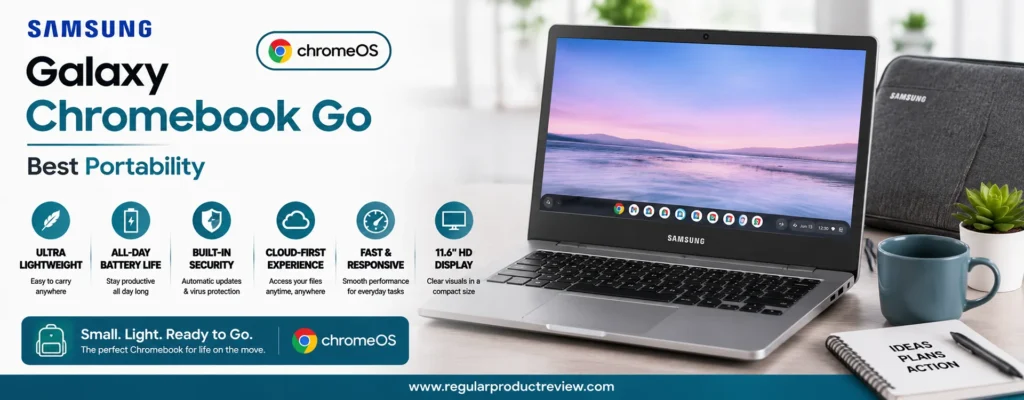
Samsung also emphasizes durability. The laptop meets several MIL-STD-810H durability standards, making it more resistant to everyday bumps, vibrations, and accidental drops than many consumer laptops in this price range. For students, travelers, and mobile professionals, this added durability provides extra peace of mind.
While it isn’t intended for demanding Windows software or resource-intensive creative workloads, the Samsung Galaxy Chromebook Go excels at cloud-based productivity, online learning, document editing, web browsing, and entertainment. Its exceptional portability and dependable battery life earn it our Best Portability award.
Quick Verdict
Best Portability: The Samsung Galaxy Chromebook Go combines an ultra-light design, impressive battery efficiency, durable construction, and the simplicity of ChromeOS, making it an ideal companion for users who work and study on the go.
Key Specifications
Before exploring its real-world performance, here’s a quick look at the hardware.
| Feature | Details |
|---|---|
| Brand | Samsung |
| Model | Galaxy Chromebook Go |
| Processor | Intel Celeron N4500 |
| Graphics | Intel UHD Graphics |
| Display | 14-inch HD (1366 × 768) Anti-Glare |
| Memory | 4GB LPDDR4X |
| Storage | 64GB eMMC |
| Operating System | ChromeOS |
| Wireless | Wi-Fi 6, Bluetooth 5.1 |
| Webcam | 720p HD Webcam |
| Battery Life | Up to 12 hours |
| Weight | Approximately 3.2 lbs (1.45 kg) |
Why We Recommend It
The Samsung Galaxy Chromebook Go earns its recommendation because it prioritizes mobility without sacrificing reliability. ChromeOS runs efficiently on its hardware, allowing users to browse the web, manage email, attend virtual meetings, stream media, and complete everyday productivity tasks with minimal effort.
Its lightweight chassis makes it comfortable to carry throughout an entire day, while its durable construction helps it withstand frequent travel. For buyers who primarily rely on web applications and cloud storage, this Chromebook provides excellent long-term value.
If portability is your highest priority, few laptops under $500 are as easy to recommend.
Performance Breakdown
Everyday Performance
Although the Intel Celeron N4500 isn’t designed for heavy multitasking, it performs reliably during typical Chromebook workloads. Google Docs, Gmail, YouTube, Google Meet, Microsoft 365 Online, and web browsing remain smooth thanks to ChromeOS’s lightweight design.
The operating system is optimized to make efficient use of modest hardware, resulting in a responsive experience for everyday users.
Cloud Productivity
The Galaxy Chromebook Go is built around cloud computing. Students and professionals who primarily use browser-based applications will appreciate how quickly the system handles document editing, online collaboration, email management, and video conferencing.
Its fast startup time and automatic updates also reduce downtime and ongoing maintenance.
Display Quality
The 14-inch anti-glare display provides comfortable readability for documents, online classes, and web browsing. While the HD resolution isn’t as sharp as Full HD panels found on higher-end models, it remains perfectly adequate for everyday productivity and contributes to improved battery efficiency.
The anti-glare coating also helps reduce reflections in classrooms, offices, and cafés.
Battery Life
Battery life is one of this Chromebook’s greatest strengths. Under typical usage including web browsing, document editing, streaming, and online meetings it can comfortably last through a full school or workday without requiring a charger.
For travelers and commuters, that level of endurance significantly enhances everyday convenience.
Keyboard & Touchpad
Samsung provides a well-spaced keyboard that’s comfortable for note-taking, emails, and document editing. The precision touchpad feels responsive and accurately supports ChromeOS gestures, creating an intuitive user experience.
Despite its compact footprint, the keyboard remains surprisingly comfortable for extended typing sessions.
Build Quality & Design
The Galaxy Chromebook Go features a clean, minimalist design with reinforced durability for daily travel. Certified to meet MIL-STD-810H durability standards, it’s built to better withstand everyday wear compared to many conventional budget laptops.
Its slim profile and lightweight construction also make it one of the easiest laptops in this roundup to carry.
Portability Highlights
One of the main reasons this laptop earns its award is its exceptional mobility.
| Portability Feature | Everyday Benefit |
|---|---|
| Lightweight Design | Comfortable to carry all day |
| Slim Profile | Fits easily into backpacks and messenger bags |
| Long Battery Life | Fewer charging interruptions |
| ChromeOS Efficiency | Fast startup and minimal maintenance |
| MIL-STD-810H Durability | Better resistance to daily wear and travel |
| Quiet Operation | Ideal for classrooms, libraries, and meetings |
Pros & Cons
Every portable laptop involves trade-offs. Here’s what buyers should know before purchasing.
| ✅ Pros | ❌ Cons |
|---|---|
| Extremely lightweight and travel-friendly | HD display instead of Full HD |
| Excellent all-day battery life | Limited local storage |
| Durable MIL-STD-810H design | Not suitable for Windows-exclusive software |
| Fast ChromeOS startup | Entry-level processor limits heavier multitasking |
| Quiet and energy-efficient operation | Memory isn’t upgradeable |
| Very affordable pricing | Not intended for gaming or creative workloads |
Who Should Buy
The Samsung Galaxy Chromebook Go is ideal for:
- Students carrying a laptop every day.
- Frequent travelers.
- Remote workers using cloud-based tools.
- Families looking for an affordable secondary laptop.
- Casual users focused on web browsing and streaming.
- Buyers who value portability over raw performance.
Who Should Avoid
Consider another option if you:
- Require Windows-only desktop software.
- Edit large videos or photos professionally.
- Need extensive local storage.
- Frequently multitask with demanding applications.
- Prefer a Full HD display for detailed creative work.
Our Expert Opinion
The Samsung Galaxy Chromebook Go succeeds because it understands its purpose. Instead of competing with larger Windows laptops, it focuses on delivering an effortless mobile computing experience. ChromeOS runs smoothly, battery life is excellent, and the durable chassis makes it well suited for users who are constantly on the move.
While power users will likely need stronger hardware, students, travelers, and casual users will appreciate how easy this Chromebook is to live with. It’s one of the most practical portable laptops available for buyers on a limited budget.
Bottom Line
If your priority is carrying a lightweight, dependable laptop with outstanding battery life, the Samsung Galaxy Chromebook Go is one of the best portable options available under $500. Its combination of durability, simplicity, and mobility makes it an excellent everyday companion.
| Award | Details |
|---|---|
| 🏆 Editorial Award | Best Portability |
| Overall Score | 9.2/10 |
| Best For | Travelers, Students, Remote Workers, Casual Users |
| Why It Won | Combines lightweight portability, long battery life, durable construction, and an effortless ChromeOS experience at an affordable price. |
Chuwi CoreBook X – Best High-Resolution Display
Not every budget laptop focuses solely on raw performance. Some buyers spend most of their time reading documents, writing reports, browsing the web, editing spreadsheets, or watching videos, where display quality has a greater impact on the overall experience than processor speed alone. That’s exactly where the Chuwi CoreBook X stands out. Equipped with a sharp 2K IPS display, it offers a level of visual clarity that’s rarely found in the under $500 laptop category.
Unlike many affordable laptops that rely on standard Full HD or even HD panels, the CoreBook X features a 14-inch 2160 × 1440 resolution display with a productivity-friendly 3:2 aspect ratio. The taller screen provides more vertical workspace, making it easier to view documents, websites, spreadsheets, and PDFs without constant scrolling. For students, writers, programmers, and office professionals, this seemingly small difference noticeably improves daily productivity.
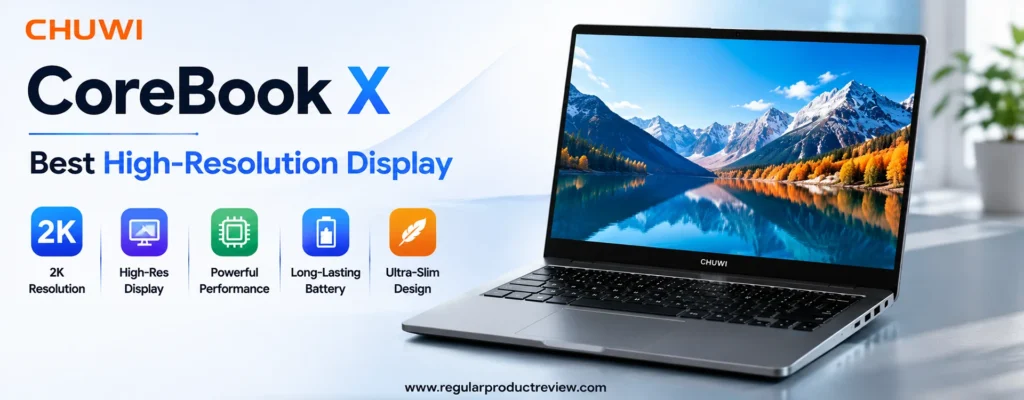
Beyond the display, the CoreBook X delivers solid everyday performance with an Intel Core processor, fast NVMe SSD storage, and Windows 11. While it isn’t designed for demanding gaming laptops or professional video production, it comfortably handles office work, online learning, research, coding, streaming, and general multitasking.
For buyers who value screen quality above everything else, the Chuwi CoreBook X offers one of the most impressive displays available at this price point. Its combination of high resolution, excellent workspace, and dependable productivity earns it our Best High-Resolution Display award.
Quick Verdict
Best High-Resolution Display: The Chuwi CoreBook X delivers one of the sharpest displays available under $500, making it an excellent choice for productivity, reading, document editing, and everyday professional work.
Key Specifications
Before exploring its real-world performance, here’s a quick overview of the hardware.
| Feature | Details |
|---|---|
| Brand | Chuwi |
| Model | CoreBook X |
| Processor | Intel Core i3-1220P |
| Graphics | Intel UHD Graphics |
| Display | 14-inch 2K IPS (2160 × 1440), 3:2 Aspect Ratio |
| Memory | 16GB LPDDR4X |
| Storage | 512GB PCIe NVMe SSD |
| Operating System | Windows 11 Home |
| Wireless | Wi-Fi 6, Bluetooth 5.2 |
| Webcam | HD Webcam |
| Battery | 46.2Wh |
| Weight | Approximately 3.1 lbs (1.4 kg) |
Why We Recommend It
The Chuwi CoreBook X earns its recommendation because it prioritizes one feature that significantly improves everyday usability: an outstanding display. The high-resolution 2K IPS panel delivers sharper text, more detailed images, and a larger working area than typical Full HD budget laptops.
Combined with 16GB of memory, fast SSD storage, and a modern Intel processor, the laptop performs well for productivity-focused users who spend hours reading, writing, researching, or working with multiple documents.
For anyone who values visual comfort during long work sessions, this laptop provides exceptional value.
Performance Breakdown
Everyday Performance
Powered by the Intel Core i3-1220P, the CoreBook X delivers responsive performance for everyday computing. Office applications, Google Chrome, Microsoft Edge, Zoom, Slack, and cloud-based productivity tools all run smoothly during typical workloads.
The combination of fast SSD storage and generous memory also contributes to quicker application launches and smoother multitasking compared to many similarly priced competitors.
Productivity & Multitasking
The inclusion of 16GB RAM gives the CoreBook X a noticeable advantage when working with multiple browser tabs, office applications, research materials, and communication software simultaneously.
Students, office professionals, writers, programmers, and remote workers will particularly appreciate its ability to maintain smooth performance during extended productivity sessions.
Display Quality
The display is unquestionably the highlight of this laptop.
Its 2160 × 1440 IPS panel produces significantly sharper text and more detailed visuals than standard Full HD displays. The 3:2 aspect ratio provides additional vertical workspace, allowing users to see more of documents, spreadsheets, and web pages without constant scrolling.
For reading, writing, coding, document editing, and general office work, the difference is immediately noticeable.
Battery Life
Battery life comfortably supports several hours of office work, web browsing, streaming, and document editing. While the higher-resolution display naturally consumes slightly more power than lower-resolution alternatives, the laptop still provides dependable endurance for typical daily productivity.
Keyboard & Touchpad
The full-size keyboard offers comfortable key spacing with responsive feedback, making it well suited for long writing sessions and everyday office work. The precision touchpad is accurate and supports Windows gestures smoothly, contributing to an overall polished user experience.
Build Quality & Design
The Chuwi CoreBook X features a minimalist aluminum-alloy chassis that gives it a more premium appearance than many plastic budget laptops. Despite its solid construction, it remains lightweight and easy to carry between home, school, and the office.
Its understated design also fits naturally into both professional and academic environments.
Display Comparison Advantage
The display is what truly separates the CoreBook X from most competitors.
| Display Feature | Benefit |
|---|---|
| 2K Resolution (2160 × 1440) | Sharper text and improved image clarity |
| 3:2 Aspect Ratio | More vertical workspace for productivity |
| IPS Panel | Better viewing angles and color consistency |
| High Pixel Density | Reduced eye strain during long reading sessions |
| 14-inch Size | Excellent balance between portability and workspace |
| Anti-Glare Finish | More comfortable use under bright lighting |
Pros & Cons
Every laptop involves compromises. Here’s where the Chuwi CoreBook X performs especially well and where buyers should set realistic expectations.
| ✅ Pros | ❌ Cons |
|---|---|
| Outstanding 2K IPS display | Brand service network is smaller than major manufacturers |
| Productivity-friendly 3:2 aspect ratio | Not designed for AAA gaming |
| 16GB memory improves multitasking | Display consumes more power than HD panels |
| Fast 512GB PCIe NVMe SSD | Limited retail availability in some regions |
| Premium aluminum design | Integrated graphics limit demanding creative workloads |
| Excellent value for productivity users | Webcam quality is average |
Who Should Buy
The Chuwi CoreBook X is an excellent choice for:
- Students.
- Writers and researchers.
- Office professionals.
- Programmers.
- Remote workers.
- Buyers who prioritize display quality over gaming performance.
Who Should Avoid
Consider another option if you:
- Play graphics-intensive PC games.
- Require a dedicated graphics card.
- Edit professional 4K videos.
- Need enterprise-level manufacturer support.
- Prefer a larger 15.6-inch display.
Our Expert Opinion
The Chuwi CoreBook X proves that display quality doesn’t have to be reserved for expensive laptops. Its sharp 2K IPS panel, productivity-friendly 3:2 aspect ratio, generous memory, and responsive Windows performance create an experience that’s remarkably enjoyable for work, study, and everyday computing.
While its brand recognition may not match larger manufacturers, the overall hardware package delivers exceptional value for users who spend more time looking at their screen than pushing their processor to its limits.
Bottom Line
If display quality is your highest priority, the Chuwi CoreBook X is one of the most impressive laptops available under $500. Its excellent 2K screen, comfortable productivity experience, and strong overall value make it an outstanding choice for students, professionals, and everyday users alike.
| Award | Details |
|---|---|
| 🏆 Editorial Award | Best High-Resolution Display |
| Overall Score | 9.2/10 |
| Best For | Students, Writers, Programmers, Office Professionals, Remote Workers |
| Why It Won | Offers a class-leading 2K IPS display, a productivity-focused 3:2 aspect ratio, generous memory, and excellent everyday performance at an affordable price. |
Detailed Buying Guide
Choosing the best budget laptop under $500 isn’t just about finding the lowest price. The right laptop should match your daily workload, remain reliable for several years, and provide the best overall value for your investment. A laptop that works perfectly for a college student may not be the ideal choice for a remote professional, while someone who primarily browses the web doesn’t need the same hardware as a programmer or content creator.
The good news is that today’s budget laptops are significantly more capable than they were only a few years ago. Modern Intel Core and AMD Ryzen processors, fast NVMe SSD storage, improved battery efficiency, and Full HD displays have become much more common in affordable devices. That means buyers no longer need to spend over $1,000 to enjoy a smooth everyday computing experience.
Instead of chasing the highest specifications, focus on purchasing a laptop that fits your workflow. A well-balanced laptop with reliable hardware, a comfortable keyboard, good battery life, and long-term software support will usually provide a better ownership experience than one with flashy specifications but poor overall usability.
This buying guide explains the most important features to consider, common buying mistakes, recommended budget ranges, and how to choose the right laptop based on your personal needs.
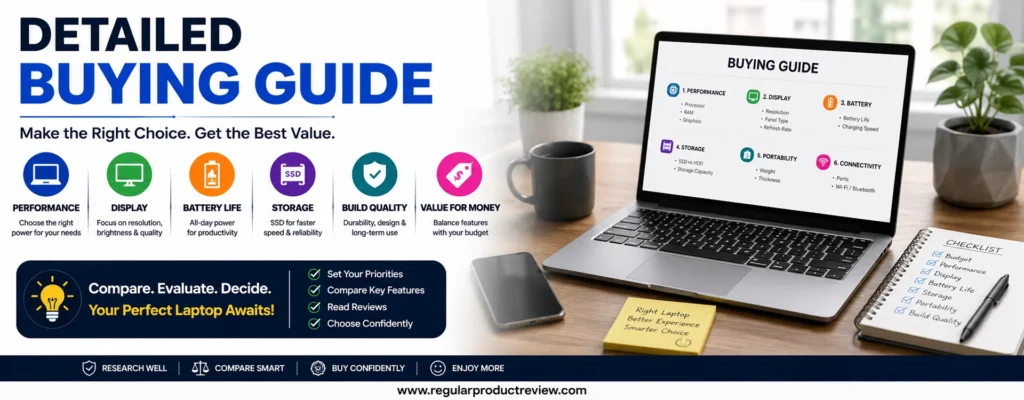
How to Choose the Right Budget Laptop
Before purchasing any laptop under $500, ask yourself one simple question:
“What will I use this laptop for most?”
Your answer will determine which hardware matters most.
Student & Online Learning
Students should prioritize:
- 8GB RAM or more
- Full HD display
- Comfortable keyboard
- Lightweight design
- Long battery life
- Reliable webcam
- Fast SSD storage
Students rarely need powerful graphics cards. Instead, reliability and portability provide much greater long-term value.
Office & Business Productivity
Business users benefit most from:
- Modern Intel Core or AMD Ryzen processors
- Fast NVMe SSD storage
- Comfortable keyboard
- Wi-Fi 6 connectivity
- Reliable webcam and microphone
- Windows 11 Pro (when available)
Productivity laptops should remain responsive while multitasking between documents, spreadsheets, emails, and video meetings.
Home & Family Use
Families typically need a laptop capable of:
- Web browsing
- Streaming Netflix and YouTube
- Online shopping
- Video calls
- Homework
- Document editing
For these users, a balanced Windows or ChromeOS laptop provides the best value.
Travel & Portability
Frequent travelers should prioritize:
- Lightweight chassis
- Long battery life
- Durable construction
- Compact 14-inch display
- Fast startup times
Every extra pound becomes noticeable when carrying a laptop all day.
Key Features to Consider
Buying the right budget laptop starts with understanding which specifications actually affect your daily experience.
Processor (CPU)
The processor determines how quickly your laptop responds to everyday tasks.
Recommended choices include:
| Processor | Recommended For |
|---|---|
| Intel Core i3 (12th Gen or newer) | Everyday productivity |
| Intel Core i5 | Heavy multitasking |
| AMD Ryzen 3 | Budget everyday use |
| AMD Ryzen 5 | Best balance of price and performance |
| Intel N-Series | Light productivity and students |
Avoid purchasing laptops with processors that are several generations old unless the price is exceptionally attractive.
Memory (RAM)
RAM has a significant impact on multitasking performance.
| RAM | Recommendation |
|---|---|
| 4GB | Only basic ChromeOS usage |
| 8GB | Recommended minimum for Windows |
| 16GB | Excellent for multitasking and long-term use |
If your budget allows, choose 8GB or more to ensure smoother performance over the next several years.
Storage
Fast storage improves almost every aspect of the laptop experience.
| Storage Type | Recommendation |
|---|---|
| NVMe SSD | ⭐ Best Choice |
| SATA SSD | Good |
| eMMC | Acceptable for ChromeOS |
| Hard Drive (HDD) | Avoid whenever possible |
An SSD dramatically reduces boot times and application loading compared to traditional hard drives.
Display Quality
You’ll spend hours looking at your screen, so display quality matters more than many buyers realize.
Look for:
- Full HD (1920 × 1080) resolution
- IPS panel
- Anti-glare coating
- Comfortable brightness
- Good viewing angles
Avoid HD (1366 × 768) displays whenever a Full HD alternative fits your budget.
Battery Life
Battery life becomes especially important for students and travelers.
A good budget laptop should comfortably provide:
- 8–10 hours for everyday productivity
- Enough endurance for a full school or workday
- Fast charging when available
Keyboard & Touchpad
Many buyers overlook input quality.
A comfortable keyboard improves:
- Productivity
- Typing accuracy
- Long writing sessions
- Office work
- Student assignments
A responsive precision touchpad also contributes to a better overall user experience.
Critical Features vs Nice-to-Have Features
Understanding the difference between essential features and premium extras helps buyers spend their money wisely.
| Priority | Features |
|---|---|
| ⭐ Critical Features | Modern CPU, 8GB RAM, SSD, Full HD Display, Comfortable Keyboard |
| ✅ Important Features | Wi-Fi 6, USB-C, IPS Display, Good Battery Life, Webcam Privacy Shutter |
| 💡 Nice-to-Have Features | Fingerprint Reader, Backlit Keyboard, Touchscreen, Fast Charging, Aluminum Chassis |
Focus on critical features first before paying extra for premium conveniences.
Features You Can Ignore
Many advertisements emphasize specifications that have very little impact on everyday users.
Examples include:
- RGB lighting
- Excessively high refresh rates
- Marketing-focused AI labels
- Premium speaker branding
- Ultra-fast charging if battery life is already sufficient
- Oversized storage you’ll never use
Instead, invest in a faster processor, more RAM, or a better display.
Common Buying Mistakes to Avoid
Many buyers regret their purchase because they focus on the wrong specifications.
Buying Based Only on Price
The cheapest laptop often becomes the most expensive if it struggles after a few months of use.
Ignoring RAM
Modern Windows laptops should ideally have 8GB RAM or more for smooth multitasking.
Choosing a Hard Drive Instead of an SSD
A fast SSD improves responsiveness more than almost any other upgrade.
Buying More Performance Than You Need
Most students and office users don’t need dedicated graphics or gaming hardware.
Buying unnecessary performance usually means sacrificing battery life and value.
Ignoring Upgrade Potential
Some laptops allow future storage or memory upgrades, extending their useful lifespan.
If long-term ownership matters, upgradeability can be an important advantage.
Which Laptop Is Right for You?
| Buyer Type | Recommended Laptop |
|---|---|
| Students | HP 15-fd Series |
| Everyday Users | ASUS Vivobook Go 15 |
| Office Professionals | Lenovo V15 Gen 4 |
| Remote Workers | MSI Modern 14 C12M |
| Travelers | Samsung Galaxy Chromebook Go |
| Cloud Productivity | Acer Chromebook Plus 515 |
| Best Overall Value | Lenovo IdeaPad Flex 3i Chromebook Plus |
| Upgrade Enthusiasts | Gateway Ultra Slim 15.6″ |
| Display Lovers | Chuwi CoreBook X |
| Heavy Multitasking | Dell Inspiron 15 3535 |
Budget Recommendations
Your budget determines which features you can realistically expect.
| Budget | What You Can Expect |
|---|---|
| Under $300 | ChromeOS laptops, entry-level Windows devices, basic productivity |
| $300–$400 | Faster processors, SSD storage, improved displays |
| $400–$500 | Best value, Full HD IPS displays, modern CPUs, 8GB RAM, strong multitasking |
| Above $500 | Premium materials, brighter displays, better battery life, higher performance |
For most buyers, the $400–$500 range offers the strongest balance of performance and long-term value.
Long-Term Ownership Considerations
A laptop is an investment, so think beyond its first year of use.
Look for:
- Reliable manufacturer support
- Automatic software updates
- SSD storage
- Upgradeable memory or storage (when available)
- Durable hinges
- Comfortable keyboard
- Good battery health
Choosing a dependable laptop today can help you avoid upgrading again in just a few years.
Maintenance Tips
Simple maintenance can significantly extend your laptop’s lifespan.
- Keep Windows or ChromeOS updated.
- Remove unnecessary applications.
- Clean the keyboard and display regularly.
- Avoid blocking cooling vents.
- Store the laptop in a protective sleeve during travel.
- Charge the battery before it reaches extremely low levels.
- Restart the system occasionally instead of leaving it running for weeks.
These habits help maintain performance and improve long-term reliability.
Final Buying Advice
The best budget laptop under $500 isn’t necessarily the fastest or the most expensive it’s the one that fits your daily routine. Buyers focused on web browsing, online learning, and cloud productivity will find excellent value in ChromeOS devices like the Lenovo IdeaPad Flex 3i Chromebook Plus and Acer Chromebook Plus 515. Those who prefer Windows for work, school, or multitasking should consider well-rounded options such as the ASUS Vivobook Go 15, Dell Inspiron 15 3535, or Lenovo V15 Gen 4.
If portability is your top priority, the Samsung Galaxy Chromebook Go remains an outstanding travel companion. Buyers who plan to upgrade their hardware later should look closely at the Gateway Ultra Slim 15.6″, while users who spend hours reading, writing, or coding will appreciate the sharp 2K display on the Chuwi CoreBook X.
Ultimately, prioritize a modern processor, at least 8GB RAM, fast SSD storage, a Full HD display, and dependable battery life. These features will have the greatest impact on your everyday experience and provide the best long-term value for your investment.
Product Comparison Tables
Choosing the best budget laptop under $500 becomes much easier when you compare the most important features side by side. Instead of looking only at processor names or memory sizes, these comparison tables highlight how each laptop performs in real-world categories such as productivity, portability, battery life, display quality, and overall value.
Whether you’re buying a laptop for school, work, travel, or everyday home use, the tables below will help you quickly identify the model that best matches your needs.
Overall Comparison Table
| Laptop | Editorial Award | Processor | RAM | Storage | Display | Operating System | Overall Score |
|---|---|---|---|---|---|---|---|
| Lenovo IdeaPad Flex 3i Chromebook Plus | 🏆 Best Overall Value | Intel Core i3-N305 | 8GB | 128GB UFS | 14″ FHD Touch IPS | ChromeOS | 9.8/10 |
| ASUS Vivobook Go 15 (E1504) | Best Everyday Laptop | AMD Ryzen 5 7520U | 8GB | 512GB SSD | 15.6″ FHD | Windows 11 | 9.7/10 |
| Dell Inspiron 15 3535 | Best AMD Performance | AMD Ryzen 5 7520U | 8GB | 512GB SSD | 15.6″ FHD | Windows 11 | 9.6/10 |
| HP 15-fd Series | Best for Students | Intel Core i3-N305 | 8GB | 512GB SSD | 15.6″ FHD | Windows 11 | 9.5/10 |
| MSI Modern 14 C12M | Best Lightweight Productivity | Intel Core i5-1235U | 8GB | 512GB SSD | 14″ FHD IPS | Windows 11 | 9.5/10 |
| Lenovo V15 Gen 4 | Best Business Budget Laptop | AMD Ryzen 5 7430U | 8GB | 512GB SSD | 15.6″ FHD | Windows 11 Pro | 9.4/10 |
| Gateway Ultra Slim 15.6″ | Best Budget Upgrade Option | Intel Core i5-1235U | 8GB | 512GB SSD | 15.6″ FHD IPS | Windows 11 | 9.3/10 |
| Acer Chromebook Plus 515 | Best ChromeOS Experience | Intel Core i3-1215U | 8GB | 128GB UFS | 15.6″ FHD IPS | ChromeOS | 9.3/10 |
| Samsung Galaxy Chromebook Go | Best Portability | Intel Celeron N4500 | 4GB | 64GB eMMC | 14″ HD | ChromeOS | 9.2/10 |
| Chuwi CoreBook X | Best High-Resolution Display | Intel Core i3-1220P | 16GB | 512GB SSD | 14″ 2K IPS | Windows 11 | 9.2/10 |
Performance Comparison
| Laptop | Office Work | Multitasking | Web Browsing | Streaming | Overall Performance |
|---|---|---|---|---|---|
| Lenovo IdeaPad Flex 3i Chromebook Plus | ⭐⭐⭐⭐⭐ | ⭐⭐⭐⭐☆ | ⭐⭐⭐⭐⭐ | ⭐⭐⭐⭐⭐ | ⭐⭐⭐⭐⭐ |
| ASUS Vivobook Go 15 | ⭐⭐⭐⭐⭐ | ⭐⭐⭐⭐⭐ | ⭐⭐⭐⭐⭐ | ⭐⭐⭐⭐⭐ | ⭐⭐⭐⭐⭐ |
| Dell Inspiron 15 3535 | ⭐⭐⭐⭐⭐ | ⭐⭐⭐⭐⭐ | ⭐⭐⭐⭐⭐ | ⭐⭐⭐⭐⭐ | ⭐⭐⭐⭐⭐ |
| HP 15-fd Series | ⭐⭐⭐⭐⭐ | ⭐⭐⭐⭐☆ | ⭐⭐⭐⭐⭐ | ⭐⭐⭐⭐☆ | ⭐⭐⭐⭐☆ |
| MSI Modern 14 C12M | ⭐⭐⭐⭐⭐ | ⭐⭐⭐⭐⭐ | ⭐⭐⭐⭐⭐ | ⭐⭐⭐⭐☆ | ⭐⭐⭐⭐⭐ |
| Lenovo V15 Gen 4 | ⭐⭐⭐⭐⭐ | ⭐⭐⭐⭐⭐ | ⭐⭐⭐⭐⭐ | ⭐⭐⭐⭐☆ | ⭐⭐⭐⭐⭐ |
| Gateway Ultra Slim 15.6″ | ⭐⭐⭐⭐☆ | ⭐⭐⭐⭐☆ | ⭐⭐⭐⭐⭐ | ⭐⭐⭐⭐☆ | ⭐⭐⭐⭐☆ |
| Acer Chromebook Plus 515 | ⭐⭐⭐⭐⭐ | ⭐⭐⭐⭐☆ | ⭐⭐⭐⭐⭐ | ⭐⭐⭐⭐⭐ | ⭐⭐⭐⭐⭐ |
| Samsung Galaxy Chromebook Go | ⭐⭐⭐⭐☆ | ⭐⭐⭐☆☆ | ⭐⭐⭐⭐☆ | ⭐⭐⭐⭐☆ | ⭐⭐⭐☆☆ |
| Chuwi CoreBook X | ⭐⭐⭐⭐⭐ | ⭐⭐⭐⭐⭐ | ⭐⭐⭐⭐⭐ | ⭐⭐⭐⭐⭐ | ⭐⭐⭐⭐⭐ |
Display Comparison
| Laptop | Resolution | Panel | Touchscreen | Display Rating |
|---|---|---|---|---|
| Chuwi CoreBook X | 2160 × 1440 | IPS | No | ⭐⭐⭐⭐⭐ |
| Lenovo IdeaPad Flex 3i Chromebook Plus | 1920 × 1080 | IPS | Yes | ⭐⭐⭐⭐⭐ |
| Acer Chromebook Plus 515 | 1920 × 1080 | IPS | No | ⭐⭐⭐⭐⭐ |
| MSI Modern 14 C12M | 1920 × 1080 | IPS | No | ⭐⭐⭐⭐☆ |
| Gateway Ultra Slim 15.6″ | 1920 × 1080 | IPS | No | ⭐⭐⭐⭐☆ |
| ASUS Vivobook Go 15 | 1920 × 1080 | Anti-Glare | No | ⭐⭐⭐⭐☆ |
| Dell Inspiron 15 3535 | 1920 × 1080 | Anti-Glare | No | ⭐⭐⭐⭐☆ |
| HP 15-fd Series | 1920 × 1080 | Anti-Glare | No | ⭐⭐⭐⭐☆ |
| Lenovo V15 Gen 4 | 1920 × 1080 | Anti-Glare | No | ⭐⭐⭐⭐☆ |
| Samsung Galaxy Chromebook Go | 1366 × 768 | Anti-Glare | No | ⭐⭐⭐☆☆ |
Battery Life Comparison
| Laptop | Typical Battery Life | Fast Charging | Battery Rating |
|---|---|---|---|
| Samsung Galaxy Chromebook Go | Up to 12 Hours | No | ⭐⭐⭐⭐⭐ |
| Lenovo IdeaPad Flex 3i Chromebook Plus | Up to 10 Hours | Yes | ⭐⭐⭐⭐⭐ |
| Acer Chromebook Plus 515 | Up to 10 Hours | Yes | ⭐⭐⭐⭐⭐ |
| MSI Modern 14 C12M | Up to 9 Hours | Yes | ⭐⭐⭐⭐☆ |
| ASUS Vivobook Go 15 | Up to 8 Hours | Yes | ⭐⭐⭐⭐☆ |
| Dell Inspiron 15 3535 | Up to 8 Hours | Yes | ⭐⭐⭐⭐☆ |
| HP 15-fd Series | Up to 8 Hours | Yes | ⭐⭐⭐⭐☆ |
| Gateway Ultra Slim 15.6″ | Up to 8 Hours | No | ⭐⭐⭐⭐☆ |
| Lenovo V15 Gen 4 | Up to 7.5 Hours | Yes | ⭐⭐⭐⭐☆ |
| Chuwi CoreBook X | Up to 7.5 Hours | Yes | ⭐⭐⭐⭐☆ |
Portability Comparison
| Laptop | Weight | Travel Friendly | Portability Score |
|---|---|---|---|
| MSI Modern 14 C12M | 3.0 lbs | ⭐⭐⭐⭐⭐ | ⭐⭐⭐⭐⭐ |
| Chuwi CoreBook X | 3.1 lbs | ⭐⭐⭐⭐⭐ | ⭐⭐⭐⭐⭐ |
| Samsung Galaxy Chromebook Go | 3.2 lbs | ⭐⭐⭐⭐⭐ | ⭐⭐⭐⭐⭐ |
| HP 15-fd Series | 3.5 lbs | ⭐⭐⭐⭐☆ | ⭐⭐⭐⭐☆ |
| Lenovo IdeaPad Flex 3i Chromebook Plus | 3.5 lbs | ⭐⭐⭐⭐☆ | ⭐⭐⭐⭐☆ |
| ASUS Vivobook Go 15 | 3.6 lbs | ⭐⭐⭐⭐☆ | ⭐⭐⭐⭐☆ |
| Dell Inspiron 15 3535 | 3.65 lbs | ⭐⭐⭐⭐☆ | ⭐⭐⭐⭐☆ |
| Lenovo V15 Gen 4 | 3.7 lbs | ⭐⭐⭐⭐☆ | ⭐⭐⭐⭐☆ |
| Acer Chromebook Plus 515 | 3.75 lbs | ⭐⭐⭐⭐☆ | ⭐⭐⭐⭐☆ |
| Gateway Ultra Slim 15.6″ | 4.0 lbs | ⭐⭐⭐☆☆ | ⭐⭐⭐☆☆ |
Upgradeability Comparison
| Laptop | RAM Upgrade | SSD Upgrade | Upgrade Score |
|---|---|---|---|
| Gateway Ultra Slim 15.6″ | ✅ | ✅ | ⭐⭐⭐⭐⭐ |
| Lenovo V15 Gen 4 | ✅* | ✅ | ⭐⭐⭐⭐☆ |
| Dell Inspiron 15 3535 | ✅* | ✅ | ⭐⭐⭐⭐☆ |
| HP 15-fd Series | Depends on Model | ✅ | ⭐⭐⭐⭐☆ |
| ASUS Vivobook Go 15 | Limited | ✅ | ⭐⭐⭐☆☆ |
| MSI Modern 14 C12M | Limited | ✅ | ⭐⭐⭐☆☆ |
| Chuwi CoreBook X | ❌ | ✅ | ⭐⭐⭐☆☆ |
| Lenovo IdeaPad Flex 3i Chromebook Plus | ❌ | ❌ | ⭐⭐☆☆☆ |
| Acer Chromebook Plus 515 | ❌ | ❌ | ⭐⭐☆☆☆ |
| Samsung Galaxy Chromebook Go | ❌ | ❌ | ⭐☆☆☆☆ |
*Upgradeability varies depending on the specific configuration and region. Always verify the model specifications before purchasing.
Best Laptop by User Type
| User Type | Recommended Laptop | Why We Recommend It |
|---|---|---|
| 🎓 Students | HP 15-fd Series | Affordable, reliable, and easy to carry between classes |
| 💼 Business Professionals | Lenovo V15 Gen 4 | Excellent keyboard, business-focused features, and dependable productivity |
| 🏠 Home Users | ASUS Vivobook Go 15 | Great all-around Windows experience for everyday use |
| 🌐 Remote Workers | MSI Modern 14 C12M | Lightweight with strong multitasking performance |
| ✈️ Travelers | Samsung Galaxy Chromebook Go | Exceptional portability and long battery life |
| ☁️ Cloud Users | Acer Chromebook Plus 515 | Outstanding ChromeOS performance and simplicity |
| 🔧 Upgrade Enthusiasts | Gateway Ultra Slim 15.6″ | One of the most upgrade-friendly laptops in this price range |
| 🖥️ Display Lovers | Chuwi CoreBook X | Stunning 2K IPS display with a productivity-friendly 3:2 aspect ratio |
| ⚡ Heavy Multitaskers | Dell Inspiron 15 3535 | Powerful AMD Ryzen performance for demanding everyday workloads |
| 🏆 Best Overall Value | Lenovo IdeaPad Flex 3i Chromebook Plus | Excellent balance of performance, battery life, and everyday usability |
Editorial Rankings
| Rank | Laptop | Editorial Score |
|---|---|---|
| 🥇 #1 | Lenovo IdeaPad Flex 3i Chromebook Plus | 9.8/10 |
| 🥈 #2 | ASUS Vivobook Go 15 (E1504) | 9.7/10 |
| 🥉 #3 | Dell Inspiron 15 3535 | 9.6/10 |
| 4 | HP 15-fd Series | 9.5/10 |
| 5 | MSI Modern 14 C12M | 9.5/10 |
| 6 | Lenovo V15 Gen 4 | 9.4/10 |
| 7 | Gateway Ultra Slim 15.6″ | 9.3/10 |
| 8 | Acer Chromebook Plus 515 | 9.3/10 |
| 9 | Samsung Galaxy Chromebook Go | 9.2/10 |
| 10 | Chuwi CoreBook X | 9.2/10 |
Comparison Summary
If you want the best overall value, choose the Lenovo IdeaPad Flex 3i Chromebook Plus. Buyers who prefer Windows should look closely at the ASUS Vivobook Go 15 or Dell Inspiron 15 3535. Students will appreciate the HP 15-fd Series, while professionals who travel frequently will benefit from the lightweight MSI Modern 14 C12M. For business users, the Lenovo V15 Gen 4 is the strongest productivity-focused option, and buyers who plan to upgrade their hardware later should consider the Gateway Ultra Slim 15.6″. If display quality is your highest priority, the Chuwi CoreBook X offers the sharpest screen in this roundup, while the Acer Chromebook Plus 515 remains our top recommendation for users invested in the ChromeOS ecosystem.
Frequently Asked Questions (FAQs)
1. What is the best budget laptop under $500 overall?
The Lenovo IdeaPad Flex 3i Chromebook Plus is our Best Overall Value pick. It combines fast ChromeOS performance, a responsive touchscreen, long battery life, and an excellent user experience, making it ideal for students, professionals, and everyday users who primarily rely on web-based applications.
2. Which is the best Windows laptop under $500?
If you prefer Windows, the ASUS Vivobook Go 15 (E1504 Series) is our top recommendation. It offers a modern AMD Ryzen processor, a spacious 15.6-inch Full HD display, fast NVMe SSD storage, and dependable everyday performance for work, school, and entertainment.
3. Is $500 enough to buy a good laptop in 2026?
Yes. A budget of $500 is enough to purchase a capable laptop for everyday productivity, online learning, office work, web browsing, media streaming, and light multitasking. Modern processors, SSD storage, and Full HD displays are now common within this price range.
4. Should I choose Windows or ChromeOS?
Choose Windows if you need desktop software such as Microsoft Office, Adobe applications, programming tools, or specialized business software.
Choose ChromeOS if your work is mostly browser-based and you prioritize fast performance, simplicity, automatic updates, and excellent battery life.
5. Is 8GB RAM enough for everyday use?
Yes. 8GB RAM is the recommended minimum for most users in 2026. It comfortably handles web browsing, Microsoft Office, online classes, video conferencing, streaming, and everyday multitasking.
6. Should I buy a laptop with an SSD or HDD?
Always choose an SSD whenever possible. SSDs provide much faster boot times, quicker application launches, smoother multitasking, and better overall responsiveness than traditional hard drives.
7. Which laptop is best for students?
The HP 15-fd Series is our top recommendation for students thanks to its comfortable keyboard, Full HD display, reliable Windows performance, and excellent value for school and college workloads.
8. Which laptop offers the best battery life?
The Samsung Galaxy Chromebook Go provides the longest battery life in this roundup, making it an excellent choice for students, travelers, and users who spend long hours away from a power outlet.
9. Which laptop is best for multitasking?
The Dell Inspiron 15 3535 delivers the strongest multitasking performance thanks to its AMD Ryzen processor, fast SSD storage, and efficient Windows performance.
10. Which laptop has the best display?
The Chuwi CoreBook X features a sharp 14-inch 2K IPS display with a productivity-friendly 3:2 aspect ratio, making it the best choice for reading, writing, coding, and document editing.
11. Can I upgrade these laptops later?
Some models allow future upgrades, while others have soldered components.
Among our recommendations, the Gateway Ultra Slim 15.6″, Dell Inspiron 15 3535, and Lenovo V15 Gen 4 generally offer better upgrade flexibility, depending on the specific configuration.
12. Are Chromebooks worth buying?
Yes, especially if your daily workflow revolves around Google Workspace, Microsoft 365 Online, web browsing, streaming, and cloud-based productivity. Chromebooks also provide excellent security, fast startup times, and minimal maintenance.
13. Can these laptops handle video editing?
They can handle basic photo editing and light Full HD video editing, but they are not intended for professional 4K video production or advanced creative workloads.
14. Which laptop is best for remote work?
The MSI Modern 14 C12M is our top choice for remote professionals because it combines lightweight portability, dependable Intel performance, a comfortable keyboard, and excellent multitasking capabilities.
15. Is a Full HD display important?
Absolutely. A Full HD (1920 × 1080) display produces sharper text, clearer images, and a significantly better viewing experience than HD panels, especially during long work or study sessions.
16. Which laptop provides the best long-term value?
The Lenovo IdeaPad Flex 3i Chromebook Plus offers the strongest overall long-term value thanks to its excellent performance, reliable ChromeOS updates, quality hardware, and impressive battery life.
17. Which laptop is best for business users?
The Lenovo V15 Gen 4 is our recommended business laptop because of its professional design, comfortable keyboard, reliable Windows performance, and productivity-focused features.
18. What should I prioritize when buying a budget laptop?
We recommend focusing on:
- A modern Intel Core or AMD Ryzen processor
- At least 8GB RAM
- Fast NVMe SSD storage
- A Full HD IPS display
- Comfortable keyboard
- Reliable battery life
- Good manufacturer support
These features have the greatest impact on long-term usability.
Final Verdict
Shopping for the best budget laptop under $500 no longer means settling for outdated hardware or frustrating performance. Today’s affordable laptops are faster, more reliable, and better equipped than ever before, offering enough power for work, school, entertainment, and everyday productivity without exceeding a modest budget.
After carefully comparing hardware, real-world performance, display quality, battery life, portability, upgrade potential, software experience, and long-term value, each laptop in this guide earns its place by serving a different type of buyer.
If you’re looking for the best overall value, the Lenovo IdeaPad Flex 3i Chromebook Plus stands above the competition. Its modern ChromeOS experience, responsive touchscreen, dependable battery life, and balanced performance make it the strongest all-around recommendation for most users.
For buyers who prefer Windows, the ASUS Vivobook Go 15 (E1504 Series) delivers an excellent balance of speed, usability, and everyday productivity. Meanwhile, professionals who regularly multitask will appreciate the additional performance offered by the Dell Inspiron 15 3535, while the Lenovo V15 Gen 4 remains our preferred choice for business environments.
Students should confidently choose the HP 15-fd Series, travelers will benefit from the lightweight Samsung Galaxy Chromebook Go, and users who prioritize portability without sacrificing productivity should consider the MSI Modern 14 C12M. Buyers who enjoy upgrading their hardware over time will find the Gateway Ultra Slim 15.6″ especially appealing, while anyone who values display quality above everything else will appreciate the exceptional 2K IPS screen on the Chuwi CoreBook X.
Ultimately, the right laptop isn’t simply the one with the highest specifications it’s the one that best matches your daily workflow. By focusing on a modern processor, at least 8GB RAM, fast SSD storage, a quality display, and dependable battery life, you’ll enjoy a much better ownership experience over the coming years.
Our Final Recommendations
| Buying Category | Winner |
|---|---|
| 🏆 Best Overall Value | Lenovo IdeaPad Flex 3i Chromebook Plus |
| 💻 Best Windows Laptop | ASUS Vivobook Go 15 (E1504 Series) |
| ⚡ Best Performance | Dell Inspiron 15 3535 |
| 🎓 Best for Students | HP 15-fd Series |
| 💼 Best Business Laptop | Lenovo V15 Gen 4 |
| 🧳 Best for Travelers | Samsung Galaxy Chromebook Go |
| 🪶 Best Lightweight Laptop | MSI Modern 14 C12M |
| 🔧 Best Upgrade Option | Gateway Ultra Slim 15.6″ |
| ☁️ Best ChromeOS Laptop | Acer Chromebook Plus 515 |
| 🖥️ Best Display | Chuwi CoreBook X |
Editor’s Recommendation: If you want one laptop that offers the best balance of performance, battery life, usability, and long-term value under $500, buy the Lenovo IdeaPad Flex 3i Chromebook Plus. If Windows is a must-have, the ASUS Vivobook Go 15 (E1504 Series) is the strongest overall Windows alternative in this roundup.