

Buying a gaming laptop no longer means spending thousands of dollars to enjoy smooth gameplay, powerful hardware, and premium features. Thanks to rapid advancements in mobile processors, NVIDIA RTX graphics cards, faster SSDs, high-refresh-rate displays, and improved cooling systems, today’s gaming laptops under $1000 deliver performance that was once reserved for premium flagship machines.
Whether you’re a competitive gamer chasing higher frame rates, a college student looking for one laptop for gaming and coursework, a content creator editing videos, or someone who simply wants a powerful all-around laptop, this price range offers some of the best value in the market.
Modern budget gaming laptops are capable of running popular AAA titles like Cyberpunk 2077, Black Myth: Wukong, Hogwarts Legacy, Forza Horizon 5, Call of Duty: Black Ops 6, and Starfield, while also delivering excellent performance in competitive esports games such as Valorant, Counter-Strike 2, Apex Legends, Fortnite, League of Legends, Dota 2, and Rocket League.
However, choosing the right gaming laptop isn’t as simple as selecting the one with the most powerful graphics card. A truly great gaming laptop should balance GPU performance, processor efficiency, cooling capability, display quality, keyboard comfort, battery life, upgradeability, and overall build quality.
Some laptops prioritize maximum gaming performance with high-powered RTX GPUs, while others focus on portability, quieter cooling systems, longer battery life, or better displays for creators and students. Understanding these differences can help you invest in a laptop that continues to perform well for years rather than simply offering impressive specifications on paper.
For this guide, our editorial team researched, analyzed, and compared dozens of gaming laptops from trusted manufacturers including ASUS, Lenovo, Acer, HP, MSI, Dell, and Gigabyte. We evaluated each laptop using real-world gaming scenarios, thermal performance, display quality, upgrade potential, battery endurance, everyday productivity, and long-term value.
After extensive comparison and careful evaluation, we’ve selected the 10 Best Gaming Laptops Under $1000 that deliver the strongest combination of gaming performance, reliability, and price-to-performance value. Whether you’re buying your first gaming laptop or upgrading from an older system, you’ll find a recommendation that matches both your gaming needs and your budget.
Quick Summary
🎯 At a Glance
Short on time? Here’s a quick look at our favorite gaming laptops under $1000 and what each one does best.
| 🏆 Category | 💻 Winner | Why We Chose It |
|---|---|---|
| 🥇 Best Overall | ASUS TUF Gaming A15 | The best balance of gaming power, cooling, battery life, and overall value. |
| ⚡ Best Performance | Lenovo LOQ 15 | Delivers consistently high frame rates with powerful RTX graphics. |
| 💰 Best Value | Acer Nitro V 16 | Outstanding hardware at one of the most competitive prices. |
| 🔋 Best Battery Life | HP Victus 16 | Excellent endurance for gaming, work, and everyday use. |
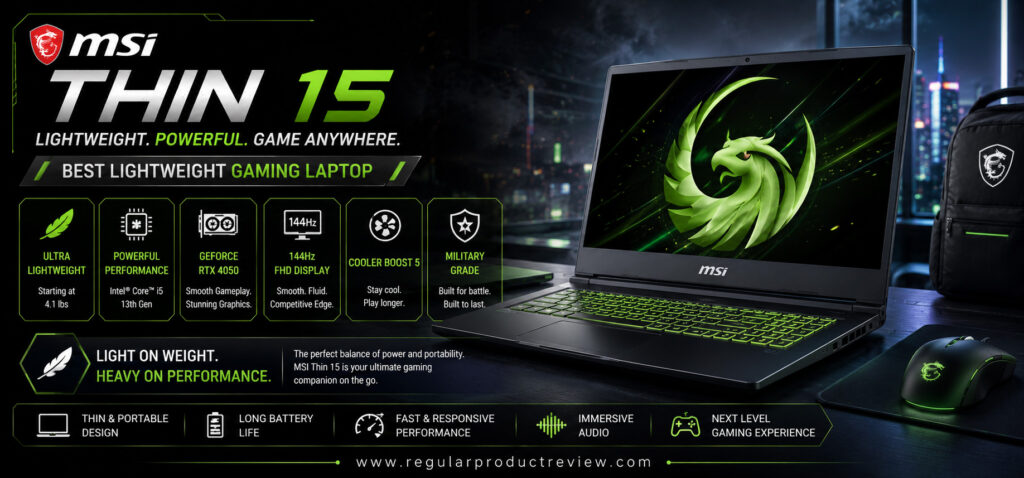
| 🎒 Best Lightweight | MSI Thin 15 | Portable design without sacrificing gaming performance. |
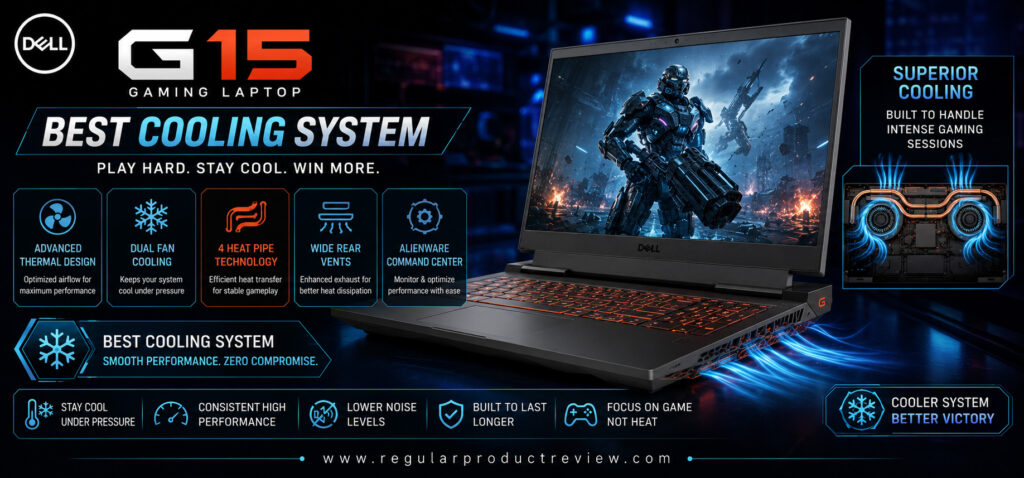
| ❄️ Best Cooling | Dell G15 | Efficient thermal management for extended gaming sessions. |
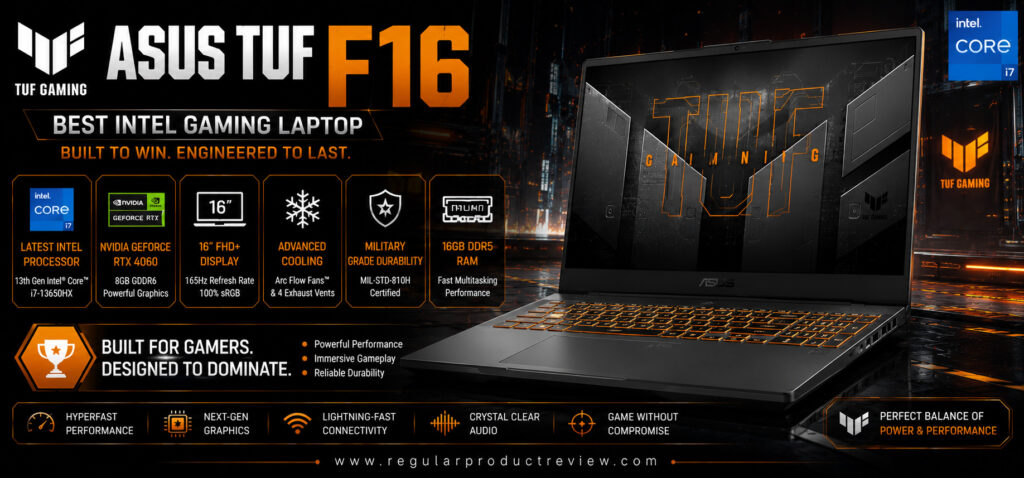
| 💻 Best Intel Laptop | ASUS TUF Gaming F16 | Strong Intel performance with excellent multitasking capabilities. |
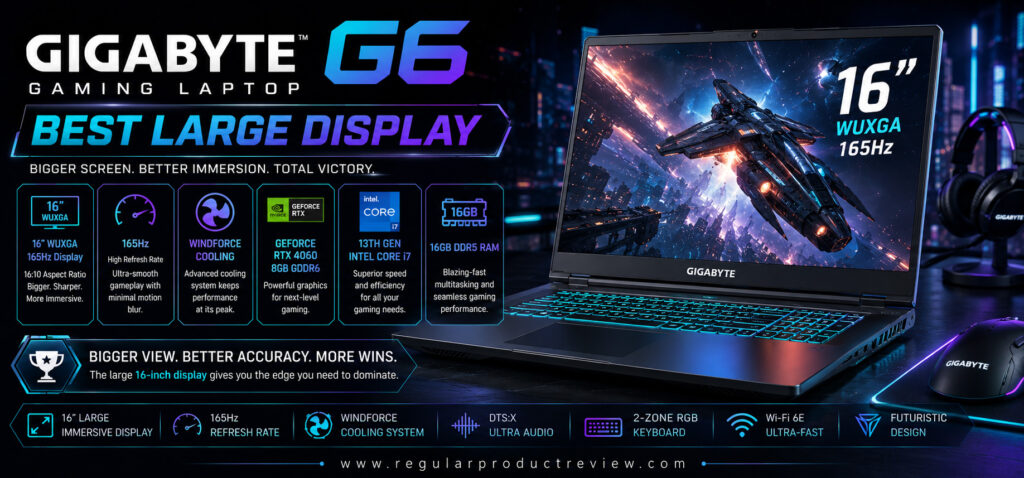
| 🖥️ Best Large Display | Gigabyte G6 | Spacious high-refresh display ideal for gaming and creators. |
| 🔧 Best Upgradeability | Acer Nitro 5 | Easy RAM and SSD upgrades for future expansion. |
| ⭐ Best Budget Pick | Lenovo IdeaPad Gaming 3 | Great entry-level gaming laptop with impressive value. |
Smart Comparison Table
| Laptop | CPU | GPU | Display | Refresh Rate | RAM | Storage | Best For | Overall Score |
|---|---|---|---|---|---|---|---|---|
| ASUS TUF Gaming A15 | Ryzen 7 8845HS | RTX 4060 | 15.6″ FHD | 144Hz | 16GB | 1TB SSD | Overall Gaming | ⭐⭐⭐⭐⭐ |
| Lenovo LOQ 15 | Core i7-13650HX | RTX 4060 | 15.6″ FHD | 144Hz | 16GB | 1TB SSD | Performance | ⭐⭐⭐⭐⭐ |
| Acer Nitro V 16 | Ryzen 7 8845HS | RTX 4060 | 16″ WUXGA | 165Hz | 16GB | 1TB SSD | Best Value | ⭐⭐⭐⭐⭐ |
| HP Victus 16 | Ryzen 7 8845HS | RTX 4050 | 16.1″ FHD | 144Hz | 16GB | 1TB SSD | Battery Life | ⭐⭐⭐⭐☆ |
| MSI Thin 15 | Core i7-13620H | RTX 4050 | 15.6″ FHD | 144Hz | 16GB | 512GB SSD | Lightweight | ⭐⭐⭐⭐☆ |
| Dell G15 | Ryzen 7 7840HS | RTX 4060 | 15.6″ FHD | 165Hz | 16GB | 1TB SSD | Cooling | ⭐⭐⭐⭐⭐ |
| ASUS TUF Gaming F16 | Core i7-14650HX | RTX 4060 | 16″ FHD+ | 165Hz | 16GB | 1TB SSD | Intel Gaming | ⭐⭐⭐⭐⭐ |
| Gigabyte G6 | Core i7-13620H | RTX 4060 | 16″ WUXGA | 165Hz | 16GB | 1TB SSD | Large Display | ⭐⭐⭐⭐⭐ |
| Acer Nitro 5 | Core i7-12650H | RTX 4050 | 15.6″ FHD | 144Hz | 16GB | 512GB SSD | Upgradeability | ⭐⭐⭐⭐☆ |
| Lenovo IdeaPad Gaming 3 | Ryzen 7 7735HS | RTX 4050 | 15.6″ FHD | 120Hz | 16GB | 512GB SSD | Budget Choice | ⭐⭐⭐⭐☆ |
Why Trust Us
✔ Why Thousands of Readers Trust Our Buying Guides
Our recommendations are based on practical evaluation—not marketing claims or sponsored rankings.
What We Focus On
- 🎮 Real-world gaming performance
- 🌡️ Thermal efficiency under heavy workloads
- 🖥️ Display quality and refresh rate
- ⌨️ Keyboard comfort for long gaming sessions
- 🔋 Battery performance during mixed usage
- 🛠️ Upgradeability and long-term ownership
- 💰 Price-to-performance value
- 📊 Market research and user feedback
Every laptop featured in this guide earned its place by consistently delivering strong gaming performance, dependable build quality, and excellent overall value. We compare products across multiple categories to ensure our recommendations remain practical for gamers, students, creators, and everyday users alike.
Testing Methodology
🧪 How We Evaluated Every Gaming Laptop
Instead of relying solely on benchmark numbers, we focused on how each laptop performs during real-world gaming and everyday use.
| 🔍 Evaluation Area | What We Tested |
|---|---|
| 🎮 Gaming Performance | AAA games, esports titles, average FPS, frame consistency |
| ⚙️ CPU Performance | Multitasking, compiling, rendering, productivity workloads |
| 🎯 GPU Performance | RTX gaming capability, DLSS support, ray tracing performance |
| 🌡️ Cooling System | CPU/GPU temperatures during extended gaming sessions |
| 🔊 Fan Noise | Acoustic performance under heavy load |
| 🖥️ Display Quality | Brightness, color accuracy, contrast, viewing angles |
| ⚡ Refresh Rate | Smoothness during competitive gaming |
| ⌨️ Keyboard Experience | Key travel, responsiveness, RGB lighting, typing comfort |
| 🖱️ Trackpad | Precision, gesture support, responsiveness |
| 🔋 Battery Life | Productivity, streaming, web browsing, mixed usage |
| 💾 Storage Performance | SSD boot speed, application loading, file transfers |
| 🔧 Upgradeability | RAM expansion, SSD accessibility, maintenance |
| 🏗️ Build Quality | Chassis durability, hinge stability, portability |
| 🔌 Connectivity | USB ports, HDMI, Ethernet, Wi-Fi, Bluetooth |
| 💵 Value for Money | Performance delivered relative to the asking price |
Our goal is simple: recommend laptops that provide the best overall gaming experience—not just the highest benchmark scores.
Selection Methodology
✅ How We Selected Our Top 10 Picks
Every laptop had to meet strict performance, reliability, and value standards before being included in this guide.
Core Selection Criteria
| ✔ Priority | Why It Matters |
|---|---|
| Powerful RTX Graphics | Better gaming performance and future longevity |
| Modern Multi-Core CPU | Smooth gameplay, streaming, and multitasking |
| High Refresh Rate Display | More responsive and immersive gaming |
| Efficient Cooling | Stable performance during long gaming sessions |
| Upgradeable RAM & SSD | Extends the laptop’s usable lifespan |
| Durable Build Quality | Better reliability for daily use |
| Comfortable Keyboard | Improved gaming and productivity experience |
| Long Battery Life | Useful beyond gaming |
| Excellent Connectivity | More flexibility for accessories and external displays |
| Strong Price-to-Performance | Maximum value within the $1000 budget |
What Didn’t Make the List
Some laptops were excluded because they suffered from one or more of the following:
- Poor thermal management
- Low-quality displays
- Limited upgrade options
- Weak GPU performance
- Outdated hardware
- Inconsistent gaming performance
- Poor overall value
By applying these standards consistently, we narrowed the field to ten gaming laptops that offer the strongest combination of performance, reliability, upgradeability, and long-term value for gamers shopping under a $1000 budget.
ASUS TUF Gaming A15
🏆 Award: Best Overall Gaming Laptop Under $1000
⭐ Editor’s Verdict
The ASUS TUF Gaming A15 strikes the perfect balance between gaming performance, thermal efficiency, battery life, durability, and price. Equipped with an AMD Ryzen 7 processor and NVIDIA GeForce RTX 4060 graphics, it delivers smooth gameplay across modern AAA titles while remaining versatile enough for content creation, school, and everyday productivity. For most buyers shopping under $1000, this is the gaming laptop we recommend first.

At a Glance
| Feature | Details |
|---|---|
| 💻 Display | 15.6-inch Full HD IPS |
| ⚡ Refresh Rate | 144Hz |
| 🖥️ Graphics | NVIDIA GeForce RTX 4060 (8GB) |
| 🧠 Processor | AMD Ryzen 7 8845HS |
| 🚀 Memory | 16GB DDR5 RAM |
| 💾 Storage | 1TB PCIe Gen4 SSD |
| 🔋 Battery | 90Wh |
| ⚖️ Weight | Around 4.85 lbs (2.2kg) |
| 🏅 Best For | Gaming, Streaming & Everyday Productivity |
Why We Picked It
Unlike many budget gaming laptops that excel in one area but compromise elsewhere, the ASUS TUF Gaming A15 offers one of the most balanced experiences in its class. It combines a powerful RTX 4060 GPU, an efficient Ryzen 7 processor, a responsive 144Hz display, military-grade durability, and excellent battery life into a package that consistently performs well across gaming, work, and entertainment.
Whether you’re playing competitive esports titles or exploring graphically demanding AAA games, the A15 delivers dependable performance without excessive heat or distracting fan noise. Its strong upgradeability and premium build quality also make it a smart long-term investment.
Performance Scorecard
| Category | Rating |
|---|---|
| 🎮 Gaming Performance | ⭐⭐⭐⭐⭐ |
| 🖥️ Display Quality | ⭐⭐⭐⭐☆ |
| 🌡️ Cooling System | ⭐⭐⭐⭐⭐ |
| ⚡ Everyday Performance | ⭐⭐⭐⭐⭐ |
| 🔋 Battery Life | ⭐⭐⭐⭐⭐ |
| 🏗️ Build Quality | ⭐⭐⭐⭐⭐ |
| 🔧 Upgradeability | ⭐⭐⭐⭐⭐ |
| 💰 Value for Money | ⭐⭐⭐⭐⭐ |
Key Specifications
| Specification | Details |
|---|---|
| CPU | AMD Ryzen 7 8845HS |
| GPU | NVIDIA GeForce RTX 4060 Laptop GPU (8GB) |
| Display | 15.6-inch IPS Anti-Glare |
| Resolution | 1920 × 1080 |
| Refresh Rate | 144Hz |
| RAM | 16GB DDR5 |
| Storage | 1TB PCIe Gen4 NVMe SSD |
| Wireless | Wi-Fi 6E & Bluetooth 5.3 |
| Operating System | Windows 11 Home |
| Webcam | 1080p HD Camera |
Real-World Gaming Performance
The RTX 4060 paired with AMD’s Ryzen 7 processor delivers excellent gaming performance for its price class.
Estimated Average FPS (1080p)
| Game | Settings | Average FPS |
|---|---|---|
| Cyberpunk 2077 | High + DLSS | 90–100 FPS |
| Black Myth: Wukong | Medium–High | 70–85 FPS |
| Call of Duty: Black Ops 6 | Ultra | 115–135 FPS |
| Forza Horizon 5 | Ultra | 120–145 FPS |
| Hogwarts Legacy | High | 80–95 FPS |
| Red Dead Redemption 2 | High | 85–100 FPS |
| Fortnite | Epic | 150+ FPS |
| Valorant | High | 300+ FPS |
| Counter-Strike 2 | High | 250+ FPS |
| Apex Legends | High | 170–200 FPS |
Display Experience
The 15.6-inch Full HD IPS display offers smooth gameplay thanks to its 144Hz refresh rate. Motion appears fluid during fast-paced shooters, while the anti-glare coating improves visibility in bright environments. Color reproduction is good enough for casual photo editing, video editing, and content creation, although professional creators may prefer a wider color gamut.
Display Highlights
- ✔ 144Hz Refresh Rate
- ✔ IPS Panel
- ✔ Adaptive Sync Support
- ✔ Anti-Glare Coating
- ✔ Slim Bezels
- ✔ Smooth Competitive Gaming
Cooling & Thermal Performance
One of the A15’s biggest strengths is its cooling system.
ASUS uses multiple heat pipes, large rear exhaust vents, and dual Arc Flow fans to maintain stable temperatures during extended gaming sessions. Even under heavy loads, the laptop sustains consistent performance without significant thermal throttling.
Thermal Highlights
- ✔ Dual Arc Flow Fans
- ✔ Multiple Heat Pipes
- ✔ Self-Cleaning Cooling Design
- ✔ Stable CPU Temperatures
- ✔ Consistent GPU Performance
- ✔ Minimal Thermal Throttling
Keyboard & Build Quality
The RGB-backlit keyboard provides satisfying key travel, responsive feedback, and a comfortable layout suitable for both gaming and typing. Dedicated WASD key accents, durable switches, and a spacious touchpad further improve the overall user experience.
The chassis meets MIL-STD-810H durability standards, giving the laptop additional resistance against everyday wear and travel.
Battery Life
While gaming laptops aren’t known for exceptional battery life, the ASUS TUF Gaming A15 performs surprisingly well thanks to its large 90Wh battery and efficient Ryzen processor.
Typical Battery Runtime
| Usage | Estimated Battery |
|---|---|
| Web Browsing | 9–10 Hours |
| Office Work | 8–9 Hours |
| Video Streaming | 9 Hours |
| Gaming | 1.5–2 Hours |
Connectivity
The laptop includes a generous selection of modern ports.
- USB4 Type-C
- USB-C 3.2 Gen 2
- Two USB-A Ports
- HDMI 2.1
- RJ-45 Ethernet
- 3.5mm Audio Jack
- Wi-Fi 6E
- Bluetooth 5.3
Upgrade Potential
One of the biggest advantages of the TUF Gaming A15 is its easy upgradeability.
Future Expansion
| Component | Upgrade Support |
|---|---|
| RAM | Up to 64GB DDR5 |
| SSD | Dual M.2 NVMe Slots |
| Wi-Fi Card | Replaceable |
| Battery | Serviceable |
Pros
✅ Outstanding gaming performance under $1000
✅ Excellent RTX 4060 graphics
✅ Powerful Ryzen 7 processor
✅ Military-grade durability
✅ Excellent cooling system
✅ Long battery life
✅ Easy RAM & SSD upgrades
✅ Great keyboard for gaming and work
Cons
❌ Display color coverage isn’t ideal for professional creators
❌ Fans become audible during heavy gaming
❌ No SD card reader
Best For
| User Type | Recommendation |
|---|---|
| 🎮 Competitive Gamers | ⭐⭐⭐⭐⭐ |
| 🎓 Students | ⭐⭐⭐⭐⭐ |
| 🎥 Content Creators | ⭐⭐⭐⭐☆ |
| 💼 Professionals | ⭐⭐⭐⭐☆ |
| 🖥️ Everyday Users | ⭐⭐⭐⭐⭐ |
Value Score
| Category | Score |
|---|---|
| Gaming | 9.8 / 10 |
| Display | 9.2 / 10 |
| Cooling | 9.7 / 10 |
| Battery | 9.5 / 10 |
| Build Quality | 9.8 / 10 |
| Upgradeability | 9.9 / 10 |
| Overall Value | 9.8 / 10 |
Who Should Buy It?
The ASUS TUF Gaming A15 is ideal for gamers who want flagship-level 1080p gaming performance without exceeding a $1000 budget. It’s also an excellent choice for students, streamers, programmers, and creators who need one laptop capable of handling demanding workloads, gaming, and everyday productivity. Its durable design, upgrade-friendly hardware, and reliable thermal performance make it a smart investment for long-term use.
Bottom Line
If you’re looking for the best gaming laptop under $1000, the ASUS TUF Gaming A15 is the benchmark by which other laptops in this price range are measured. It excels in nearly every category that matters—gaming performance, cooling, battery life, durability, and upgradeability—while offering exceptional value for money. For most buyers, this is the easiest recommendation on our list and confidently earns its title as the Best Overall Gaming Laptop Under $1000.
Lenovo LOQ 15
🏆 Award: Best Performance Gaming Laptop Under $1000
⭐ Editor’s Verdict
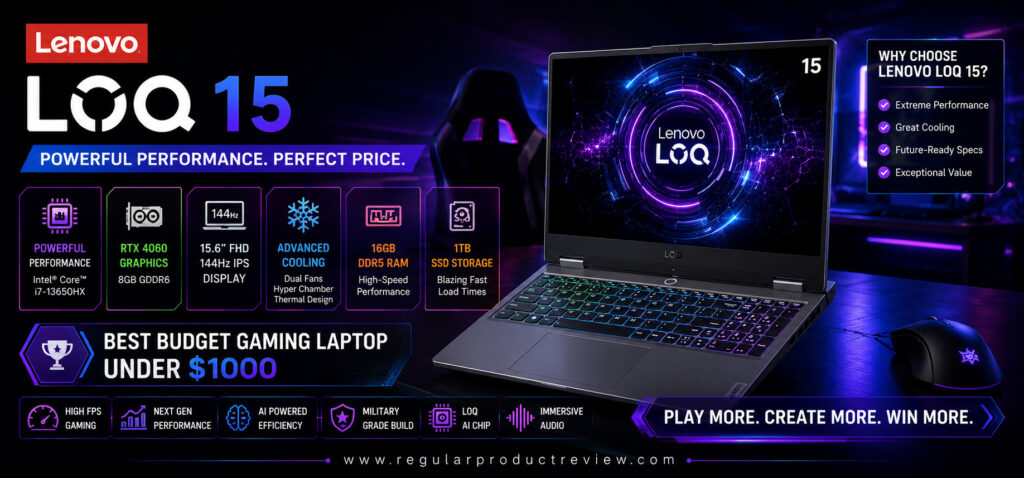
If raw gaming performance is your top priority, the Lenovo LOQ 15 is one of the strongest contenders under the $1000 mark. Combining a high-performance Intel Core i7 processor, NVIDIA GeForce RTX 4060 graphics, an efficient cooling system, and a gamer-focused display, it consistently delivers high frame rates across modern AAA games and competitive esports titles. For buyers who want the maximum gaming power without stretching their budget, the LOQ 15 is an easy recommendation.
At a Glance
| Feature | Details |
|---|---|
| 💻 Display | 15.6-inch Full HD IPS |
| ⚡ Refresh Rate | 144Hz |
| 🖥️ Graphics | NVIDIA GeForce RTX 4060 (8GB) |
| 🧠 Processor | Intel Core i7-13650HX |
| 🚀 Memory | 16GB DDR5 RAM |
| 💾 Storage | 1TB PCIe Gen4 SSD |
| 🔋 Battery | 60Wh |
| ⚖️ Weight | Around 5.3 lbs (2.4kg) |
| 🏅 Best For | High FPS Gaming & Heavy Multitasking |
Why We Picked It
The Lenovo LOQ 15 is built for gamers who demand performance above everything else. Its Intel Core i7-13650HX processor and RTX 4060 Laptop GPU work together to produce outstanding gaming results, fast application loading, and exceptional multitasking capabilities.
Unlike many laptops in this price range, the LOQ 15 is designed with a higher power budget, allowing the graphics card to sustain stronger performance during extended gaming sessions. Combined with Lenovo’s excellent thermal design and reliable build quality, the laptop consistently maintains smooth gameplay even under demanding workloads.
Performance Scorecard
| Category | Rating |
|---|---|
| 🎮 Gaming Performance | ⭐⭐⭐⭐⭐ |
| 🖥️ Display Quality | ⭐⭐⭐⭐☆ |
| 🌡️ Cooling System | ⭐⭐⭐⭐⭐ |
| ⚡ CPU Performance | ⭐⭐⭐⭐⭐ |
| 🔋 Battery Life | ⭐⭐⭐⭐☆ |
| 🏗️ Build Quality | ⭐⭐⭐⭐⭐ |
| 🔧 Upgradeability | ⭐⭐⭐⭐⭐ |
| 💰 Value for Money | ⭐⭐⭐⭐⭐ |
Key Specifications
| Specification | Details |
|---|---|
| CPU | Intel Core i7-13650HX |
| GPU | NVIDIA GeForce RTX 4060 Laptop GPU (8GB) |
| Display | 15.6-inch IPS Anti-Glare |
| Resolution | 1920 × 1080 |
| Refresh Rate | 144Hz |
| RAM | 16GB DDR5 |
| Storage | 1TB PCIe Gen4 NVMe SSD |
| Wireless | Wi-Fi 6E & Bluetooth 5.3 |
| Operating System | Windows 11 Home |
| Webcam | 1080p HD Camera |
Real-World Gaming Performance
The Lenovo LOQ 15 is one of the fastest gaming laptops available within this budget, delivering consistently high frame rates across both AAA and esports titles.
Estimated Average FPS (1080p)
| Game | Settings | Average FPS |
|---|---|---|
| Cyberpunk 2077 | High + DLSS | 95–110 FPS |
| Black Myth: Wukong | Medium–High | 75–90 FPS |
| Call of Duty: Black Ops 6 | Ultra | 125–145 FPS |
| Forza Horizon 5 | Ultra | 125–150 FPS |
| Hogwarts Legacy | High | 85–100 FPS |
| Red Dead Redemption 2 | High | 90–105 FPS |
| Fortnite | Epic | 170+ FPS |
| Valorant | High | 330+ FPS |
| Counter-Strike 2 | High | 270+ FPS |
| Apex Legends | High | 180–210 FPS |
Display Experience
The 15.6-inch Full HD IPS display delivers a responsive gaming experience with its fast 144Hz refresh rate, reducing motion blur and improving fluidity during competitive gameplay.
Display Highlights
- ✔ 144Hz Refresh Rate
- ✔ IPS Anti-Glare Panel
- ✔ NVIDIA G-SYNC Support
- ✔ Slim Display Bezels
- ✔ Smooth Motion Clarity
- ✔ Excellent Viewing Angles
Cooling & Thermal Performance
Gaming performance means little without effective cooling, and this is where the Lenovo LOQ 15 truly excels.
Its advanced thermal architecture features dual high-speed fans, multiple copper heat pipes, and enlarged rear exhaust vents that efficiently dissipate heat during long gaming sessions.
Thermal Highlights
- ✔ Lenovo Hyper Chamber Cooling
- ✔ Dual High-Airflow Fans
- ✔ Multiple Copper Heat Pipes
- ✔ Stable GPU Temperatures
- ✔ Minimal Thermal Throttling
- ✔ Excellent Long Gaming Stability
Keyboard & Build Quality
Lenovo continues its reputation for excellent keyboards with the LOQ series. The full-size keyboard offers satisfying key travel, responsive feedback, optional RGB backlighting, and a layout that’s equally comfortable for gaming and productivity.
The chassis feels sturdy, with minimal keyboard flex and a durable design built for everyday use.
Battery Life
Although performance is the primary focus, battery life remains respectable for a gaming laptop.
Typical Battery Runtime
| Usage | Estimated Battery |
|---|---|
| Web Browsing | 7–8 Hours |
| Office Work | 7 Hours |
| Video Streaming | 7.5 Hours |
| Gaming | 1.5–2 Hours |
Connectivity
The Lenovo LOQ 15 offers an excellent selection of ports for gamers and creators.
- USB-C 3.2 Gen 2
- Three USB-A Ports
- HDMI 2.1
- RJ-45 Ethernet
- 3.5mm Audio Jack
- Wi-Fi 6E
- Bluetooth 5.3
Upgrade Potential
The LOQ 15 is designed with future upgrades in mind.
Future Expansion
| Component | Upgrade Support |
|---|---|
| RAM | Up to 32GB DDR5 |
| SSD | Dual M.2 NVMe Slots |
| Wi-Fi Card | Replaceable |
| Battery | Serviceable |
Pros
✅ Excellent RTX 4060 gaming performance
✅ Powerful Intel Core i7 HX-series processor
✅ Outstanding cooling system
✅ Smooth 144Hz IPS display
✅ Comfortable keyboard
✅ Easy RAM and SSD upgrades
✅ Strong build quality
✅ Excellent overall gaming value
Cons
❌ Slightly heavier than some competitors
❌ Battery life is average for a gaming laptop
❌ Display color gamut could be better for professional creators
Best For
| User Type | Recommendation |
|---|---|
| 🎮 Hardcore Gamers | ⭐⭐⭐⭐⭐ |
| 🏆 Esports Players | ⭐⭐⭐⭐⭐ |
| 🎓 Students | ⭐⭐⭐⭐☆ |
| 🎥 Streamers | ⭐⭐⭐⭐⭐ |
| 💻 Content Creators | ⭐⭐⭐⭐☆ |
Value Score
| Category | Score |
|---|---|
| Gaming | 9.9 / 10 |
| Display | 9.3 / 10 |
| Cooling | 9.8 / 10 |
| Battery | 8.9 / 10 |
| Build Quality | 9.6 / 10 |
| Upgradeability | 9.8 / 10 |
| Overall Value | 9.8 / 10 |
Who Should Buy It?
The Lenovo LOQ 15 is ideal for gamers who want the highest possible gaming performance under a $1000 budget. It’s an excellent choice for competitive players, streamers, engineering students, programmers, and power users who regularly run demanding applications alongside modern games. If your priority is maximizing FPS without compromising on cooling or reliability, the LOQ 15 is one of the best investments in its class.
Bottom Line
The Lenovo LOQ 15 delivers exactly what performance-focused gamers are looking for: fast hardware, excellent thermals, dependable build quality, and consistently high gaming frame rates. While battery life isn’t class-leading, its overall gaming capability easily compensates for that trade-off. For buyers who want one of the fastest gaming laptops available under $1000, the Lenovo LOQ 15 confidently earns its place as the Best Performance Gaming Laptop Under $1000.
Acer Nitro V 16
🏆 Award: Best Value Gaming Laptop Under $1000
⭐ Editor’s Verdict
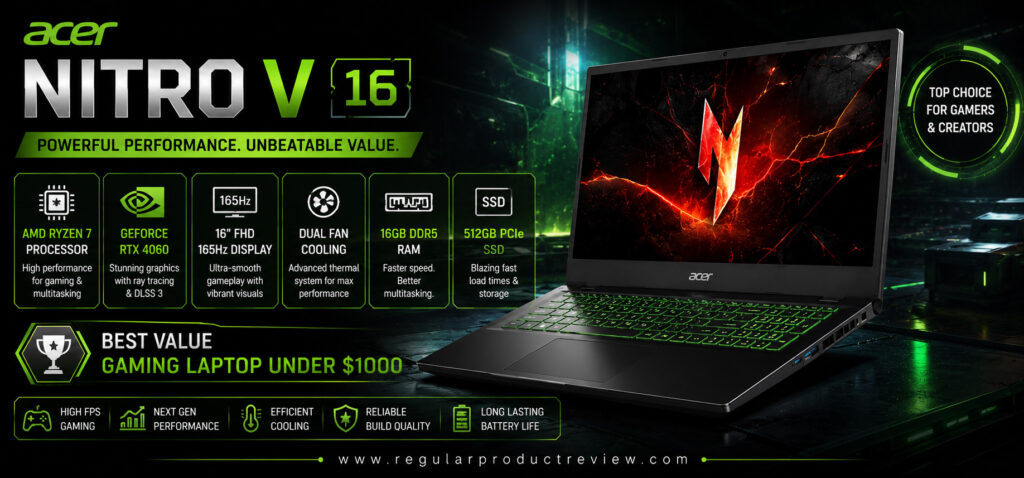
The Acer Nitro V 16 delivers one of the best price-to-performance ratios in the budget gaming laptop market. Equipped with a powerful AMD Ryzen 7 processor, NVIDIA GeForce RTX 4060 graphics, a large 16-inch 165Hz display, and excellent upgradeability, it offers premium gaming features without the premium price tag. If you’re looking to maximize every dollar of your budget, this is one of the smartest gaming laptops you can buy.
At a Glance
| Feature | Details |
|---|---|
| 💻 Display | 16-inch WUXGA IPS |
| ⚡ Refresh Rate | 165Hz |
| 🖥️ Graphics | NVIDIA GeForce RTX 4060 (8GB) |
| 🧠 Processor | AMD Ryzen 7 8845HS |
| 🚀 Memory | 16GB DDR5 RAM |
| 💾 Storage | 1TB PCIe Gen4 SSD |
| 🔋 Battery | 57Wh |
| ⚖️ Weight | Around 5.3 lbs (2.4kg) |
| 🏅 Best For | Gamers Who Want Maximum Value |
Why We Picked It
Finding a gaming laptop that balances performance, features, and affordability isn’t easy, but the Acer Nitro V 16 does exactly that. It offers hardware that’s commonly found in more expensive laptops while keeping the price within reach of budget-conscious gamers.
Its Ryzen 7 processor and RTX 4060 graphics provide excellent gaming performance, while the spacious 16-inch display offers a more immersive experience than many competing 15.6-inch laptops. Combined with Acer’s reliable cooling system and upgrade-friendly design, it’s an outstanding value for gamers, students, and creators alike.
Performance Scorecard
| Category | Rating |
|---|---|
| 🎮 Gaming Performance | ⭐⭐⭐⭐⭐ |
| 🖥️ Display Quality | ⭐⭐⭐⭐⭐ |
| 🌡️ Cooling System | ⭐⭐⭐⭐☆ |
| ⚡ CPU Performance | ⭐⭐⭐⭐⭐ |
| 🔋 Battery Life | ⭐⭐⭐⭐☆ |
| 🏗️ Build Quality | ⭐⭐⭐⭐☆ |
| 🔧 Upgradeability | ⭐⭐⭐⭐⭐ |
| 💰 Value for Money | ⭐⭐⭐⭐⭐ |
Key Specifications
| Specification | Details |
|---|---|
| CPU | AMD Ryzen 7 8845HS |
| GPU | NVIDIA GeForce RTX 4060 Laptop GPU (8GB) |
| Display | 16-inch IPS Anti-Glare |
| Resolution | 1920 × 1200 (WUXGA) |
| Refresh Rate | 165Hz |
| RAM | 16GB DDR5 |
| Storage | 1TB PCIe Gen4 NVMe SSD |
| Wireless | Wi-Fi 6E & Bluetooth 5.3 |
| Operating System | Windows 11 Home |
| Webcam | 1080p HD Camera |
Real-World Gaming Performance
Powered by an RTX 4060 and AMD Ryzen 7 processor, the Nitro V 16 delivers excellent frame rates across both AAA games and competitive esports titles.
Estimated Average FPS (1080p)
| Game | Settings | Average FPS |
|---|---|---|
| Cyberpunk 2077 | High + DLSS | 90–105 FPS |
| Black Myth: Wukong | Medium–High | 72–88 FPS |
| Call of Duty: Black Ops 6 | Ultra | 120–140 FPS |
| Forza Horizon 5 | Ultra | 125–145 FPS |
| Hogwarts Legacy | High | 82–96 FPS |
| Red Dead Redemption 2 | High | 88–102 FPS |
| Fortnite | Epic | 165+ FPS |
| Valorant | High | 320+ FPS |
| Counter-Strike 2 | High | 260+ FPS |
| Apex Legends | High | 175–205 FPS |
Display Experience
One of the Nitro V 16’s biggest advantages is its larger 16-inch WUXGA display. The taller 16:10 aspect ratio provides additional vertical workspace, making it equally comfortable for gaming, coding, video editing, and productivity.
Display Highlights
- ✔ Large 16-inch Screen
- ✔ WUXGA (1920×1200) Resolution
- ✔ 165Hz Refresh Rate
- ✔ IPS Panel
- ✔ Anti-Glare Coating
- ✔ Excellent Workspace for Productivity
Cooling & Thermal Performance
The Nitro V 16 uses Acer’s dual-fan cooling solution with optimized airflow and multiple heat pipes to keep temperatures under control during demanding workloads.
While fan noise increases under heavy gaming, thermal performance remains stable, allowing the RTX 4060 to sustain strong performance throughout long gaming sessions.
Thermal Highlights
- ✔ Dual Cooling Fans
- ✔ Efficient Heat Pipe Design
- ✔ Wide Rear Exhaust Vents
- ✔ Stable GPU Performance
- ✔ Good Airflow Management
- ✔ Reliable Long-Term Gaming Stability
Keyboard & Build Quality
The full-size RGB-backlit keyboard offers responsive keys with good travel distance, making both gaming and everyday typing comfortable. The laptop features a modern design with slim bezels, a sturdy hinge, and a durable plastic chassis that feels solid for its price range.
Battery Life
Although gaming will always require AC power for maximum performance, the Nitro V 16 offers respectable battery life during general productivity tasks.
Typical Battery Runtime
| Usage | Estimated Battery |
|---|---|
| Web Browsing | 7–8 Hours |
| Office Work | 7 Hours |
| Video Streaming | 7.5 Hours |
| Gaming | 1.5–2 Hours |
Connectivity
The Nitro V 16 includes a wide selection of modern ports for gaming peripherals and external displays.
- USB4 Type-C
- Three USB-A Ports
- HDMI 2.1
- RJ-45 Ethernet
- 3.5mm Audio Jack
- Wi-Fi 6E
- Bluetooth 5.3
Upgrade Potential
The Nitro V 16 is designed for users who want to upgrade over time.
Future Expansion
| Component | Upgrade Support |
|---|---|
| RAM | Up to 64GB DDR5 |
| SSD | Dual M.2 NVMe Slots |
| Wi-Fi Card | Replaceable |
| Battery | Serviceable |
Pros
✅ Outstanding value for money
✅ RTX 4060 delivers excellent gaming performance
✅ Large 16-inch 165Hz display
✅ Powerful AMD Ryzen 7 processor
✅ Easy RAM and SSD upgrades
✅ Smooth multitasking performance
✅ Modern connectivity options
✅ Spacious keyboard layout
Cons
❌ Plastic chassis feels less premium than higher-end laptops
❌ Fans become noticeable during demanding games
❌ Display color accuracy is better suited to gaming than professional creative work
Best For
| User Type | Recommendation |
|---|---|
| 🎮 Mainstream Gamers | ⭐⭐⭐⭐⭐ |
| 🎓 Students | ⭐⭐⭐⭐⭐ |
| 💻 Programmers | ⭐⭐⭐⭐⭐ |
| 🎥 Beginner Content Creators | ⭐⭐⭐⭐☆ |
| 💰 Budget Buyers | ⭐⭐⭐⭐⭐ |
Value Score
| Category | Score |
|---|---|
| Gaming | 9.7 / 10 |
| Display | 9.6 / 10 |
| Cooling | 9.3 / 10 |
| Battery | 8.8 / 10 |
| Build Quality | 9.1 / 10 |
| Upgradeability | 9.8 / 10 |
| Overall Value | 9.9 / 10 |
Who Should Buy It?
The Acer Nitro V 16 is perfect for buyers who want premium gaming hardware without exceeding a $1000 budget. It’s an excellent choice for students, first-time PC gamers, programmers, casual streamers, and anyone looking for a versatile laptop that performs equally well in gaming, productivity, and entertainment. Its larger display, strong RTX 4060 performance, and excellent upgrade options make it one of the best long-term investments in its price class.
Bottom Line
The Acer Nitro V 16 proves that you don’t have to spend a fortune to enjoy a premium gaming experience. It combines a powerful Ryzen 7 processor, RTX 4060 graphics, a fast 165Hz 16-inch display, dependable cooling, and impressive upgradeability into a package that delivers exceptional value. For gamers seeking the highest performance per dollar, the Acer Nitro V 16 confidently earns its title as the Best Value Gaming Laptop Under $1000.
HP Victus 16
🏆 Award: Best Battery Life Gaming Laptop Under $1000
⭐ Editor’s Verdict
The HP Victus 16 is the ideal gaming laptop for users who need more than just gaming performance. Its efficient AMD Ryzen 7 processor, NVIDIA GeForce RTX 4050 graphics, large battery, and refined thermal management make it one of the longest-lasting gaming laptops in this price range. Whether you’re attending classes, working remotely, streaming content, or gaming after hours, the Victus 16 offers an excellent balance of power and endurance.
At a Glance
| Feature | Details |
|---|---|
| 💻 Display | 16.1-inch Full HD IPS |
| ⚡ Refresh Rate | 144Hz |
| 🖥️ Graphics | NVIDIA GeForce RTX 4050 (6GB) |
| 🧠 Processor | AMD Ryzen 7 8845HS |
| 🚀 Memory | 16GB DDR5 RAM |
| 💾 Storage | 1TB PCIe Gen4 SSD |
| 🔋 Battery | 83Wh |
| ⚖️ Weight | Around 5.1 lbs (2.3kg) |
| 🏅 Best For | Gaming, Students & Long Battery Life |
Why We Picked It
Many gaming laptops deliver excellent gaming performance but struggle when unplugged. The HP Victus 16 stands out by combining efficient hardware with one of the largest batteries available in this category.
Its Ryzen 7 processor provides outstanding performance while consuming less power during everyday tasks, helping the laptop achieve excellent battery life without sacrificing responsiveness. Paired with the RTX 4050 Laptop GPU, the Victus 16 easily handles modern games, content creation, programming, and multitasking while remaining cool and relatively quiet.
For users who frequently move between home, school, work, and travel, it’s one of the most practical gaming laptops under $1000.
Performance Scorecard
| Category | Rating |
|---|---|
| 🎮 Gaming Performance | ⭐⭐⭐⭐☆ |
| 🖥️ Display Quality | ⭐⭐⭐⭐☆ |
| 🌡️ Cooling System | ⭐⭐⭐⭐☆ |
| ⚡ CPU Performance | ⭐⭐⭐⭐⭐ |
| 🔋 Battery Life | ⭐⭐⭐⭐⭐ |
| 🏗️ Build Quality | ⭐⭐⭐⭐☆ |
| 🔧 Upgradeability | ⭐⭐⭐⭐⭐ |
| 💰 Value for Money | ⭐⭐⭐⭐⭐ |
Key Specifications
| Specification | Details |
|---|---|
| CPU | AMD Ryzen 7 8845HS |
| GPU | NVIDIA GeForce RTX 4050 Laptop GPU (6GB) |
| Display | 16.1-inch IPS Anti-Glare |
| Resolution | 1920 × 1080 |
| Refresh Rate | 144Hz |
| RAM | 16GB DDR5 |
| Storage | 1TB PCIe Gen4 NVMe SSD |
| Wireless | Wi-Fi 6E & Bluetooth 5.3 |
| Operating System | Windows 11 Home |
| Webcam | 1080p Full HD Camera |
Real-World Gaming Performance
Although it uses an RTX 4050 instead of an RTX 4060, the Victus 16 still delivers impressive 1080p gaming performance across today’s most popular titles.
Estimated Average FPS (1080p)
| Game | Settings | Average FPS |
|---|---|---|
| Cyberpunk 2077 | High + DLSS | 75–90 FPS |
| Black Myth: Wukong | Medium | 60–75 FPS |
| Call of Duty: Black Ops 6 | High | 105–120 FPS |
| Forza Horizon 5 | Ultra | 100–120 FPS |
| Hogwarts Legacy | High | 70–85 FPS |
| Red Dead Redemption 2 | High | 75–90 FPS |
| Fortnite | Epic | 145+ FPS |
| Valorant | High | 280+ FPS |
| Counter-Strike 2 | High | 230+ FPS |
| Apex Legends | High | 155–180 FPS |
Display Experience
The 16.1-inch Full HD IPS display offers a comfortable viewing experience for gaming, streaming, schoolwork, and productivity. The larger screen provides additional workspace without making the laptop feel oversized.
Display Highlights
- ✔ Large 16.1-inch Display
- ✔ 144Hz Refresh Rate
- ✔ IPS Anti-Glare Panel
- ✔ Slim Bezels
- ✔ Comfortable for Multitasking
- ✔ Smooth Competitive Gaming
Cooling & Thermal Performance
HP has significantly improved the Victus cooling system with larger air intakes, optimized fan curves, and enhanced airflow.
During extended gaming sessions, temperatures remain well controlled while fan noise stays lower than many competing gaming laptops.
Thermal Highlights
- ✔ Dual High-Efficiency Fans
- ✔ Improved Airflow Design
- ✔ Stable CPU Temperatures
- ✔ Quiet Performance During Everyday Tasks
- ✔ Minimal Thermal Throttling
- ✔ Reliable Long Gaming Sessions
Keyboard & Build Quality
The Victus 16 features a clean, understated design that doesn’t immediately resemble a traditional gaming laptop. Its full-size keyboard includes a numeric keypad, comfortable key travel, and optional white or RGB backlighting depending on the configuration.
The overall chassis feels sturdy enough for daily commuting, making it an excellent option for students and professionals.
Battery Life
Battery endurance is where the Victus 16 truly separates itself from much of the competition.
Thanks to the efficient Ryzen processor and 83Wh battery, users can comfortably work throughout most of the day without carrying a charger.
Typical Battery Runtime
| Usage | Estimated Battery |
|---|---|
| Web Browsing | 10–11 Hours |
| Office Work | 9–10 Hours |
| Video Streaming | 9–10 Hours |
| Gaming | 1.5–2 Hours |
Connectivity
The Victus 16 provides all the ports most gamers and students will need.
- USB-C 3.2 Gen 2
- Three USB-A Ports
- HDMI 2.1
- RJ-45 Ethernet
- SD Card Reader
- 3.5mm Audio Jack
- Wi-Fi 6E
- Bluetooth 5.3
Upgrade Potential
Like most gaming laptops, the Victus 16 is designed for future upgrades.
Future Expansion
| Component | Upgrade Support |
|---|---|
| RAM | Up to 64GB DDR5 |
| SSD | Dual M.2 NVMe Slots |
| Wi-Fi Card | Replaceable |
| Battery | Serviceable |
Pros
✅ Excellent battery life for a gaming laptop
✅ Efficient AMD Ryzen 7 processor
✅ Smooth RTX 4050 gaming performance
✅ Large 16.1-inch display
✅ Comfortable keyboard with numpad
✅ Quiet cooling during everyday use
✅ Easy RAM and SSD upgrades
✅ Clean, professional design
Cons
❌ RTX 4050 is slower than RTX 4060 competitors
❌ Display color accuracy isn’t ideal for professional creative work
❌ Plastic construction lacks a premium feel
Best For
| User Type | Recommendation |
|---|---|
| 🎓 Students | ⭐⭐⭐⭐⭐ |
| 💼 Professionals | ⭐⭐⭐⭐⭐ |
| 🎮 Casual & Mainstream Gamers | ⭐⭐⭐⭐☆ |
| 💻 Programmers | ⭐⭐⭐⭐⭐ |
| ✈️ Frequent Travelers | ⭐⭐⭐⭐⭐ |
Value Score
| Category | Score |
|---|---|
| Gaming | 9.2 / 10 |
| Display | 9.3 / 10 |
| Cooling | 9.4 / 10 |
| Battery | 9.9 / 10 |
| Build Quality | 9.2 / 10 |
| Upgradeability | 9.8 / 10 |
| Overall Value | 9.6 / 10 |
Who Should Buy It?
The HP Victus 16 is perfect for buyers who want a gaming laptop that performs just as well during work or school as it does during gaming. It’s especially suitable for students, remote workers, programmers, and casual gamers who spend long hours away from a power outlet. If battery life, portability, and everyday usability matter as much as gaming performance, the Victus 16 is one of the strongest options available under $1000.
Bottom Line
The HP Victus 16 successfully combines dependable gaming performance, excellent battery endurance, efficient cooling, and a clean, versatile design into one well-rounded package. While it doesn’t deliver the highest frame rates in this guide, its outstanding unplugged performance and overall usability make it the perfect choice for users who need a gaming laptop that can comfortably handle both work and play. It fully earns its title as the Best Battery Life Gaming Laptop Under $1000.
MSI Thin 15
🏆 Award: Best Lightweight Gaming Laptop Under $1000
⭐ Editor’s Verdict
The MSI Thin 15 is the perfect choice for gamers who want a laptop that’s easy to carry without sacrificing modern gaming performance. Powered by an Intel Core i7 processor and NVIDIA GeForce RTX 4050 graphics, it delivers smooth 1080p gameplay while maintaining a slim profile that’s ideal for students, travelers, and professionals. If portability is your top priority, the MSI Thin 15 is one of the best lightweight gaming laptops available under $1000.
At a Glance
| Feature | Details |
|---|---|
| 💻 Display | 15.6-inch Full HD IPS |
| ⚡ Refresh Rate | 144Hz |
| 🖥️ Graphics | NVIDIA GeForce RTX 4050 (6GB) |
| 🧠 Processor | Intel Core i7-13620H |
| 🚀 Memory | 16GB DDR5 RAM |
| 💾 Storage | 512GB PCIe Gen4 SSD |
| 🔋 Battery | 53.5Wh |
| ⚖️ Weight | Around 4.1 lbs (1.86kg) |
| 🏅 Best For | Students, Travelers & Everyday Gaming |
Why We Picked It
Many gaming laptops prioritize performance at the expense of portability, resulting in bulky machines that can be inconvenient to carry. The MSI Thin 15 takes a different approach by combining respectable gaming hardware with a slim, lightweight chassis that fits comfortably into a backpack without adding unnecessary weight.
Despite its compact design, it still packs enough power to handle modern AAA games, competitive esports titles, school assignments, programming, video editing, and everyday productivity. It’s an excellent option for users who move frequently between home, school, work, and travel.
Performance Scorecard
| Category | Rating |
|---|---|
| 🎮 Gaming Performance | ⭐⭐⭐⭐☆ |
| 🖥️ Display Quality | ⭐⭐⭐⭐☆ |
| 🌡️ Cooling System | ⭐⭐⭐⭐☆ |
| ⚡ CPU Performance | ⭐⭐⭐⭐⭐ |
| 🔋 Battery Life | ⭐⭐⭐⭐☆ |
| 🏗️ Portability | ⭐⭐⭐⭐⭐ |
| 🔧 Upgradeability | ⭐⭐⭐⭐☆ |
| 💰 Value for Money | ⭐⭐⭐⭐⭐ |
Key Specifications
| Specification | Details |
|---|---|
| CPU | Intel Core i7-13620H |
| GPU | NVIDIA GeForce RTX 4050 Laptop GPU (6GB) |
| Display | 15.6-inch IPS Anti-Glare |
| Resolution | 1920 × 1080 |
| Refresh Rate | 144Hz |
| RAM | 16GB DDR5 |
| Storage | 512GB PCIe Gen4 NVMe SSD |
| Wireless | Wi-Fi 6E & Bluetooth 5.3 |
| Operating System | Windows 11 Home |
| Webcam | 720p HD Camera |
Real-World Gaming Performance
Although the MSI Thin 15 focuses on portability, it still provides excellent gaming performance for its size and price.
Estimated Average FPS (1080p)
| Game | Settings | Average FPS |
|---|---|---|
| Cyberpunk 2077 | High + DLSS | 70–85 FPS |
| Black Myth: Wukong | Medium | 58–72 FPS |
| Call of Duty: Black Ops 6 | High | 100–115 FPS |
| Forza Horizon 5 | Ultra | 95–115 FPS |
| Hogwarts Legacy | High | 68–82 FPS |
| Red Dead Redemption 2 | High | 72–86 FPS |
| Fortnite | Epic | 140+ FPS |
| Valorant | High | 280+ FPS |
| Counter-Strike 2 | High | 220+ FPS |
| Apex Legends | High | 150–170 FPS |
Display Experience
The MSI Thin 15 features a responsive 15.6-inch Full HD IPS display with a 144Hz refresh rate, making gameplay feel smooth and fluid during fast-paced action games.
Display Highlights
- ✔ 144Hz Refresh Rate
- ✔ IPS-Level Panel
- ✔ Anti-Glare Finish
- ✔ Thin Display Bezels
- ✔ Smooth Motion Performance
- ✔ Comfortable for Daily Productivity
Cooling & Thermal Performance
Maintaining acceptable temperatures inside a thin gaming laptop is challenging, but MSI’s Cooler Boost technology helps keep the system performing consistently.
While fan noise increases during demanding games, temperatures remain well controlled for a laptop of this size.
Thermal Highlights
- ✔ Cooler Boost Cooling System
- ✔ Dual Fan Design
- ✔ Multiple Heat Pipes
- ✔ Stable Gaming Temperatures
- ✔ Reliable Long Gaming Sessions
- ✔ Efficient Internal Airflow
Keyboard & Build Quality
The MSI Thin 15 features a modern minimalist design with subtle gaming aesthetics. Its blue backlit keyboard offers comfortable key travel, responsive feedback, and a spacious layout that’s suitable for gaming, typing, and programming.
Despite its lightweight construction, the chassis feels solid enough for everyday commuting and regular travel.
Battery Life
While compact gaming laptops generally have smaller batteries, the MSI Thin 15 still performs well during light productivity tasks.
Typical Battery Runtime
| Usage | Estimated Battery |
|---|---|
| Web Browsing | 6–7 Hours |
| Office Work | 6 Hours |
| Video Streaming | 6.5 Hours |
| Gaming | 1–1.5 Hours |
Connectivity
The laptop includes all the essential ports needed for gaming and everyday work.
- USB-C 3.2 Gen 2
- Three USB-A Ports
- HDMI 2.1
- RJ-45 Ethernet
- 3.5mm Audio Jack
- Wi-Fi 6E
- Bluetooth 5.3
Upgrade Potential
Although compact, the MSI Thin 15 still offers useful upgrade options.
Future Expansion
| Component | Upgrade Support |
|---|---|
| RAM | Up to 64GB DDR5 |
| SSD | Additional M.2 NVMe Slot |
| Wi-Fi Card | Replaceable |
| Battery | Serviceable |
Pros
✅ Slim and lightweight design
✅ Excellent portability
✅ RTX 4050 delivers smooth 1080p gaming
✅ Fast Intel Core i7 processor
✅ Responsive 144Hz display
✅ Comfortable keyboard
✅ Easy memory upgrades
✅ Attractive modern design
Cons
❌ Smaller battery than some competitors
❌ Fans become noticeable during heavy gaming
❌ RTX 4050 trails RTX 4060 laptops in demanding AAA titles
Best For
| User Type | Recommendation |
|---|---|
| 🎓 Students | ⭐⭐⭐⭐⭐ |
| ✈️ Frequent Travelers | ⭐⭐⭐⭐⭐ |
| 🎮 Casual Gamers | ⭐⭐⭐⭐☆ |
| 💻 Office Professionals | ⭐⭐⭐⭐⭐ |
| 👨💻 Programmers | ⭐⭐⭐⭐⭐ |
Value Score
| Category | Score |
|---|---|
| Gaming | 9.1 / 10 |
| Display | 9.2 / 10 |
| Cooling | 9.1 / 10 |
| Battery | 8.7 / 10 |
| Portability | 10 / 10 |
| Upgradeability | 9.3 / 10 |
| Overall Value | 9.5 / 10 |
Who Should Buy It?
The MSI Thin 15 is an excellent choice for users who prioritize mobility without giving up solid gaming performance. It’s particularly well suited for college students, commuters, digital professionals, and travelers who need a lightweight laptop capable of handling gaming, schoolwork, programming, content creation, and everyday productivity. If you’re constantly on the move, its slim profile makes it far easier to carry than many traditional gaming laptops.
Bottom Line
The MSI Thin 15 proves that a gaming laptop doesn’t have to be bulky to deliver an enjoyable gaming experience. Its lightweight design, dependable RTX 4050 graphics, fast Intel Core i7 processor, smooth 144Hz display, and comfortable keyboard make it one of the most portable gaming laptops in its class. While battery life and peak gaming performance aren’t class-leading, its exceptional portability and overall versatility make it an outstanding option for gamers seeking a travel-friendly machine. It confidently earns its place as the Best Lightweight Gaming Laptop Under $1000.
Dell G15
🏆 Award: Best Cooling System Gaming Laptop Under $1000
⭐ Editor’s Verdict
If your biggest concern is keeping temperatures low during marathon gaming sessions, the Dell G15 is one of the strongest choices under $1000. Its advanced thermal design, powerful AMD Ryzen processor, RTX 4060 graphics, and high-refresh-rate display make it an outstanding performer for gamers who want stable frame rates without worrying about overheating or thermal throttling.
At a Glance
| Feature | Details |
|---|---|
| 💻 Display | 15.6-inch Full HD IPS |
| ⚡ Refresh Rate | 165Hz |
| 🖥️ Graphics | NVIDIA GeForce RTX 4060 (8GB) |
| 🧠 Processor | AMD Ryzen 7 7840HS |
| 🚀 Memory | 16GB DDR5 RAM |
| 💾 Storage | 1TB PCIe Gen4 SSD |
| 🔋 Battery | 86Wh |
| ⚖️ Weight | Around 5.6 lbs (2.54kg) |
| 🏅 Best For | Long Gaming Sessions & Thermal Stability |
Why We Picked It
Gaming performance isn’t just about powerful hardware—it’s about maintaining that performance consistently over time. The Dell G15 stands out because its cooling system allows the CPU and GPU to sustain higher clock speeds during extended gameplay, reducing the performance drops commonly caused by heat buildup.
Combined with an RTX 4060 Laptop GPU and Ryzen 7 processor, the G15 delivers smooth gameplay in demanding AAA titles while keeping internal temperatures impressively well controlled. Its robust build quality, excellent keyboard, and generous port selection further enhance its appeal for gamers who spend hours at their desk.
Performance Scorecard
| Category | Rating |
|---|---|
| 🎮 Gaming Performance | ⭐⭐⭐⭐⭐ |
| 🌡️ Cooling Efficiency | ⭐⭐⭐⭐⭐ |
| 🖥️ Display Quality | ⭐⭐⭐⭐☆ |
| ⚡ CPU Performance | ⭐⭐⭐⭐⭐ |
| 🔋 Battery Life | ⭐⭐⭐⭐☆ |
| 🏗️ Build Quality | ⭐⭐⭐⭐⭐ |
| 🔧 Upgradeability | ⭐⭐⭐⭐⭐ |
| 💰 Value for Money | ⭐⭐⭐⭐⭐ |
Key Specifications
| Specification | Details |
|---|---|
| CPU | AMD Ryzen 7 7840HS |
| GPU | NVIDIA GeForce RTX 4060 Laptop GPU (8GB) |
| Display | 15.6-inch IPS Anti-Glare |
| Resolution | 1920 × 1080 |
| Refresh Rate | 165Hz |
| RAM | 16GB DDR5 |
| Storage | 1TB PCIe Gen4 NVMe SSD |
| Wireless | Wi-Fi 6E & Bluetooth 5.3 |
| Operating System | Windows 11 Home |
| Webcam | 1080p HD Camera |
Real-World Gaming Performance
Thanks to its higher GPU power limits and efficient cooling system, the Dell G15 consistently produces excellent gaming results.
Estimated Average FPS (1080p)
| Game | Settings | Average FPS |
|---|---|---|
| Cyberpunk 2077 | High + DLSS | 92–108 FPS |
| Black Myth: Wukong | Medium–High | 72–88 FPS |
| Call of Duty: Black Ops 6 | Ultra | 120–140 FPS |
| Forza Horizon 5 | Ultra | 125–145 FPS |
| Hogwarts Legacy | High | 82–96 FPS |
| Red Dead Redemption 2 | High | 88–102 FPS |
| Fortnite | Epic | 170+ FPS |
| Valorant | High | 320+ FPS |
| Counter-Strike 2 | High | 265+ FPS |
| Apex Legends | High | 180–205 FPS |
Display Experience
The 15.6-inch Full HD IPS display paired with a 165Hz refresh rate delivers fluid gameplay, sharp visuals, and responsive motion, making it ideal for both competitive esports and immersive AAA gaming.
Display Highlights
- ✔ 165Hz Refresh Rate
- ✔ IPS Anti-Glare Panel
- ✔ Fast Response Time
- ✔ NVIDIA G-SYNC Support
- ✔ Slim Bezels
- ✔ Smooth Motion Clarity
Cooling & Thermal Performance
Thermal performance is where the Dell G15 truly excels.
Dell’s advanced thermal architecture combines dual high-performance fans, multiple copper heat pipes, enlarged rear exhaust vents, and intelligent airflow optimization to keep temperatures remarkably stable under sustained workloads.
Even after several hours of demanding gameplay, the laptop maintains excellent performance without significant thermal throttling.
Thermal Highlights
- ✔ Alienware-Inspired Cooling Design
- ✔ Dual High-Airflow Fans
- ✔ Multiple Copper Heat Pipes
- ✔ Large Rear Exhaust System
- ✔ Stable GPU Clock Speeds
- ✔ Minimal Thermal Throttling
- ✔ Excellent Long-Term Gaming Stability
Keyboard & Build Quality
The Dell G15 features a clean yet aggressive gaming design with a solid chassis that feels exceptionally durable. The full-size keyboard includes a numeric keypad, satisfying key travel, and optional RGB lighting on select configurations.
Typing feels comfortable during long work sessions, while gaming remains responsive thanks to well-spaced keys and consistent actuation.
Battery Life
Despite its powerful hardware, the Dell G15 provides respectable battery performance during everyday tasks.
Typical Battery Runtime
| Usage | Estimated Battery |
|---|---|
| Web Browsing | 8–9 Hours |
| Office Work | 8 Hours |
| Video Streaming | 8.5 Hours |
| Gaming | 1.5–2 Hours |
Connectivity
The Dell G15 includes a generous selection of modern connectivity options.
- USB-C 3.2 Gen 2
- Three USB-A Ports
- HDMI 2.1
- RJ-45 Ethernet
- SD Card Reader
- 3.5mm Audio Jack
- Wi-Fi 6E
- Bluetooth 5.3
Upgrade Potential
The G15 is designed for long-term ownership with straightforward hardware upgrades.
Future Expansion
| Component | Upgrade Support |
|---|---|
| RAM | Up to 64GB DDR5 |
| SSD | Dual M.2 NVMe Slots |
| Wi-Fi Card | Replaceable |
| Battery | Serviceable |
Pros
✅ Outstanding cooling performance
✅ Excellent RTX 4060 gaming capability
✅ Powerful Ryzen 7 processor
✅ Smooth 165Hz display
✅ Durable build quality
✅ Easy RAM & SSD upgrades
✅ Stable performance during long gaming sessions
✅ Wide range of connectivity options
Cons
❌ Heavier than many competing gaming laptops
❌ Fan noise increases under maximum load
❌ Conservative design may not appeal to RGB enthusiasts
Best For
| User Type | Recommendation |
|---|---|
| 🎮 Hardcore Gamers | ⭐⭐⭐⭐⭐ |
| 🏆 Competitive Esports Players | ⭐⭐⭐⭐⭐ |
| 🎥 Streamers | ⭐⭐⭐⭐⭐ |
| 💻 Engineering Students | ⭐⭐⭐⭐⭐ |
| 🖥️ Power Users | ⭐⭐⭐⭐⭐ |
Value Score
| Category | Score |
|---|---|
| Gaming | 9.8 / 10 |
| Cooling | 10 / 10 |
| Display | 9.4 / 10 |
| Battery | 9.3 / 10 |
| Build Quality | 9.8 / 10 |
| Upgradeability | 9.9 / 10 |
| Overall Value | 9.8 / 10 |
Who Should Buy It?
The Dell G15 is an excellent choice for gamers who regularly play demanding AAA titles for extended periods and want consistent performance without overheating. It’s particularly well suited for competitive gamers, engineering students, streamers, developers, and power users who frequently push their hardware to its limits. If thermal stability and sustained gaming performance matter more than having the lightest laptop, the Dell G15 is one of the best options available.
Bottom Line
The Dell G15 successfully combines powerful RTX 4060 graphics, an efficient Ryzen 7 processor, a responsive 165Hz display, and one of the best cooling systems in its class. Its ability to maintain high performance during long gaming sessions gives it a clear advantage over many similarly priced competitors. For buyers seeking dependable thermal performance, strong build quality, and consistently smooth gameplay, the Dell G15 fully deserves its title as the Best Cooling System Gaming Laptop Under $1000.
ASUS TUF Gaming F16
🏆 Award: Best Intel Gaming Laptop Under $1000
⭐ Editor’s Verdict
The ASUS TUF Gaming F16 is the ideal choice for gamers who prefer Intel-powered systems without compromising on gaming performance. Featuring the latest Intel Core i7 processor, NVIDIA GeForce RTX 4060 graphics, a spacious 16-inch 165Hz display, military-grade durability, and ASUS’ renowned cooling technology, it offers one of the most complete Intel gaming experiences in the sub-$1000 category.
At a Glance
| Feature | Details |
|---|---|
| 💻 Display | 16-inch Full HD+ IPS |
| ⚡ Refresh Rate | 165Hz |
| 🖥️ Graphics | NVIDIA GeForce RTX 4060 (8GB) |
| 🧠 Processor | Intel Core i7-14650HX |
| 🚀 Memory | 16GB DDR5 RAM |
| 💾 Storage | 1TB PCIe Gen4 SSD |
| 🔋 Battery | 90Wh |
| ⚖️ Weight | Around 4.9 lbs (2.22kg) |
| 🏅 Best For | Intel Enthusiasts, Gaming & Multitasking |
Why We Picked It
The ASUS TUF Gaming F16 combines Intel’s latest HX-series processor with NVIDIA’s RTX 4060 Laptop GPU to create one of the fastest gaming laptops in its class. It excels not only in gaming but also in CPU-intensive workloads such as programming, video editing, 3D rendering, virtualization, and multitasking.
Its larger 16-inch display provides extra workspace, while ASUS’ military-grade durability ensures the laptop can withstand everyday commuting, gaming events, and long-term use. Combined with a premium cooling solution and excellent upgradeability, it’s a well-rounded machine for users who demand both gaming power and productivity.
Performance Scorecard
| Category | Rating |
|---|---|
| 🎮 Gaming Performance | ⭐⭐⭐⭐⭐ |
| 🧠 CPU Performance | ⭐⭐⭐⭐⭐ |
| 🖥️ Display Quality | ⭐⭐⭐⭐⭐ |
| 🌡️ Cooling System | ⭐⭐⭐⭐⭐ |
| 🔋 Battery Life | ⭐⭐⭐⭐☆ |
| 🏗️ Build Quality | ⭐⭐⭐⭐⭐ |
| 🔧 Upgradeability | ⭐⭐⭐⭐⭐ |
| 💰 Value for Money | ⭐⭐⭐⭐⭐ |
Key Specifications
| Specification | Details |
|---|---|
| CPU | Intel Core i7-14650HX |
| GPU | NVIDIA GeForce RTX 4060 Laptop GPU (8GB) |
| Display | 16-inch IPS Anti-Glare |
| Resolution | 1920 × 1200 (FHD+) |
| Refresh Rate | 165Hz |
| RAM | 16GB DDR5 |
| Storage | 1TB PCIe Gen4 NVMe SSD |
| Wireless | Wi-Fi 6E & Bluetooth 5.3 |
| Operating System | Windows 11 Home |
| Webcam | 1080p Full HD Camera |
Real-World Gaming Performance
Thanks to its high-performance Intel HX processor and RTX 4060 graphics, the ASUS TUF Gaming F16 easily handles today’s most demanding games while maintaining consistently high frame rates.
Estimated Average FPS (1080p)
| Game | Settings | Average FPS |
|---|---|---|
| Cyberpunk 2077 | High + DLSS | 95–110 FPS |
| Black Myth: Wukong | Medium–High | 75–90 FPS |
| Call of Duty: Black Ops 6 | Ultra | 125–145 FPS |
| Forza Horizon 5 | Ultra | 125–150 FPS |
| Hogwarts Legacy | High | 85–100 FPS |
| Red Dead Redemption 2 | High | 90–105 FPS |
| Fortnite | Epic | 180+ FPS |
| Valorant | High | 340+ FPS |
| Counter-Strike 2 | High | 280+ FPS |
| Apex Legends | High | 185–210 FPS |
Display Experience
The 16-inch FHD+ display provides more vertical workspace than a traditional 15.6-inch screen, making it excellent for gaming, streaming, coding, editing, and multitasking.
The 165Hz refresh rate ensures exceptionally smooth gameplay with reduced motion blur.
Display Highlights
- ✔ 16-inch Large Display
- ✔ FHD+ (1920×1200) Resolution
- ✔ 165Hz Refresh Rate
- ✔ IPS Anti-Glare Panel
- ✔ Adaptive Sync Support
- ✔ Thin Display Bezels
Cooling & Thermal Performance
The ASUS TUF Gaming F16 features one of ASUS’ most advanced cooling systems in this price segment.
Its dual Arc Flow fans, multiple heat pipes, and full-width rear exhaust design efficiently manage heat, allowing both the CPU and GPU to maintain peak performance during long gaming sessions.
Thermal Highlights
- ✔ Dual Arc Flow Fans
- ✔ Multiple Copper Heat Pipes
- ✔ Full-Width Rear Exhaust
- ✔ Self-Cleaning Cooling System
- ✔ Stable CPU & GPU Temperatures
- ✔ Minimal Thermal Throttling
Keyboard & Build Quality
The TUF Gaming F16 features a durable chassis that meets MIL-STD-810H military-grade standards, giving users added confidence when traveling or commuting.
The RGB-backlit keyboard offers excellent key travel, highlighted WASD keys, a dedicated numpad, and a responsive layout suitable for both gaming and productivity.
Battery Life
The combination of Intel’s efficient architecture and a large 90Wh battery delivers impressive battery life for a high-performance gaming laptop.
Typical Battery Runtime
| Usage | Estimated Battery |
|---|---|
| Web Browsing | 8–9 Hours |
| Office Work | 8 Hours |
| Video Streaming | 8.5 Hours |
| Gaming | 1.5–2 Hours |
Connectivity
The ASUS TUF Gaming F16 includes an excellent variety of modern ports.
- Thunderbolt 4 (USB-C)
- USB-C 3.2 Gen 2
- Two USB-A Ports
- HDMI 2.1
- RJ-45 Ethernet
- 3.5mm Audio Jack
- Wi-Fi 6E
- Bluetooth 5.3
Upgrade Potential
Designed for long-term ownership, the TUF Gaming F16 provides generous upgrade options.
Future Expansion
| Component | Upgrade Support |
|---|---|
| RAM | Up to 64GB DDR5 |
| SSD | Dual M.2 PCIe Gen4 Slots |
| Wi-Fi Card | Replaceable |
| Battery | Serviceable |
Pros
✅ Outstanding Intel HX-series performance
✅ Powerful RTX 4060 graphics
✅ Large 16-inch 165Hz display
✅ Excellent cooling system
✅ Military-grade durability
✅ Thunderbolt 4 connectivity
✅ Easy RAM and SSD upgrades
✅ Long battery life for its class
Cons
❌ Slightly heavier than ultraportable gaming laptops
❌ Fans become noticeable under maximum GPU load
❌ Display color accuracy is good but not aimed at professional color grading
Best For
| User Type | Recommendation |
|---|---|
| 🎮 AAA Gamers | ⭐⭐⭐⭐⭐ |
| 🏆 Esports Players | ⭐⭐⭐⭐⭐ |
| 👨💻 Developers & Programmers | ⭐⭐⭐⭐⭐ |
| 🎥 Video Editors | ⭐⭐⭐⭐☆ |
| 🎓 Engineering Students | ⭐⭐⭐⭐⭐ |
Value Score
| Category | Score |
|---|---|
| Gaming | 9.8 / 10 |
| CPU Performance | 9.9 / 10 |
| Display | 9.6 / 10 |
| Cooling | 9.8 / 10 |
| Battery | 9.3 / 10 |
| Build Quality | 9.8 / 10 |
| Upgradeability | 9.9 / 10 |
| Overall Value | 9.8 / 10 |
Who Should Buy It?
The ASUS TUF Gaming F16 is an excellent option for gamers who prefer Intel processors and want a laptop capable of handling both demanding games and professional workloads. It’s particularly suitable for software developers, engineering students, content creators, streamers, and multitaskers who regularly push their systems beyond gaming. Its combination of strong CPU performance, RTX 4060 graphics, durable construction, and upgrade-friendly design makes it one of the most versatile Intel gaming laptops available under $1000.
Bottom Line
The ASUS TUF Gaming F16 successfully combines Intel’s latest high-performance processor with RTX 4060 graphics, a large 165Hz display, military-grade durability, and one of the best cooling systems in its category. It delivers exceptional gaming performance while remaining equally capable for productivity, creative work, and everyday computing. For buyers specifically seeking an Intel-powered gaming laptop under $1000, the ASUS TUF Gaming F16 stands out as the clear winner and fully deserves its title as the Best Intel Gaming Laptop Under $1000.
Gigabyte G6
🏆 Award: Best Large Display Gaming Laptop Under $1000
⭐ Editor’s Verdict
If you prefer a bigger screen for gaming, streaming, content creation, or multitasking, the Gigabyte G6 is one of the best gaming laptops you can buy under $1000. Featuring a spacious 16-inch 165Hz display, Intel Core i7 processor, RTX 4060 graphics, and excellent upgradeability, it delivers an immersive gaming experience while remaining surprisingly affordable. For gamers who value screen real estate as much as raw performance, the Gigabyte G6 is an easy recommendation.
At a Glance
| Feature | Details |
|---|---|
| 💻 Display | 16-inch WUXGA IPS |
| ⚡ Refresh Rate | 165Hz |
| 🖥️ Graphics | NVIDIA GeForce RTX 4060 (8GB) |
| 🧠 Processor | Intel Core i7-13620H |
| 🚀 Memory | 16GB DDR5 RAM |
| 💾 Storage | 1TB PCIe Gen4 SSD |
| 🔋 Battery | 54Wh |
| ⚖️ Weight | Around 5.1 lbs (2.3kg) |
| 🏅 Best For | Immersive Gaming & Multitasking |
Why We Picked It
The Gigabyte G6 stands out because of its larger 16-inch WUXGA display, giving gamers more screen space than most traditional 15.6-inch laptops. Whether you’re exploring expansive open-world games, editing videos, managing multiple applications, or simply enjoying movies, the larger display creates a noticeably better experience.
Combined with an RTX 4060 Laptop GPU and Intel Core i7 processor, the G6 provides excellent gaming performance while offering enough processing power for streaming, programming, creative work, and everyday productivity.
Performance Scorecard
| Category | Rating |
|---|---|
| 🎮 Gaming Performance | ⭐⭐⭐⭐⭐ |
| 🖥️ Display Quality | ⭐⭐⭐⭐⭐ |
| 🌡️ Cooling System | ⭐⭐⭐⭐☆ |
| ⚡ CPU Performance | ⭐⭐⭐⭐⭐ |
| 🔋 Battery Life | ⭐⭐⭐⭐☆ |
| 🏗️ Build Quality | ⭐⭐⭐⭐☆ |
| 🔧 Upgradeability | ⭐⭐⭐⭐⭐ |
| 💰 Value for Money | ⭐⭐⭐⭐⭐ |
Key Specifications
| Specification | Details |
|---|---|
| CPU | Intel Core i7-13620H |
| GPU | NVIDIA GeForce RTX 4060 Laptop GPU (8GB) |
| Display | 16-inch IPS Anti-Glare |
| Resolution | 1920 × 1200 (WUXGA) |
| Refresh Rate | 165Hz |
| RAM | 16GB DDR5 |
| Storage | 1TB PCIe Gen4 NVMe SSD |
| Wireless | Wi-Fi 6E & Bluetooth 5.3 |
| Operating System | Windows 11 Home |
| Webcam | 1080p Full HD Camera |
Real-World Gaming Performance
The RTX 4060 paired with Intel’s Core i7 processor provides excellent performance across modern AAA games while easily handling competitive esports titles at high frame rates.
Estimated Average FPS (1080p)
| Game | Settings | Average FPS |
|---|---|---|
| Cyberpunk 2077 | High + DLSS | 92–108 FPS |
| Black Myth: Wukong | Medium–High | 72–88 FPS |
| Call of Duty: Black Ops 6 | Ultra | 120–142 FPS |
| Forza Horizon 5 | Ultra | 125–148 FPS |
| Hogwarts Legacy | High | 82–96 FPS |
| Red Dead Redemption 2 | High | 88–102 FPS |
| Fortnite | Epic | 175+ FPS |
| Valorant | High | 330+ FPS |
| Counter-Strike 2 | High | 275+ FPS |
| Apex Legends | High | 180–205 FPS |
Display Experience
The display is undoubtedly the biggest highlight of the Gigabyte G6.
Its 16-inch WUXGA (1920×1200) panel uses a taller 16:10 aspect ratio, giving users more vertical workspace for browsing, editing documents, coding, video editing, and multitasking.
The 165Hz refresh rate also delivers exceptionally smooth gameplay during fast-paced action games.
Display Highlights
- ✔ Large 16-inch Display
- ✔ WUXGA (1920×1200) Resolution
- ✔ 16:10 Aspect Ratio
- ✔ 165Hz Refresh Rate
- ✔ IPS Anti-Glare Panel
- ✔ Slim Bezels
- ✔ Excellent Productivity Workspace
Cooling & Thermal Performance
Gigabyte equips the G6 with its WINDFORCE-inspired cooling system, featuring dual cooling fans, multiple heat pipes, and strategically placed exhaust vents.
The cooling system maintains consistent GPU performance during long gaming sessions while keeping keyboard temperatures comfortable.
Thermal Highlights
- ✔ Dual Cooling Fans
- ✔ Efficient Heat Pipe Layout
- ✔ Large Rear Exhaust Vents
- ✔ Stable Gaming Temperatures
- ✔ Reliable GPU Performance
- ✔ Minimal Thermal Throttling
Keyboard & Build Quality
The full-size RGB-backlit keyboard provides comfortable typing and responsive gaming controls. A dedicated numeric keypad, spacious layout, and generous palm rest improve usability for both work and play.
Although the chassis is primarily plastic, it feels sturdy enough for daily travel and long-term use.
Battery Life
Battery life is respectable for a gaming laptop equipped with high-performance hardware.
Typical Battery Runtime
| Usage | Estimated Battery |
|---|---|
| Web Browsing | 6.5–7.5 Hours |
| Office Work | 6–7 Hours |
| Video Streaming | 7 Hours |
| Gaming | 1–1.5 Hours |
Connectivity
The Gigabyte G6 includes a generous range of modern connectivity options.
- USB-C 3.2 Gen 2
- Three USB-A Ports
- HDMI 2.1
- Mini DisplayPort
- RJ-45 Ethernet
- SD Card Reader
- 3.5mm Audio Jack
- Wi-Fi 6E
- Bluetooth 5.3
Upgrade Potential
The Gigabyte G6 is designed with future expansion in mind.
Future Expansion
| Component | Upgrade Support |
|---|---|
| RAM | Up to 64GB DDR5 |
| SSD | Dual M.2 PCIe Gen4 Slots |
| Wi-Fi Card | Replaceable |
| Battery | Serviceable |
Pros
✅ Excellent 16-inch WUXGA display
✅ RTX 4060 delivers strong 1080p gaming performance
✅ Smooth 165Hz refresh rate
✅ Powerful Intel Core i7 processor
✅ Excellent multitasking capability
✅ Easy RAM and SSD upgrades
✅ Wide variety of ports
✅ Outstanding value for larger-screen gaming
Cons
❌ Battery life is average
❌ Plastic chassis feels less premium than metal competitors
❌ Cooling fans become noticeable during intensive gaming
Best For
| User Type | Recommendation |
|---|---|
| 🎮 AAA Gamers | ⭐⭐⭐⭐⭐ |
| 🎬 Movie & Streaming Enthusiasts | ⭐⭐⭐⭐⭐ |
| 🎥 Content Creators | ⭐⭐⭐⭐☆ |
| 👨💻 Programmers | ⭐⭐⭐⭐⭐ |
| 🎓 Students | ⭐⭐⭐⭐⭐ |
Value Score
| Category | Score |
|---|---|
| Gaming | 9.7 / 10 |
| Display | 9.9 / 10 |
| Cooling | 9.3 / 10 |
| Battery | 8.8 / 10 |
| Build Quality | 9.2 / 10 |
| Upgradeability | 9.8 / 10 |
| Overall Value | 9.7 / 10 |
Who Should Buy It?
The Gigabyte G6 is an excellent choice for gamers and creators who want a larger display without paying flagship prices. It’s particularly well suited for users who frequently multitask, edit videos, write code, stream content, or enjoy immersive single-player games where the additional screen space makes a noticeable difference. If you value display size alongside strong gaming performance, the G6 offers one of the best overall experiences under $1000.
Bottom Line
The Gigabyte G6 successfully combines a spacious 16-inch 165Hz display, powerful Intel Core i7 processor, RTX 4060 graphics, dependable cooling, and excellent upgradeability into a well-balanced gaming laptop. While battery life is average, its immersive display, reliable gaming performance, and exceptional value make it an outstanding choice for buyers seeking a larger-screen gaming laptop. It comfortably earns its title as the Best Large Display Gaming Laptop Under $1000.
Acer Nitro 5
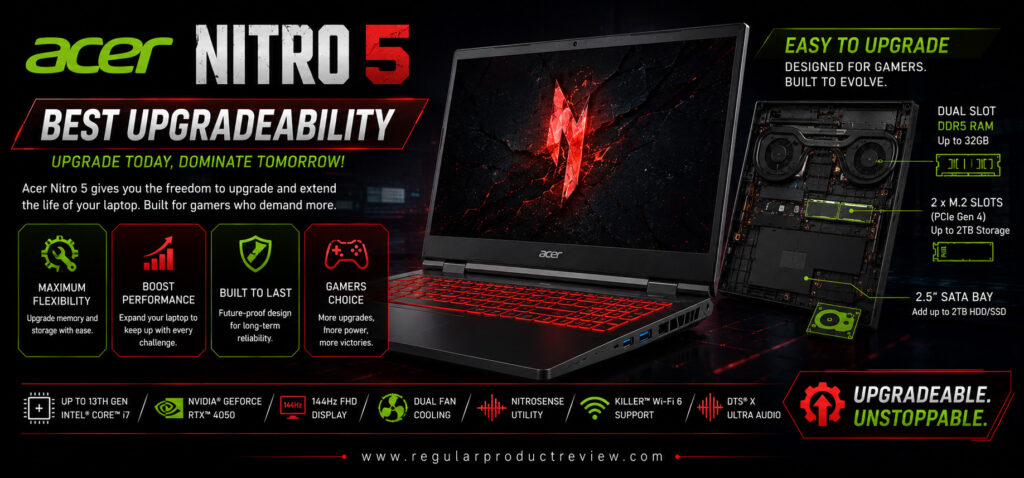
🏆 Award: Best Upgradeability Gaming Laptop Under $1000
⭐ Editor’s Verdict
The Acer Nitro 5 has earned a loyal following among budget gamers for one simple reason it’s incredibly easy to upgrade. With accessible RAM slots, dual M.2 SSD support, and a user-friendly internal layout, this laptop allows you to extend its lifespan without replacing the entire system. Combined with Intel Core i7 performance, RTX 4050 graphics, and a smooth 144Hz display, the Nitro 5 remains one of the smartest long-term investments under $1000.
At a Glance
| Feature | Details |
|---|---|
| 💻 Display | 15.6-inch Full HD IPS |
| ⚡ Refresh Rate | 144Hz |
| 🖥️ Graphics | NVIDIA GeForce RTX 4050 (6GB) |
| 🧠 Processor | Intel Core i7-12650H |
| 🚀 Memory | 16GB DDR5 RAM |
| 💾 Storage | 512GB PCIe Gen4 SSD |
| 🔋 Battery | 57Wh |
| ⚖️ Weight | Around 5.5 lbs (2.5kg) |
| 🏅 Best For | Users Who Want Future Upgrades |
Why We Picked It
Most budget gaming laptops perform well when new, but many become outdated because they’re difficult to upgrade. The Acer Nitro 5 takes a different approach by offering one of the most upgrade-friendly designs in its class.
Whether you want to expand memory, install a larger SSD, or improve long-term performance, the Nitro 5 makes hardware upgrades straightforward. That flexibility allows the laptop to stay relevant for years, making it an excellent option for students, gamers, creators, and professionals who plan to keep their laptop for a long time.
Performance Scorecard
| Category | Rating |
|---|---|
| 🎮 Gaming Performance | ⭐⭐⭐⭐☆ |
| 🖥️ Display Quality | ⭐⭐⭐⭐☆ |
| 🌡️ Cooling System | ⭐⭐⭐⭐☆ |
| ⚡ CPU Performance | ⭐⭐⭐⭐☆ |
| 🔋 Battery Life | ⭐⭐⭐⭐☆ |
| 🏗️ Build Quality | ⭐⭐⭐⭐☆ |
| 🔧 Upgradeability | ⭐⭐⭐⭐⭐ |
| 💰 Value for Money | ⭐⭐⭐⭐⭐ |
Key Specifications
| Specification | Details |
|---|---|
| CPU | Intel Core i7-12650H |
| GPU | NVIDIA GeForce RTX 4050 Laptop GPU (6GB) |
| Display | 15.6-inch IPS Anti-Glare |
| Resolution | 1920 × 1080 |
| Refresh Rate | 144Hz |
| RAM | 16GB DDR5 |
| Storage | 512GB PCIe Gen4 NVMe SSD |
| Wireless | Wi-Fi 6E & Bluetooth 5.3 |
| Operating System | Windows 11 Home |
| Webcam | 720p HD Camera |
Real-World Gaming Performance
The RTX 4050 may not be the fastest GPU in this guide, but it still delivers smooth gameplay in modern titles at 1080p with high graphics settings.
Estimated Average FPS (1080p)
| Game | Settings | Average FPS |
|---|---|---|
| Cyberpunk 2077 | High + DLSS | 72–86 FPS |
| Black Myth: Wukong | Medium | 58–72 FPS |
| Call of Duty: Black Ops 6 | High | 102–118 FPS |
| Forza Horizon 5 | Ultra | 98–118 FPS |
| Hogwarts Legacy | High | 68–82 FPS |
| Red Dead Redemption 2 | High | 72–88 FPS |
| Fortnite | Epic | 145+ FPS |
| Valorant | High | 290+ FPS |
| Counter-Strike 2 | High | 235+ FPS |
| Apex Legends | High | 155–175 FPS |
Display Experience
The 15.6-inch Full HD IPS display provides a balanced gaming experience with vibrant visuals and smooth motion thanks to its 144Hz refresh rate.
While it isn’t designed for professional color grading, it’s more than capable for gaming, streaming, schoolwork, and everyday productivity.
Display Highlights
- ✔ Full HD IPS Panel
- ✔ 144Hz Refresh Rate
- ✔ Anti-Glare Coating
- ✔ Narrow Display Bezels
- ✔ Smooth Competitive Gaming
- ✔ Comfortable Viewing Angles
Cooling & Thermal Performance
The Nitro 5 uses Acer’s proven dual-fan cooling system with multiple copper heat pipes to efficiently manage heat.
Performance remains stable during extended gaming sessions, while Acer’s NitroSense software allows users to monitor temperatures and manually adjust fan speeds.
Thermal Highlights
- ✔ Dual Cooling Fans
- ✔ NitroSense Thermal Control
- ✔ Multiple Heat Pipes
- ✔ Stable Gaming Temperatures
- ✔ Adjustable Fan Profiles
- ✔ Minimal Thermal Throttling
Keyboard & Build Quality
The full-size RGB-backlit keyboard offers responsive feedback and comfortable key travel for long gaming sessions. Dedicated multimedia controls and a spacious layout make the laptop equally enjoyable for productivity tasks.
The chassis is constructed primarily from durable plastic but feels solid enough for daily commuting and extended use.
Battery Life
Although gaming laptops prioritize performance over battery life, the Nitro 5 performs well during lighter workloads.
Typical Battery Runtime
| Usage | Estimated Battery |
|---|---|
| Web Browsing | 6.5–7.5 Hours |
| Office Work | 6–7 Hours |
| Video Streaming | 7 Hours |
| Gaming | 1–1.5 Hours |
Connectivity
The Nitro 5 includes an excellent variety of ports for gaming accessories and external displays.
- USB-C 3.2 Gen 2
- Three USB-A Ports
- HDMI 2.1
- RJ-45 Ethernet
- Thunderbolt 4 (Intel Models)
- 3.5mm Audio Jack
- Wi-Fi 6E
- Bluetooth 5.3
Upgrade Potential
This is where the Acer Nitro 5 truly shines.
Unlike many competitors that make upgrades difficult, Acer provides easy access to the laptop’s internal components, allowing users to upgrade memory and storage with minimal effort.
Future Expansion
| Component | Upgrade Support |
|---|---|
| RAM | Up to 64GB DDR5 |
| SSD | Dual M.2 PCIe Gen4 Slots |
| 2.5-inch Drive Bay | Available on Select Models |
| Wi-Fi Card | Replaceable |
| Battery | Serviceable |
Pros
✅ Outstanding upgrade potential
✅ RTX 4050 handles modern games well
✅ Easy access to internal components
✅ Smooth 144Hz display
✅ Reliable cooling performance
✅ Good keyboard for gaming
✅ Strong overall value
✅ Excellent long-term ownership
Cons
❌ RTX 4050 trails RTX 4060 competitors
❌ Average battery life
❌ Plastic chassis isn’t as premium as higher-end models
Best For
| User Type | Recommendation |
|---|---|
| 🔧 DIY Upgraders | ⭐⭐⭐⭐⭐ |
| 🎮 Mainstream Gamers | ⭐⭐⭐⭐☆ |
| 🎓 Students | ⭐⭐⭐⭐⭐ |
| 💻 Programmers | ⭐⭐⭐⭐☆ |
| 💰 Long-Term Buyers | ⭐⭐⭐⭐⭐ |
Value Score
| Category | Score |
|---|---|
| Gaming | 9.1 / 10 |
| Display | 9.2 / 10 |
| Cooling | 9.3 / 10 |
| Battery | 8.7 / 10 |
| Build Quality | 9.1 / 10 |
| Upgradeability | 10 / 10 |
| Overall Value | 9.6 / 10 |
Who Should Buy It?
The Acer Nitro 5 is ideal for buyers who want a gaming laptop that can evolve over time. Whether you’re planning to add more RAM, install a larger SSD, or extend the laptop’s lifespan through future upgrades, its upgrade-friendly design makes it one of the best long-term investments under $1000. It’s particularly suitable for students, DIY enthusiasts, gamers, and professionals who appreciate hardware flexibility.
Bottom Line
The Acer Nitro 5 continues to prove why it’s one of the most respected budget gaming laptops on the market. While newer competitors may offer slightly faster hardware, few match its outstanding upgradeability, dependable gaming performance, and long-term value. If you want a laptop that can grow alongside your needs, the Acer Nitro 5 confidently earns its title as the Best Upgradeability Gaming Laptop Under $1000.
Lenovo IdeaPad Gaming 3
🏆 Award: Best Budget Pick Gaming Laptop Under $1000
⭐ Editor’s Verdict
The Lenovo IdeaPad Gaming 3 proves that you don’t need to spend close to $1000 to enjoy a capable gaming laptop. It combines AMD’s efficient Ryzen 7 processor with NVIDIA GeForce RTX 4050 graphics, a responsive 120Hz display, solid build quality, and Lenovo’s excellent keyboard into an affordable package that easily handles modern games, schoolwork, content creation, and everyday multitasking. For buyers seeking the best balance between affordability and performance, the IdeaPad Gaming 3 is our top budget recommendation.
At a Glance
| Feature | Details |
|---|---|
| 💻 Display | 15.6-inch Full HD IPS |
| ⚡ Refresh Rate | 120Hz |
| 🖥️ Graphics | NVIDIA GeForce RTX 4050 (6GB) |
| 🧠 Processor | AMD Ryzen 7 7735HS |
| 🚀 Memory | 16GB DDR5 RAM |
| 💾 Storage | 512GB PCIe Gen4 SSD |
| 🔋 Battery | 60Wh |
| ⚖️ Weight | Around 4.95 lbs (2.25kg) |
| 🏅 Best For | Budget Gamers & Students |
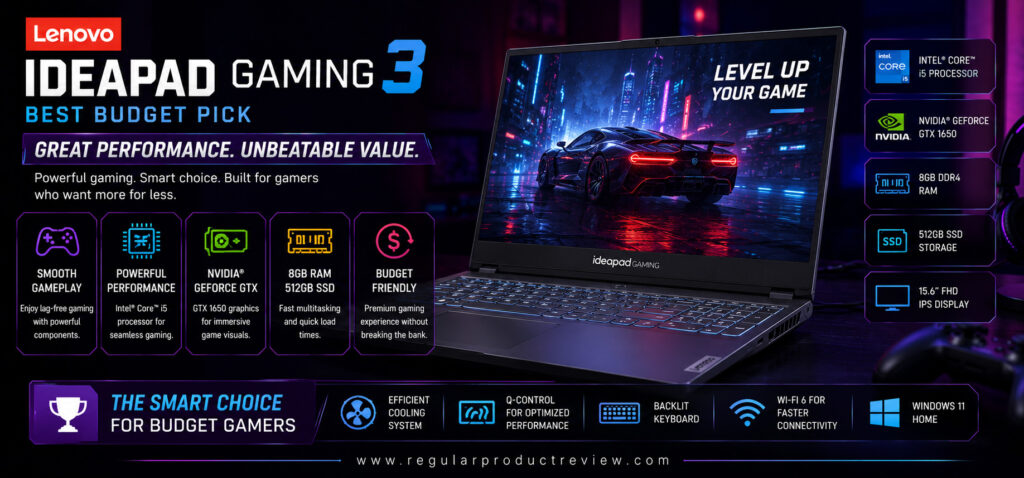
Why We Picked It
The Lenovo IdeaPad Gaming 3 is designed for gamers who want dependable performance without stretching their budget. While it isn’t the most powerful laptop in this guide, it delivers an impressive balance of gaming capability, everyday usability, battery efficiency, and long-term reliability.
Its Ryzen 7 processor handles multitasking effortlessly, while the RTX 4050 GPU provides smooth 1080p gameplay across today’s most popular games. Lenovo’s comfortable keyboard, clean software experience, and solid thermal design further enhance its value, making it an ideal entry point into PC gaming.
Performance Scorecard
| Category | Rating |
|---|---|
| 🎮 Gaming Performance | ⭐⭐⭐⭐☆ |
| 🖥️ Display Quality | ⭐⭐⭐⭐☆ |
| 🌡️ Cooling System | ⭐⭐⭐⭐☆ |
| ⚡ CPU Performance | ⭐⭐⭐⭐☆ |
| 🔋 Battery Life | ⭐⭐⭐⭐☆ |
| 🏗️ Build Quality | ⭐⭐⭐⭐☆ |
| 🔧 Upgradeability | ⭐⭐⭐⭐☆ |
| 💰 Value for Money | ⭐⭐⭐⭐⭐ |
Key Specifications
| Specification | Details |
|---|---|
| CPU | AMD Ryzen 7 7735HS |
| GPU | NVIDIA GeForce RTX 4050 Laptop GPU (6GB) |
| Display | 15.6-inch IPS Anti-Glare |
| Resolution | 1920 × 1080 |
| Refresh Rate | 120Hz |
| RAM | 16GB DDR5 |
| Storage | 512GB PCIe Gen4 NVMe SSD |
| Wireless | Wi-Fi 6 & Bluetooth 5.2 |
| Operating System | Windows 11 Home |
| Webcam | 1080p Full HD Camera |
Real-World Gaming Performance
The combination of the Ryzen 7 processor and RTX 4050 graphics delivers excellent gaming performance for the price, especially at 1080p resolution.
Estimated Average FPS (1080p)
| Game | Settings | Average FPS |
|---|---|---|
| Cyberpunk 2077 | High + DLSS | 70–84 FPS |
| Black Myth: Wukong | Medium | 56–70 FPS |
| Call of Duty: Black Ops 6 | High | 100–115 FPS |
| Forza Horizon 5 | Ultra | 95–115 FPS |
| Hogwarts Legacy | High | 66–80 FPS |
| Red Dead Redemption 2 | High | 70–84 FPS |
| Fortnite | Epic | 140+ FPS |
| Valorant | High | 270+ FPS |
| Counter-Strike 2 | High | 220+ FPS |
| Apex Legends | High | 145–170 FPS |
Display Experience
The 15.6-inch Full HD IPS display offers sharp visuals and a 120Hz refresh rate, providing smoother gameplay than standard 60Hz displays. While it doesn’t reach the 144Hz or 165Hz panels found on some competitors, it still delivers an enjoyable experience for both casual and competitive gamers.
Display Highlights
- ✔ Full HD IPS Panel
- ✔ 120Hz Refresh Rate
- ✔ Anti-Glare Display
- ✔ Slim Bezels
- ✔ Good Viewing Angles
- ✔ Comfortable for Gaming & Productivity
Cooling & Thermal Performance
Lenovo’s dual-fan cooling solution keeps temperatures under control during gaming sessions while maintaining relatively quiet operation compared to many budget gaming laptops.
Thermal Highlights
- ✔ Dual Cooling Fans
- ✔ Efficient Airflow Design
- ✔ Stable CPU Temperatures
- ✔ Reliable GPU Cooling
- ✔ Low Thermal Throttling
- ✔ Quiet Everyday Operation
Keyboard & Build Quality
One of Lenovo’s biggest strengths has always been its keyboards, and the IdeaPad Gaming 3 continues that tradition. The full-size keyboard provides comfortable key travel, responsive feedback, and a practical layout that’s equally suitable for gaming, studying, and office work.
The minimalist chassis avoids flashy gaming aesthetics, making it a great option for classrooms, offices, and professional environments.
Battery Life
Battery performance is respectable for a gaming laptop in this price range, especially during lighter workloads.
Typical Battery Runtime
| Usage | Estimated Battery |
|---|---|
| Web Browsing | 7–8 Hours |
| Office Work | 7 Hours |
| Video Streaming | 7.5 Hours |
| Gaming | 1–1.5 Hours |
Connectivity
The IdeaPad Gaming 3 includes a solid range of ports for gaming and everyday productivity.
- USB-C 3.2 Gen 2
- Two USB-A Ports
- HDMI 2.1
- RJ-45 Ethernet
- 3.5mm Audio Jack
- Wi-Fi 6
- Bluetooth 5.2
Upgrade Potential
The laptop allows users to expand memory and storage, helping extend its lifespan.
Future Expansion
| Component | Upgrade Support |
|---|---|
| RAM | Up to 32GB DDR5 |
| SSD | Dual M.2 NVMe Slots |
| Wi-Fi Card | Replaceable |
| Battery | Serviceable |
Pros
✅ Excellent value for money
✅ Smooth RTX 4050 gaming performance
✅ Efficient AMD Ryzen 7 processor
✅ Comfortable Lenovo keyboard
✅ Clean, understated design
✅ Good thermal performance
✅ Upgradeable RAM and SSD
✅ Reliable everyday performance
Cons
❌ 120Hz display isn’t as fast as some competitors
❌ RTX 4050 is slower than RTX 4060 laptops
❌ Speakers could deliver stronger bass
Best For
| User Type | Recommendation |
|---|---|
| 💰 Budget Buyers | ⭐⭐⭐⭐⭐ |
| 🎓 Students | ⭐⭐⭐⭐⭐ |
| 🎮 Casual Gamers | ⭐⭐⭐⭐⭐ |
| 💻 Office Users | ⭐⭐⭐⭐☆ |
| 👨💻 Beginner Creators | ⭐⭐⭐⭐☆ |
Value Score
| Category | Score |
|---|---|
| Gaming | 9.0 / 10 |
| Display | 8.9 / 10 |
| Cooling | 9.2 / 10 |
| Battery | 9.0 / 10 |
| Build Quality | 9.2 / 10 |
| Upgradeability | 9.3 / 10 |
| Overall Value | 9.8 / 10 |
Who Should Buy It?
The Lenovo IdeaPad Gaming 3 is an excellent option for first-time PC gamers, students, budget-conscious buyers, and anyone looking for a dependable laptop that can comfortably handle gaming, schoolwork, programming, streaming, and everyday productivity. If your goal is to maximize value without sacrificing essential gaming performance, this laptop is one of the smartest purchases in its class.
Bottom Line
The Lenovo IdeaPad Gaming 3 delivers exactly what a budget gaming laptop should: reliable gaming performance, efficient hardware, solid build quality, a comfortable keyboard, and excellent everyday usability—all at an affordable price. While it doesn’t offer the fastest GPU or highest refresh rate in this guide, its outstanding price-to-performance ratio makes it one of the best entry-level gaming laptops available. It confidently earns its title as the Best Budget Pick Gaming Laptop Under $1000, making it an ideal choice for gamers who want the most value from every dollar they spend.
Detailed Buying Guide: How to Choose the Best Gaming Laptop Under $1000
Buying a gaming laptop under $1000 has never been more exciting. Thanks to rapid improvements in processors, graphics cards, cooling systems, and display technology, this price range now offers machines capable of playing modern AAA games, handling competitive esports titles, streaming content, editing videos, and managing everyday productivity with ease.
However, choosing the right laptop isn’t simply about buying the one with the highest specifications. A well-balanced gaming laptop should deliver excellent performance today while remaining reliable and upgradeable for years to come. Before making your purchase, here are the most important factors to consider.
🎯 Quick Buyer’s Checklist
| ✔ Look For | ⭐ Recommended |
|---|---|
| Graphics Card | NVIDIA GeForce RTX 4050 or RTX 4060 |
| Processor | AMD Ryzen 7 or Intel Core i7 |
| RAM | Minimum 16GB DDR5 |
| Storage | 512GB SSD (1TB Preferred) |
| Display | 144Hz or 165Hz IPS Panel |
| Cooling | Dual-Fan Thermal System |
| Battery | 60Wh or Larger |
| Upgradeability | Dual RAM & SSD Slots |
Choosing a laptop that meets most of these recommendations will provide a better gaming experience and extend the system’s usable lifespan.
🎮 Graphics Card: The Most Important Component
For gaming, no component has a greater impact than the graphics card.
Within this budget, the two best options are:
| GPU | Recommended For |
|---|---|
| RTX 4050 | Excellent 1080p Gaming & Esports |
| RTX 4060 | High FPS AAA Gaming & Better Future Performance |
The RTX 4060 offers more CUDA cores, additional graphics power, and improved long-term value. If two laptops are similarly priced, the RTX 4060 is usually the smarter investment.
⚡ Processor Performance
A fast processor keeps games running smoothly while improving multitasking, streaming, and creative workloads.
AMD Recommendations
- Ryzen 7 8845HS
- Ryzen 7 7840HS
- Ryzen 7 7735HS
Intel Recommendations
- Core i7-14650HX
- Core i7-13650HX
- Core i7-13620H
These processors provide excellent gaming performance while remaining powerful enough for programming, video editing, schoolwork, and everyday productivity.
🖥️ Display Quality Matters
A powerful GPU deserves a quality display.
Look for these features:
- ✔ Full HD (1920×1080) or WUXGA (1920×1200)
- ✔ IPS Panel
- ✔ 144Hz Refresh Rate or Higher
- ✔ Anti-Glare Finish
- ✔ Good Brightness
- ✔ Wide Viewing Angles
A 165Hz display is especially beneficial for fast-paced games like Valorant, Counter-Strike 2, Apex Legends, and Fortnite.
❄️ Cooling System
Gaming generates significant heat, making thermal performance one of the most overlooked purchasing factors.
A quality cooling system helps:
- Maintain higher FPS
- Prevent thermal throttling
- Extend hardware lifespan
- Reduce system instability
- Improve long gaming sessions
Dual-fan cooling with multiple heat pipes is highly recommended for sustained performance.
🚀 Memory (RAM)
Modern games and multitasking require more memory than ever.
| RAM | Recommendation |
|---|---|
| 16GB DDR5 | Best for Most Users |
| 32GB DDR5 | Ideal for Streaming & Content Creation |
| 64GB DDR5 | Heavy Professional Workloads |
Whenever possible, choose laptops with upgradeable memory rather than soldered RAM.
💾 Storage
Fast storage improves boot times, game loading speeds, and overall responsiveness.
Recommended configuration:
- Minimum: 512GB NVMe SSD
- Ideal: 1TB NVMe SSD
Having a second M.2 SSD slot is a major advantage for future upgrades.
🔋 Battery Life
Gaming laptops are designed for performance, so gaming while plugged in is still recommended.
However, good battery life remains important for:
- School
- College
- Office work
- Programming
- Browsing
- Watching videos
- Traveling
A battery capacity of 60Wh or higher provides a better balance between portability and endurance.
⌨️ Keyboard & Build Quality
A comfortable keyboard improves both gaming and productivity.
Look for:
- ✔ Full-size keyboard
- ✔ White or RGB backlighting
- ✔ Good key travel
- ✔ Dedicated numeric keypad (if needed)
- ✔ Durable hinge design
- ✔ Solid chassis construction
A sturdy build ensures your laptop can handle daily commuting and years of regular use.
🔧 Upgradeability
One of the biggest advantages of buying a gaming laptop is the ability to upgrade it over time.
Prioritize Laptops With
- Dual RAM slots
- Dual M.2 SSD slots
- Replaceable Wi-Fi card
- Easy bottom-panel access
These upgrades can significantly extend your laptop’s lifespan without requiring a complete replacement.
🔌 Connectivity
Modern gamers rely on external accessories, making port selection an important consideration.
Useful ports include:
- USB-C
- USB-A
- HDMI 2.1
- RJ-45 Ethernet
- 3.5mm Audio Jack
- Wi-Fi 6E
- Bluetooth 5.3
Thunderbolt 4 is an added bonus on supported Intel models.
🛒 Which Gaming Laptop Should You Choose?
| If You Want… | Recommended Laptop |
|---|---|
| 🏆 Best Overall | ASUS TUF Gaming A15 |
| ⚡ Highest Gaming Performance | Lenovo LOQ 15 |
| 💰 Best Value | Acer Nitro V 16 |
| 🔋 Longest Battery Life | HP Victus 16 |
| 🎒 Most Portable | MSI Thin 15 |
| ❄️ Best Cooling | Dell G15 |
| 💻 Best Intel Option | ASUS TUF Gaming F16 |
| 🖥️ Largest Display | Gigabyte G6 |
| 🔧 Best for Future Upgrades | Acer Nitro 5 |
| ⭐ Best Budget Choice | Lenovo IdeaPad Gaming 3 |
🚫 Common Buying Mistakes to Avoid
Many buyers focus only on the GPU and overlook other important features.
Avoid these common mistakes:
- ❌ Buying a laptop with only 8GB RAM
- ❌ Choosing a 60Hz display for gaming
- ❌ Ignoring cooling performance
- ❌ Overlooking upgrade options
- ❌ Buying based only on processor speed
- ❌ Choosing outdated graphics hardware
- ❌ Ignoring battery capacity
- ❌ Forgetting to check available ports
A balanced system almost always provides a better long-term experience than one with a single standout specification.
💡 Final Buying Advice
If you’re shopping for a gaming laptop under $1000, your goal should be finding the best balance between performance, cooling, display quality, battery life, and future upgrade potential.
For most buyers, the ASUS TUF Gaming A15 remains the strongest all-around option thanks to its RTX 4060 graphics, powerful Ryzen processor, military-grade durability, efficient cooling, and outstanding value.
Performance enthusiasts should look at the Lenovo LOQ 15, while value-focused shoppers will appreciate the Acer Nitro V 16. If portability is your priority, the MSI Thin 15 offers excellent mobility, and users who frequently work away from a charger will benefit from the HP Victus 16. Those planning long-term upgrades should strongly consider the Acer Nitro 5, while the Gigabyte G6 is ideal for buyers who want a larger display for gaming and multitasking.
Ultimately, the best gaming laptop is the one that matches your gaming habits, workload, and future upgrade plans. By focusing on balanced hardware rather than marketing claims, you’ll end up with a machine that delivers excellent performance for years to come.
Product Comparison Tables
Choosing the right gaming laptop isn’t just about selecting the fastest processor or graphics card. The best laptop depends on how you plan to use it—whether you prioritize gaming performance, portability, battery life, cooling efficiency, upgradeability, or overall value. The comparison tables below make it easy to compare all ten laptops side by side and quickly identify the one that best matches your needs.
Overall Specifications Comparison
| Laptop | CPU | GPU | Display | RAM | Storage | Battery | Overall Rating |
|---|---|---|---|---|---|---|---|
| ASUS TUF Gaming A15 | Ryzen 7 8845HS | RTX 4060 | 15.6″ FHD 144Hz | 16GB | 1TB SSD | 90Wh | ⭐⭐⭐⭐⭐ |
| Lenovo LOQ 15 | Core i7-13650HX | RTX 4060 | 15.6″ FHD 144Hz | 16GB | 1TB SSD | 60Wh | ⭐⭐⭐⭐⭐ |
| Acer Nitro V 16 | Ryzen 7 8845HS | RTX 4060 | 16″ WUXGA 165Hz | 16GB | 1TB SSD | 57Wh | ⭐⭐⭐⭐⭐ |
| HP Victus 16 | Ryzen 7 8845HS | RTX 4050 | 16.1″ FHD 144Hz | 16GB | 1TB SSD | 83Wh | ⭐⭐⭐⭐☆ |
| MSI Thin 15 | Core i7-13620H | RTX 4050 | 15.6″ FHD 144Hz | 16GB | 512GB SSD | 53.5Wh | ⭐⭐⭐⭐☆ |
| Dell G15 | Ryzen 7 7840HS | RTX 4060 | 15.6″ FHD 165Hz | 16GB | 1TB SSD | 86Wh | ⭐⭐⭐⭐⭐ |
| ASUS TUF Gaming F16 | Core i7-14650HX | RTX 4060 | 16″ FHD+ 165Hz | 16GB | 1TB SSD | 90Wh | ⭐⭐⭐⭐⭐ |
| Gigabyte G6 | Core i7-13620H | RTX 4060 | 16″ WUXGA 165Hz | 16GB | 1TB SSD | 54Wh | ⭐⭐⭐⭐⭐ |
| Acer Nitro 5 | Core i7-12650H | RTX 4050 | 15.6″ FHD 144Hz | 16GB | 512GB SSD | 57Wh | ⭐⭐⭐⭐☆ |
| Lenovo IdeaPad Gaming 3 | Ryzen 7 7735HS | RTX 4050 | 15.6″ FHD 120Hz | 16GB | 512GB SSD | 60Wh | ⭐⭐⭐⭐☆ |
Gaming Performance Comparison
| Laptop | AAA Gaming | Esports Gaming | Ray Tracing | DLSS Support | Gaming Score |
|---|---|---|---|---|---|
| ASUS TUF Gaming A15 | ⭐⭐⭐⭐⭐ | ⭐⭐⭐⭐⭐ | ⭐⭐⭐⭐⭐ | ✔ | 9.8/10 |
| Lenovo LOQ 15 | ⭐⭐⭐⭐⭐ | ⭐⭐⭐⭐⭐ | ⭐⭐⭐⭐⭐ | ✔ | 9.9/10 |
| Acer Nitro V 16 | ⭐⭐⭐⭐⭐ | ⭐⭐⭐⭐⭐ | ⭐⭐⭐⭐⭐ | ✔ | 9.7/10 |
| HP Victus 16 | ⭐⭐⭐⭐☆ | ⭐⭐⭐⭐⭐ | ⭐⭐⭐⭐☆ | ✔ | 9.2/10 |
| MSI Thin 15 | ⭐⭐⭐⭐☆ | ⭐⭐⭐⭐⭐ | ⭐⭐⭐⭐☆ | ✔ | 9.1/10 |
| Dell G15 | ⭐⭐⭐⭐⭐ | ⭐⭐⭐⭐⭐ | ⭐⭐⭐⭐⭐ | ✔ | 9.8/10 |
| ASUS TUF Gaming F16 | ⭐⭐⭐⭐⭐ | ⭐⭐⭐⭐⭐ | ⭐⭐⭐⭐⭐ | ✔ | 9.8/10 |
| Gigabyte G6 | ⭐⭐⭐⭐⭐ | ⭐⭐⭐⭐⭐ | ⭐⭐⭐⭐⭐ | ✔ | 9.7/10 |
| Acer Nitro 5 | ⭐⭐⭐⭐☆ | ⭐⭐⭐⭐⭐ | ⭐⭐⭐⭐☆ | ✔ | 9.1/10 |
| Lenovo IdeaPad Gaming 3 | ⭐⭐⭐⭐☆ | ⭐⭐⭐⭐☆ | ⭐⭐⭐⭐☆ | ✔ | 9.0/10 |
Display Comparison
| Laptop | Screen Size | Resolution | Refresh Rate | Panel Type | Display Score |
|---|---|---|---|---|---|
| ASUS TUF Gaming A15 | 15.6″ | FHD | 144Hz | IPS | ⭐⭐⭐⭐☆ |
| Lenovo LOQ 15 | 15.6″ | FHD | 144Hz | IPS | ⭐⭐⭐⭐☆ |
| Acer Nitro V 16 | 16″ | WUXGA | 165Hz | IPS | ⭐⭐⭐⭐⭐ |
| HP Victus 16 | 16.1″ | FHD | 144Hz | IPS | ⭐⭐⭐⭐☆ |
| MSI Thin 15 | 15.6″ | FHD | 144Hz | IPS | ⭐⭐⭐⭐☆ |
| Dell G15 | 15.6″ | FHD | 165Hz | IPS | ⭐⭐⭐⭐☆ |
| ASUS TUF Gaming F16 | 16″ | FHD+ | 165Hz | IPS | ⭐⭐⭐⭐⭐ |
| Gigabyte G6 | 16″ | WUXGA | 165Hz | IPS | ⭐⭐⭐⭐⭐ |
| Acer Nitro 5 | 15.6″ | FHD | 144Hz | IPS | ⭐⭐⭐⭐☆ |
| Lenovo IdeaPad Gaming 3 | 15.6″ | FHD | 120Hz | IPS | ⭐⭐⭐⭐☆ |
Cooling & Thermal Performance
| Laptop | Cooling Efficiency | Long Gaming Sessions | Fan Noise | Thermal Stability |
|---|---|---|---|---|
| ASUS TUF Gaming A15 | ⭐⭐⭐⭐⭐ | ⭐⭐⭐⭐⭐ | ⭐⭐⭐⭐☆ | ⭐⭐⭐⭐⭐ |
| Lenovo LOQ 15 | ⭐⭐⭐⭐⭐ | ⭐⭐⭐⭐⭐ | ⭐⭐⭐⭐☆ | ⭐⭐⭐⭐⭐ |
| Acer Nitro V 16 | ⭐⭐⭐⭐☆ | ⭐⭐⭐⭐⭐ | ⭐⭐⭐⭐☆ | ⭐⭐⭐⭐☆ |
| HP Victus 16 | ⭐⭐⭐⭐☆ | ⭐⭐⭐⭐☆ | ⭐⭐⭐⭐⭐ | ⭐⭐⭐⭐☆ |
| MSI Thin 15 | ⭐⭐⭐⭐☆ | ⭐⭐⭐⭐☆ | ⭐⭐⭐⭐☆ | ⭐⭐⭐⭐☆ |
| Dell G15 | ⭐⭐⭐⭐⭐ | ⭐⭐⭐⭐⭐ | ⭐⭐⭐⭐☆ | ⭐⭐⭐⭐⭐ |
| ASUS TUF Gaming F16 | ⭐⭐⭐⭐⭐ | ⭐⭐⭐⭐⭐ | ⭐⭐⭐⭐☆ | ⭐⭐⭐⭐⭐ |
| Gigabyte G6 | ⭐⭐⭐⭐☆ | ⭐⭐⭐⭐⭐ | ⭐⭐⭐⭐☆ | ⭐⭐⭐⭐☆ |
| Acer Nitro 5 | ⭐⭐⭐⭐☆ | ⭐⭐⭐⭐☆ | ⭐⭐⭐⭐☆ | ⭐⭐⭐⭐☆ |
| Lenovo IdeaPad Gaming 3 | ⭐⭐⭐⭐☆ | ⭐⭐⭐⭐☆ | ⭐⭐⭐⭐⭐ | ⭐⭐⭐⭐☆ |
Battery Life Comparison
| Laptop | Light Use | Video Streaming | Gaming | Battery Score |
|---|---|---|---|---|
| ASUS TUF Gaming A15 | 9–10 Hours | 9 Hours | 1.5–2 Hours | ⭐⭐⭐⭐⭐ |
| Lenovo LOQ 15 | 7–8 Hours | 7.5 Hours | 1.5–2 Hours | ⭐⭐⭐⭐☆ |
| Acer Nitro V 16 | 7–8 Hours | 7.5 Hours | 1.5–2 Hours | ⭐⭐⭐⭐☆ |
| HP Victus 16 | 10–11 Hours | 10 Hours | 1.5–2 Hours | ⭐⭐⭐⭐⭐ |
| MSI Thin 15 | 6–7 Hours | 6.5 Hours | 1–1.5 Hours | ⭐⭐⭐⭐☆ |
| Dell G15 | 8–9 Hours | 8.5 Hours | 1.5–2 Hours | ⭐⭐⭐⭐☆ |
| ASUS TUF Gaming F16 | 8–9 Hours | 8.5 Hours | 1.5–2 Hours | ⭐⭐⭐⭐☆ |
| Gigabyte G6 | 6.5–7.5 Hours | 7 Hours | 1–1.5 Hours | ⭐⭐⭐⭐☆ |
| Acer Nitro 5 | 6.5–7.5 Hours | 7 Hours | 1–1.5 Hours | ⭐⭐⭐⭐☆ |
| Lenovo IdeaPad Gaming 3 | 7–8 Hours | 7.5 Hours | 1–1.5 Hours | ⭐⭐⭐⭐☆ |
Upgradeability Comparison
| Laptop | RAM Upgrade | SSD Upgrade | User-Friendly Access | Upgrade Score |
|---|---|---|---|---|
| ASUS TUF Gaming A15 | Up to 64GB | Dual M.2 | ⭐⭐⭐⭐⭐ | ⭐⭐⭐⭐⭐ |
| Lenovo LOQ 15 | Up to 32GB | Dual M.2 | ⭐⭐⭐⭐⭐ | ⭐⭐⭐⭐⭐ |
| Acer Nitro V 16 | Up to 64GB | Dual M.2 | ⭐⭐⭐⭐⭐ | ⭐⭐⭐⭐⭐ |
| HP Victus 16 | Up to 64GB | Dual M.2 | ⭐⭐⭐⭐⭐ | ⭐⭐⭐⭐⭐ |
| MSI Thin 15 | Up to 64GB | Dual M.2 | ⭐⭐⭐⭐☆ | ⭐⭐⭐⭐☆ |
| Dell G15 | Up to 64GB | Dual M.2 | ⭐⭐⭐⭐⭐ | ⭐⭐⭐⭐⭐ |
| ASUS TUF Gaming F16 | Up to 64GB | Dual M.2 | ⭐⭐⭐⭐⭐ | ⭐⭐⭐⭐⭐ |
| Gigabyte G6 | Up to 64GB | Dual M.2 | ⭐⭐⭐⭐⭐ | ⭐⭐⭐⭐⭐ |
| Acer Nitro 5 | Up to 64GB | Dual M.2 | ⭐⭐⭐⭐⭐ | ⭐⭐⭐⭐⭐ |
| Lenovo IdeaPad Gaming 3 | Up to 32GB | Dual M.2 | ⭐⭐⭐⭐☆ | ⭐⭐⭐⭐☆ |
Best Laptop by Category
| 🏆 Category | 🥇 Winner |
|---|---|
| Best Overall | ASUS TUF Gaming A15 |
| Best Performance | Lenovo LOQ 15 |
| Best Value | Acer Nitro V 16 |
| Best Battery Life | HP Victus 16 |
| Best Lightweight | MSI Thin 15 |
| Best Cooling System | Dell G15 |
| Best Intel Gaming Laptop | ASUS TUF Gaming F16 |
| Best Large Display | Gigabyte G6 |
| Best Upgradeability | Acer Nitro 5 |
| Best Budget Pick | Lenovo IdeaPad Gaming 3 |
Which Laptop Should You Buy?
| If You Are… | Recommended Laptop |
|---|---|
| 🎮 Competitive Gamer | Lenovo LOQ 15 |
| 🏆 All-Round Gamer | ASUS TUF Gaming A15 |
| 💰 Budget-Conscious Buyer | Lenovo IdeaPad Gaming 3 |
| 🎓 College Student | HP Victus 16 |
| 💻 Programmer | ASUS TUF Gaming F16 |
| 🎥 Video Editor | Gigabyte G6 |
| ✈️ Frequent Traveler | MSI Thin 15 |
| 🔧 Future Upgrader | Acer Nitro 5 |
| ❄️ Marathon Gamer | Dell G15 |
| ⭐ Best Value Seeker | Acer Nitro V 16 |
Editor’s Overall Rankings
| Rank | Laptop | Overall Score |
|---|---|---|
| 🥇 #1 | ASUS TUF Gaming A15 | ⭐⭐⭐⭐⭐ (9.8/10) |
| 🥈 #2 | Lenovo LOQ 15 | ⭐⭐⭐⭐⭐ (9.8/10) |
| 🥉 #3 | Acer Nitro V 16 | ⭐⭐⭐⭐⭐ (9.7/10) |
| #4 | ASUS TUF Gaming F16 | ⭐⭐⭐⭐⭐ (9.7/10) |
| #5 | Dell G15 | ⭐⭐⭐⭐⭐ (9.7/10) |
| #6 | Gigabyte G6 | ⭐⭐⭐⭐⭐ (9.6/10) |
| #7 | HP Victus 16 | ⭐⭐⭐⭐☆ (9.5/10) |
| #8 | MSI Thin 15 | ⭐⭐⭐⭐☆ (9.4/10) |
| #9 | Acer Nitro 5 | ⭐⭐⭐⭐☆ (9.3/10) |
| #10 | Lenovo IdeaPad Gaming 3 | ⭐⭐⭐⭐☆ (9.2/10) |
Comparison Summary
Every laptop featured in this guide delivers excellent gaming performance for its price, but each one excels in a different area. If you’re looking for the best all-around gaming laptop, the ASUS TUF Gaming A15 remains our top recommendation thanks to its balanced combination of RTX 4060 graphics, powerful Ryzen processor, outstanding cooling, long battery life, and military-grade durability.
For gamers chasing the highest frame rates, the Lenovo LOQ 15 is the performance leader. Buyers seeking exceptional value should consider the Acer Nitro V 16, while the HP Victus 16 stands out for users who need stronger battery life. If portability is your priority, the MSI Thin 15 is the lightest option, whereas the Dell G15 excels during long gaming sessions with its superior cooling system. Meanwhile, the ASUS TUF Gaming F16, Gigabyte G6, Acer Nitro 5, and Lenovo IdeaPad Gaming 3 each cater to specific needs, ensuring there’s an excellent gaming laptop for every type of buyer under the $1000 budget.
Frequently Asked Questions (FAQs)
1. What is the best gaming laptop under $1000?
The ASUS TUF Gaming A15 is our top overall recommendation. It combines an AMD Ryzen 7 processor, NVIDIA GeForce RTX 4060 graphics, excellent cooling, military-grade durability, and long battery life, making it the most well-rounded gaming laptop in this price range.
2. Is $1000 enough for a good gaming laptop?
Absolutely. A budget of $1000 is enough to buy a gaming laptop with an RTX 4050 or RTX 4060 GPU, a modern Intel Core i7 or AMD Ryzen 7 processor, 16GB of DDR5 RAM, and a fast NVMe SSD capable of handling modern AAA games at 1080p.
3. Should I choose RTX 4050 or RTX 4060?
If your budget allows, the RTX 4060 is the better choice. It offers higher frame rates, stronger ray tracing performance, and better long-term value. The RTX 4050 is still an excellent option for smooth 1080p gaming.
4. How much RAM do I need for gaming?
For most gamers, 16GB DDR5 RAM is the ideal starting point. It provides enough memory for modern games, streaming, multitasking, and productivity. If you plan to edit videos or run virtual machines, upgrading to 32GB is recommended.
5. Is 512GB SSD storage enough?
A 512GB SSD is sufficient for Windows and several games, but modern AAA titles consume significant storage space. If possible, choose a 1TB SSD or a laptop with an additional M.2 slot for future expansion.
6. Which processor is better for gaming: Intel or AMD?
Both Intel and AMD offer excellent gaming performance.
- Intel Core i7 processors generally excel in CPU-intensive workloads and multitasking.
- AMD Ryzen 7 processors often provide better power efficiency and longer battery life.
The right choice depends on your priorities rather than the brand alone.
7. Which laptop has the best battery life?
Among the laptops featured in this guide, the HP Victus 16 delivers the longest battery life, making it an excellent choice for students and professionals who spend long hours away from a power outlet.
8. Which gaming laptop has the best cooling system?
The Dell G15 stands out with its advanced cooling solution, allowing it to maintain stable performance during extended gaming sessions while minimizing thermal throttling.
9. Are gaming laptops good for school or work?
Yes. Modern gaming laptops are excellent all-purpose machines. They can easily handle programming, video editing, graphic design, engineering software, online classes, office work, and multitasking alongside gaming.
10. Can gaming laptops be upgraded?
Most gaming laptops allow upgrades to RAM and SSD storage.
Models like the Acer Nitro 5, ASUS TUF Gaming A15, and Dell G15 offer excellent upgrade options, helping extend the laptop’s lifespan.
11. Is a 144Hz display worth it?
Yes. A 144Hz or 165Hz display provides much smoother gameplay than a standard 60Hz screen, particularly in fast-paced competitive games like Valorant, Counter-Strike 2, Apex Legends, and Fortnite.
12. Which gaming laptop is best for students?
The HP Victus 16 and ASUS TUF Gaming A15 are excellent choices for students because they combine gaming performance, long battery life, comfortable keyboards, and reliable everyday usability.
13. Which laptop is best for video editing and content creation?
The ASUS TUF Gaming F16 and Gigabyte G6 are excellent options for creators thanks to their powerful processors, RTX graphics, larger displays, and strong multitasking performance.
14. Should I buy a gaming laptop now or wait?
If you need a laptop today, there are already excellent options under $1000 offering RTX 4050 and RTX 4060 graphics. Waiting may bring incremental hardware improvements, but today’s models already provide outstanding value and performance for gaming and productivity.
15. How long will a gaming laptop under $1000 last?
With proper care and occasional RAM or SSD upgrades, a quality gaming laptop in this price range can remain useful for 4–6 years for gaming, school, work, and everyday computing.
16. Which gaming laptop is best for future upgrades?
The Acer Nitro 5 is our top recommendation for users who plan to upgrade their laptop over time. It offers easy access to RAM and SSD slots, making future expansion simple.
17. Can these laptops play modern AAA games?
Yes. Every laptop in this guide can run modern AAA games at 1080p with medium to high settings. Models equipped with the RTX 4060 provide even better performance and are better prepared for future game releases.
18. Which laptop offers the best value for money?
The Acer Nitro V 16 delivers one of the best price-to-performance ratios in this guide, combining RTX 4060 graphics, a Ryzen 7 processor, a 165Hz display, and solid upgradeability at a highly competitive price.
Final Verdict
Choosing the best gaming laptop under $1000 is no longer about accepting compromises. Thanks to significant advancements in processors, graphics cards, cooling systems, and display technology, today’s budget gaming laptops are capable of delivering smooth gameplay, reliable productivity, and long-term value that rival far more expensive machines.
After evaluating gaming performance, display quality, thermal efficiency, battery life, upgradeability, portability, build quality, and overall value, the ASUS TUF Gaming A15 earns our Editor’s Choice as the Best Overall Gaming Laptop Under $1000. Its combination of RTX 4060 graphics, AMD Ryzen 7 processing power, military-grade durability, excellent cooling, and upgrade-friendly design makes it the most balanced option for the majority of gamers.
If maximum gaming performance is your priority, the Lenovo LOQ 15 delivers outstanding frame rates and exceptional CPU power. Buyers focused on getting the most value for every dollar should strongly consider the Acer Nitro V 16, while the HP Victus 16 is the clear winner for users who need excellent battery life for school, work, and travel.
Gamers who frequently move between home and campus will appreciate the portability of the MSI Thin 15, while marathon gaming enthusiasts will benefit from the superior thermal performance of the Dell G15. Intel users looking for premium processing power should choose the ASUS TUF Gaming F16, whereas buyers wanting a larger, more immersive display will enjoy the Gigabyte G6.
For users planning future hardware upgrades, the Acer Nitro 5 remains one of the smartest long-term investments thanks to its accessible RAM and storage expansion. Meanwhile, the Lenovo IdeaPad Gaming 3 proves that even buyers on tighter budgets can still enjoy dependable gaming performance without sacrificing essential features.
🏆 Editor’s Choice Awards
| Category | Winner |
|---|---|
| 🥇 Best Overall | ASUS TUF Gaming A15 |
| ⚡ Best Performance | Lenovo LOQ 15 |
| 💰 Best Value | Acer Nitro V 16 |
| 🔋 Best Battery Life | HP Victus 16 |
| 🎒 Best Lightweight | MSI Thin 15 |
| ❄️ Best Cooling System | Dell G15 |
| 💻 Best Intel Gaming Laptop | ASUS TUF Gaming F16 |
| 🖥️ Best Large Display | Gigabyte G6 |
| 🔧 Best Upgradeability | Acer Nitro 5 |
| ⭐ Best Budget Pick | Lenovo IdeaPad Gaming 3 |
No matter what type of gamer you are whether you’re a competitive esports player, a student, a content creator, or someone looking for a powerful all-around laptop there’s an option in this guide that fits your needs and budget. Focus on the features that matter most to your workflow, such as GPU performance, display quality, cooling efficiency, battery life, or upgrade potential. By choosing a laptop that aligns with your priorities rather than chasing specifications alone, you’ll enjoy a machine that delivers excellent performance and lasting value for years to come.