

Finding the best business laptops of 2026 is less about choosing the fastest processor and more about matching a dependable computer to the work it must perform. A useful professional laptop needs enough performance for daily applications, a comfortable keyboard, dependable video calls, suitable ports, practical battery life, strong security options, and support that fits the owner or IT department.
The right choice also depends on context. An executive who travels every week may prioritize low weight and mobile broadband, while an analyst may care more about memory, external displays, and spreadsheet performance. A developer must check operating-system and virtualization requirements. A small business may get more value from repairability and warranty coverage than from a high-resolution OLED panel.
This revision preserves all ten laptops and their original order, but it corrects configurations and separates current 2026 models from older systems that remain available only through remaining stock, discounts, or refurbishment. It does not present manufacturer battery estimates as independent test results, and it avoids assigning artificial decimal scores to products that vary significantly by configuration.
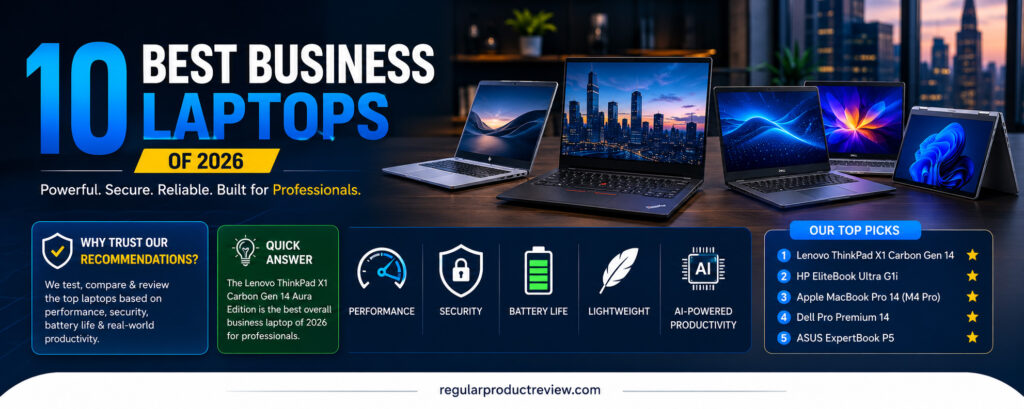
⚠️ 2026 model-year note: Several laptops in the original list are previous-generation products. The MacBook Pro with M4 Pro was introduced in 2024, the Snapdragon Surface Laptop listed here is the 7th Edition, and Dell now marks the Latitude 9450 2-in-1 unavailable. They can still be sensible purchases at a meaningful discount, but they should not be described as newly launched 2026 hardware.
💼 Why You Can Trust This Updated Comparison
This guide is based on manufacturer specifications, support documentation, current product status, and practical business-buying criteria. The original version used wording that implied controlled hands-on testing of every machine. Because no documented common test environment or reproducible results were supplied, this update describes the work accurately as a research- and specification-based comparison.
We evaluated each laptop using the same decision points:
- Configuration clarity: exact processor generation, display option, memory, storage, ports, and weight.
- Business suitability: Windows Pro availability, security hardware, firmware controls, manageability, and warranty choices.
- Mobility: chassis weight, charging setup, webcam, wireless connectivity, and manufacturer battery claims with proper caveats.
- Software fit: Windows on x86, Windows on Arm, or macOS compatibility with the buyer’s applications.
- Lifecycle value: whether the model is current, previous-generation, discontinued, repairable, or heavily configuration-dependent.
- Price integrity: current offers are treated as changeable, not permanent MSRP or proof of value.
You can review the site’s review methodology and editorial policy for the standards used in this update.
⚡ Quick Answer
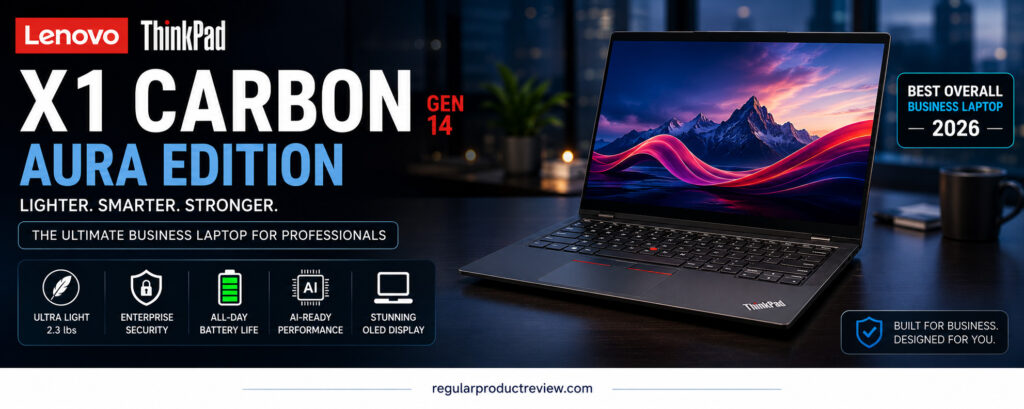
The Lenovo ThinkPad X1 Carbon Gen 14 Aura Edition is the strongest current premium-business choice in this exact list. It is genuinely a 2026 model, starts below one kilogram in selected configurations, offers current Intel Core Ultra Series 3 options, and retains the keyboard, security, and support features expected from the X1 Carbon line.
The Dell Pro 14 Premium is the more conventional fleet-oriented alternative, with commercial support choices and multiple display, battery, and connectivity configurations. The HP EliteBook Ultra G1i remains attractive for executives when discounted, although it belongs to the earlier Series 2 generation. Apple users should consider the MacBook Pro 14 with M4 Pro only after comparing its price with Apple’s current generation.
If the premium prices are too high, compare our guides to business laptops under $1,000 and business laptops under $700. A less expensive current model with a full warranty may be a safer purchase than an older flagship with uncertain battery health.
📊 Smart Comparison Table
| Laptop | 2026 status | Verified platform | Display position | Best fit | Important caution |
|---|---|---|---|---|---|
| Lenovo ThinkPad X1 Carbon Gen 14 Aura Edition | Current 2026 model | Intel Core Ultra Series 3 configurations | 14-inch WUXGA IPS or 2.8K OLED options | Premium mobile professionals | High price; display and weight vary |
| HP EliteBook Ultra G1i | Previous generation, still supportable | Intel Core Ultra Series 2, up to 48-TOPS NPU | 14-inch 2.8K OLED, touch optional | Executives and managed Windows users | Soldered memory; compare with newer EliteBook X models |
| Apple MacBook Pro 14 (M4 Pro) | 2024 generation | Apple M4 Pro | 14.2-inch Liquid Retina XDR with ProMotion | macOS developers and creators | Not the current Apple generation; no Wi-Fi 7 |
| Dell Pro 14 Premium | Current commercial family | Intel Core Ultra Series 2 options | FHD+ IPS or optional QHD+ Tandem OLED | Enterprise fleets | Configuration changes price, weight, ports, and battery |
| ASUS ExpertBook P5 (P5405) | Previous Series 2 model | Up to Core Ultra 7 258V | 14-inch 2.5K 144Hz anti-glare, not OLED | Travelers and small teams | Onboard memory; newer P5 generations exist |
| Microsoft Surface Laptop 13.8-inch | 7th Edition, previous generation | Snapdragon X Plus or X Elite | 13.8-inch PixelSense Flow touchscreen | Mobile users with Arm-compatible workflows | Check legacy apps, drivers, VPNs, and peripherals |
| Lenovo ThinkBook Plus Gen 6 Rollable | Specialized current product | Core Ultra 7 258V | Motorized 14-to-16.7-inch rollable OLED | Multitaskers with a specific vertical-screen need | Very expensive and mechanically complex |
| Acer TravelMate P6 14 AI | Configuration-dependent | Core Ultra Series 2 in TMP614-54; newer variants exist | WUXGA or higher-resolution options | Lightweight commercial deployment | Confirm exact part number before buying |
| Dell Latitude 9450 2-in-1 | Discontinued/unavailable from Dell | First-generation Intel Core Ultra U-series | 14-inch QHD+ touch | Discounted convertible buyers | Older platform, port limitations, remaining-stock pricing |
| HP OmniBook Ultra Flip 14 | Previous-generation consumer premium model | Intel Core Ultra Series 2 | 14-inch 2.8K OLED touch | Independent professionals wanting a convertible | Not equivalent to an EliteBook’s enterprise platform |
The table deliberately avoids star ratings and unverified “up to” runtime comparisons. Manufacturer battery tests use different settings and workloads, so their numbers are not directly comparable.
🔬 How These Business Laptops Were Compared
Productivity and Platform
Processor names were checked by generation rather than simplified to “Core Ultra 7.” That distinction matters: Core Ultra 7 258V, Core Ultra 7 165U, and newer Core Ultra Series 3 chips have different CPU, graphics, NPU, memory, and efficiency characteristics. A fast processor cannot compensate for too little RAM, slow storage, or an incompatible application.
Security and Manageability
TPM 2.0 and Windows Hello are common, but fleet buyers should also check Intel vPro availability, BIOS management, recovery tools, smart-card support, fingerprint or IR-camera configuration, and the warranty service level. These features are often optional rather than standard on every SKU.
Battery and Mobility
This guide reports battery capacity or clearly labels manufacturer runtime estimates. Real endurance changes with screen type, brightness, conferencing, cellular use, background management tools, and workload. OLED, touch, high refresh rate, and 5G can all affect battery life.
Keyboard, Display, Ports, and Repairability
The best setup is the one that works at the buyer’s desk without a chain of adapters. We considered keyboard design, aspect ratio, webcam, external-display support, USB-A, Thunderbolt/USB4, HDMI, card readers, mobile broadband, and whether storage or other components can be serviced.
1. Lenovo ThinkPad X1 Carbon Gen 14 Aura Edition
The ThinkPad X1 Carbon Gen 14 Aura Edition is the most clearly 2026-focused product in this list. Lenovo redesigned the internal structure for improved serviceability while keeping selected configurations below one kilogram. That combination is valuable for consultants, executives, and IT teams that want a premium ultraportable without treating repairability as an afterthought.
Its processor description needs precision. This generation uses Intel Core Ultra Series 3 configurations, including higher-tier Core Ultra X options, rather than the generic earlier-generation “Core Ultra 7” listed in the original article. Display choices also vary: buyers may see power-efficient WUXGA IPS panels or a sharper 2.8K OLED option, so an OLED screen should not be assumed on every unit.
The familiar ThinkPad keyboard, TrackPoint, security options, optional mobile broadband, and commercial support make it suitable for managed work. Price remains the main barrier. A lighter base configuration and a high-end OLED/large-memory configuration are effectively different purchases, so compare the exact machine type rather than the family name alone.
📋 Corrected Key Specifications
| Feature | Details |
|---|---|
| Processor | Intel Core Ultra Series 3 options; exact CPU varies by configuration |
| Graphics | Integrated Intel graphics; capability varies with processor |
| Display | 14-inch WUXGA IPS or 2.8K OLED options, depending on SKU |
| Memory | Up to 64GB LPDDR5x, soldered |
| Storage | Configurations up to 2TB; removable M.2 SSD |
| Battery | 58Wh; runtime depends on display and workload |
| Starting weight | Approximately 996g/2.20lb for selected configurations |
| Connectivity | Wi-Fi 7, Thunderbolt 4, HDMI, USB-A; optional cellular on selected models |
| Security | ThinkShield features, TPM, biometric and privacy options vary |
Lenovo’s official product page and PSREF specification sheet should be used to match the exact configuration.
✅ Pros
- Current 2026 platform with unusually low starting weight.
- Strong keyboard, business security, wireless, and support options.
- Multiple display choices and improved internal serviceability.
- Suitable for mobile professionals and managed fleets.
❌ Cons
- Premium pricing rises quickly with OLED, memory, storage, and cellular upgrades.
- Memory is not user-upgradable.
- Battery life cannot be reduced to one reliable number across all configurations.
🏁 Bottom Line
This is the best overall fit in the original list for buyers who want a genuinely current premium business laptop. Choose the lower-power IPS display for mobility or OLED for visual quality, and confirm the exact CPU rather than relying on “Aura Edition” alone.
2. HP EliteBook Ultra G1i
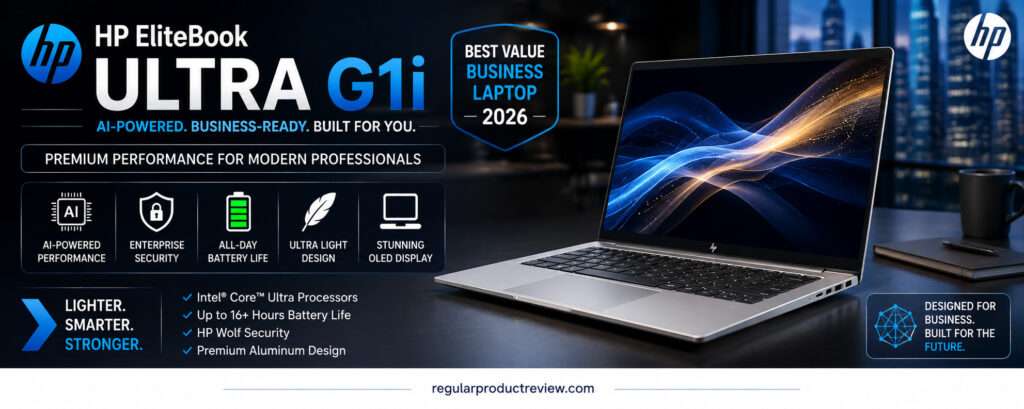
The HP EliteBook Ultra G1i is a polished executive laptop built around Intel Core Ultra Series 2. Its strengths include a light chassis, a 14-inch 2.8K OLED option, a high-resolution conferencing camera, Windows Pro configurations, Wi-Fi 7, and HP’s business security and management ecosystem.
It should no longer be presented as if it were HP’s newest 2026 platform. HP has continued evolving and renaming its commercial lineup, so the G1i is best judged as a premium previous-generation machine. That can work in the buyer’s favor when an authorized seller offers a meaningful discount with full warranty coverage.
The original description’s broad 17-hour claim was too definite. HP lists controlled-test estimates that vary by screen and configuration; meetings, OLED brightness, background security tools, and wireless use can shorten runtime substantially.
📋 Corrected Key Specifications
| Feature | Details |
|---|---|
| Processor | Intel Core Ultra Series 2; options include Core Ultra 7 258V-class configurations |
| Graphics | Integrated Intel Arc graphics |
| Display | 14-inch 2.8K (2880 × 1800) OLED, 400-nit class; touch optional |
| Memory | Up to 32GB LPDDR5x, onboard |
| Storage | Up to 2TB PCIe Gen4 NVMe SSD, configuration-dependent |
| Battery | Manufacturer-tested estimates vary; do not treat them as guaranteed workday runtime |
| Starting weight | Approximately 2.68lb/1.22kg |
| Connectivity | Wi-Fi 7 and Bluetooth 5.4; Thunderbolt/USB-C and other ports vary by SKU |
| Business features | Windows Pro, optional vPro, HP security and management features |
HP’s official EliteBook Ultra page confirms the Series 2 platform, display, memory, storage, and wireless positioning.
✅ Pros
- Premium build, low weight, and strong conferencing hardware.
- OLED display option with business-focused security software.
- Good fit for executives and hybrid workers.
- Discounted remaining stock may improve value.
❌ Cons
- Previous-generation platform in 2026.
- Soldered memory limits later upgrades.
- OLED and touch can reduce endurance compared with lower-power panels.
🏁 Bottom Line
Choose the EliteBook Ultra G1i when its price is clearly below a comparable current EliteBook and the warranty remains strong. For fleet purchases, ask HP or the reseller for the exact management, vPro, display, and support configuration.
3. Apple MacBook Pro 14 (M4 Pro)
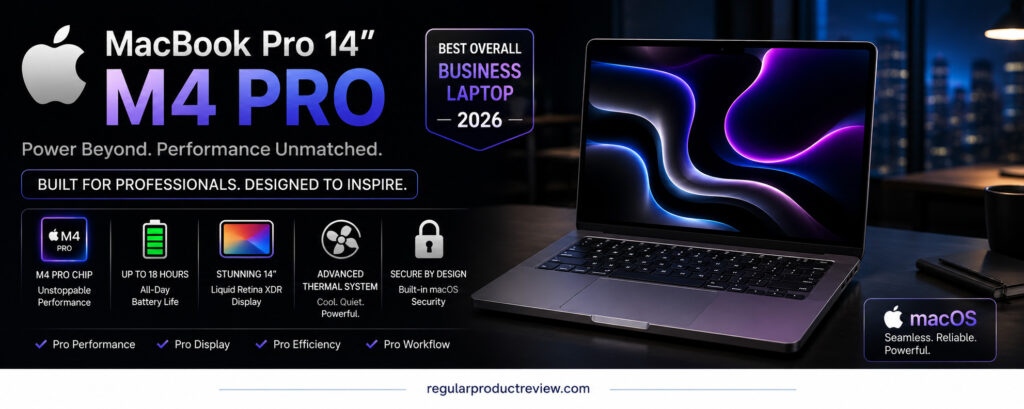
The 14-inch MacBook Pro with M4 Pro remains a powerful professional computer for macOS development, creative applications, analysis, and media workflows. Its sustained performance, high-resolution mini-LED Liquid Retina XDR display, quiet operation, speakers, battery efficiency, and broad port selection are still useful even though it is no longer the newest generation.
The date matters: Apple introduced this model in 2024. In a 2026 buying guide, it should be treated as a previous-generation option and compared against the current MacBook Pro before purchase. A substantial retailer or certified-refurbished discount can make it attractive; a small discount may not justify giving up newer hardware or a longer remaining resale window.
The original article also listed Wi-Fi 7, which is incorrect for this model. Apple specifies Wi-Fi 6E. The M4 Pro version includes Thunderbolt 5, HDMI, an SDXC card slot, MagSafe 3, and a headphone jack.
📋 Corrected Key Specifications
| Feature | Details |
|---|---|
| Processor | Apple M4 Pro with multiple CPU/GPU configurations |
| Display | 14.2-inch Liquid Retina XDR, 3024 × 1964, ProMotion up to 120Hz |
| Memory | 24GB unified memory standard on common M4 Pro configurations; higher options available |
| Storage | Starts at 512GB on the generation; configurable capacities vary by chip |
| Battery claim | Up to 22 hours of video streaming under Apple’s controlled test conditions |
| Weight | About 3.5lb/1.60kg for the M4 Pro model |
| Connectivity | Wi-Fi 6E, Bluetooth 5.3, three Thunderbolt 5 ports, HDMI, SDXC, MagSafe 3 |
| Security | Touch ID, Secure Enclave, FileVault support |
Apple’s archived official M4 Pro MacBook Pro specifications provide the configuration and port details.
✅ Pros
- Strong sustained performance and efficient macOS workflow.
- Excellent mini-LED display, speakers, trackpad, and port selection.
- Good fit for Xcode, Final Cut Pro, Logic Pro, and Mac-based creative work.
- Long manufacturer video-playback claim, with normal testing caveats.
❌ Cons
- Previous-generation model rather than a new 2026 release.
- Memory and storage cannot be upgraded after purchase.
- Some Windows-only enterprise applications require alternatives, virtualization, or a separate PC.
🏁 Bottom Line
The M4 Pro MacBook Pro is still capable, but value depends on the discount. Mac-focused buyers should compare the exact RAM/storage configuration and warranty against Apple’s current model instead of assuming an older “Pro” is automatically the better deal.
4. Dell Pro 14 Premium
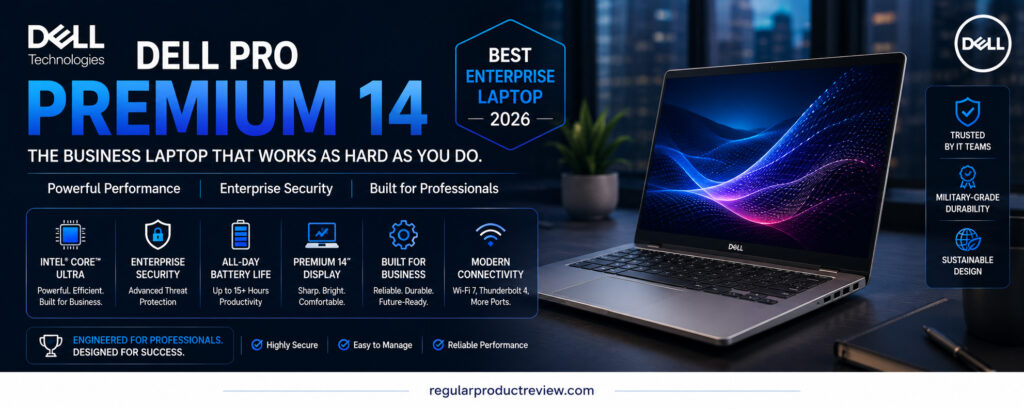
The Dell Pro 14 Premium is designed for organizations that want a thin commercial notebook with configurable support, security, display, battery, and connectivity options. It replaces the simplicity of a single fixed specification with a family of SKUs, which is useful for fleet deployment but makes generic review tables risky.
The original article described one 32GB/1TB/QHD+ IPS configuration and listed USB-A and HDMI as though every unit included them. Dell’s documentation shows significant variation. Display choices can include FHD+ IPS and an optional QHD+ Tandem OLED panel; battery options include 40Wh and 60Wh; processor, camera, fingerprint reader, mobile broadband, and touchpad features also vary.
This is a better enterprise recommendation than a consumer convertible when the buyer needs Dell’s commercial support and management stack. It is not automatically the best value for an individual buyer, especially after adding premium display, memory, storage, and support upgrades.
📋 Corrected Key Specifications
| Feature | Details |
|---|---|
| Processor | Intel Core Ultra Series 2 V-series options |
| Graphics | Integrated Intel Arc graphics, dependent on processor |
| Display | 14-inch FHD+ IPS options or optional QHD+ Tandem OLED |
| Memory | Up to 32GB LPDDR5x, onboard |
| Storage | M.2 NVMe SSD options; capacity varies |
| Battery | 40Wh or 60Wh options |
| Starting weight | Configuration-dependent; selected models start around the mid-2lb range |
| Connectivity | Thunderbolt 4/USB4, Wi-Fi 7; WWAN and other ports/features vary |
| Security | TPM, optional fingerprint/IR camera, Dell commercial security and BIOS features |
See Dell’s official product page and PA14250 owner’s manual before ordering.
✅ Pros
- Commercial support and manageability options.
- Premium display and mobile-broadband choices.
- Light design with 40Wh or 60Wh battery options.
- Suitable for standardized enterprise deployment.
❌ Cons
- High-end configuration pricing can rise sharply.
- Memory is soldered.
- Port, display, battery, and security details cannot be assumed from the family name.
🏁 Bottom Line
The Dell Pro 14 Premium is a strong enterprise alternative when configured deliberately. Get a written SKU-level specification and support quote; the base model and a fully equipped fleet configuration are not directly comparable.
5. ASUS ExpertBook P5 (P5405)
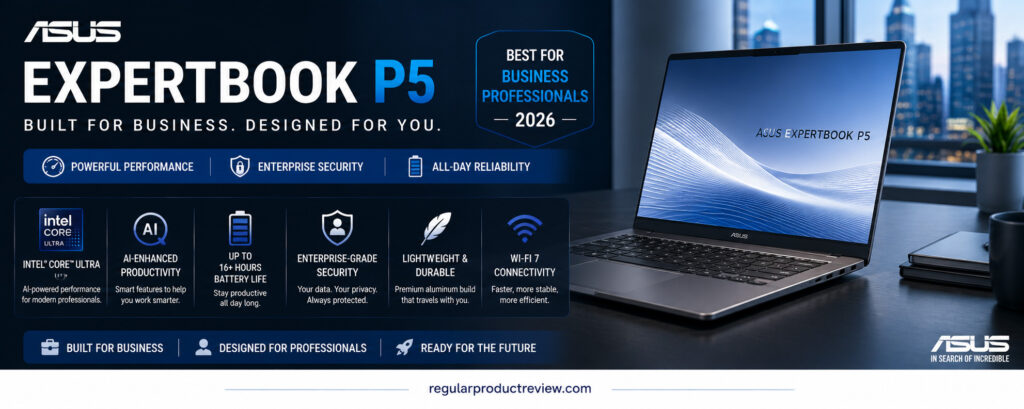
The ASUS ExpertBook P5 P5405 is a mobile-business laptop based on Intel Core Ultra Series 2. Its practical strengths are a light aluminum chassis, a high-refresh anti-glare display, dual-SSD capability in supported configurations, Wi-Fi 7, business security features, and a useful selection of full-size ports.
The most important correction is the screen. ASUS specifies a 14-inch 2.5K 144Hz anti-glare display, not a 2.8K OLED panel. For office work, that can be an advantage: the matte surface reduces reflections and the IPS-class panel avoids OLED burn-in concerns, although it does not produce the same black level as OLED.
The P5405 remains relevant for travelers when discounted, but ASUS now lists newer ExpertBook generations. Buyers should distinguish the P5405 from later P5 G1/G2 models because processor, memory, battery, weight, and display specifications differ.
📋 Corrected Key Specifications
| Feature | Details |
|---|---|
| Processor | Intel Core Ultra Series 2; up to Core Ultra 7 258V in this generation |
| Graphics | Integrated Intel Arc graphics |
| Display | 14-inch 2.5K, 144Hz, anti-glare |
| Memory | Up to 32GB LPDDR5x, onboard |
| Storage | Dual M.2 slots with configurations up to 3TB total, market-dependent |
| Battery | 63Wh; manufacturer runtime claims depend on test settings |
| Starting weight | About 1.27kg/2.80lb |
| Connectivity | Thunderbolt 4, USB-A, HDMI 2.1, Wi-Fi 7, Bluetooth |
| Security | Secured-core features, TPM, biometric options, NIST-aligned BIOS claims |
ASUS provides the corrected display, processor, weight, storage, and security details on its official ExpertBook P5 page.
✅ Pros
- Matte 144Hz screen is comfortable for scrolling and office use.
- Useful ports reduce dependence on a dock while traveling.
- Light aluminum design and business-oriented security.
- Dual-SSD support is unusual in this class.
❌ Cons
- It is not the OLED model described previously.
- Memory is onboard.
- Newer P5 generations make full-price older stock less attractive.
🏁 Bottom Line
The ExpertBook P5 is a practical travel choice when the P5405 configuration is priced well. Confirm the product code and do not let a retailer reuse specifications from newer ExpertBook P5 models.
6. Microsoft Surface Laptop 13.8-inch (7th Edition)
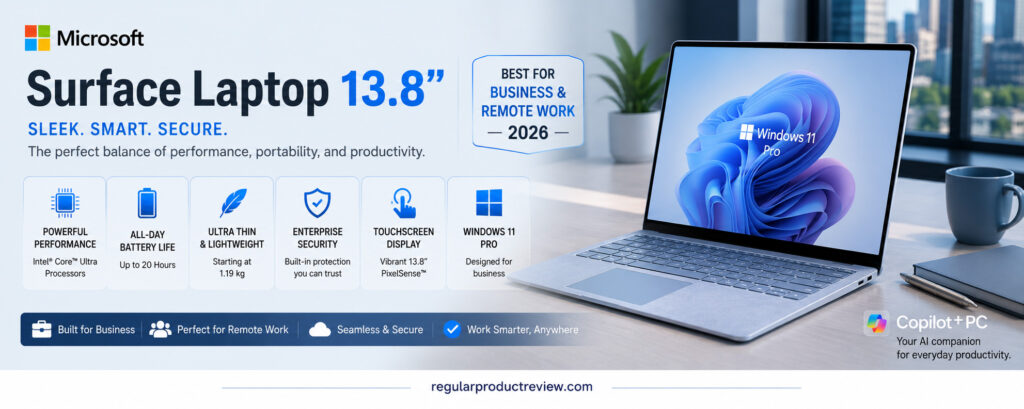
The 13.8-inch Surface Laptop listed in the original article is the Snapdragon-based 7th Edition. It combines a 3:2 PixelSense Flow touchscreen, quiet operation, good standby behavior, Wi-Fi 7, a 1080p webcam, and a compact 2.96-pound chassis. Microsoft offered both Snapdragon X Plus and X Elite configurations.
This model is now previous-generation because Microsoft has introduced newer Surface Laptop hardware. It can still be a pleasant remote-work computer, especially at a real discount, but processor architecture matters more than its Copilot+ label. Windows on Arm runs many modern applications well, while specialized VPN clients, legacy drivers, accounting tools, plug-ins, virtual machines, and peripherals may need verification.
Microsoft’s “up to 20 hours” figure refers to controlled local video playback, not a guaranteed mix of video calls, browser tabs, and business applications. The configuration also includes two USB-C ports, one USB-A port, Surface Connect, and a headphone jack; some details were missing from the original table.
📋 Corrected Key Specifications
| Feature | Details |
|---|---|
| Processor | Snapdragon X Plus (10-core) or Snapdragon X Elite (12-core) |
| Graphics | Qualcomm Adreno integrated GPU |
| Display | 13.8-inch PixelSense Flow HDR touchscreen, 3:2 aspect ratio |
| Memory | 16GB, 32GB, and selected higher configurations depending on availability |
| Storage | Removable SSD options up to 1TB in the cited generation |
| Battery claim | Up to 20 hours local video playback under Microsoft’s test method |
| Weight | 2.96lb/1.34kg |
| Connectivity | Wi-Fi 7, two USB-C/USB4, USB-A, Surface Connect, 3.5mm audio |
| Security | Windows Hello facial authentication and Microsoft Pluton security processor |
Microsoft’s official 13.8-inch Surface Laptop 7th Edition listing records the available processors, ports, weight, and test-based battery claim.
✅ Pros
- Excellent 3:2 touchscreen for documents and web work.
- Quiet, light design with a useful USB-A port.
- Strong efficiency for compatible workflows.
- Removable SSD improves serviceability compared with fully soldered storage.
❌ Cons
- Previous-generation hardware in 2026.
- Arm compatibility still requires checking for specialized tools and accessories.
- Limited ports may still require a dock for a full desktop setup.
🏁 Bottom Line
This Surface is a good mobile option only after an application-and-peripheral audit. If one essential work tool does not support Windows on Arm, better battery efficiency cannot solve the compatibility problem.
7. Lenovo ThinkBook Plus Gen 6 Rollable
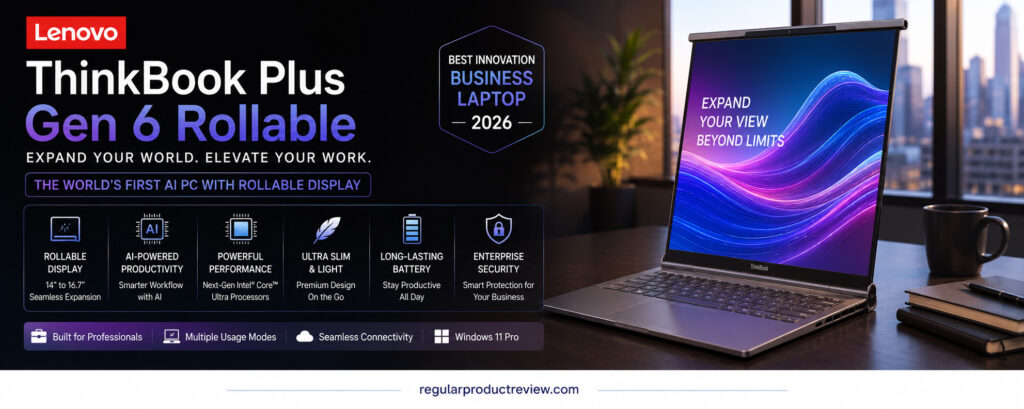
The ThinkBook Plus Gen 6 Rollable is the most unusual product here. Its motorized OLED display extends vertically from 14 inches to 16.7 inches, creating more room for long documents, code, timelines, and stacked windows without carrying an external monitor.
This is a specialized productivity tool, not a default recommendation for every business traveler. Lenovo announced an expected starting price of $3,499, placing it above many conventional premium laptops. The rolling mechanism also introduces complexity that a fixed display avoids, so warranty, accidental-damage coverage, and service access deserve extra attention.
Its hardware is based on Intel Core Ultra 7 258V with 32GB LPDDR5x and up to 1TB storage. The pOLED display runs at up to 120Hz and changes from 2000 × 1600 to 2000 × 2350 as it expands. The original table’s generic “Core Ultra 7” hid this useful generation detail.
📋 Corrected Key Specifications
| Feature | Details |
|---|---|
| Processor | Intel Core Ultra 7 258V with 47-TOPS NPU |
| Graphics | Intel Arc 140V integrated graphics |
| Display | Motorized 14-inch 2000 × 1600 to 16.7-inch 2000 × 2350 pOLED, up to 120Hz |
| Memory | 32GB LPDDR5x, soldered |
| Storage | Up to 1TB PCIe SSD |
| Battery | 66Wh |
| Weight | About 3.73lb/1.69kg |
| Connectivity | Thunderbolt 4/USB-C, Wi-Fi 7, Bluetooth; limited full-size ports |
| Launch positioning | Expected starting price was $3,499 |
Lenovo’s official PSREF page and CES 2025 announcement document the display, platform, and launch price.
✅ Pros
- Genuinely useful extra vertical workspace for specific tasks.
- High-quality OLED panel with touch and variable refresh.
- Capable Lunar Lake platform in a distinctive form factor.
- Can reduce the need for a portable second monitor.
❌ Cons
- Extremely expensive for its performance level.
- Motorized flexible display adds long-term mechanical risk.
- Limited ports and soldered memory.
- Heavier than conventional premium ultraportables.
🏁 Bottom Line
Buy the Rollable for its expanding screen, not because it is the fastest or best-value laptop. Most companies will get better total value from a conventional premium notebook plus an office monitor.
8. Acer TravelMate P6 14 AI
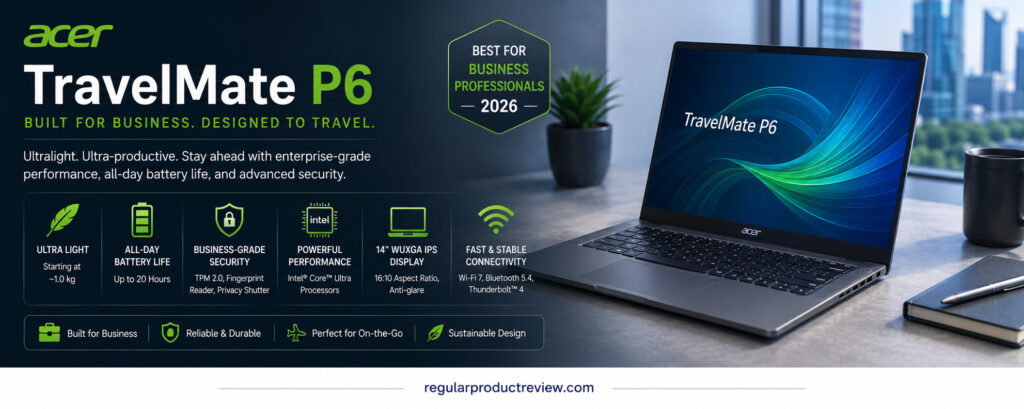
The Acer TravelMate P6 14 AI is a lightweight commercial laptop family with several materially different configurations. The original article reduced it to a single WUXGA/Core Ultra 7 specification, but Acer sells part numbers with different processors, touch capability, resolution, refresh rate, and weight.
For example, the TMP614-54 family includes Core Ultra 7 258V and 268V configurations, 32GB memory, and 1TB SSD options. Buyers may encounter a WUXGA 60Hz touch panel or a higher-resolution 2880 × 1800 120Hz display. The lightest chassis claim applies only to selected configurations.
Its business value comes from Windows Pro, a light carbon-fiber design, MIL-STD-810H testing, Wi-Fi 7, conferencing features, and commercial security options. As always, military-standard testing is not a promise that accidental damage will be covered.
📋 Corrected Key Specifications
| Feature | Details |
|---|---|
| Processor | Intel Core Ultra Series 2 options in TMP614-54; newer models may use Series 3 |
| Graphics | Integrated Intel Arc graphics |
| Display | 14-inch WUXGA 60Hz or 2880 × 1800 120Hz options, depending on part number |
| Memory | Up to 32GB LPDDR5x in cited configurations |
| Storage | 1TB-class PCIe NVMe configurations; verify exact SKU |
| Battery | Capacity and claims vary by configuration |
| Starting weight | As low as about 960g on selected models; other units weigh more |
| Connectivity | Wi-Fi 7, Thunderbolt/USB-C, USB-A, HDMI on supported configurations |
| Security | TPM, biometric, privacy and enterprise-management options vary |
Acer’s official TravelMate P6 14 AI family page and individual product codes provide the most reliable configuration details.
✅ Pros
- Very light selected configurations.
- Commercial design, Windows Pro, and strong port selection.
- Multiple screen options for mobility or image quality.
- Appropriate for small businesses and managed deployments.
❌ Cons
- Family-level marketing makes configuration comparison difficult.
- Lowest weight and best display may not appear in the same SKU.
- Availability and support packages vary widely by region and reseller.
🏁 Bottom Line
The TravelMate P6 can be an excellent light business machine, but quote the exact TMP614 model and part number. Never copy a specification table from one SKU onto another.
9. Dell Latitude 9450 2-in-1
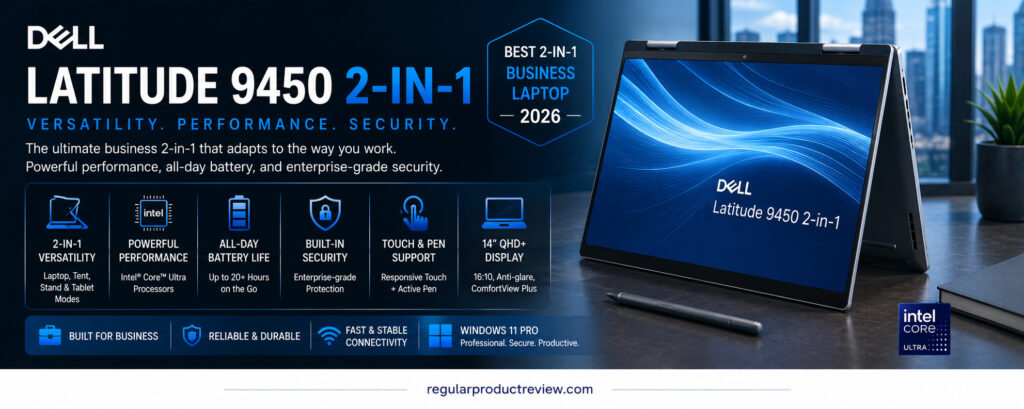
The Dell Latitude 9450 2-in-1 was a premium convertible business laptop with a 14-inch QHD+ touchscreen, first-generation Intel Core Ultra U-series processors, a haptic collaboration touchpad option, and three Thunderbolt 4 ports. Its convertible hinge remains useful for presentations, annotation, and desk sharing.
The key 2026 correction is availability: Dell now marks the model unavailable and points shoppers toward newer Dell Pro systems. That does not make every remaining unit a bad purchase, but it changes the recommendation. Buyers should expect older stock, reseller inventory, or refurbishment and should compare its price with a current Dell Pro Premium.
The original table’s 3.3-pound estimate was close but slightly optimistic for many configurations; Dell’s starting figure is around 3.38 pounds. It also lacks built-in USB-A and HDMI, so most office setups will require USB-C adapters or a dock.
📋 Corrected Key Specifications
| Feature | Details |
|---|---|
| Processor | First-generation Intel Core Ultra 5/7 U-series options |
| Graphics | Integrated Intel graphics |
| Display | 14-inch QHD+ (2560 × 1600) touch, 16:10 |
| Memory | LPDDR5x configurations; soldered |
| Storage | M.2 PCIe NVMe SSD, serviceable |
| Battery | 60Wh class, configuration-dependent |
| Starting weight | Approximately 3.38lb/1.53kg |
| Connectivity | Three Thunderbolt 4/USB-C ports, Wi-Fi 7 on supported SKUs; no built-in USB-A or HDMI |
| Current status | Marked unavailable by Dell |
Dell’s official Latitude 9450 2-in-1 page confirms its current unavailable status.
✅ Pros
- Premium convertible design with a sharp 16:10 touchscreen.
- Commercial security and support heritage.
- Three Thunderbolt 4 ports and a serviceable SSD.
- Discounted refurbished units may offer good value.
❌ Cons
- Discontinued and no longer a current 2026 product.
- No built-in USB-A or HDMI.
- Older first-generation Core Ultra platform.
- Used battery health and remaining warranty require checking.
🏁 Bottom Line
Treat the Latitude 9450 as a discounted previous-generation convertible, not a current enterprise flagship. If the price approaches a new Dell Pro system, choose the newer model and longer support runway.
10. HP OmniBook Ultra Flip 14
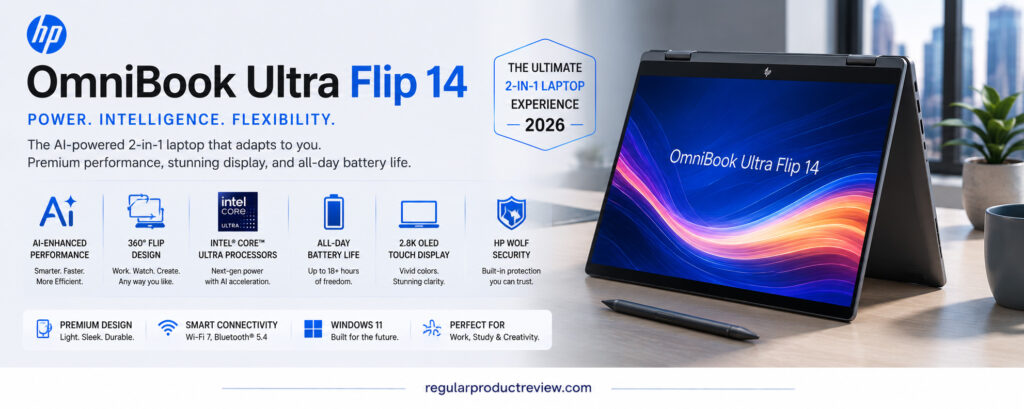
The HP OmniBook Ultra Flip 14 combines a 360-degree hinge, 2.8K OLED touch display, Intel Core Ultra Series 2, a 9MP-class IR camera, and a slim chassis. It works well for independent professionals who want tablet, tent, presentation, and laptop modes in one premium device.
Its category needs clarification. OmniBook is primarily HP’s consumer-premium family, not a direct replacement for an EliteBook’s enterprise manageability, support, and security options. Windows Hello and TPM are useful, but the original article should not imply that every OmniBook configuration includes the complete HP Wolf enterprise stack.
The older model can still make sense when discounted. However, it has no built-in USB-A or HDMI, memory is soldered, and the glossy OLED touchscreen may be less comfortable than a matte business panel in bright offices. Buyers needing a convertible can also compare our broader best 2-in-1 laptops guide.
📋 Corrected Key Specifications
| Feature | Details |
|---|---|
| Processor | Intel Core Ultra Series 2, including Core Ultra 7 258V-class options |
| Graphics | Integrated Intel Arc graphics |
| Display | 14-inch 2.8K (2880 × 1800) OLED touch, up to 120Hz |
| Memory | Up to 32GB LPDDR5x, onboard in common configurations |
| Storage | PCIe NVMe SSD options; capacity varies |
| Battery | 64Wh class; manufacturer estimates vary by configuration and test |
| Weight | Approximately 2.97lb/1.35kg for common configurations |
| Connectivity | Wi-Fi 7, Thunderbolt 4/USB-C, 3.5mm audio; no built-in USB-A or HDMI |
| Security position | Consumer-premium security features; not the same fleet platform as EliteBook |
HP’s official OmniBook Ultra Flip product listing provides SKU-level details; availability and configuration change over time.
✅ Pros
- Flexible 2-in-1 design with a sharp 120Hz OLED touchscreen.
- High-resolution camera and good portability.
- Efficient Series 2 processor options.
- Attractive for presentations, note-taking, and hybrid work.
❌ Cons
- Consumer model rather than a full enterprise EliteBook substitute.
- No built-in USB-A or HDMI.
- Soldered memory and glossy display.
- Previous-generation platform should be discounted appropriately.
🏁 Bottom Line
The OmniBook Ultra Flip is the better fit for an individual who values touch and convertible use. Organizations needing fleet management, on-site support, and standardized security should prioritize EliteBook, ThinkPad, Dell Pro, or TravelMate configurations.
💼 Business Laptop Buying Guide for 2026
💻 1. Start With Workload, Not Brand
Office applications, web tools, accounting, and video calls generally run well on Core Ultra 5/7, Ryzen AI 5/7, Snapdragon X, or Apple M-series systems with enough memory. Developers, engineers, video editors, and data professionals should check sustained CPU/GPU performance, memory ceiling, virtualization, and application certification before paying for a thin chassis.
💾 2. Choose Enough Memory and Storage at Purchase
For a new professional laptop, 16GB RAM is a practical minimum; 32GB is safer for large spreadsheets, development, data tools, creative software, or long ownership. Many laptops in this list have soldered memory, so it cannot be upgraded later. A 512GB SSD is workable for cloud-centered use, while 1TB reduces storage pressure. If your work is creative, compare creator laptops with these business models.
🖥 3. Pick the Right Display for the Office
OLED offers excellent contrast and color but may use more power and carries long-term static-image considerations. A matte WUXGA or 2.5K IPS panel is often more comfortable for long document sessions. Touch is valuable for convertible use; otherwise it adds cost, reflections, and sometimes weight.
🔋 4. Read Battery Claims Correctly
“Up to” video playback is not a standardized workday. Look for battery capacity in watt-hours, then consider the processor, panel, brightness, refresh rate, conferencing load, and mobile broadband. For field work, a compact USB-C charger and power-bank compatibility can matter as much as the headline runtime.
🔒 5. Separate Consumer Security From Enterprise Management
TPM, drive encryption, and biometric sign-in are a good baseline. Larger organizations may also require vPro or equivalent remote management, Secured-core PC status, BIOS recovery, smart-card support, asset tagging, custom images, and next-business-day on-site service. Confirm these at the exact SKU level.
🌐 6. Audit Ports, Docks, and External Displays
List every device you connect: monitors, Ethernet, card readers, security keys, projectors, storage, headsets, and chargers. Thunderbolt 4 and USB4 are useful, but a laptop with no USB-A or HDMI may increase dock costs. Check how many external displays the exact processor and operating system support.
🧩 7. Confirm Software Architecture
Apple Silicon requires macOS-compatible applications. Snapdragon Surface models run Windows on Arm and may emulate many x86 applications, but drivers and specialized tools can remain the deciding factor. Request a trial or test a company image before deploying an unfamiliar architecture across a team.
🛠 8. Price the Full Ownership Period
Add warranty upgrades, docking, accidental-damage coverage, spare chargers, software licensing, and expected repair downtime. A $200 saving can disappear after one unsupported repair. For lower-cost alternatives, our best budget laptops guide may be more appropriate than buying an aging premium model.
🎒 9. Balance Portability With Daily Comfort
Sub-1kg laptops are excellent for frequent travel, but larger screens and keyboards can be more comfortable at a fixed desk. Students and early-career buyers should also consider laptops for college students rather than paying for fleet-management features they will not use.
🤖 10. Treat AI Features as Software, Not a Buying Guarantee
An NPU can run supported tasks efficiently, but AI features vary by application, account, language, update, and organization policy. Buy the laptop for its core workload first. Do not pay a large premium for a TOPS number unless a required application already uses the NPU in a measurable way.
⚙️ Processor and Platform Guidance
| Platform | Practical strength | Main caution | Best suited to |
|---|---|---|---|
| Intel Core Ultra Series 3 | Newest Windows options in this list, strong integrated platform | Premium early-generation pricing | Current premium Windows purchases |
| Intel Core Ultra Series 2 V-series | Efficient mobile performance with strong NPU and integrated graphics | Usually soldered package memory | Thin Windows laptops and Copilot+ features |
| First-generation Core Ultra U-series | Adequate office performance in discounted systems | Older NPU/graphics and shorter remaining lifecycle | Refurbished commercial bargains |
| Snapdragon X Plus/Elite | Efficiency and quiet performance in compatible software | Arm driver and legacy application checks | Browser, Microsoft 365, and modern Arm-ready workflows |
| Apple M4 Pro | Strong macOS performance and media engines | Previous generation; fixed memory/storage | macOS development and creative work |
❓ Frequently Asked Questions
What is the best business laptop of 2026 from this list?
The Lenovo ThinkPad X1 Carbon Gen 14 Aura Edition is the strongest current all-round choice here because it combines a genuine 2026 platform, low weight, business support, security options, and multiple displays. The exact configuration still matters.
Which model is best for enterprise deployment?
The Dell Pro 14 Premium and ThinkPad X1 Carbon Gen 14 are the clearest fleet choices. Compare manageability, custom imaging, security options, mobile broadband, repair procedures, and multi-year support contracts rather than the retail specification alone.
Which laptop offers the best value?
Value depends on live configuration and warranty. The ASUS ExpertBook P5 or a discounted HP EliteBook Ultra G1i may offer a useful balance. A discontinued Latitude 9450 can be good only when its price is substantially lower than a current Dell Pro alternative.
Is the M4 Pro MacBook Pro still worth buying in 2026?
Yes, when macOS fits the workload and the discount is meaningful. It remains capable, but it was introduced in 2024 and should be compared with Apple’s current model, warranty, and configuration before purchase.
Should I buy a Snapdragon Surface Laptop for business?
Only after confirming every required application, VPN, security agent, printer, dock, and peripheral. Modern applications may run well, but one unsupported driver or line-of-business tool can outweigh the device’s efficiency benefits.
How much RAM does a business laptop need?
Choose 16GB for standard office work and 32GB for heavier multitasking, development, analytics, creative work, or a longer ownership cycle. Buy enough initially when memory is soldered.
Is OLED worth it for business use?
OLED is valuable for contrast, color, and media work. For long document sessions in bright rooms, a matte IPS panel may be easier to use and more efficient. Consider display finish and workload, not the technology name alone.
Are manufacturer battery claims reliable?
They describe results from a defined test, not a promise for every user. Compare the test method and battery capacity, then expect video calls, brightness, cellular use, and background software to change real endurance.
Is the ThinkBook Rollable practical for normal office work?
Its extra vertical space can be genuinely useful, but the price and mechanical complexity make it a specialist purchase. Most users will get better value from a conventional laptop and an external monitor.
Should I buy a previous-generation premium laptop?
It can be sensible when the discount, battery condition, remaining updates, and warranty outweigh the older platform. Avoid paying near-current pricing for discontinued inventory.
What warranty should a business buyer choose?
For critical work, consider at least three years with dependable repair turnaround. On-site service and accidental-damage coverage can be worth more than a minor processor upgrade when downtime has a business cost.
Can a business laptop replace a desktop?
Yes, for many office, development, and creative workflows when paired with a dock, displays, keyboard, and sufficient memory. Sustained engineering, rendering, and GPU-heavy tasks may still justify a workstation or desktop.
🏆 Final Verdict
The best business laptops of 2026 are not interchangeable, and the original list mixes current, previous-generation, discontinued, and highly specialized products. The ThinkPad X1 Carbon Gen 14 Aura Edition is the most convincing current premium choice. Dell Pro 14 Premium is the strongest fleet-configurable alternative, while HP EliteBook Ultra G1i and ASUS ExpertBook P5 become more attractive when discounted.
The MacBook Pro 14 with M4 Pro remains powerful for macOS workflows but should be priced as previous-generation hardware. The Snapdragon Surface Laptop is efficient but requires an Arm compatibility audit. Acer’s TravelMate P6 can be excellent when the exact part number is verified. Dell Latitude 9450 and HP OmniBook Ultra Flip should be treated as older discounted options, and the ThinkBook Rollable is a specialist tool whose expanding screen—not broad value—justifies its cost.
✅ Editor’s practical choice: Select the ThinkPad X1 Carbon Gen 14 for current premium mobility, Dell Pro 14 Premium for managed enterprise deployment, or a discounted ExpertBook P5 for practical travel value. Before paying, verify the exact processor generation, display, memory, ports, warranty, current availability, and total configured price.