

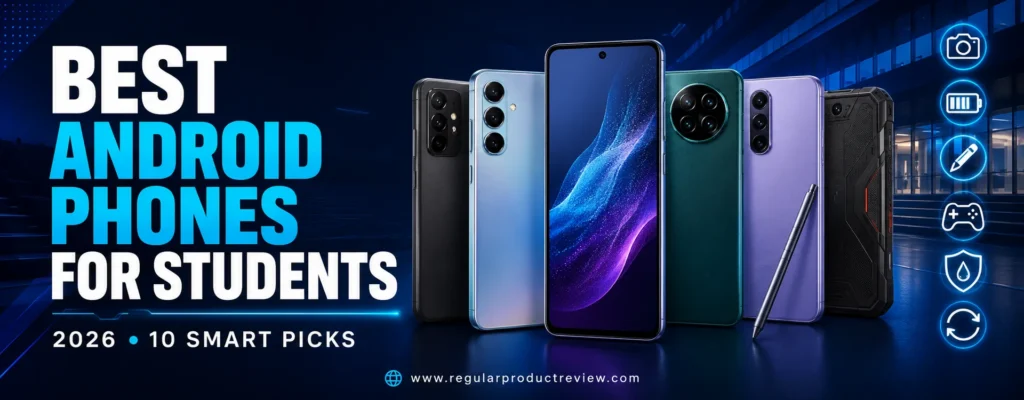
Best Android Phones for Students in 2026
Choosing a student phone is not the same as choosing the fastest phone on a benchmark chart. A student needs a device that can survive crowded backpacks, keep a charge through classes and commuting, scan worksheets clearly, handle video calls, run learning apps without stuttering, and remain secure for several academic years. Price matters, but the lowest checkout price can become expensive if the phone receives short software support, has too little storage, or needs replacement after one accidental spill.
That is why our list of the best Android phones for students in 2026 covers more than one budget. It includes an ultra-affordable phone for essential communication, durable choices for busy campuses, a stylus phone for handwritten notes, performance-focused models for gaming and technical applications, and premium options for students who create content or plan to keep the same device well beyond graduation. Every recommendation is available through an official manufacturer or established U.S. retail channel, avoiding import-only devices that may have incomplete carrier bands, uncertain warranty coverage, or delayed updates.
The Google Pixel 10a is our best overall recommendation because it balances price, camera quality, battery capacity, clean software, wireless charging, IP68 protection, and long-term usefulness without entering flagship pricing. Google lists a 6.3-inch 120Hz Actua display, 8GB of RAM, a 5,100mAh typical battery, and a dual-camera system on its official Pixel comparison page. Those specifications are strong enough for coursework, messaging, navigation, campus photography, and everyday entertainment while keeping the phone reasonably compact.
Not every student should buy the same model. Someone studying design may value the Nothing Phone (4a) Pro’s distinctive interface and creative camera system. A student who writes equations or annotates diagrams can gain more from the Moto G Stylus (2026) than from a faster phone without a pen. Competitive mobile gamers should prioritize the OnePlus 15R’s Snapdragon platform, 165Hz display, cooling system, and enormous battery. Buyers with a strict ceiling can start with the Moto G (2026), while students wanting a phone that can remain supported through most of college should focus on Google and Samsung’s longer update commitments.
If you want to browse the wider category before narrowing your shortlist, our Android phones collection organizes additional models by budget and use case. Students comparing a strict spending limit can also review the best Android phones under $300 in 2026 and the best Android phones under $500. This guide, however, evaluates each phone specifically through a student lens rather than treating specifications as the only measure of value.
Quick Summary
The Pixel 10a is the safest all-around choice for most U.S. students. It offers a bright OLED display, reliable cameras, strong battery capacity, IP68 resistance, wireless charging, and a clean version of Android at a midrange price. The Galaxy A57 5G is the better fit for students who prefer Samsung’s interface, want a large AMOLED screen, and value up to six generations of operating-system upgrades. The OnePlus 15R is the performance leader, especially for gaming, demanding multitasking, and students who rarely want to think about battery life.
The Moto G Stylus (2026) is the obvious specialist pick for handwritten notes, sketching, screenshot annotation, and document markup. The Nothing Phone (4a) Pro delivers the most distinctive design and an unusually ambitious camera package near $500. The Moto G Power (2026) prioritizes durability, battery endurance, expandable storage, and a practical price. Samsung’s Galaxy A27 5G is an approachable first college phone with a 120Hz AMOLED display, optical stabilization, microSD expansion, and long support.
Students with larger budgets should consider the Pixel 11 for advanced camera and AI tools or the Galaxy S26 for compact flagship performance and deeper integration with Samsung tablets and Windows PCs. At the opposite end, the Moto G (2026) provides 5G, a 120Hz screen, a large battery, stereo speakers, and expandable storage around the $200 class, but its 4GB of physical memory requires modest expectations.
Best Overall: Google Pixel 10a – the strongest balance of price, camera reliability, durability, battery life, and software longevity.
Best for Notes: Motorola Moto G Stylus (2026) – an active pen, large AMOLED display, microSD support, and strong charging make it unusually useful for coursework.
Best for Gaming: OnePlus 15R – flagship-class processing, a 165Hz display, dedicated gaming features, and a 7,400mAh battery provide the most performance headroom.
Best Under $300: Moto G Power (2026) – rugged protection, 8GB of RAM, a 120Hz FHD+ display, and expandable storage make it a practical campus companion.
At-a-Glance Comparison
| Phone | Student Award | Typical Starting Price | Display | Memory and Storage | Battery | Durability | Editorial Score |
|---|---|---|---|---|---|---|---|
| Google Pixel 10a | Best Overall | $499 MSRP | 6.3-inch 120Hz pOLED | 8GB; 128GB/256GB | 5,100mAh | IP68 | 9.3/10 |
| Samsung Galaxy A57 5G | Best Long-Term Midrange | $549.99 MSRP | 6.7-inch 120Hz Super AMOLED+ | 8GB; 128GB/256GB | 5,000mAh | IP68 | 9.1/10 |
| OnePlus 15R | Best for Gaming | $699.99 MSRP | 6.83-inch 165Hz 1.5K | 12GB; 256GB/512GB | 7,400mAh | Multiple IP ratings | 9.0/10 |
| Moto G Stylus (2026) | Best for Note-Taking | $499.99 MSRP | 6.7-inch 120Hz AMOLED | 8GB; 128GB/256GB | 5,200mAh | IP68/IP69; MIL-STD testing | 8.8/10 |
| Nothing Phone (4a) Pro | Best Design and Creativity | $499 MSRP | 6.83-inch 144Hz AMOLED | 8GB/12GB; 128GB/256GB | 5,080mAh | IP65 | 8.7/10 |
| Moto G Power (2026) | Best Durable Value | $299.99 MSRP | 6.8-inch 120Hz FHD+ LCD | 8GB; 128GB + microSD | 5,200mAh | IP68/IP69; MIL-STD testing | 8.6/10 |
| Samsung Galaxy A27 5G | Best First Student Phone | $349.99 MSRP | 6.7-inch 120Hz Super AMOLED | 6GB; 128GB + microSD | 5,000mAh | IP64 | 8.7/10 |
| Google Pixel 11 | Best Camera and AI | $899 MSRP | 6.3-inch 120Hz OLED | 12GB; 256GB/512GB | 30+ hour claim | IP68 | 9.1/10 |
| Samsung Galaxy S26 | Best Compact Premium | $899.99 MSRP | 6.3-inch 120Hz Dynamic AMOLED 2X | 12GB; 256GB/512GB | 4,300mAh | IP68 | 9.0/10 |
| Moto G (2026) | Best Ultra-Budget Pick | $199.99 MSRP | 6.7-inch 120Hz LCD | 4GB; 128GB + microSD | 5,200mAh | Water-repellent | 8.1/10 |
Prices can change through student promotions, carrier credits, trade-ins, and seasonal sales. Treat the figures above as reference points rather than guaranteed checkout prices. Carrier promotions can reduce a phone dramatically, but a “free” device may require an expensive plan and 24 to 36 months of bill credits. Compare the total service cost before accepting a financing offer.
How We Evaluated These Student Phones
Our evaluation uses a weighted editorial model built around realistic student needs. We reviewed official U.S. specifications, manufacturer update commitments, carrier compatibility, list pricing, storage options, water and dust ratings, charging details, camera hardware, and productivity features. We then considered how those qualities affect common scenarios: navigating between classes, photographing a whiteboard, joining a video lecture, editing a document, using a hotspot, recording a presentation, commuting with low battery, and keeping private academic or financial information secure.
The scoring weights are:
- Value and total ownership cost – 20%: purchase price, storage tier, included accessories, repair exposure, and likely useful lifespan.
- Battery and charging – 15%: capacity, manufacturer endurance claims, charging convenience, and whether a charger is included or sold separately.
- Performance and memory – 15%: physical RAM, storage speed, processor class, thermal design, and expected comfort with multiple apps.
- Software support and security – 15%: promised operating-system upgrades, security duration, anti-theft tools, and privacy controls.
- Display and reading comfort – 10%: resolution, brightness, refresh rate, size, and suitability for PDFs, slides, maps, and video lessons.
- Durability and portability – 10%: IP rating, glass protection, weight, build, and practical resistance to daily campus use.
- Camera and communication – 10%: whiteboard legibility, stabilization, document scanning, front-camera quality, microphones, and video recording.
- Student-specific features – 5%: stylus functions, desktop continuity, AI transcription, expandable storage, headphone jack, and distraction controls.
This is an editorial comparison, not a claim that every phone was subjected to an identical independent laboratory test. Manufacturer battery estimates are not directly comparable because testing methods vary. We therefore treat capacity, charging specifications, update promises, and official durability ratings as verified inputs while keeping real-world runtime predictions conservative.
How We Selected the Final 10
We began with phones officially sold or supported in the United States in 2026. Import-only models were removed even when their raw specifications looked attractive, because incomplete carrier certification and uncertain warranty service can create serious problems for a student. We also avoided filling the list with expensive flagships. A phone must solve a distinct student need to earn a place.
Each finalist had to provide 5G connectivity, at least 128GB of storage or meaningful expansion, a battery designed for a full active day, and enough performance for modern educational apps. We rewarded OLED displays, 120Hz refresh rates, optical image stabilization, NFC payments, stereo speakers, water resistance, long update support, and useful cross-device features. Phones with limited memory, short support, slower charging, or weaker protection could still qualify at a sufficiently low price, but their limitations are stated clearly.
We also considered product variety. The list includes budget, midrange, performance, stylus, camera, and premium choices rather than ten versions of the same idea. Students shopping at the lowest prices can explore our wider budget phone collection, including dedicated guides to phones under $100, phones under $150, and phones under $200. Those ultra-low price tiers may be appropriate for emergency communication or a secondary device, but most full-time college students will benefit from additional RAM, storage, camera stabilization, and longer updates.
Why Android Works Well for Students
Android gives students unusually broad control over price, form factor, storage, and software. You can choose a $200 phone with expandable storage, a pen-enabled midrange model, a compact flagship, or a gaming-oriented device with a giant battery. Google apps integrate naturally with Gmail, Drive, Docs, Meet, Calendar, Keep, Classroom, and Chromebook workflows. Windows users can also connect supported Android phones for notifications, file transfer, messaging, and camera use.
Android’s flexibility is especially useful when a course requires a specialized app, file manager, USB accessory, or custom notification setup. Split-screen mode can keep a lecture open beside notes. Nearby sharing tools simplify moving a PDF to a laptop. A microSD slot can store offline videos, textbooks, and recorded lectures without paying for an expensive internal-storage upgrade. Google also provides Digital Wellbeing tools for focus modes, app timers, and bedtime routines, which can be more valuable to academic performance than another benchmark point.
That flexibility requires thoughtful setup. Students should enable a strong screen lock, device encryption, automatic backups, two-factor authentication, and Google’s device-finding service. The Google Family Link controls may be useful for younger students, while adults can use Focus Mode and notification channels to reduce distraction without removing essential communication apps.
Google Pixel 10a – Best Android Phone for Most Students
Award: Best Overall Android Phone for Students
Editorial Rating: 9.3/10
Best For: Most college students, commuters, campus photography, long-term ownership, and buyers wanting dependable software
Starting MSRP: $499
The Google Pixel 10a is our top recommendation because it makes very few student-hostile compromises. Its $499 MSRP is not ultra-cheap, yet it remains far below premium flagships while providing features that directly reduce ownership risk: IP68 water and dust resistance, wireless charging, a large battery, a bright OLED display, reliable cameras, and Google’s security architecture. At the time of research, Google was also advertising temporary discounts, reinforcing the importance of checking the current price before buying.
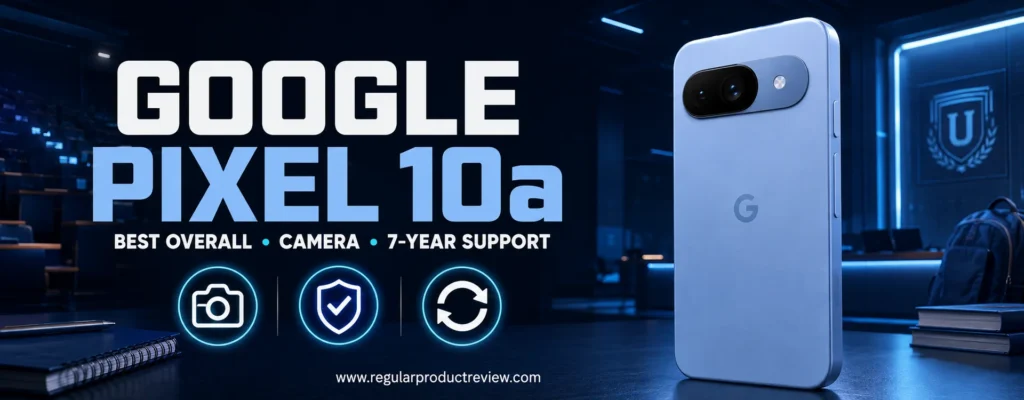
Google’s official comparison information lists a 6.3-inch 1080 × 2424 pOLED Actua display with a 60–120Hz refresh range and up to 3,000 nits peak brightness. The phone uses Tensor G4 with 8GB of RAM and offers 128GB or 256GB storage. The typical 5,100mAh battery is paired with wired fast charging and Qi wireless charging. The rear system combines a 48MP wide camera with a 13MP ultrawide, while the 13MP front camera can record 4K video.
Pixel 10a Key Specifications
| Specification | Details |
|---|---|
| Display | 6.3-inch Actua pOLED, 1080 × 2424, 60–120Hz |
| Peak brightness | Up to 3,000 nits |
| Processor | Google Tensor G4 with Titan M2 security |
| RAM | 8GB |
| Storage | 128GB or 256GB |
| Rear cameras | 48MP wide and 13MP ultrawide |
| Front camera | 13MP |
| Battery | 5,100mAh typical |
| Charging | Wired fast charging and Qi wireless charging |
| Durability | IP68; Gorilla Glass 7i front |
| Software | Android with long Pixel update support |
| Starting price | $499 MSRP |
Student Experience and Performance
Tensor G4 is not the fastest gaming processor in this guide, but it is comfortably powerful for student workloads. Switching among Docs, Chrome, Gmail, Maps, Spotify, and messaging apps feels appropriate for the price class, and 8GB of physical RAM is a sensible baseline for 2026. The clean interface makes the phone easy to maintain, while Pixel features such as Call Screen, Recorder transcription, voice typing, and intelligent photo tools can save time.
Students should not buy the Pixel 10a specifically for sustained high-frame-rate gaming. The OnePlus 15R provides much more thermal and graphics headroom. For ordinary games, cloud streaming, and casual play, however, the Pixel is adequate. Its compact dimensions are more convenient in a pocket than the 6.7- and 6.8-inch phones that dominate the category.
Display, Reading, and Video Classes
The 6.3-inch OLED panel is large enough for reading, maps, and video calls without becoming awkward. A 120Hz ceiling makes scrolling through research articles feel fluid. High peak brightness improves outdoor visibility when checking a campus map or transit schedule, although brightness behavior varies with content and temperature. Students who read long PDFs may still prefer a tablet or laptop, but the Pixel’s sharpness is excellent for quick reference.
Cameras and Document Scanning
Pixel phones are valued less for camera count than for consistent processing. The 48MP main camera is useful for whiteboards, book pages, receipts, campus events, and social content. The ultrawide helps with group photos and large lecture-room scenes. Optical stabilization and Google’s computational processing improve the chance of a usable shot when lighting is poor or your hands are moving.
Students focused mainly on photography can compare additional models in our camera phone collection or the broader best camera phones of 2026. The Pixel 10a is not designed to replace a flagship telephoto system, but it is one of the most dependable camera choices in its price class.
Battery, Durability, and Long-Term Value
The 5,100mAh capacity is generous for a compact phone. Actual runtime depends on cellular signal, camera use, gaming, hotspot activity, and display brightness, but most students should be able to plan around a full normal day. Wireless charging is uncommon among several midrange rivals and makes it easy to top up at a desk or dorm nightstand.
IP68 resistance adds protection against accidents, but it does not make the phone invulnerable. Water resistance can diminish with wear, and liquid damage policies vary. A raised-edge case and screen protector remain sensible purchases. The 128GB version is adequate for students who stream media and use cloud storage; the 256GB version is safer for long-term ownership, offline video, large games, or frequent 4K recording.
Pixel 10a Pros and Cons
| Pros | Cons |
|---|---|
| Excellent balance of price and capability | Gaming performance trails dedicated performance phones |
| Bright 120Hz OLED display | No microSD expansion |
| Reliable cameras and useful AI tools | Charger is sold separately |
| 5,100mAh battery | 128GB base storage can fill over several years |
| Qi wireless charging | Design is practical rather than luxurious |
| IP68 resistance | Fast charging is not class-leading |
| Clean Android experience | Some AI features require internet access or eligibility |
Student Buying Advice: Choose 256GB if you expect to keep the Pixel 10a for four or more years or regularly save lectures, videos, games, and photos offline. Buy the 128GB model only when the discount is meaningful and you are comfortable using cloud storage.
Samsung Galaxy A57 5G – Best Long-Term Midrange Phone
Award: Best Long-Term Midrange Android Phone for Students
Editorial Rating: 9.1/10
Best For: Samsung users, large-screen studying, content creation, campus durability, and multi-year ownership
Starting MSRP: $549.99
The Samsung Galaxy A57 5G is the best choice for students who want a large screen and Samsung’s ecosystem without paying flagship prices. Samsung launched the U.S. model at $549.99 and offers 8GB of memory with either 128GB or 256GB of storage. Its 6.7-inch FHD+ Super AMOLED+ panel supports up to 120Hz and Vision Booster, while the 5,000mAh battery supports 45W charging. Samsung rates the phone IP68 and promises up to six generations of Android and One UI upgrades plus up to six years of security updates from the global launch. Current configurations and support terms appear on the official Galaxy A57 5G page.
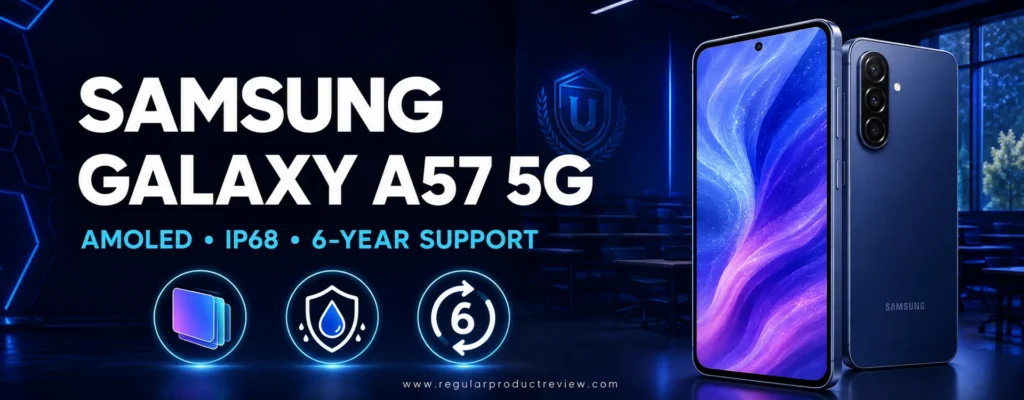
That support commitment is a major part of the value calculation. A cheaper phone that stops receiving meaningful updates before graduation can become a false economy. The A57’s purchase price is higher than the Pixel 10a and several budget models, but its slim 179-gram body, large AMOLED display, security tools, and long update runway make it a credible “buy once for college” device.
Galaxy A57 5G Key Specifications
| Specification | Details |
|---|---|
| Display | 6.7-inch FHD+ Super AMOLED+, up to 120Hz |
| Memory | 8GB RAM |
| Storage | 128GB or 256GB |
| Rear cameras | 50MP wide, 12MP ultrawide, 5MP macro |
| Front camera | 12MP |
| Battery | 5,000mAh typical |
| Charging | 45W Super Fast Charging 2.0; adapter sold separately |
| Durability | IP68 water and dust resistance |
| Weight | Approximately 179 grams |
| Software | Android 16 with One UI 8.5 at launch |
| Support | Up to six OS generations and six years of security updates |
| Starting price | $549.99 MSRP |
Design and Campus Portability
Large phones often feel heavy, but the A57’s slim frame and 179-gram weight make it easier to carry than many 6.7-inch competitors. The benefit is obvious when reading slides, reviewing spreadsheets, or using split-screen apps. The trade-off is reach: one-handed typing can be difficult, and the large front surface creates more exposure during a drop.
IP68 protection offers useful reassurance around rain, laboratory sinks, cafeteria spills, and outdoor activities. It is still wise to use a case with corner protection. The glossy finish can collect fingerprints, and the large camera area should be protected from desk scratches.
Performance, Multitasking, and Samsung Ecosystem
Samsung describes upgraded CPU, GPU, and NPU performance alongside a larger vapor chamber. The 8GB of RAM is sufficient for everyday multitasking, including browser research, document editing, video calls, and media. It is not a substitute for the flagship processor in the Galaxy S26, yet it should feel substantially more comfortable than an entry-level phone with 4GB.
One UI is feature-rich. Students can use split screen, floating windows, Quick Share, Samsung Notes, Smart View, Knox security, and Link to Windows. Galaxy tablets and Windows laptops benefit from deeper continuity. Samsung’s Auto Blocker, Private Sharing, security dashboard, and Knox Vault also make the A57 a strong choice for students storing payment cards, identification documents, email accounts, and academic files.
Display and Eye Comfort
The 6.7-inch AMOLED+ display is the A57’s most immediately persuasive feature. Text has strong contrast, blacks are deep, and the 120Hz refresh rate improves scrolling. Vision Booster is designed to maintain visibility outdoors, which matters when moving between buildings. Samsung also cites eye-care certification related to reduced harmful blue-light effects, although good habits still matter more: use an appropriate brightness level, increase text size when needed, and take regular viewing breaks.
Cameras and Student Content Creation
The 50MP stabilized main camera is accompanied by a 12MP ultrawide and 5MP macro camera. The ultrawide is more useful than the low-resolution auxiliary lenses on many budget phones, especially for architecture students, group projects, room documentation, and travel. Samsung’s Nightography and AI-assisted editing can improve casual content, while the 12MP front camera supports presentations and calls.
Students who care strongly about camera value below this price should also compare our camera phones under $500 and camera phones under $300 guides. The A57’s strength is versatility and support rather than class-leading zoom.
Battery and Charging
The 5,000mAh battery is appropriate for the display size. Samsung states that 45W charging can reach roughly 60% in around 30 minutes under its specified conditions, but the compatible adapter is sold separately. That creates an extra cost for first-time USB-C buyers. Charging speed varies with temperature, adapter protocol, battery level, and active use.
Galaxy A57 5G Pros and Cons
| Pros | Cons |
|---|---|
| Large, bright 120Hz AMOLED+ display | More expensive than Pixel 10a at MSRP |
| Six-generation OS commitment | No microSD slot on this tier |
| IP68 resistance | Charger sold separately |
| Slim and relatively light design | Large body can be difficult one-handed |
| 8GB RAM and 256GB option | Macro camera has limited academic value |
| Strong Samsung security and ecosystem | Performance trails true flagships |
| Stabilized 50MP main camera | Promotional AI features may vary by account or region |
Student Buying Advice: The 256GB configuration is the better long-term purchase if the price difference is modest. Students already using a Galaxy Tab, Galaxy Buds, or Windows laptop may receive more practical value from the A57 than from a similarly priced phone with slightly faster raw hardware.
OnePlus 15R – Best Android Phone for Student Gaming
Award: Best Performance and Gaming Phone for Students
Editorial Rating: 9.0/10
Best For: Mobile gaming, computer-science students, demanding multitasking, large battery needs, and performance-focused buyers
Starting MSRP: $699.99
The OnePlus 15R is the performance specialist in this guide. Its $699.99 starting price is high for a student phone, but the hardware is unusually aggressive: Snapdragon 8 Gen 5, 12GB of LPDDR5X memory, UFS 4.1 storage, a 6.83-inch 1.5K display capable of 165Hz, and a 7,400mAh silicon-based battery. OnePlus also provides a dedicated touch-response chip, a Wi-Fi enhancement chip, bypass charging, and a substantial cooling system. The manufacturer lists the complete regional hardware on the official OnePlus 15R specifications page.
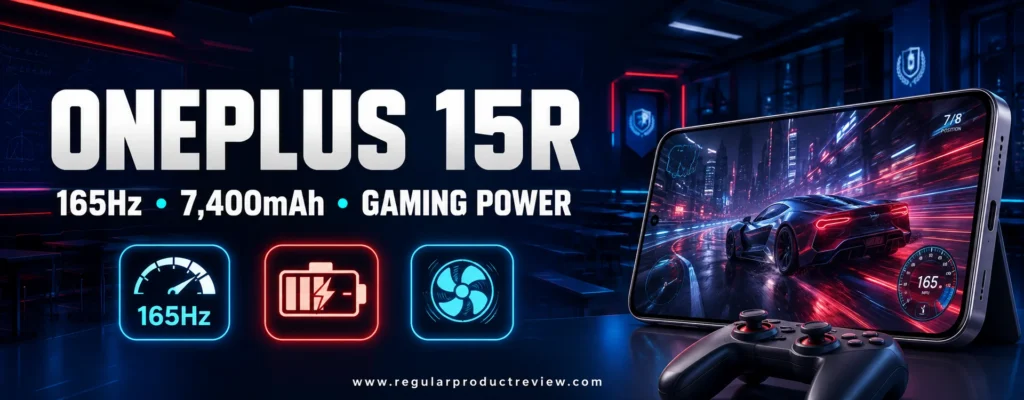
That combination makes the 15R a better fit than a conventional midrange phone for sustained games, emulation, large creative apps, coding utilities, remote-desktop work, and heavy multitasking. It is also excessive for students who mainly use messaging, streaming, and documents. Paying for unused performance is not value, so the Pixel 10a or Moto G Power will make more sense for many buyers.
OnePlus 15R Key Specifications
| Specification | Details |
|---|---|
| Display | 6.83-inch 1.5K panel, up to 165Hz |
| Processor | Snapdragon 8 Gen 5 |
| RAM | 12GB LPDDR5X |
| Storage | 256GB or 512GB UFS 4.1 |
| Rear cameras | 50MP OIS main and 8MP ultrawide |
| Front camera | 32MP autofocus |
| Battery | 7,400mAh typical |
| Charging | Up to 80W with compatible OnePlus adapter; bypass charging supported |
| Durability | Broad dust and water-resistance testing; verify warranty conditions |
| Software | OxygenOS 16 |
| Starting price | $699.99 for 12GB/256GB |
Performance and Gaming Experience
The Snapdragon 8 Gen 5 platform and 12GB of RAM provide substantial headroom for current Android games and future apps. UFS 4.1 storage improves load and installation behavior compared with slower budget storage. OnePlus markets chip-level gaming features and supported high-frame-rate modes, but availability varies by title. Do not assume every game will run at 120 or 165 frames per second merely because the panel supports it.
The 165Hz refresh ceiling is useful for compatible content, while the high touch-sampling hardware targets competitive play. A 360-degree cooling design and a large vapor chamber aim to sustain performance. Even so, every phone can warm during heavy gaming, direct sunlight, charging, or hotspot use. Bypass charging is valuable because it can power the phone during a gaming session while reducing continuous battery charging, provided you use compatible accessories and settings.
Students seeking lower-priced gaming options should compare our gaming phone collection, best gaming phones of 2026, gaming phones under $300, and gaming phones under $500. Those lists may sacrifice camera quality, software support, or premium construction to reach a lower price.
Battery and Charging
The 7,400mAh battery is one of the largest in a mainstream U.S. phone. OnePlus positions it for extended use and states that its battery-health design can retain at least 80% capacity after four years under the company’s test assumptions. Real degradation depends on heat, charging habits, cycles, and individual conditions, but the capacity creates a substantial buffer for commuters and gamers.
Students should confirm which charger is included with the exact U.S. package. OnePlus lists up to 80W charging with a compatible adapter, while some configurations or adapters may operate differently. Proprietary fast charging is convenient, but standard USB-C Power Delivery behavior may be slower than the headline rate.
Display, Study Tools, and Software
The large 1.5K screen is excellent for games, video, PDFs, and side-by-side content. OxygenOS 16 includes Mind Space and AI tools for capturing information, organizing schedules, writing, scanning presentations, and generating structured notes. OnePlus also connects Gemini with supported workflows. These features can assist research, but generated summaries and answers should always be checked against course materials.
The phone’s size is the main portability compromise. It occupies more pocket space than the Pixel 10a or Galaxy S26, and adding a protective case increases bulk. Students who frequently use a phone one-handed while walking may prefer a smaller device.
Cameras and Communication
The 50MP Sony main camera includes optical stabilization, while the 8MP ultrawide handles group scenes. A 32MP autofocus front camera is useful for video calls and recorded presentations. The missing telephoto camera is disappointing at $699.99, especially for students who photograph distant stage events or field subjects. Camera-first buyers may prefer the Pixel 11 or Galaxy S26.
OnePlus 15R Pros and Cons
| Pros | Cons |
|---|---|
| Flagship-class Snapdragon performance | Expensive for a typical student budget |
| 12GB RAM and fast UFS 4.1 storage | Large and less pocket-friendly |
| 165Hz 1.5K display | No dedicated telephoto camera |
| Enormous 7,400mAh battery | Fastest charging requires compatible hardware |
| Advanced cooling and bypass charging | Gaming frame rates vary by title |
| Useful AI scanning and organization tools | Camera system is modest for the price |
| Strong connectivity features | Long-term update value should be compared with Google and Samsung |
Student Buying Advice: Buy the OnePlus 15R if performance, gaming, battery capacity, and storage speed are central to your daily use. If you mainly browse, message, stream, and edit documents, spend less on the Pixel 10a or Galaxy A27 and direct the savings toward a laptop, tablet, or course materials.
Motorola Moto G Stylus (2026) – Best Android Phone for Notes
Award: Best for Handwritten Notes and Creative Coursework
Editorial Rating: 8.8/10
Best For: Students who annotate slides, sketch ideas, sign PDFs, edit photos, or prefer handwriting to typing
Starting MSRP: $499.99
The Motorola Moto G Stylus (2026) is the most specialized recommendation in this guide. A student can buy an inexpensive passive stylus for almost any touchscreen, but Motorola builds an active pen and supporting software into the phone itself. That changes the experience from occasional tapping to a practical workflow: pull out the stylus, write a quick reminder, mark a screenshot, circle a passage, sketch a diagram, or sign a form without searching for an accessory.
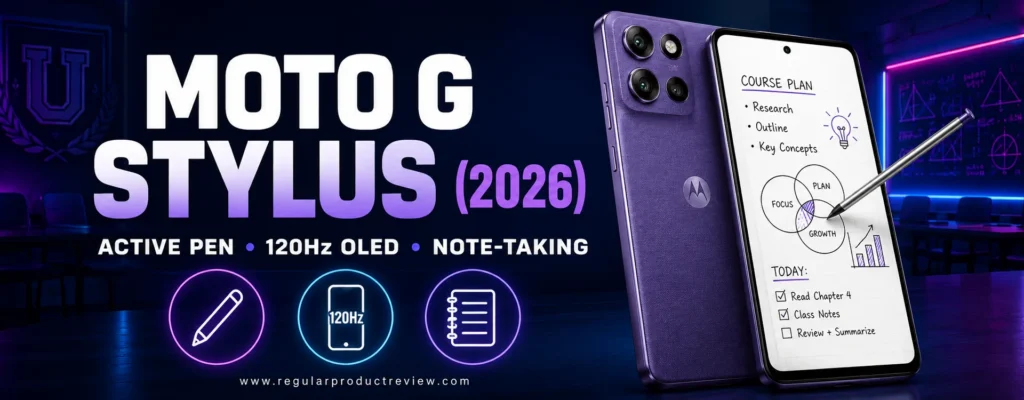
At $499.99, this is not a bargain-bin Moto G. It combines the pen with a high-resolution 120Hz OLED display, 8GB of memory, expandable storage, a large battery, fast wired charging, wireless charging, optical camera stabilization, and unusually strong water and dust protection. The result is closer to a productivity-focused midrange phone than a basic handset with a novelty pen.
The difficult trade-off is support. Motorola’s stated update commitment is shorter than the six-year policies attached to Samsung’s Galaxy A57 and A27. A student beginning a four-year degree should consider not only whether the phone works well now, but whether its remaining support window matches the intended ownership period. The hardware is compelling; the software horizon makes the purchase more situational.
Motorola Moto G Stylus (2026) Key Specifications
| Specification | Details |
|---|---|
| Display | 6.7-inch pOLED, 2712 × 1220, up to 120Hz |
| Processor | Qualcomm Snapdragon 6 Gen 3 |
| Memory | 8GB RAM |
| Storage | 128GB or 256GB; microSD expansion supported |
| Rear cameras | 50MP stabilized main camera and 13MP ultrawide/macro camera |
| Front camera | 32MP |
| Battery | 5,200mAh |
| Charging | Up to 68W wired and 15W wireless |
| Durability | IP68/IP69; tested against selected MIL-STD-810H conditions |
| Stylus | Integrated active stylus |
| Software at launch | Android 16 |
| Starting MSRP | $499.99 |
Specifications and carrier bundles can vary. Confirm the storage capacity, charger, network compatibility, and update terms on the seller page. Motorola documents the current hardware on the official Moto G Stylus product page.
Stylus Experience for Class and Campus
The pen is most useful when it eliminates friction. A biology student can label a captured diagram. An architecture or design student can rough out an idea while commuting. A club treasurer can sign a PDF without printing it. Anyone can write a shopping list, annotate a lecture slide, crop a screenshot precisely, or use handwriting input when a keyboard would be awkward.
This phone does not turn every Android application into a professional notebook, and the compact canvas cannot replace a tablet for dense textbook annotation. Palm rejection, application support, handwriting recognition, and export options also vary. Students should test their preferred note app during the return window rather than assuming that every workflow will feel identical.
The integrated storage slot is an underrated advantage. A loose capacitive pen is easy to forget, while the Moto’s pen travels inside the phone and triggers software shortcuts when removed. That makes spontaneous use far more likely. The active pen also offers substantially better precision than a rubber-tipped generic stylus.
Display, Performance, and Storage
The 6.7-inch pOLED panel is sharp enough for small text and spacious enough for handwritten notes. Its 120Hz refresh rate makes scrolling and ink response look fluid. The screen is still narrower than a tablet, but the high resolution helps when viewing PDFs, maps, spreadsheets, and presentation slides.
Snapdragon 6 Gen 3 performance is appropriate for school applications, video calls, browser research, photo editing, and casual games. Eight gigabytes of RAM gives it more multitasking headroom than the $199.99 Moto G, while microSD support offers an economical home for recordings, downloaded media, scanned notes, and course files. Applications normally remain on internal storage, so choose 256GB if large games and offline video are priorities.
For students comparing less expensive options, our best Android phones under $500 guide covers broader choices without requiring a stylus. The Moto G Stylus justifies its price when the pen is used regularly; otherwise, part of its value goes unused.
Camera, Battery, and Durability
The stabilized 50MP main camera should handle document capture, people, pets, and campus scenes more reliably than a basic unstabilized sensor. The ultrawide doubles as a macro camera, making it useful for group photos, wide buildings, lab setups, and close details. Camera processing is not as consistently polished as Google’s, but the hardware is versatile for this tier.
A 5,200mAh battery and up to 68W charging make the phone practical for long class days. Wireless charging is unusual in this price range and convenient beside a desk. Headline charging speed requires compatible equipment, and charging curves slow as the battery fills, so students should not interpret the maximum wattage as a constant rate.
IP68/IP69 protection and selected military-standard testing are meaningful safeguards against rain, dust, and ordinary accidents. They do not make the phone indestructible. Water resistance can decline with wear, liquid damage may not be covered, and a protective case plus screen protection remains sensible for a device carried between classrooms.
Software Support: The Important Catch
The phone launches with Android 16 and modern Motorola productivity features, but its limited upgrade promise is the clearest reason to hesitate. Two major Android upgrades and three years of security support can be sufficient for a buyer who replaces a phone frequently. It is less attractive for a first-year student planning to keep the same device through graduation and beyond.
Samsung’s Galaxy A57 and A27 provide longer stated support, while Google commits to extended support for current Pixels. Those devices may deliver better long-term value even if the Moto’s stylus is more distinctive. Treat support duration as part of the purchase price: replacing an otherwise functional phone early is costly and wasteful.
Motorola Moto G Stylus (2026) Pros and Cons
| Pros | Cons |
|---|---|
| Integrated active stylus with useful shortcuts | Shorter update commitment than Google and Samsung |
| Sharp 120Hz pOLED display | $499.99 is expensive if the pen is rarely used |
| 8GB RAM and expandable storage | Large body may be awkward one-handed |
| 68W wired and 15W wireless charging | Camera processing trails leading Pixels |
| IP68/IP69 protection | Charger and bundle contents can vary |
| Stabilized main camera | Not a full replacement for a tablet notebook |
| Strong battery capacity | Carrier versions may differ |
Student Buying Advice: Choose the Moto G Stylus (2026) when handwritten input is a weekly or daily requirement. If you only expect to use the pen a few times per semester, a longer-supported Galaxy A57 or the more camera-focused Pixel 10a is the more balanced purchase.
Nothing Phone (4a) Pro – Best Android Phone for Design Students
Award: Best for Design, Creativity, and a Distinctive Interface
Editorial Rating: 8.7/10
Best For: Students who value visual design, a clean interface, a smooth screen, and an unusual telephoto camera
Starting MSRP: $499
Most midrange Android phones are designed to disappear into a case. The Nothing Phone (4a) Pro takes the opposite position. Its transparent-inspired styling, rear Glyph Matrix, carefully animated Nothing OS interface, and monochrome visual language turn the phone into a deliberate design object. For art, media, UI, marketing, and design students, that personality may matter more than it would to a strictly utilitarian buyer.
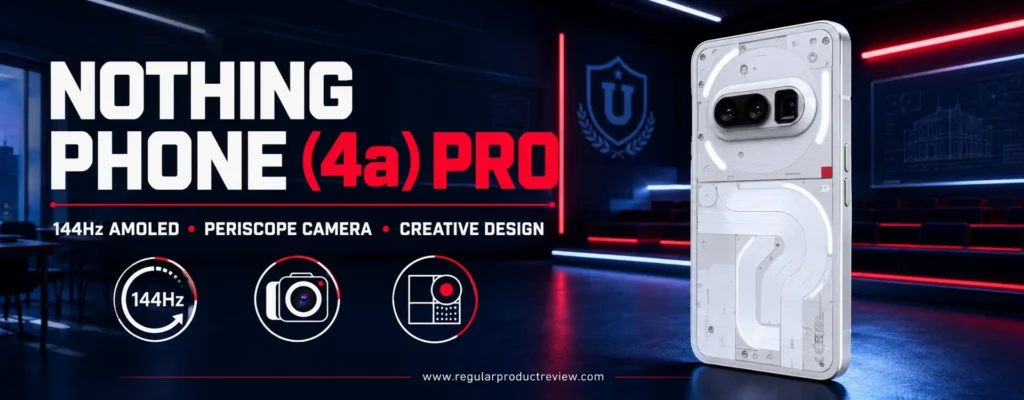
The appeal is not only cosmetic. Nothing pairs the design with a large 144Hz AMOLED display, Snapdragon 7 Gen 4 performance, a 5,080mAh battery, optical stabilization on the main camera, and a periscope telephoto camera. A starting MSRP around $499 places it directly against the Pixel 10a and Moto G Stylus. Each has a clear identity: Pixel favors camera consistency and support, Moto favors pen input, and Nothing favors screen fluidity, zoom flexibility, and interface character.
Nothing is still a smaller phone brand in the United States. That can affect accessory variety, nearby service options, trade-in convenience, and carrier availability. Students should verify band compatibility, warranty coverage, and the exact U.S. sales channel rather than importing an unsupported regional model simply because its sticker price looks lower.
Nothing Phone (4a) Pro Key Specifications
| Specification | Details |
|---|---|
| Display | 6.83-inch AMOLED, up to 144Hz |
| Processor | Qualcomm Snapdragon 7 Gen 4 |
| Memory and storage | Starts at 8GB RAM and 128GB storage in the U.S. |
| Main camera | 50MP with optical stabilization |
| Telephoto | 50MP periscope camera |
| Additional rear camera | Ultrawide camera |
| Battery | 5,080mAh |
| Interface | Nothing OS with Essential Space and Glyph Matrix |
| Water and dust resistance | IP65 |
| Weight | Approximately 210 grams |
| Starting MSRP | $499 |
Nothing publishes regional configuration and availability details on its official U.S. Phone (4a) Pro page. Pricing can change during promotions, so compare the final unlocked price rather than treating a temporary discount as permanent.
Design That Serves a Function
The Glyph Matrix can show visual alerts and small utilities without demanding the full front display. That idea may help a student reduce habitual unlocking: a glance can communicate a timer, status, or selected notification. It is not a magical cure for distraction, and some buyers will view it as decoration. Its value depends on whether the owner configures it intentionally.
Nothing OS is generally clean and visually consistent. Essential Space and related AI tools aim to capture screenshots, voice notes, and ideas in an organized place. For coursework, this can become an inbox for items that need later action. The danger is creating another silo. Before relying on it, students should test how information exports to their established system Google Drive, Keep, Notion, OneNote, or a campus platform.
The striking rear design invites clear cases, but protection should take priority over appearance. At about 210 grams, the phone is not light. The large display is excellent at a desk and less convenient in a small pocket. IP65 protects against dust and water jets under controlled conditions, but it is weaker than the IP68 submersion resistance offered by several competitors.
Screen, Performance, and Everyday Use
The 6.83-inch 144Hz AMOLED display is one of the phone’s headline features. It makes animations, scrolling, creative apps, and supported games look exceptionally smooth. Maximum refresh rate is not always active, and most video content remains 24, 30, or 60 frames per second, so the benefit is most visible in interface motion and compatible games.
Snapdragon 7 Gen 4 performance is strong for productivity, content creation, social media work, photo processing, and mainstream gaming. It is not the same class as the Snapdragon 8 Gen 5 in the OnePlus 15R, but it should feel responsive for typical student use while costing less. Buyers who edit long 4K projects or play demanding games for hours should still consider thermal behavior, sustained performance, and storage capacity.
The 128GB starting configuration can become restrictive for media students. High-resolution photos, downloaded footage, project exports, and games consume storage quickly. Cloud storage helps but may be inconvenient on limited campus Wi-Fi or cellular plans. If a higher-capacity U.S. configuration is offered at a reasonable premium, it is a worthwhile upgrade for content-heavy programs.
Cameras for Creative Coursework
A stabilized 50MP main camera supports everyday stills and video, while the 50MP periscope module offers framing flexibility uncommon around $500. Optical reach can help photograph a lecturer’s board from the back of a room, document architectural details, capture performances, or create compressed portraits without moving physically closer.
Digital zoom claims should be treated cautiously. Extreme magnification relies heavily on cropping and computational processing, so image quality falls as zoom increases. The most useful range is generally the native optical and modest hybrid region. Students who prioritize reliable point-and-shoot images over experimentation may still prefer Google’s Pixel processing. Our camera phones under $500 comparison explores that distinction in more detail.
Battery, Support, and Ownership
The 5,080mAh battery provides a solid capacity for a large-screen phone. Actual endurance depends on refresh-rate settings, brightness, gaming, navigation, and cellular signal. Students can improve runtime by allowing adaptive refresh behavior, limiting background activity from unnecessary apps, and using Wi-Fi where reliable.
Nothing’s software approach feels fresh, but buyers should compare the precise support promise at purchase time with Google and Samsung. A clean interface on day one does not replace years of security patches. Repair access, case selection, resale demand, and carrier promotions also tend to be more mature for larger brands.
Nothing Phone (4a) Pro Pros and Cons
| Pros | Cons |
|---|---|
| Distinctive hardware and cohesive Nothing OS | Smaller U.S. service and accessory ecosystem |
| Very smooth 144Hz AMOLED display | Large and relatively heavy |
| Useful periscope telephoto camera | IP65 protection trails IP68 rivals |
| Stabilized 50MP main camera | 128GB base storage may fill quickly |
| Strong midrange Snapdragon performance | Extreme zoom claims exceed practical image quality |
| Creative Essential Space workflow | Long-term value depends on support policy |
| Competitive $499 MSRP | Glyph features will not appeal to everyone |
Student Buying Advice: Pick the Nothing Phone (4a) Pro if design, interface personality, a fluid display, and telephoto experimentation genuinely improve your daily experience. Choose Pixel instead for simpler camera consistency and extended support, or Motorola if stylus input is the real priority.
Motorola Moto G Power (2026) – Best Durable Budget Phone
Award: Best Durable Android Phone Around $300
Editorial Rating: 8.6/10
Best For: Commuters, outdoor programs, busy campuses, and students who want battery life and physical resilience at a moderate price
Starting MSRP: $299.99
The Motorola Moto G Power (2026) focuses on the risks that define student ownership: long days, crowded bags, sudden rain, accidental drops, limited charging access, and a budget that makes replacement painful. Its 5,200mAh battery, IP68/IP69 protection, selected MIL-STD-810H testing, expandable storage, and $299.99 MSRP create a practical package with few luxury pretensions.
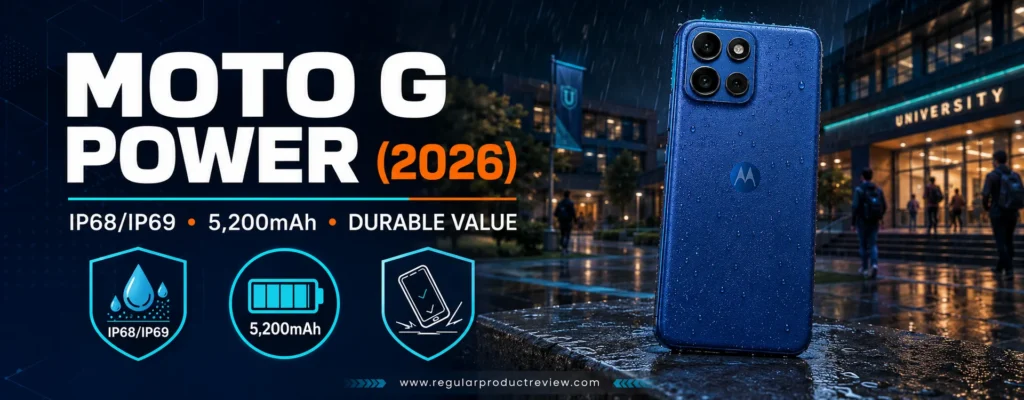
It is not the fastest, sharpest, or longest-supported phone in this guide. The 6.8-inch LCD is large but not as rich as an OLED panel, the Dimensity 6300 is built for mainstream use, and Motorola’s update policy is less generous than Samsung’s. Yet the core experience is well matched to students who need navigation, messaging, class portals, media, two-factor authentication, and document scanning without nursing the phone through every day.
This model belongs on the shortlist beside the best Android phones under $300 and our wider best budget Android phones for everyday use. Its strongest argument is not any one benchmark. It is the combination of durability, battery capacity, memory, storage expansion, and a mainstream U.S. retail price.
Motorola Moto G Power (2026) Key Specifications
| Specification | Details |
|---|---|
| Display | 6.8-inch FHD+ LCD, up to 120Hz |
| Processor | MediaTek Dimensity 6300 |
| Memory | 8GB RAM |
| Storage | 128GB; microSD expansion up to 1TB |
| Rear cameras | 50MP main and 8MP ultrawide |
| Battery | 5,200mAh |
| Charging | Up to 30W wired |
| Durability | IP68/IP69; tested against selected MIL-STD-810H conditions |
| Software at launch | Android 16 |
| Starting MSRP | $299.99 |
Motorola lists the current configuration and carrier information on the official Moto G Power product page. Carrier models, promotional prices, and included accessories can differ from the unlocked version.
Battery Life for Long Days
A 5,200mAh cell is a sensible fit for a large 1080p-class display and modest processor. It should provide substantial endurance for mixed use, although no student should assume a universal number of hours. Five-bar Wi-Fi in a dorm uses less energy than weak 5G on a train; video calls and games consume far more than reading static pages.
Thirty-watt charging is respectable at this price but not exceptional. The phone will not refill as quickly as the Moto G Stylus or OnePlus 15R. A short top-up between classes still helps, and USB-C makes it easier to share a compatible charger. Buyers should confirm whether the box includes the power adapter needed for the advertised rate.
Battery capacity also provides resilience over time. As a lithium-ion cell ages, its maximum charge declines. Beginning with a larger reserve can make the phone more comfortable in later years. Software support may become the limiting factor before the physical battery does, however, so longevity requires both hardware and updates.
Durability Without False Confidence
IP68/IP69 ratings are unusual near $300. They indicate tested resistance to dust, immersion, and high-pressure water exposure under specified laboratory conditions. Selected military-standard testing suggests the design has endured controlled environmental and handling tests. Neither claim means the phone is drop-proof, waterproof forever, or guaranteed against every accident.
Students should still use a raised-edge case and avoid charging a wet USB port. Water resistance can degrade after impact or repair, and warranties commonly exclude liquid damage. The value of the rating is risk reduction: a downpour, spilled drink, or dusty field assignment is less frightening than it would be with an unprotected phone.
Performance, Display, and Storage
The Dimensity 6300 and 8GB of RAM should handle standard Android tasks comfortably. Multiple ordinary apps can remain available without the severe constraints of a 4GB device. It is suitable for learning platforms, email, navigation, streaming, casual games, and basic photo editing. Demanding 3D games and long video exports expose the limits of the chipset.
The 120Hz LCD makes motion smoother, but it cannot match the contrast, black levels, or premium appearance of an OLED panel. Its large size works well for reading and media, though it makes the phone less pocketable. Students sensitive to display quality should compare it directly with the OLED Galaxy A27 before purchasing.
Expandable storage is a major advantage. A low-cost microSD card can hold recordings, music, photos, and offline videos. It does not convert the phone into a 1TB flagship: card speeds vary, sensitive apps may remain on internal storage, and every card needs a backup. Still, it is valuable for students with limited cloud access.
Camera and Software Limits
The 50MP main camera and 8MP ultrawide offer more flexibility than a single-camera budget phone. In good light, they should be sufficient for people, documents, campus scenes, whiteboards, and simple social posts. Low-light consistency and moving subjects are harder, and Google’s camera processing remains a better fit for photography-first buyers.
Motorola ships Android 16, but the shorter update schedule is the main ownership concern. A Galaxy A27 costs about $50 more at MSRP and promises substantially longer software support. For a student who keeps phones for four or five years, that difference may outweigh the Moto’s stronger water protection and larger memory configuration.
Motorola Moto G Power (2026) Pros and Cons
| Pros | Cons |
|---|---|
| Competitive $299.99 MSRP | Shorter software support than Samsung |
| 5,200mAh battery | LCD lacks OLED contrast |
| IP68/IP69 protection | Large body can feel bulky |
| 8GB RAM at a budget price | Midrange processor is not for demanding gaming |
| Expandable storage | 30W charging is only moderate |
| 120Hz display | Camera quality falls in difficult light |
| Ultrawide camera included | No premium extras such as wireless charging |
Student Buying Advice: The Moto G Power (2026) is a strong buy for a student who values toughness, battery reserve, memory, and expandable storage more than premium display quality or the longest update commitment. Compare the final price with the Galaxy A27 before deciding.
Samsung Galaxy A27 5G – Best First Android Phone for Students
Award: Best First Student Phone
Editorial Rating: 8.7/10
Best For: Younger students, first-time smartphone owners, families prioritizing support, and buyers who want an OLED screen near $350
Starting MSRP: $349.99
The Samsung Galaxy A27 5G is the safest middle ground in this list. It costs more than the ultra-budget Moto G and slightly more than the Moto G Power, yet it brings the features that matter over a longer ownership period: a 120Hz Super AMOLED display, optical stabilization on the main camera, 5G, a 5,000mAh battery, expandable storage, Samsung’s familiar software, and a stated six-generation operating-system commitment with six years of security updates.
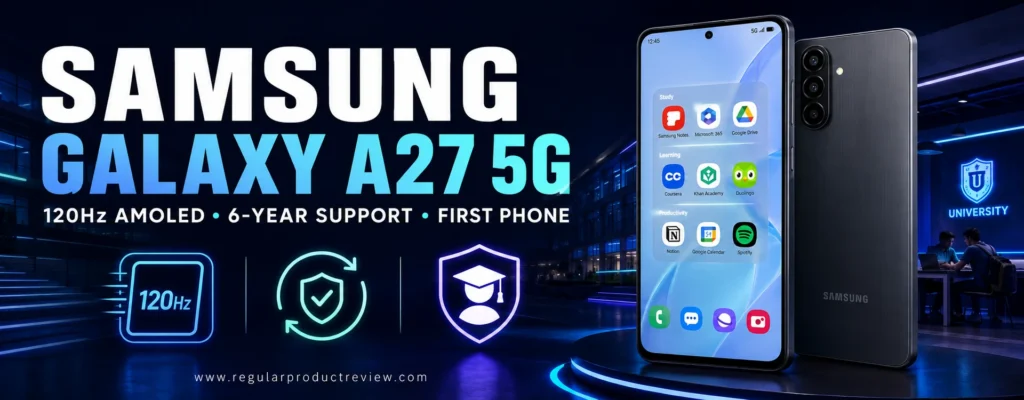
That support policy is especially important for a first phone. Parents and students do not need to predict an early replacement simply because security patches end. Samsung’s broad U.S. retail presence also makes cases, screen protectors, carrier support, trade-ins, and service easier to find than they may be for a smaller brand.
The A27 is not perfect. Six gigabytes of RAM is adequate rather than generous, charging is limited to 25W, the IP64 rating does not cover submersion, and the auxiliary cameras are modest. Still, it balances the essentials better than most phones at its MSRP.
Samsung Galaxy A27 5G Key Specifications
| Specification | Details |
|---|---|
| Display | 6.7-inch FHD+ Super AMOLED, up to 120Hz |
| Processor | Qualcomm Snapdragon 6 Gen 3 |
| Memory | 6GB RAM |
| Storage | 128GB; microSD expansion up to 2TB |
| Rear cameras | 50MP main with OIS, 5MP ultrawide, 2MP macro |
| Front camera | 12MP |
| Battery | 5,000mAh |
| Charging | 25W wired |
| Water and dust resistance | IP64 |
| Software at launch | Android 16 with One UI |
| Update promise | Up to six OS generations and six years of security updates |
| Starting MSRP | $349.99 |
See Samsung’s official Galaxy A27 5G page for current colors, storage, carrier compatibility, and offers. Do not evaluate it by a trade-in headline unless you already own an eligible device in acceptable condition.
Why It Works as a First Phone
The ideal first student phone should be capable without requiring flagship spending. It should support school communication, maps, transit, emergency contact, two-factor authentication, photos, and entertainment while remaining manageable for a family budget. It also needs clear parental and privacy controls where appropriate.
Samsung’s One UI includes Digital Wellbeing, permission management, Find My Mobile functions, and integration with Google’s family tools. Configuration matters more than brand: families should review location sharing, backup, purchase authentication, content limits, notification schedules, and emergency information together rather than silently installing surveillance settings.
The long update commitment protects the investment. Six years does not guarantee six years of identical speed or battery condition, but it keeps the security and compatibility window open much longer than a short policy. This makes a discounted A27 potentially more economical than replacing a cheaper phone after two or three years.
Display and Everyday Performance
The 6.7-inch Super AMOLED panel is a major differentiator. OLED contrast improves dark text, video, and night use, while 120Hz motion makes scrolling feel fluid. At this price, the display may be more noticeable every day than a small benchmark advantage elsewhere.
Snapdragon 6 Gen 3 and 6GB of RAM are adequate for school apps, web research, media, video calls, and casual games. Heavy multitasking, complex editing, and high-end games will not feel flagship-fast. Students should keep reasonable free storage and remove unused background apps rather than relying on virtual-memory marketing as a substitute for physical RAM.
The microSD slot supports inexpensive media expansion. Use internal storage for applications and active projects, and use a reputable card for photos, recordings, music, and offline downloads. Cloud backup remains necessary because removable cards can fail or be lost.
Camera and Battery Experience
The 50MP main camera includes optical stabilization, helping with handheld photos, document scans, and video. The 5MP ultrawide is useful for groups and buildings in good light but has limited detail compared with more expensive phones. The 2MP macro is the least important camera; students should not buy the phone because a listing advertises a triple-camera system.
The 5,000mAh battery is well sized for a full day of mixed use. Twenty-five-watt charging is slower than Motorola and OnePlus alternatives, and Samsung may not include a charger in every package. That is a minor inconvenience for overnight charging and a bigger limitation for students who depend on short top-ups.
IP64 means dust protection plus resistance to water splashes, not immersion. It is useful against rain but weaker than the IP68/IP69 Moto G Power. A case and careful handling remain appropriate.
Galaxy A27 5G Pros and Cons
| Pros | Cons |
|---|---|
| Six OS generations and six years of security support | 6GB RAM is adequate, not generous |
| Bright 120Hz Super AMOLED display | 25W charging trails competitors |
| Stabilized 50MP main camera | IP64 is not immersion protection |
| Expandable storage up to 2TB | Ultrawide and macro cameras are basic |
| Familiar Samsung ecosystem | Large display is less pocket-friendly |
| Reasonable $349.99 MSRP | Charger may be sold separately |
| Broad U.S. availability and accessories | Not intended for demanding gaming or editing |
Student Buying Advice: The Galaxy A27 5G is the best first phone when predictable support, an OLED display, expandable storage, and mainstream service matter more than maximum benchmark speed. It is also the strongest long-term alternative to the Moto G Power if the extra $50 fits the budget.
Google Pixel 11 – Best Android Camera Phone for Students
Award: Best Camera and AI Phone for Students
Editorial Rating: 9.1/10
Best For: Photography, journalism, media projects, field research, transcription, and students who want a smaller premium Android phone
Starting MSRP: $899
The Google Pixel 11 is the point where student practicality meets premium ambition. It retains a relatively compact 6.3-inch body but adds a more flexible triple-camera system, Tensor G6 processing, 12GB of RAM, a brighter Actua display, and Google’s current AI and transcription features. For a journalism, communications, education, science, or media student who regularly creates rather than merely consumes content, those capabilities can justify the cost.
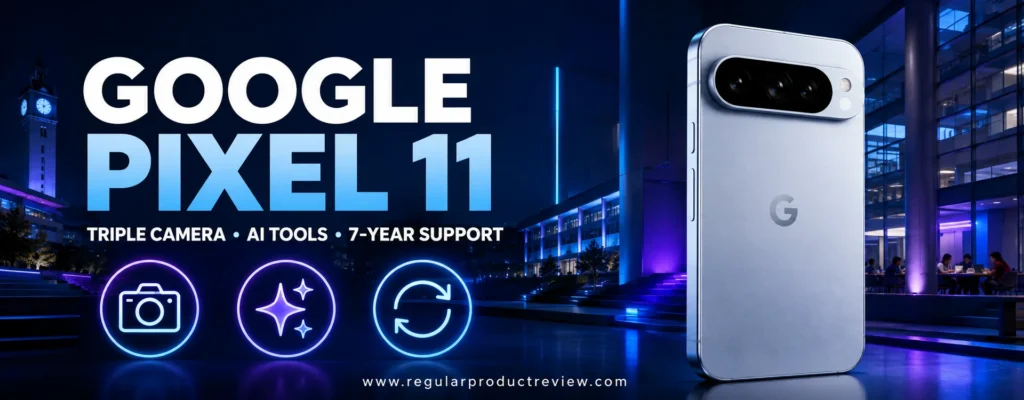
It is also expensive. At $899, the Pixel 11 costs $400 more than the Pixel 10a before promotions. That gap could fund a semester of software subscriptions, a good pair of headphones, external storage, or part of a laptop. The premium model is therefore not the automatic recommendation for every student; it is the best camera-oriented choice for buyers who can identify specific uses for its telephoto lens, additional memory, premium build, and more advanced processing.
Google’s seven-year software commitment improves the long-term equation. A student who buys the phone near the start of college can reasonably expect supported software through the degree and well beyond it, subject to Google’s published terms. Extended support does not prevent battery wear or physical damage, but it removes one common reason for premature replacement.
Google Pixel 11 Key Specifications
| Specification | Details |
|---|---|
| Display | 6.3-inch Actua OLED, up to 120Hz, up to 3,000 nits peak brightness |
| Processor | Google Tensor G6 with Titan security hardware |
| Memory | 12GB RAM |
| Storage | 256GB or 512GB |
| Rear cameras | 48MP wide, 13MP ultrawide, 10.8MP telephoto |
| Front camera | High-resolution front camera with modern video features |
| Battery claim | More than 30 hours under Google’s test assumptions |
| Charging | Wired fast charging and Qi wireless charging |
| Durability | Premium water- and dust-resistant construction |
| Software support | Seven years of OS, security, and Pixel Drop updates |
| Starting MSRP | $899 |
Current configurations, feature availability, and regional limitations appear on Google’s official Pixel 11 page. AI features can require an internet connection, a Google account, supported languages, or a paid plan after an introductory period, so students should read the individual feature terms.
Camera System for Academic and Creative Work
The Pixel 11’s most important upgrade over the 10a is not simply more megapixels. It is focal-length flexibility. The wide camera covers general photography and scanning, the ultrawide captures groups and interiors, and the telephoto frames distant subjects without forcing a heavy digital crop. That range is useful for campus performances, sports, architecture, wildlife, field observations, and portrait work.
Google’s computational photography is designed to make exposure, color, motion, and low-light results dependable without extensive manual adjustment. A journalism student can capture a usable image quickly; a club officer can document an event; a science student can photograph a setup and record contextual details. It remains a phone camera, not a replacement for interchangeable-lens equipment when a course requires precise optics, large sensors, or external audio.
Students should also consider ethics. Generative editing can remove distractions or reconstruct image regions, but altered images may violate journalism standards, research documentation rules, or course policies. Preserve originals, disclose material edits, and avoid presenting synthetic changes as documentary evidence.
For more camera-focused comparisons, browse our camera phone collection, best camera phones of 2026, and best camera phones under $1,000.
AI, Recording, and Study Workflows
Pixel features such as Recorder transcription, call assistance, screenshot organization, voice typing, and Gemini integration can reduce administrative work. A student can record an authorized interview, search a transcript, summarize personal notes, identify follow-up tasks, or draft an outline. These functions are most valuable when they shorten the path from capture to review.
They also need boundaries. Never record a lecture, meeting, patient, research participant, or private conversation without the required permission. Automated transcripts can mishear names, technical language, accents, and numbers. AI-generated summaries can omit qualifications or invent connections. Treat them as a starting point, then compare them with the original audio and assigned materials.
On-device processing and Google’s security hardware can improve privacy for supported tasks, but using an AI feature may still send data to a cloud service. Review university policy before uploading unpublished research, protected educational records, clinical information, source material, or confidential work.
Display, Performance, and Portability
The 6.3-inch 120Hz OLED display balances readability with pocketability. It is not as spacious as the OnePlus 15R or Nothing Phone (4a) Pro for split-screen work, but it is easier to handle on a bus, in a crowded lecture hall, or while walking between buildings. The high brightness rating helps outdoors, although maximum brightness occurs only under specific conditions.
Tensor G6 and 12GB of RAM support demanding camera computation, AI features, multitasking, and everyday applications. Raw gaming performance may still be less compelling than a gaming-oriented Snapdragon device, particularly during sustained loads. Pixel buyers are paying for the integrated software, camera pipeline, security, and long support not solely for the highest frame-rate benchmark.
Starting storage at 256GB is a welcome improvement for a camera phone. Media students can still fill it with 4K video and offline assets, and there is no microSD slot. The 512GB version is sensible for heavy local recording if its price does not approach a laptop upgrade.
Battery, Charging, and Total Cost
Google advertises more than 30 hours of battery life under its standardized assumptions. Real use varies substantially. Navigation, hotspot use, weak cellular signal, high-brightness video, gaming, and camera capture are intensive. Students should assess endurance during the return period and use adaptive battery settings rather than relying on a marketing number.
Wireless charging is convenient at a desk, while wired fast charging helps between classes. Charger and stand purchases add to the total cost. A protective case, screen protection, insurance or a repair reserve, and cloud storage can push the first-year ownership cost well above the $899 MSRP.
Google Pixel 11 Pros and Cons
| Pros | Cons |
|---|---|
| Versatile triple-camera system with telephoto | $899 starting price is difficult for many students |
| Excellent computational photography | Overkill for basic messaging and school apps |
| Seven years of software support | No microSD expansion |
| Compact 6.3-inch 120Hz OLED display | Tensor is not the top choice for sustained gaming |
| 12GB RAM and 256GB base storage | AI features require verification and privacy judgment |
| Strong transcription and call tools | Accessories increase total ownership cost |
| Wireless charging | Repair costs are higher than budget-phone costs |
Student Buying Advice: Buy the Pixel 11 when photography, interviews, field documentation, transcription, and long ownership are central to your coursework or creative work. For ordinary student life, the Pixel 10a captures most of the Pixel experience for dramatically less money.
Samsung Galaxy S26 – Best Compact Premium Android Phone
Award: Best Compact Premium Phone for Students
Editorial Rating: 9.0/10
Best For: Students who want flagship speed, a small premium body, Samsung ecosystem features, telephoto photography, and extended support
Starting MSRP: $899.99
The Samsung Galaxy S26 is a compact flagship in a market increasingly dominated by large phones. Its 6.3-inch display, approximately 167-gram weight, slim body, 12GB of RAM, premium processor, triple-camera system, and long software support make it comfortable for students who want high capability without carrying an oversized device.
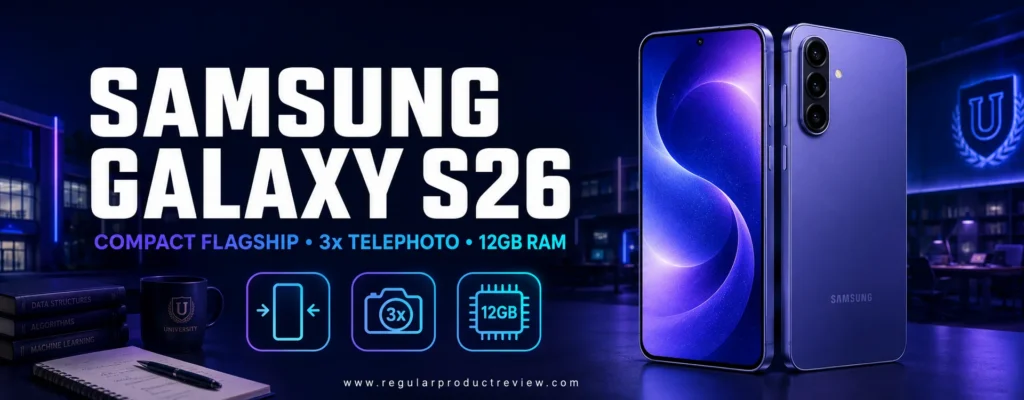
Its compactness is not the same as affordability. At $899.99, the Galaxy S26 competes directly with the Pixel 11 and costs far more than Samsung’s Galaxy A57. Most students do not need flagship speed for learning management systems, messaging, documents, and streaming. The S26 earns its place for buyers who also run demanding creative apps, want Samsung DeX-style desktop workflows, photograph with multiple focal lengths, or plan to keep the phone for many years.
Samsung frequently uses trade-ins and carrier promotions to reduce the apparent price. Those offers can be valuable, but they should be evaluated using the full service cost, required plan, installment term, bill-credit schedule, and value of the device being surrendered. A “free” phone tied to a premium three-year plan may cost more than an unlocked midrange device on a lower-cost carrier.
Samsung Galaxy S26 Key Specifications
| Specification | Details |
|---|---|
| Display | 6.3-inch Dynamic AMOLED 2X, adaptive 120Hz, up to 2,600 nits |
| Processor | Customized flagship Galaxy mobile platform |
| Memory | 12GB RAM |
| Storage | 256GB or 512GB |
| Rear cameras | 50MP wide, 12MP ultrawide, 10MP 3x telephoto |
| Battery | 4,300mAh |
| Charging | Wired fast charging and wireless charging |
| Water and dust resistance | IP68 |
| Weight | Approximately 167 grams |
| Thickness | Approximately 7.2mm |
| Software | Android 16 with One UI 8.5 at launch |
| Starting MSRP | $899.99 |
Samsung lists model-specific storage, colors, promotions, and terms on the official Galaxy S26 page. Confirm whether an offer is an instant discount, trade-in credit, student discount, or carrier bill credit before comparing prices.
Compact Design and Premium Display
At 6.3 inches, the S26 is easier to operate one-handed than most phones in this list. Its lower weight reduces fatigue during long reading sessions and video calls. Compact dimensions also make it less conspicuous in class and easier to fit beside a laptop on a small lecture-hall desk.
The Dynamic AMOLED 2X screen provides high contrast, adaptive refresh, and strong outdoor visibility. Students who read at night should still use appropriate brightness and schedule breaks; premium display technology does not eliminate eye strain. The smaller canvas also makes split-screen work less comfortable than on the OnePlus 15R.
IP68 resistance adds protection against ordinary exposure, while the premium frame and glass demand a case. Flagship repair costs can be substantial. A slim phone that survives water testing can still crack when dropped onto concrete.
Performance, DeX, and the Samsung Ecosystem
The flagship-class processor and 12GB of RAM provide headroom for editing, multitasking, emulation within legal boundaries, demanding games, and future software. The practical benefit is not that email opens dramatically faster; it is that the phone maintains responsiveness under heavier workloads and has room for new features over a longer ownership period.
Samsung’s ecosystem is particularly useful for students who own a Galaxy Tab or Windows laptop. Quick Share can move files, Link to Windows can surface messages and photos on a PC, and Samsung Notes can synchronize supported content. DeX can create a desktop-like interface on a compatible external display, keyboard, and mouse. It is useful for emergency productivity, but it does not replace every Windows or macOS application required by a course.
Galaxy AI features can summarize, translate, transcribe, and assist with writing or image edits. The same academic-integrity rule applies as with Pixel: verify outputs, cite appropriately, and follow course policy. Feature availability, supported languages, account requirements, and future pricing can change.
Cameras for Events, Projects, and Video
The 50MP main camera is joined by a 12MP ultrawide and 10MP 3x telephoto. That trio is valuable for campus events, presentations, travel, portraits, and distant subjects. Samsung typically emphasizes vivid presentation and flexible video features, while Google emphasizes computational consistency. Preference may depend on how much editing a student plans to do.
Three-times optical reach is more practical than extreme digital-zoom marketing. It gives a different perspective without forcing the photographer too close to a speaker or subject. For serious coursework, record clean external audio where permitted and preserve original files before editing.
Battery and Charging
The 4,300mAh battery is smaller than the cells in most large phones here, a consequence of the compact chassis. Efficient hardware and adaptive software can deliver solid daily performance, but intensive games, hotspot use, navigation, and camera recording may require a top-up. The S26 is not the battery champion; the OnePlus 15R and Moto G Power are stronger choices for that priority.
Wired and wireless charging add flexibility. Wireless charging is convenient in a dorm or study area, while reverse wireless features may rescue small accessories. Charging equipment may be sold separately, and third-party adapters should support the relevant standards.
Students considering this price tier should compare our flagship phone collection, best flagship phones of 2026, premium smartphones worth buying in 2026, and top flagship Android phones before committing to an $899.99 device.
Samsung Galaxy S26 Pros and Cons
| Pros | Cons |
|---|---|
| Compact, light premium design | $899.99 starting price |
| Flagship performance with 12GB RAM | Smaller battery than large competitors |
| Excellent 120Hz AMOLED display | No microSD card slot |
| Versatile triple cameras with 3x telephoto | High repair and accessory costs |
| Samsung ecosystem and DeX capabilities | Compact screen is less ideal for split-screen work |
| IP68 protection | Promotions can obscure total carrier cost |
| Long software-support value | Most basic student tasks do not need this power |
Student Buying Advice: The Galaxy S26 is the premium choice for students who specifically want a compact flagship, Samsung ecosystem features, long support, and a true telephoto camera. If those advantages are not central, the Galaxy A57 offers much better value.
Motorola Moto G (2026) – Best Ultra-Budget Android Phone
Award: Best Android Phone Around $200
Editorial Rating: 8.1/10
Best For: Students with a strict budget who need 5G, good battery capacity, expandable storage, and the essential Android experience
Starting MSRP: $199.99
The Motorola Moto G (2026) is the least expensive phone in our top ten and the clearest reminder that a student phone does not need to be glamorous. For $199.99, it supplies a large 120Hz display, 5G connectivity, 128GB of internal storage, microSD expansion, a 5,200mAh battery, stereo speakers, and Android 16. That foundation covers communication, navigation, school portals, video, authentication apps, and basic document handling.
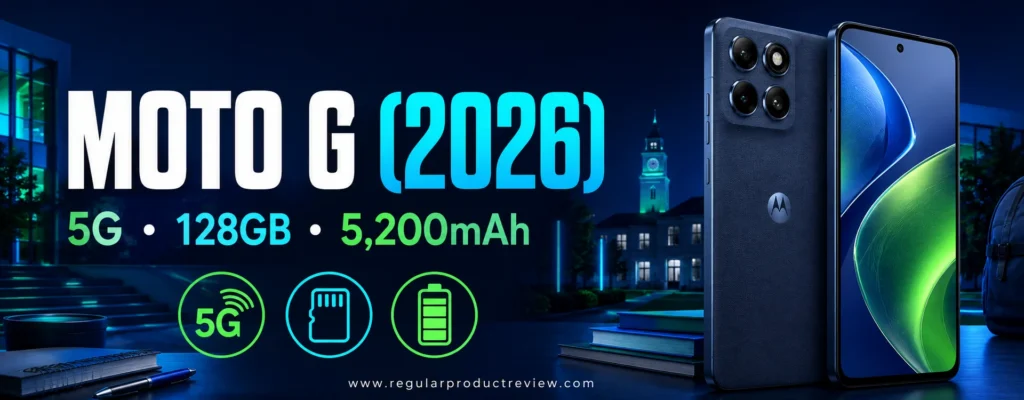
The limitations are real. Four gigabytes of RAM restricts multitasking, the LCD has only HD+-class resolution, the processor is intended for entry-level use, and water protection is described as water repellent rather than a high IP rating. Motorola’s support window is also shorter than Samsung’s. The Moto G is a value tool, not a discounted flagship.
Students should compare the retail price with prepaid and carrier deals carefully. A very cheap or “free” carrier version may require activation, a particular plan, or months of service before unlocking. An unlocked $199.99 device can be cheaper overall if it allows a lower-cost plan and avoids a long commitment.
Motorola Moto G (2026) Key Specifications
| Specification | Details |
|---|---|
| Display | 6.7-inch LCD, up to 120Hz |
| Processor | 5G-capable 6nm MediaTek platform |
| Memory | 4GB RAM |
| Storage | 128GB; microSD expansion supported |
| Rear camera | 50MP main camera with supporting sensor |
| Battery | 5,200mAh |
| Charging | Up to 30W wired |
| Audio | Stereo speakers; 3.5mm headphone support on U.S. configuration |
| Protection | Water-repellent design and Gorilla Glass 3 |
| Software at launch | Android 16 |
| Starting MSRP | $199.99 |
Motorola provides current colors, carrier bands, and configuration details on the official Moto G product page. Verify that an online listing actually refers to the 2026 generation because Moto G names recur across years.
What $199.99 Can Realistically Deliver
The phone can handle messaging, email, transit apps, maps, music, video, two-factor authentication, lightweight browser research, and basic classroom platforms. It can also scan documents and join video calls in adequate conditions. These are the functions that determine whether a phone is useful, and they do not require a $900 processor.
Four gigabytes of RAM is the main daily constraint. Switching among a video call, several browser tabs, a learning platform, and a document may cause apps to reload. Students can reduce frustration by limiting widgets, removing unnecessary startup apps, keeping storage free, and using lightweight web versions where appropriate. No optimization can create the headroom of 8GB physical RAM.
The 120Hz display makes scrolling look smoother than a traditional 60Hz budget panel, but its resolution and LCD contrast are modest. Increasing refresh rate can also consume more energy. Students who mainly read may prefer an automatic or lower refresh setting if the phone allows it.
Battery, Storage, and Connectivity
The 5,200mAh battery is a genuine strength. Entry-level performance and modest resolution can help endurance, although weak 5G signal and high brightness still drain power. Thirty-watt charging is useful in this class. An inexpensive USB-C power bank can provide additional security for long commuting days.
With 128GB internal storage, the Moto G avoids the severe pressure of 32GB or 64GB devices. A microSD card can hold media and files, making the phone suitable for downloaded lectures or entertainment. Buy cards from established retailers, format them in the phone, and maintain a separate backup.
5G support improves network longevity, but speed depends on the carrier, band, congestion, location, and plan. Check the phone’s model number against the intended carrier before buying, especially when using an MVNO.
Camera, Durability, and Support
The 50MP main camera is adequate in daylight for notes, receipts, friends, and simple listings. Megapixel count does not guarantee premium quality. Low light, moving subjects, dynamic range, stabilization, and processing expose the budget hardware. Students building a portfolio should choose the Pixel 10a or save toward a dedicated camera.
The water-repellent design provides less assurance than IP68. Keep the phone away from immersion and use a case. Gorilla Glass 3 offers established scratch and impact resistance, but it is not unbreakable.
The software policy is the most important long-term compromise. A student expecting four or five years of secure ownership should consider the Galaxy A27 or a discounted Pixel 10a. The extra upfront cost can be rational if it avoids early replacement. If $200 is a firm ceiling, the Moto G remains a credible new-phone option.
Our best budget phones under $200 guide offers more alternatives. Shoppers below this level can also review the under-$150 and under-$100 categories, but ultra-low prices typically bring sharper compromises in memory, storage, support, cameras, and network compatibility.
Motorola Moto G (2026) Pros and Cons
| Pros | Cons |
|---|---|
| Low $199.99 MSRP | Only 4GB RAM |
| Large 5,200mAh battery | Modest display resolution and LCD contrast |
| 128GB storage plus microSD expansion | Entry-level processor |
| 120Hz refresh rate | Shorter software support |
| 5G connectivity | Water repellent rather than IP68 |
| Stereo speakers and headphone jack | Limited low-light camera quality |
| 30W charging | Large plastic body feels less premium |
Student Buying Advice: Buy the Moto G (2026) when $200 is a genuine ceiling and the priorities are battery, connectivity, storage, and basic reliability. If you can safely add $100–$150, the Moto G Power or Galaxy A27 provides more memory, protection, display quality, or support.
How to Choose the Best Android Phone for a Student
The best student phone is not necessarily the phone with the highest benchmark, largest camera number, or deepest launch discount. It is the device that fits the student’s actual work, remains secure for the intended ownership period, survives the daily environment, and leaves enough money for the rest of the technology budget.
Use the following framework before buying. It is designed to prevent two common mistakes: spending too much on capabilities that never get used and spending too little on a phone that must be replaced early.
Step 1: Set a Total Ownership Budget, Not Just a Phone Budget
Start with the maximum amount that can be spent without borrowing, delaying essential expenses, or sacrificing more important academic equipment. Then add the costs that product pages place outside the headline price:
- Sales tax
- A protective case and screen protector
- A compatible charger if one is not included
- Earbuds, a power bank, or a stand if required
- Monthly cellular service
- Cloud storage or premium application subscriptions
- Insurance, an extended warranty, or a repair reserve
- Interest if the phone is financed
A $500 phone on a $25 monthly plan can be substantially cheaper over three years than a “free” flagship that requires an $80 premium plan. The correct comparison is total cost over the intended term, not the amount due on purchase day.
For a simple estimate, use:
Three-year ownership cost = phone price + accessories + 36 months of service + expected subscriptions + expected repair cost − realistic resale value
Do not subtract a high resale estimate unless you are willing to keep the phone in good condition and sell it yourself. Trade-in values can fall quickly, and cracked displays or weak batteries reduce offers.
Step 2: Match the Price Tier to the Student’s Real Needs
| Budget tier | What to expect | Best picks in this guide |
|---|---|---|
| Around $200 | Essential apps, 5G, basic camera, limited multitasking and support | Moto G (2026) |
| Around $300–$350 | Better RAM, durability or OLED display, expandable storage | Moto G Power (2026), Galaxy A27 5G |
| Around $500 | Stronger cameras, OLED quality, stylus or longer-term balance | Pixel 10a, Moto G Stylus (2026), Nothing Phone (4a) Pro |
| Around $550–$700 | Better performance, support, display, or gaming endurance | Galaxy A57 5G, OnePlus 15R |
| Around $900 | Premium cameras, compact flagship hardware, advanced ecosystems | Pixel 11, Galaxy S26 |
For most students, the $300–$550 range is the value center. Phones in this tier are fast enough for routine academic tasks, usually include capable cameras and 5G, and avoid some of the severe memory and storage limitations below $200. Premium phones become rational when a course, job, creative practice, accessibility need, or long ownership plan uses their advantages repeatedly.
Step 3: Prioritize Physical RAM Over “RAM Boost” Marketing
Android can use part of the storage as virtual memory, but storage is much slower than physical RAM. A listing that combines 4GB physical RAM with 4GB virtual expansion may advertise “8GB,” even though it does not behave like a true 8GB configuration.
Use these practical targets:
- 4GB RAM: Minimum for basic use; expect app reloads and limited multitasking.
- 6GB RAM: Acceptable for ordinary schoolwork, communication, and media.
- 8GB RAM: Recommended balance for several years of mainstream use.
- 12GB RAM: Useful for gaming, heavy multitasking, premium AI tools, editing, and future headroom.
The Moto G’s 4GB is acceptable only because its price is low and expectations are modest. The Galaxy A27’s 6GB is a sensible middle ground. Pixel 10a, Galaxy A57, Moto G Stylus, Moto G Power, and Nothing Phone (4a) Pro provide stronger multitasking foundations, while the OnePlus 15R, Pixel 11, and Galaxy S26 target demanding use.
Step 4: Choose Enough Storage Before It Becomes a Problem
Android, updates, preinstalled software, application caches, messaging attachments, offline playlists, and photos reduce the space available to the student. The advertised capacity is never the amount left for personal files.
For 2026, 128GB is the practical minimum for most buyers. Choose 256GB when the student records substantial video, downloads large games, stores course media offline, or plans to keep the phone for four or more years. A 512GB flagship is useful for local media production but unnecessary for cloud-first users.
MicroSD expansion is valuable but misunderstood. It works well for photos, audio, documents, and downloads. It is not always appropriate for applications, high-bitrate video recording, encrypted work, or irreplaceable files. Card speed and reliability vary, so buy from a reputable seller and maintain a separate backup.
Pixel, OnePlus, Nothing, and Galaxy S phones do not provide microSD expansion. The Galaxy A27, Moto G, Moto G Power, and Moto G Stylus make local capacity cheaper.
Step 5: Treat Software Support as a Core Specification
Support duration affects security patches, new Android versions, application compatibility, resale value, and the usable life of the phone. It deserves a place beside battery capacity and camera hardware in every comparison table.
Google’s current Pixel policy and Samsung’s longer commitments on selected Galaxy phones are especially attractive for students who intend to keep a device throughout a degree. Motorola’s shorter policies can still be acceptable at lower prices or for buyers with shorter ownership cycles, but they should reduce the price you are willing to pay.
Read the wording carefully. “Up to six generations” may count from the operating system installed at launch. Security support can follow a different schedule from version upgrades. Carrier variants may receive updates on a different timeline. Confirm the model-specific policy, not a general brand statement.
Long support does not guarantee that every future feature will run on older hardware. It does mean the manufacturer has committed to a longer maintenance window, which materially improves value.
Step 6: Evaluate Battery Capacity in Context
Milliamp-hours allow a rough comparison, but they do not predict runtime by themselves. Display size and brightness, processor efficiency, modem behavior, refresh rate, software, battery health, signal strength, and workload all matter.
Consider the student’s worst ordinary day:
- How long is the commute?
- Is campus Wi-Fi reliable?
- Will the phone provide a laptop hotspot?
- Are there back-to-back video calls?
- Is navigation used for work or field placement?
- Can the student charge between classes?
- Does cold or hot weather affect outdoor use?
The OnePlus 15R offers the largest capacity in this guide, while Moto G Power, Moto G Stylus, Moto G, and Pixel 10a also carry substantial cells. The compact Galaxy S26 has less physical battery room and benefits more from a midday charging opportunity.
Charging speed should be evaluated with the required adapter. A phone advertising 68W or 80W may reach that rate only with proprietary equipment. USB Power Delivery compatibility matters when a student wants one charger for a phone, tablet, and laptop. Wireless charging is convenient but usually less efficient and generates more heat than a wired connection.
Step 7: Buy the Display You Will Actually Use
Display decisions involve more than size:
- OLED versus LCD: OLED delivers deeper blacks and stronger contrast; LCD can still be clear and economical.
- Resolution: Higher resolution makes small text and detailed images sharper, but it can consume more power.
- Refresh rate: 90Hz, 120Hz, 144Hz, and 165Hz can make motion smoother. Not every application or game uses the maximum.
- Brightness: High outdoor brightness helps on a sunny campus, but peak ratings apply under specific conditions.
- Size: Large screens improve reading and media; compact phones are easier to carry and use one-handed.
- Flicker and comfort: Sensitive users should test the device. Specification sheets rarely capture individual response to pulse-width modulation or eye strain.
The Galaxy A27 is notable for offering 120Hz OLED around $350. Pixel 10a delivers a compact 120Hz OLED around $500. Nothing and OnePlus prioritize large, exceptionally fluid panels, while Galaxy S26 and Pixel 11 emphasize premium quality in a smaller footprint.
Step 8: Decide Which Camera Tasks Matter
Students often need a phone camera for more than social media. Common academic uses include:
- Scanning handouts, forms, receipts, and whiteboards
- Recording an authorized presentation or performance
- Photographing lab setups or field observations
- Conducting interviews and capturing B-roll
- Creating club, portfolio, or small-business content
- Joining video calls and recording assignments
Optical stabilization helps in low light and handheld video. An ultrawide camera handles groups, interiors, and buildings. A telephoto camera captures distant subjects and portraits with less cropping. Autofocus on the front camera can improve presentation video.
Do not choose by megapixels alone. Sensor size, lens quality, autofocus, stabilization, processing, dynamic range, and consistency matter more. The Pixel 10a is the best value for point-and-shoot reliability, Pixel 11 is the strongest creative camera choice here, and Galaxy S26 provides a versatile premium trio. Nothing’s periscope module is attractive to experimenters, while the OnePlus 15R prioritizes performance over camera variety.
Step 9: Verify Durability Claims Precisely
An IP rating consists of two protection digits. Higher numbers generally indicate stronger dust and water testing, but the test conditions matter. IP64 splash resistance is not equivalent to IP68 immersion resistance, and IP69 high-pressure testing does not promise survival in every real accident.
Water resistance is not permanent. Adhesives and seals age, impacts can compromise the enclosure, and repairs may change protection. Salt water, chlorinated pools, soap, and hot liquids fall outside many laboratory assumptions. Never intentionally submerge a phone to test a rating.
Military-standard language also needs context. It usually means a manufacturer tested against selected procedures, not that an independent military certified the phone or that damage is covered. A good case, raised lip, screen protection, careful charging, and cloud backup remain more useful than bravado.
Moto G Power and Moto G Stylus stand out for IP68/IP69 claims. Pixel 10a, Galaxy A57, Pixel 11, and Galaxy S26 provide premium resistance. Galaxy A27’s IP64 is helpful against splashes, while the basic Moto G’s water-repellent design demands more caution.
Step 10: Confirm Carrier and Network Compatibility
An unlocked label does not guarantee full performance on every U.S. network. Before buying, check:
- The exact model number, not only the marketing name.
- Compatibility with the carrier’s IMEI checker where available.
- Support for required LTE and 5G bands.
- Wi-Fi calling, visual voicemail, eSIM, hotspot, and emergency features.
- The carrier’s unlock policy for financed or prepaid devices.
- Whether international roaming or dual-SIM operation is required.
Imported versions can lack bands, warranty service, emergency features, or U.S. software support. A lower overseas price can become expensive if connectivity is unreliable or repair service is refused.
Students using a mobile virtual network operator should confirm that the phone supports the underlying network and the MVNO’s feature set. Coverage at the dorm, classroom, workplace, and commute matters more than a national speed claim.
Step 11: Understand Carrier Promotions and Financing
Carrier offers often distribute credits across 24 or 36 months. Leaving early, changing to an ineligible plan, or paying off the device can affect remaining credits. Trade-in condition requirements may be strict, and taxes can be due on the full retail price.
Before accepting an offer, write down:
- Full device retail price
- Upfront payment and activation fee
- Required plan price
- Number and amount of monthly credits
- Total service cost across the term
- Trade-in value surrendered
- Unlock date and payoff rules
- Cost if the student transfers, studies abroad, or changes coverage needs
Financing can be reasonable when it is interest-free, the plan is already appropriate, and the payment fits a stable budget. It should not be used to turn a discretionary premium phone into an invisible long-term obligation.
Step 12: Check Accessibility and Learning Requirements
A student with low vision, hearing loss, motor limitations, dyslexia, attention challenges, or another disability may value features that generic rankings underweight. Test screen magnification, color correction, hearing-aid compatibility, captions, voice access, switch access, haptic feedback, transcription, font scaling, and emergency functions.
Google and Samsung both offer mature accessibility suites, but individual workflows differ. A large display may help visual access while making one-handed use difficult. A stylus may improve precision for one student and be unusable for another. Campus disability services can sometimes recommend applications, loaner equipment, or compatible assistive technology.
Do not assume an AI transcription feature is an official accommodation. Course and institution rules determine what can be recorded and what support is authorized.
Step 13: Protect Privacy, Academic Integrity, and Research Data
Student phones hold email, financial apps, campus credentials, health information, photos, and authentication codes. Configure a strong passcode, biometric unlock, automatic updates, device finding, encrypted backup, and remote lock or erase. Avoid installing APK files from unknown sources merely to bypass payment or regional restrictions.
Use separate profiles or managed applications when a clinical placement, employer, or research group requires them. Do not upload protected records, unpublished research, confidential interviews, or identifiable participant data to consumer AI tools without authorization.
AI can help brainstorm, reorganize notes, translate, and explain, but it can also hallucinate facts and conceal source boundaries. Follow the syllabus, preserve citations, identify permitted assistance, and take responsibility for the final work. A more advanced phone does not change the academic rules.
Step 14: Decide Whether a Foldable Phone Makes Sense
Foldables can provide a larger canvas for PDFs, multitasking, reading, presentations, and creative work. Book-style models are especially capable for side-by-side apps, while flip phones become compact in a pocket. They also cost more, contain more complex hinges and displays, and can carry higher repair risk.
For most students, a conventional phone plus a laptop or tablet offers better value. A foldable becomes rational when the large inner display replaces another device or directly improves a daily workflow. Students curious about the category can explore our foldable phone hub, best foldable phones of 2026, foldables for everyday use, foldables for productivity, and foldables for multitasking.
Before purchasing, compare insurance, screen-replacement cost, dust resistance, crease visibility, app behavior, stylus restrictions, and the total folded thickness. A spectacular demonstration is not the same as comfortable ownership.
Step 15: Compare Android with iPhone Honestly
This guide focuses on Android because it offers broad price choice, diverse hardware, expandable storage on selected models, extensive customization, and multiple form factors. An iPhone can still be the better student tool when the buyer already owns a Mac or iPad, depends on an iOS-only application, values Apple’s service network, or participates in a family ecosystem built around Apple services.
Platform switching has costs: paid applications, accessories, password systems, photo libraries, messaging behavior, and learning time. Choose the ecosystem that reduces friction across the student’s real devices rather than turning the decision into a brand contest.
For that comparison, see our Apple iPhone collection, best iPhones of 2026, best iPhone for most people, and dedicated best iPhone for students guide.
Step 16: Buy at the Right Time
Phone prices move around launches, back-to-school periods, major U.S. retail events, carrier promotions, and trade-in campaigns. A good buying strategy is to select two or three acceptable models first, then compare their final unlocked and carrier costs. This prevents a discount from choosing the phone for you.
Older flagships can be excellent values when they retain several years of support and come from an authorized seller. Certified refurbished devices can also make sense if they include a clear battery standard, meaningful warranty, return period, clean financing status, and verified unlock state. Marketplace listings with vague grading and no battery information deserve caution.
Do not wait indefinitely to save a theoretical amount if the current phone is unsafe, unsupported, unreliable for authentication, or interfering with coursework. Conversely, a functioning supported phone does not need replacement merely because a new model launched.
Student Phone Buying Checklist
Use this checklist on the final product page before payment:
- [a] Exact model and generation match the review
- [b] U.S. carrier compatibility is confirmed
- [c] Phone is unlocked or the unlock terms are acceptable
- [d] Physical RAM is sufficient; virtual RAM is not being confused with it
- [e] Internal storage fits the expected workload
- [f] Remaining update support covers the planned ownership period
- [g] Battery and charging fit the longest ordinary day
- [h] Display size is comfortable in hand and pocket
- [i] Camera system matches actual coursework and hobbies
- [j] Water resistance and warranty terms are understood
- [k] Charger, case, and screen protection are included in the budget
- [l] Trade-in and bill-credit conditions are written down
- [m] Return window and restocking fee are understood
- [n] Warranty is valid in the United States
- [o] Data-transfer and backup plans are ready before activation
Best Student Phone by Priority
| Student priority | Recommended phone | Why |
|---|---|---|
| Best overall balance | Google Pixel 10a | Excellent camera, compact OLED, wireless charging, IP68, long support |
| Long-term midrange value | Samsung Galaxy A57 5G | Six-year commitment, premium display, balanced battery and cameras |
| Gaming | OnePlus 15R | Snapdragon 8 Gen 5, 165Hz display, 12GB RAM, huge battery |
| Handwritten notes | Moto G Stylus (2026) | Integrated active stylus, sharp OLED, expandable storage |
| Design and creative personality | Nothing Phone (4a) Pro | 144Hz AMOLED, distinctive UI, periscope camera |
| Durability around $300 | Moto G Power (2026) | IP68/IP69, large battery, 8GB RAM, microSD |
| First student phone | Samsung Galaxy A27 5G | OLED, OIS, expandable storage, six-year support |
| Camera and AI | Google Pixel 11 | Triple cameras, telephoto, transcription, long support |
| Compact premium | Samsung Galaxy S26 | Small flagship body, 12GB RAM, telephoto, ecosystem tools |
| Strict $200 budget | Moto G (2026) | 5G, 128GB, microSD, large battery, essential functionality |
Frequently Asked Questions About Android Phones for Students
1. What is the best Android phone for most students in 2026?
The Google Pixel 10a is the best overall choice for most students because it combines a compact 120Hz OLED display, reliable cameras, 8GB of RAM, IP68 protection, wireless charging, a large battery, and Google’s long software-support policy at a $499 MSRP. It does not lead every category, but it has the fewest serious weaknesses for a typical student.
The answer changes when one requirement dominates. The Galaxy A57 is better for a student who wants Samsung’s ecosystem and six-year support. The OnePlus 15R is better for demanding games. The Moto G Stylus is better for handwriting. The Moto G is better when the budget cannot exceed $200.
2. How much should a student spend on an Android phone?
Most students should target $300 to $550 before accessories. This range includes phones with adequate memory, solid OLED displays or strong durability, capable cameras, 5G, and reasonable update support. Spending less can work if expectations are clear, while spending more makes sense for specialized camera, gaming, creative, or ecosystem needs.
The right amount depends on total technology priorities. A $900 phone is difficult to justify if it forces the student to use an unreliable laptop or expensive cellular plan. Allocate money first to the devices and services required by the program, then decide how much performance the phone should add.
3. Is 4GB of RAM enough for a student phone in 2026?
Four gigabytes is enough for basic communication, navigation, authentication, music, simple browsing, and one or two ordinary apps at a time. It is not the recommended amount for frequent multitasking. Applications may reload when switching, browser tabs may be discarded, and video calls combined with documents can feel constrained.
Choose at least 6GB when possible and preferably 8GB for a phone intended to last several years. Do not count storage-based virtual RAM as equivalent to physical memory. The $199.99 Moto G is acceptable at 4GB because it serves a strict budget; it should not define expectations for a $350–$500 purchase.
4. Is 128GB enough storage for college or high school?
For most students, 128GB is an acceptable starting capacity if photos are backed up, unused downloads are removed, and large media lives in the cloud or on a microSD card. It can become tight for gaming, 4K video, offline course libraries, music production, or years of accumulated photos and messaging attachments.
Choose 256GB for heavy media creation or a four-to-six-year ownership plan when the phone lacks expandable storage. Students with a microSD-equipped Galaxy A27 or Moto device can add affordable file capacity later, but should keep important files backed up elsewhere.
5. Which student Android phone has the best battery life?
The OnePlus 15R has the largest battery capacity in this guide at 7,400mAh and is the strongest choice for gaming and very long days. The Moto G Power, Moto G Stylus, Moto G, and Pixel 10a also have large batteries relative to their classes.
Capacity is not identical to tested runtime. Signal strength, display settings, hotspot use, gaming, navigation, and video calls can change endurance dramatically. A student who needs guaranteed access should carry a small USB-C power bank regardless of the phone.
6. Which Android phone is best for taking class notes?
The Motorola Moto G Stylus (2026) is the best option in this list for handwritten notes because the active pen stores inside the phone and integrates with capture and annotation shortcuts. It is useful for marking screenshots, signing PDFs, sketching, handwriting short notes, and selecting precise areas of the screen.
For extensive textbook annotation or long handwritten lectures, a larger tablet with a high-quality pen remains more comfortable. The phone works best for quick capture and portable annotation rather than replacing every notebook.
7. Which Android phone is best for student photography and video?
The Google Pixel 11 is the best camera phone in this guide because it combines wide, ultrawide, and telephoto perspectives with Google’s computational photography and strong recording tools. It is particularly suitable for journalism, media, travel, field study, and campus-event coverage.
The Pixel 10a is the better camera value for most students. It lacks a dedicated telephoto lens but produces dependable results at a much lower price. Samsung Galaxy S26 is a strong premium alternative for students who prefer Samsung’s video features, display, ecosystem, and 3x telephoto camera.
8. Which phone is best for mobile gaming between classes?
The OnePlus 15R is the strongest gaming choice due to its Snapdragon 8 Gen 5 processor, 12GB of RAM, fast UFS storage, 165Hz display, large battery, advanced cooling, and bypass-charging support. Those features target sustained performance rather than occasional casual play.
Students should remember that 165Hz does not mean every game runs at 165 frames per second. Game support, thermal conditions, graphics settings, and developer limits determine actual frame rate. The phone’s large size and $699.99 price also make it unnecessary for casual titles.
9. Are budget Android phones secure enough for banking and school accounts?
A current budget phone from a reputable manufacturer can be secure enough when it receives active security updates, runs official software, uses a strong screen lock, and downloads applications from trusted sources. The bigger issue is how long updates continue.
Before buying, compare the support end date with the intended ownership period. Enable automatic updates, device finding, two-factor authentication, encrypted backup, and account recovery methods. Avoid unsupported phones, unknown imported variants, and devices that cannot verify their software integrity.
10. Is a refurbished flagship better than a new budget phone for a student?
Sometimes. A refurbished flagship may offer a better camera, processor, display, and build than a new budget phone at the same price. It can be a strong value if it has meaningful remaining software support, a healthy battery, a clean financing and activation status, a valid warranty, and a clear return policy.
A new budget phone offers a fresh battery, predictable condition, and often simpler warranty coverage. Students should avoid vague marketplace grades, devices with screen burn-in, locked phones, and models near the end of support. Compare the actual condition and remaining service life, not only the original flagship reputation.
11. Should a student buy an unlocked phone or a carrier phone?
An unlocked phone offers freedom to change compatible carriers, use lower-cost plans, and avoid long bill-credit commitments. It is usually the cleaner choice for students who may move, study abroad, change jobs, or discover weak coverage at a new campus.
A carrier phone can be cheaper when the student already needs the qualifying plan and fully understands the promotion. Check the monthly service difference, activation fee, credit term, early-exit consequences, and unlocking policy. Always calculate the total cost for the entire commitment.
12. Do students need 5G?
Students do not need 5G for basic messaging, email, music, or web browsing, but purchasing a 5G phone in 2026 improves network compatibility and longevity. It can also provide faster downloads and better capacity where the carrier has strong coverage.
The label alone does not guarantee speed. A good LTE or Wi-Fi connection can outperform congested or weak 5G. Coverage at the actual campus, home, workplace, and commute should determine the carrier choice. Every phone in our main top ten supports modern 5G service in its intended U.S. configuration, subject to carrier bands and certification.
13. How many years should a student keep a smartphone?
Three to five years is a sensible target for a well-chosen midrange or premium phone. A supported device with enough RAM and storage can often last longer if the battery remains healthy and the body is protected. Budget phones with short update policies may have a shorter practical life even when the hardware still turns on.
Replace a phone when it no longer receives necessary security updates, cannot run required applications, has an unsafe battery, suffers an uneconomical failure, or obstructs essential work. A modest battery replacement can be more economical and environmentally responsible than upgrading a supported phone.
14. Is IP68 necessary for a student phone?
IP68 is not mandatory, but it is valuable for commuters, athletes, field programs, laboratory environments, and anyone who uses a phone around rain or drinks. It reduces risk under the manufacturer’s stated test conditions. IP64 splash resistance can be enough for careful indoor use, while a water-repellent design requires more caution.
No rating replaces a case, responsible handling, or a backup. Water resistance can weaken, and liquid damage may be excluded from the warranty. Students who have previously damaged phones with water should assign more value to IP68 or IP69 protection.
15. Can an Android phone replace a laptop for a student?
An Android phone can handle email, messaging, reading, scanning, video calls, short documents, learning portals, and emergency editing. Samsung DeX and external keyboards can extend productivity. For many courses, however, a phone cannot replace desktop browsers, specialist applications, programming environments, citation tools, complex spreadsheets, proctoring software, or long-form writing comfort.
Treat the phone as a companion and backup unless the program has explicitly confirmed a mobile-only workflow. A student with a fixed budget usually benefits more from a dependable midrange phone plus a capable laptop than from a flagship phone plus an inadequate computer.
16. Are AI features worth paying extra for on a student phone?
AI features are worth paying for only when they solve repeated, permitted tasks such as transcription, translation, call screening, screenshot organization, or photo cleanup. They are not a substitute for accurate research, original thinking, citations, or course-approved accommodations.
Compare whether the feature works on-device or in the cloud, which languages it supports, whether it requires a subscription, and how data is handled. Verify every generated summary, number, quotation, and source. A less expensive phone that runs Gemini or another approved service may provide most of the practical benefit without flagship pricing.
17. What is the best Android phone for a high school student?
The Galaxy A27 5G is the best general recommendation for a high school student because it balances a $349.99 MSRP with a 120Hz OLED screen, optical camera stabilization, expandable storage, familiar family-management options, broad U.S. availability, and six years of stated support.
The Moto G is appropriate when price is the overriding constraint, while the Pixel 10a is a meaningful upgrade for photography and long-term use. Families should choose based on maturity, commuting needs, replacement risk, and total plan cost rather than social pressure.
18. What is the best Android phone for a college student?
The Pixel 10a is the best all-around college choice. It is compact, supported for the long term, capable in low light, water resistant, and powerful enough for typical academic and social use. It also costs much less than a flagship.
Specific majors may justify a different model: Moto G Stylus for frequent annotation, Pixel 11 for journalism or field photography, OnePlus 15R for gaming and performance, Nothing Phone (4a) Pro for design-focused buyers, and Galaxy S26 for students already invested in Samsung devices.
Final Verdict – Which Android Phone Should a Student Buy in 2026?
The Google Pixel 10a is the best Android phone for most students in 2026. At a $499 MSRP, it reaches the practical sweet spot: a compact 120Hz OLED screen, reliable cameras, 8GB of RAM, 128GB or 256GB storage, IP68 protection, wireless charging, a large battery, useful Google tools, and seven years of updates. It is capable enough to last without charging flagship money for performance most students will never use.
The Samsung Galaxy A57 5G is the strongest alternative for students who prefer Samsung. Its 6.7-inch AMOLED display, 45W charging, balanced cameras, IP68 rating, and six-year software commitment make it a particularly good multi-year purchase. It is larger and costs slightly more than the Pixel 10a, but its ecosystem and long support will be decisive for some buyers.
Students who need a lower price should look first at the Samsung Galaxy A27 5G and Motorola Moto G Power (2026). The Galaxy offers the better display and longer software life; the Motorola counters with more RAM, stronger water protection, and a durable design. At a strict $200 ceiling, the Moto G (2026) provides the essentials, but its 4GB RAM and shorter support demand realistic expectations.
Specialists have clear options. The OnePlus 15R is the gaming champion, the Moto G Stylus (2026) is the note-taking pick, the Nothing Phone (4a) Pro is the design-forward choice, and the Pixel 11 is the best camera and AI tool for students whose work actually uses those capabilities. The Galaxy S26 is the best compact premium model, but its value depends on long ownership and Samsung ecosystem use.
Final Ranking
| Rank | Phone | Award | Editorial Rating | Best reason to buy |
|---|---|---|---|---|
| 1 | Google Pixel 10a | Best Overall | 9.3/10 | The strongest mix of camera, support, durability, size, and price |
| 2 | Samsung Galaxy A57 5G | Best Long-Term Midrange | 9.1/10 | Six-year support with an excellent AMOLED display |
| 3 | OnePlus 15R | Best for Gaming | 9.0/10 | Flagship performance, huge battery, and a 165Hz screen |
| 4 | Motorola Moto G Stylus (2026) | Best for Notes | 8.8/10 | Integrated active stylus and productivity-focused hardware |
| 5 | Nothing Phone (4a) Pro | Best for Design | 8.7/10 | Distinctive interface, fluid display, and periscope camera |
| 6 | Motorola Moto G Power (2026) | Best Durable Value | 8.6/10 | IP68/IP69 protection, battery, 8GB RAM, and microSD |
| 7 | Samsung Galaxy A27 5G | Best First Phone | 8.7/10 | OLED quality, OIS, expansion, and six-year support |
| 8 | Google Pixel 11 | Best Camera and AI | 9.1/10 | Triple-camera flexibility, transcription, and long support |
| 9 | Samsung Galaxy S26 | Best Compact Premium | 9.0/10 | Flagship capability in a lighter 6.3-inch body |
| 10 | Motorola Moto G (2026) | Best Ultra-Budget | 8.1/10 | Essential 5G, battery, and storage for $199.99 |
The numeric ranking reflects value for a broad U.S. student audience, not absolute hardware quality. Pixel 11 and Galaxy S26 score highly but rank lower because their prices make them less appropriate for the average student budget. A phone ranked seventh can be a better personal choice than the phone ranked first when support, carrier pricing, accessibility, ecosystem, or durability requirements differ.
Our Expert Recommendation
Buy the Pixel 10a if you want one answer and its size, carrier compatibility, and $499 price fit. Buy the Galaxy A57 if you prefer a larger Samsung experience with extended support. Set a lower budget around the Galaxy A27 or Moto G Power when doing so protects the laptop, tuition, transportation, or service budget.
Do not buy a premium phone merely because monthly installments make the price look small. Do not buy an unsupported bargain that risks losing access to security updates before graduation. Choose the least expensive device that comfortably meets the student’s performance, camera, battery, accessibility, durability, and support requirements for the full ownership period.
🏆 Overall Winner: Google Pixel 10a
Best Value Alternative: Samsung Galaxy A27 5G
Best Premium Alternative: Samsung Galaxy S26
Best for Gaming: OnePlus 15R
Best for Notes: Motorola Moto G Stylus (2026)
Final Buying Rule: Prioritize support, physical RAM, usable storage, carrier compatibility, and total ownership cost before camera counts or promotional discounts.
Check current pricing, verify the exact U.S. model, and review the seller’s return, warranty, and update terms before buying.