

Best Foldable Phones for Multitasking
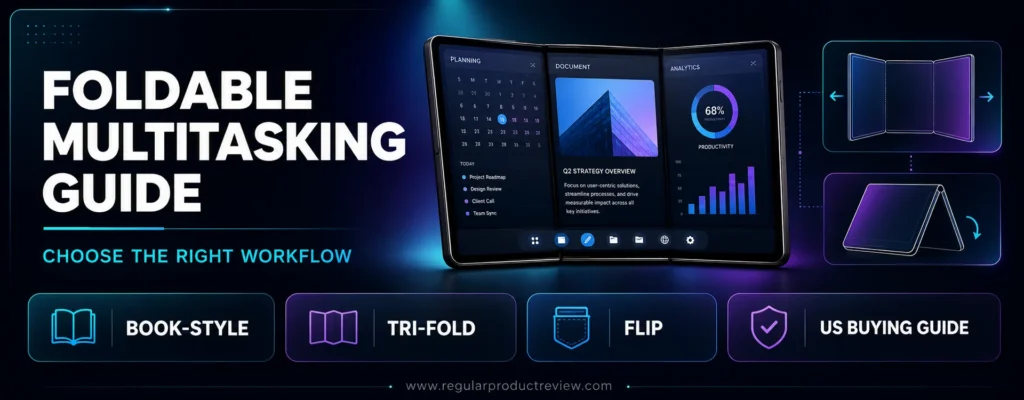
Foldable phones are at their best when they save you from constant app switching. A useful foldable should let you compare documents, answer messages during a video call, drag content between apps, and move from its cover screen to the inner display without disrupting your work.
For this guide, we prioritized the parts of the experience that make those workflows practical: large-screen software, app continuity, taskbars, window management, processor and memory headroom, battery life, portability, durability, and U.S. support. Camera quality and design still matter, but neither can compensate for awkward multitasking.
The Samsung Galaxy Z Fold8 Ultra is our best overall pick because its 8-inch workspace, three-way split view, saved app pairs, pop-up windows, and Samsung DeX create the most complete mobile productivity system. The Samsung Galaxy Z TriFold offers an even larger 10-inch canvas, while the Motorola Razr Fold stands out with Moto Pen Ultra support and a 6,000mAh battery.
Flip-style phones are included for readers who define multitasking differently. They cannot replace a small tablet, but their cover screens make it easier to handle messages, maps, music, timers, and notifications without repeatedly opening the phone.
Readers still comparing form factors can browse our broader foldable phones collection for more buying guides, everyday-use recommendations, and model-specific advice.
Editorial Price Alert: Foldable prices and trade-in promotions change frequently in the United States. Compare the final checkout price, warranty coverage, storage tier, carrier compatibility, and protection-plan cost not the headline trade-in figure before buying.
⚡ Quick Summary
The best choice depends on whether you want a pocketable workstation, a large reading and editing canvas, stylus input, or a compact phone for fast tasks. This table gives you the shortest route to the right model before the detailed reviews.
| Product | Award | Best For | Main Multitasking Advantage | Score |
|---|---|---|---|---|
| Samsung Galaxy Z Fold8 Ultra | Best Overall | Professionals and power users | Three-way split view, taskbar, app pairs, pop-up windows, DeX | 9.5/10 |
| Samsung Galaxy Z TriFold | Best Mobile Workstation | Maximum screen space | 10-inch display and desktop-style DeX experience | 9.3/10 |
| Motorola Razr Fold | Best Battery and Stylus | Note-taking and long workdays | Three-app layouts, Moto Pen Ultra, 6,000mAh battery | 9.2/10 |
| Google Pixel 11 Pro Fold | Best AI Productivity | Google-first workflows | 8-inch display, 16GB RAM, Gemini tools, long support | 9.1/10 |
| OnePlus Open | Best Multitasking Interface | Fast three-app workflows | Open Canvas and fast drag-and-drop | 9.0/10 |
| Samsung Galaxy Z Fold8 | Best Lightweight Book-Style Foldable | Reading and portable work | 201-gram body with two- and three-way split view | 8.9/10 |
| Google Pixel 10 Pro Fold | Best Previous-Generation Pixel | Durability and battery | IP68 design, 16GB RAM, 8-inch screen | 8.7/10 |
| Samsung Galaxy Z Fold7 Certified Re-Newed | Best Renewed Value | Lower-cost Galaxy productivity | Mature One UI multitasking and Samsung-backed renewal | 8.6/10 |
| Motorola Razr Ultra | Best Flip-Style Power | Cover-screen productivity | Full apps on a 4-inch external display | 8.5/10 |
| Samsung Galaxy Z Flip8 | Best Compact Quick Tasks | Pocketability and glanceable work | FlexWindow apps, widgets, Now Brief, flagship processor | 8.4/10 |
⚡ Fast Decision: Choose the Galaxy Z Fold8 Ultra for the most complete multitasking system, the Galaxy Z TriFold for the largest workspace, or the Motorola Razr Fold for stylus input and maximum battery capacity. For a wider shortlist, compare our best foldable phone picks.
🧭 How We Scored These Foldable Phones
Our scores are editorial ratings, not laboratory measurements. Multitasking software carries the most weight because a large screen is only useful when the interface makes arranging and switching between apps easy.
| Scoring Factor | Weight | What We Evaluated |
|---|---|---|
| Multitasking software | 30% | Split-screen limits, taskbar, app pairs, drag-and-drop, floating windows, desktop modes |
| Display and workspace | 20% | Inner-screen size, usable aspect ratio, brightness, cover-screen utility |
| Performance | 15% | Chipset class, RAM, storage speed, thermals, sustained responsiveness |
| Battery and charging | 10% | Capacity, charging speed, wireless charging, workload endurance |
| Portability and durability | 10% | Weight, thickness, hinge design, water and dust protection |
| Support and ecosystem | 10% | Update commitment, U.S. warranty, accessories, repair options, connected-device features |
| Value | 5% | Capability relative to purchase price and ownership cost |
📱 Samsung Galaxy Z Fold8 Ultra Review: Best Overall
Overall Rating: 9.5/10
The Samsung Galaxy Z Fold8 Ultra offers the most complete foldable multitasking experience in this guide. It combines an 8-inch main display with mature One UI window management, flagship processing, improved cooling, a 5,000mAh battery, and Samsung DeX.
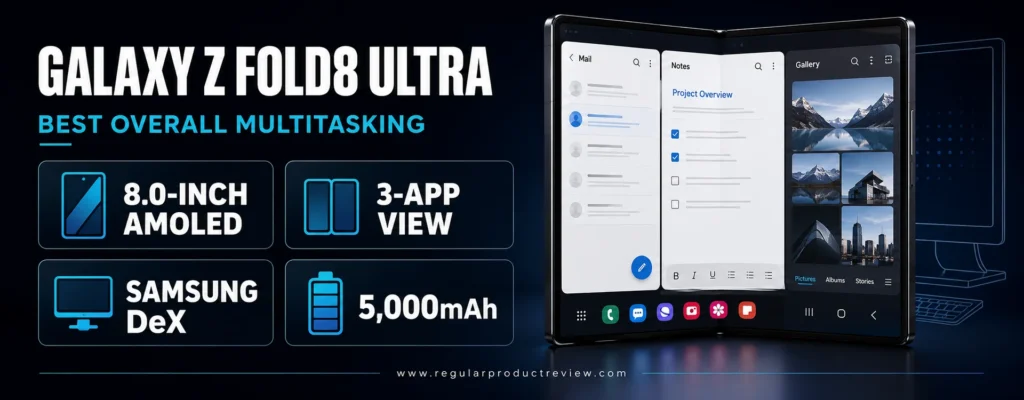
Its advantage is not simply the screen size. Samsung lets you run supported apps in two-way or three-way split view, resize each pane, place another app in a floating window, save frequently used app combinations, and retrieve apps from a persistent taskbar. That makes workflows repeatable instead of experimental.
Buyers comparing Samsung’s productivity lead against other premium Android devices should also review our best flagship Android phones before committing to the foldable form factor.
Galaxy Z Fold8 Ultra Key Specifications
| Specification | Details |
|---|---|
| Main display | 8-inch foldable AMOLED, up to 120Hz |
| Cover display | 6.5-inch AMOLED |
| Processor | Snapdragon 8 Elite Gen 5 for Galaxy |
| Storage | 256GB, 512GB, or 1TB |
| Battery | 5,000mAh |
| Wired charging | 45W |
| Multitasking | Two- and three-way split view, pop-up windows, taskbar, app pairs |
| Desktop mode | Samsung DeX |
| Main camera | 200MP wide, 50MP ultrawide, 10MP telephoto |
| Weight | Approximately 215 grams |
The current hardware and productivity features are detailed on the official Samsung Galaxy Z Fold8 Ultra page.
Multitasking and Productivity
Samsung’s taskbar behaves like a familiar desktop dock. You can open a second app beside the first, drag in a third, and resize the layout according to the job. A calendar beside Messages is useful for scheduling; a browser beside a document works for research; and a calculator beside a spreadsheet reduces context switching.
Saved app pairs are especially valuable because they turn a preferred layout into a one-tap workspace. DeX adds another layer for users who connect a monitor, keyboard, and mouse. It is still a phone-based environment rather than a full Windows replacement, but it is the closest option here to a modular mobile workstation.
Performance, Battery, and Ownership
The Snapdragon 8 Elite Gen 5 for Galaxy and expanded graphite cooling are designed for heavier workloads. The 5,000mAh battery is also more appropriate for an 8-inch screen than the smaller cells used in several earlier Fold generations. Heavy multi-window use, navigation, video calls, and mobile hotspot activity can still drain any foldable quickly, so the 45W charging improvement matters.
The central compromise is cost. Cases and protection plans add more to an already premium purchase, and the inner display remains more delicate than the glass screen on a conventional phone. Buyers should budget for Samsung Care+ or comparable accidental-damage protection.
Pros and Cons
| Pros | Cons |
|---|---|
| Excellent two- and three-app window management | One of the most expensive phones in the category |
| 8-inch main screen provides a practical workspace | Foldable inner screen requires more care than rigid glass |
| Samsung DeX supports monitor-based productivity | Charger and accessories may cost extra |
| Fast flagship processor and improved cooling | Some apps still do not fully support multi-window layouts |
| Larger 5,000mAh battery than earlier Galaxy Folds | Too wide and heavy for some one-handed use |
Who Should Buy It?
Buy the Galaxy Z Fold8 Ultra if you routinely work across email, calendars, browsers, documents, dashboards, and video calls. It is also the strongest fit for Samsung ecosystem users who can benefit from Quick Share, Galaxy accessories, Knox, and DeX.
Skip it if your work depends on desktop-only software or if a phone plus a lightweight laptop would cost less and provide fewer durability concerns.
Our Expert Opinion
The Fold8 Ultra earns the top position because its hardware and software reinforce each other. Several competitors have large displays, but Samsung provides the most complete set of tools for arranging apps, reopening workflows, and extending the phone to a monitor.
Bottom Line
This is the best foldable phone for multitasking when productivity matters more than price. It delivers the fewest software compromises and the clearest upgrade path from ordinary split-screen use to a desktop-style setup.
🏆 Award: Best Overall Foldable Phone for Multitasking
Award Reason: The strongest combination of large-screen window management, flagship performance, battery capacity, and Samsung DeX.
📱 Samsung Galaxy Z TriFold Review: Best Mobile Workstation
Overall Rating: 9.3/10
The Samsung Galaxy Z TriFold is the most ambitious productivity phone on this list. Its two hinges open into a 10-inch display, creating enough room for dashboards, documents, web research, and communication tools to coexist more comfortably than on a conventional book-style foldable.
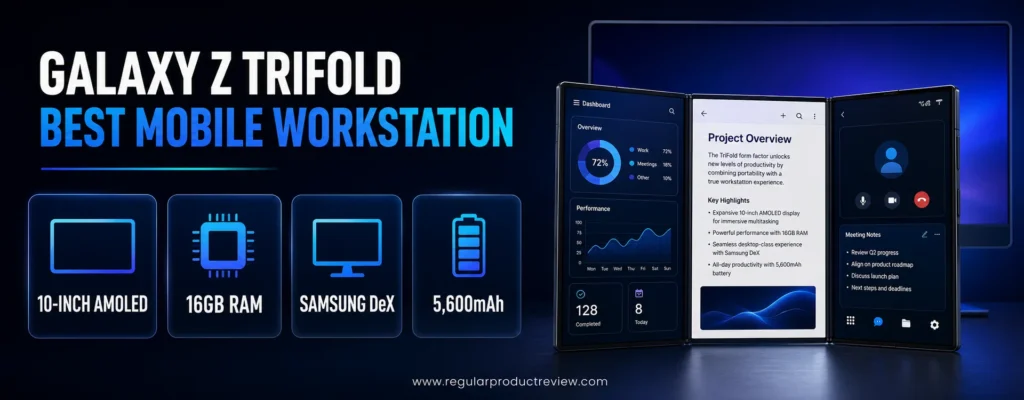
Samsung also treats it as more than a stretched phone. The interface supports multi-window work, while Samsung DeX can create a desktop-like environment on the device or an external display. The result can reduce how often a traveler needs to reach for a tablet.
If replacing some laptop or tablet sessions is the goal, our dedicated guide to foldable phones for productivity explores that use case in greater depth.
Galaxy Z TriFold Key Specifications
| Specification | Details |
|---|---|
| Main display | 10-inch QXGA+ Dynamic AMOLED 2X, 1–120Hz |
| Cover display | 6.5-inch FHD+ Dynamic AMOLED 2X, 1–120Hz |
| Processor | Snapdragon 8 Elite for Galaxy |
| Memory | 16GB |
| U.S. storage | 512GB |
| Battery | 5,600mAh three-cell system |
| Charging | 45W wired, 15W wireless |
| Water and dust resistance | IP48 |
| Software | Android with One UI and Samsung DeX |
| U.S. starting price | $2,899 at launch |
Samsung’s official Galaxy Z TriFold announcement and specifications confirm its U.S. availability, 10-inch display, and productivity positioning.
Multitasking and Productivity
The 10-inch panel changes how content fits. Three apps have more room to remain legible, and full-width documents feel less cramped than they do on narrower foldables. DeX can add desktop-style task management, making the phone useful for presentations, remote desktops, and browser-based work.
The extra hinge also provides more folding positions, but it creates a learning curve. Users need to unfold and refold the panels correctly, and the device occupies more space and attention than a standard Fold. It is best treated as a specialized work tool rather than the easiest everyday phone.
Performance, Battery, and Ownership
Sixteen gigabytes of memory helps keep demanding app combinations available, while the 5,600mAh three-cell battery is sensibly sized for the display. The older Snapdragon generation remains powerful, but buyers paying this much should recognize that the TriFold’s primary value is its form factor, not ownership of the newest processor.
The price is the decisive limitation. Protective accessories, repair exposure, and the complexity of a dual-hinge design raise the total ownership risk. It is a poor impulse purchase but a defensible business tool for someone who will use its expanded workspace every day.
Pros and Cons
| Pros | Cons |
|---|---|
| Largest workspace in this guide | Extremely expensive |
| 16GB RAM supports demanding app combinations | Dual-hinge design requires careful handling |
| Samsung DeX adds desktop-style flexibility | Less pocket-friendly than conventional foldables |
| 5,600mAh battery and 45W charging | Limited color and storage choices in the U.S. |
| Strong Samsung productivity ecosystem | Overkill for messaging, media, and ordinary phone use |
Who Should Buy It?
Choose the Galaxy Z TriFold if you review large documents, manage dashboards, present from your phone, or want the biggest possible mobile canvas without carrying a separate tablet. It also suits early adopters who accept the cost and mechanical complexity.
Avoid it if portability, repair affordability, and one-handed use matter more than maximum screen area.
Our Expert Opinion
The TriFold is impressive because it creates genuinely more usable space, not because it folds twice. Its value becomes clear in three-app layouts and DeX, but only a narrow group of buyers will save enough time to justify the price.
Bottom Line
No other phone here offers a larger self-contained workspace. For mobile professionals who can exploit it, the TriFold can replace some tablet sessions; for everyone else, a conventional Fold is more practical.
🏆 Award: Best Mobile Workstation
Award Reason: Its 10-inch display, 16GB of memory, multi-window tools, and DeX create the most expansive pocketable workspace.
📱 Motorola Razr Fold Review: Best Battery and Stylus
Overall Rating: 9.2/10
The Motorola Razr Fold is the strongest alternative for users who want stylus input and long battery life. It pairs an 8.1-inch 2K display with support for up to three apps, a 6,000mAh silicon-carbon battery, 80W charging, and Moto Pen Ultra compatibility.
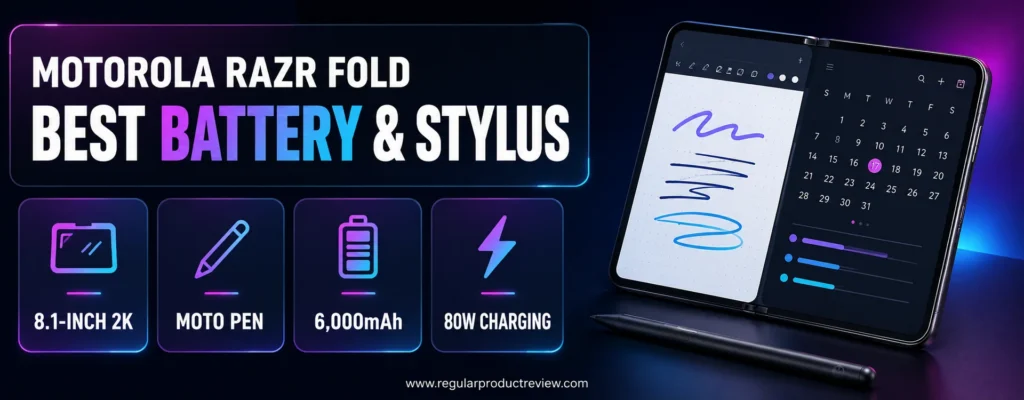
This combination is unusually practical for annotation. You can mark up a screenshot, extract text, take notes, and keep a reference app visible without continually switching screens. The battery and charging system also reduce one of the biggest concerns with large foldables.
Motorola Razr Fold Key Specifications
| Specification | Details |
|---|---|
| Main display | 8.1-inch 2K foldable display |
| Cover display | 6.6-inch display |
| Processor | Snapdragon 8 Gen 5 |
| Multitasking | Up to three apps side by side or stacked |
| Stylus | Moto Pen Ultra support |
| Battery | 6,000mAh silicon-carbon |
| Wired charging | 80W TurboPower |
| Cameras | Triple 50MP rear camera system |
| Cooling | Liquid cooling system |
| Inner-display brightness | Up to 6,200 nits peak claim |
Motorola documents the display, three-app layouts, battery, charging, and pen features on the official Motorola Razr Fold page.
Multitasking and Productivity
The Razr Fold supports three-app layouts, which is the minimum serious power users should expect from a modern book-style foldable. Its 8.1-inch canvas has enough room for note-taking beside a browser or document, while the pen can make PDF markup, diagrams, and handwritten planning more natural.
Motorola’s Smart Connect ecosystem also helps the phone work with larger displays and PCs. It is useful, but Samsung still has the deeper history of foldable-specific window management and enterprise deployment. Buyers should choose the Razr Fold for its hardware strengths rather than assuming every app workflow will be as polished as One UI.
Performance, Battery, and Ownership
The Snapdragon 8 Gen 5 and liquid cooling target sustained performance, not just quick benchmark bursts. The 6,000mAh battery is the largest in this selection, and 80W charging can recover substantial runtime during a short break.
The key ownership questions are software support, case availability, pen storage, and repair access. Confirm the U.S. warranty, update policy, included accessories, and whether the Moto Pen Ultra is bundled with the exact listing before purchase.
Pros and Cons
| Pros | Cons |
|---|---|
| 8.1-inch display supports practical three-app layouts | Foldable software ecosystem is less mature than Samsung’s |
| Moto Pen Ultra enables handwriting and annotation | Pen inclusion can vary by package |
| Class-leading 6,000mAh battery | Large battery does not eliminate heavy-screen power drain |
| Very fast 80W wired charging | Fewer third-party cases and accessories than Galaxy models |
| Liquid cooling helps sustained workloads | U.S. service availability should be checked locally |
Who Should Buy It?
The Razr Fold is ideal for students, consultants, designers, field professionals, and note-takers who want pen input without sacrificing battery capacity. It is also attractive to buyers who dislike slow foldable charging.
Skip it if long-term software support, enterprise management, and the broadest accessory ecosystem are more important than the pen and battery advantages.
Our Expert Opinion
Motorola built this phone around real pain points: endurance, charging, heat, and handwriting. Its software needs to prove itself over time, but the hardware package is unusually well aligned with mobile productivity.
Bottom Line
This is the foldable to buy when handwritten input and all-day power are central to your workflow. It is a credible workstation, not merely a larger member of the Razr family.
🏆 Award: Best Battery and Stylus
Award Reason: No competing U.S. foldable in this guide combines an 8.1-inch three-app workspace, Moto Pen Ultra support, a 6,000mAh battery, and 80W charging.
📱 Google Pixel 11 Pro Fold Review: Best AI Productivity
Overall Rating: 9.1/10
The Google Pixel 11 Pro Fold is the best fit for buyers whose work already centers on Gmail, Google Calendar, Drive, Photos, Meet, and Gemini. Its 8-inch inner display, 16GB of RAM, Tensor G6 processor, IP68 rating, and seven-year update promise create a balanced long-term package.
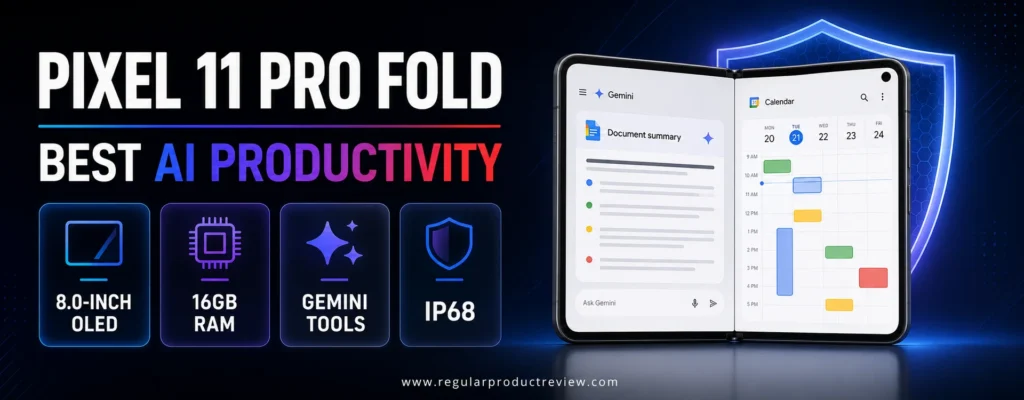
Google’s strength is contextual assistance rather than desktop emulation. Gemini can help summarize, plan, draft, and interpret on-screen information, while the wide inner display gives those tools room to sit beside source material.
Its computational photography is another advantage, though buyers who prioritize imaging above multitasking should compare our broader camera phone recommendations.
Pixel 11 Pro Fold Key Specifications
| Specification | Details |
|---|---|
| Main display | 8-inch Super Actua Flex OLED, 1–120Hz |
| Cover display | 6.5-inch Super Actua OLED, 1–120Hz |
| Processor | Google Tensor G6 |
| Memory | 16GB RAM |
| Storage | 256GB, 512GB, or 1TB |
| Battery | 4,806mAh typical |
| Charging | 30W-class USB-C; Qi2.2 wireless up to 25W |
| Durability | IP68 dust and water resistance |
| Software support | Seven years of OS, security, and Pixel Drop updates |
| Weight | Approximately 8.4 ounces |
Google lists the full hardware, durability, and update details in the official Pixel 11 Pro Fold specifications.
Multitasking and Productivity
Pixel’s split-screen experience is cleaner and simpler than Samsung’s more configurable system. That makes it easier to learn, but it gives advanced users fewer window combinations. The strongest use cases pair two focused apps: Meet and Notes, Chrome and Docs, Gmail and Calendar, or Photos and a messaging app.
Sixteen gigabytes of RAM provides useful headroom for app switching, and the cover screen is wide enough to behave like a normal phone. The 8-inch inner panel is better suited to reading, reviewing, and side-by-side work than the smaller canvas on flip devices.
Performance, Battery, and Ownership
Tensor G6 emphasizes Google’s AI and camera pipeline. It should feel responsive in productivity apps, but buyers focused on sustained gaming or the highest raw graphics performance may prefer a Snapdragon-based flagship. The 4,806mAh battery is smaller than the Pixel 10 Pro Fold’s cell, though the newer platform and lower weight may improve everyday usability.
The IP68 rating and seven-year support promise are meaningful ownership advantages. At the time of publication, the phone was newly listed in the U.S.; verify shipping dates, carrier promotions, and independent durability feedback before replacing a reliable current device.
Pros and Cons
| Pros | Cons |
|---|---|
| Clean Google software and useful Gemini integration | Split-screen controls are less advanced than Samsung’s |
| 16GB RAM across storage configurations | New release has limited long-term ownership evidence |
| Seven years of updates | Premium starting price |
| IP68 dust and water resistance | Tensor prioritizes AI over peak gaming performance |
| Brighter 8-inch and 6.5-inch displays | No desktop mode comparable to Samsung DeX |
Who Should Buy It?
Choose the Pixel 11 Pro Fold if you live in Google’s app ecosystem and prefer straightforward two-app workflows, strong cameras, long software support, and IP68 protection. It is especially sensible for Pixel owners who want a tablet-like canvas without learning a heavily customized interface.
Avoid it if three-app layouts, floating windows, or desktop monitor use are essential.
Our Expert Opinion
Google’s latest Fold is a refined productivity phone, but it remains deliberately simpler than Samsung’s workstation approach. Its best feature is coherence: hardware, AI, cameras, and update support all feel part of one long-term package.
Bottom Line
The Pixel 11 Pro Fold is the best AI-first foldable for Google users. It trades some window-management depth for clean software, long support, and a more conventional day-to-day phone experience.
🏆 Award: Best AI Productivity
Award Reason: Gemini integration, 16GB of RAM, an 8-inch workspace, IP68 protection, and seven years of updates make it the strongest Google-centered productivity choice.
📱 OnePlus Open Review: Best Multitasking Interface
Overall Rating: 9.0/10
The OnePlus Open remains relevant because Open Canvas solves a common foldable problem: three apps usually become too narrow when squeezed into equal columns. OnePlus lets applications extend beyond the visible area, then uses taps and nudges to bring the needed window into focus.
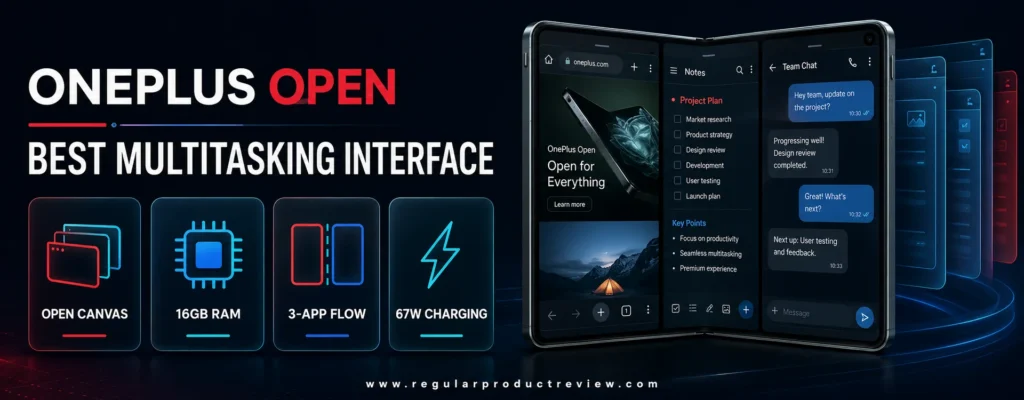
That spatial approach feels fast after a short learning period. Dragging a third app from the taskbar creates a triple split, and files or photos can be moved between compatible apps without closing the current workspace.
OnePlus Open Key Specifications
| Specification | Details |
|---|---|
| Main display | 7.82-inch 2K LTPO AMOLED, 1–120Hz |
| Cover display | 6.31-inch 2K LTPO AMOLED, 10–120Hz |
| Processor | Snapdragon 8 Gen 2 |
| Memory | 16GB LPDDR5X |
| Storage | 512GB or 1TB, depending on version |
| Battery | 4,805mAh |
| Charging | 67W SuperVOOC |
| Multitasking | Open Canvas, triple split, taskbar, drag-and-drop |
| Weight | Approximately 239–245 grams, depending on finish |
| U.S. launch price | $1,699.99 |
OnePlus explains Open Canvas and provides the complete hardware details on the official OnePlus Open page.
Multitasking and Productivity
Open Canvas is the reason to buy this phone. Instead of displaying three tiny apps at once, it keeps a larger working area and lets you shift attention between panels. This is effective for research, communication, and reference-heavy tasks where you need several apps available but only one or two fully visible at a time.
The cover display has a conventional aspect ratio, so the phone remains useful when closed. Sixteen gigabytes of RAM and fast UFS 4.0 storage help multiple applications stay responsive, while the alert slider is a small but useful way to silence interruptions during focused work.
Performance, Battery, and Ownership
The Snapdragon 8 Gen 2 is no longer current, yet it remains capable for office apps, browser workloads, media, and image editing. The 67W charger is much faster than several newer foldable rivals. Battery capacity is competitive, although wireless charging is absent.
Age is the main concern. Buyers should verify remaining software support, current inventory, carrier bands, warranty terms, and repair access. It makes the most sense at a substantial discount, not near the price of newer models.
Pros and Cons
| Pros | Cons |
|---|---|
| Open Canvas makes three-app work intuitive | Older processor and software-support timeline |
| 16GB RAM and fast storage | No wireless charging |
| Bright, high-resolution displays inside and out | No official water-resistance rating listed for the original model |
| 67W charging | Repair and accessory ecosystem is smaller than Samsung’s |
| Strong camera versatility for an older foldable | Poor value if sold close to original MSRP |
Who Should Buy It?
Buy the OnePlus Open if Open Canvas matches your workflow and you find a new unit with a meaningful discount and valid U.S. warranty. It is excellent for users who keep three related apps available and move information between them.
Skip it at full price or if long remaining support, wireless charging, and widespread repair options are priorities.
Our Expert Opinion
OnePlus still has one of the smartest multitasking interfaces in the category. The hardware has aged, but Open Canvas remains more natural than many rigid three-column layouts.
Bottom Line
The OnePlus Open is a software-led recommendation. Buy it for Open Canvas at the right price, but compare its remaining support and warranty against newer Pixel, Samsung, and Motorola alternatives.
🏆 Award: Best Multitasking Interface
Award Reason: Open Canvas provides the most fluid way to keep three apps active without shrinking every window into an impractical column.
📱 Samsung Galaxy Z Fold8 Review: Best Lightweight Book-Style Foldable
Overall Rating: 8.9/10
The Samsung Galaxy Z Fold8 is a lighter, content-shaped alternative to the Fold8 Ultra. At about 201 grams, it weighs less than many conventional flagship phones while still opening into a 7.6-inch display with two- and three-way split view.
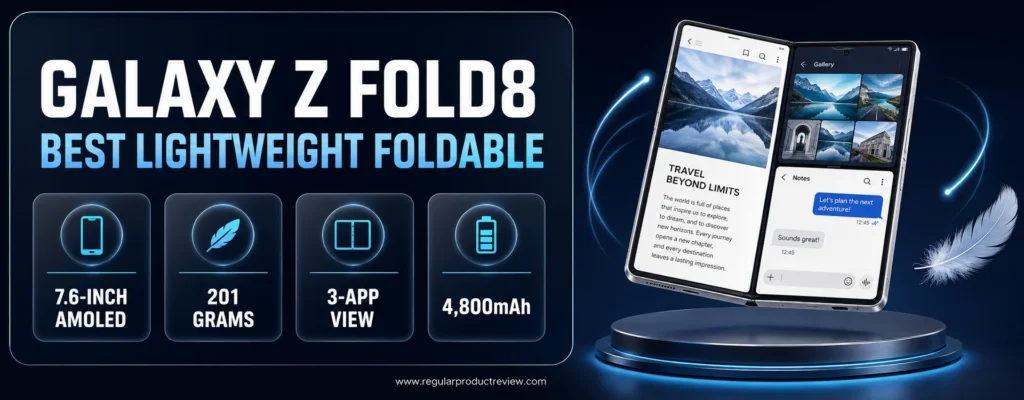
Its shorter, wider form is designed for reading, video, and social content. That shape also works for dashboards and side-by-side reference material, although the Fold8 Ultra’s larger 8-inch screen remains better for dense professional layouts.
Readers who want a foldable for communication, browsing, media, and daily organization rather than workstation-level use can compare our best foldable phones for everyday use.
Galaxy Z Fold8 Key Specifications
| Specification | Details |
|---|---|
| Main display | 7.6-inch Dynamic AMOLED 2X, 4:3 aspect ratio |
| Cover display | 5.5-inch Dynamic AMOLED 2X |
| Processor | Snapdragon 8 Elite Gen 5 for Galaxy |
| Storage | 256GB, 512GB, or 1TB |
| Battery | 4,800mAh |
| Claimed video playback | Up to 26 hours |
| Multitasking | Two- and three-way split view, One UI taskbar |
| Main cameras | 50MP wide and 50MP ultrawide |
| Weight | Approximately 201 grams |
| Stylus support | No S Pen support |
Samsung provides the current design and software details on the official Galaxy Z Fold8 page.
Multitasking and Productivity
One UI 9 supports multiple apps side by side and lets users change focus with a tap. Now Nudge can turn contextual suggestions into split-view actions, such as opening Calendar beside a conversation. The taskbar also makes it easy to add another app without returning to the home screen.
The unusual aspect ratio favors modern content and broad layouts. It is less ideal for users who expect a tall document workspace, and the smaller 5.5-inch cover display may feel cramped for extended closed-phone typing.
Performance, Battery, and Ownership
The processor matches the Ultra model, so buyers are not accepting a midrange chip for the lighter body. The 4,800mAh battery and 26-hour video claim are encouraging, though multi-window work, hotspot use, and high brightness will shorten runtime.
The absence of S Pen support is important. Buyers who annotate PDFs or handwrite notes should consider the Motorola Razr Fold or another pen-friendly device rather than assuming every Galaxy Fold accepts a stylus.
Pros and Cons
| Pros | Cons |
|---|---|
| Exceptionally light for a book-style foldable | Smaller workspace than Fold8 Ultra |
| Powerful current-generation Snapdragon platform | No S Pen support |
| Mature two- and three-app One UI tools | Compact cover screen can feel narrow for typing |
| Bright, anti-reflective main display | Form factor favors content more than traditional document shapes |
| Storage options up to 1TB | Premium price despite the smaller screen |
Who Should Buy It?
Choose the Galaxy Z Fold8 if you want Samsung’s multitasking system but dislike the weight and width of larger book-style models. It suits readers, travelers, social media managers, and professionals who need split-screen work without carrying a heavy device.
Avoid it if you need pen input or the largest possible workspace.
Our Expert Opinion
The Fold8 is not simply a cheaper Ultra. Its lighter body and content-oriented dimensions serve a different buyer, especially someone who wants a foldable to remain comfortable as an everyday phone.
Bottom Line
This is the best lightweight book-style foldable for users who value portability and mature software more than maximum screen area or stylus support.
🏆 Award: Best Lightweight Book-Style Foldable
Award Reason: It brings Samsung’s three-app multitasking and flagship performance to a notably light 201-gram design.
📱 Google Pixel 10 Pro Fold Review: Best Previous-Generation Pixel
Overall Rating: 8.7/10
The Google Pixel 10 Pro Fold remains a credible choice because it combines an 8-inch inner display, 16GB of RAM, a 5,015mAh battery, Qi2 magnetic charging, IP68 protection, and long software support. It delivers most of the Pixel foldable experience without requiring the newest model.
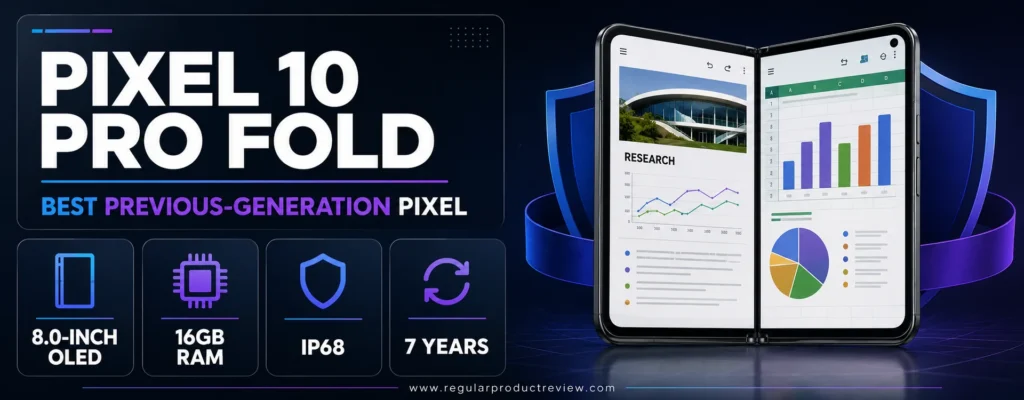
Its value depends completely on the sale price. Google’s official U.S. listing can remain expensive even after a successor appears, so buyers should compare the final cost against the Pixel 11 Pro Fold rather than assuming the older phone is automatically the better deal.
Pixel 10 Pro Fold Key Specifications
| Specification | Details |
|---|---|
| Main display | 8-inch Super Actua Flex OLED, 1–120Hz |
| Cover display | 6.4-inch Actua OLED, 60–120Hz |
| Processor | Google Tensor G5 |
| Memory | 16GB RAM |
| Storage | 256GB, 512GB, or 1TB |
| Battery | 5,015mAh typical |
| Charging | USB-C fast charging; Qi2 wireless up to 15W |
| Durability | IP68 dust and water resistance |
| Rear cameras | 48MP wide, ultrawide, and 5x telephoto |
| Software support | Seven years from original release |
The official Pixel 10 Pro Fold specifications provide the current configuration, battery, and durability details.
Multitasking and Productivity
Google’s two-app split screen is easy to understand and works well for common pairings. The 8-inch panel provides ample room for documents, spreadsheets, email, and video calls, while 16GB of RAM helps preserve background apps.
It does not offer the same three-app flexibility, floating windows, or desktop mode as Samsung. That makes it better for focused side-by-side work than for users trying to recreate a laptop desktop on a phone.
Performance, Battery, and Ownership
The Tensor G5 is optimized for Pixel AI and camera features. It is capable for productivity but less compelling for sustained high-end gaming. The 5,015mAh battery is larger than the cell in its successor, and native Qi2 support makes magnetic charging and accessories convenient.
IP68 protection is a major advantage in a category where dust resistance has historically been limited. The remaining update window is still long, but the phone is heavier than the newer Pixel 11 Pro Fold.
Pros and Cons
| Pros | Cons |
|---|---|
| 8-inch display and 16GB RAM | Not worth buying near its original price |
| 5,015mAh battery | Heavier than the newer Pixel Fold |
| IP68 dust and water resistance | Simpler multitasking than Samsung and OnePlus |
| Native Qi2 magnetic charging | Tensor G5 is not the strongest gaming chip |
| Long software-support window | Charging is slower than Motorola and OnePlus rivals |
Who Should Buy It?
Buy the Pixel 10 Pro Fold if you find a substantial authorized discount and prefer Pixel software, camera processing, IP68 protection, and Qi2 accessories. It can also make sense for users who value battery capacity over the lighter body of the newer model.
Skip it when the price difference from the Pixel 11 Pro Fold is small.
Our Expert Opinion
The Pixel 10 Pro Fold has aged gracefully because its battery, RAM, IP68 rating, and update commitment remain competitive. It is a value recommendation only when retailers price it like a previous-generation phone.
Bottom Line
At the right discount, this is the smartest older Pixel foldable. At or near full price, buy the newer generation instead.
🏆 Award: Best Previous-Generation Pixel
Award Reason: Its large battery, 16GB of RAM, IP68 protection, Qi2 charging, and long support remain useful when the price drops appropriately.
📱 Samsung Galaxy Z Fold7 Certified Re-Newed Review: Best Renewed Value
Overall Rating: 8.6/10
The Samsung Galaxy Z Fold7 Certified Re-Newed offers a safer route into previous-generation Galaxy productivity than an unknown marketplace refurbisher. Samsung states that its certified renewed Fold7 is sold in like-new condition and remains eligible for Samsung Care+.
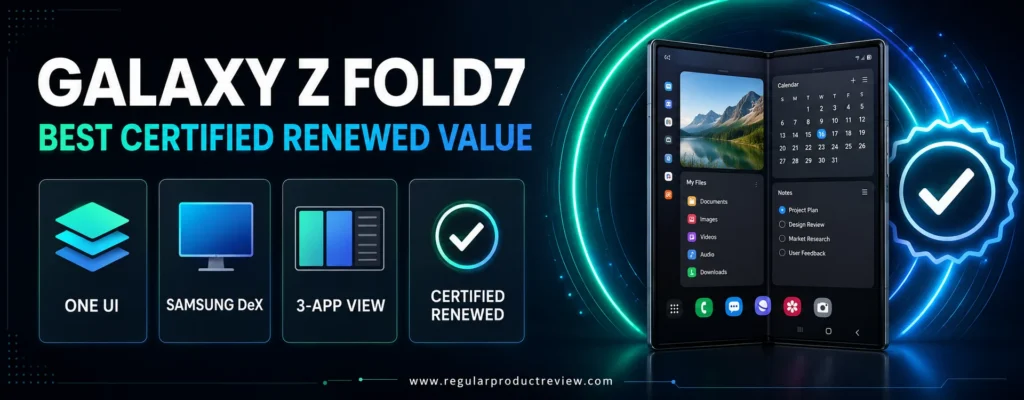
The phone opens to an 8-inch display and runs the mature Galaxy multitasking system. Its hardware is still fast enough for multi-window productivity, but the newer Fold8 Ultra has a larger battery and newer processor.
Galaxy Z Fold7 Certified Re-Newed Key Specifications
| Specification | Details |
|---|---|
| Main display | 8-inch foldable AMOLED |
| Cover display | 6.5-inch AMOLED |
| Processor | Snapdragon 8 Elite for Galaxy |
| Memory | 12GB or 16GB, depending on storage tier |
| Storage | Starts at 256GB in the certified renewed program |
| Battery | 4,400mAh |
| Multitasking | Multi Window, taskbar, app pairs, pop-up view |
| Water and dust resistance | IP48 |
| Weight | Approximately 215 grams |
| U.S. renewed launch price | From $1,699 |
Samsung explains condition, pricing, and coverage in its Certified Re-Newed Galaxy Z Fold7 announcement.
Multitasking and Productivity
The Fold7 uses a tall 8-inch workspace that is excellent for documents and multiple apps. Taskbar access, app pairs, and floating windows make it much more flexible than a basic Android split-screen implementation.
Its software advantage remains strong, but the Fold8 Ultra’s improved battery, processor, cooling, and charging matter to heavy users. The renewed Fold7 should therefore be evaluated as a price-led option, not as an equal replacement at a similar cost.
Performance, Battery, and Ownership
The Snapdragon 8 Elite for Galaxy remains fast, and the lighter body compares well with older Fold generations. The 4,400mAh battery is the weak point for long multi-window days, especially when brightness, 5G, and video calls are active.
Buying through Samsung reduces uncertainty, but shoppers should still confirm battery-health standards, return terms, warranty duration, cosmetic condition, and Care+ eligibility. A marketplace unit with a lower price may not offer the same protection.
Pros and Cons
| Pros | Cons |
|---|---|
| Mature Samsung multitasking tools | 4,400mAh battery is modest for the large screen |
| 8-inch workspace | Renewed price can remain high |
| Samsung-backed condition and support | Older processor and shorter remaining support than Fold8 series |
| Eligible for Samsung Care+ according to Samsung | Battery health policy should be checked before purchase |
| More trustworthy than an unknown third-party refurbisher | No S Pen support |
Who Should Buy It?
Choose this model if you want Samsung’s large-screen software and find a meaningful price gap from a new Fold8 Ultra. It suits cautious renewed buyers who value a manufacturer-backed program.
Avoid it if the savings are small or if battery endurance is a top priority.
Our Expert Opinion
The certified renewed route is valuable because foldables carry more repair risk than conventional phones. The Fold7 remains capable, but its recommendation depends on the actual discount and warranty not the word “renewed” alone.
Bottom Line
This is the best renewed multitasking foldable when Samsung’s price is clearly lower than newer models. Compare total cost after trade-in and protection before committing.
🏆 Award: Best Renewed Value
Award Reason: It combines Samsung’s mature productivity software with manufacturer-backed renewal and Care+ eligibility.
📱 Motorola Razr Ultra Review: Best Flip-Style Power
Overall Rating: 8.5/10
The Motorola Razr Ultra cannot match a book-style foldable for side-by-side work, but it is the most powerful compact flip option here. A flagship Snapdragon processor, 16GB of physical RAM, a 5,000mAh battery, 68W charging, and full apps on the 4-inch external screen make it unusually capable.
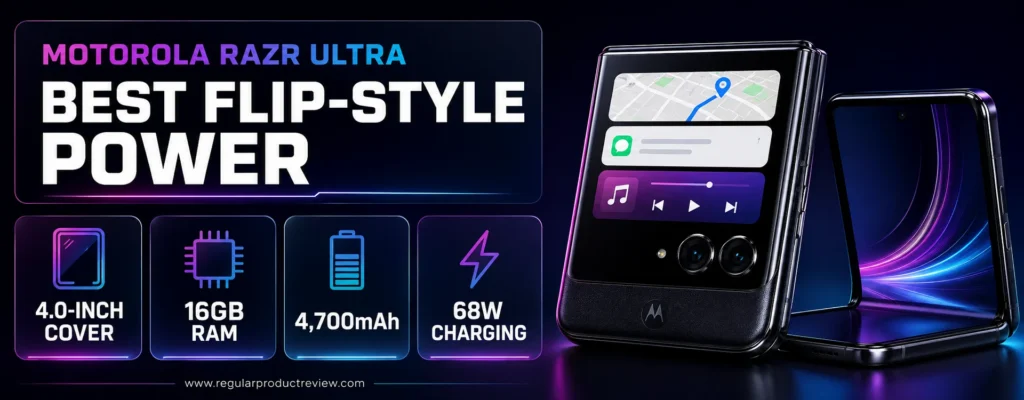
Its multitasking advantage is reducing interruptions. You can answer messages, follow maps, control music, check deliveries, and use selected full apps without opening the 7-inch main display.
Motorola Razr Ultra Key Specifications
| Specification | Details |
|---|---|
| Main display | 7-inch Extreme AMOLED |
| External display | 4-inch AMOLED, up to 165Hz |
| Processor | Snapdragon 8 Elite Mobile Platform |
| Memory | 16GB RAM plus optional RAM Boost |
| Storage | 256GB or 512GB |
| Battery | 5,000mAh silicon-carbon |
| Charging | 68W wired, up to 30W wireless |
| Cover-screen capability | Full supported apps, replies, maps, media, live notifications |
| Software | Android with moto ai and Smart Connect |
| U.S. launch price | $1,499.99 |
The latest U.S. configuration is documented on the official Motorola Razr Ultra page.
Multitasking and Productivity
The 4-inch cover screen is the center of the experience. It can run full supported apps rather than limiting users to simple widgets. This is useful for triage: deal with small tasks immediately and open the phone only when a full keyboard or larger view is necessary.
Smart Connect can link the phone with PCs and external displays, but the narrow main screen is still a conventional phone canvas. Users who need Docs beside Chrome or a spreadsheet beside a calculator should buy a book-style foldable.
Performance, Battery, and Ownership
The Snapdragon 8 Elite and 16GB RAM provide more performance than most flip-phone buyers need. The large battery and fast charging are more important in daily use, especially for people who use both displays and wireless connectivity heavily.
The high launch price competes with older book-style foldables that offer more workspace. Its value rests on combining flagship power with a compact folding body, not on providing the most screen area per dollar.
Pros and Cons
| Pros | Cons |
|---|---|
| Full supported apps on the 4-inch cover screen | Not a true large-screen multitasking device |
| 16GB RAM and flagship Snapdragon performance | Expensive for a flip phone |
| 5,000mAh battery | Narrow inner display limits side-by-side work |
| 68W wired and 30W wireless charging | Motorola’s update commitment should be compared with Samsung and Google |
| Smart Connect expands device-to-device workflows | Fewer productivity accessories than book-style rivals |
Who Should Buy It?
Choose the Razr Ultra if you want flagship performance, long battery life, and useful cover-screen apps in the smallest possible folded form. It is well suited to commuters, managers, and creators who handle many short tasks throughout the day.
Avoid it if “multitasking” means keeping several full-size apps visible at once.
Our Expert Opinion
The Razr Ultra is a productivity phone for fast interactions rather than deep work. It earns a place because the cover screen and battery can reduce friction across dozens of small daily actions.
Bottom Line
This is the most capable flip-style choice for power users, but a book-style foldable remains the better investment for documents, research, and multi-window work.
🏆 Award: Best Flip-Style Power
Award Reason: Its flagship processor, 16GB RAM, 5,000mAh battery, fast charging, and full cover-screen apps lead the compact flip category.
📱 Samsung Galaxy Z Flip8 Review: Best Compact Quick Tasks
Overall Rating: 8.4/10
The Samsung Galaxy Z Flip8 is designed for quick interactions rather than tablet-style productivity. Its 4.1-inch FlexWindow supports apps, widgets, Now Brief, and personalized actions, while the phone opens to a 6.9-inch display powered by the same flagship processor family used in Samsung’s larger foldables.
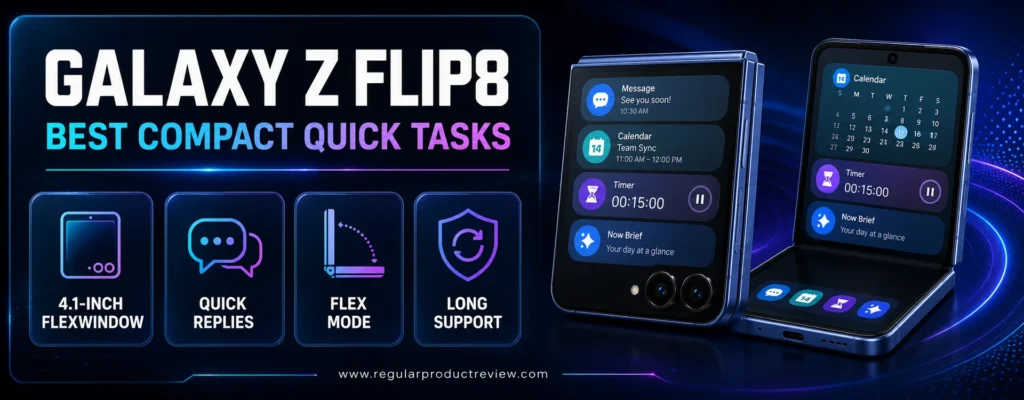
It is the lightest device in this guide at approximately 180 grams. That makes it easy to carry, prop up for video calls, and use for notifications or replies without opening the phone.
Galaxy Z Flip8 Key Specifications
| Specification | Details |
|---|---|
| Main display | 6.9-inch Dynamic AMOLED 2X |
| Cover display | 4.1-inch FlexWindow |
| Processor | Snapdragon 8 Elite Gen 5 for Galaxy |
| Memory | 12GB |
| Storage | 256GB or 512GB |
| Battery | 4,300mAh |
| Claimed video playback | Up to 31 hours |
| Durability | Armor Aluminum, Gorilla Glass Victus 2, IP48 |
| Weight | Approximately 180 grams |
| Software support | Up to seven OS upgrades and security updates |
Samsung provides the current display, performance, battery, and support information on the official Galaxy Z Flip8 page.
Multitasking and Productivity
FlexWindow is useful for messages, calendar checks, weather, media controls, health information, and Now Brief. The cover screen can shorten quick workflows, while FlexMode supports hands-free calls and camera use on a desk.
The 6.9-inch main display is tall but narrow. Traditional split-screen is possible in supported apps, yet each pane has much less working room than on an 8-inch book-style foldable. Buy it for portability and task triage, not as a tablet replacement.
Performance, Battery, and Ownership
The Snapdragon 8 Elite Gen 5 for Galaxy and 12GB RAM give the phone strong performance. The 4,300mAh battery is large for a Flip, and Samsung claims up to 31 hours of video playback under its test conditions.
Samsung’s long support policy and broad U.S. carrier presence are ownership advantages. As with every flip phone, the folding screen and hinge justify a protective case and careful review of accidental-damage coverage.
Pros and Cons
| Pros | Cons |
|---|---|
| Lightest and most pocketable phone in the guide | Narrow screen limits serious split-screen work |
| Useful 4.1-inch FlexWindow | More expensive than many conventional flagships |
| Flagship processor and 12GB RAM | Smaller workspace than every book-style pick |
| Improved 4,300mAh battery | Inner display remains more delicate than rigid glass |
| Long Samsung software support | Best features favor quick tasks rather than deep productivity |
Who Should Buy It?
Buy the Galaxy Z Flip8 if you want the easiest phone to carry and frequently handle small tasks from the cover screen. It works well for communication-heavy roles, travel, hands-free calls, and users already invested in Samsung’s ecosystem.
Skip it if you need a large workspace for documents, spreadsheets, or three-app layouts.
Our Expert Opinion
The Flip8 belongs in this guide because efficient multitasking is sometimes about avoiding unnecessary screen transitions. It is excellent at quick tasks, but it should not be confused with a Fold-class workstation.
Bottom Line
This is the best compact foldable for fast, glanceable work. Choose a book-style phone if productivity means keeping multiple full apps visible.
🏆 Award: Best Compact Quick Tasks
Award Reason: Its light body, 4.1-inch FlexWindow, strong processor, and long support make everyday task management unusually convenient.
🧭 Detailed Foldable Phone Buying Guide
The right foldable is determined by workflow, not novelty. A buyer who keeps three work apps visible needs a different device from someone who wants to answer messages from a compact cover screen. Start by identifying the tasks you repeat every day, then choose the form factor and software that remove the most friction.
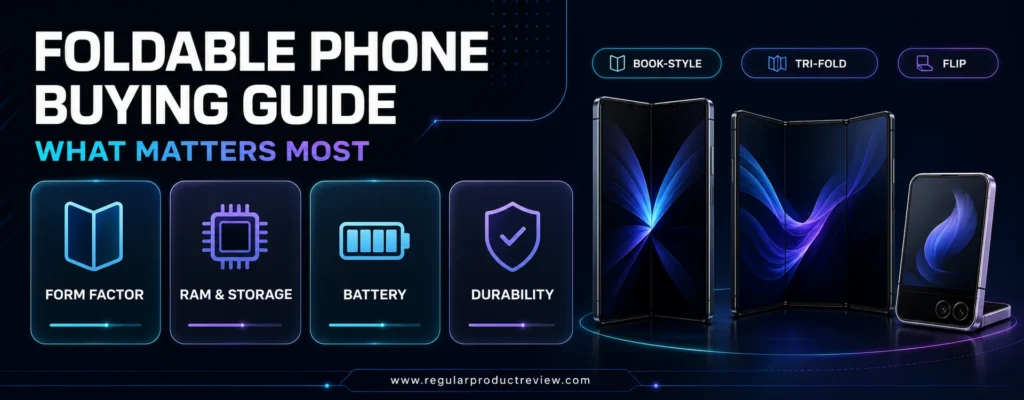
Book-Style, Tri-Fold, or Flip: Which Form Factor Is Best?
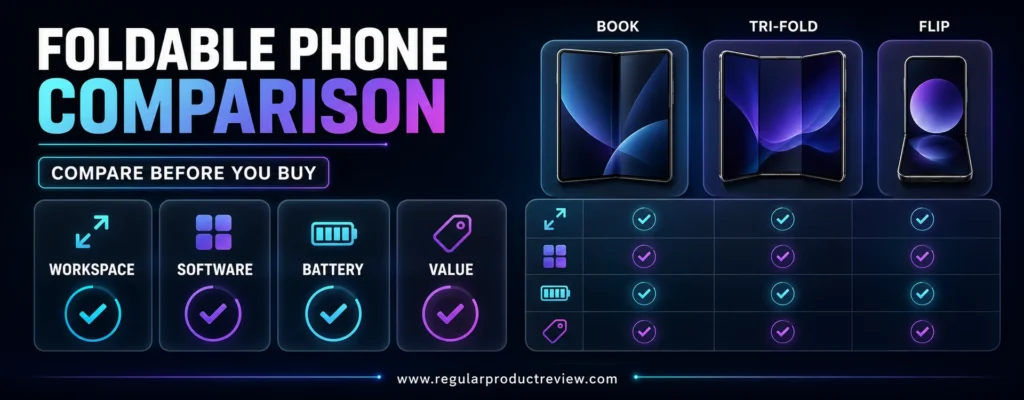
Book-style foldables are the default recommendation for serious multitasking. They open into a small tablet, making side-by-side apps, drag-and-drop, document review, and video calls practical. The Galaxy Z Fold8 Ultra, Motorola Razr Fold, Pixel Fold models, and OnePlus Open belong in this group.
A tri-fold expands farther and can display more information at once. The trade-offs are price, thickness, complexity, and repair exposure. It makes sense for a professional who can replace some tablet sessions, but not for a buyer who mostly browses and messages.
Flip phones improve portability. Their cover screens handle quick tasks and reduce how often the phone must be opened, but the tall inner display does not provide the same multi-window room as a book-style model.
| Form Factor | Best For | Primary Advantage | Main Compromise |
|---|---|---|---|
| Book-style foldable | Documents, research, email, split-screen work | Tablet-like inner display | Higher price and weight than standard phones |
| Tri-fold | Maximum mobile workspace and presentations | Largest self-contained screen | Very high cost and mechanical complexity |
| Flip phone | Messages, maps, media controls, quick tasks | Pocketability and useful cover screen | Limited side-by-side workspace |
Multitasking Software Matters More Than Screen Size
A large display can be wasted by weak window controls. Before buying, check how many apps the phone can show, whether the windows can be resized, whether app pairs can be saved, and whether drag-and-drop works between the apps you use.
Samsung has the deepest system in this guide, including taskbars, two- and three-way split view, pop-up windows, app pairs, and DeX on selected Fold models. OnePlus Open Canvas is excellent at managing three active apps without making every panel tiny. Google favors a simpler two-app experience, while Motorola combines multi-app layouts with Smart Connect and, on the Razr Fold, pen support.
Expert Tip: Test your actual applications in a store when possible. A phone may support three windows, but an individual banking, business, or media app can block resizing or split-screen use.
Choose Enough RAM and Storage
Multitasking depends on memory because the phone must keep several applications ready. Sixteen gigabytes is ideal for power users, while 12GB is sufficient for most people. A flip phone used mainly for quick cover-screen tasks can work well with 12GB, but a three-app workstation benefits from more headroom.
Storage cannot be upgraded on the models in this guide. The 256GB tier is enough for cloud-first users, but 512GB is safer for multi-year ownership, downloaded work files, offline maps, games, and 4K video. One terabyte is useful for creators and professionals who keep large projects locally.
Processor and Cooling
Flagship chips improve app launches, exports, AI processing, video calls, and gaming. Sustained performance also depends on cooling because a thin foldable can reduce speed when heat builds during navigation, hotspot use, video editing, or long calls.
Do not choose a phone from processor name alone. The newest chip has limited value if the multitasking software is restrictive, the battery is too small, or the device becomes uncomfortable during sustained use.
Users who prioritize sustained frame rates and thermal control over a tablet-like workspace should compare the specialist models in our gaming phones collection.
Battery Life and Charging
Large foldable displays consume more energy than ordinary phone screens. A capacity around 5,000mAh is reassuring, but efficiency, signal strength, brightness, refresh rate, and software determine real runtime.
Heavy users should prioritize a phone that can recharge quickly during a lunch break. Motorola and OnePlus lead wired charging in this selection, while Google offers convenient native magnetic Qi2 charging on recent Pixel Folds. Samsung’s latest Ultra model improves wired charging but remains slower than Motorola’s Razr Fold.
Budget Reality and Total Ownership Cost
Foldables remain premium purchases, so the final cost should include a case, protection plan, potential deductible, charger, and any stylus or keyboard accessories. If a foldable would force uncomfortable compromises elsewhere, a strong conventional phone may be the smarter choice. Our guide to Android phones under $500 highlights more affordable alternatives with fewer mechanical risks.
Stylus Support
A stylus matters when the foldable replaces paper or a tablet. It can speed up annotation, signatures, sketches, and handwritten notes, but support is not universal. The Motorola Razr Fold is the clear pen-focused recommendation in this guide.
Confirm whether the pen is included and where it is stored. A separate stylus that has no slot is easier to lose, and some cases become significantly bulkier when they add pen storage.
Durability, Hinge Care, and Protection Plans
Foldable screens contain softer layers and should not be pressed with sharp objects. Leave the factory-installed inner-screen protector in place unless the manufacturer instructs otherwise, keep sand away from the hinge, and avoid folding the phone with debris trapped inside.
An IP rating is useful but should be interpreted correctly. IP48 offers water resistance and protection from solid objects larger than one millimeter; it is not the same as full dust sealing. IP68-rated Pixel Folds provide stronger stated dust protection, though no foldable should be treated carelessly around sand or salt water.
A protection plan can be rational for a foldable because display and hinge repairs are expensive. Compare the deductible, number of claims, theft coverage, service location, and replacement terms rather than choosing a plan by monthly fee alone.
Software Support and Repair Access
Long update support is particularly important for an expensive phone. Google and Samsung publish extended support commitments on recent models, while buyers should verify the exact policy for each Motorola and OnePlus device.
Repair access matters just as much. Check whether authorized service is available nearby, whether mail-in repair is required, and how long a replacement could take. A business user may want a spare device or next-business-day coverage.
Carrier Compatibility in the United States
Unlocked does not guarantee identical performance on every U.S. carrier. Verify 5G and LTE bands, eSIM support, Wi-Fi calling, visual voicemail, carrier certification, and mmWave availability if those features matter.
Imported global models can appear attractive, but they may lack U.S. bands, local warranty coverage, carrier features, parts, or approved repair service. This guide favors models with official U.S. sales or manufacturer support.
Common Foldable Phone Buying Mistakes
| Mistake | Why It Causes Problems | Better Approach |
|---|---|---|
| Buying the largest screen without checking software | Apps may not resize or work together | Test split-screen with your real app list |
| Comparing only trade-in prices | Promotional values depend on device and condition | Compare the final checkout total without assumed credit |
| Ignoring protection costs | Foldable repairs can be expensive | Add the case, plan, and deductible to ownership cost |
| Choosing 256GB automatically | Local files and video can fill storage over several years | Estimate usage and consider 512GB for long ownership |
| Assuming every Fold supports a stylus | Pen support varies by model | Confirm compatibility and bundle contents |
| Buying an imported model for a lower price | Warranty and network support may be limited | Prefer an official U.S. model |
| Treating a flip phone like a tablet | Tall screens provide limited side-by-side space | Choose a book-style foldable for deep multitasking |
| Removing the inner protector | It is part of the display system on many foldables | Follow manufacturer service instructions |
Who Should Buy What?
| Buyer | Best Match | Why |
|---|---|---|
| Professional who wants the best all-around system | Samsung Galaxy Z Fold8 Ultra | Strongest window tools and DeX |
| Executive replacing some tablet use | Samsung Galaxy Z TriFold | Largest 10-inch workspace |
| Student or professional who annotates documents | Motorola Razr Fold | Moto Pen Ultra and long battery life |
| Google Workspace and Gemini user | Google Pixel 11 Pro Fold | Clean Google integration and long support |
| User who keeps three related apps active | OnePlus Open | Open Canvas manages off-screen workspace well |
| Traveler who wants a light book-style phone | Samsung Galaxy Z Fold8 | 201-gram body with mature multitasking |
| Pixel buyer shopping a major discount | Google Pixel 10 Pro Fold | Strong battery, IP68, Qi2, and 16GB RAM |
| Cautious renewed buyer | Galaxy Z Fold7 Certified Re-Newed | Samsung-backed renewal and One UI tools |
| Power user who prefers a flip phone | Motorola Razr Ultra | Full cover-screen apps and flagship hardware |
| Buyer who prioritizes pocketability | Samsung Galaxy Z Flip8 | Light body and useful FlexWindow |
📊 Product Comparison Tables
These tables separate workspace capability from hardware. A larger display helps, but software features such as saved app pairs, floating windows, desktop output, and cover-screen apps determine how efficiently that space can be used.
Multitasking Feature Comparison
| Product | Form Factor | Main Screen | Multi-App Strength | Desktop or Connected Mode | Stylus |
|---|---|---|---|---|---|
| Galaxy Z Fold8 Ultra | Book-style | 8.0 in | Two- and three-way split, pop-up view, app pairs | Samsung DeX | No official S Pen support listed for this model |
| Galaxy Z TriFold | Tri-fold | 10.0 in | Large multi-window workspace | Samsung DeX | Verify accessory compatibility |
| Motorola Razr Fold | Book-style | 8.1 in | Up to three apps side by side or stacked | Smart Connect | Moto Pen Ultra |
| Pixel 11 Pro Fold | Book-style | 8.0 in | Simple side-by-side apps | Cast and Google ecosystem tools | No |
| OnePlus Open | Book-style | 7.82 in | Open Canvas triple split | Screen sharing and connected Android tools | No |
| Galaxy Z Fold8 | Book-style | 7.6 in | Two- and three-way split | Samsung connected features | No S Pen support |
| Pixel 10 Pro Fold | Book-style | 8.0 in | Simple side-by-side apps | Cast and Google ecosystem tools | No |
| Galaxy Z Fold7 Certified Re-Newed | Book-style | 8.0 in | Multi Window, pop-up view, app pairs | Samsung DeX | No |
| Motorola Razr Ultra | Flip | 7.0 in | Full supported apps on cover screen | Smart Connect | No |
| Galaxy Z Flip8 | Flip | 6.9 in | FlexWindow apps and quick actions | Samsung connected features | No |
Hardware and Ownership Comparison
| Product | RAM | Battery | Charging Highlight | Durability Highlight | Value Note |
|---|---|---|---|---|---|
| Galaxy Z Fold8 Ultra | Varies by configuration | 5,000mAh | 45W wired | Premium Galaxy materials and hinge | Best capability, highest mainstream Fold cost |
| Galaxy Z TriFold | 16GB | 5,600mAh | 45W wired, 15W wireless | IP48; tested multi-fold design | Specialized, extremely expensive |
| Motorola Razr Fold | Confirm configuration | 6,000mAh | 80W wired | Gorilla Glass Ceramic 3 cover | Strong hardware value if support meets your needs |
| Pixel 11 Pro Fold | 16GB | 4,806mAh | Qi2.2 up to 25W | IP68; seven years of updates | Premium but long-lived |
| OnePlus Open | 16GB | 4,805mAh | 67W wired | Certified folding tests | Buy only with a meaningful discount |
| Galaxy Z Fold8 | Confirm configuration | 4,800mAh | Verify exact charger support | Flex Titanium display structure | Pays for low weight and One UI |
| Pixel 10 Pro Fold | 16GB | 5,015mAh | Qi2 up to 15W | IP68; long update promise | Good only below newer Pixel price |
| Galaxy Z Fold7 Certified Re-Newed | 12GB or 16GB | 4,400mAh | Standard Galaxy fast charging | IP48; Samsung renewed program | Compare discount and battery terms |
| Motorola Razr Ultra | 16GB | 5,000mAh | 68W wired, 30W wireless | Glass-ceramic cover display | Expensive but powerful for a flip |
| Galaxy Z Flip8 | 12GB | 4,300mAh | Verify official adapter requirements | IP48; seven OS upgrades | Best for portability, not screen area |
Final Rating Comparison
| Rank | Product | Award | Score |
|---|---|---|---|
| 1 | Samsung Galaxy Z Fold8 Ultra | Best Overall | 9.5/10 |
| 2 | Samsung Galaxy Z TriFold | Best Mobile Workstation | 9.3/10 |
| 3 | Motorola Razr Fold | Best Battery and Stylus | 9.2/10 |
| 4 | Google Pixel 11 Pro Fold | Best AI Productivity | 9.1/10 |
| 5 | OnePlus Open | Best Multitasking Interface | 9.0/10 |
| 6 | Samsung Galaxy Z Fold8 | Best Lightweight Book-Style Foldable | 8.9/10 |
| 7 | Google Pixel 10 Pro Fold | Best Previous-Generation Pixel | 8.7/10 |
| 8 | Samsung Galaxy Z Fold7 Certified Re-Newed | Best Renewed Value | 8.6/10 |
| 9 | Motorola Razr Ultra | Best Flip-Style Power | 8.5/10 |
| 10 | Samsung Galaxy Z Flip8 | Best Compact Quick Tasks | 8.4/10 |
❓ Frequently Asked Questions
Foldables raise more buying questions than ordinary phones because the display, hinge, software, battery, and repair model all affect daily use. These concise answers address the most common concerns for U.S. buyers.
What is the best foldable phone for multitasking?
The Samsung Galaxy Z Fold8 Ultra is the best overall choice because it supports two- and three-way split view, resizable windows, app pairs, a taskbar, pop-up apps, and Samsung DeX. Its 8-inch display and flagship processor give those tools enough room and performance to feel practical.
Which foldable has the largest screen?
The Samsung Galaxy Z TriFold has the largest main display in this guide at 10 inches. It offers more room for three apps, large documents, and DeX, but it is substantially more expensive and mechanically complex than a standard book-style foldable.
Can a foldable phone replace a laptop?
A foldable can replace a laptop for email, web apps, video calls, remote desktops, light document editing, and cloud workflows. It cannot fully replace a laptop when you need desktop-only software, advanced spreadsheets, long typing sessions, specialized ports, or sustained high-performance workloads.
Can a foldable phone replace a tablet?
Book-style and tri-fold phones can replace a small tablet for reading, video, note review, and casual editing. A larger tablet remains more comfortable for drawing, complex documents, and long sessions. Flip phones do not provide a tablet-like workspace.
How many apps can a foldable phone run at once?
The answer depends on the model and application. Samsung’s larger Fold devices and the Motorola Razr Fold support up to three visible apps in supported layouts, with Samsung also offering pop-up windows. OnePlus Open supports triple split through Open Canvas. Pixel focuses mainly on two-app split screen.
Which foldable phone supports a stylus?
The Motorola Razr Fold is the clearest stylus recommendation in this guide because it supports the Moto Pen Ultra for notes, sketches, screenshots, and document annotation. Confirm whether the pen is included with the exact U.S. package.
Are flip phones good for multitasking?
Flip phones are good for rapid task switching, cover-screen replies, maps, media controls, timers, and notifications. They are not ideal for keeping several full applications visible. Choose a book-style foldable for serious split-screen work.
Is 12GB of RAM enough for a foldable phone?
Yes. Twelve gigabytes is enough for most split-screen work, communication, browsing, and media. Sixteen gigabytes provides more headroom for three-app workflows, large games, heavy browser use, image editing, and longer ownership.
How much storage should a foldable phone have?
Choose 256GB if you rely heavily on streaming and cloud storage. The 512GB tier is safer for several years of ownership, work files, offline media, and 4K video. Consider 1TB only if you store large creative projects or extensive local media.
Are foldable phones durable enough for daily use?
Modern foldables are designed for daily opening and closing, but their inner screens remain softer than conventional glass. Keep debris away from the hinge, leave the factory screen protector in place, use a protective case, and consider accidental-damage coverage.
What does IP48 mean on a foldable phone?
The “4” indicates protection against solid objects larger than one millimeter, while the “8” indicates tested water resistance under specified conditions. IP48 is not full dust sealing, so sand and fine particles can still be a risk.
Is IP68 better than IP48?
For dust protection, yes: the “6” in IP68 indicates a higher stated level of dust sealing than the “4” in IP48. Both use an “8” water-resistance rating, but test conditions and manufacturer guidance still matter. Water resistance can also diminish over time.
Should I buy a renewed foldable phone?
A renewed foldable can be worthwhile when the manufacturer backs the condition, warranty, return policy, and protection-plan eligibility. Avoid listings that do not explain battery standards, screen condition, hinge testing, or repair coverage.
Do all Android apps work correctly on foldable screens?
No. Many major apps adapt well, but some use stretched layouts, block resizing, or fail to support multi-window mode. Test business-critical apps before buying and keep a return window available if compatibility is uncertain.
Which foldable has the best battery life for multitasking?
The Motorola Razr Fold has the largest battery in this guide at 6,000mAh and supports 80W charging. Capacity alone does not determine runtime, but this combination is well suited to long multi-window sessions and quick recovery charging.
Is Samsung DeX useful on a foldable phone?
Yes. DeX can turn supported Galaxy foldables into a desktop-style workspace with resizable windows, a taskbar, keyboard, mouse, and monitor support. It is especially useful for browser-based work, presentations, remote access, and travel setups.
Should I buy a foldable phone now or wait?
Buy now if a current model solves a specific workflow problem and the total price fits your budget. Wait if you are mainly curious about the form factor, depend on a phone with no repair downtime, or would need a large trade-in credit to make the purchase affordable.
🏆 Final Verdict: Which Foldable Phone Is Best for Multitasking?
The Samsung Galaxy Z Fold8 Ultra is the best foldable phone for multitasking because it delivers the most complete combination of window management, repeatable app layouts, performance, battery capacity, and external-display productivity through DeX. It is expensive, but it makes the strongest case for replacing both a standard phone and part of a mobile computer workflow.
The Samsung Galaxy Z TriFold is the better choice when maximum screen space matters more than price or pocketability. The Motorola Razr Fold is more balanced for handwriting and long workdays, thanks to Moto Pen Ultra support, three-app layouts, a 6,000mAh battery, and 80W charging.
Google users should choose the Pixel 11 Pro Fold for clean software, Gemini integration, 16GB of RAM, IP68 protection, and long update support. The OnePlus Open remains a smart discounted option because Open Canvas is still one of the most intuitive three-app systems.
Buy a flip model only when your priority is rapid access and portability. The Motorola Razr Ultra is the stronger performance choice, while the Galaxy Z Flip8 offers an especially light body, useful FlexWindow tools, and long Samsung support.
If you are still deciding whether a foldable justifies its premium, compare these picks with our guide to premium smartphones worth buying before placing an order.
🎯 Final Recommendations by Priority
| Priority | Best Choice | Final Reason |
|---|---|---|
| Best overall multitasking | Samsung Galaxy Z Fold8 Ultra | Deepest multi-window tools and DeX |
| Largest workspace | Samsung Galaxy Z TriFold | 10-inch display with desktop-style flexibility |
| Stylus and battery | Motorola Razr Fold | Pen support, 6,000mAh, and 80W charging |
| Google ecosystem | Google Pixel 11 Pro Fold | Gemini, 16GB RAM, IP68, and long updates |
| Best interface at a discount | OnePlus Open | Open Canvas makes three-app work fluid |
| Lightweight book-style design | Samsung Galaxy Z Fold8 | 201 grams with mature One UI multitasking |
| Best compact foldable | Samsung Galaxy Z Flip8 | Light body and useful cover-screen actions |
Expert Recommendation: Choose a book-style foldable if you need documents, research, communication, and reference apps visible together. Choose a flip phone only if your goal is to complete small tasks faster from a more pocketable device.
🏆 Best Overall: Samsung Galaxy Z Fold8 Ultra
Best Mobile Workstation: Samsung Galaxy Z TriFold
Best Battery and Stylus: Motorola Razr Fold
Best AI Productivity: Google Pixel 11 Pro Fold
Best Multitasking Interface: OnePlus Open
Compare current U.S. pricing, warranty coverage, carrier support, and protection-plan costs before buying.