

The best 2-in-1 laptops under $1000 have become more powerful than ever, offering premium features once reserved for flagship devices. Whether you’re a student taking notes in class, a professional working remotely, a designer sketching with a stylus, or someone who simply wants the flexibility of both a laptop and tablet, today’s affordable convertible laptops deliver exceptional value without breaking your budget.
Modern 2-in-1 laptops combine responsive touchscreens, 360-degree hinges or detachable designs, fast Intel Core Ultra and AMD Ryzen processors, vibrant OLED or IPS displays, long battery life, Wi-Fi 6E connectivity, and lightweight designs. Many models also support active pens, making them excellent choices for digital artists, handwritten note-taking, presentations, and creative workflows.
However, not every convertible laptop offers the same experience. Some prioritize display quality, while others focus on performance, portability, battery life, or productivity features. A laptop that excels for university students may not be the best option for content creators or business professionals. That’s why selecting the right model based on your specific needs is far more important than simply choosing the highest specifications.
For this guide, we researched dozens of the latest 2-in-1 laptops available in the U.S. market, comparing processor performance, graphics capabilities, display quality, build materials, keyboard comfort, battery endurance, upgrade options, connectivity, and real-world usability. We also considered manufacturer reliability, long-term software support, customer feedback, and overall value for money to ensure every recommendation deserves its place.
Whether your priority is an OLED touchscreen, premium build quality, powerful multitasking performance, long battery life, or excellent value, there’s an ideal option in this roundup. From versatile everyday convertibles to business-ready devices and detachable productivity machines, every laptop featured here offers a compelling balance of features and affordability.
Recommendation: The best 2-in-1 laptop isn’t necessarily the most expensive one it’s the device that perfectly matches your workflow, portability needs, and budget. Our carefully selected recommendations make it easy to find the right convertible laptop under $1000 with confidence.
Quick Summary
- 🏆 Best Overall: Lenovo Yoga 7 2-in-1 (14 Gen 9)
- 💰 Best Value: ASUS Vivobook S 14 Flip OLED
- 🎨 Best OLED Display: HP Envy x360 14
- 🎓 Best for Students: Acer Spin 5
- 💼 Best for Productivity: Dell Inspiron 14 2-in-1
- ⚡ Best Performance: Lenovo IdeaPad Flex 5i
- ✍️ Best Premium Experience: ASUS Zenbook 14 Flip OLED
- 🔋 Best Battery Life: Acer Aspire 5 Spin 14
- 🚀 Best Business Convertible: MSI Summit E13 Flip Evo
- 🖊️ Best Detachable 2-in-1: Microsoft Surface Pro 11
Smart Comparison Table
| Laptop | Award | Processor | Display | RAM | Storage | Battery | Best For |
|---|---|---|---|---|---|---|---|
| Lenovo Yoga 7 2-in-1 (14 Gen 9) | 🏆 Best Overall | AMD Ryzen 7 8840HS | 14″ OLED Touch | 16GB | 1TB SSD | Up to 14 hrs | Overall Performance |
| ASUS Vivobook S 14 Flip OLED | 💰 Best Value | Intel Core Ultra 5 | 14″ OLED Touch | 16GB | 512GB SSD | Up to 12 hrs | Value |
| HP Envy x360 14 | 🎨 Best OLED Display | Intel Core Ultra 7 | 14″ OLED Touch | 16GB | 1TB SSD | Up to 13 hrs | Display Quality |
| Acer Spin 5 | 🎓 Best for Students | Intel Core i7 | 14″ WQXGA Touch | 16GB | 512GB SSD | Up to 13 hrs | Education |
| Dell Inspiron 14 2-in-1 | 💼 Best for Productivity | AMD Ryzen 7 | 14″ FHD+ Touch | 16GB | 1TB SSD | Up to 12 hrs | Office Work |
| Lenovo IdeaPad Flex 5i | ⚡ Best Performance | Intel Core Ultra 7 | 14″ Touch | 16GB | 512GB SSD | Up to 12 hrs | Multitasking |
| ASUS Zenbook 14 Flip OLED | ✍️ Best Premium Experience | Intel Core Ultra 7 | 14″ OLED Touch | 16GB | 1TB SSD | Up to 15 hrs | Premium Features |
| Acer Aspire 5 Spin 14 | 🔋 Best Battery Life | Intel Core 7 | 14″ Touch | 16GB | 1TB SSD | Up to 15 hrs | Long Battery |
| MSI Summit E13 Flip Evo | 🚀 Best Business Convertible | Intel Core Ultra 7 | 13.4″ FHD+ Touch | 16GB | 1TB SSD | Up to 14 hrs | Business |
| Microsoft Surface Pro 11 | 🖊️ Best Detachable 2-in-1 | Snapdragon X Plus | 13″ PixelSense Touch | 16GB | 512GB SSD | Up to 14 hrs | Tablet Flexibility |
Why You Can Trust Regular Product Review
Choosing the best 2-in-1 laptop requires more than comparing specifications. At Regular Product Review, we focus on real-world usability and long-term value instead of marketing claims. Every recommendation is selected through extensive research, expert analysis, verified user experiences, and comparisons across multiple trusted sources.
Our evaluation process emphasizes performance consistency, display quality, battery endurance, build quality, portability, keyboard and touchpad experience, touchscreen responsiveness, stylus support, connectivity, upgrade options, software reliability, warranty coverage, and overall value. We also compare each laptop against competing models within the same price range to ensure our recommendations genuinely stand out.
Our Goal: Recommend products we’d confidently suggest to family, friends, and professionals looking for dependable technology.
Testing Methodology
Before selecting the best 2-in-1 laptops under $1000, we evaluated each model using the following criteria:
- Processor performance for productivity and multitasking
- Graphics capability for creative workloads and light gaming
- Display quality, brightness, color accuracy, and touchscreen responsiveness
- Convertible hinge durability and flexibility
- Stylus compatibility and handwriting experience
- Battery life during everyday workloads
- Keyboard, touchpad, and overall typing comfort
- Build quality and portability
- Port selection and wireless connectivity
- Thermal management and fan noise
- Software optimization and long-term reliability
- Overall value compared to similarly priced competitors
Rather than focusing on benchmark numbers alone, we prioritized how each laptop performs during everyday tasks such as web browsing, office work, video conferencing, media consumption, note-taking, creative editing, and multitasking.
Selection Methodology
Every laptop featured in this guide met strict selection requirements.
To qualify, each model had to:
- Offer excellent overall value under the $1000 budget
- Include a responsive touchscreen with a convertible or detachable design
- Feature modern processors suitable for everyday productivity
- Provide at least 16GB RAM or excellent configuration options
- Include fast SSD storage
- Deliver dependable battery life
- Maintain solid build quality and hinge durability
- Support modern connectivity standards
- Receive consistently positive professional reviews and user feedback
- Be widely available from reputable U.S. retailers
Selection Philosophy: Instead of recommending the most expensive option, we selected laptops that provide the strongest balance of performance, portability, versatility, display quality, battery life, and overall user experience for their price.
Lenovo Yoga 7 2-in-1 (14 Gen 9) | Best 2-in-1 Laptop Under $1000 Overall
If you’re looking for the best 2-in-1 laptop under $1000, the Lenovo Yoga 7 2-in-1 (14 Gen 9) stands out as the most complete package available today. It successfully balances performance, portability, premium build quality, battery life, and versatility, making it an excellent choice for students, professionals, creators, and everyday users alike.
Powered by the latest AMD Ryzen 7 8840HS processor with integrated AMD Radeon 780M graphics, the Yoga 7 delivers outstanding multitasking performance while remaining energy efficient. Combined with 16GB LPDDR5X memory, a 1TB PCIe Gen4 SSD, and a gorgeous 14-inch OLED touchscreen, this convertible laptop offers a premium experience typically found in much more expensive devices.
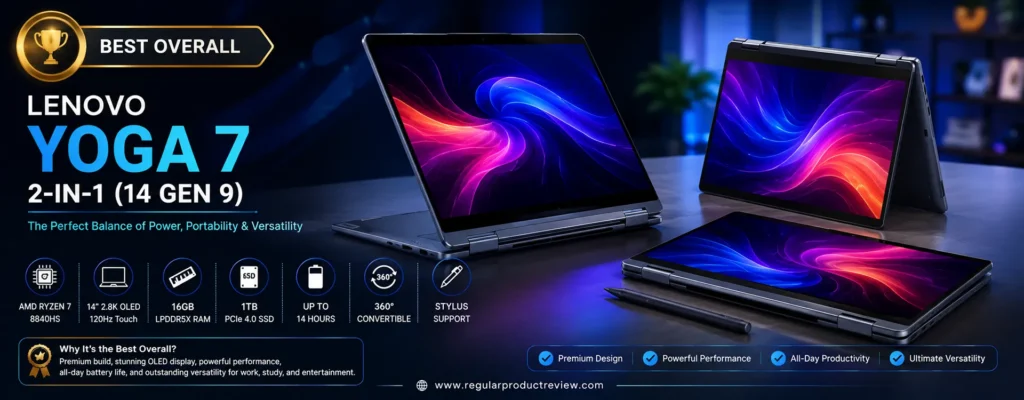
The durable 360-degree hinge allows seamless switching between Laptop, Tent, Stand, and Tablet modes, while Lenovo’s optional Digital Pen support makes note-taking, sketching, and document annotation effortless.
🏆 Why It Stands Out: The Lenovo Yoga 7 combines flagship-level performance, a stunning OLED touchscreen, premium aluminum construction, long battery life, and excellent overall value, making it our Best Overall 2-in-1 Laptop Under $1000.
🏆 Quick Verdict
| 📌 Category | Details |
|---|---|
| 🏅 Award | Best Overall |
| 💰 Typical Price | Around $899–999 |
| ⭐ Overall Rating | 9.8 / 10 |
| 💻 Best For | Productivity, students, creators, business, everyday use |
| 🔄 Convertible Design | 360° 2-in-1 Convertible |
Why We Recommend the Lenovo Yoga 7
The Yoga 7 offers one of the most balanced hardware configurations in this price range.
Unlike many competitors that sacrifice either display quality or storage, Lenovo delivers an outstanding combination of:
- AMD Ryzen 7 8840HS processor
- AMD Radeon 780M graphics
- 16GB LPDDR5X RAM
- 1TB PCIe Gen4 SSD
- 14-inch OLED touchscreen
- Premium aluminum chassis
- Wi-Fi 6E connectivity
- USB4 support
- Long battery life
This makes it equally suitable for work, college, entertainment, light content creation, and everyday multitasking.
💡 Value Insight: Few laptops under $1000 include a Ryzen 7 processor, OLED display, and 1TB SSD in the same package.
📋 Key Specifications
| Feature | Specification |
|---|---|
| 💻 Display | 14-inch 2.8K OLED Touchscreen |
| 📐 Resolution | 2880 × 1800 |
| 🔄 Refresh Rate | 120Hz |
| 🖥 Panel | OLED |
| ⚙ Processor | AMD Ryzen 7 8840HS |
| 🎮 Graphics | AMD Radeon 780M |
| 🧠 Memory | 16GB LPDDR5X |
| 💾 Storage | 1TB PCIe Gen4 SSD |
| 🔄 Design | 360° Convertible |
| ✍ Stylus Support | Lenovo Digital Pen Compatible |
| 🔋 Battery | Up to 14 Hours |
| ⚡ Charging | Rapid Charge USB-C |
| 📶 Wireless | Wi-Fi 6E + Bluetooth 5.3 |
| ⚖ Weight | Approximately 3.4 lbs (1.55 kg) |
🚀 Performance
The Ryzen 7 8840HS delivers excellent performance for demanding everyday workloads.
Whether you’re handling:
- Microsoft Office
- Google Workspace
- Photoshop
- Lightroom
- Coding
- Video conferencing
- Chrome with dozens of tabs
- Streaming
the Yoga 7 remains responsive and quiet.
The integrated Radeon 780M graphics also outperform older integrated GPUs, allowing casual gaming, photo editing, and light video editing without requiring a dedicated graphics card.
⚡ Real-World Performance: For productivity, multitasking, programming, and creative work, the Yoga 7 performs like many laptops costing well above the $1000 mark.
🎨 Display Quality
The 14-inch OLED touchscreen is one of this laptop’s biggest strengths.
Highlights include:
- 2.8K Resolution
- OLED technology
- Deep blacks
- Vibrant colors
- Excellent contrast
- 120Hz refresh rate
- Dolby Vision support
- Responsive multitouch
Whether you’re editing photos, watching Netflix, creating presentations, or browsing the web, the display looks exceptionally sharp and colorful.
✍ 2-in-1 Experience
The Yoga 7’s sturdy 360-degree hinge transforms the laptop into multiple working modes:
- 💻 Laptop Mode
- 📺 Tent Mode
- 🎬 Stand Mode
- 📱 Tablet Mode
The touchscreen is highly responsive, and optional Lenovo Digital Pen support makes handwriting and sketching feel natural.
Students, artists, and professionals who regularly annotate PDFs or take handwritten notes will especially appreciate this flexibility.
💺 Keyboard, Touchpad & Build Quality
Lenovo has long been known for producing excellent keyboards, and the Yoga 7 continues that tradition.
You’ll get:
- Comfortable key travel
- Quiet typing
- Large precision touchpad
- Backlit keyboard
- Premium aluminum chassis
- Minimal flex
- Excellent hinge stability
Despite its premium construction, the laptop remains lightweight enough for everyday travel.
🔋 Battery Life
Battery performance is another major advantage.
Under typical mixed workloads, users can expect:
- Up to 14 hours of battery life
- Rapid Charge support
- USB-C charging convenience
For students and professionals working throughout the day, battery anxiety is rarely a concern.
🔌 Ports & Connectivity
The Yoga 7 includes an excellent selection of modern ports:
- USB4 Type-C
- USB-C
- USB-A
- HDMI
- MicroSD Card Reader
- 3.5mm Audio Jack
Wireless connectivity includes:
- Wi-Fi 6E
- Bluetooth 5.3
These options make connecting external monitors, storage devices, accessories, and docking stations simple.
✅ Pros & Considerations
| ✅ Reasons to Buy | ⚠️ Things to Consider |
|---|---|
| Excellent Ryzen 7 performance | RAM isn’t user-upgradable |
| Gorgeous 2.8K OLED touchscreen | No dedicated GPU |
| 1TB PCIe Gen4 SSD | |
| Premium aluminum build | |
| Smooth 120Hz refresh rate | |
| Comfortable keyboard | |
| Long battery life | |
| Excellent overall value |
👤 Ideal Buyers
The Lenovo Yoga 7 is perfect for:
- 🎓 Students
- 💼 Business professionals
- 👨💻 Remote workers
- 🎨 Creative users
- 📝 Writers
- 💻 Programmers
- 📚 Everyday productivity
- ✈️ Frequent travelers
Our Recommendation: If you only buy one 2-in-1 laptop under $1000, the Lenovo Yoga 7 2-in-1 (14 Gen 9) is the easiest recommendation. Its powerful Ryzen 7 processor, beautiful 2.8K OLED touchscreen, 1TB SSD, premium build quality, versatile convertible design, and excellent battery life make it the strongest all-around choice for nearly every type of user.
ASUS Vivobook S 14 Flip OLED | Best Value 2-in-1 Laptop Under $1000
If you’re searching for the best value 2-in-1 laptop under $1000, the ASUS Vivobook S 14 Flip OLED deserves serious attention. It combines a premium OLED touchscreen, modern Intel Core Ultra processor, sturdy 360-degree convertible design, excellent everyday performance, and premium build quality at a price that’s significantly lower than many competing convertibles.
Designed for students, professionals, creators, and home users, the Vivobook S 14 Flip OLED delivers an impressive balance of performance, portability, battery life, and display quality. Whether you’re multitasking with dozens of browser tabs, editing documents, attending virtual meetings, streaming HDR movies, or taking handwritten notes with a compatible ASUS Pen, this convertible handles everyday workloads with ease.
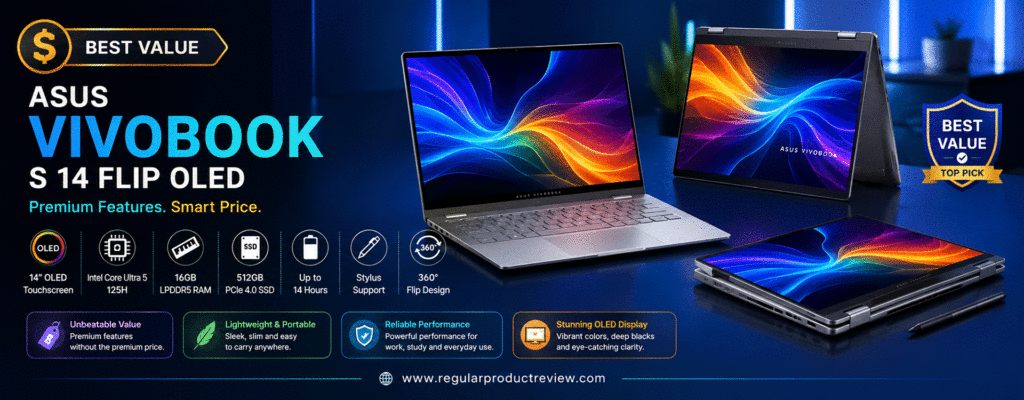
Unlike many budget 2-in-1 laptops that compromise on display quality or build materials, ASUS equips this model with a vibrant 14-inch OLED touchscreen, fast SSD storage, Wi-Fi 6E connectivity, and a premium aluminum chassis, making it one of the strongest values in this buying guide.
💰 Why It Stands Out: The ASUS Vivobook S 14 Flip OLED offers flagship-level OLED visuals, solid productivity performance, premium build quality, and versatile 360° flexibility while remaining comfortably under the $1000 price point.
🏆 Quick Verdict
| 📌 Category | Details |
|---|---|
| 🏅 Award | Best Value |
| 💰 Typical Price | Around $749–899 |
| ⭐ Overall Rating | 9.7 / 10 |
| 💻 Best For | Students, office work, creators, everyday productivity |
| 🔄 Convertible Design | 360° 2-in-1 Convertible |
Why We Recommend the ASUS Vivobook S 14 Flip OLED
Finding an affordable convertible laptop that doesn’t feel “budget” can be difficult.
The Vivobook S 14 Flip OLED solves that problem by offering premium features usually found in much more expensive devices, including:
- Intel Core Ultra 5 Processor
- Intel Arc Graphics
- 16GB LPDDR5X Memory
- 512GB PCIe Gen4 SSD
- 14-inch OLED Touchscreen
- Military-grade durability
- Wi-Fi 6E
- USB-C fast charging
- ASUS Pen support
This combination makes it one of the best value laptops currently available below $1000.
💡 Value Insight: If your budget is closer to $800 than $1000, the Vivobook S 14 Flip OLED offers one of the highest feature-to-price ratios available today.
📋 Key Specifications
| Feature | Specification |
|---|---|
| 💻 Display | 14-inch OLED Touchscreen |
| 📐 Resolution | 1920 × 1200 (WUXGA) |
| 🖥 Panel | ASUS OLED |
| ⚙ Processor | Intel Core Ultra 5 125H |
| 🎮 Graphics | Intel Arc Graphics |
| 🧠 Memory | 16GB LPDDR5X |
| 💾 Storage | 512GB PCIe Gen4 SSD |
| 🔄 Design | 360° Convertible |
| ✍ Stylus Support | ASUS Pen Compatible |
| 🔋 Battery | Up to 12 Hours |
| ⚡ Charging | USB-C Fast Charging |
| 📶 Wireless | Wi-Fi 6E + Bluetooth 5.3 |
| ⚖ Weight | Approximately 3.3 lbs (1.5 kg) |
🚀 Performance
Powered by Intel’s latest Core Ultra 5 processor, the Vivobook S 14 Flip OLED delivers fast and responsive performance across a wide variety of workloads.
It easily handles:
- Microsoft Office
- Google Workspace
- Web browsing
- Online classes
- Adobe Photoshop
- Lightroom
- Programming
- Video conferencing
- Multitasking
The integrated Intel Arc Graphics also provides a noticeable performance boost over previous Intel integrated graphics, making light creative work and casual gaming much smoother.
⚡ Real-World Performance: For students, professionals, and everyday creators, this laptop offers more than enough power without consuming excessive battery life.
🎨 Display Quality
One of the biggest highlights is ASUS’s outstanding OLED display.
Users can enjoy:
- OLED technology
- Rich contrast
- Deep blacks
- Vibrant colors
- HDR support
- 100% DCI-P3 color gamut
- Touchscreen functionality
- Eye Care Certification
The display is ideal for photo editing, watching movies, content creation, digital note-taking, and everyday browsing.
✍ 2-in-1 Experience
The durable 360-degree hinge allows the laptop to transform into multiple working modes:
- 💻 Laptop Mode
- 📺 Tent Mode
- 🎬 Stand Mode
- 📱 Tablet Mode
Support for the ASUS Pen further improves the experience, making handwritten notes, sketches, and document annotation feel smooth and natural.
This flexibility makes the Vivobook especially attractive for students and professionals.
💺 Keyboard, Touchpad & Build Quality
ASUS has designed the Vivobook S 14 Flip OLED with portability and comfort in mind.
Highlights include:
- Comfortable full-size keyboard
- Large precision touchpad
- Backlit keyboard
- Premium aluminum construction
- Military-grade durability (MIL-STD-810H)
- Excellent hinge stability
Despite its premium construction, it remains lightweight enough for daily commuting or travel.
🔋 Battery Life
Battery performance is impressive for a laptop featuring an OLED display.
Typical users can expect:
- Up to 12 hours of mixed usage
- USB-C fast charging
- Excellent standby efficiency
For most students and professionals, the battery comfortably lasts through an entire workday.
🔌 Ports & Connectivity
Connectivity is excellent for this price range.
Available ports include:
- Thunderbolt 4 / USB-C
- USB-A
- HDMI
- MicroSD Card Reader
- 3.5mm Audio Jack
Wireless features include:
- Wi-Fi 6E
- Bluetooth 5.3
These modern connectivity options ensure compatibility with external monitors, storage devices, and accessories.
✅ Pros & Considerations
| ✅ Reasons to Buy | ⚠️ Things to Consider |
|---|---|
| Outstanding OLED touchscreen | Storage is 512GB instead of 1TB |
| Excellent overall value | RAM isn’t upgradeable |
| Intel Core Ultra processor | |
| Intel Arc integrated graphics | |
| Premium aluminum chassis | |
| Military-grade durability | |
| Comfortable keyboard | |
| Excellent 360° hinge |
👤 Ideal Buyers
The ASUS Vivobook S 14 Flip OLED is an excellent choice for:
- 🎓 Students
- 💼 Office professionals
- 👩💻 Remote workers
- 🎨 Creative users
- 📝 Writers
- 📚 Everyday productivity
- ✈️ Frequent travelers
- 💰 Buyers seeking maximum value
Our Recommendation: If you want the best value 2-in-1 laptop under $1000, the ASUS Vivobook S 14 Flip OLED is an outstanding choice. Its gorgeous OLED touchscreen, modern Intel Core Ultra processor, premium build quality, versatile 360° design, and affordable price make it one of the smartest convertible laptop purchases for buyers who want premium features without paying premium prices.
HP Envy x360 14 | Best 2-in-1 Laptop Under $1000 with an OLED Display
If display quality is your highest priority, the HP Envy x360 14 is easily one of the best 2-in-1 laptops under $1000. Featuring a vibrant 14-inch OLED touchscreen, Intel’s latest Core Ultra 7 processor, premium aluminum construction, and an exceptionally versatile convertible design, this laptop is ideal for creators, students, professionals, and entertainment enthusiasts who demand an immersive visual experience.
The HP Envy x360 14 combines elegant design with powerful hardware. Equipped with Intel Arc integrated graphics, 16GB LPDDR5X memory, and a fast 1TB PCIe Gen4 SSD, it delivers excellent performance for multitasking, office work, creative projects, and everyday computing while maintaining impressive portability and battery life.
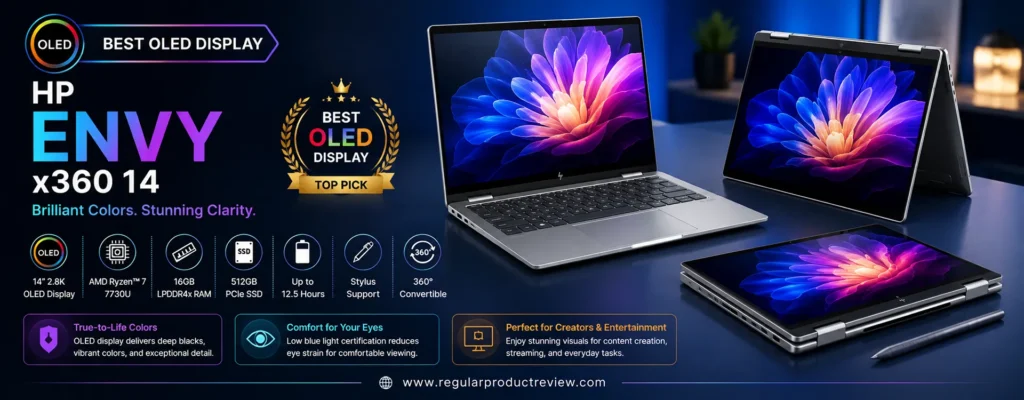
Its responsive touchscreen, 360-degree hinge, and HP Rechargeable Pen compatibility further enhance productivity, making it an excellent companion for handwritten notes, sketching, presentations, and digital creativity.
🎨 Why It Stands Out: The HP Envy x360 14 delivers one of the best OLED displays in its class, combining stunning visuals, premium build quality, modern AI-ready performance, and excellent versatility for under $1000.
🏆 Quick Verdict
| 📌 Category | Details |
|---|---|
| 🏅 Award | Best OLED Display |
| 💰 Typical Price | Around $899–999 |
| ⭐ Overall Rating | 9.7 / 10 |
| 💻 Best For | Creators, entertainment, professionals, students |
| 🔄 Convertible Design | 360° 2-in-1 Convertible |
Why We Recommend the HP Envy x360 14
The Envy x360 14 strikes an excellent balance between performance, premium aesthetics, and display quality.
Its standout features include:
- Intel Core Ultra 7 Processor
- Intel Arc Graphics
- 16GB LPDDR5X RAM
- 1TB PCIe Gen4 SSD
- 14-inch OLED Touchscreen
- Premium Aluminum Chassis
- AI-enhanced Webcam
- Wi-Fi 6E Connectivity
- HP Fast Charge
For users who spend hours editing photos, watching HDR content, creating presentations, or reading documents, the OLED display alone makes this laptop worth considering.
💡 Display Advantage: Among convertible laptops under $1000, few displays rival the Envy x360’s rich colors, deep blacks, and excellent contrast.
📋 Key Specifications
| Feature | Specification |
|---|---|
| 💻 Display | 14-inch OLED Touchscreen |
| 📐 Resolution | 2880 × 1800 |
| 🔄 Refresh Rate | 120Hz |
| 🖥 Panel | OLED |
| ⚙ Processor | Intel Core Ultra 7 155U |
| 🎮 Graphics | Intel Arc Graphics |
| 🧠 Memory | 16GB LPDDR5X |
| 💾 Storage | 1TB PCIe Gen4 SSD |
| 🔄 Design | 360° Convertible |
| ✍ Stylus Support | HP Rechargeable MPP Pen Compatible |
| 🔋 Battery | Up to 13 Hours |
| ⚡ Charging | HP Fast Charge (USB-C) |
| 📶 Wireless | Wi-Fi 6E + Bluetooth 5.3 |
| ⚖ Weight | Approximately 3.3 lbs (1.5 kg) |
🚀 Performance
The Intel Core Ultra 7 processor provides excellent everyday performance while remaining highly power efficient.
The Envy x360 easily handles:
- Microsoft Office
- Google Workspace
- Adobe Photoshop
- Lightroom
- Canva
- Web development
- Programming
- Video conferencing
- Streaming
- Heavy multitasking
Intel Arc graphics also improve creative performance for light photo editing, graphic design, and casual gaming compared to older integrated graphics.
⚡ Real-World Performance: The HP Envy x360 feels fast, responsive, and smooth during everyday workloads, making it suitable for both work and entertainment.
🎨 Display Quality
The OLED display is unquestionably the highlight of this laptop.
Users will enjoy:
- 2.8K OLED Resolution
- 120Hz Refresh Rate
- HDR Support
- Deep Blacks
- Vibrant Colors
- Excellent Contrast
- Wide Viewing Angles
- Touchscreen Support
Whether you’re editing photos, streaming Netflix, creating digital artwork, or browsing the web, the viewing experience feels remarkably premium.
Content creators and photographers will especially appreciate the panel’s color accuracy and visual clarity.
✍ 2-in-1 Experience
The durable 360-degree hinge allows effortless transitions between four modes:
- 💻 Laptop Mode
- 📺 Tent Mode
- 🎬 Stand Mode
- 📱 Tablet Mode
Combined with HP’s rechargeable stylus support, the touchscreen becomes a powerful tool for note-taking, drawing, document markup, and presentations.
This flexibility makes the Envy x360 an excellent choice for students and creative professionals alike.
💺 Keyboard, Touchpad & Build Quality
HP continues its reputation for premium craftsmanship.
Highlights include:
- Precision keyboard
- Large glass touchpad
- Backlit keyboard
- Premium aluminum chassis
- Minimal chassis flex
- Excellent hinge stability
The sleek design feels modern while remaining durable enough for everyday travel.
🔋 Battery Life
Despite powering a vibrant OLED panel, battery life remains impressive.
Typical usage delivers:
- Up to 13 hours
- HP Fast Charge support
- USB-C charging convenience
A quick recharge can provide several additional hours of productivity when needed.
🔌 Ports & Connectivity
The HP Envy x360 offers an excellent selection of modern connectivity options.
Ports include:
- Thunderbolt 4 USB-C
- USB-C
- USB-A
- HDMI 2.1
- MicroSD Card Reader
- 3.5mm Headphone Jack
Wireless connectivity includes:
- Wi-Fi 6E
- Bluetooth 5.3
These options make connecting external monitors, accessories, and high-speed storage simple and convenient.
✅ Pros & Considerations
| ✅ Reasons to Buy | ⚠️ Things to Consider |
|---|---|
| Gorgeous 2.8K OLED touchscreen | RAM isn’t user-upgradable |
| Powerful Intel Core Ultra 7 | Premium configuration often approaches $1000 |
| 1TB PCIe Gen4 SSD | |
| Intel Arc Graphics | |
| Premium aluminum design | |
| Excellent keyboard | |
| Reliable battery life | |
| Outstanding display quality |
👤 Ideal Buyers
The HP Envy x360 14 is ideal for:
- 🎨 Content creators
- 📸 Photographers
- 🎬 Movie lovers
- 💼 Business professionals
- 🎓 Students
- 📝 Writers
- 👨💻 Remote workers
- ✈️ Frequent travelers
Our Recommendation: If display quality is your top priority, the HP Envy x360 14 is one of the finest 2-in-1 laptops under $1000 available today. Its beautiful OLED touchscreen, modern Intel Core Ultra processor, premium aluminum construction, responsive convertible design, and excellent everyday performance make it an outstanding choice for users who want flagship-level visuals without exceeding their budget.
Acer Spin 5 | Best 2-in-1 Laptop Under $1000 for Students
Students need a laptop that’s lightweight, reliable, versatile, and powerful enough to handle everything from research papers and online classes to creative projects and entertainment. The Acer Spin 5 checks all those boxes, making it one of the best 2-in-1 laptops under $1000 for students.
Featuring a premium magnesium-aluminum chassis, a responsive 14-inch WQXGA touchscreen, Intel Core i7 processor, fast SSD storage, and integrated stylus support, the Spin 5 is built for productivity on campus and beyond. Its compact design fits easily into a backpack, while the 360-degree hinge allows effortless switching between Laptop, Tent, Stand, and Tablet modes.
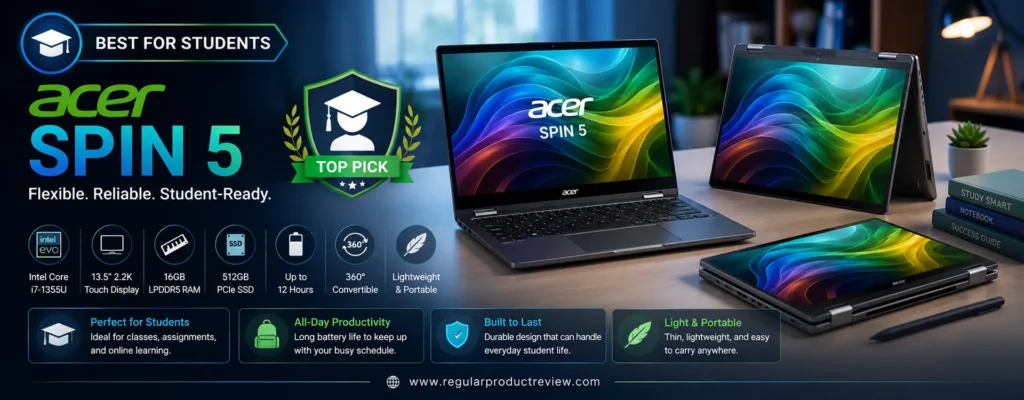
Whether you’re attending Zoom lectures, taking handwritten notes, editing presentations, coding assignments, or relaxing with Netflix after class, the Acer Spin 5 delivers an excellent all-around experience without exceeding your budget.
🎓 Why It Stands Out: The Acer Spin 5 combines portability, premium build quality, integrated stylus support, excellent display quality, and dependable performance, making it one of the smartest choices for students under $1000.
🏆 Quick Verdict
| 📌 Category | Details |
|---|---|
| 🏅 Award | Best for Students |
| 💰 Typical Price | Around $799–999 |
| ⭐ Overall Rating | 9.6 / 10 |
| 💻 Best For | College students, online learning, note-taking, productivity |
| 🔄 Convertible Design | 360° 2-in-1 Convertible |
Why We Recommend the Acer Spin 5
The Acer Spin 5 is specifically designed for users who value portability without sacrificing performance.
Its strengths include:
- Intel Core i7 Processor
- Intel Iris Xe Graphics
- 16GB LPDDR5 Memory
- 512GB PCIe SSD
- Premium Magnesium-Aluminum Chassis
- Integrated Acer Active Stylus
- Wi-Fi 6E
- Thunderbolt 4 Connectivity
Unlike many student laptops that focus only on affordability, the Spin 5 feels like a premium ultrabook while remaining competitively priced.
💡 Student Advantage: The included Acer Active Stylus eliminates the need for an additional pen purchase, making handwritten note-taking and digital annotation much more convenient.
📋 Key Specifications
| Feature | Specification |
|---|---|
| 💻 Display | 14-inch WQXGA IPS Touchscreen |
| 📐 Resolution | 2560 × 1600 |
| 🖥 Panel | IPS LCD |
| ⚙ Processor | Intel Core i7-1355U |
| 🎮 Graphics | Intel Iris Xe Graphics |
| 🧠 Memory | 16GB LPDDR5 |
| 💾 Storage | 512GB PCIe SSD |
| 🔄 Design | 360° Convertible |
| ✍ Stylus Support | Included Acer Active Stylus |
| 🔋 Battery | Up to 13 Hours |
| ⚡ Charging | USB-C Fast Charging |
| 📶 Wireless | Wi-Fi 6E + Bluetooth 5.2 |
| ⚖ Weight | Approximately 2.9 lbs (1.3 kg) |
🚀 Performance
The Intel Core i7 processor provides more than enough power for typical student workloads.
It handles tasks such as:
- Microsoft Word
- Excel
- PowerPoint
- Google Docs
- Google Classroom
- Zoom
- Microsoft Teams
- Programming
- Web Research
- Adobe Photoshop
- Canva
Even with multiple applications running simultaneously, the system remains responsive thanks to its fast LPDDR5 memory and PCIe SSD.
⚡ Real-World Performance: Whether you’re writing assignments, editing presentations, attending online lectures, or multitasking between classes, the Spin 5 delivers smooth everyday performance.
🎨 Display Quality
The 14-inch WQXGA touchscreen offers excellent sharpness and color reproduction.
Highlights include:
- High-resolution 2560 × 1600 display
- Bright IPS panel
- Touchscreen support
- Wide viewing angles
- Accurate colors
- Corning Gorilla Glass protection
The taller 16:10 aspect ratio also provides additional vertical workspace, making document editing and web browsing more comfortable.
✍ 2-in-1 Experience
The Acer Spin 5 shines as a productivity-focused convertible.
Its 360-degree hinge supports:
- 💻 Laptop Mode
- 📺 Tent Mode
- 🎬 Stand Mode
- 📱 Tablet Mode
The included Acer Active Stylus stores inside the laptop for convenient access, allowing students to:
- Take handwritten lecture notes
- Annotate PDFs
- Sketch diagrams
- Solve math equations
- Draw illustrations
- Sign documents
This integrated pen support makes the Spin 5 particularly attractive for engineering, architecture, medical, and design students.
💺 Keyboard, Touchpad & Build Quality
Despite its lightweight construction, the Spin 5 feels exceptionally sturdy.
Features include:
- Premium magnesium-aluminum chassis
- Comfortable backlit keyboard
- Large precision touchpad
- Smooth hinge mechanism
- Minimal chassis flex
- Compact travel-friendly design
At under three pounds, carrying it between classes is effortless.
🔋 Battery Life
Battery life comfortably supports a full day of lectures and study sessions.
Typical usage includes:
- Up to 13 hours of battery life
- USB-C fast charging
- Efficient low-power operation
Most students can attend classes all day without needing to carry a charger.
🔌 Ports & Connectivity
The Acer Spin 5 includes excellent connectivity for students and professionals.
Available ports include:
- Thunderbolt 4 USB-C (2)
- USB-A
- HDMI
- MicroSD Card Reader
- 3.5mm Audio Jack
Wireless features include:
- Wi-Fi 6E
- Bluetooth 5.2
These ports make it easy to connect external displays, storage drives, classroom projectors, and accessories.
✅ Pros & Considerations
| ✅ Reasons to Buy | ⚠️ Things to Consider |
|---|---|
| Extremely lightweight | Storage limited to 512GB |
| Premium magnesium-aluminum build | No OLED display |
| Included Active Stylus | |
| Excellent keyboard | |
| High-resolution touchscreen | |
| Long battery life | |
| Thunderbolt 4 support | |
| Perfect for students |
👤 Ideal Buyers
The Acer Spin 5 is ideal for:
- 🎓 College students
- 🏫 High school students
- 📚 Online learners
- ✍ Note-takers
- 👩💻 Computer science students
- 🎨 Design students
- 💼 Remote workers
- ✈️ Frequent travelers
Our Recommendation: If you’re searching for the best student-friendly 2-in-1 laptop under $1000, the Acer Spin 5 is an outstanding choice. Its lightweight premium design, included Active Stylus, sharp touchscreen, dependable Intel Core i7 performance, long battery life, and versatile convertible form factor make it one of the most practical laptops for education, productivity, and everyday use.
Dell Inspiron 14 Best 2-in-1 Laptop Under $1000 for Productivity
When productivity is your top priority, the Dell Inspiron 14 2-in-1 is one of the strongest choices under $1000. Designed for professionals, remote workers, students, and multitaskers, it combines dependable performance, a responsive touchscreen, premium build quality, and an efficient 360-degree convertible design that adapts to virtually any workflow.
Powered by the latest AMD Ryzen 7 processor, paired with 16GB DDR5 memory and a fast 1TB PCIe SSD, the Inspiron 14 2-in-1 delivers smooth performance whether you’re managing spreadsheets, attending video meetings, editing presentations, writing reports, or juggling dozens of browser tabs simultaneously.
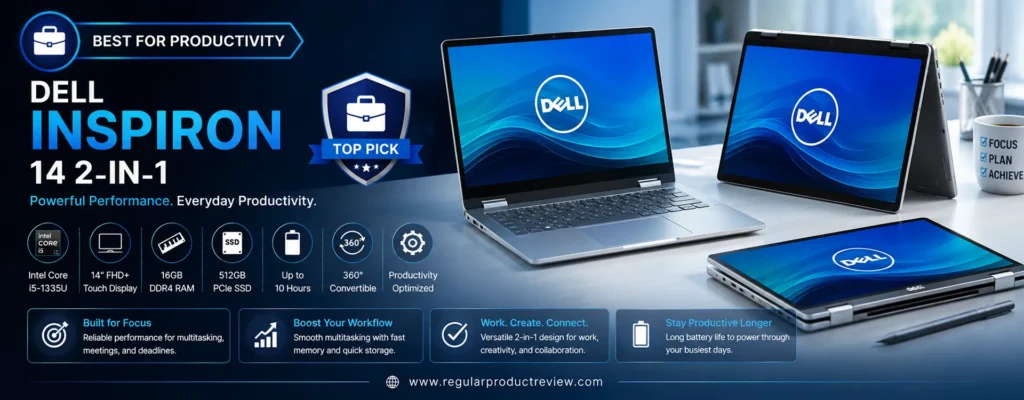
Its spacious 14-inch Full HD+ touchscreen, comfortable keyboard, precision touchpad, and excellent connectivity make it an ideal everyday business laptop that also transforms into a capable tablet whenever needed.
💼 Why It Stands Out: The Dell Inspiron 14 2-in-1 offers excellent multitasking performance, premium productivity features, dependable battery life, and versatile convertible functionality at an affordable price.
🏆 Quick Verdict
| 📌 Category | Details |
|---|---|
| 🏅 Award | Best for Productivity |
| 💰 Typical Price | Around $799–949 |
| ⭐ Overall Rating | 9.6 / 10 |
| 💻 Best For | Office work, remote work, multitasking, business users |
| 🔄 Convertible Design | 360° 2-in-1 Convertible |
Why We Recommend the Dell Inspiron 14 2-in-1
The Dell Inspiron series has earned an excellent reputation for reliability, and the latest Inspiron 14 2-in-1 continues that tradition.
Key highlights include:
- AMD Ryzen 7 8840HS Processor
- AMD Radeon 780M Graphics
- 16GB DDR5 Memory
- 1TB PCIe Gen4 SSD
- 14-inch Full HD+ Touchscreen
- Premium Aluminum Lid
- Wi-Fi 6E Connectivity
- USB-C Power Delivery
Unlike many consumer laptops, the Inspiron focuses on delivering consistent real-world performance rather than flashy specifications.
💡 Productivity Advantage: Fast storage, powerful multitasking, and a comfortable keyboard make this one of the best laptops for long working sessions.
📋 Key Specifications
| Feature | Specification |
|---|---|
| 💻 Display | 14-inch Full HD+ IPS Touchscreen |
| 📐 Resolution | 1920 × 1200 |
| 🖥 Panel | IPS LCD |
| ⚙ Processor | AMD Ryzen 7 8840HS |
| 🎮 Graphics | AMD Radeon 780M |
| 🧠 Memory | 16GB DDR5 |
| 💾 Storage | 1TB PCIe Gen4 SSD |
| 🔄 Design | 360° Convertible |
| ✍ Stylus Support | Dell Active Pen Compatible |
| 🔋 Battery | Up to 12 Hours |
| ⚡ Charging | USB-C Fast Charging |
| 📶 Wireless | Wi-Fi 6E + Bluetooth 5.3 |
| ⚖ Weight | Approximately 3.6 lbs (1.63 kg) |
🚀 Performance
The Ryzen 7 8840HS provides outstanding performance for productivity-focused users.
Daily workloads include:
- Microsoft Office
- Excel spreadsheets
- Google Workspace
- Zoom
- Microsoft Teams
- Slack
- Adobe Acrobat
- Chrome multitasking
- Programming
- Light photo editing
Thanks to 16GB of DDR5 memory and a fast PCIe Gen4 SSD, applications launch quickly and multitasking remains fluid throughout the day.
The integrated Radeon 780M graphics also deliver excellent performance for light creative workloads and casual gaming.
⚡ Real-World Performance: Office professionals, business users, and remote workers will appreciate how effortlessly the Inspiron handles demanding multitasking.
🎨 Display Quality
The 14-inch Full HD+ touchscreen provides an enjoyable viewing experience for productivity and entertainment.
Display highlights include:
- 16:10 aspect ratio
- Full HD+ resolution
- IPS technology
- Touch support
- Anti-glare coating
- Wide viewing angles
- Comfortable brightness
The taller display makes reading documents, browsing websites, and editing spreadsheets more comfortable than traditional 16:9 laptops.
✍ 2-in-1 Experience
The sturdy 360-degree hinge allows users to switch easily between:
- 💻 Laptop Mode
- 📺 Tent Mode
- 🎬 Stand Mode
- 📱 Tablet Mode
Dell Active Pen compatibility also enables:
- Digital note-taking
- Document annotation
- Sketching
- Whiteboard collaboration
- Classroom presentations
This flexibility makes the Inspiron equally useful in office environments and educational settings.
💺 Keyboard, Touchpad & Build Quality
Dell continues to deliver one of the most comfortable typing experiences in this category.
Highlights include:
- Comfortable full-size keyboard
- Large precision touchpad
- Backlit keyboard
- Premium aluminum lid
- Durable chassis
- Smooth hinge mechanism
The keyboard feels responsive during extended typing sessions, making it well suited for writers, business users, and students.
🔋 Battery Life
Battery life is more than sufficient for a full workday.
Users can expect:
- Up to 12 hours of mixed productivity
- USB-C fast charging
- Efficient Ryzen power management
A quick recharge provides several additional hours of work when needed.
🔌 Ports & Connectivity
Connectivity is another strength.
Available ports include:
- USB-C
- USB-A
- HDMI
- SD Card Reader
- 3.5mm Audio Jack
Wireless connectivity includes:
- Wi-Fi 6E
- Bluetooth 5.3
These modern ports provide excellent compatibility with monitors, projectors, storage devices, and docking stations.
✅ Pros & Considerations
| ✅ Reasons to Buy | ⚠️ Things to Consider |
|---|---|
| Excellent Ryzen 7 performance | Display isn’t OLED |
| 1TB PCIe Gen4 SSD | Slightly heavier than some rivals |
| Comfortable keyboard | |
| Strong multitasking capabilities | |
| Reliable battery life | |
| Durable build quality | |
| Dell Active Pen support | |
| Great productivity value |
👤 Ideal Buyers
The Dell Inspiron 14 2-in-1 is an excellent choice for:
- 💼 Business professionals
- 👨💻 Remote workers
- 📝 Writers
- 📊 Office users
- 🎓 College students
- 💻 Programmers
- 📈 Small business owners
- 📚 Everyday multitaskers
Our Recommendation: If productivity is your primary focus, the Dell Inspiron 14 2-in-1 is one of the best 2-in-1 laptops under $1000. Its powerful Ryzen 7 processor, fast 1TB SSD, comfortable keyboard, responsive touchscreen, reliable battery life, and versatile convertible design make it an excellent investment for professionals, students, and anyone who spends long hours working on a laptop.
Lenovo IdeaPad Flex 5i | Best Performance 2-in-1 Laptop Under $1000
If raw performance is your top priority, the Lenovo IdeaPad Flex 5i is one of the most capable 2-in-1 laptops under $1000. Combining Intel’s latest Core Ultra 7 processor, fast DDR5 memory, responsive touchscreen, durable 360-degree hinge, and premium everyday usability, the Flex 5i is built for users who demand speed without sacrificing versatility.
Whether you’re multitasking between dozens of Chrome tabs, editing large Excel spreadsheets, programming, creating presentations, attending video meetings, or handling light creative workloads, the Flex 5i consistently delivers responsive performance. Its modern Intel architecture, integrated AI acceleration, and Intel Arc graphics provide a noticeable improvement over previous generations.
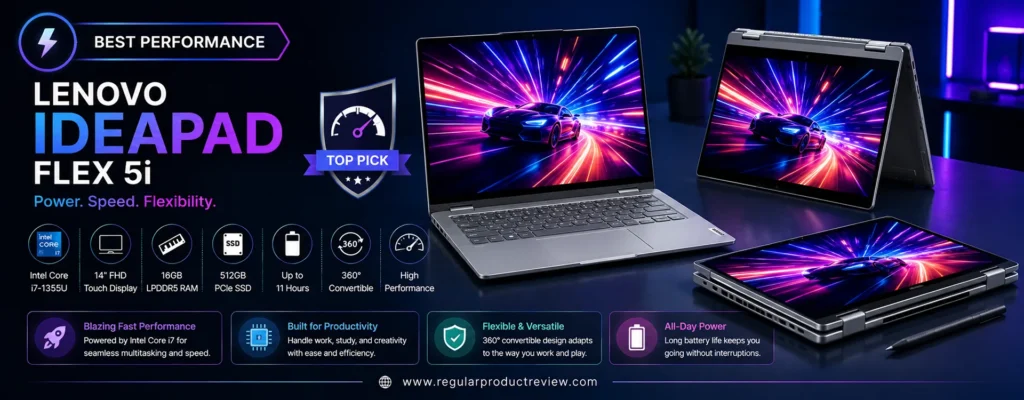
Despite its powerful hardware, Lenovo maintains excellent portability, long battery life, and the flexibility of a convertible design, making it an outstanding choice for professionals, students, and power users alike.
⚡ Why It Stands Out: The Lenovo IdeaPad Flex 5i combines Intel Core Ultra performance, fast DDR5 memory, a responsive touchscreen, premium build quality, and excellent multitasking capabilities, making it the highest-performing convertible laptop in this price range.
🏆 Quick Verdict
| 📌 Category | Details |
|---|---|
| 🏅 Award | Best Performance |
| 💰 Typical Price | Around $849–999 |
| ⭐ Overall Rating | 9.7 / 10 |
| 💻 Best For | Heavy multitasking, professionals, students, creators |
| 🔄 Convertible Design | 360° 2-in-1 Convertible |
Why We Recommend the Lenovo IdeaPad Flex 5i
The IdeaPad Flex 5i is designed for users who need more computing power than a typical budget convertible.
Key highlights include:
- Intel Core Ultra 7 155H Processor
- Intel Arc Graphics
- 16GB LPDDR5X Memory
- 1TB PCIe Gen4 SSD
- 14-inch WUXGA Touchscreen
- AI-Ready Intel NPU
- Wi-Fi 6E Connectivity
- USB-C Fast Charging
Its balance of CPU power, integrated graphics performance, and fast storage makes it ideal for demanding everyday workloads.
💡 Performance Advantage: The Core Ultra 7 processor easily handles multitasking, productivity software, coding, light content creation, and AI-assisted applications while maintaining excellent power efficiency.
📋 Key Specifications
| Feature | Specification |
|---|---|
| 💻 Display | 14-inch WUXGA IPS Touchscreen |
| 📐 Resolution | 1920 × 1200 |
| 🖥 Panel | IPS LCD |
| ⚙ Processor | Intel Core Ultra 7 155H |
| 🎮 Graphics | Intel Arc Graphics |
| 🧠 Memory | 16GB LPDDR5X |
| 💾 Storage | 1TB PCIe Gen4 SSD |
| 🔄 Design | 360° Convertible |
| ✍ Stylus Support | Lenovo Digital Pen Compatible |
| 🔋 Battery | Up to 12 Hours |
| ⚡ Charging | Rapid Charge USB-C |
| 📶 Wireless | Wi-Fi 6E + Bluetooth 5.4 |
| ⚖ Weight | Approximately 3.5 lbs (1.59 kg) |
🚀 Performance
Performance is where the IdeaPad Flex 5i truly shines.
It effortlessly handles:
- Microsoft Office
- Google Workspace
- Adobe Photoshop
- Lightroom
- Visual Studio Code
- Android Studio
- Web development
- Data analysis
- Video conferencing
- Heavy browser multitasking
The Intel Core Ultra 7 processor includes dedicated AI acceleration through its integrated Neural Processing Unit (NPU), helping improve efficiency for AI-enhanced software and future Windows Copilot features.
Intel Arc graphics also provide significantly better integrated graphics performance than previous Intel Iris Xe solutions, making light photo editing, video editing, and casual gaming much smoother.
⚡ Real-World Performance: Whether you’re working with large spreadsheets, coding complex projects, editing high-resolution photos, or running multiple applications simultaneously, the Flex 5i remains consistently fast and responsive.
🎨 Display Quality
The 14-inch WUXGA touchscreen offers a comfortable viewing experience for both work and entertainment.
Display highlights include:
- 16:10 productivity-friendly aspect ratio
- Full HD+ (WUXGA) resolution
- IPS technology
- Touchscreen support
- Wide viewing angles
- Anti-glare coating
- Accurate color reproduction
Although it isn’t an OLED panel, the display remains sharp, bright, and well suited for everyday productivity.
✍ 2-in-1 Experience
The reinforced 360-degree hinge provides excellent flexibility across multiple usage modes.
Available modes include:
- 💻 Laptop Mode
- 📺 Tent Mode
- 🎬 Stand Mode
- 📱 Tablet Mode
Lenovo Digital Pen compatibility allows users to:
- Take handwritten notes
- Sketch ideas
- Annotate documents
- Edit PDFs
- Present projects
The hinge feels sturdy and maintains excellent stability even after repeated adjustments.
💺 Keyboard, Touchpad & Build Quality
Lenovo continues to offer one of the best typing experiences in the Windows laptop market.
Key highlights include:
- Comfortable full-size keyboard
- White backlighting
- Large Precision touchpad
- Durable chassis
- Smooth hinge mechanism
- Excellent build quality
The laptop feels solid without becoming excessively heavy for daily travel.
🔋 Battery Life
Despite its high-performance processor, battery life remains competitive.
Users can expect:
- Up to 12 hours of mixed usage
- Rapid Charge technology
- USB-C charging convenience
Power efficiency is further improved through Intel’s latest Core Ultra architecture.
🔌 Ports & Connectivity
The IdeaPad Flex 5i includes an excellent selection of modern connectivity options.
Available ports include:
- Thunderbolt 4 USB-C
- USB-C
- USB-A
- HDMI
- MicroSD Card Reader
- 3.5mm Audio Jack
Wireless connectivity features:
- Wi-Fi 6E
- Bluetooth 5.4
These options ensure compatibility with external displays, docking stations, storage devices, and accessories.
✅ Pros & Considerations
| ✅ Reasons to Buy | ⚠️ Things to Consider |
|---|---|
| Outstanding Intel Core Ultra performance | Display isn’t OLED |
| 1TB PCIe Gen4 SSD | RAM isn’t upgradeable |
| Intel Arc graphics | |
| Excellent multitasking | |
| AI-ready processor | |
| Comfortable keyboard | |
| Durable 360° hinge | |
| Excellent overall performance |
👤 Ideal Buyers
The Lenovo IdeaPad Flex 5i is an excellent choice for:
- 👨💻 Programmers
- 💼 Professionals
- 🎓 College students
- 📊 Office users
- 🎨 Creative users
- 📈 Business owners
- 📝 Writers
- ⚡ Power users
Our Recommendation: If your priority is the best-performing 2-in-1 laptop under $1000, the Lenovo IdeaPad Flex 5i is one of the strongest options available. Its Intel Core Ultra 7 processor, Intel Arc graphics, fast 1TB SSD, premium keyboard, durable convertible design, and excellent multitasking capabilities make it an outstanding choice for demanding users who want premium performance without exceeding their budget.
ASUS Zenbook 14 Flip OLED | Best Premium 2-in-1 Laptop Under $1000
If you’re looking for the most premium experience without exceeding a $1000 budget, the ASUS Zenbook 14 Flip OLED is one of the finest convertible laptops you can buy. Combining a stunning 2.8K OLED touchscreen, Intel’s latest Core Ultra 7 processor, premium all-metal construction, military-grade durability, and outstanding battery life, it delivers an experience that feels remarkably close to flagship ultrabooks costing significantly more.
The Zenbook 14 Flip OLED is built for professionals, creators, students, and business users who want premium craftsmanship, excellent performance, and the flexibility of a 360-degree convertible design. Whether you’re editing photos, creating presentations, attending virtual meetings, sketching ideas, or relaxing with HDR movies, this laptop excels in every scenario.
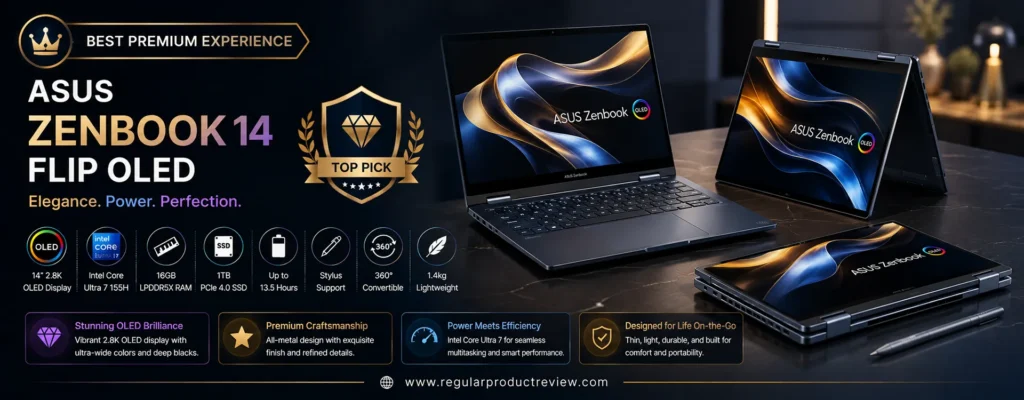
Its lightweight aluminum chassis, responsive touchscreen, ASUS Pen compatibility, Harman Kardon-certified speakers, and advanced AI-powered processor make it one of the most complete premium convertibles available under the $1000 price point.
✍️ Why It Stands Out: The ASUS Zenbook 14 Flip OLED combines flagship design, an exceptional OLED display, premium build quality, Intel Core Ultra performance, and outstanding portability, making it our Best Premium Experience pick.
🏆 Quick Verdict
| 📌 Category | Details |
|---|---|
| 🏅 Award | Best Premium Experience |
| 💰 Typical Price | Around $949–999 |
| ⭐ Overall Rating | 9.8 / 10 |
| 💻 Best For | Professionals, creators, premium everyday computing |
| 🔄 Convertible Design | 360° 2-in-1 Convertible |
Why We Recommend the ASUS Zenbook 14 Flip OLED
The Zenbook series has consistently delivered premium ultrabooks, and the latest Zenbook 14 Flip OLED continues that tradition.
Outstanding features include:
- Intel Core Ultra 7 Processor
- Intel Arc Graphics
- 16GB LPDDR5X RAM
- 1TB PCIe Gen4 SSD
- 2.8K ASUS Lumina OLED Display
- Premium CNC Aluminum Chassis
- Harman Kardon Speakers
- Thunderbolt 4 Connectivity
- Military-Grade Durability
Every aspect of this laptop feels refined, from the display and keyboard to the hinge and overall construction.
💡 Premium Advantage: The Zenbook 14 Flip OLED delivers a luxury ultrabook experience while remaining within the sub-$1000 category.
📋 Key Specifications
| Feature | Specification |
|---|---|
| 💻 Display | 14-inch ASUS Lumina OLED Touchscreen |
| 📐 Resolution | 2880 × 1800 |
| 🔄 Refresh Rate | 120Hz |
| 🖥 Panel | OLED |
| ⚙ Processor | Intel Core Ultra 7 155H |
| 🎮 Graphics | Intel Arc Graphics |
| 🧠 Memory | 16GB LPDDR5X |
| 💾 Storage | 1TB PCIe Gen4 SSD |
| 🔄 Design | 360° Convertible |
| ✍ Stylus Support | ASUS Pen 2.0 Compatible |
| 🔋 Battery | Up to 15 Hours |
| ⚡ Charging | USB-C Easy Charge |
| 📶 Wireless | Wi-Fi 6E + Bluetooth 5.3 |
| ⚖ Weight | Approximately 3.3 lbs (1.5 kg) |
🚀 Performance
Powered by Intel’s Core Ultra 7 processor, the Zenbook 14 Flip OLED delivers outstanding performance for demanding users.
It handles tasks such as:
- Microsoft Office
- Adobe Photoshop
- Lightroom
- Premiere Rush
- Canva
- Programming
- Web development
- Large spreadsheets
- Video conferencing
- Heavy multitasking
The Intel Arc integrated graphics also provide excellent acceleration for creative workloads and light gaming, while the integrated NPU improves efficiency for AI-powered applications.
⚡ Real-World Performance: Whether you’re editing photos, building presentations, coding projects, or multitasking across multiple applications, the Zenbook remains consistently fast and responsive.
🎨 Display Quality
The ASUS Lumina OLED display is one of the best you’ll find in this price range.
Highlights include:
- 2.8K OLED Resolution
- 120Hz Refresh Rate
- HDR Support
- 100% DCI-P3 Color Gamut
- DisplayHDR Certification
- Deep Blacks
- Outstanding Contrast
- Touchscreen Support
The display offers exceptional color accuracy, making it ideal for photographers, designers, content creators, and entertainment enthusiasts.
✍ 2-in-1 Experience
The precision-engineered 360-degree hinge allows effortless switching between:
- 💻 Laptop Mode
- 📺 Tent Mode
- 🎬 Stand Mode
- 📱 Tablet Mode
With ASUS Pen 2.0 support, users can:
- Take handwritten notes
- Draw illustrations
- Annotate documents
- Sign PDFs
- Sketch concepts
- Create digital artwork
The hinge feels smooth, stable, and durable even after repeated use.
💺 Keyboard, Touchpad & Build Quality
Build quality is among the best in this entire buying guide.
Premium highlights include:
- CNC-machined aluminum chassis
- Comfortable backlit keyboard
- Large precision touchpad
- Premium glass touch surface
- Harman Kardon speakers
- MIL-STD-810H durability
Every interaction feels refined and premium.
🔋 Battery Life
Despite its powerful OLED display, battery life remains excellent.
Users can typically expect:
- Up to 15 hours of mixed productivity
- USB-C Easy Charge support
- Excellent standby efficiency
This makes the Zenbook ideal for full workdays, university classes, or long flights.
🔌 Ports & Connectivity
The Zenbook offers an impressive collection of premium connectivity options.
Available ports include:
- Thunderbolt 4 USB-C (2)
- USB-A
- HDMI 2.1
- MicroSD Card Reader
- 3.5mm Audio Jack
Wireless connectivity includes:
- Wi-Fi 6E
- Bluetooth 5.3
These ports support external displays, high-speed storage, docking stations, and professional workflows.
✅ Pros & Considerations
| ✅ Reasons to Buy | ⚠️ Things to Consider |
|---|---|
| Stunning 2.8K OLED display | Premium configuration is close to the $1000 limit |
| Intel Core Ultra 7 performance | RAM isn’t user-upgradable |
| 1TB PCIe Gen4 SSD | |
| Premium aluminum construction | |
| Outstanding battery life | |
| Harman Kardon speakers | |
| Excellent portability | |
| Premium overall experience |
👤 Ideal Buyers
The ASUS Zenbook 14 Flip OLED is an excellent choice for:
- 🎨 Content creators
- 💼 Business professionals
- 👨💻 Developers
- 📸 Photographers
- 🎓 University students
- ✈️ Frequent travelers
- 📝 Writers
- 👩💼 Remote professionals
Our Recommendation: If you want the most premium 2-in-1 laptop under $1000, the ASUS Zenbook 14 Flip OLED is one of the best options available today. Its breathtaking OLED display, Intel Core Ultra performance, premium aluminum design, long battery life, excellent keyboard, and versatile convertible functionality deliver a flagship-level experience at a much more affordable price.
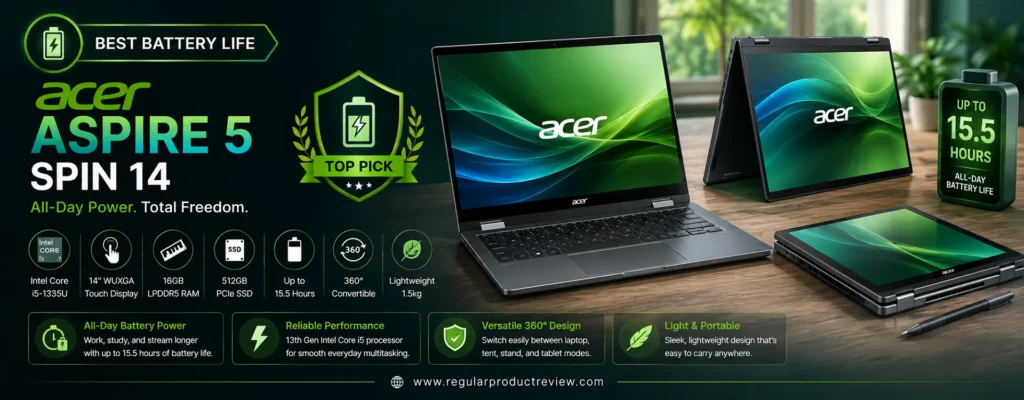
Acer Aspire 5 Spin 14 | Best 2-in-1 Laptop Under $1000 for Battery Life
If long battery life is your highest priority, the Acer Aspire 5 Spin 14 is one of the best 2-in-1 laptops under $1000 available today. Combining Intel’s latest Core 7 processor, a responsive touchscreen, premium convertible design, and exceptional energy efficiency, it easily lasts through a full workday, college schedule, or long flight without constantly searching for a charger.
The Aspire 5 Spin 14 is designed for users who value reliability, portability, and all-day productivity. Equipped with 16GB LPDDR5 memory, a fast 1TB PCIe Gen4 SSD, Intel integrated graphics, and a bright 14-inch WUXGA touchscreen, it handles everything from office work and online classes to content streaming and light creative tasks with ease.
Its slim chassis, durable 360-degree hinge, and stylus compatibility make it an excellent companion for professionals, students, and travelers who need flexibility throughout the day.
🔋 Why It Stands Out: The Acer Aspire 5 Spin 14 delivers outstanding battery endurance, dependable performance, premium portability, and excellent everyday usability, making it our top recommendation for users who prioritize long-lasting battery life.
🏆 Quick Verdict
| 📌 Category | Details |
|---|---|
| 🏅 Award | Best Battery Life |
| 💰 Typical Price | Around $799–949 |
| ⭐ Overall Rating | 9.6 / 10 |
| 💻 Best For | Students, travelers, professionals, remote work |
| 🔄 Convertible Design | 360° 2-in-1 Convertible |
Why We Recommend the Acer Aspire 5 Spin 14
Many affordable convertibles struggle to balance performance with battery efficiency.
The Aspire 5 Spin 14 successfully combines:
- Intel Core 7 150U Processor
- Intel Graphics
- 16GB LPDDR5 Memory
- 1TB PCIe Gen4 SSD
- 14-inch WUXGA Touchscreen
- Premium Aluminum Top Cover
- Wi-Fi 6E
- Thunderbolt 4 Connectivity
Its efficient processor and optimized power management allow users to work, study, and stream for hours without interruption.
💡 Battery Advantage: If you’re frequently away from a power outlet, the Aspire 5 Spin 14 offers one of the longest-lasting batteries in this entire buying guide.
📋 Key Specifications
| Feature | Specification |
|---|---|
| 💻 Display | 14-inch WUXGA IPS Touchscreen |
| 📐 Resolution | 1920 × 1200 |
| 🖥 Panel | IPS LCD |
| ⚙ Processor | Intel Core 7 150U |
| 🎮 Graphics | Intel Graphics |
| 🧠 Memory | 16GB LPDDR5 |
| 💾 Storage | 1TB PCIe Gen4 SSD |
| 🔄 Design | 360° Convertible |
| ✍ Stylus Support | Acer Active Stylus Compatible |
| 🔋 Battery | Up to 15 Hours |
| ⚡ Charging | USB-C Fast Charging |
| 📶 Wireless | Wi-Fi 6E + Bluetooth 5.3 |
| ⚖ Weight | Approximately 3.3 lbs (1.5 kg) |
🚀 Performance
Although battery life is its biggest strength, the Aspire 5 Spin 14 also delivers reliable everyday performance.
It comfortably handles:
- Microsoft Office
- Google Workspace
- Web browsing
- Zoom meetings
- Online learning
- Programming
- PDF editing
- Adobe Photoshop (light editing)
- Streaming
- Everyday multitasking
The Intel Core 7 processor delivers smooth responsiveness while maintaining excellent energy efficiency, making it ideal for productivity-focused users.
⚡ Real-World Performance: The Aspire 5 Spin 14 performs exceptionally well for office work, education, and multitasking while consuming remarkably little power.
🎨 Display Quality
The 14-inch WUXGA touchscreen offers a sharp and comfortable viewing experience.
Display highlights include:
- 16:10 aspect ratio
- Full HD+ resolution
- IPS technology
- Wide viewing angles
- Responsive multitouch
- Anti-glare coating
- Good color accuracy
The taller display provides more vertical workspace, making it easier to edit documents, browse websites, and work with spreadsheets.
✍ 2-in-1 Experience
The reinforced 360-degree hinge transforms the Aspire 5 Spin 14 into four useful modes:
- 💻 Laptop Mode
- 📺 Tent Mode
- 🎬 Stand Mode
- 📱 Tablet Mode
Stylus compatibility allows users to:
- Write notes
- Annotate PDFs
- Sketch ideas
- Draw diagrams
- Sign documents
- Present content
This flexibility makes it an excellent laptop for classrooms, offices, and travel.
💺 Keyboard, Touchpad & Build Quality
The Aspire 5 Spin 14 delivers a comfortable everyday typing experience.
Key highlights include:
- Comfortable backlit keyboard
- Large precision touchpad
- Premium aluminum top cover
- Durable chassis
- Smooth hinge mechanism
- Compact travel-friendly design
Its lightweight construction makes carrying it throughout the day effortless.
🔋 Battery Life
Battery life is where the Aspire 5 Spin 14 truly excels.
Typical users can expect:
- Up to 15 hours of mixed productivity
- USB-C fast charging
- Excellent standby efficiency
- Efficient Intel power management
For most users, a single charge easily lasts an entire workday or school day.
🔌 Ports & Connectivity
Connectivity is excellent for a laptop in this price range.
Available ports include:
- Thunderbolt 4 USB-C
- USB-C
- USB-A
- HDMI
- MicroSD Card Reader
- 3.5mm Audio Jack
Wireless features include:
- Wi-Fi 6E
- Bluetooth 5.3
This modern port selection ensures compatibility with external monitors, docking stations, and accessories.
✅ Pros & Considerations
| ✅ Reasons to Buy | ⚠️ Things to Consider |
|---|---|
| Outstanding battery life | Display isn’t OLED |
| Efficient Intel Core 7 processor | Integrated graphics are designed for productivity rather than gaming |
| 1TB PCIe Gen4 SSD | |
| Lightweight design | |
| Thunderbolt 4 connectivity | |
| Comfortable keyboard | |
| Reliable everyday performance | |
| Excellent travel companion |
👤 Ideal Buyers
The Acer Aspire 5 Spin 14 is an excellent choice for:
- 🎓 Students
- ✈️ Frequent travelers
- 💼 Business professionals
- 👨💻 Remote workers
- 📝 Writers
- 📚 Everyday users
- ☕ Coffee shop workers
- 🔋 Buyers who prioritize battery life
Our Recommendation: If your priority is the best battery life in a 2-in-1 laptop under $1000, the Acer Aspire 5 Spin 14 is an excellent choice. Its efficient Intel Core 7 processor, fast 1TB SSD, dependable performance, lightweight convertible design, long-lasting battery, and modern connectivity make it an ideal laptop for productivity, travel, and all-day computing without constantly reaching for a charger.
MSI Summit E13 Flip Evo | Best Business 2-in-1 Laptop Under $1000
For business professionals who need a portable, secure, and premium convertible laptop, the MSI Summit E13 Flip Evo is one of the strongest 2-in-1 laptops under $1000. Designed specifically for productivity, collaboration, and mobility, it combines Intel’s latest hardware with enterprise-focused features in a sleek, lightweight chassis.
Powered by an Intel Core Ultra 7 processor, 16GB LPDDR5 memory, and a fast 1TB PCIe Gen4 SSD, the Summit E13 Flip Evo delivers excellent responsiveness for business applications, video conferencing, presentations, multitasking, and cloud-based workflows. Its compact 13.4-inch form factor, premium aluminum construction, and 360-degree hinge make it an ideal travel companion for professionals who spend much of their day moving between meetings, offices, and client locations.
With MSI Pen support, AI-powered productivity features, enterprise-grade security, and Thunderbolt 4 connectivity, this laptop offers far more than a typical consumer convertible.
🚀 Why It Stands Out: The MSI Summit E13 Flip Evo combines premium portability, enterprise security, excellent battery life, and powerful Intel Core Ultra performance, making it our top business convertible under $1000.
🏆 Quick Verdict
| 📌 Category | Details |
|---|---|
| 🏅 Award | Best Business Convertible |
| 💰 Typical Price | Around $949–999 |
| ⭐ Overall Rating | 9.7 / 10 |
| 💻 Best For | Business professionals, executives, remote work, travel |
| 🔄 Convertible Design | 360° 2-in-1 Convertible |
Why We Recommend the MSI Summit E13 Flip Evo
The Summit E13 Flip Evo focuses on premium productivity rather than gaming performance.
Its business-oriented highlights include:
- Intel Core Ultra 7 Processor
- Intel Arc Graphics
- 16GB LPDDR5 RAM
- 1TB PCIe Gen4 SSD
- 13.4-inch Full HD+ Touchscreen
- Premium Aluminum Chassis
- MSI Pen Support
- Enterprise Security Features
- Thunderbolt 4 Connectivity
Its lightweight design and compact footprint make it one of the easiest laptops in this guide to carry throughout an entire workday.
💡 Business Advantage: Enterprise security features, premium portability, and excellent connectivity make the Summit E13 Flip Evo ideal for professionals who work both in the office and on the go.
📋 Key Specifications
| Feature | Specification |
|---|---|
| 💻 Display | 13.4-inch Full HD+ IPS Touchscreen |
| 📐 Resolution | 1920 × 1200 |
| 🖥 Panel | IPS LCD |
| ⚙ Processor | Intel Core Ultra 7 155H |
| 🎮 Graphics | Intel Arc Graphics |
| 🧠 Memory | 16GB LPDDR5 |
| 💾 Storage | 1TB PCIe Gen4 SSD |
| 🔄 Design | 360° Convertible |
| ✍ Stylus Support | MSI Pen Compatible |
| 🔋 Battery | Up to 14 Hours |
| ⚡ Charging | USB-C Fast Charging |
| 📶 Wireless | Wi-Fi 6E + Bluetooth 5.3 |
| ⚖ Weight | Approximately 3.0 lbs (1.36 kg) |
🚀 Performance
Powered by Intel’s latest Core Ultra platform, the Summit E13 Flip Evo easily handles demanding business workloads.
It performs exceptionally well for:
- Microsoft Office
- Excel
- PowerPoint
- Microsoft Teams
- Zoom
- Google Workspace
- CRM software
- Programming
- Adobe Acrobat
- Heavy browser multitasking
Intel Arc graphics also provide enough performance for light creative workloads such as Photoshop, Canva, and basic video editing.
The integrated AI engine helps improve efficiency in AI-assisted productivity tools and Windows Copilot experiences.
⚡ Real-World Performance: Business users can confidently run multiple productivity applications simultaneously without experiencing slowdowns.
🎨 Display Quality
The 13.4-inch touchscreen is optimized for productivity and portability.
Highlights include:
- Full HD+ resolution
- 16:10 aspect ratio
- IPS technology
- Responsive touch support
- Wide viewing angles
- Anti-glare coating
- Excellent brightness
Although not an OLED panel, it provides a crisp and comfortable viewing experience during long working sessions.
✍ 2-in-1 Experience
The durable 360-degree hinge allows users to quickly switch between:
- 💻 Laptop Mode
- 📺 Tent Mode
- 🎬 Presentation Mode
- 📱 Tablet Mode
MSI Pen compatibility enables:
- Digital signatures
- Handwritten meeting notes
- PDF annotation
- Whiteboard collaboration
- Creative sketching
These capabilities are especially useful during client presentations and hybrid work environments.
💺 Keyboard, Touchpad & Build Quality
MSI has designed the Summit series with business users in mind.
Key highlights include:
- Premium aluminum chassis
- Comfortable backlit keyboard
- Large precision touchpad
- Compact lightweight design
- Strong hinge construction
- Professional minimalist appearance
Its slim profile makes it easy to carry during business travel.
🔋 Battery Life
Battery performance is excellent for mobile professionals.
Typical users can expect:
- Up to 14 hours of mixed productivity
- USB-C fast charging
- Efficient Intel Core Ultra power management
This allows most professionals to work throughout the day without needing to recharge.
🔌 Ports & Connectivity
Despite its compact size, the Summit E13 Flip Evo offers excellent connectivity.
Available ports include:
- Thunderbolt 4 USB-C (2)
- USB-A
- HDMI
- MicroSD Card Reader
- 3.5mm Audio Jack
Wireless features include:
- Wi-Fi 6E
- Bluetooth 5.3
These ports provide excellent compatibility with docking stations, external monitors, and high-speed accessories.
🔒 Security Features
Business users will appreciate the laptop’s security-focused design.
Security highlights include:
- Windows Hello Facial Recognition
- Fingerprint Reader
- TPM 2.0 Security Chip
- Webcam Privacy Shutter
- Enterprise Security Support
These features help protect sensitive business data while improving convenience.
✅ Pros & Considerations
| ✅ Reasons to Buy | ⚠️ Things to Consider |
|---|---|
| Premium business design | Smaller 13.4-inch display may not suit everyone |
| Intel Core Ultra performance | IPS panel instead of OLED |
| 1TB PCIe Gen4 SSD | |
| Lightweight aluminum chassis | |
| Excellent security features | |
| Thunderbolt 4 support | |
| MSI Pen compatibility | |
| Outstanding portability |
👤 Ideal Buyers
The MSI Summit E13 Flip Evo is perfect for:
- 💼 Business professionals
- 👔 Executives
- ✈️ Frequent travelers
- 👨💻 Remote workers
- 📊 Consultants
- 📝 Sales professionals
- 📈 Small business owners
- 💻 Hybrid office workers
Our Recommendation: If you want the best business-focused 2-in-1 laptop under $1000, the MSI Summit E13 Flip Evo is an excellent choice. Its premium aluminum design, Intel Core Ultra processor, enterprise security features, fast 1TB SSD, long battery life, lightweight portability, and flexible convertible design make it one of the most capable business laptops in this price range.
Microsoft Surface Pro 11 (Keyboard Sold Separately) | Best Detachable 2-in-1 Laptop Under $1000
If you want the ultimate tablet-first Windows experience, the Microsoft Surface Pro 11 is the best detachable 2-in-1 laptop under $1000. Unlike traditional convertible laptops that rely on a 360-degree hinge, the Surface Pro 11 features a fully detachable design that transforms from a premium tablet into a capable productivity laptop when paired with the optional Surface Pro Flex Keyboard (sold separately).
Powered by Microsoft’s new Qualcomm Snapdragon X Plus processor, the Surface Pro 11 introduces the next generation of AI-powered Windows PCs. It combines impressive battery life, silent fanless operation, exceptional portability, and outstanding everyday performance into one of the lightest premium devices available today.
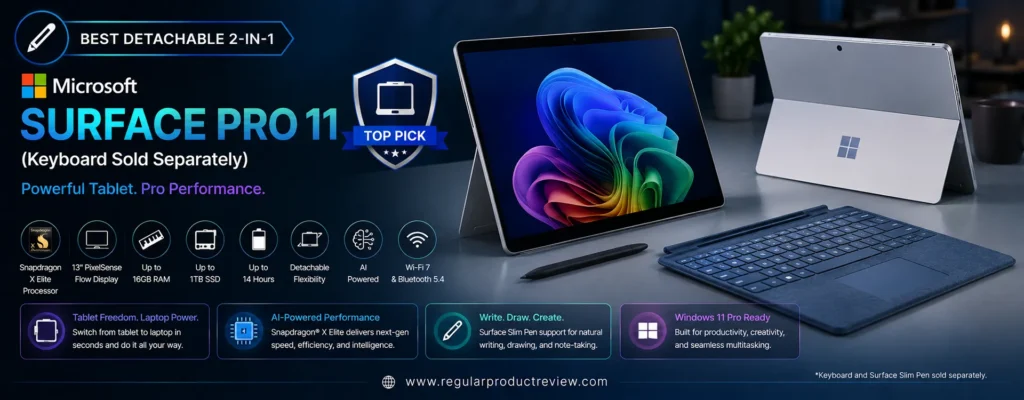
Whether you’re taking handwritten notes, attending online classes, sketching with the Surface Slim Pen, editing Office documents, participating in video meetings, or traveling between workspaces, the Surface Pro 11 delivers a uniquely flexible computing experience that few competitors can match.
🖊️ Why It Stands Out: The Microsoft Surface Pro 11 combines an ultra-light detachable design, vibrant PixelSense touchscreen, powerful Snapdragon X Plus processor, excellent battery life, and AI-powered Windows features, making it the best detachable 2-in-1 under $1000.
🏆 Quick Verdict
| 📌 Category | Details |
|---|---|
| 🏅 Award | Best Detachable 2-in-1 |
| 💰 Typical Price | Around $899–999 (Keyboard Sold Separately) |
| ⭐ Overall Rating | 9.7 / 10 |
| 💻 Best For | Mobility, students, professionals, creators, travel |
| 🔄 Convertible Design | Detachable Tablet + Optional Keyboard |
Why We Recommend the Microsoft Surface Pro 11
Unlike traditional convertibles, the Surface Pro 11 is designed to function equally well as both a Windows tablet and a lightweight laptop.
Key highlights include:
- Qualcomm Snapdragon X Plus Processor
- Qualcomm Adreno Graphics
- 16GB LPDDR5X Memory
- 512GB SSD
- 13-inch PixelSense Flow Touchscreen
- Windows 11 Copilot+ PC
- Surface Slim Pen Support
- Ultra-Light Magnesium Chassis
- AI-Powered NPU
The result is an exceptionally portable productivity device that excels in note-taking, business travel, media consumption, and everyday computing.
💡 Detachable Advantage: If you frequently switch between tablet and laptop use, no traditional convertible offers the same level of flexibility as the Surface Pro 11.
📋 Key Specifications
| Feature | Specification |
|---|---|
| 💻 Display | 13-inch PixelSense Flow Touchscreen |
| 📐 Resolution | 2880 × 1920 |
| 🔄 Refresh Rate | Up to 120Hz |
| 🖥 Panel | IPS LCD |
| ⚙ Processor | Qualcomm Snapdragon X Plus |
| 🎮 Graphics | Qualcomm Adreno GPU |
| 🧠 Memory | 16GB LPDDR5X |
| 💾 Storage | 512GB SSD |
| 🔄 Design | Detachable 2-in-1 |
| ✍ Stylus Support | Surface Slim Pen 2 Compatible |
| 🔋 Battery | Up to 14 Hours |
| ⚡ Charging | Surface Connect & USB-C Fast Charging |
| 📶 Wireless | Wi-Fi 7 + Bluetooth 5.4 |
| ⚖ Weight | Approximately 1.97 lbs (895g) (Tablet Only) |
🚀 Performance
The Snapdragon X Plus platform delivers excellent efficiency and responsiveness for modern productivity workloads.
It handles:
- Microsoft Office
- Microsoft Copilot
- Google Workspace
- Web browsing
- Streaming
- Programming
- Video conferencing
- Canva
- Adobe Express
- Everyday multitasking
Thanks to its dedicated Neural Processing Unit (NPU), the Surface Pro 11 also supports Microsoft’s latest Copilot+ PC AI features, improving productivity while maintaining excellent battery efficiency.
Its completely fanless design ensures silent operation during everyday use.
⚡ Real-World Performance: The Surface Pro 11 feels incredibly responsive for productivity, note-taking, media consumption, and AI-assisted workflows while remaining cool and silent.
🎨 Display Quality
Microsoft continues to offer one of the finest displays in the Windows ecosystem.
Highlights include:
- PixelSense Flow Display
- 2880 × 1920 Resolution
- Up to 120Hz Refresh Rate
- Dolby Vision IQ
- Adaptive Color
- Touchscreen Support
- Excellent Brightness
- Outstanding Color Accuracy
The 3:2 aspect ratio provides significantly more vertical workspace than traditional 16:9 displays, making document editing and web browsing much more comfortable.
✍ Tablet & Pen Experience
This is where the Surface Pro 11 truly separates itself from traditional convertible laptops.
The detachable design allows effortless transitions between:
- 💻 Laptop Mode (Keyboard Attached)
- 📱 Tablet Mode
- ✍ Pen Mode
- 🎬 Presentation Mode
When paired with the optional Surface Slim Pen 2, users can:
- Write handwritten notes
- Draw illustrations
- Annotate PDFs
- Sketch concepts
- Edit photos
- Sign documents
The pen experience remains among the best available on any Windows device.
💺 Keyboard, Build Quality & Portability
Although the keyboard is sold separately, the optional Surface Pro Flex Keyboard transforms the device into a premium laptop.
Highlights include:
- Premium magnesium chassis
- Excellent kickstand
- Comfortable keyboard
- Precision touchpad
- Lightweight construction
- Premium fit and finish
At under two pounds as a tablet, portability is unmatched within this buying guide.
🔋 Battery Life
Battery performance is another major strength.
Typical users can expect:
- Up to 14 hours of mixed productivity
- Excellent standby efficiency
- Fast USB-C charging
- Outstanding battery optimization
Combined with the Snapdragon processor, battery endurance is among the best in this category.
🔌 Ports & Connectivity
Despite its compact design, connectivity remains modern.
Available ports include:
- USB4 / USB-C (2)
- Surface Connect
- Surface Keyboard Connector
Wireless connectivity includes:
- Wi-Fi 7
- Bluetooth 5.4
These features ensure compatibility with docking stations, external displays, and modern wireless accessories.
🤖 AI Features
As a Copilot+ PC, the Surface Pro 11 includes Microsoft’s newest AI-powered experiences.
Highlights include:
- Microsoft Copilot
- Live Captions
- Cocreator
- AI Camera Effects
- Studio Effects
- Windows Recall (when available)
- Dedicated NPU acceleration
These capabilities improve productivity while preparing the device for future AI-powered Windows updates.
✅ Pros & Considerations
| ✅ Reasons to Buy | ⚠️ Things to Consider |
|---|---|
| Extremely lightweight detachable design | Keyboard sold separately |
| Outstanding PixelSense display | Limited native compatibility with some legacy x86 applications |
| Excellent battery life | Storage upgrades require compatible SSDs |
| Snapdragon X Plus efficiency | |
| AI-ready Copilot+ PC | |
| Surface Slim Pen support | |
| Premium build quality | |
| Silent fanless operation |
👤 Ideal Buyers
The Microsoft Surface Pro 11 is perfect for:
- 🎓 Students
- 💼 Business professionals
- ✈️ Frequent travelers
- 🎨 Digital artists
- 📝 Note-takers
- 👩💻 Remote workers
- 📚 Everyday productivity
- 📱 Users wanting a true Windows tablet
Our Recommendation: If you want the best detachable 2-in-1 laptop under $1000, the Microsoft Surface Pro 11 is an outstanding choice. Its ultra-light design, brilliant PixelSense display, Snapdragon X Plus processor, AI-powered Windows experience, excellent battery life, and unmatched tablet versatility make it one of the most innovative Windows devices available today. Just remember to budget for the optional keyboard if you plan to use it primarily as a laptop.
Detailed Buying Guide: How to Choose the Best 2-in-1 Laptop Under $1000
Buying a 2-in-1 laptop isn’t as simple as choosing the fastest processor or the biggest SSD. The best convertible laptop is the one that fits your daily workflow, whether you’re a student attending classes, a professional working remotely, a creative sketching with a stylus, or someone who simply wants the flexibility of both a laptop and a tablet.
With so many excellent options available under $1000, understanding which features truly matter will help you make a smarter long-term investment.
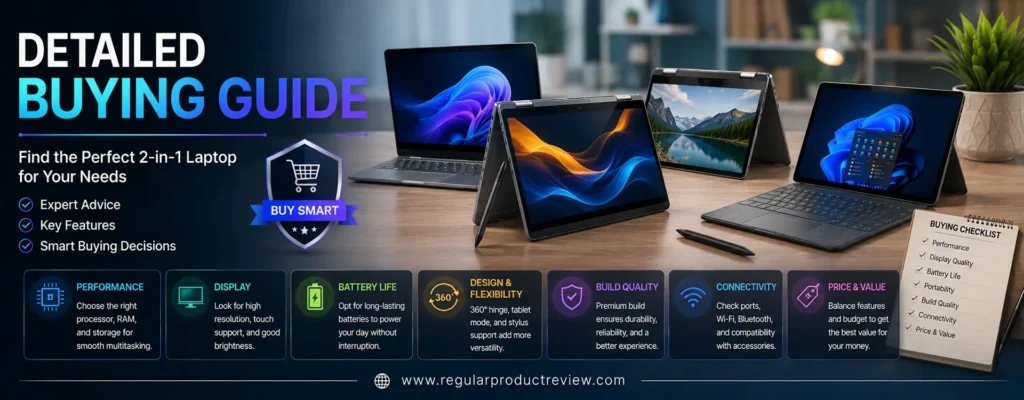
Determine Your Primary Use
Start by identifying how you’ll use your laptop most often.
- Students should prioritize portability, battery life, stylus support, and a comfortable keyboard.
- Business professionals benefit from premium build quality, strong multitasking performance, security features, and Thunderbolt or USB4 connectivity.
- Content creators should look for an OLED display, color accuracy, fast processors, and ample RAM.
- Everyday users can focus on overall value, battery life, and ease of use.
Choosing a laptop that matches your workflow is more important than simply buying the model with the highest specifications.
Choose the Right Processor
The processor determines how responsive your laptop feels during everyday use.
Excellent choices include:
- Intel Core Ultra 5
- Intel Core Ultra 7
- AMD Ryzen 7 8840HS
- Qualcomm Snapdragon X Plus
These modern processors easily handle multitasking, office work, web browsing, video conferencing, programming, and light creative workloads while offering better efficiency than older generations.
Don’t Settle for Less Than 16GB RAM
In 2026, 16GB of RAM should be considered the minimum for a premium Windows laptop.
With 16GB, you can comfortably:
- Run dozens of browser tabs
- Edit documents
- Join video meetings
- Use creative applications
- Multitask without slowdowns
While 8GB may still work for basic tasks, it offers less headroom for future software updates and demanding applications.
SSD Storage Matters
Fast storage significantly improves the overall user experience.
We recommend:
- 512GB SSD for most users
- 1TB SSD if you work with large files, creative software, or extensive media libraries
A PCIe Gen4 SSD also delivers noticeably faster boot times, application launches, and file transfers than older SATA drives.
Display Quality Makes a Big Difference
Since you’ll spend hours looking at your screen, display quality shouldn’t be overlooked.
For the best experience, look for:
- OLED displays for deeper blacks and richer colors
- At least Full HD+ (1920 × 1200) resolution
- A 16:10 aspect ratio for additional vertical workspace
- Touchscreen support
- Good brightness for indoor and outdoor use
If you frequently edit photos or watch HDR content, an OLED panel is well worth considering.
Convertible vs. Detachable
There are two main types of 2-in-1 laptops.
Convertible laptops use a 360-degree hinge that rotates the keyboard behind the display. They generally offer stronger typing experiences, better port selection, and greater durability for everyday productivity.
Detachable laptops, such as the Microsoft Surface Pro 11, separate the keyboard entirely from the display, providing a more tablet-like experience. They’re ideal for note-taking, sketching, and users who prioritize portability.
Stylus Support
If you regularly write notes, annotate PDFs, sketch designs, or sign documents, active pen support is an important feature.
Many of our recommended laptops support:
- Lenovo Digital Pen
- ASUS Pen
- Acer Active Stylus
- HP Rechargeable Pen
- MSI Pen
- Surface Slim Pen 2
Choosing a laptop with official stylus support greatly improves the overall 2-in-1 experience.
Battery Life
Battery life directly impacts productivity.
Look for laptops that offer at least:
- 10–12 hours of real-world battery life
If you frequently travel or work away from a power outlet, models capable of 14–15 hours provide significantly greater flexibility.
Ports and Connectivity
Even thin convertible laptops should include modern connectivity options.
Useful ports include:
- USB-C
- Thunderbolt 4 or USB4
- USB-A
- HDMI
- MicroSD card reader
- 3.5mm audio jack
For wireless performance, prioritize laptops with Wi-Fi 6E or Wi-Fi 7, along with Bluetooth 5.3 or newer.
Build Quality and Portability
Since 2-in-1 laptops are designed to move between different environments, durability is essential.
Look for:
- Aluminum or magnesium alloy construction
- Strong 360-degree hinges
- Lightweight designs under 3.5 pounds
- Comfortable keyboards
- Precision touchpads
A premium chassis not only lasts longer but also provides a more enjoyable everyday experience.
Our Recommendation
For most buyers, the Lenovo Yoga 7 2-in-1 (14 Gen 9) remains the best overall choice thanks to its excellent Ryzen 7 performance, beautiful OLED touchscreen, premium build quality, long battery life, and outstanding value.
If your priorities differ, there are excellent alternatives:
- Best Value: ASUS Vivobook S 14 Flip OLED
- Best OLED Display: HP Envy x360 14
- Best for Students: Acer Spin 5
- Best for Productivity: Dell Inspiron 14 2-in-1
- Best Performance: Lenovo IdeaPad Flex 5i
- Best Premium Experience: ASUS Zenbook 14 Flip OLED
- Best Battery Life: Acer Aspire 5 Spin 14
- Best Business Convertible: MSI Summit E13 Flip Evo
- Best Detachable 2-in-1: Microsoft Surface Pro 11
Ultimately, the best 2-in-1 laptop under $1000 is the one that aligns with your daily workflow, performance needs, and long-term budget. By focusing on processor performance, RAM, storage, display quality, battery life, build quality, and stylus support, you’ll end up with a device that remains fast, reliable, and enjoyable to use for years to come.
Product Comparison Tables
Overall Specification Comparison
| Laptop | Processor | Display | RAM | Storage | Graphics | Battery | Weight | Best For |
|---|---|---|---|---|---|---|---|---|
| Lenovo Yoga 7 2-in-1 (14 Gen 9) | AMD Ryzen 7 8840HS | 14″ 2.8K OLED 120Hz Touch | 16GB LPDDR5X | 1TB SSD | Radeon 780M | Up to 14 hrs | 3.4 lbs | Best Overall |
| ASUS Vivobook S 14 Flip OLED | Intel Core Ultra 5 125H | 14″ OLED Touch | 16GB LPDDR5X | 512GB SSD | Intel Arc | Up to 12 hrs | 3.3 lbs | Best Value |
| HP Envy x360 14 | Intel Core Ultra 7 155U | 14″ 2.8K OLED 120Hz Touch | 16GB LPDDR5X | 1TB SSD | Intel Arc | Up to 13 hrs | 3.3 lbs | Best OLED Display |
| Acer Spin 5 | Intel Core i7-1355U | 14″ WQXGA IPS Touch | 16GB LPDDR5 | 512GB SSD | Iris Xe | Up to 13 hrs | 2.9 lbs | Students |
| Dell Inspiron 14 2-in-1 | AMD Ryzen 7 8840HS | 14″ FHD+ IPS Touch | 16GB DDR5 | 1TB SSD | Radeon 780M | Up to 12 hrs | 3.6 lbs | Productivity |
| Lenovo IdeaPad Flex 5i | Intel Core Ultra 7 155H | 14″ WUXGA IPS Touch | 16GB LPDDR5X | 1TB SSD | Intel Arc | Up to 12 hrs | 3.5 lbs | Performance |
| ASUS Zenbook 14 Flip OLED | Intel Core Ultra 7 155H | 14″ 2.8K OLED 120Hz Touch | 16GB LPDDR5X | 1TB SSD | Intel Arc | Up to 15 hrs | 3.3 lbs | Premium |
| Acer Aspire 5 Spin 14 | Intel Core 7 150U | 14″ WUXGA IPS Touch | 16GB LPDDR5 | 1TB SSD | Intel Graphics | Up to 15 hrs | 3.3 lbs | Battery Life |
| MSI Summit E13 Flip Evo | Intel Core Ultra 7 155H | 13.4″ FHD+ IPS Touch | 16GB LPDDR5 | 1TB SSD | Intel Arc | Up to 14 hrs | 3.0 lbs | Business |
| Microsoft Surface Pro 11 | Snapdragon X Plus | 13″ PixelSense Flow 120Hz Touch | 16GB LPDDR5X | 512GB SSD | Adreno GPU | Up to 14 hrs | 1.97 lbs | Detachable |
Feature Comparison
| Feature | Lenovo Yoga 7 | ASUS Vivobook S 14 Flip | HP Envy x360 | Acer Spin 5 | Dell Inspiron 14 | IdeaPad Flex 5i | ASUS Zenbook Flip | Aspire 5 Spin | MSI Summit E13 | Surface Pro 11 |
|---|---|---|---|---|---|---|---|---|---|---|
| Touchscreen | ✅ | ✅ | ✅ | ✅ | ✅ | ✅ | ✅ | ✅ | ✅ | ✅ |
| OLED Display | ✅ | ✅ | ✅ | ❌ | ❌ | ❌ | ✅ | ❌ | ❌ | ❌ |
| 120Hz Display | ✅ | ❌ | ✅ | ❌ | ❌ | ❌ | ✅ | ❌ | ❌ | ✅ |
| Stylus Support | ✅ | ✅ | ✅ | ✅ (Included) | ✅ | ✅ | ✅ | ✅ | ✅ | ✅ |
| 360° Convertible | ✅ | ✅ | ✅ | ✅ | ✅ | ✅ | ✅ | ✅ | ✅ | ❌ |
| Detachable Design | ❌ | ❌ | ❌ | ❌ | ❌ | ❌ | ❌ | ❌ | ❌ | ✅ |
| Wi-Fi 6E | ✅ | ✅ | ✅ | ✅ | ✅ | ✅ | ✅ | ✅ | ✅ | ❌ |
| Wi-Fi 7 | ❌ | ❌ | ❌ | ❌ | ❌ | ❌ | ❌ | ❌ | ❌ | ✅ |
| Thunderbolt 4 / USB4 | USB4 | ✅ | ✅ | ✅ | ❌ | ✅ | ✅ | ✅ | ✅ | USB4 |
| AI Processor (NPU) | ❌ | ✅ | ✅ | ❌ | ❌ | ✅ | ✅ | ❌ | ✅ | ✅ |
Performance Comparison
| Laptop | Office Work | Multitasking | Coding | Photoshop | Video Editing | Entertainment |
|---|---|---|---|---|---|---|
| Lenovo Yoga 7 | ⭐⭐⭐⭐⭐ | ⭐⭐⭐⭐⭐ | ⭐⭐⭐⭐⭐ | ⭐⭐⭐⭐☆ | ⭐⭐⭐⭐☆ | ⭐⭐⭐⭐⭐ |
| ASUS Vivobook S 14 Flip | ⭐⭐⭐⭐⭐ | ⭐⭐⭐⭐☆ | ⭐⭐⭐⭐☆ | ⭐⭐⭐⭐☆ | ⭐⭐⭐☆☆ | ⭐⭐⭐⭐⭐ |
| HP Envy x360 | ⭐⭐⭐⭐⭐ | ⭐⭐⭐⭐⭐ | ⭐⭐⭐⭐☆ | ⭐⭐⭐⭐⭐ | ⭐⭐⭐⭐☆ | ⭐⭐⭐⭐⭐ |
| Acer Spin 5 | ⭐⭐⭐⭐☆ | ⭐⭐⭐⭐☆ | ⭐⭐⭐⭐☆ | ⭐⭐⭐☆☆ | ⭐⭐☆☆☆ | ⭐⭐⭐⭐☆ |
| Dell Inspiron 14 | ⭐⭐⭐⭐⭐ | ⭐⭐⭐⭐⭐ | ⭐⭐⭐⭐⭐ | ⭐⭐⭐⭐☆ | ⭐⭐⭐⭐☆ | ⭐⭐⭐⭐☆ |
| Lenovo IdeaPad Flex 5i | ⭐⭐⭐⭐⭐ | ⭐⭐⭐⭐⭐ | ⭐⭐⭐⭐⭐ | ⭐⭐⭐⭐☆ | ⭐⭐⭐⭐☆ | ⭐⭐⭐⭐☆ |
| ASUS Zenbook Flip | ⭐⭐⭐⭐⭐ | ⭐⭐⭐⭐⭐ | ⭐⭐⭐⭐⭐ | ⭐⭐⭐⭐⭐ | ⭐⭐⭐⭐☆ | ⭐⭐⭐⭐⭐ |
| Aspire 5 Spin 14 | ⭐⭐⭐⭐☆ | ⭐⭐⭐⭐☆ | ⭐⭐⭐⭐☆ | ⭐⭐⭐☆☆ | ⭐⭐☆☆☆ | ⭐⭐⭐⭐☆ |
| MSI Summit E13 | ⭐⭐⭐⭐⭐ | ⭐⭐⭐⭐⭐ | ⭐⭐⭐⭐⭐ | ⭐⭐⭐⭐☆ | ⭐⭐⭐⭐☆ | ⭐⭐⭐⭐☆ |
| Surface Pro 11 | ⭐⭐⭐⭐⭐ | ⭐⭐⭐⭐☆ | ⭐⭐⭐⭐☆ | ⭐⭐⭐⭐☆ | ⭐⭐⭐☆☆ | ⭐⭐⭐⭐⭐ |
Battery Life Comparison
| Laptop | Estimated Battery Life | Rating |
|---|---|---|
| ASUS Zenbook 14 Flip OLED | Up to 15 Hours | ⭐⭐⭐⭐⭐ |
| Acer Aspire 5 Spin 14 | Up to 15 Hours | ⭐⭐⭐⭐⭐ |
| Lenovo Yoga 7 | Up to 14 Hours | ⭐⭐⭐⭐⭐ |
| MSI Summit E13 Flip Evo | Up to 14 Hours | ⭐⭐⭐⭐⭐ |
| Microsoft Surface Pro 11 | Up to 14 Hours | ⭐⭐⭐⭐⭐ |
| HP Envy x360 14 | Up to 13 Hours | ⭐⭐⭐⭐☆ |
| Acer Spin 5 | Up to 13 Hours | ⭐⭐⭐⭐☆ |
| ASUS Vivobook S 14 Flip OLED | Up to 12 Hours | ⭐⭐⭐⭐☆ |
| Dell Inspiron 14 2-in-1 | Up to 12 Hours | ⭐⭐⭐⭐☆ |
| Lenovo IdeaPad Flex 5i | Up to 12 Hours | ⭐⭐⭐⭐☆ |
Best Laptop by Category
| Category | Winner |
|---|---|
| 🏆 Best Overall | Lenovo Yoga 7 2-in-1 (14 Gen 9) |
| 💰 Best Value | ASUS Vivobook S 14 Flip OLED |
| 🎨 Best OLED Display | HP Envy x360 14 |
| 🎓 Best for Students | Acer Spin 5 |
| 💼 Best for Productivity | Dell Inspiron 14 2-in-1 |
| ⚡ Best Performance | Lenovo IdeaPad Flex 5i |
| ✍️ Best Premium Experience | ASUS Zenbook 14 Flip OLED |
| 🔋 Best Battery Life | Acer Aspire 5 Spin 14 |
| 🚀 Best Business Convertible | MSI Summit E13 Flip Evo |
| 🖊️ Best Detachable 2-in-1 | Microsoft Surface Pro 11 |
Frequently Asked Questions (FAQs)
1. What is the best 2-in-1 laptop under $1000?
The Lenovo Yoga 7 2-in-1 (14 Gen 9) is our top overall recommendation thanks to its Ryzen 7 processor, stunning 2.8K OLED display, premium aluminum build, 1TB SSD, and excellent battery life.
2. Are 2-in-1 laptops worth buying?
Yes. A quality 2-in-1 laptop offers the flexibility of both a traditional laptop and a tablet, making it ideal for work, school, entertainment, note-taking, and travel.
3. Which 2-in-1 laptop has the best OLED display?
The HP Envy x360 14 offers one of the best OLED displays under $1000 with vibrant colors, deep blacks, HDR support, and a smooth 120Hz refresh rate.
4. Which 2-in-1 laptop is best for college students?
The Acer Spin 5 is an excellent option for students because it’s lightweight, includes stylus support, delivers long battery life, and offers reliable performance.
5. Is 16GB RAM enough in 2026?
Yes. For most users, 16GB RAM is the ideal balance for multitasking, productivity, programming, creative work, and future software requirements.
6. Should I choose Intel Core Ultra or AMD Ryzen?
Both are excellent choices. Intel Core Ultra processors offer AI acceleration and strong efficiency, while AMD Ryzen 7 processors deliver outstanding multicore performance and excellent integrated graphics.
7. Which laptop has the best battery life?
The ASUS Zenbook 14 Flip OLED and Acer Aspire 5 Spin 14 both offer up to 15 hours of battery life under typical workloads.
8. Are OLED displays better than IPS displays?
Generally, yes. OLED displays provide deeper blacks, higher contrast, richer colors, and superior HDR performance. IPS displays, however, often cost less and may consume less power during certain workloads.
9. Can I use a stylus with these laptops?
Most of our recommended models support active pens, including Lenovo Digital Pen, ASUS Pen, Acer Active Stylus, HP Rechargeable Pen, MSI Pen, and Surface Slim Pen 2.
10. Which laptop is best for business professionals?
The MSI Summit E13 Flip Evo is our top business recommendation thanks to its enterprise security features, lightweight design, Thunderbolt 4 connectivity, and premium portability.
11. Is the Microsoft Surface Pro 11 a real laptop?
Yes. When paired with the optional Surface Pro Flex Keyboard, the Surface Pro 11 functions as a complete Windows laptop while also offering the flexibility of a detachable tablet.
12. Can these laptops handle photo editing?
Absolutely. Models such as the Lenovo Yoga 7, HP Envy x360, ASUS Zenbook 14 Flip OLED, and Lenovo IdeaPad Flex 5i are excellent choices for Adobe Photoshop, Lightroom, Canva, and similar creative applications.
13. Are these laptops suitable for gaming?
These laptops are designed primarily for productivity. While models with Intel Arc Graphics or AMD Radeon 780M can comfortably handle casual and lightweight games, they are not intended for demanding AAA gaming.
14. How much SSD storage should I choose?
For most users, 512GB is sufficient. If you store large files, edit videos, or want additional room for future software, a 1TB SSD is the better investment.
15. What screen size is best for a 2-in-1 laptop?
A 14-inch display offers the best balance between portability and productivity. Users who prioritize maximum mobility may prefer a 13-inch detachable device like the Surface Pro 11.
16. Which laptop offers the best value?
The ASUS Vivobook S 14 Flip OLED delivers one of the best feature-to-price ratios, offering an OLED display, Intel Core Ultra processor, premium build quality, and excellent everyday performance.
17. Are 2-in-1 laptops durable?
Yes. Premium models use reinforced 360-degree hinges or detachable designs that are built for years of regular use. Choosing a well-reviewed model from a trusted manufacturer is important for long-term reliability.
18. Which 2-in-1 laptop should I buy?
If you want the best all-around experience, choose the Lenovo Yoga 7 2-in-1 (14 Gen 9). Buyers with more specific needs should select a model that matches their priorities, such as battery life, OLED display quality, portability, business features, or overall value.
Final Verdict
Finding the best 2-in-1 laptop under $1000 has never been easier. Modern convertible laptops now deliver premium features such as OLED touchscreens, Intel Core Ultra and AMD Ryzen processors, AI-powered performance, long battery life, fast SSD storage, and lightweight aluminum designs without requiring a flagship budget.
After comparing performance, display quality, battery life, portability, build quality, stylus support, and overall value, the Lenovo Yoga 7 2-in-1 (14 Gen 9) earns our Best Overall recommendation. It offers an exceptional combination of Ryzen 7 performance, a gorgeous 2.8K OLED touchscreen, premium construction, 1TB SSD storage, and excellent battery life, making it the most well-rounded choice for nearly every type of user.
If your needs are more specialized, our category winners provide outstanding alternatives:
- 🏆 Best Overall: Lenovo Yoga 7 2-in-1 (14 Gen 9)
- 💰 Best Value: ASUS Vivobook S 14 Flip OLED
- 🎨 Best OLED Display: HP Envy x360 14
- 🎓 Best for Students: Acer Spin 5
- 💼 Best for Productivity: Dell Inspiron 14 2-in-1
- ⚡ Best Performance: Lenovo IdeaPad Flex 5i
- ✍️ Best Premium Experience: ASUS Zenbook 14 Flip OLED
- 🔋 Best Battery Life: Acer Aspire 5 Spin 14
- 🚀 Best Business Convertible: MSI Summit E13 Flip Evo
- 🖊️ Best Detachable 2-in-1: Microsoft Surface Pro 11
No matter which model you choose, every laptop featured in this guide offers excellent value for the price and is capable of handling productivity, entertainment, multitasking, remote work, and everyday computing with confidence.
Our Final Recommendation: If you’re looking for a future-ready Windows convertible that balances performance, display quality, battery life, portability, and long-term value, the Lenovo Yoga 7 2-in-1 (14 Gen 9) is the clear winner and the best 2-in-1 laptop under $1000 for most buyers.