

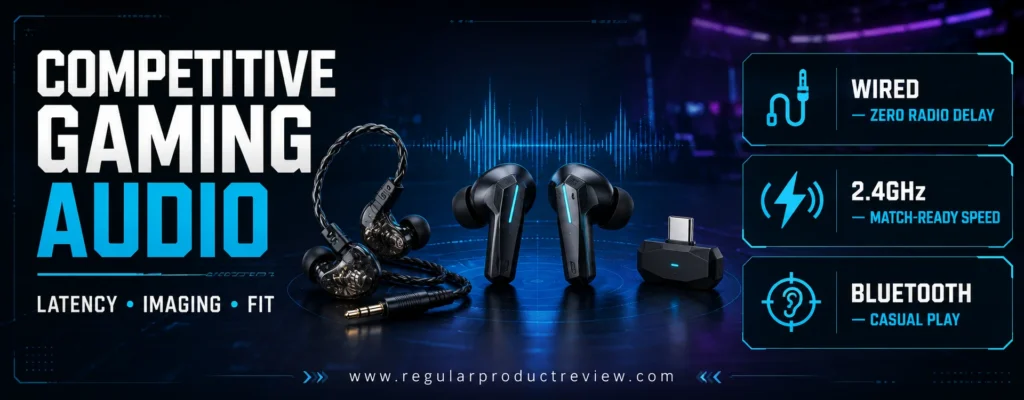
Competitive Audio Starts with Timing, Imaging, and Fit
The best gaming earbuds for competitive gaming do not win simply because they produce the biggest explosions or the deepest bass. A serious match is decided by timing and information. You need to hear a reload behind cover, separate a teammate’s callout from an ability effect, recognize whether footsteps are above or below you, and react before a delayed wireless signal turns useful information into old news.
That makes gaming earbuds a different buying category from ordinary music-focused true wireless models. A pair can sound warm, rich, and entertaining on a playlist yet become confusing in a crowded firefight. Elevated bass may mask quieter movement cues. A narrow or poorly defined stereo image can make left-versus-right placement obvious while leaving distance and front-versus-back positioning uncertain. A Bluetooth-only connection may feel acceptable in a turn-based game but noticeably detached from the action in a tactical shooter.
This guide focuses on compact products built for the realities of competitive play. Most wireless recommendations use a dedicated USB transmitter, PlayStation Link, or another gaming-grade connection instead of relying entirely on conventional Bluetooth. The wired choices remove radio latency and battery anxiety altogether. We also considered microphone usefulness, software, passive isolation, active noise cancellation, fit stability, physical controls, and the space a dongle occupies around a laptop, console, phone, or handheld.
Shoppers who want a broader selection beyond esports can compare our gaming earbuds category and complete gaming earbud recommendations. Those guides address general gaming value; this article gives greater weight to positional accuracy, low latency, fatigue control, and competitive communication.
🎯 Editorial Insight: The strongest competitive earbud is not always the most expensive or the most dramatic sounding. The better choice is the one that delivers repeatable directional information, stays synchronized with the screen, and remains comfortable after the first hour.
Quick Decision Map: Which Gaming Earbuds Fit Your Setup?
| Competitive Need | Best Match | Why It Stands Out | Main Trade-Off |
|---|---|---|---|
| Best overall wireless package | SteelSeries Arctis GameBuds | Broad compatibility, game presets, ANC, physical controls, long battery | Xbox and PlayStation versions differ |
| Dedicated wired FPS performance | Sony INZONE E9 | FPS-focused tuning, sealed isolation, USB-C audio box, no wireless delay | No integrated microphone |
| New multi-platform wireless design | Razer Hammerhead V3 HyperSpeed | 2.4GHz, Bluetooth 6.0, ANC, passthrough case, broad platform support | Premium price for compact earbuds |
| Marathon PC and PS5 sessions | Sony INZONE Buds | Sub-30ms claimed latency and up to 12 hours per charge | Bluetooth support is LE Audio, not universal classic Bluetooth |
| High-resolution gaming audio | ROG Cetra True Wireless SpeedNova | 24-bit/96kHz over 2.4GHz, Dirac processing, adaptive ANC | Feature set depends heavily on software |
| Affordable wired spatial presentation | Final VR3000 for Gaming | Zero wireless delay, light shell, game-oriented spatial tuning | Fixed cable on the standard model |
| PlayStation Portal integration | PULSE Explore | Direct PlayStation Link, planar magnetic drivers, simultaneous phone audio | Shorter battery life than rivals |
| Value-focused 2.4GHz wireless | JBL Quantum TWS Air | USB-C dongle, four microphones, PC surround, IPX4 | US availability can be inconsistent |
| Open-ear awareness and pressure-free fit | ROG Cetra Open Wireless | Open design, 2.4GHz mode, long battery, passthrough charging | Isolation is intentionally limited |
| Meta Quest and USB-C handhelds | soundcore VR P10 | Low-latency dongle, passthrough charging, multi-dongle support | Music tuning is less refined than premium options |
Ranked Comparison of the Best Competitive Gaming Earbuds
| Rank | Product | Editorial Score | Connection for Gaming | Claimed Battery | Best Platform or Use |
|---|---|---|---|---|---|
| 1 | SteelSeries Arctis GameBuds | 9.4/10 | 2.4GHz USB-C + Bluetooth 5.3 | Up to 10 hours; 40 total | Multi-platform competitive gaming |
| 2 | Sony INZONE E9 | 9.3/10 | 3.5mm wired; USB-C audio box | Not applicable | PC tournament and FPS play |
| 3 | Razer Hammerhead V3 HyperSpeed | 9.2/10 | 2.4GHz USB-C + Bluetooth 6.0 | Up to 10 hours; 40 total | PC, PS5, mobile, and handhelds |
| 4 | Sony INZONE Buds | 9.1/10 | 2.4GHz USB-C + Bluetooth LE Audio | Up to 12 hours; 24 total on 2.4GHz | Long PC and PS5 sessions |
| 5 | ROG Cetra True Wireless SpeedNova | 9.0/10 | 2.4GHz USB-C + Bluetooth | Up to 36 hours on 2.4GHz; 46 on Bluetooth | Feature-rich PC gaming |
| 6 | Final VR3000 for Gaming | 8.8/10 | 3.5mm wired | Not applicable | Positional audio on a budget |
| 7 | PULSE Explore | 8.7/10 | PlayStation Link + Bluetooth | Up to 5 hours; 15 total | PS5 and PlayStation Portal |
| 8 | JBL Quantum TWS Air | 8.6/10 | 2.4GHz USB-C + Bluetooth 5.2 | Up to 8 hours; 24 total | Value PC and handheld gaming |
| 9 | ROG Cetra Open Wireless | 8.5/10 | 2.4GHz USB-C + Bluetooth 6.0 | Up to 16 hours; 64 total in stated conditions | Awareness and open-ear comfort |
| 10 | soundcore VR P10 | 8.4/10 | 2.4GHz USB-C + Bluetooth 5.2 | About 6 hours; 24 total | Meta Quest and mobile gaming |
Battery figures are manufacturer claims obtained under specific settings. ANC, RGB lighting, microphone activity, volume, connection type, spatial processing, and radio congestion can reduce real-world runtime.
What We Prioritized for Competitive Play
⚡ Latency Before Lifestyle Features
For ranked shooters, fighting games, rhythm titles, and any game where animation and sound must align, we favored dedicated 2.4GHz or wired connections. Bluetooth remains useful for music, calls, and casual mobile play, but its real-world delay varies by device, codec, radio conditions, and software implementation. A product earned more credit when its low-latency path was straightforward and did not require obscure adapters.
🎯 Imaging Before Bass Quantity
Competitive imaging is the ability to place a sound within the game space, not merely hear it. We looked for controlled low frequencies, intelligible midrange, crisp transient information, stable center imaging, and enough separation to prevent gunfire from covering movement cues. Virtual surround can help in some games, but a coherent stereo presentation is the foundation.
🎙️ Communication That Survives a Real Room
Tiny earbud microphones have physical limitations. They sit far from the mouth and often use aggressive noise processing. We therefore judged them as convenience tools for team chat, not replacements for a quality boom microphone. Products with multiple microphones, AI filtering, bone-conduction pickup, or a dedicated wired mic received extra consideration, but voice naturalness and consistency matter more than the feature label.
🧩 Platform Compatibility Without Guesswork
USB-C does not guarantee universal audio support. Xbox, PlayStation, Nintendo Switch, PCs, phones, tablets, and handhelds handle USB audio differently. SteelSeries even sells separate GameBuds versions because Xbox wireless authentication requires a compatible solution. Every recommendation identifies its strongest platform and its important exceptions.
👂 Fit That Preserves the Sound Signature
An incomplete ear-tip seal weakens bass and changes imaging; an overly tight seal can create pressure and fatigue. We favored products with multiple tip sizes, light shells, sensible controls, and designs that remain stable when the player talks or moves. Readers who also use earbuds for exercise may want to review our sports earbud hub and sports earbud shortlist for stronger emphasis on retention and sweat resistance.
How This Guide Was Evaluated
This is an editorial buying analysis, not a claim that every product was measured in one private acoustic laboratory. Scores combine verified manufacturer specifications, platform documentation, independent professional testing, connection design, feature usefulness, known limitations, and competitive gaming priorities. We did not convert marketing language such as “ultra-low latency” into an invented millisecond result when the manufacturer did not publish one.
The weighting model is deliberately different from a music-earbud roundup:
| Evaluation Area | Weight | Competitive Reasoning |
|---|---|---|
| Latency and synchronization | 25% | Late audio can undermine reaction timing |
| Positional clarity and separation | 25% | Footsteps and ability cues must remain locatable |
| Comfort, seal, and stability | 15% | Performance must remain consistent through long sessions |
| Platform compatibility | 15% | A great earbud is useless if its dongle cannot authenticate |
| Microphone and controls | 10% | Clear callouts and reliable adjustments matter in a match |
| Battery, software, and value | 10% | Important, but secondary to core competitive performance |
Price and Availability Note: Retail prices change frequently. Verify the exact color, regional version, dongle type, warranty, and seller before ordering. An Xbox-compatible edition and a PlayStation-focused edition may look nearly identical while supporting different consoles.
SteelSeries Arctis GameBuds — Best Overall Competitive Wireless Earbuds
Award: Best Overall Gaming Earbuds for Competitive Gaming
Editorial Score: 9.4/10
Best For: Players who move between PC, console, handheld, and mobile
Official Product Page: SteelSeries Arctis GameBuds
The SteelSeries Arctis GameBuds take first place because they solve more competitive-gaming problems in one compact system than most rivals. They combine a low-latency 2.4GHz USB-C connection, Bluetooth 5.3, useful physical buttons, active noise cancellation, transparency mode, a Qi-compatible charging case, and an app with game-specific audio presets. None of those features guarantees better aim, but together they reduce the friction that makes many true wireless earbuds frustrating at a desk or on a handheld.
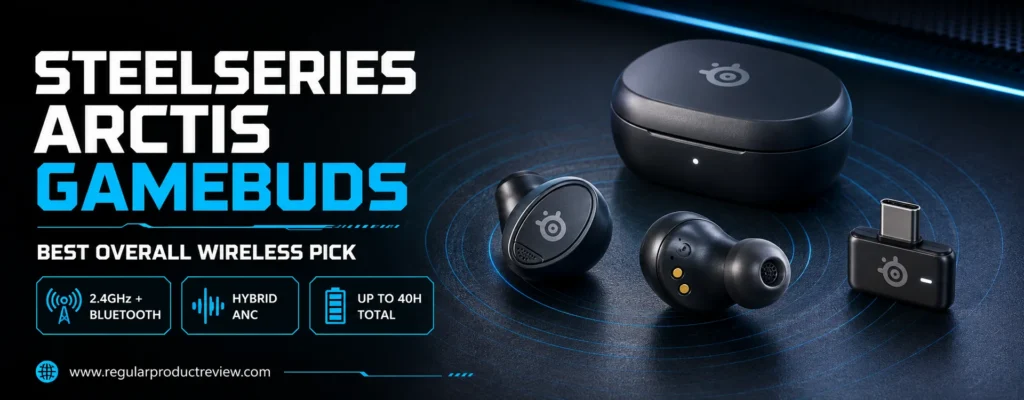
SteelSeries offers separate PlayStation and Xbox editions. This distinction is critical. The PlayStation model is intended for PlayStation, PC, Switch, handhelds, and compatible USB devices. The Xbox edition uses a dual-mode dongle and is the more flexible choice for players who need Xbox plus PlayStation/PC support. SteelSeries explains the difference in its official compatibility guidance. Buying the wrong version can turn an otherwise excellent recommendation into an expensive compatibility mistake.
Arctis GameBuds Key Specifications
| Specification | Details |
|---|---|
| Gaming connection | 2.4GHz through USB-C dongle |
| Secondary connection | Bluetooth 5.3 |
| Noise control | Four-microphone hybrid ANC and transparency mode |
| Battery claim | Up to 10 hours per charge; up to 40 hours with case |
| Fast charging | 15 minutes for up to 3 hours |
| Case charging | USB-C and Qi wireless charging |
| Water and dust resistance | IP55 earbuds |
| Controls | Physical on-ear buttons |
| Software | Arctis Companion mobile app and SteelSeries GG on PC |
| Ear tips | Small, medium, and large included |
Why the Game Presets Matter More Than the Marketing Number
The standout competitive feature is not ANC or wireless charging; it is quick access to a large library of game-specific EQ presets. A useful preset can reduce excessive low-end energy, emphasize the midrange region containing movement information, or prevent sharp effects from dominating the mix. The mobile app makes switching profiles easier than returning to a desktop utility every time the game changes.
Presets should still be treated as starting points. The audio engine, map geometry, hearing, seal, and preferred volume differ among players. A profile that makes footsteps obvious in one shooter may make another title sound thin or fatiguing. Start with the official preset, play a familiar map, and reduce the most aggressive bands if gunfire becomes piercing.
Competitive Connection and Platform Behavior
The L-shaped USB-C transmitter creates the gaming-grade path. It is more dependable for timing than ordinary Bluetooth and can sit closely against many handhelds. Before buying, inspect the port location on your case or grip; a thick protective shell can prevent the dongle from seating fully. A short USB-C extension or the included adapter arrangement may be necessary at a desktop.
Quick switching between 2.4GHz and Bluetooth is convenient when a phone call arrives, although competitive players should confirm which source has priority before a tournament or ranked session. Accidental source changes and notification sounds are distractions that can be eliminated by setting the phone to Do Not Disturb.
Comfort, Isolation, and Match Controls
Physical buttons are a competitive advantage because they reduce accidental commands. Capacitive touch panels can interpret an adjustment as a pause, mode change, or track skip. The GameBuds let players mute, adjust volume, and manage playback with firmer feedback. Their compact profile also fits more easily beneath a hood or around glasses than an over-ear headset.
Hybrid ANC helps suppress a fan, HVAC noise, or nearby conversation, but strong passive sealing is still essential. Test all three tip sizes independently for each ear. If the center image drifts or bass differs between sides, the seal is probably uneven.
Battery and Long-Session Practicality
SteelSeries claims up to 10 hours per charge and 40 hours including the case when using 2.4GHz with noise control disabled. That is enough headroom for practice, a tournament block, or a workday with breaks. ANC and higher playback levels shorten the result, but fast charging provides a useful recovery option. Qi support is unusually convenient for a gaming product because the case can share a charging pad with a phone.
Arctis GameBuds Pros and Cons
| Pros | Cons |
|---|---|
| Low-latency 2.4GHz and Bluetooth 5.3 | Must choose the correct console edition |
| Game-specific mobile EQ presets | Built-in mic cannot match a boom mic |
| Physical controls reduce accidental taps | Premium price relative to budget dongle earbuds |
| ANC, transparency, IP55, and Qi charging | App and firmware add setup complexity |
| Strong battery claim for 2.4GHz use | Thick handheld cases may obstruct the dongle |
Buy it if: You want one polished pair of wireless gaming earbuds for multiple systems and value presets, controls, battery life, and noise management equally.
Skip it if: You need the certainty of a cable, an esports-grade microphone, or you are unwilling to verify the Xbox-versus-PlayStation edition.
🏆 Expert Recommendation: Multi-console owners should generally choose the Xbox edition because its dongle includes Xbox and PlayStation/PC modes. Single-platform PS5 or PC users can choose the PlayStation edition and keep the setup simpler.
For everyday listening alternatives, compare our wireless earbud collection and wireless earbud buying guide. They prioritize music and lifestyle features more heavily than this competitive ranking.
Sony INZONE E9 — Best Wired Gaming IEM for FPS Precision
Award: Best Wired Esports IEM
Editorial Score: 9.3/10
Best For: PC players who prioritize FPS cues, passive isolation, and zero radio delay
Official Product Page: Sony INZONE E9
The Sony INZONE E9 is the most specialized product in this guide. It is a compact wired in-ear monitor co-developed with Fnatic and tuned around competitive FPS information rather than cinematic bass. Sony uses a sealed design, 5mm dynamic drivers, multiple styles of ear tips, a thin 1.8-meter cable, and an included USB-C audio box that unlocks EQ and virtual spatial features through INZONE Hub on a compatible Windows PC.
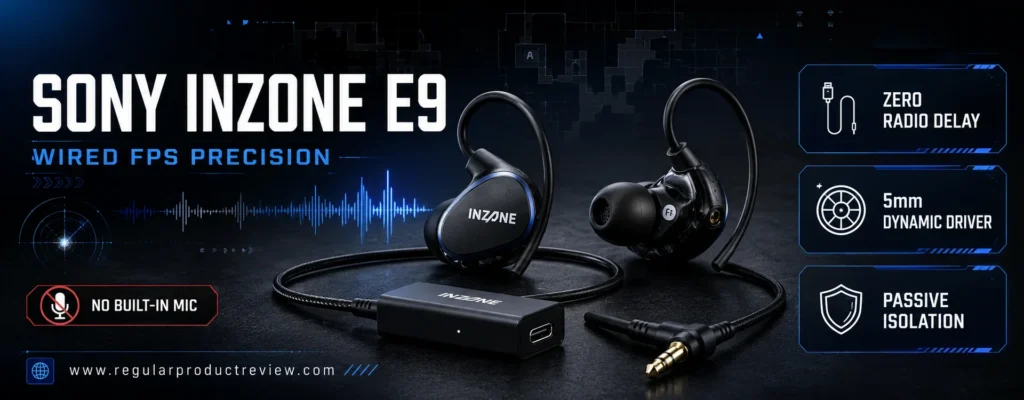
Its specialization is both the reason to buy it and the reason some people should avoid it. Players who want clear footsteps, reloads, movement, and distance cues can benefit from the restrained, information-first presentation. Players who want thunderous explosions, warm music reproduction, and an all-purpose commuting earbud may find the tuning too lean. This is not a lifestyle true wireless product wearing a gaming badge; it is an esports tool.
Sony INZONE E9 Key Specifications
| Specification | Details |
|---|---|
| Connection | 3.5mm wired; included USB-C audio box |
| Driver | 5mm dynamic driver |
| Frequency response | 10Hz–20kHz |
| Impedance | 16 ohms at 1kHz |
| Sensitivity | 101dB/mW |
| Cable | Thin 1.8m cable with an L-shaped 3.5mm plug |
| Acoustic design | Fully enclosed, passively isolating shell |
| Ear tips | Noise-isolation foam and hybrid silicone options in multiple sizes |
| PC software | INZONE Hub with EQ and virtual 7.1-channel processing through USB-C box |
| Microphone | None integrated |
The Competitive Advantage of a Wired Signal
A direct cable removes pairing, codec negotiation, battery state, radio congestion, and wireless synchronization from the equation. That does not automatically make every wired earphone accurate, but it eliminates a class of variables competitive players do not need. The E9 can plug into a suitable 3.5mm output for simple stereo or use Sony’s USB-C audio box for PC customization.
The audio box is particularly useful for players who use tournament or café PCs because a stored or repeatable profile is easier to recreate than an unknown motherboard output. The long cable also routes comfortably behind a desk, though handheld users may need to manage the excess length.
FPS Tuning and Positional Information
Sony’s approach favors clarity over spectacle. Subdued bass prevents explosions and score music from blooming across the cues you are trying to locate. The middle and upper registers preserve the edges of footsteps, reload clicks, doors, and movement through foliage. This can make a crowded mix easier to parse without simply raising the volume.
Virtual 7.1-channel processing and spatial options are available through INZONE Hub, but they should be evaluated game by game. Many modern competitive titles already include headphone virtualization or HRTF processing. Stacking the game’s spatial engine with another surround layer can blur direction rather than improve it. Start in stereo or with only the game’s headphone mode, then compare Sony’s processing in a controlled training map.
Tournament Isolation and Long-Wear Fit
The fully enclosed housing and noise-isolation tips are designed to reduce crowd and room noise passively. Foam tips can create a stronger seal, while silicone hybrid tips may feel cooler and require less maintenance. The right choice depends on the player’s canal shape and session length. A deeper seal increases isolation but should never create pain.
Because the shells are low profile, the E9 can also sit beneath over-ear hearing protection in loud event environments. That tournament-style arrangement is difficult to reproduce comfortably with bulky true wireless stems.
The Microphone Limitation Is Non-Negotiable
The INZONE E9 has no integrated microphone. PC players need a desktop microphone, a separate boom mic, or another input device for team chat. That sounds inconvenient, but it can produce a much better communication chain than asking a tiny earbud microphone to reject a keyboard and room noise from several inches away.
Sony INZONE E9 Pros and Cons
| Pros | Cons |
|---|---|
| No wireless latency or battery dependence | No built-in microphone |
| FPS-focused tuning developed with Fnatic input | Lean presentation is less exciting for music and cinematic games |
| Strong passive isolation with two tip families | Best software features are PC-centric |
| Long, low-drag cable and included USB-C audio box | Premium price for a single-purpose wired IEM |
| Compact enough for tournament use | Virtual processing requires careful setup |
Buy it if: You play competitive shooters on PC, already own a microphone, and want a purpose-built gaming IEM for footsteps and directional cues.
Skip it if: You need wireless convenience, integrated chat, heavy bass, or one earbud for gaming, commuting, calls, and workouts.
🎯 Expert Tip: Do not raise the E9’s treble aggressively just because footsteps live in higher frequencies. Excessive emphasis can make gunfire tiring and encourage unsafe volume. First improve the seal, reduce masking bass, and test the game’s native HRTF setting.
Readers comparing isolation-first options can visit our noise-cancelling earbud hub and noise-cancelling earbud recommendations. Remember that the E9 relies on passive isolation rather than ANC.
Razer Hammerhead V3 HyperSpeed — Best New Multi-Platform Wireless Pick
Award: Best Multi-Platform Low-Latency Earbuds
Editorial Score: 9.2/10
Best For: PC, PS5, Steam Deck, Switch, and mobile players wanting a modern dual-wireless system
Official Product Page: Razer Hammerhead V3 HyperSpeed
The Razer Hammerhead V3 HyperSpeed modernizes Razer’s compact gaming audio formula with 2.4GHz HyperSpeed Wireless, Bluetooth 6.0, hybrid active noise cancellation, a receiver-equipped charging case, USB-C passthrough, THX Spatial Audio on PC, IPX4 protection, and a claimed 40-hour total battery package. It is one of the strongest alternatives to the Arctis GameBuds for players who value broad USB-C compatibility and Razer’s PC ecosystem.
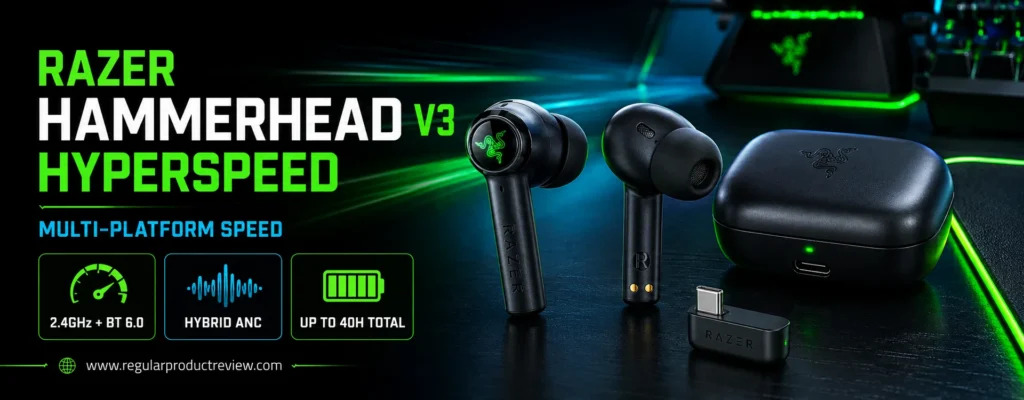
The case is more than a battery container. A compact removable dongle stores inside it, while the case can also work as part of the 2.4GHz receiver path when connected to a PC. This arrangement reduces the chance of losing the transmitter and makes a desk setup cleaner. Razer SmartSwitch handles movement between the gaming connection and Bluetooth.
Razer Hammerhead V3 HyperSpeed Key Specifications
| Specification | Details |
|---|---|
| Gaming connection | 2.4GHz Razer HyperSpeed Wireless |
| Secondary connection | Bluetooth 6.0 |
| Noise control | Hybrid ANC |
| Battery claim | Up to 10 hours; up to 40 hours with charging case |
| Receiver design | Removable compact dongle stored in HyperSpeed case |
| Charging feature | USB-C passthrough for play-and-charge setups |
| Spatial feature | THX Spatial Audio on supported Windows PCs |
| Water resistance | IPX4 |
| Controls | Customizable touch gestures and case LED status bar |
| Stated compatibility | PC, Mac, PS5, Switch, phones, tablets, Steam Deck, and compatible handhelds |
Why the Receiver Case Is Useful at a Gaming Desk
Tiny USB-C dongles are easy to misplace, and a transmitter left in a handheld can be damaged in a bag. Razer’s storage approach gives the dongle a defined home. At a desktop, the connected case can maintain the gaming link while supporting charging, reducing the need to choose between low latency and a busy USB-C port.
That benefit depends on cable placement. A case sitting directly beside a high-power USB hub, wireless router, or other 2.4GHz transmitter can experience a more congested radio environment. Place the receiver in clear line of sight and move it away from a cluster of wireless adapters if dropouts occur.
Competitive Sound and THX Processing
On Windows, THX Spatial Audio can expand perceived space and add height information in supported configurations. It is useful to compare, not automatically enable. Competitive games that already offer a carefully tuned binaural mix may sound more precise without additional virtualization. Razer Synapse also adds another software layer, which suits players already using Razer peripherals but may feel excessive in a minimal setup.
For raw reaction timing, the HyperSpeed path is the reason to buy. Bluetooth 6.0 improves the lifestyle side of the product, yet serious matches should still use the dedicated transmitter whenever possible. Razer explicitly positions the 2.4GHz mode for low-latency gaming across PC, PS5, Steam Deck, and other compatible devices.
ANC, Controls, and Communication
Hybrid ANC reduces steady environmental distractions and helps the player hear detail without compensating with excessive volume. Touch gestures cover playback, volume, microphone mute, source switching, and calls. Spend time learning the gesture map before ranked play; a triple tap or long press performed under pressure is easier to misfire than a physical button.
The embedded microphone system is appropriate for routine squad chat, but a desktop or boom microphone remains preferable for streaming, scrims, or noisy mechanical keyboards. ANC improves what the player hears; it does not guarantee that teammates hear a broadcast-quality voice.
Battery, Mobility, and Protection
Razer claims up to 10 hours from the earbuds and 30 additional hours from the case. Actual runtime falls with ANC, higher volume, spatial processing, calls, and lighting or status behavior. IPX4 protects against splashes and sweat but does not make the product suitable for submersion.
Razer Hammerhead V3 HyperSpeed Pros and Cons
| Pros | Cons |
|---|---|
| Modern 2.4GHz and Bluetooth 6.0 connectivity | Touch controls require practice |
| Receiver-integrated case with passthrough charging | No native Xbox support listed |
| Hybrid ANC and PC spatial options | Embedded microphones remain a compromise |
| Strong claimed battery package | Synapse adds software overhead on PC |
| Broad USB-C platform support | Premium price competes with full-size headsets |
Buy it if: You want current low-latency gaming earbuds for PC, PS5, handheld, and mobile use with ANC and a smarter receiver case.
Skip it if: Xbox is your primary platform, you prefer physical controls, or you need an attached boom microphone.
⚡ Editorial Recommendation: Use HyperSpeed for competition, Bluetooth for calls and casual media, and save separate EQ profiles for the games you play most. One universal “footstep” profile rarely works perfectly across different audio engines.
For more lifestyle-oriented models, see our premium earbud category and premium earbud comparison. Those resources give more weight to music codecs and everyday ANC than this gaming-first assessment.
Sony INZONE Buds — Best Battery Life for Long PC and PS5 Sessions
Award: Best for Marathon Competitive Sessions
Editorial Score: 9.1/10
Best For: PC and PS5 players who want long 2.4GHz runtime and sub-30ms claimed latency
Official Product Page: Sony INZONE Buds
The Sony INZONE Buds remain unusually focused on sustained gaming. Sony states that the USB-C dongle connection delivers less than 30ms of latency, while the earbuds can last up to 12 hours on a 2.4GHz connection and reach 24 hours with the case. That single-charge figure is the central advantage: a player is less likely to interrupt a long practice block, tournament broadcast, or weekend session to return the earbuds to their case.
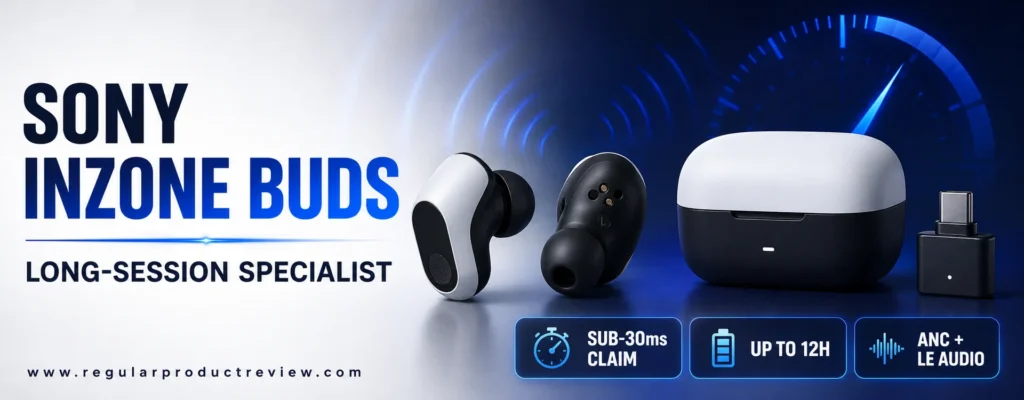
The Buds use an 8.4mm driver, noise cancelling, spatial sound personalization, and Sony’s INZONE software ecosystem. They were created with input from Fnatic, and the design makes lighter contact with the ear than many deeply inserted in-ear models. Their USB-C transmitter supports a PC/mobile selector for compatible hardware, making setup more deliberate than Bluetooth pairing.
Sony INZONE Buds Key Specifications
| Specification | Details |
|---|---|
| Gaming connection | 2.4GHz through USB-C transceiver |
| Claimed latency | Less than 30ms through USB-C dongle |
| Mobile wireless | Bluetooth LE Audio on compatible devices |
| Driver | 8.4mm dynamic driver |
| Noise control | Active noise cancellation and ambient sound |
| Battery claim | Up to 12 hours per charge; up to 24 hours with case on 2.4GHz |
| Fast charging | About 5 minutes for up to 1 hour of play, under stated conditions |
| Spatial features | 360 Spatial Sound for Gaming and ear-shape personalization |
| Primary platforms | PC, PS5, and compatible USB-C/mobile devices |
| Controls | Configurable touch sensors |
Sub-30ms Is a Meaningful Published Claim
Many gaming earbuds use phrases such as “gaming mode” or “ultra-low latency” without publishing a number. Sony’s less-than-30ms claim gives buyers a clearer expectation for the dongle path. It does not mean every game, USB stack, display, and audio pipeline adds no further delay; it means the wireless component is designed to remain tight enough that shots, menu feedback, and movement feel synchronized.
This is why the INZONE Buds rank above ordinary flagship music earbuds for competition. Premium consumer models may offer better phone integration or more natural music tuning, but Bluetooth-only playback can introduce inconsistent delay. The INZONE transceiver makes the intended competitive route obvious.
Sound Personalization and Directional Awareness
Sony uses 360 Spatial Sound for Gaming and personalization based on the user’s ear. These tools attempt to improve how virtual positions translate to an individual listener, since head and ear geometry affect perceived direction. Personalization can be valuable when a generic HRTF creates weak front-versus-back separation.
Still, more processing is not always more accuracy. Test three states: ordinary stereo, the game’s native headphone/HRTF mode, and Sony’s personalized processing. Use a repeatable training scenario rather than judging during a chaotic match. The best mode is the one that makes position and distance repeatable, not the one that sounds largest.
The Bluetooth Compatibility Trap
The INZONE Buds use Bluetooth LE Audio rather than conventional Bluetooth audio support. Some phones and tablets will not connect as buyers expect, even though the product includes Bluetooth capability. This limitation is easy to miss on a retailer page. If mobile music and calls matter, confirm that the exact phone supports LE Audio or plan to use the USB-C transceiver.
Comfort, ANC, and Microphone Reality
The reduced-contact design helps during long sessions, but shape preference remains personal. These shells sit differently from stem-style earbuds and may feel unstable until the correct tip is installed. ANC helps with fans and consistent room noise, while ambient mode is useful when awareness is required.
The integrated microphones use processing to focus on speech, but they are still physically far from the mouth. The result is suitable for ordinary team chat in a controlled room. Players who lead a team, stream, or compete near loud keyboards should pair the Buds with a separate microphone.
Sony INZONE Buds Pros and Cons
| Pros | Cons |
|---|---|
| Less-than-30ms manufacturer latency claim | Bluetooth LE Audio is not universally supported |
| Excellent claimed 12-hour 2.4GHz runtime | No native Xbox support |
| ANC and spatial personalization | Touch controls can be triggered while adjusting fit |
| Lightweight contact-oriented design | Case adds only one additional full charge under stated 2.4GHz total |
| Strong PC software integration | Microphone sounds processed compared with a boom mic |
Buy it if: You want reliable gaming earbuds for FPS on PC or PS5 and frequently play longer than the battery life of ordinary true wireless models.
Skip it if: You need universal phone Bluetooth, Xbox compatibility, or a single product that prioritizes music and calls as strongly as gaming.
🔋 Expert Tip: Charge the case before a tournament even if the earbuds show a high percentage. The case provides the recovery path between rounds, and a depleted case removes the product’s biggest endurance advantage.
If ANC is a central requirement, explore our noise-cancelling earbud section and recommended ANC earbuds. Those articles examine commuting and music performance in greater depth.
ROG Cetra True Wireless SpeedNova — Best High-Resolution Wireless Gaming Earbuds
Award: Best Feature-Rich 2.4GHz Audio
Editorial Score: 9.0/10
Best For: PC enthusiasts wanting high-resolution wireless playback, ANC, multipoint, and deep customization
Official Product Page: ROG Cetra True Wireless SpeedNova
The ROG Cetra True Wireless SpeedNova brings an unusually ambitious audio stack to gaming earbuds. Its USB-C dongle uses ROG SpeedNova 2.4GHz wireless; the product supports 24-bit/96kHz audio through LC3+ in that mode, Dirac Opteo processing, bone-conduction-assisted AI microphones, adaptive ANC, hybrid multipoint, wireless case charging, and Aura RGB. ASUS claims up to 36 hours of total use in 2.4GHz mode and up to 46 hours in Bluetooth mode under specified conditions.
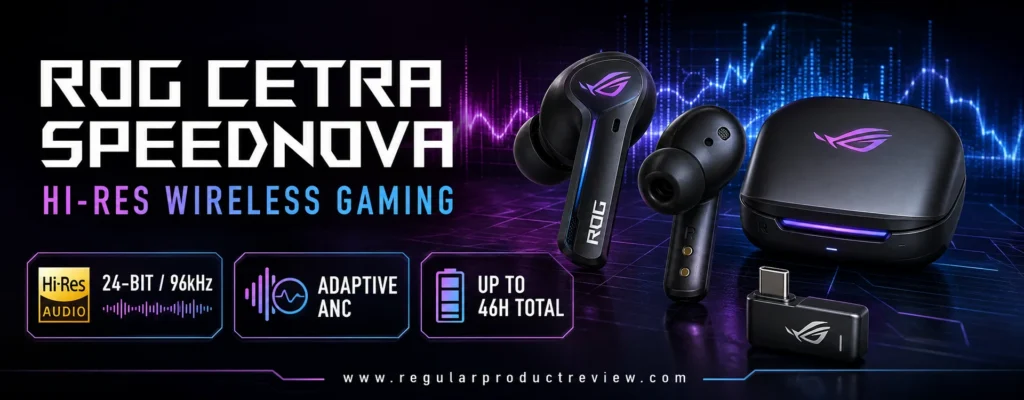
High bit depth and sample rate do not independently create better positional accuracy. The more relevant benefit is that ASUS combines a robust low-latency path with processing intended to preserve detail and stage coherence. Competitive players should treat the high-resolution specification as supporting infrastructure, not proof of an advantage.
ROG Cetra SpeedNova Key Specifications
| Specification | Details |
|---|---|
| Gaming connection | ROG SpeedNova 2.4GHz through USB-C dongle |
| Secondary connection | Bluetooth |
| Audio capability | Up to 24-bit/96kHz via LC3+ in 2.4GHz mode |
| Audio processing | Dirac Opteo |
| Microphone | Bone-conduction AI microphone system |
| Noise control | Adaptive ANC with automatic mode |
| Multi-device feature | Hybrid multipoint using 2.4GHz and Bluetooth |
| Battery claim | Up to 36 hours in 2.4GHz mode; up to 46 hours in Bluetooth mode |
| Fast charging | 5 minutes for up to 60 minutes of playback |
| Case charging | USB-C and compatible wireless charging |
Detail Retrieval Without Turning the Mix Harsh
Competitive tuning often goes wrong when a manufacturer simply boosts upper frequencies. That can make footsteps louder, but it can also make gunshots, glass, and voice consonants exhausting. Dirac Opteo aims to optimize the earbud’s response more systematically, while Armoury Crate permits further adjustment.
Begin with a neutral or game-appropriate preset. If explosions obscure movement, reduce the low-bass or upper-bass region slightly before boosting treble. Cutting masking energy is often safer and more natural than adding a large high-frequency peak. Save a second profile for story games so the competitive setting does not make every soundtrack sound thin.
Hybrid Multipoint for a Two-Device Desk
Hybrid multipoint allows a 2.4GHz gaming device and Bluetooth source to remain paired. This is useful for a PC plus phone, or a handheld plus tablet. It can also be a liability when phone notifications interrupt a clutch moment. Configure source priority, notification behavior, and call handling before entering ranked play.
Bone-Conduction AI Microphones
ASUS uses bone-conduction input and AI processing to improve voice capture from a tiny form factor. The system can help distinguish the user’s voice from environmental sound, especially in steady background noise. It still does not place a microphone directly beside the mouth, so expectations should remain realistic. The technology is most valuable for portable squad chat; a dedicated microphone remains the better streaming solution.
Adaptive ANC and Battery Trade-Offs
Adaptive ANC changes its response according to fit and surroundings. That can make isolation more comfortable across a home office, commute, and event space. Competitive consistency sometimes favors a fixed mode, however. If the ANC character shifts distractingly, use a stable setting or disable it in a quiet room.
The 46-hour headline applies to Bluetooth conditions, while ASUS states up to 36 hours for the 2.4GHz package. RGB, microphone use, ANC, volume, and high-resolution playback affect endurance. Fast charging is the more practical safety net for a player who forgets to recharge.
ROG Cetra SpeedNova Pros and Cons
| Pros | Cons |
|---|---|
| Low-latency 2.4GHz plus Bluetooth | Complex feature stack requires setup time |
| 24-bit/96kHz support in gaming mode | High-resolution specification does not guarantee better imaging |
| Adaptive ANC and hybrid multipoint | Armoury Crate experience varies by device |
| Bone-conduction AI microphone technology | RGB can reduce practical battery life |
| Wireless charging and fast-charge support | No native Xbox authentication |
Buy it if: You want premium wireless gaming earbuds with strong PC customization, dual-device convenience, ANC, and a high-resolution 2.4GHz path.
Skip it if: You prefer a simple plug-and-play product, use Xbox as your primary console, or do not want software controlling core features.
🎚️ Editorial Insight: Competitive EQ should expose information without making the earbud painful. Use small changes, compare at matched volume, and stop when positional cues become easier—not merely brighter.
Music-first buyers should compare our premium earbuds hub with the top premium earbuds guide, where tonal refinement and codec support carry more weight.
Final VR3000 for Gaming — Best Affordable Wired Earbuds for Positional Audio
Award: Best Value Wired Positional Earbuds
Editorial Score: 8.8/10
Best For: Players who want cable reliability and a spacious game-oriented presentation without a premium wireless price
Official Product Page: Final VR3000 for Gaming
The Final VR3000 for Gaming takes a different path from bright, bass-heavy gaming accessories. Final designed it to reproduce the spatial information of games and binaural content, using a lightweight ABS housing, dynamic driver, OFC cable, in-line controls, and a conventional 3.5mm connection. The standard model weighs about 20 grams, has an 18-ohm impedance, 101dB sensitivity, and a 1.2-meter fixed cable.
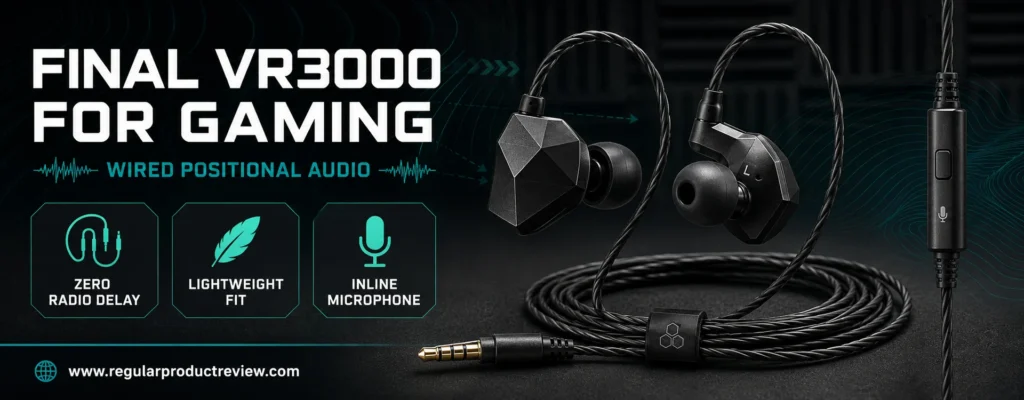
Its main appeal is simplicity. There is no pairing, case, firmware, battery, wireless codec, or transmitter to manage. Plug it into a compatible controller, PC output, DAC, handheld, or console adapter and the signal path is ready. For budget-conscious competitors, that certainty can be more useful than a long feature list.
Final VR3000 Key Specifications
| Specification | Details |
|---|---|
| Connection | 3.5mm wired |
| Driver | Dynamic type |
| Housing | ABS |
| Impedance | 18 ohms |
| Sensitivity | 101dB |
| Weight | Approximately 20g including cable |
| Cable | 1.2m OFC cable on standard model |
| Microphone | In-line microphone on the standard configuration |
| Ear-tip system | Multiple Final Type E sizes supplied by market/package |
| Battery/software | Not required |
Spatial Presentation Instead of Artificial Spectacle
Final’s gaming concept emphasizes how sound occupies space. This matters in titles where the player must distinguish near from far and track motion through a complex environment. A broad stage alone is not enough; images also need stable boundaries. The VR3000 is valued because it avoids turning every object into an oversized, diffuse sound.
The tuning is not designed to overpower the player with sub-bass. That restraint can keep explosions from masking quieter cues, but music listeners who want a dense, weighty low end may prefer another earphone. Its value appears most clearly when the game mix itself contains good positional information.
Cable Compatibility and Controller Outputs
A 3.5mm plug works with many controllers, PCs, handhelds, and adapters, but output quality and microphone wiring can vary. Desktop PCs with separate headphone and microphone jacks may require a splitter. Phones without an analog port need a compatible USB-C or Lightning adapter. Xbox and PlayStation controller connections can be convenient, though controller volume and mic controls should be checked in the console settings.
The fixed cable is the standard model’s biggest longevity weakness. Final now offers recable variants in some markets, but shoppers must verify the exact listing instead of assuming every VR3000 has a detachable connector.
Comfort and Isolation
The angular shell is light and typically worn with the cable routed over the ear. Correct tip selection stabilizes the nozzle and improves isolation. Because the housing shape differs from a rounded consumer earbud, first-time IEM users may need several attempts to find the right insertion angle.
Long sessions benefit from the low mass, but cable contact can create microphonic noise when it rubs against clothing. Use the cable guide and shirt clip where supplied, and route the wire behind the neck or desk edge to reduce movement.
Microphone and Competitive Use
The in-line microphone is more direct than many true wireless mic arrays, but it can still brush against clothing and pick up cable movement. Position the control module away from a collar and run a local voice test before joining a team. Serious tournament players may prefer the newer condenser-mic or recable versions if officially available in their region.
Final VR3000 Pros and Cons
| Pros | Cons |
|---|---|
| No radio latency, charging, or pairing | Standard model uses a fixed cable |
| Game-oriented spatial presentation | Requires adapters on devices without 3.5mm audio |
| Lightweight shell and modest power needs | Bass impact is restrained compared with cinematic earbuds |
| Usually costs less than premium wireless gaming buds | In-line microphone can transmit clothing noise |
| Works across many analog audio outputs | Availability and package contents vary by region |
Buy it if: You want affordable wired gaming earbuds for footsteps and spatial awareness without maintaining batteries or apps.
Skip it if: You need wireless freedom, ANC, a detachable cable on every configuration, or powerful bass for movies and music.
🔌 Expert Tip: If the VR3000 sounds quiet or flat through a controller, test it on another known-good output before changing the EQ. Controller amplification and system-level volume limits can be the real bottleneck.
Budget shoppers can compare our budget earbud category and budget earbud picks for more inexpensive options, although most music-oriented models will not offer the same gaming-specific spatial focus.
PULSE Explore — Best Gaming Earbuds for PlayStation Portal and PS5
Award: Best PlayStation Link Earbuds
Editorial Score: 8.7/10
Best For: PS5 and PlayStation Portal owners who want direct ecosystem integration and planar magnetic sound
Official Product Page: PULSE Explore Wireless Earbuds
The PULSE Explore is a platform-first recommendation. Its defining feature is PlayStation Link, Sony Interactive Entertainment’s low-latency lossless wireless system for compatible PlayStation hardware, PC, Mac, and PlayStation Portal. It also supports Bluetooth and can play audio from a PlayStation Link source and a Bluetooth device simultaneously. For a Portal owner, that direct connection is more elegant than hanging a generic USB-C dongle from the handheld.
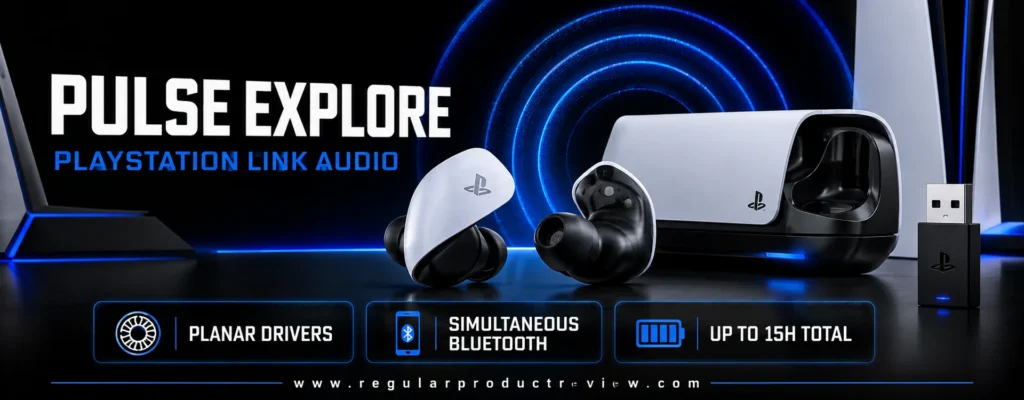
Planar magnetic drivers distinguish the Explore from most gaming earbuds, which use compact dynamic drivers. Planar technology can produce fast transient response, fine detail, and low distortion when implemented well. PlayStation combines that hardware with PS5 3D Audio positioning and AI-enhanced microphone noise rejection.
PULSE Explore Key Specifications
| Specification | Details |
|---|---|
| Primary gaming connection | PlayStation Link |
| Secondary connection | Bluetooth |
| Drivers | Planar magnetic |
| Battery claim | Up to 5 hours; up to 10 additional hours from case |
| Microphones | Two hidden microphones with AI-enhanced noise rejection |
| Simultaneous audio | PlayStation Link and Bluetooth sources |
| Direct Portal connection | Yes, through PlayStation Link |
| Included PC/PS5 adapter | PlayStation Link USB adapter |
| Physical controls | Accessible volume controls |
| Primary ecosystem | PS5, PlayStation Portal, compatible PC/Mac, and mobile Bluetooth |
Why PlayStation Link Changes the Recommendation
The Explore is not the longest-lasting or most universally compatible option. It earns its position because PlayStation Link reduces setup friction inside Sony’s gaming ecosystem. The Portal connects directly without a separate protruding USB receiver, while the included adapter connects a PS5, PC, or Mac.
This matters for competitive handheld play. A dongle attached to the bottom of a portable device can interfere with grips, cases, or charging cables. Native Link support keeps the Portal’s physical profile intact. Simultaneous Bluetooth lets a player answer a phone call or hear mobile audio without abandoning the game source.
Planar Detail and PS5 3D Audio
Planar drivers can render quick attacks and subtle layers cleanly, making footsteps and environmental cues easier to distinguish from dense effects. The PS5’s 3D Audio engine supplies positional processing in supported titles. As always, a technically impressive driver cannot repair an inaccurate in-game mix, and individual ear geometry influences the spatial result.
Use the console’s audio configuration to confirm the correct output and 3D settings. Excessive bass enhancement or a mismatched profile can reduce the very detail the planar driver is capable of reproducing.
Controls, Microphones, and Fit
Physical volume access is useful during play, and the hidden microphones use AI-enhanced rejection to reduce unwanted sound. Voice quality is adequate for party chat but not equivalent to a close boom mic. The housing is larger and shaped differently from typical music earbuds, so comfort is more polarizing than the specification table suggests.
The included tips should create a stable seal without forcing the earbud deeper than comfortable. Because the body extends outside the ear, users with small ears should pay particular attention to pressure during the return window.
Battery Is the Main Competitive Weakness
PlayStation claims up to five hours from the earbuds and ten additional hours from the case. That is enough for ordinary sessions but significantly shorter than the GameBuds, Hammerhead V3 HyperSpeed, or INZONE Buds. Tournament days require planned case breaks. Keep a USB-C cable nearby and return the earbuds to the case between matches.
PULSE Explore Pros and Cons
| Pros | Cons |
|---|---|
| Direct PlayStation Portal connection | Only up to 5 hours per charge |
| Low-latency lossless PlayStation Link | Larger shell may not fit every ear comfortably |
| Planar magnetic drivers | Premium cost for ecosystem-focused functionality |
| Simultaneous Link and Bluetooth audio | No native Xbox support |
| Strong integration with PS5 3D Audio | Integrated mic remains less natural than a boom mic |
Buy it if: PlayStation Portal or PS5 is the center of your setup and you value direct Link connectivity, detailed planar audio, and simultaneous phone sound.
Skip it if: You need all-day battery, Xbox support, the smallest possible shell, or a more platform-neutral purchase.
🎮 Expert Recommendation: The PULSE Explore makes the most sense when PlayStation Portal is part of the buying decision. Without that direct-Link advantage, the Arctis GameBuds and INZONE Buds offer stronger battery value.
For general true wireless alternatives, visit our wireless earbuds overview and best wireless earbuds guide. Those models may integrate better with phones but usually lack PlayStation Link.
JBL Quantum TWS Air — Best Value 2.4GHz Gaming Earbuds
Award: Best Value USB-C Dongle Earbuds
Editorial Score: 8.6/10
Best For: Budget-conscious PC, PlayStation, Switch, and handheld players who still want a dedicated gaming connection
Official Product Page: JBL Quantum TWS Air
The JBL Quantum TWS Air makes the shortlist because it delivers the pieces that matter most for gaming—an included low-latency 2.4GHz USB-C dongle, Bluetooth 5.2, four beamforming microphones, PC surround processing, dual-source behavior, ambient features, IPX4 resistance, and a light in-ear design—without demanding flagship money when discounted. It is a practical step up from Bluetooth-only budget buds.
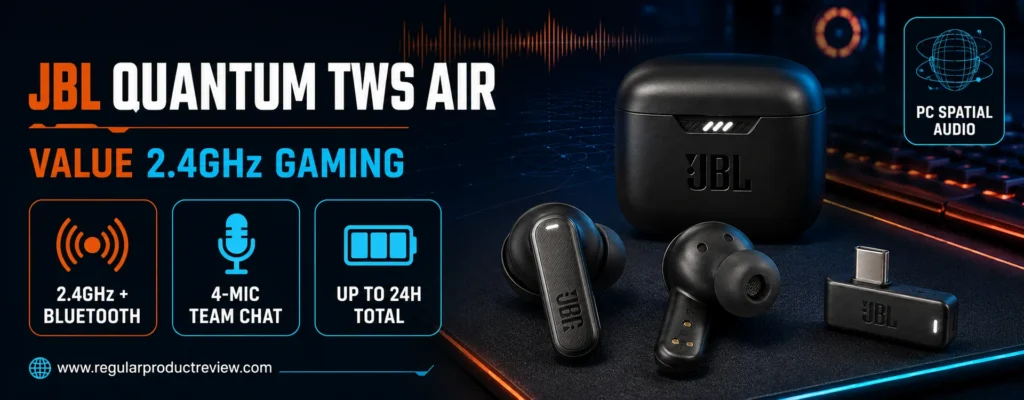
Availability is the complication. JBL’s US page may show refurbished stock or an unavailable status, while authorized retailers and regional channels can carry new units. The TWS Air is therefore a deal-dependent recommendation. It makes sense when sold by a reputable source at a clear value price, not when scarcity raises it near the cost of newer GameBuds or Hammerhead models.
JBL Quantum TWS Air Key Specifications
| Specification | Details |
|---|---|
| Gaming connection | Low-latency 2.4GHz through included USB-C dongle |
| Secondary connection | Bluetooth 5.2 |
| Drivers | 6.8mm dynamic drivers |
| Frequency response | 20Hz–20kHz |
| Microphones | Four beamforming microphones |
| Battery claim | Up to 8 hours; up to 16 additional hours in case |
| 2.4GHz runtime | Can be lower than the maximum Bluetooth figure |
| Water resistance | IPX4 |
| PC processing | JBL QuantumSURROUND through QuantumENGINE |
| Ambient tools | Ambient Aware and TalkThru |
A Real Gaming Dongle at a Budget-Friendly Price
The USB-C transmitter is the reason the Quantum TWS Air belongs here. It establishes a dedicated 2.4GHz link to compatible systems, avoiding the loose timing of a generic Bluetooth connection. The dongle stores in the charging case, which makes the package easier to carry and reduces the chance of leaving the most important accessory behind.
Compatibility is broad across PC, PlayStation, Switch, and many USB-C devices, but JBL explicitly does not position this model for Xbox. As with every dongle earbud, cases and bottom-mounted ports can interfere physically. Confirm that the connector can seat completely on the target handheld.
QuantumSURROUND and Game-by-Game Setup
JBL QuantumSURROUND is available on PC through QuantumENGINE. It can make a game sound more expansive and improve the sense of movement around the player. It may also conflict with built-in binaural processing. If a title provides its own headphone or HRTF option, compare that setting against JBL’s surround rather than running both automatically.
The 6.8mm drivers produce an energetic presentation suitable for gaming and casual media. Competitive players may want to trim bass if explosions cover quiet cues. Avoid chasing footstep clarity with extreme treble; the result can become sharp before it becomes more accurate.
Four Microphones and Dual Source
Two beamforming microphones per side help focus on the player’s voice. The TWS Air is usable for normal team chat, particularly in a quiet room. Laptop fans, mechanical switches, and other voices can still challenge the processing because there is no microphone boom beside the mouth.
JBL Dual Source lets the gaming connection and Bluetooth phone relationship coexist, returning to the game after a call. This convenience is valuable during casual play. During competition, silence phone notifications or disconnect Bluetooth so an incoming call cannot steal attention.
Battery and Refurbished-Buying Caution
JBL advertises up to eight hours from the earbuds and 16 additional hours in the case, for a maximum package of 24 hours. The 2.4GHz mode can deliver less than the headline Bluetooth runtime. When buying refurbished, battery condition matters more than cosmetic condition. Look for a return window, warranty, battery disclosure, all three tip sizes, the original dongle, and a functional charging case.
JBL Quantum TWS Air Pros and Cons
| Pros | Cons |
|---|---|
| Dedicated 2.4GHz dongle at a value price | US stock can be inconsistent |
| Four microphones and dual-source support | No Xbox support |
| PC surround and EQ software | 2.4GHz runtime is lower than the maximum headline figure |
| IPX4 and lightweight fit | No full active noise cancellation on this Air-focused package |
| Dongle storage inside the case | Refurbished batteries require careful seller selection |
Buy it if: You find a complete, warrantied set at a meaningful discount and want inexpensive low-latency gaming earbuds rather than Bluetooth-only buds.
Skip it if: The price approaches current premium models, Xbox is essential, or the seller cannot confirm that the USB-C dongle is included.
💡 Deal Check: The dongle is not an optional bonus—it is the feature that makes the Quantum TWS Air appropriate for competitive play. Do not buy an incomplete used set without it.
Shoppers working within a strict limit can browse our budget earbuds collection and budget earbud comparison. Check whether any alternative includes a true gaming transmitter before assuming “game mode” offers the same result.
ROG Cetra Open Wireless — Best Open-Ear Gaming Earbuds for Awareness
Award: Best Open-Ear Comfort and Situational Awareness
Editorial Score: 8.5/10
Best For: Players who need to hear family, deliveries, teammates in the room, or their surroundings while gaming
Official Product Page: ROG Cetra Open Wireless
The ROG Cetra Open Wireless challenges the usual assumption that competitive earbuds must seal the ear canal. Its ear-hook design sits outside the canal, leaving environmental sound naturally audible. ASUS combines that form with ROG SpeedNova 2.4GHz wireless, Bluetooth 6.0, 14.2mm diamond-like carbon-coated drivers, a quad-microphone system with AI noise cancellation, hybrid multipoint, USB-C passthrough charging, IPX5 protection, optional neck strap, and a claimed 64-hour battery package under specified Bluetooth conditions.
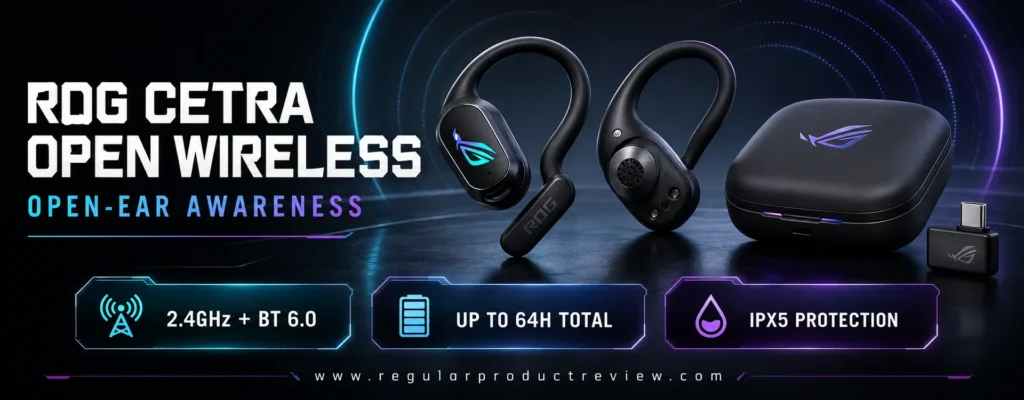
Open-ear audio is not universally better for competition. In a noisy room, external sound competes directly with the game and weakens low-frequency extension. In a quiet home where the player must remain aware of a child, doorbell, or conversation, the design can be safer and more natural than repeatedly toggling a transparency mode.
ROG Cetra Open Wireless Key Specifications
| Specification | Details |
|---|---|
| Design | Open-ear hook with optional detachable neck strap |
| Gaming connection | ROG SpeedNova 2.4GHz through USB-C dongle |
| Secondary connection | Bluetooth 6.0 |
| Drivers | 14.2mm DLC-coated dynamic drivers |
| Microphones | Quad-mic array with AI noise cancellation |
| Battery claim | Up to 16 hours; up to 48 more from case in stated Bluetooth conditions |
| Fast charging | 15 minutes for up to 3 hours |
| Charging passthrough | One-way USB-C passthrough on dongle |
| Water resistance | IPX5 |
| Software | Gear Link web/app controls, EQ, modes, and lighting |
Awareness Without Electronic Transparency
Transparency modes use microphones and processing to reproduce the room. They can sound artificial, add hiss, exaggerate sharp noises, or make the player’s own voice feel strange. An open-ear design simply leaves the canal unblocked. That makes awareness immediate and reduces the occlusion effect some users dislike when speaking.
The cost is isolation. A fan, television, or nearby conversation remains audible and can mask footsteps. Competitive users should therefore choose the Cetra Open only when environmental awareness is a requirement, not because open-ear is automatically more accurate.
Directional Audio from an Open Design
The large 14.2mm DLC-coated drivers are designed for fast, controlled response. ASUS also offers Phantom Bass to restore some perceived low end and an Immersion mode that filters certain low-frequency environmental rumble. These tools help compensate for acoustic leakage, but they cannot create a physical seal.
In a quiet room, the open presentation can feel spacious and avoid the pressurized sensation of sealed earbuds. Directional cues can remain clear at moderate volume. In a noisy venue, sealed options such as the INZONE E9 or ANC models are more dependable.
Marathon Comfort and Secure Fit
Each earbud is designed around a skin-friendly hook, and ASUS lists an 11-gram lightweight, balanced structure. Because nothing presses deeply into the canal, the product may suit users who experience soreness from silicone tips. The optional neck strap adds security during movement without changing the wireless connection.
Fit still matters. If the driver sits too far from the ear opening, volume and tonal balance can differ between sides. Adjust the hook until both channels sound centered, then save the position mentally before judging EQ.
Battery and Charging Architecture
ASUS states up to 16 hours per charge and 48 additional case hours in Bluetooth mode with the microphone muted, RGB disabled, and onboard modes off. Gaming-mode endurance will be lower. More important for portable use, the dongle includes one-way USB-C passthrough so a phone or handheld can charge while the low-latency receiver remains connected.
ROG Cetra Open Wireless Pros and Cons
| Pros | Cons |
|---|---|
| Natural awareness without transparency processing | External noise can mask quiet game cues |
| Low-latency 2.4GHz and Bluetooth 6.0 | Bass extension is limited by open acoustics |
| Pressure-free design for canal-sensitive users | Premium price for a niche form factor |
| Long claimed battery and passthrough charging | Battery headline uses favorable Bluetooth conditions |
| IPX5, neck strap, and AI mic processing | Sound leakage may disturb someone nearby |
Buy it if: You cannot comfortably wear sealed earbuds or must remain aware of your real environment while using a low-latency gaming connection.
Skip it if: You play in a loud room, compete at events, demand strong sub-bass, or need maximum passive isolation.
👂 Editorial Insight: Open-ear awareness is a functional requirement, not a universal upgrade. Choose it for comfort and real-world audibility; choose a sealed IEM for tournament isolation and the most consistent tonal balance.
For workout-oriented open and sealed designs, see our sports earbuds section and recommended sports earbuds. Their rankings prioritize movement stability more heavily than desktop positional audio.
soundcore VR P10 — Best Gaming Earbuds for Meta Quest and USB-C Handhelds
Award: Best for VR and Passthrough Charging
Editorial Score: 8.4/10
Best For: Meta Quest, handheld, mobile, and console players who need a compact low-latency USB-C system
Official Product Page: soundcore VR P10
The soundcore VR P10 was designed around a problem VR players understand immediately: a conventional Bluetooth connection can feel disconnected from head movement and on-screen action, while a USB-C receiver occupies the same port used to charge the headset. Soundcore answers with a 2.4GHz USB-C dongle that supports passthrough charging, a Bluetooth 5.2 connection for a phone, 11mm drivers with BassUp processing, multiple-dongle switching through the app, IPX4 resistance, and about six hours of playback per charge.
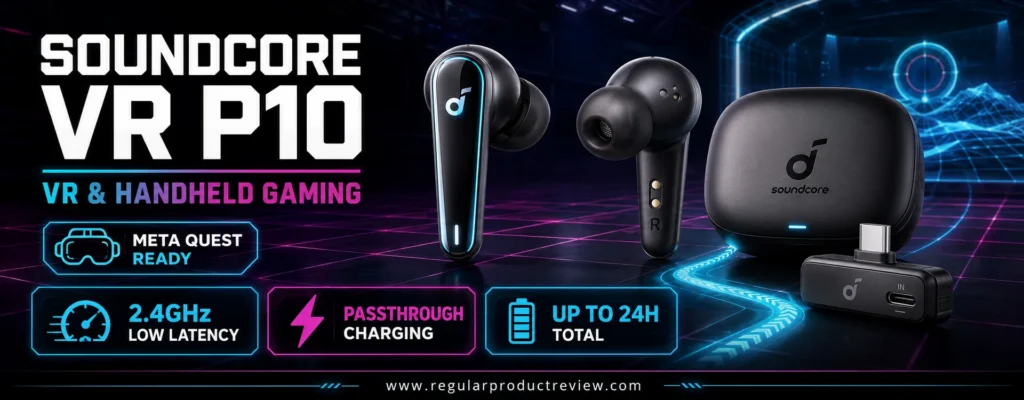
Although the product was marketed around Meta Quest, the dongle also connects to compatible PCs, PS4, PS5, Nintendo Switch, and USB-C devices. Its value comes from physical integration and latency control rather than audiophile refinement.
soundcore VR P10 Key Specifications
| Specification | Details |
|---|---|
| Gaming connection | 2.4GHz through USB-C dongle |
| Secondary connection | Bluetooth 5.2 |
| Driver | 11mm dynamic driver |
| Battery claim | About 6 hours at 60% volume; up to 24 hours with case |
| Fast charging | 10 minutes for about 1.5 hours |
| Passthrough | USB-C charging through dongle |
| Water resistance | IPX4 |
| Multi-platform support | Quest, PC, PS4, PS5, Switch, and compatible USB-C hardware |
| App feature | Switch among separately purchased paired dongles |
| Wireless case charging | Not supported |
Why Passthrough Charging Matters in VR
A VR headset already runs on a battery, so attaching wireless earbuds can create two separate countdowns. The VR P10 dongle lets the headset receive charging power while maintaining the audio link. Soundcore notes that the dongle draws little power from the Quest and provides passthrough for longer sessions.
Charging speed and compatibility depend on the power source, cable, device, and passthrough implementation. Do not assume every high-wattage USB-C charger will deliver its maximum protocol through the adapter. Test the full chain before a long VR event.
Head Tracking Demands Tight Synchronization
Audio delay becomes particularly obvious in VR because the visual scene responds to head motion. When a sound stays behind after the image moves, immersion and orientation suffer. The 2.4GHz dongle is therefore more important than the earbud’s bass feature. Use Bluetooth for calls or music; use the transmitter for active play.
The 11mm drivers and BassUp processing create an energetic low end that suits rhythm and action games. For competitive shooters, too much bass can cover spatial detail. The app’s EQ should be used to reduce masking energy rather than maximize impact.
Multiple Dongles as a Platform System
Soundcore allows the earbuds to remember and switch among additional compatible dongles managed through the app. A player can leave one receiver on a PC and another on a console or VR headset instead of moving the same tiny accessory repeatedly. Extra dongles increase cost, but they make the VR P10 more practical as a multi-station gaming system.
Battery, Fit, and Microphone Expectations
Six hours is adequate for most VR sessions and shorter competitive blocks. The case can recharge the earbuds multiple times, reaching about 24 hours total. A 10-minute charge can provide roughly 1.5 hours, which is useful between rounds.
The stem design is familiar and IPX4 protection helps with active VR workouts. Microphone quality is serviceable for casual chat but does not match a headset boom. Movement, breathing, and room reflections can challenge the small mic array during energetic play.
soundcore VR P10 Pros and Cons
| Pros | Cons |
|---|---|
| Low-latency USB-C dongle designed for VR | Sound is less refined than premium competitive picks |
| Passthrough charging keeps the device port usable | No wireless case charging |
| Multiple-dongle switching can simplify several setups | Additional dongles cost extra |
| Bluetooth for phone audio and 2.4GHz for games | Bass-heavy presentation may need EQ for footsteps |
| IPX4 and fast-charge support | About six hours per charge trails newer leaders |
Buy it if: You play on Meta Quest or a USB-C handheld and consider passthrough charging more important than ANC or high-resolution music playback.
Skip it if: You want the best microphone, long single-charge endurance, premium ANC, or a highly neutral sound signature.
🥽 Expert Tip: In VR, secure the dongle and cable so they cannot be struck by a hand or controller. A low-profile connection is useful only when it remains physically protected during movement.
For inexpensive everyday alternatives, review our budget earbuds hub and best budget earbuds list. Prioritize a real USB transmitter when timing matters; a phone-app “game mode” is not equivalent in every setup.
Competitive Gaming Earbuds Buying Guide — Build the Right Signal Chain
Buying gaming earbuds for competitive gaming is less about choosing the largest feature count and more about matching the entire signal chain. The earbud, connection, platform, game audio engine, eartip, microphone path, and settings all influence the result. A premium pair connected through the wrong mode can perform worse than a simple wired IEM configured correctly.
Readers who are still comparing the full category should open our gaming earbud hub and gaming earbud roundup. Use the framework below to decide which features deserve your budget.
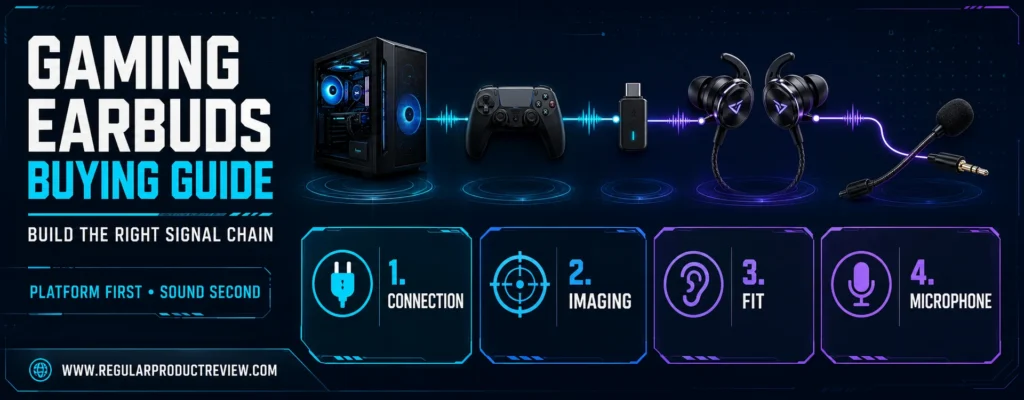
1. Choose the Connection Before the Sound Signature
| Connection | Competitive Strength | Main Limitation | Best Use |
|---|---|---|---|
| 3.5mm wired | No radio delay, no battery, broad analog compatibility | Cable management and possible adapter needs | PC tournaments, controllers, stationary play |
| USB-C wired/audio box | Stable digital path and possible software/EQ support | Can consume the only USB-C port | PC and compatible handhelds |
| Dedicated 2.4GHz | Low latency with wireless freedom | Requires dongle and platform authentication | PC, PS5, Switch, handheld, VR |
| PlayStation Link | Direct low-latency PlayStation ecosystem integration | Limited outside supported devices | PS5 and PlayStation Portal |
| Bluetooth | Convenient for phones, calls, and music | Latency and codec behavior vary | Casual gaming and secondary connection |
For ranked play, prefer wired, 2.4GHz, or a purpose-built platform connection. Bluetooth “gaming mode” may reduce buffering, but its performance depends on both ends of the link. A codec logo on the earbud does not help if the console or phone does not support the same codec and mode.
2. Verify the Console Edition and Authentication
Xbox is the most common compatibility trap. A generic USB audio dongle that works on PC or PlayStation may not work on Xbox. The Xbox version of the Arctis GameBuds includes the necessary dual-mode approach; the PlayStation version does not gain Xbox support merely because both use USB-C.
Before buying, check four items:
- Exact product edition and model number
- Target console’s official support list
- Whether chat and microphone input work, not just playback
- Whether the dongle fits around a case, dock, or adjacent port
Nintendo Switch compatibility can also differ between docked and handheld use. A USB-C transmitter may connect directly to the handheld but require a USB-A adapter or extension at the dock.
3. Understand Imaging, Soundstage, and Separation
These terms are related but not interchangeable.
Imaging describes how precisely a sound occupies a position. Soundstage describes the perceived size or spread of the presentation. Separation describes how easily simultaneous elements remain distinct. Competitive performance needs stable imaging and separation more than a theatrically huge stage.
A wide but vague presentation can make everything sound distant. A narrow but precise presentation can identify left and right while struggling with depth. The best setup preserves angle, distance, motion, and relative scale without turning gunfire into a wall of sound.
4. Do Not Stack Spatial Processing Blindly
Games may offer stereo headphone mixes, binaural HRTF modes, Dolby Atmos, Tempest 3D Audio, or proprietary spatial systems. Earbud software may add THX, QuantumSURROUND, Dirac processing, virtual 7.1, or another layer.
Use a controlled order:
- Start with plain stereo and the game’s correct headphone output.
- Test the game’s native HRTF or binaural option.
- Disable the in-game spatial layer and test the earbud’s virtual surround.
- Avoid combining two spatial engines unless the game or manufacturer specifically recommends it.
- Compare on the same map, at matched volume, using predictable sounds.
The winning configuration is the one that produces repeatable location, not the one with the most dramatic echo or width.
5. Fit and Seal Are Part of the Frequency Response
An earbud’s published tuning assumes a reasonably consistent acoustic seal. A small leak can remove bass, shift tonal balance, and destabilize the center image. Different ears may need different tip sizes on the left and right.
Use this fit check:
- Insert both earbuds at the same angle.
- Play a centered voice or mono test signal.
- Confirm that the voice sits exactly in the middle.
- Press each earbud gently; a large bass change suggests a weak seal.
- Move your jaw and speak; the earbuds should remain stable.
- Stop if there is pain, pressure, or numbness.
Foam tips improve isolation for many users but wear out and can soften treble. Silicone tips are easier to clean and may feel cooler. Open-ear products intentionally do not seal and should be judged by different expectations.
6. Use EQ to Reduce Masking, Not Create Superhuman Hearing
Footsteps do not live at one universal frequency. Their spectrum changes with the game, surface, footwear, distance, wall material, audio engine, and mix. A generic preset can help, but extreme boosts often create fatigue and make other effects painfully sharp.
A safer workflow is to reduce frequencies that mask information. If explosions and music dominate, lower bass slightly. If voices feel buried, make a small midrange correction. If metallic effects become piercing, reduce the offending treble band instead of lowering the entire volume chain.
Make one change at a time, keep adjustments modest, and compare at equal loudness. Louder usually sounds clearer in a quick comparison, which can mislead the decision.
7. Treat Earbud Microphones as Convenience Inputs
Wireless earbud microphones use beamforming, AI filtering, bone-conduction sensors, and noise rejection to overcome their distance from the mouth. These technologies can make speech intelligible, but the result may sound compressed or gated. A keyboard directly below the face is a difficult noise source because it occupies the same general direction as the voice.
For casual parties, an integrated mic is enough. For competitive team leadership, recording, streaming, or tournament communication, use a separate USB microphone, XLR chain, controller boom, or dedicated headset microphone. The Sony INZONE E9 has no built-in mic and assumes this kind of split setup.
8. ANC Can Improve Focus but Cannot Fix a Bad Seal
ANC works best on consistent low-frequency noise such as fans, HVAC systems, and engine rumble. Voices and sudden keyboard impacts are harder to remove. Strong ANC can also create pressure sensations or subtly change the tonal balance.
Choose ANC if you play near steady background noise. Choose strong passive isolation for tournament crowds and voices. Choose open-ear audio when real-world awareness is essential. Buyers seeking broader commuting performance can compare our noise-cancelling earbud category and ANC earbud guide.
9. Read Battery Claims by Mode
The largest number usually reflects favorable conditions: Bluetooth, ANC off, moderate volume, microphones inactive, RGB disabled, and optional processing off. The competitive 2.4GHz mode may have a lower figure.
Evaluate three numbers separately:
- Earbud runtime in the gaming connection mode
- Additional full charges provided by the case
- Fast-charge recovery available during a short break
Single-charge life matters more than total case capacity during an uninterrupted tournament block. A 40-hour package is not helpful if the earbuds themselves stop after five hours and no break is available.
10. Protect Your Hearing During Long Sessions
Competitive players sometimes raise volume to expose quiet cues, but louder playback also makes gunfire and effects more dangerous. The US National Institute on Deafness and Other Communication Disorders explains that sounds that are too loud, too long, or both can damage the inner ear; its guidance on noise-induced hearing loss emphasizes prevention. NIDCD also notes in its loudness guidance that maximum headphone output can reach hazardous levels.
Use isolation and EQ to improve cue contrast instead of continuously increasing volume. Take quiet breaks, enable system volume warnings where available, and consult a hearing professional if you experience ringing, muffled hearing, pain, or persistent asymmetry.
🔊 Hearing Safety Reminder: No ranking, match, or sound cue is worth permanent hearing damage. If you need dangerously high volume to hear detail, fix the seal, reduce background noise, review the mix settings, or choose a more suitable earbud.
11. Build a Five-Minute Pre-Match Checklist
| Check | What to Confirm |
|---|---|
| Connection | Dongle or cable is active; Bluetooth is not being used accidentally |
| Battery | Earbuds and case have enough charge for the full block |
| Output | Correct game device and chat device are selected |
| Microphone | Input level, mute state, and team app device are correct |
| Spatial mode | Only the intended HRTF or surround layer is enabled |
| Notifications | Phone and desktop alerts are silenced |
| Fit | Both channels seal evenly and remain comfortable |
| Backup | Wired alternative or charging cable is accessible |
This checklist prevents more avoidable failures than another small EQ adjustment. Competitive reliability is a system behavior, not a single product feature.
Gaming Earbuds FAQ — Clear Answers for Competitive Players
The questions below address the practical issues that specification sheets often leave unclear. For additional category context, visit our wireless earbud library and gaming earbuds resource center.
Are wired earbuds always better than wireless earbuds for competitive gaming?
Wired earbuds remove radio latency, pairing, battery limits, and wireless interference, which makes them the most predictable choice. They are not automatically better at imaging, tuning, fit, or isolation. A well-designed 2.4GHz product can feel effectively synchronized while providing movement freedom and convenient controls. Choose wired for maximum signal certainty; choose dedicated wireless when convenience and multi-platform use justify the remaining complexity.
Is Bluetooth good enough for ranked FPS games?
Bluetooth can be acceptable for casual play, but it is not the preferred connection for ranked FPS gaming when a dedicated dongle or cable is available. Delay varies with the source, earbud, codec, operating system, and buffering. A manufacturer’s low-latency Bluetooth mode may improve synchronization on supported devices, yet consoles frequently use different audio paths. Use 2.4GHz, PlayStation Link, USB, or analog wired audio for the most dependable timing.
What latency is low enough for competitive gaming earbuds?
There is no single threshold that guarantees success because the display, game, USB stack, audio engine, and connection all contribute to end-to-end delay. Lower is better, and values around a few tens of milliseconds for the wireless link are generally designed to feel synchronized. Sony publishes a less-than-30ms claim for the INZONE Buds dongle connection. When no number is published, prioritize a dedicated gaming transmitter and independent measurements over vague “game mode” language.
Do gaming earbuds really make footsteps easier to hear?
They can make footsteps easier to distinguish when they control masking bass, preserve transient detail, and image positions consistently. They cannot reveal a sound that the game engine does not produce, overcome a poor mix, or replace map knowledge. Fit, EQ, HRTF configuration, background noise, and hearing ability all affect the result. The best improvement is often clearer separation rather than simply louder footsteps.
Should I enable virtual 7.1 surround for Valorant, Counter-Strike, or Call of Duty?
Test it rather than assuming. Many competitive games include their own binaural or headphone processing. Adding external virtual surround on top can create double processing, blurred positions, or unnatural distance. Begin with the game’s intended headphone/HRTF mode and ordinary stereo output. Then test the earbud software with the game’s spatial feature disabled. Keep the configuration that produces the most repeatable direction on a familiar map.
Which is better for competition: ANC or passive noise isolation?
ANC is effective against steady low-frequency noise such as fans and HVAC systems. Passive isolation from a proper seal is often better against voices and changing event noise. Tournament players may prefer a deeply isolating wired IEM beneath protective headphones, while home players may appreciate ANC. Neither should create discomfort, and both reduce the temptation to compensate for the room with unsafe volume.
Can I use PlayStation gaming earbuds on Xbox?
Not automatically. Xbox requires compatible authentication for USB audio accessories. The Xbox edition of the SteelSeries Arctis GameBuds has a dual-mode dongle for Xbox and PlayStation/PC, while the PlayStation edition does not provide native Xbox support. PULSE Explore, INZONE Buds, Razer Hammerhead V3 HyperSpeed, and many generic USB-C models should not be assumed to work on Xbox. Check the exact edition and official compatibility list before purchase.
Why do my gaming earbuds sound weak or have almost no bass?
The most common cause is an incomplete seal. Try a larger tip, a different material, or a slightly different insertion angle. Confirm that both earbuds are seated equally and that no accessibility balance setting is active. If a wired model sounds weak only through a controller, test another output because the controller or adapter may be limiting level or altering the signal.
Are open-ear gaming earbuds accurate enough for esports?
They can be accurate in a quiet room, and they offer excellent awareness and pressure-free comfort. They are less consistent in noisy environments because external sound enters naturally and low-frequency response changes with placement. Open-ear models are a specialized choice for players who must hear their surroundings. Sealed earbuds or IEMs remain the safer competitive choice for tournaments, shared rooms, and maximum cue isolation.
Do I need a separate microphone with gaming earbuds?
For casual party chat, the integrated microphones on premium gaming earbuds are usually sufficient. For streaming, team leadership, content creation, or a room with loud switches and fans, a separate microphone is more reliable and natural. The Sony INZONE E9 has no microphone and explicitly suits a split setup. A desktop mic also lets you choose an earbud based on sound and fit without accepting its mic limitations.
Can a USB-C gaming dongle block charging on my handheld?
Yes. Many dongles occupy the only USB-C port. Products such as soundcore VR P10 and ROG Cetra Open Wireless include passthrough charging features, while others require a hub, dock, or break between sessions. Passthrough wattage and protocol compatibility vary, so confirm the entire charger-cable-dongle-device chain. Also check whether a protective case prevents the connector from seating fully.
How important is battery life if the case offers several extra charges?
For uninterrupted competition, earbud runtime per charge is more important than the total stored in the case. The case cannot help while the earbuds are in your ears. A five-hour earbud with 20 case hours may be less suitable for a long event than a 10- or 12-hour earbud with fewer case recharges. Fast charging reduces the risk when scheduled breaks are available.
Should I buy refurbished gaming earbuds?
Refurbished earbuds can be worthwhile when the seller provides hygiene controls, verified battery health, a warranty, and a complete accessory set. The USB dongle must be included, and replacement tips should be new or replaced by the buyer. Avoid marketplace listings that combine photos or specifications from several editions. Battery degradation and missing transmitters can erase the apparent savings.
How do I clean gaming earbuds without damaging them?
Power them off, remove the tips, and follow the manufacturer’s care instructions. Wipe silicone tips with a suitable lightly damp cloth and dry them completely before reinstallation. Use a soft dry brush for mesh openings; do not push debris into the nozzle or pour liquid into the shell. Foam tips often require replacement rather than aggressive washing. Clean charging contacts gently and keep the case free of moisture.
What is the single best choice for most competitive gamers?
The SteelSeries Arctis GameBuds are the best all-around recommendation because they combine a dedicated gaming link, useful presets, ANC, physical controls, long battery life, and broad platform coverage—provided the buyer chooses the correct console edition. PC FPS specialists with a separate microphone should consider the wired Sony INZONE E9. PS5 endurance buyers should compare the Sony INZONE Buds, while PlayStation Portal owners gain unique convenience from PULSE Explore.
Final Verdict — Choose the Earbuds That Match Your Competitive Platform
The SteelSeries Arctis GameBuds are the strongest overall choice for most competitive players. Their dedicated 2.4GHz connection, game-specific presets, physical controls, ANC, transparency mode, IP55 protection, Qi charging, and strong battery package create the most complete balance. The crucial purchase decision is the edition: choose the Xbox version when Xbox compatibility is required, and verify the transmitter mode before checkout.
For a player who treats FPS competition as the main use—not one use among many—the Sony INZONE E9 is more focused. Its wired connection removes radio delay and charging, while the sealed design, Fnatic-influenced tuning, multiple isolation tips, and USB-C audio box support a controlled PC setup. It is an excellent match for a separate microphone. It is less convincing as a music earphone and unsuitable for buyers who need integrated chat.
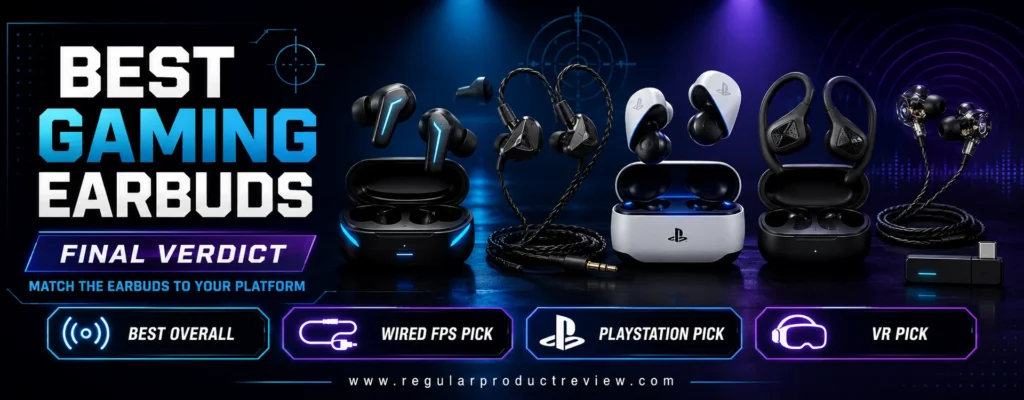
The Razer Hammerhead V3 HyperSpeed is the most compelling modern alternative for PC, PS5, mobile, and handheld users. The receiver-equipped case, Bluetooth 6.0, hybrid ANC, passthrough charging, and 40-hour package make it unusually versatile. Players already using Razer Synapse will benefit most from the PC spatial and control ecosystem.
The Sony INZONE Buds remain the endurance specialist. A published sub-30ms dongle claim and up to 12 hours per charge make them attractive for practice days that outlast ordinary true wireless batteries. Buyers must understand the LE Audio limitation before treating them as universal phone earbuds.
Choose the ROG Cetra True Wireless SpeedNova when high-resolution 2.4GHz audio, Dirac processing, adaptive ANC, hybrid multipoint, and deep customization matter. Choose the Final VR3000 for Gaming when you want a lighter, less expensive wired path with game-oriented spatial presentation. Neither recommendation depends on exaggerated bass to communicate value.
The remaining products solve narrower platform problems. PULSE Explore is easiest to justify beside a PlayStation Portal. JBL Quantum TWS Air is a smart value only when complete authorized or refurbished stock is meaningfully cheaper than current premium models. ROG Cetra Open Wireless serves players who must hear the room or cannot tolerate a sealed canal. soundcore VR P10 remains a practical VR and handheld tool because its dongle preserves low latency while supporting passthrough charging.
Final Winners by Player Type
| Player Profile | Final Recommendation | Deciding Reason |
|---|---|---|
| Most competitive gamers | SteelSeries Arctis GameBuds | Best total balance of timing, presets, controls, battery, and platforms |
| PC FPS specialist | Sony INZONE E9 | Wired certainty and esports-focused positional tuning |
| PC/PS5/handheld multi-device user | Razer Hammerhead V3 HyperSpeed | Modern receiver case, ANC, Bluetooth 6.0, and passthrough |
| Long-session PC or PS5 player | Sony INZONE Buds | Up to 12-hour single-charge claim on 2.4GHz |
| Enthusiast who wants maximum features | ROG Cetra True Wireless SpeedNova | High-resolution gaming path and extensive processing |
| Value wired buyer | Final VR3000 for Gaming | Simple, light, spatially focused analog design |
| PlayStation Portal owner | PULSE Explore | Direct PlayStation Link integration |
| Discount hunter | JBL Quantum TWS Air | Low-latency dongle at the right sale or refurbished price |
| Awareness-first player | ROG Cetra Open Wireless | Open-ear comfort with a real 2.4GHz mode |
| Meta Quest player | soundcore VR P10 | Low-latency USB-C receiver with charging passthrough |
🎯 Final Expert Recommendation: Buy for the connection and platform first, then tune for the game. A correct low-latency signal, stable fit, and sensible volume will improve competitive consistency more than an oversized feature list.
Before ordering, compare the exact model number, transmitter, warranty, tip selection, and return policy. Prices and availability change, but compatibility failures remain expensive. If you want a broader category view, continue with our gaming earbuds collection or compare the full gaming earbud shortlist.