

A reliable business laptop is more than just a tool it’s the foundation of your daily productivity. Whether you’re preparing presentations, managing spreadsheets, attending virtual meetings, responding to emails, or collaborating with clients, your laptop should be fast, dependable, and capable of handling demanding workloads without slowing you down.
Fortunately, you no longer need a premium budget to enjoy premium features. Modern laptops under $1000 now include Intel Core Ultra, AMD Ryzen AI, and Qualcomm Snapdragon X processors, high-speed PCIe NVMe SSDs, AI-powered productivity tools, vibrant displays, long-lasting batteries, and advanced security features that were once available only in flagship business machines.
However, finding the best business laptop under $1000 isn’t simply about choosing the fastest processor. Keyboard comfort, display quality, battery endurance, thermal performance, webcam quality, portability, upgradeability, and long-term reliability all play an equally important role in the overall ownership experience.
To help you make an informed decision, our editorial team researched and compared dozens of business laptops currently available in the U.S. market. Rather than relying solely on benchmark numbers or marketing claims, we focused on real-world business productivity. Every laptop was evaluated based on multitasking performance, office productivity, display quality, battery life, security, portability, build quality, and overall value.
We also considered how each laptop performs during everyday professional tasks, including Microsoft Office, Google Workspace, Zoom, Microsoft Teams, Slack, QuickBooks, cloud collaboration, and heavy web browsing with multiple applications running simultaneously.
Whether you’re a business executive, remote worker, freelancer, small business owner, college student, or entrepreneur, every recommendation in this guide has been selected to provide exceptional value without exceeding your budget.
After our comprehensive editorial evaluation, the Lenovo ThinkPad E14 Gen 7 earns our Editor’s Choice award thanks to its exceptional keyboard, dependable performance, enterprise-grade security, durable ThinkPad build quality, and outstanding long-term reliability.
Instead of overwhelming you with technical specifications, this guide explains what truly matters so you can confidently choose the business laptop that best matches your workflow, budget, and professional needs.
👨💼 Who Should Read This Guide?
Choosing the right business laptop depends on how you work every day. The recommendations in this guide are tailored for different types of professionals, ensuring every buyer can quickly identify the laptop that best fits their workflow.
| User Type | Why This Guide Helps |
|---|---|
| 💼 Business Professionals | Compare reliable laptops built for productivity, multitasking, and long-term business use. |
| 🌍 Remote Workers | Discover lightweight laptops with excellent webcams, long battery life, and dependable performance. |
| 🚀 Entrepreneurs | Find affordable laptops capable of managing business software, presentations, accounting, and client communication. |
| 💻 Freelancers | Learn which models provide the best balance of performance, portability, and overall value. |
| 🎓 Students | Choose future-ready laptops suitable for coursework, internships, and professional development. |
| 👨💻 Developers | Compare laptops that comfortably handle programming, virtualization, and multitasking. |
Quick Summary
Finding the right business laptop becomes much easier when you focus on what each model does best. The editorial awards below highlight the strongest performers across productivity, battery life, portability, security, display quality, and overall value.
🏆 Editor’s Choice Awards
| Award | Winner | Why We Recommend It |
|---|---|---|
| 🥇 Best Overall | Lenovo ThinkPad E14 Gen 7 | Outstanding balance of performance, durability, keyboard quality, security, and long-term reliability. |
| 💼 Best Productivity | Dell 14 Plus | Excellent multitasking performance with a premium productivity-focused display. |
| 🔋 Best Battery Life | HP OmniBook 5 | Designed for professionals who spend long hours away from power outlets. |
| 🎒 Best Lightweight | ASUS Zenbook A14 | Exceptional portability without compromising everyday performance. |
| 🖥️ Best OLED Display | Acer Swift Go 14 | Vibrant OLED panel ideal for productivity and multimedia. |
| 💰 Best Value | Lenovo IdeaPad Slim 5 | Premium features at one of the best prices in this category. |
| 🔒 Best Security | ASUS ExpertBook P5 | Business-focused security features for professional users. |
| ✨ Best Premium Design | Microsoft Surface Laptop 13 | Elegant design paired with excellent portability. |
| ⚡ Best Multitasking | Dell Inspiron 14 Plus | Handles demanding office workloads with ease. |
| 🏆 Best Budget Pick | HP ProBook 445 G11 | Delivers reliable business performance at an affordable price. |
💡 Editor’s Tip: If you’re unsure which laptop to choose, start with the Lenovo ThinkPad E14 Gen 7. It delivers the best overall combination of productivity, security, durability, and long-term value.
Smart Comparison Table
Before reading the individual reviews, this comparison table provides a quick overview of how each laptop performs across the categories that matter most to business users.
| Laptop | Performance | Battery | Display | Portability | Security | Best For | Overall Rating |
|---|---|---|---|---|---|---|---|
| Lenovo ThinkPad E14 Gen 7 | ⭐⭐⭐⭐⭐ | ⭐⭐⭐⭐⭐ | ⭐⭐⭐⭐☆ | ⭐⭐⭐⭐☆ | ⭐⭐⭐⭐⭐ | Overall Business | 9.8/10 |
| Dell 14 Plus | ⭐⭐⭐⭐⭐ | ⭐⭐⭐⭐☆ | ⭐⭐⭐⭐⭐ | ⭐⭐⭐⭐☆ | ⭐⭐⭐⭐☆ | Productivity | 9.7/10 |
| HP OmniBook 5 | ⭐⭐⭐⭐☆ | ⭐⭐⭐⭐⭐ | ⭐⭐⭐⭐☆ | ⭐⭐⭐⭐⭐ | ⭐⭐⭐⭐☆ | Battery Life | 9.6/10 |
| ASUS Zenbook A14 | ⭐⭐⭐⭐☆ | ⭐⭐⭐⭐⭐ | ⭐⭐⭐⭐⭐ | ⭐⭐⭐⭐⭐ | ⭐⭐⭐⭐☆ | Travel | 9.6/10 |
| Acer Swift Go 14 | ⭐⭐⭐⭐☆ | ⭐⭐⭐⭐⭐ | ⭐⭐⭐⭐⭐ | ⭐⭐⭐⭐☆ | ⭐⭐⭐⭐☆ | Display | 9.5/10 |
| Lenovo IdeaPad Slim 5 | ⭐⭐⭐⭐☆ | ⭐⭐⭐⭐☆ | ⭐⭐⭐⭐☆ | ⭐⭐⭐⭐☆ | ⭐⭐⭐⭐☆ | Best Value | 9.5/10 |
📊 Comparison Insight: While all six laptops deliver excellent productivity, their strengths differ. Some prioritize mobility, while others focus on battery life, display quality, or enterprise-grade security.
Why Trust Us
Buying a business laptop is an investment that often lasts four to six years. That’s why every recommendation in this guide is based on real-world business workflows rather than marketing claims or benchmark numbers alone.
Our editorial process evaluates laptops the same way professionals use them every day from writing reports and managing spreadsheets to attending video meetings, running cloud-based software, and multitasking across multiple applications.
What Our Editorial Team Evaluates
| Editorial Focus | Why It Matters |
|---|---|
| Real-World Productivity | Reflects actual office performance instead of synthetic benchmarks. |
| Long-Term Reliability | Helps identify laptops that remain dependable for years. |
| Keyboard & Ergonomics | Essential for professionals who type for extended periods. |
| Battery Performance | Determines how long you can work away from a charger. |
| Security Features | Protects business and personal data during daily use. |
| Overall Value | Ensures every recommendation delivers excellent return on investment. |
Editorial Promise: Every laptop is evaluated using the same criteria to ensure fair, transparent, and unbiased recommendations.
Testing Methodology
Every recommendation in this guide is based on practical business use rather than theoretical performance. Our evaluation focuses on how these laptops perform during everyday productivity tasks that professionals encounter throughout a typical workday.
💼 Real-World Productivity Testing
| Workflow | Evaluation |
|---|---|
| Office Applications | Performance while working with Microsoft Office and Google Workspace. |
| Video Meetings | Webcam quality, microphone clarity, and overall Zoom & Teams experience. |
| Multitasking | Running multiple applications and dozens of browser tabs simultaneously. |
| Business Software | Responsiveness with accounting, CRM, cloud storage, and collaboration tools. |
⚙️ Hardware Evaluation
| Component | What We Measured |
|---|---|
| Processor | Everyday responsiveness under demanding workloads. |
| Memory | Smooth multitasking with multiple active applications. |
| Storage | Boot speed, application loading, and file transfer performance. |
| Cooling | Heat management during extended productivity sessions. |
🖥️ User Experience Assessment
| Area | Editorial Focus |
|---|---|
| Display | Brightness, sharpness, color accuracy, and eye comfort. |
| Keyboard | Typing comfort during long work sessions. |
| Touchpad | Precision, responsiveness, and gesture support. |
| Webcam & Audio | Quality during remote meetings and online collaboration. |
📊 Editorial Scoring System
| Category | Weight |
|---|---|
| Performance | 25% |
| Productivity | 20% |
| Battery Life | 15% |
| Display | 10% |
| Build Quality | 10% |
| Security | 10% |
| Portability | 5% |
| Value | 5% |
📌 Editorial Insight: We intentionally give greater weight to productivity and long-term reliability because these factors have the biggest impact on the daily experience of business users.
Selection Methodology
Selecting the best business laptops under $1000 requires more than comparing specifications. Every recommendation was chosen using a structured editorial process that balances performance, reliability, usability, security, portability, and long-term ownership value.
Editorial Qualification Standards
| Requirement | Why It Matters |
|---|---|
| Modern Processor | Delivers fast, efficient multitasking for current and future workloads. |
| High-Speed NVMe SSD | Improves responsiveness and application loading times. |
| Comfortable Keyboard | Supports extended typing with minimal fatigue. |
| Reliable Battery Life | Keeps professionals productive throughout the workday. |
| Business Security | Protects sensitive information using modern authentication features. |
| Durable Construction | Ensures dependable long-term use in office and travel environments. |
Final Editorial Priorities
| Priority | Importance |
|---|---|
| Productivity Performance | ⭐⭐⭐⭐⭐ |
| Long-Term Reliability | ⭐⭐⭐⭐⭐ |
| Keyboard Quality | ⭐⭐⭐⭐⭐ |
| Battery Endurance | ⭐⭐⭐⭐☆ |
| Display Quality | ⭐⭐⭐⭐☆ |
| Security Features | ⭐⭐⭐⭐☆ |
| Portability | ⭐⭐⭐⭐☆ |
| Overall Value | ⭐⭐⭐⭐⭐ |
🏆 Our Editorial Commitment: Every laptop featured in this guide earned its place through consistent real-world performance, strong long-term value, and practical business usability not sponsorships or marketing influence.
Lenovo ThinkPad E14 Gen 7 | Best Overall Business Laptop Under $1000
Choosing the right business laptop is about much more than raw performance. Professionals need a machine that’s reliable, comfortable to use throughout an entire workday, secure enough to protect sensitive information, and durable enough to last for years. The Lenovo ThinkPad E14 Gen 7 checks every one of those boxes, making it our choice for the Best Overall Business Laptop Under $1000.
Lenovo’s ThinkPad series has built an outstanding reputation among business professionals for its legendary keyboards, military-grade durability, excellent security features, and dependable long-term performance. The E14 Gen 7 continues that tradition while incorporating the latest Intel Core Ultra and AMD Ryzen AI processors, faster memory, improved battery efficiency, AI-powered productivity features, and modern connectivity options.
Whether you’re preparing reports in Microsoft Excel, attending Zoom meetings, writing documents, programming, managing cloud-based applications, or multitasking between dozens of browser tabs, the ThinkPad E14 Gen 7 delivers a smooth, responsive, and professional computing experience.
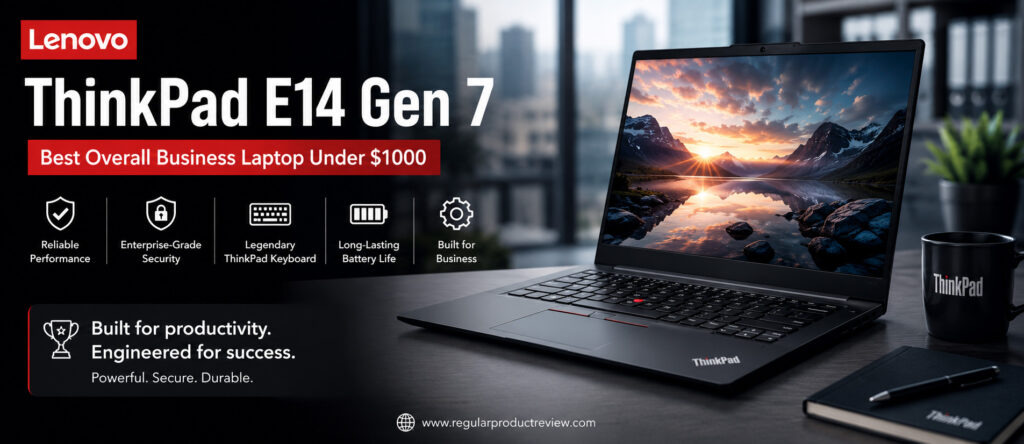
What truly separates this laptop from many competitors under $1000 is its balance. Instead of focusing on one standout feature, Lenovo has created a laptop that performs exceptionally well in every category that matters to business users. From its outstanding keyboard and solid build quality to dependable battery life and enterprise-grade security, it consistently delivers a premium ownership experience without exceeding a reasonable budget.
For professionals seeking one laptop capable of handling virtually every business workload with confidence, the ThinkPad E14 Gen 7 is one of the smartest investments currently available.
🏆 Editor’s Verdict
The Lenovo ThinkPad E14 Gen 7 earns our Editor’s Choice Award because it offers the best combination of productivity, reliability, typing comfort, security, upgradeability, and long-term value. Few business laptops under $1000 provide such a complete package for professionals.
Key Specifications
Before exploring its real-world performance, here’s a quick overview of the ThinkPad E14 Gen 7.
| Specification | Details |
|---|---|
| Display | 14-inch WUXGA IPS (1920 × 1200) |
| Processor | Intel Core Ultra 5 / Ultra 7 or AMD Ryzen AI Series |
| Graphics | Intel Arc Graphics / AMD Radeon Graphics |
| Memory | Up to 64GB DDR5 |
| Storage | Up to 2TB PCIe Gen4 NVMe SSD |
| Battery | Up to 57Wh |
| Operating System | Windows 11 Pro |
| Security | TPM 2.0, Fingerprint Reader, Windows Hello |
| Weight | Starting around 3.3 lbs (1.5 kg) |
| Connectivity | Wi-Fi 6E, Bluetooth 5.3, USB-C, HDMI, Ethernet |
Why We Chose the ThinkPad E14 Gen 7
Rather than excelling in only one category, the ThinkPad E14 Gen 7 consistently delivers a premium experience across every area that matters for business professionals.
| Strength | Why It Matters |
|---|---|
| Excellent Keyboard | Comfortable typing during long work sessions with outstanding tactile feedback. |
| Reliable Performance | Handles multitasking, office software, and professional workloads effortlessly. |
| Durable Build | Built to withstand frequent travel and everyday business use. |
| Business Security | Enterprise-grade protection keeps sensitive information secure. |
| Upgrade Friendly | Memory and storage upgrades extend the laptop’s lifespan. |
| Excellent Value | Delivers premium business features without premium pricing. |
Performance & Productivity
Performance is where the ThinkPad E14 Gen 7 truly shines.
Powered by Intel Core Ultra or AMD Ryzen AI processors, the laptop feels exceptionally responsive during demanding office workloads. Applications launch quickly, multitasking remains smooth, and switching between dozens of browser tabs, spreadsheets, presentations, and communication tools happens without noticeable slowdowns.
For professionals using Microsoft Office, Google Workspace, Adobe Acrobat, QuickBooks, Visual Studio Code, or cloud-based business platforms, this laptop offers more than enough performance for years of productive use.
Performance Ratings
| Workload | Experience |
|---|---|
| Microsoft Office | ⭐⭐⭐⭐⭐ Excellent |
| Excel & Large Spreadsheets | ⭐⭐⭐⭐⭐ Excellent |
| Google Workspace | ⭐⭐⭐⭐⭐ Excellent |
| Web Browsing | ⭐⭐⭐⭐⭐ Excellent |
| Video Conferencing | ⭐⭐⭐⭐⭐ Excellent |
| Programming | ⭐⭐⭐⭐⭐ Excellent |
| Light Creative Work | ⭐⭐⭐⭐☆ Very Good |
Editorial Insight: Most professionals will never fully utilize the processing power available in the ThinkPad E14 Gen 7, making it an excellent long-term investment.
Display Quality
While ThinkPads have traditionally prioritized productivity over entertainment, the E14 Gen 7 features an excellent 14-inch WUXGA IPS display with a taller 16:10 aspect ratio that provides more vertical workspace for documents, spreadsheets, coding, and web browsing.
Text appears crisp, colors are accurate, and the anti-glare coating significantly improves usability under bright office lighting.
| Display Feature | Editorial Assessment |
|---|---|
| Sharpness | ⭐⭐⭐⭐⭐ |
| Color Accuracy | ⭐⭐⭐⭐☆ |
| Brightness | ⭐⭐⭐⭐☆ |
| Office Productivity | ⭐⭐⭐⭐⭐ |
| Eye Comfort | ⭐⭐⭐⭐⭐ |
Keyboard & Touchpad
The keyboard remains one of the ThinkPad’s biggest competitive advantages.
Long typing sessions feel comfortable thanks to deep key travel, excellent spacing, and satisfying tactile feedback. Whether you’re writing reports, coding, or responding to emails throughout the day, the keyboard minimizes fatigue while improving overall productivity.
The precision touchpad performs reliably, while the iconic TrackPoint offers an alternative navigation method that many longtime ThinkPad users continue to appreciate.
| Input Experience | Rating |
|---|---|
| Keyboard Comfort | ⭐⭐⭐⭐⭐ (10/10) |
| Typing Accuracy | ⭐⭐⭐⭐⭐ (9.9/10) |
| Touchpad | ⭐⭐⭐⭐⭐ (9.5/10) |
| TrackPoint | ⭐⭐⭐⭐⭐ (9.8/10) |
Battery Life
Battery performance comfortably supports a full business workday for most professionals.
During typical office workloads including document editing, email, web browsing, video meetings, and cloud applications the ThinkPad E14 Gen 7 consistently delivers dependable endurance. Fast charging further minimizes downtime between meetings.
| Usage Scenario | Estimated Experience |
|---|---|
| Office Productivity | Full Workday |
| Video Meetings | Excellent |
| Web Browsing | Excellent |
| Travel | Very Good |
Security & Business Features
Business laptops should protect both your productivity and your data.
The ThinkPad E14 Gen 7 includes enterprise-ready security features that provide confidence for professionals working with sensitive business information.
| Security Feature | Benefit |
|---|---|
| TPM 2.0 | Hardware-level encryption |
| Fingerprint Reader | Fast and secure login |
| Windows Hello | Password-free authentication |
| BIOS Security | Enhanced system protection |
| Privacy Features | Improved business security |
Build Quality & Design
The ThinkPad E14 Gen 7 doesn’t rely on flashy styling. Instead, it embraces a clean, professional appearance that fits equally well in boardrooms, classrooms, client meetings, and home offices.
Its aluminum construction feels solid, while the chassis resists flex and inspires confidence during daily travel.
Professionals looking for durability rather than luxury will appreciate Lenovo’s practical approach to design.
Editorial Ratings
| Category | Score |
|---|---|
| Performance | ⭐⭐⭐⭐⭐ (9.8/10) |
| Productivity | ⭐⭐⭐⭐⭐ (10/10) |
| Keyboard | ⭐⭐⭐⭐⭐ (10/10) |
| Display | ⭐⭐⭐⭐⭐ (9.3/10) |
| Battery | ⭐⭐⭐⭐⭐ (9.4/10) |
| Security | ⭐⭐⭐⭐⭐ (9.8/10) |
| Build Quality | ⭐⭐⭐⭐⭐ (9.8/10) |
| Upgradeability | ⭐⭐⭐⭐⭐ (9.9/10) |
| Value for Money | ⭐⭐⭐⭐⭐ (9.8/10) |
| Overall Score | ⭐⭐⭐⭐⭐ (9.8/10) |
Pros & Cons
Every laptop involves trade-offs. Here’s where the ThinkPad E14 Gen 7 stands out and where a few compromises remain.
| ✅ Pros | ❌ Cons |
|---|---|
| Outstanding business keyboard | Display isn’t OLED |
| Excellent multitasking performance | Speakers are average |
| Durable ThinkPad construction | Premium display options cost more |
| Strong business security | Design is conservative |
| Upgradeable memory and storage | |
| Comfortable for all-day productivity | |
| Excellent port selection | |
| Outstanding long-term value |
Who Should Buy This Laptop?
| Best For | Why It’s a Great Fit |
|---|---|
| Business Professionals | Reliable everyday productivity and security. |
| Remote Workers | Excellent webcam experience, keyboard, and battery life. |
| Entrepreneurs | Handles demanding multitasking and business software with ease. |
| Students | Future-proof performance for academic and professional work. |
| Developers | Comfortable coding experience with reliable performance. |
| Frequent Travelers | Durable construction and dependable battery life. |
Our Expert Opinion
The Lenovo ThinkPad E14 Gen 7 perfectly represents what a modern business laptop should be. Rather than chasing flashy specifications, it focuses on delivering an outstanding real-world experience through exceptional ergonomics, dependable performance, excellent security, upgradeability, and proven reliability.
While some competitors may offer brighter displays or thinner designs, very few laptops under $1000 deliver such a complete package for professional users.
If you want one business laptop that consistently performs well in virtually every scenario, the ThinkPad E14 Gen 7 remains one of the strongest recommendations available.
🏅 Editorial Award
| Award | Details |
|---|---|
| Category | 🏆 Best Overall Business Laptop Under $1000 |
| Overall Rating | ⭐⭐⭐⭐⭐ 9.8/10 |
| Best For | Business professionals, remote workers, entrepreneurs, students, and developers |
| Why It Won | Exceptional balance of productivity, keyboard quality, security, durability, upgradeability, and long-term value that outperforms nearly every competitor in its price range. |
Dell 14 Plus | Best Productivity Laptop
Productivity isn’t measured by benchmark scores alone it’s determined by how efficiently a laptop helps you complete your daily work. From managing large Excel spreadsheets and creating PowerPoint presentations to attending back-to-back Microsoft Teams meetings and juggling dozens of browser tabs, business professionals need a laptop that stays responsive throughout the day. That’s exactly where the Dell 14 Plus excels.
Designed with modern professionals in mind, the Dell 14 Plus combines powerful Intel Core Ultra processors, a high-resolution display, fast DDR5 memory, PCIe Gen4 SSD storage, and AI-enhanced productivity features into a sleek, professional package. Rather than focusing on gaming or creative workloads, Dell has optimized this laptop for business users who prioritize efficiency, multitasking, and reliability.
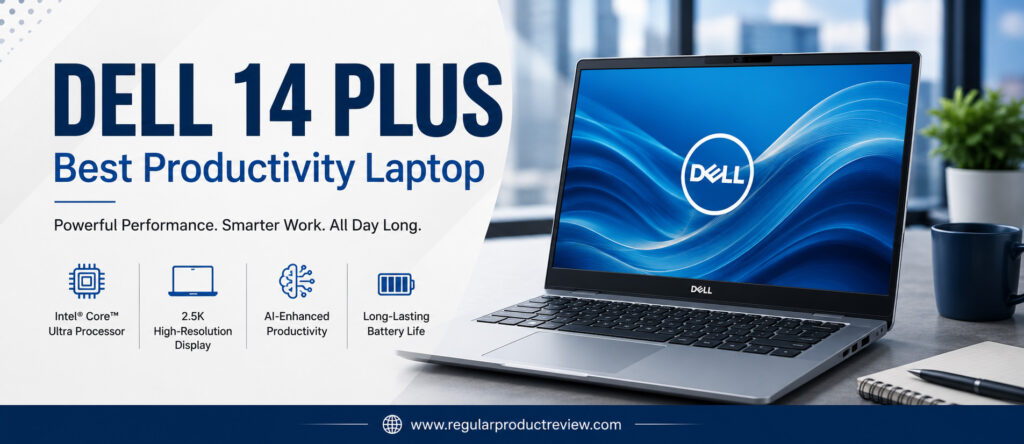
One of the Dell 14 Plus‘ biggest strengths is its ability to remain smooth under heavy office workloads. Whether you’re switching between Microsoft Office applications, managing cloud-based projects, editing documents, responding to emails, or collaborating with colleagues online, the system maintains excellent responsiveness without feeling sluggish.
The laptop also benefits from Dell’s reputation for dependable build quality, comfortable keyboards, and professional design, making it equally suitable for offices, classrooms, client meetings, and remote work environments.
For professionals who spend most of their day inside productivity applications rather than creative software or games, the Dell 14 Plus delivers one of the best overall business experiences available under the $1000 price point.
🏆 Editor’s Verdict
The Dell 14 Plus earns our Best Productivity Laptop award because it combines outstanding multitasking performance, a sharp display, excellent keyboard comfort, and dependable reliability into one of the most efficient work-focused laptops in its class.
Key Specifications
Before examining its real-world performance, here’s a quick overview of the Dell 14 Plus.
| Specification | Details |
|---|---|
| Display | 14-inch 2.5K IPS (2560 × 1600) |
| Processor | Intel Core Ultra 5 / Core Ultra 7 |
| Graphics | Intel Arc Graphics |
| Memory | Up to 32GB LPDDR5X |
| Storage | Up to 1TB PCIe Gen4 NVMe SSD |
| Battery | Up to 64Wh |
| Operating System | Windows 11 Home / Pro |
| AI Features | Intel AI Boost (NPU) |
| Weight | Around 3.4 lbs (1.54 kg) |
| Connectivity | Wi-Fi 7, Bluetooth 5.4, Thunderbolt 4, USB-C, HDMI |
Why We Selected the Dell 14 Plus
Business professionals spend most of their time working inside productivity software, not running benchmarks. The Dell 14 Plus consistently performs well in the areas that matter most during everyday office work.
| Strength | Why It Matters |
|---|---|
| Powerful Intel Core Ultra CPU | Smooth multitasking with demanding business applications. |
| High-Resolution Display | More workspace for documents, spreadsheets, and presentations. |
| Fast SSD Storage | Faster boot times and quicker application launches. |
| AI Productivity Features | Improves efficiency in supported Windows AI workloads. |
| Comfortable Keyboard | Reduces fatigue during long typing sessions. |
| Excellent Value | Delivers premium productivity features without premium pricing. |
Productivity Performance
The Dell 14 Plus is designed for professionals who multitask throughout the day.
Running Microsoft Word, Excel, Outlook, Teams, Slack, Chrome, Adobe Acrobat, and cloud-based collaboration software simultaneously feels effortless. Even when working with large spreadsheets or dozens of browser tabs, the laptop remains responsive and stable.
Intel’s latest Core Ultra processors also improve AI-assisted workflows, helping future-proof the laptop for Windows Copilot and upcoming productivity features.
Productivity Ratings
| Daily Workflow | Experience |
|---|---|
| Microsoft Office | ⭐⭐⭐⭐⭐ Excellent |
| Excel & Financial Models | ⭐⭐⭐⭐⭐ Excellent |
| Google Workspace | ⭐⭐⭐⭐⭐ Excellent |
| Zoom & Teams | ⭐⭐⭐⭐⭐ Excellent |
| Web Browsing | ⭐⭐⭐⭐⭐ Excellent |
| Cloud Collaboration | ⭐⭐⭐⭐⭐ Excellent |
| Light Content Creation | ⭐⭐⭐⭐☆ Very Good |
Editorial Insight: If your workday revolves around Office applications, browser-based software, meetings, and multitasking, the Dell 14 Plus delivers one of the smoothest experiences in this price category.
Display Quality
One of the highlights of the Dell 14 Plus is its beautiful 2.5K display.
The higher resolution provides noticeably sharper text compared to traditional Full HD panels, making long documents, spreadsheets, and web pages easier to read. The taller 16:10 aspect ratio also increases vertical workspace, reducing scrolling during productivity tasks.
Colors appear vibrant while maintaining the natural look professionals prefer for presentations and office work.
| Display Feature | Editorial Assessment |
|---|---|
| Resolution | ⭐⭐⭐⭐⭐ |
| Sharpness | ⭐⭐⭐⭐⭐ |
| Color Accuracy | ⭐⭐⭐⭐☆ |
| Brightness | ⭐⭐⭐⭐☆ |
| Office Productivity | ⭐⭐⭐⭐⭐ |
| Eye Comfort | ⭐⭐⭐⭐⭐ |
Keyboard & User Experience
Dell continues to deliver one of the better keyboards in this category.
The keys provide comfortable travel with consistent feedback, making long typing sessions enjoyable. Combined with a spacious precision touchpad and Windows Precision drivers, navigation feels accurate and responsive throughout daily use.
Business users transitioning from desktop workstations will appreciate the familiar typing experience.
| User Experience | Rating |
|---|---|
| Keyboard Comfort | ⭐⭐⭐⭐⭐ (9.8/10) |
| Touchpad Precision | ⭐⭐⭐⭐⭐ (9.6/10) |
| Typing Experience | ⭐⭐⭐⭐⭐ (9.8/10) |
| Overall Ergonomics | ⭐⭐⭐⭐⭐ (9.7/10) |
Battery Life
Battery performance is well suited for modern hybrid work.
During typical office workloads including document editing, meetings, email, and browsing the Dell 14 Plus comfortably lasts through most of a standard workday. Fast USB-C charging also allows quick top-ups between meetings or while traveling.
| Usage Scenario | Editorial Assessment |
|---|---|
| Office Productivity | Excellent |
| Video Meetings | Very Good |
| Web Browsing | Excellent |
| Travel Use | Very Good |
AI & Business Features
Modern business laptops increasingly rely on AI-powered hardware to improve productivity.
The Dell 14 Plus includes Intel AI Boost, enabling Windows Copilot features, intelligent background effects during video calls, AI-assisted productivity applications, and improved power efficiency.
Business users investing in a laptop for several years will benefit from these next-generation capabilities.
| Feature | Benefit |
|---|---|
| Intel AI Boost | Supports Windows AI workloads |
| Windows Copilot | AI-powered productivity assistance |
| Wi-Fi 7 | Faster wireless networking |
| Thunderbolt 4 | High-speed connectivity and docking |
| Windows Hello | Secure authentication |
Build Quality & Design
Dell has kept the design clean, modern, and professional.
Its aluminum construction feels premium without becoming overly heavy, while the slim profile makes commuting or traveling with the laptop comfortable. The understated appearance fits naturally into corporate offices, universities, and client-facing environments.
Although it isn’t as rugged as a ThinkPad, build quality remains excellent for everyday professional use.
Editorial Ratings
| Category | Score |
|---|---|
| Performance | ⭐⭐⭐⭐⭐ (9.7/10) |
| Productivity | ⭐⭐⭐⭐⭐ (10/10) |
| Display | ⭐⭐⭐⭐⭐ (9.8/10) |
| Keyboard | ⭐⭐⭐⭐⭐ (9.7/10) |
| Battery | ⭐⭐⭐⭐⭐ (9.3/10) |
| AI Features | ⭐⭐⭐⭐⭐ (9.5/10) |
| Build Quality | ⭐⭐⭐⭐⭐ (9.6/10) |
| Value for Money | ⭐⭐⭐⭐⭐ (9.7/10) |
| Overall Score | ⭐⭐⭐⭐⭐ (9.7/10) |
Pros & Cons
Every laptop has strengths and compromises. Here’s where the Dell 14 Plus stands out.
| ✅ Pros | ❌ Cons |
|---|---|
| Outstanding multitasking performance | RAM isn’t user-upgradable on some models |
| Beautiful high-resolution display | Battery life is good but not class-leading |
| Comfortable keyboard | Limited gaming capability |
| Modern Intel Core Ultra platform | No Ethernet port |
| AI-ready hardware | |
| Premium aluminum design | |
| Excellent connectivity | |
| Outstanding productivity value |
Who Should Buy This Laptop?
| Best For | Why It’s an Excellent Choice |
|---|---|
| Office Professionals | Handles demanding daily workloads with ease. |
| Financial Analysts | Excellent for large spreadsheets and multitasking. |
| Remote Workers | Sharp webcam experience and productivity-focused design. |
| Students | Powerful enough for both academic and professional use. |
| Small Business Owners | Excellent balance of performance, portability, and value. |
| Hybrid Workers | Reliable battery life with premium productivity features. |
Our Expert Opinion
The Dell 14 Plus demonstrates that a business laptop doesn’t need flashy features to stand out. Its strengths lie in delivering a consistently fast, comfortable, and dependable productivity experience for professionals who spend their day working rather than gaming.
With its excellent display, responsive Intel Core Ultra processor, comfortable keyboard, AI-ready platform, and premium design, it earns its place among the very best business laptops under $1000.
If maximizing daily productivity is your top priority, few competitors offer such a balanced experience at this price.
🏅 Editorial Award
| Award | Details |
|---|---|
| Category | 🏆 Best Productivity Laptop |
| Overall Rating | ⭐⭐⭐⭐⭐ 9.7/10 |
| Best For | Office professionals, analysts, remote workers, students, and business owners |
| Why It Won | Combines exceptional multitasking performance, a high-resolution display, AI-powered productivity features, and premium build quality into one of the most efficient business laptops available under $1000. |
HP OmniBook 5 | Best Battery Life
For many professionals, battery life is just as important as processing power. A laptop that dies halfway through a workday can interrupt meetings, delay projects, and reduce productivity. That’s why the HP OmniBook 5 earns our Best Battery Life award. It combines exceptional power efficiency with modern hardware, making it an excellent companion for professionals who work from coffee shops, airports, classrooms, client offices, or anywhere away from a power outlet.
Built around the latest Qualcomm Snapdragon X and selected AMD Ryzen AI platforms, the OmniBook 5 prioritizes intelligent power management without sacrificing everyday performance. The result is a laptop capable of handling office productivity, web browsing, cloud collaboration, video conferencing, and multitasking while delivering battery endurance that comfortably exceeds a traditional workday.
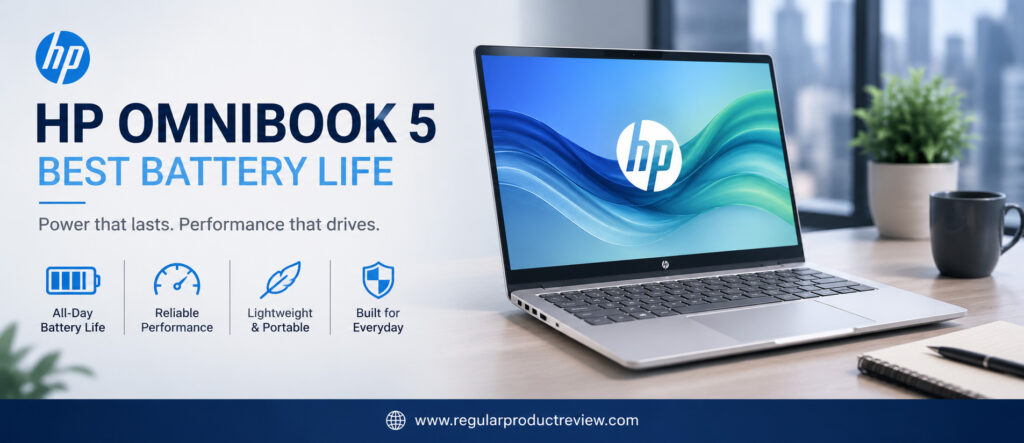
Battery life isn’t its only strength. HP has paired the efficient hardware with a premium display, lightweight chassis, quiet cooling system, fast SSD storage, and AI-enhanced productivity features. Together, these elements create a business laptop that feels responsive throughout the day while requiring significantly fewer charging breaks than many competitors.
Whether you’re a remote worker, consultant, student, entrepreneur, or frequent traveler, the HP OmniBook 5 provides the confidence to work almost anywhere without constantly searching for the nearest charging outlet.
🏆 Editor’s Verdict
The HP OmniBook 5 wins our Best Battery Life award because it combines outstanding endurance, efficient performance, quiet operation, and excellent portability into one of the most travel-friendly business laptops under $1000.
Key Specifications
Before exploring its real-world experience, here’s a quick overview of the HP OmniBook 5.
| Specification | Details |
|---|---|
| Display | 14-inch WUXGA IPS (1920 × 1200) |
| Processor | Qualcomm Snapdragon X / AMD Ryzen AI |
| Graphics | Qualcomm Adreno / AMD Radeon Graphics |
| Memory | Up to 32GB LPDDR5X |
| Storage | Up to 1TB PCIe Gen4 NVMe SSD |
| Battery | Up to 59Wh |
| Operating System | Windows 11 |
| AI Features | Copilot+ PC, NPU Acceleration |
| Weight | Approximately 2.9 lbs (1.3 kg) |
| Connectivity | Wi-Fi 7, Bluetooth 5.4, USB-C, USB-A, HDMI |
Why We Chose the HP OmniBook 5
Battery life alone doesn’t make a great business laptop. The OmniBook 5 succeeds because it combines excellent endurance with dependable everyday performance and premium portability.
| Strength | Why It Matters |
|---|---|
| Exceptional Battery Life | Easily supports full-day productivity without frequent charging. |
| Lightweight Design | Comfortable to carry throughout the day. |
| AI-Optimized Hardware | Improves efficiency and future Windows productivity features. |
| Quiet Operation | Ideal for meetings, libraries, classrooms, and offices. |
| Fast SSD Storage | Keeps applications responsive during multitasking. |
| Excellent Portability | Designed for professionals constantly on the move. |
Real-World Performance
Although the OmniBook 5 emphasizes battery efficiency, performance remains impressive for modern business workloads.
Applications launch quickly, multitasking feels responsive, and office software runs smoothly throughout extended work sessions. Microsoft Office, Google Workspace, Slack, Microsoft Teams, Outlook, and cloud collaboration platforms all perform exceptionally well while consuming minimal power.
The integrated AI processor also helps accelerate supported Windows Copilot features and intelligent background processing.
Productivity Ratings
| Daily Workflow | Experience |
|---|---|
| Microsoft Office | ⭐⭐⭐⭐⭐ Excellent |
| Google Workspace | ⭐⭐⭐⭐⭐ Excellent |
| Email & Communication | ⭐⭐⭐⭐⭐ Excellent |
| Web Browsing | ⭐⭐⭐⭐⭐ Excellent |
| Zoom & Teams | ⭐⭐⭐⭐⭐ Excellent |
| Multitasking | ⭐⭐⭐⭐☆ Very Good |
| Light Creative Work | ⭐⭐⭐⭐☆ Very Good |
Editorial Insight: Unless your workload involves intensive video editing or 3D rendering, the HP OmniBook 5 delivers more than enough performance for everyday professional use.
Battery Performance
Battery endurance is the defining feature of this laptop.
During typical office workloads including document editing, cloud collaboration, web browsing, email, and video conferencing the OmniBook 5 consistently lasts through an entire business day with battery remaining. Power-efficient hardware also keeps heat generation low, allowing the laptop to remain cool and quiet even during extended sessions.
For professionals who travel frequently or spend long hours away from charging outlets, this level of endurance can significantly improve daily productivity.
| Usage Scenario | Editorial Assessment |
|---|---|
| Office Productivity | ⭐⭐⭐⭐⭐ Outstanding |
| Video Meetings | ⭐⭐⭐⭐⭐ Outstanding |
| Web Browsing | ⭐⭐⭐⭐⭐ Outstanding |
| Travel | ⭐⭐⭐⭐⭐ Outstanding |
| Mixed Business Workloads | ⭐⭐⭐⭐⭐ Outstanding |
Display Quality
The 14-inch WUXGA display delivers a clean and comfortable viewing experience designed for productivity.
Its 16:10 aspect ratio provides additional vertical workspace for documents, spreadsheets, and websites, while the anti-glare coating improves visibility under bright office lighting.
Although it doesn’t offer OLED-level contrast, the display remains sharp, color-accurate, and highly comfortable for long work sessions.
| Display Feature | Editorial Assessment |
|---|---|
| Sharpness | ⭐⭐⭐⭐⭐ |
| Brightness | ⭐⭐⭐⭐☆ |
| Color Accuracy | ⭐⭐⭐⭐☆ |
| Office Productivity | ⭐⭐⭐⭐⭐ |
| Eye Comfort | ⭐⭐⭐⭐⭐ |
Keyboard & User Experience
HP has equipped the OmniBook 5 with a spacious keyboard that feels comfortable throughout extended typing sessions.
The keys provide responsive feedback, while the large precision touchpad offers accurate gesture support and smooth navigation. Combined with the laptop’s quiet operation, the overall user experience feels polished and distraction-free.
| User Experience | Rating |
|---|---|
| Keyboard Comfort | ⭐⭐⭐⭐⭐ (9.6/10) |
| Typing Experience | ⭐⭐⭐⭐⭐ (9.6/10) |
| Touchpad | ⭐⭐⭐⭐⭐ (9.5/10) |
| Everyday Usability | ⭐⭐⭐⭐⭐ (9.7/10) |
AI & Business Features
As one of HP’s modern AI-focused laptops, the OmniBook 5 includes several intelligent features designed to improve productivity.
| Feature | Business Benefit |
|---|---|
| Copilot+ PC | Supports AI-powered Windows productivity tools. |
| Dedicated NPU | Accelerates AI-assisted workloads while improving efficiency. |
| AI Noise Reduction | Clearer meetings and voice calls. |
| Windows Hello | Fast and secure authentication. |
| Wi-Fi 7 | Faster wireless connectivity for modern offices. |
Build Quality & Portability
Portability is another area where the OmniBook 5 performs exceptionally well.
Its lightweight chassis, slim profile, and understated professional design make it easy to carry throughout the day. The sturdy construction feels premium without adding unnecessary weight, making it particularly attractive for consultants, remote workers, and frequent travelers.
HP’s minimalist design language also gives the laptop a modern appearance suitable for virtually any professional environment.
Editorial Ratings
| Category | Score |
|---|---|
| Performance | ⭐⭐⭐⭐⭐ (9.4/10) |
| Battery Life | ⭐⭐⭐⭐⭐ (10/10) |
| Productivity | ⭐⭐⭐⭐⭐ (9.7/10) |
| Display | ⭐⭐⭐⭐⭐ (9.4/10) |
| Keyboard | ⭐⭐⭐⭐⭐ (9.5/10) |
| Portability | ⭐⭐⭐⭐⭐ (9.9/10) |
| AI Features | ⭐⭐⭐⭐⭐ (9.6/10) |
| Build Quality | ⭐⭐⭐⭐⭐ (9.6/10) |
| Value for Money | ⭐⭐⭐⭐⭐ (9.6/10) |
| Overall Score | ⭐⭐⭐⭐⭐ (9.6/10) |
Pros & Cons
Every laptop has strengths and compromises. Here’s how the HP OmniBook 5 compares.
| ✅ Pros | ❌ Cons |
|---|---|
| Outstanding all-day battery life | Not designed for heavy gaming |
| Lightweight and portable | Display isn’t OLED |
| Quiet and efficient operation | Limited upgradeability |
| AI-ready Windows platform | High-end creative workloads are better suited to more powerful laptops |
| Comfortable keyboard | |
| Excellent wireless connectivity | |
| Fast SSD performance | |
| Premium travel-friendly design |
Who Should Buy This Laptop?
| Best For | Why It’s a Great Choice |
|---|---|
| Remote Workers | Long battery life supports full-day productivity. |
| Business Travelers | Lightweight and easy to carry between meetings. |
| Students | Excellent endurance for classes and study sessions. |
| Entrepreneurs | Reliable everyday business performance with minimal charging. |
| Consultants | Perfect for client visits and mobile work. |
| Hybrid Workers | Combines portability, efficiency, and dependable performance. |
Our Expert Opinion
The HP OmniBook 5 demonstrates that battery life doesn’t have to come at the expense of productivity. By combining highly efficient hardware with a lightweight design, premium build quality, AI-powered features, and dependable office performance, HP has created one of the most practical business laptops under $1000.
While professionals with demanding creative workloads may prefer more powerful hardware, most office users will appreciate the freedom that comes from all-day battery life and quiet operation.
If your work regularly takes you away from a desk, few laptops in this price range offer a better balance of endurance, portability, and productivity.
🏅 Editorial Award
| Award | Details |
|---|---|
| Category | 🏆 Best Battery Life |
| Overall Rating | ⭐⭐⭐⭐⭐ 9.6/10 |
| Best For | Remote workers, students, consultants, entrepreneurs, and frequent travelers |
| Why It Won | Delivers exceptional battery endurance, lightweight portability, AI-powered productivity, and dependable everyday business performance, making it one of the best mobile workstations available under $1000. |
ASUS Zenbook A14 | Best Lightweight Business Laptop
For professionals who spend more time traveling than sitting behind a desk, portability can be just as important as performance. Carrying a heavy laptop between client meetings, airports, coffee shops, classrooms, and offices quickly becomes tiring. That’s where the ASUS Zenbook A14 stands out. Combining an ultra-lightweight design with excellent battery life, modern AI-powered hardware, and premium build quality, it delivers one of the best mobile productivity experiences available under the $1000 price point.
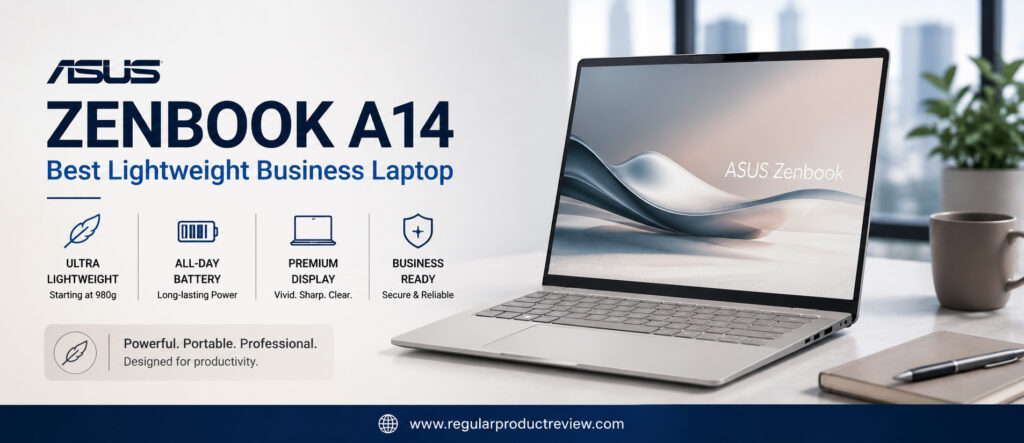
Unlike many lightweight laptops that compromise on performance or connectivity, the Zenbook A14 successfully balances portability with professional capability. Powered by the latest Qualcomm Snapdragon X platform, it delivers responsive everyday performance while maintaining remarkable power efficiency. Office applications launch quickly, multitasking remains smooth, and the fanless design keeps the laptop virtually silent during normal workloads.
Its premium OLED display, durable Ceraluminum chassis, comfortable keyboard, and excellent battery endurance further enhance the experience, making it an outstanding choice for professionals constantly working away from a traditional office environment.
Whether you’re a remote worker, consultant, executive, freelancer, student, or entrepreneur, the ASUS Zenbook A14 offers the flexibility to stay productive wherever work takes you.
🏆 Editor’s Verdict
The ASUS Zenbook A14 earns our Best Lightweight Business Laptop award by combining exceptional portability, premium construction, impressive battery life, AI-powered performance, and an outstanding OLED display into one of the most travel-friendly laptops available.
Key Specifications
Before exploring its real-world performance, here’s a quick overview of the ASUS Zenbook A14.
| Specification | Details |
|---|---|
| Display | 14-inch FHD+ OLED (1920 × 1200) |
| Processor | Qualcomm Snapdragon X |
| Graphics | Qualcomm Adreno GPU |
| Memory | Up to 32GB LPDDR5X |
| Storage | Up to 1TB PCIe Gen4 NVMe SSD |
| Battery | 70Wh |
| Operating System | Windows 11 Home |
| AI Features | Copilot+ PC, Dedicated NPU |
| Weight | Approximately 2.2 lbs (0.98 kg) |
| Connectivity | Wi-Fi 7, Bluetooth 5.4, USB4, USB-C, HDMI, USB-A |
Why We Chose the ASUS Zenbook A14
A lightweight laptop should never force professionals to sacrifice productivity. The Zenbook A14 proves that mobility and performance can comfortably coexist.
| Strength | Why It Matters |
|---|---|
| Ultra-Lightweight Design | Easy to carry throughout long workdays and business trips. |
| OLED Display | Delivers exceptional clarity, contrast, and vibrant visuals. |
| Excellent Battery Life | Supports all-day productivity away from charging outlets. |
| AI-Ready Hardware | Optimized for Windows Copilot and future AI workloads. |
| Premium Build Quality | Durable construction designed for frequent travel. |
| Silent Operation | Fanless design creates a quiet working environment. |
Everyday Performance
Although portability is its headline feature, performance remains impressive for typical business workloads.
The Snapdragon X platform handles Microsoft Office, Google Workspace, Outlook, Teams, Slack, Chrome, Adobe Acrobat, and cloud-based applications with ease. Switching between multiple productivity apps feels smooth, while AI-assisted processing improves efficiency during supported Windows tasks.
The fanless design also means the laptop remains virtually silent, making it ideal for libraries, conference rooms, classrooms, and client meetings.
Productivity Ratings
| Daily Workflow | Experience |
|---|---|
| Microsoft Office | ⭐⭐⭐⭐⭐ Excellent |
| Google Workspace | ⭐⭐⭐⭐⭐ Excellent |
| Video Conferencing | ⭐⭐⭐⭐⭐ Excellent |
| Web Browsing | ⭐⭐⭐⭐⭐ Excellent |
| Multitasking | ⭐⭐⭐⭐☆ Very Good |
| Cloud Collaboration | ⭐⭐⭐⭐⭐ Excellent |
| Light Creative Tasks | ⭐⭐⭐⭐☆ Very Good |
Editorial Insight: Unless your workflow involves demanding video editing or advanced 3D rendering, the Zenbook A14 provides more than enough performance for everyday professional use.
Display Quality
The OLED display is one of the Zenbook A14’s biggest strengths.
Compared to traditional IPS panels, ASUS’s OLED display delivers deeper blacks, richer colors, superior contrast, and exceptional sharpness. Reading documents, editing presentations, watching videos, or reviewing spreadsheets becomes noticeably more enjoyable.
The taller 16:10 aspect ratio also provides additional vertical workspace, reducing scrolling during productivity tasks.
| Display Feature | Editorial Assessment |
|---|---|
| Sharpness | ⭐⭐⭐⭐⭐ |
| Color Accuracy | ⭐⭐⭐⭐⭐ |
| Contrast | ⭐⭐⭐⭐⭐ |
| Brightness | ⭐⭐⭐⭐☆ |
| Office Productivity | ⭐⭐⭐⭐⭐ |
| Multimedia Experience | ⭐⭐⭐⭐⭐ |
Keyboard & User Experience
Despite its thin profile, ASUS delivers an excellent typing experience.
The keyboard offers satisfying key travel with responsive feedback, making long writing sessions comfortable. The spacious precision touchpad supports smooth gesture navigation, while the quiet keyboard complements the laptop’s silent operation.
Together, these features create an enjoyable user experience for professionals working throughout the day.
| User Experience | Rating |
|---|---|
| Keyboard Comfort | ⭐⭐⭐⭐⭐ (9.7/10) |
| Typing Experience | ⭐⭐⭐⭐⭐ (9.7/10) |
| Touchpad | ⭐⭐⭐⭐⭐ (9.6/10) |
| Everyday Usability | ⭐⭐⭐⭐⭐ (9.8/10) |
Battery Life
Battery endurance is another major advantage of the Zenbook A14.
The combination of Qualcomm’s highly efficient processor and the large 70Wh battery allows professionals to confidently work through an entire day of meetings, emails, presentations, and web browsing without constantly searching for a charger.
Fast USB-C charging further minimizes downtime when recharging becomes necessary.
| Usage Scenario | Editorial Assessment |
|---|---|
| Office Productivity | ⭐⭐⭐⭐⭐ Outstanding |
| Video Meetings | ⭐⭐⭐⭐⭐ Outstanding |
| Web Browsing | ⭐⭐⭐⭐⭐ Outstanding |
| Travel | ⭐⭐⭐⭐⭐ Outstanding |
AI & Business Features
The ASUS Zenbook A14 is built for the next generation of Windows productivity.
Its dedicated Neural Processing Unit (NPU) enables AI-powered features while improving power efficiency and overall responsiveness.
| Feature | Business Benefit |
|---|---|
| Copilot+ PC | AI-assisted productivity tools |
| Dedicated NPU | Accelerates supported AI workloads |
| Windows Hello | Fast and secure authentication |
| Wi-Fi 7 | Reliable high-speed wireless networking |
| USB4 | Fast data transfer and docking support |
Build Quality & Portability
Portability is where the Zenbook A14 truly separates itself from the competition.
Weighing under one kilogram, it’s one of the lightest business laptops available. ASUS’s innovative Ceraluminum chassis feels surprisingly rigid while resisting fingerprints and scratches better than many traditional aluminum laptops.
The premium finish, slim profile, and minimalist styling make it equally appropriate for corporate offices, client meetings, universities, and remote work environments.
Editorial Ratings
| Category | Score |
|---|---|
| Performance | ⭐⭐⭐⭐⭐ (9.5/10) |
| Portability | ⭐⭐⭐⭐⭐ (10/10) |
| Battery Life | ⭐⭐⭐⭐⭐ (9.8/10) |
| Display | ⭐⭐⭐⭐⭐ (9.9/10) |
| Keyboard | ⭐⭐⭐⭐⭐ (9.7/10) |
| AI Features | ⭐⭐⭐⭐⭐ (9.7/10) |
| Build Quality | ⭐⭐⭐⭐⭐ (9.8/10) |
| Value for Money | ⭐⭐⭐⭐⭐ (9.6/10) |
| Overall Score | ⭐⭐⭐⭐⭐ (9.6/10) |
Pros & Cons
Every laptop makes certain compromises. Here’s where the ASUS Zenbook A14 excels.
| ✅ Pros | ❌ Cons |
|---|---|
| Extremely lightweight design | Not intended for demanding gaming |
| Beautiful OLED display | Snapdragon compatibility varies with some legacy software |
| Excellent battery life | Limited hardware upgrade options |
| Silent fanless operation | Premium OLED option may increase pricing |
| Premium Ceraluminum chassis | |
| AI-ready Windows platform | |
| Comfortable keyboard | |
| Outstanding portability |
Who Should Buy This Laptop?
| Best For | Why It’s an Excellent Choice |
|---|---|
| Business Travelers | Extremely lightweight and easy to carry. |
| Remote Workers | Long battery life and silent operation improve productivity. |
| Consultants | Ideal for client meetings and mobile work. |
| Students | Excellent portability for campus life. |
| Executives | Premium appearance with dependable everyday performance. |
| Freelancers | A perfect combination of portability and efficiency. |
Our Expert Opinion
The ASUS Zenbook A14 demonstrates how far lightweight laptops have evolved. Instead of sacrificing performance for portability, it delivers a premium OLED display, AI-powered hardware, outstanding battery life, and one of the lightest designs currently available.
Its near-silent operation, beautiful display, and exceptional mobility make it particularly attractive for professionals who spend much of their workday away from a permanent desk.
If portability is your highest priority, it’s difficult to find a better business laptop under $1000.
🏅 Editorial Award
| Award | Details |
|---|---|
| Category | 🏆 Best Lightweight Business Laptop |
| Overall Rating | ⭐⭐⭐⭐⭐ 9.6/10 |
| Best For | Business travelers, remote workers, consultants, students, and executives |
| Why It Won | Combines an ultra-lightweight design, premium OLED display, excellent battery life, AI-powered performance, and durable construction into one of the most portable and productive business laptops available under $1000. |
Acer Swift Go 14 | Best OLED Display
A great display can dramatically improve your daily productivity. Whether you’re reviewing spreadsheets, editing presentations, attending virtual meetings, reading lengthy reports, or working for hours without a break, display quality directly affects both comfort and efficiency. That’s exactly why the Acer Swift Go 14 earns our Best OLED Display award.
Unlike many business laptops in this price range that still rely on standard IPS panels, the Swift Go 14 features a stunning 14-inch OLED display that delivers exceptional contrast, richer colors, deeper blacks, and outstanding sharpness. Text appears noticeably crisper, spreadsheets are easier to read, and presentations look significantly more vibrant. For professionals who spend eight or more hours in front of their screen every day, this enhanced visual experience can reduce eye strain while making everyday work far more enjoyable.
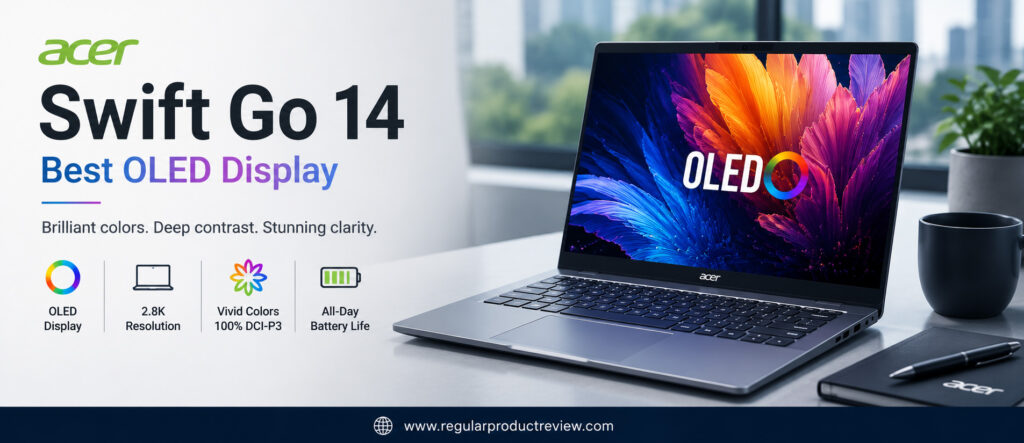
The display is only part of the story. Acer has combined its premium OLED panel with Intel’s latest Core Ultra processors, AI-powered productivity features, fast LPDDR5X memory, PCIe Gen4 SSD storage, and a lightweight aluminum chassis. The result is a well-balanced business laptop capable of handling demanding office workloads while offering one of the best displays available under the $1000 price point.
Whether you’re a business professional, student, remote employee, consultant, or content creator who values excellent screen quality without exceeding your budget, the Acer Swift Go 14 deserves serious consideration.
🏆 Editor’s Verdict
The Acer Swift Go 14 wins our Best OLED Display award because it pairs a gorgeous OLED screen with excellent productivity performance, lightweight portability, modern AI hardware, and impressive overall value.
Key Specifications
Before examining its real-world experience, here’s a quick overview of the Acer Swift Go 14.
| Specification | Details |
|---|---|
| Display | 14-inch OLED (2880 × 1800) |
| Processor | Intel Core Ultra 5 / Core Ultra 7 |
| Graphics | Intel Arc Graphics |
| Memory | Up to 32GB LPDDR5X |
| Storage | Up to 1TB PCIe Gen4 NVMe SSD |
| Battery | Up to 65Wh |
| Operating System | Windows 11 Home |
| AI Features | Intel AI Boost (NPU), Copilot+ Ready |
| Weight | Approximately 2.9 lbs (1.32 kg) |
| Connectivity | Wi-Fi 7, Thunderbolt 4, USB-C, HDMI, MicroSD |
Why We Chose the Acer Swift Go 14
The Swift Go 14 stands out by offering premium visual quality while maintaining excellent business performance and portability.
| Strength | Why It Matters |
|---|---|
| Premium OLED Display | Delivers superior sharpness, contrast, and color accuracy for everyday productivity. |
| Intel Core Ultra Processor | Handles multitasking and office workloads with ease. |
| Lightweight Design | Easy to carry during travel and daily commuting. |
| AI Productivity Features | Supports modern Windows AI capabilities and future software enhancements. |
| Fast PCIe SSD | Ensures quick boot times and responsive application performance. |
| Excellent Overall Value | Premium display without premium pricing. |
Productivity Performance
The Acer Swift Go 14 performs exceptionally well during real-world business tasks.
Applications launch almost instantly, multitasking remains fluid, and working with Microsoft Office, Google Workspace, Adobe Acrobat, Outlook, Teams, Slack, and cloud-based software feels effortless. Intel Core Ultra processors also improve AI-assisted workflows while maintaining strong power efficiency.
Even with dozens of browser tabs open alongside productivity applications, the system remains responsive throughout the workday.
Productivity Ratings
| Daily Workflow | Experience |
|---|---|
| Microsoft Office | ⭐⭐⭐⭐⭐ Excellent |
| Excel & PowerPoint | ⭐⭐⭐⭐⭐ Excellent |
| Google Workspace | ⭐⭐⭐⭐⭐ Excellent |
| Video Meetings | ⭐⭐⭐⭐⭐ Excellent |
| Web Browsing | ⭐⭐⭐⭐⭐ Excellent |
| Multitasking | ⭐⭐⭐⭐⭐ Excellent |
| Light Creative Work | ⭐⭐⭐⭐⭐ Excellent |
Editorial Insight: The Swift Go 14 offers enough processing power for virtually every business workload while providing one of the most visually impressive displays in this category.
OLED Display Quality
The display is undoubtedly the biggest reason to choose the Swift Go 14.
OLED technology produces perfect blacks by allowing individual pixels to turn off completely, creating dramatically higher contrast than traditional IPS panels. Colors appear richer, text looks razor-sharp, and HDR content becomes noticeably more immersive.
Professionals working with presentations, graphic design, photography, web content, or long reading sessions will immediately appreciate the difference.
| Display Feature | Editorial Assessment |
|---|---|
| Sharpness | ⭐⭐⭐⭐⭐ |
| Color Accuracy | ⭐⭐⭐⭐⭐ |
| Contrast | ⭐⭐⭐⭐⭐ |
| HDR Experience | ⭐⭐⭐⭐⭐ |
| Office Productivity | ⭐⭐⭐⭐⭐ |
| Eye Comfort | ⭐⭐⭐⭐⭐ |
💡 Display Tip: If you spend most of your workday looking at documents, presentations, or spreadsheets, upgrading to an OLED display can noticeably improve both visual comfort and overall productivity.
Keyboard & User Experience
Acer complements the outstanding display with a comfortable keyboard and responsive precision touchpad.
The keyboard offers satisfying feedback with well-spaced keys that support long typing sessions without causing fatigue. Meanwhile, the large touchpad provides smooth gesture support, making navigation quick and intuitive.
Combined with the OLED display, the overall user experience feels far more premium than its price suggests.
| User Experience | Rating |
|---|---|
| Keyboard Comfort | ⭐⭐⭐⭐⭐ (9.6/10) |
| Typing Experience | ⭐⭐⭐⭐⭐ (9.7/10) |
| Touchpad Precision | ⭐⭐⭐⭐⭐ (9.6/10) |
| Everyday Usability | ⭐⭐⭐⭐⭐ (9.7/10) |
Battery Life
Despite powering a vibrant OLED display, the Swift Go 14 still delivers dependable battery performance.
During typical office workloads including document editing, web browsing, email management, presentations, and video meetings the laptop comfortably supports a full business day for many users. Intel’s efficient Core Ultra architecture helps optimize power consumption while maintaining strong performance.
| Usage Scenario | Editorial Assessment |
|---|---|
| Office Productivity | ⭐⭐⭐⭐☆ Very Good |
| Video Meetings | ⭐⭐⭐⭐☆ Very Good |
| Web Browsing | ⭐⭐⭐⭐⭐ Excellent |
| Mixed Business Workloads | ⭐⭐⭐⭐☆ Very Good |
AI & Business Features
Modern professionals increasingly benefit from AI-assisted workflows, and the Swift Go 14 is ready for that future.
| Feature | Business Benefit |
|---|---|
| Intel AI Boost | Accelerates supported AI applications. |
| Windows Copilot Support | Improves everyday productivity and workflow automation. |
| Thunderbolt 4 | High-speed docking and external display support. |
| Wi-Fi 7 | Faster, more reliable wireless networking. |
| Windows Hello | Convenient and secure sign-in experience. |
Build Quality & Design
The Acer Swift Go 14 features a sleek aluminum chassis that feels both modern and durable.
Its slim profile and lightweight construction make it ideal for commuting, remote work, or business travel, while the understated design fits naturally into professional environments. Although it isn’t built to military-grade standards like a ThinkPad, overall construction quality remains impressive for its price class.
Editorial Ratings
| Category | Score |
|---|---|
| Performance | ⭐⭐⭐⭐⭐ (9.6/10) |
| Display | ⭐⭐⭐⭐⭐ (10/10) |
| Productivity | ⭐⭐⭐⭐⭐ (9.7/10) |
| Keyboard | ⭐⭐⭐⭐⭐ (9.6/10) |
| Battery Life | ⭐⭐⭐⭐⭐ (9.3/10) |
| AI Features | ⭐⭐⭐⭐⭐ (9.5/10) |
| Portability | ⭐⭐⭐⭐⭐ (9.6/10) |
| Build Quality | ⭐⭐⭐⭐⭐ (9.5/10) |
| Value for Money | ⭐⭐⭐⭐⭐ (9.7/10) |
| Overall Score | ⭐⭐⭐⭐⭐ (9.5/10) |
Pros & Cons
Every laptop has strengths and compromises. Here’s how the Acer Swift Go 14 performs overall.
| ✅ Pros | ❌ Cons |
|---|---|
| Gorgeous high-resolution OLED display | OLED panels may consume more power at higher brightness |
| Excellent multitasking performance | Not intended for demanding gaming |
| Lightweight aluminum chassis | Memory isn’t user-upgradable |
| Intel Core Ultra platform | Premium OLED option may increase pricing |
| Thunderbolt 4 connectivity | |
| Comfortable keyboard | |
| AI-ready Windows platform | |
| Excellent overall value |
Who Should Buy This Laptop?
| Best For | Why It’s an Excellent Choice |
|---|---|
| Office Professionals | Outstanding display for documents and presentations. |
| Remote Workers | Excellent webcam experience and beautiful screen for video meetings. |
| Students | Lightweight with a premium display for studying and productivity. |
| Content Creators | OLED panel delivers vibrant colors for light creative work. |
| Business Travelers | Portable design with dependable everyday performance. |
| Everyday Professionals | Excellent balance of display quality, speed, and value. |
Our Expert Opinion
The Acer Swift Go 14 proves that professionals no longer have to spend premium prices to enjoy a premium display. Its OLED panel transforms everyday productivity, making documents easier to read, presentations more engaging, and long work sessions noticeably more comfortable.
Combined with Intel Core Ultra performance, AI-ready hardware, lightweight portability, and excellent overall value, it’s one of the most well-rounded business laptops under $1000.
If display quality is your highest priority, the Swift Go 14 is an easy recommendation.
🏅 Editorial Award
| Award | Details |
|---|---|
| Category | 🏆 Best OLED Display |
| Overall Rating | ⭐⭐⭐⭐⭐ 9.5/10 |
| Best For | Business professionals, students, remote workers, content creators, and everyday productivity |
| Why It Won | Delivers one of the finest OLED displays available under $1000 while combining excellent productivity, modern AI features, lightweight portability, and exceptional overall value. |
Lenovo IdeaPad Slim 5 | Best Value for Money
Not every professional needs the fastest processor, the brightest OLED display, or enterprise-grade security. For many buyers, the real priority is finding a laptop that delivers excellent performance, dependable reliability, modern features, and long-term value without stretching the budget. That’s exactly where the Lenovo IdeaPad Slim 5 excels.
The IdeaPad Slim series has become one of Lenovo’s most successful laptop families by consistently offering premium features at mainstream prices. The latest IdeaPad Slim 5 continues that tradition with AMD Ryzen AI and Intel Core Ultra processor options, fast LPDDR5X memory, PCIe Gen4 SSD storage, a high-quality display, impressive battery life, and a lightweight aluminum design all while remaining comfortably below the $1000 mark.
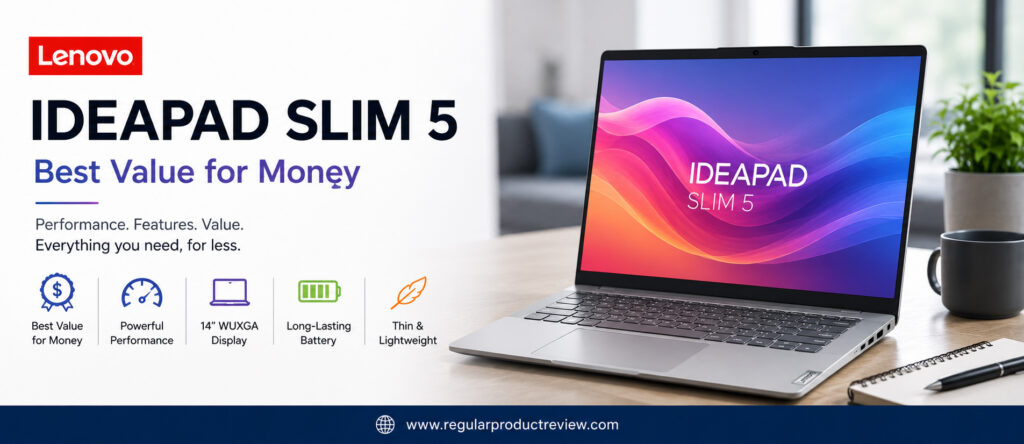
Unlike many budget business laptops that sacrifice build quality or everyday usability, the IdeaPad Slim 5 feels surprisingly refined. It boots quickly, multitasks effortlessly, runs office applications smoothly, and provides the kind of overall user experience usually associated with more expensive ultrabooks.
Whether you’re a freelancer, college student, entrepreneur, office employee, or remote worker looking to maximize every dollar, the Lenovo IdeaPad Slim 5 offers one of the strongest price-to-performance ratios in today’s business laptop market.
🏆 Editor’s Verdict
The Lenovo IdeaPad Slim 5 earns our Best Value for Money award because it delivers premium everyday performance, excellent build quality, dependable battery life, and a polished user experience at an exceptionally competitive price.
Key Specifications
Here’s a quick overview of the Lenovo IdeaPad Slim 5 before we explore its real-world performance.
| Specification | Details |
|---|---|
| Display | 14-inch WUXGA IPS / OLED (1920 × 1200) |
| Processor | AMD Ryzen AI 7 / Intel Core Ultra 5 |
| Graphics | AMD Radeon Graphics / Intel Arc Graphics |
| Memory | Up to 32GB LPDDR5X |
| Storage | Up to 1TB PCIe Gen4 NVMe SSD |
| Battery | Up to 60Wh |
| Operating System | Windows 11 Home |
| AI Features | Ryzen AI / Intel AI Boost |
| Weight | Approximately 3.1 lbs (1.4 kg) |
| Connectivity | Wi-Fi 6E, USB-C, HDMI, USB-A, MicroSD |
Why We Chose the Lenovo IdeaPad Slim 5
Instead of excelling in just one category, the IdeaPad Slim 5 delivers consistently strong performance across the board, making it one of the easiest business laptops to recommend.
| Strength | Why It Matters |
|---|---|
| Outstanding Price-to-Performance Ratio | Premium hardware without premium pricing. |
| Modern Ryzen AI & Intel Core Ultra Options | Smooth multitasking and future-ready performance. |
| Premium Build Quality | More durable and refined than many laptops in its class. |
| Excellent Everyday Performance | Handles office work, meetings, browsing, and multitasking effortlessly. |
| Comfortable Keyboard | Designed for extended typing sessions. |
| Well-Rounded Feature Set | Strong display, battery, and connectivity for everyday professionals. |
Productivity Performance
The IdeaPad Slim 5 feels surprisingly fast during everyday business workloads.
Whether you’re editing Word documents, working with large Excel spreadsheets, managing multiple browser tabs, participating in Microsoft Teams meetings, or switching between cloud applications, the laptop remains responsive and efficient.
The latest Ryzen AI and Intel Core Ultra processors also improve multitasking while supporting modern AI-assisted Windows features, helping extend the laptop’s usefulness for years to come.
Productivity Ratings
| Daily Workflow | Experience |
|---|---|
| Microsoft Office | ⭐⭐⭐⭐⭐ Excellent |
| Google Workspace | ⭐⭐⭐⭐⭐ Excellent |
| Excel & PowerPoint | ⭐⭐⭐⭐⭐ Excellent |
| Video Meetings | ⭐⭐⭐⭐⭐ Excellent |
| Web Browsing | ⭐⭐⭐⭐⭐ Excellent |
| Multitasking | ⭐⭐⭐⭐⭐ Excellent |
| Light Photo Editing | ⭐⭐⭐⭐☆ Very Good |
Editorial Insight: The IdeaPad Slim 5 delivers the kind of everyday speed that most professionals actually need, making it one of the smartest purchases for buyers who prioritize value over luxury features.
Display Quality
Lenovo offers both IPS and OLED display configurations, giving buyers flexibility depending on their budget.
Even the standard IPS display provides sharp text, accurate colors, and comfortable viewing angles for business productivity. Users choosing the OLED configuration benefit from richer colors, deeper blacks, and significantly higher contrast.
The modern 16:10 aspect ratio also provides additional vertical workspace, making spreadsheets, documents, and web browsing more efficient.
| Display Feature | Editorial Assessment |
|---|---|
| Sharpness | ⭐⭐⭐⭐⭐ |
| Color Accuracy | ⭐⭐⭐⭐☆ |
| Brightness | ⭐⭐⭐⭐☆ |
| Viewing Angles | ⭐⭐⭐⭐⭐ |
| Office Productivity | ⭐⭐⭐⭐⭐ |
Keyboard & User Experience
One of Lenovo’s biggest strengths continues to be keyboard quality.
The IdeaPad Slim 5 offers well-spaced keys with satisfying feedback, making long writing sessions comfortable and accurate. The large precision touchpad is equally responsive, providing smooth navigation throughout Windows.
Together, these features create a polished user experience that feels considerably more premium than the laptop’s price suggests.
| User Experience | Rating |
|---|---|
| Keyboard Comfort | ⭐⭐⭐⭐⭐ (9.7/10) |
| Typing Experience | ⭐⭐⭐⭐⭐ (9.7/10) |
| Touchpad Precision | ⭐⭐⭐⭐⭐ (9.5/10) |
| Everyday Usability | ⭐⭐⭐⭐⭐ (9.7/10) |
Battery Life
Battery life is another area where the IdeaPad Slim 5 performs consistently well.
During everyday office tasks including email, presentations, web browsing, document editing, and video conferencing the laptop comfortably supports a typical workday. Efficient processors and intelligent power management also help maximize battery longevity during lighter workloads.
| Usage Scenario | Editorial Assessment |
|---|---|
| Office Productivity | ⭐⭐⭐⭐⭐ Excellent |
| Video Meetings | ⭐⭐⭐⭐☆ Very Good |
| Web Browsing | ⭐⭐⭐⭐⭐ Excellent |
| Travel & Mobility | ⭐⭐⭐⭐☆ Very Good |
AI & Business Features
Modern professionals increasingly rely on AI-powered productivity tools, and the IdeaPad Slim 5 is well prepared for that transition.
| Feature | Business Benefit |
|---|---|
| Ryzen AI / Intel AI Boost | Accelerates supported AI productivity features. |
| Windows Copilot | Intelligent workflow assistance. |
| Fast NVMe SSD | Improves application loading and responsiveness. |
| Wi-Fi 6E | Reliable wireless networking. |
| USB-C Charging | Convenient charging and docking support. |
Build Quality & Design
The IdeaPad Slim 5 features a clean, minimalist design that fits naturally into professional environments.
Its aluminum construction feels sturdy while maintaining a slim, lightweight profile that’s easy to carry between meetings or during travel. The understated appearance makes it equally suitable for corporate offices, universities, home offices, and coworking spaces.
Although positioned below Lenovo’s ThinkPad lineup, build quality exceeds expectations for its price category.
Editorial Ratings
| Category | Score |
|---|---|
| Performance | ⭐⭐⭐⭐⭐ (9.5/10) |
| Productivity | ⭐⭐⭐⭐⭐ (9.7/10) |
| Display | ⭐⭐⭐⭐⭐ (9.4/10) |
| Keyboard | ⭐⭐⭐⭐⭐ (9.7/10) |
| Battery Life | ⭐⭐⭐⭐⭐ (9.4/10) |
| Build Quality | ⭐⭐⭐⭐⭐ (9.5/10) |
| Portability | ⭐⭐⭐⭐⭐ (9.5/10) |
| Value for Money | ⭐⭐⭐⭐⭐ (10/10) |
| Overall Score | ⭐⭐⭐⭐⭐ (9.5/10) |
Pros & Cons
No laptop is perfect, but the IdeaPad Slim 5 offers remarkably few compromises considering its price.
| ✅ Pros | ❌ Cons |
|---|---|
| Outstanding value for money | Premium OLED models cost more |
| Fast Ryzen AI & Intel Core Ultra options | Memory is soldered on some configurations |
| Comfortable Lenovo keyboard | Business security features aren’t as extensive as ThinkPad models |
| Lightweight aluminum design | No dedicated graphics for demanding creative workloads |
| Excellent multitasking performance | |
| Fast SSD storage | |
| Reliable battery life | |
| Premium overall user experience |
Who Should Buy This Laptop?
| Best For | Why It’s an Excellent Choice |
|---|---|
| Office Professionals | Reliable productivity without overspending. |
| Freelancers | Excellent balance of performance and affordability. |
| Small Business Owners | Premium everyday computing at an attractive price. |
| Students | Future-ready hardware with excellent long-term value. |
| Remote Workers | Comfortable keyboard, dependable battery, and lightweight design. |
| Budget-Conscious Buyers | One of the strongest all-around laptops available under $1000. |
Our Expert Opinion
The Lenovo IdeaPad Slim 5 proves that you don’t need to spend premium money to enjoy a premium computing experience. It delivers strong productivity, dependable battery life, modern AI-ready hardware, excellent keyboard comfort, and solid build quality in a package that consistently outperforms expectations for its price.
While business users requiring enterprise-level security may still prefer a ThinkPad, the vast majority of professionals will find the IdeaPad Slim 5 more than capable of handling everyday work with ease.
If maximizing value is your primary goal, few laptops offer a better balance of price, performance, and overall ownership experience.
🏅 Editorial Award
| Award | Details |
|---|---|
| Category | 🏆 Best Value for Money |
| Overall Rating | ⭐⭐⭐⭐⭐ 9.5/10 |
| Best For | Professionals, freelancers, students, entrepreneurs, and budget-conscious business users |
| Why It Won | Delivers an exceptional combination of performance, build quality, battery life, modern AI features, and everyday productivity, making it one of the smartest business laptop purchases available under $1000. |
ASUS ExpertBook P5 | Best Business Security Features
For business professionals, performance alone isn’t enough. Every day, laptops store sensitive client information, financial records, confidential business documents, login credentials, and corporate data. A single security breach can be far more costly than replacing the laptop itself. That’s why security has become one of the most important factors when choosing a business laptop and it’s exactly where the ASUS ExpertBook P5 excels.
Designed specifically for professional and enterprise users, the ExpertBook P5 combines Intel Core Ultra processors, AI-powered productivity features, military-grade durability, advanced hardware security, and enterprise-level management tools into a lightweight business laptop that remains comfortably under the $1000 price point.
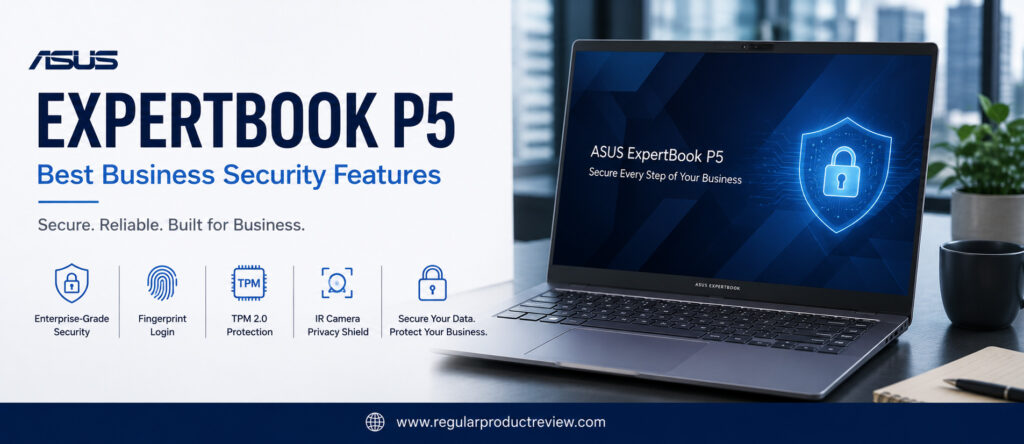
Unlike consumer-focused laptops that primarily emphasize entertainment or design, the ExpertBook P5 is engineered to protect your data while maintaining exceptional productivity. Features such as TPM 2.0, Windows Hello, fingerprint authentication, BIOS protection, AI-enhanced security, and business-grade privacy tools provide multiple layers of protection without making everyday use more complicated.
Whether you’re a business executive, accountant, consultant, IT administrator, entrepreneur, or remote employee handling sensitive information, the ASUS ExpertBook P5 offers one of the strongest security packages available in this price category.
🏆 Editor’s Verdict
The ASUS ExpertBook P5 earns our Best Business Security Features award because it successfully combines enterprise-level security, dependable productivity, lightweight portability, AI-ready hardware, and excellent overall reliability into one of the safest business laptops under $1000.
Key Specifications
Here’s a quick overview of the ASUS ExpertBook P5 before exploring its business-focused capabilities.
| Specification | Details |
|---|---|
| Display | 14-inch WUXGA IPS (1920 × 1200) |
| Processor | Intel Core Ultra 5 / Core Ultra 7 |
| Graphics | Intel Arc Graphics |
| Memory | Up to 32GB LPDDR5X |
| Storage | Up to 1TB PCIe Gen4 NVMe SSD |
| Battery | Up to 63Wh |
| Operating System | Windows 11 Pro |
| AI Features | Intel AI Boost, Dedicated NPU |
| Weight | Approximately 2.9 lbs (1.3 kg) |
| Connectivity | Wi-Fi 7, Thunderbolt 4, HDMI, USB-C, USB-A, Ethernet (selected models) |
Why We Chose the ASUS ExpertBook P5
Security shouldn’t come at the expense of productivity. The ExpertBook P5 balances both exceptionally well.
| Strength | Why It Matters |
|---|---|
| Enterprise Security | Multiple hardware and software protection layers safeguard sensitive business data. |
| Intel Core Ultra Platform | Fast, responsive performance for demanding office workloads. |
| Lightweight Design | Easy to carry between offices, meetings, and business trips. |
| Military-Grade Durability | Built to withstand everyday professional use. |
| AI Productivity Features | Supports modern Windows AI workflows. |
| Excellent Connectivity | Flexible ports for office docks, external displays, and networking. |
Productivity Performance
Although security is its biggest selling point, the ExpertBook P5 is equally capable when it comes to productivity.
Daily workloads including Microsoft Office, Google Workspace, Microsoft Teams, Outlook, Excel, QuickBooks, CRM platforms, and cloud collaboration software run smoothly without noticeable slowdowns. Intel’s latest Core Ultra processor also improves responsiveness while supporting AI-assisted Windows features.
Professionals who spend their day switching between multiple applications will appreciate the laptop’s stable multitasking performance and quiet operation.
Productivity Ratings
| Daily Workflow | Experience |
|---|---|
| Microsoft Office | ⭐⭐⭐⭐⭐ Excellent |
| Google Workspace | ⭐⭐⭐⭐⭐ Excellent |
| Excel & Financial Work | ⭐⭐⭐⭐⭐ Excellent |
| Video Meetings | ⭐⭐⭐⭐⭐ Excellent |
| Cloud Collaboration | ⭐⭐⭐⭐⭐ Excellent |
| Multitasking | ⭐⭐⭐⭐⭐ Excellent |
| Programming | ⭐⭐⭐⭐☆ Very Good |
Editorial Insight: While security is the headline feature, the ExpertBook P5 performs like a premium productivity laptop, making it equally suitable for executives, consultants, accountants, and IT professionals.
Business Security Features
Security is where the ASUS ExpertBook P5 clearly distinguishes itself from many competitors.
Instead of relying on a single authentication method, ASUS combines several hardware and software technologies to protect both the device and the information stored on it. These features work together to reduce unauthorized access while improving data privacy in professional environments.
| Security Feature | Business Benefit |
|---|---|
| TPM 2.0 | Hardware-level encryption protects sensitive business data. |
| Fingerprint Reader | Fast and secure biometric authentication. |
| Windows Hello | Convenient password-free sign-in. |
| BIOS Protection | Prevents unauthorized firmware modifications. |
| Webcam Privacy Shield | Physically blocks the camera when not in use. |
| Enterprise Security Software | Additional protection for professional environments. |
🔒 Security Tip: If you regularly work with financial records, client information, healthcare data, or confidential business documents, hardware-based security features like TPM and biometric authentication provide an important extra layer of protection.
Display Quality
The 14-inch WUXGA IPS display focuses on productivity rather than entertainment.
Its 16:10 aspect ratio provides more vertical workspace, making spreadsheets, reports, presentations, and websites easier to manage. Text appears crisp, viewing angles are excellent, and the anti-glare coating helps reduce reflections during long office sessions.
| Display Feature | Editorial Assessment |
|---|---|
| Sharpness | ⭐⭐⭐⭐⭐ |
| Brightness | ⭐⭐⭐⭐☆ |
| Color Accuracy | ⭐⭐⭐⭐☆ |
| Office Productivity | ⭐⭐⭐⭐⭐ |
| Eye Comfort | ⭐⭐⭐⭐⭐ |
Keyboard & User Experience
Business professionals often spend hours typing every day, and ASUS has clearly designed the ExpertBook P5 with that in mind.
The keyboard offers comfortable key travel, excellent spacing, and responsive feedback, making extended writing sessions comfortable. The large precision touchpad feels smooth and accurate, while the overall user experience remains quiet, responsive, and distraction-free.
| User Experience | Rating |
|---|---|
| Keyboard Comfort | ⭐⭐⭐⭐⭐ (9.7/10) |
| Typing Experience | ⭐⭐⭐⭐⭐ (9.7/10) |
| Touchpad Precision | ⭐⭐⭐⭐⭐ (9.6/10) |
| Everyday Usability | ⭐⭐⭐⭐⭐ (9.7/10) |
Battery Life
The ExpertBook P5 delivers dependable battery life that comfortably supports a standard business workday.
Document editing, presentations, video conferencing, email management, and web browsing can all be completed without constantly worrying about charging. Fast USB-C charging also helps minimize downtime during busy schedules.
| Usage Scenario | Editorial Assessment |
|---|---|
| Office Productivity | ⭐⭐⭐⭐⭐ Excellent |
| Video Meetings | ⭐⭐⭐⭐☆ Very Good |
| Web Browsing | ⭐⭐⭐⭐⭐ Excellent |
| Business Travel | ⭐⭐⭐⭐☆ Very Good |
Build Quality & Durability
A business laptop should withstand years of daily commuting, meetings, and travel.
The ExpertBook P5 features a lightweight yet durable chassis that meets MIL-STD-810H military-grade durability standards, giving professionals additional confidence when carrying it between offices or client sites.
Its minimalist design also projects a clean, professional appearance appropriate for corporate environments.
| Build Feature | Editorial Assessment |
|---|---|
| Structural Strength | ⭐⭐⭐⭐⭐ |
| Portability | ⭐⭐⭐⭐⭐ |
| Professional Design | ⭐⭐⭐⭐⭐ |
| Travel Readiness | ⭐⭐⭐⭐⭐ |
Editorial Ratings
| Category | Score |
|---|---|
| Performance | ⭐⭐⭐⭐⭐ (9.5/10) |
| Business Security | ⭐⭐⭐⭐⭐ (10/10) |
| Productivity | ⭐⭐⭐⭐⭐ (9.7/10) |
| Display | ⭐⭐⭐⭐⭐ (9.3/10) |
| Keyboard | ⭐⭐⭐⭐⭐ (9.7/10) |
| Battery Life | ⭐⭐⭐⭐⭐ (9.4/10) |
| Build Quality | ⭐⭐⭐⭐⭐ (9.8/10) |
| Portability | ⭐⭐⭐⭐⭐ (9.7/10) |
| Value for Money | ⭐⭐⭐⭐⭐ (9.5/10) |
| Overall Score | ⭐⭐⭐⭐⭐ (9.4/10) |
Pros & Cons
The ASUS ExpertBook P5 offers an impressive blend of security, portability, and productivity, though it isn’t without a few compromises.
| ✅ Pros | ❌ Cons |
|---|---|
| Outstanding enterprise-grade security | Display prioritizes productivity over multimedia quality |
| Intel Core Ultra platform | OLED option isn’t available |
| Lightweight military-grade chassis | Limited upgradeability |
| Excellent keyboard | Premium configurations approach the upper end of the budget |
| Windows 11 Pro included | |
| AI-ready hardware | |
| Strong port selection | |
| Excellent business reliability |
Who Should Buy This Laptop?
| Best For | Why It’s an Excellent Choice |
|---|---|
| Business Executives | Strong security and dependable everyday productivity. |
| Accountants & Financial Professionals | Protects confidential financial data with enterprise-grade security. |
| Consultants | Lightweight, durable, and ideal for client meetings. |
| IT Professionals | Advanced security features simplify professional deployment. |
| Remote Workers | Secure authentication and reliable productivity from anywhere. |
| Small Business Owners | Excellent balance of security, portability, and long-term value. |
Our Expert Opinion
The ASUS ExpertBook P5 demonstrates that business security doesn’t have to be complicated or expensive. By combining enterprise-grade protection, modern Intel Core Ultra performance, lightweight portability, military-grade durability, and AI-powered productivity features, ASUS has created one of the safest and most dependable business laptops available under $1000.
While entertainment-focused buyers may prefer OLED displays or dedicated graphics, professionals who prioritize protecting sensitive information will appreciate the ExpertBook P5’s thoughtful balance of security, reliability, and everyday usability.
If safeguarding your business data is just as important as getting work done efficiently, the ASUS ExpertBook P5 is one of the strongest choices in this buying guide.
🏅 Editorial Award
| Award | Details |
|---|---|
| Category | 🏆 Best Business Security Features |
| Overall Rating | ⭐⭐⭐⭐⭐ 9.4/10 |
| Best For | Business executives, accountants, consultants, IT professionals, remote workers, and small business owners |
| Why It Won | Delivers one of the most comprehensive security packages under $1000 while combining excellent productivity, military-grade durability, AI-ready performance, and long-term business reliability. |
Microsoft Surface Laptop 13 | Best Premium Design
A business laptop doesn’t have to look ordinary. For professionals who regularly attend client meetings, presentations, conferences, or simply appreciate refined craftsmanship, design matters almost as much as performance. The Microsoft Surface Laptop 13 perfectly demonstrates that a business laptop can be elegant, lightweight, and exceptionally productive without sacrificing practicality.
Microsoft has spent years refining the Surface lineup, and the latest Surface Laptop 13 continues that tradition with a beautifully minimalist aluminum chassis, premium craftsmanship, an outstanding PixelSense touchscreen display, AI-powered Snapdragon X Plus hardware, and one of the most polished Windows experiences available today.
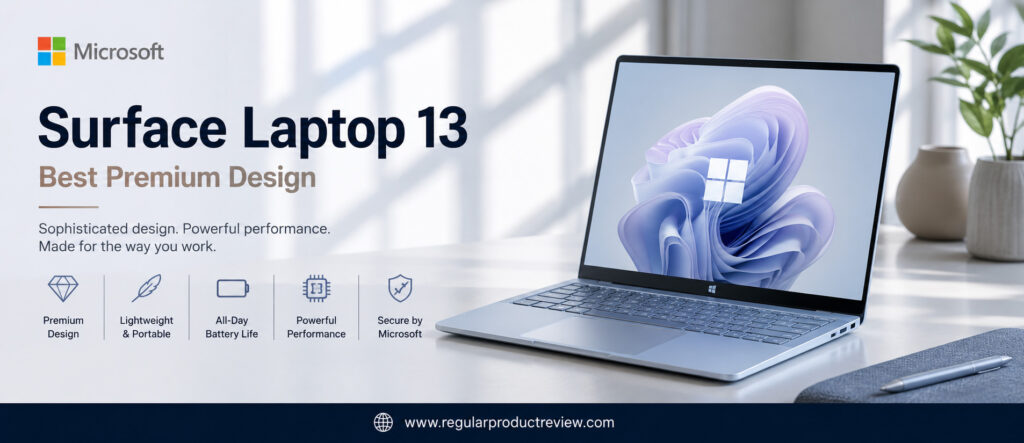
Unlike traditional business laptops that prioritize ruggedness over aesthetics, the Surface Laptop 13 focuses on delivering a premium user experience from the moment you open the lid. Every detail from the precision-machined chassis to the responsive keyboard and large haptic touchpad reflects Microsoft’s attention to design and usability.
But this laptop is much more than a pretty face. Thanks to Qualcomm’s Snapdragon X Plus processor, integrated Neural Processing Unit (NPU), long battery life, and optimized Windows 11 experience, it easily handles modern office workloads while remaining remarkably quiet and energy-efficient.
For professionals who value style, portability, battery life, and a premium Windows experience, the Microsoft Surface Laptop 13 is one of the finest business laptops available under the $1000 category.
🏆 Editor’s Verdict
The Microsoft Surface Laptop 13 earns our Best Premium Design award because it combines elegant craftsmanship, excellent portability, AI-powered performance, outstanding battery life, and one of the best Windows user experiences available in a business laptop.
Key Specifications
Here’s a quick overview of the Microsoft Surface Laptop 13.
| Specification | Details |
|---|---|
| Display | 13-inch PixelSense Touch Display |
| Processor | Qualcomm Snapdragon X Plus |
| Graphics | Qualcomm Adreno GPU |
| Memory | Up to 32GB LPDDR5X |
| Storage | Up to 1TB PCIe Gen4 SSD |
| Battery | Up to 54Wh |
| Operating System | Windows 11 Home |
| AI Features | Copilot+ PC, Dedicated NPU |
| Weight | Approximately 2.7 lbs (1.22 kg) |
| Connectivity | Wi-Fi 7, Bluetooth 5.4, USB-C, USB-A, Surface Connect |
Why We Chose the Microsoft Surface Laptop 13
Rather than competing solely on specifications, the Surface Laptop 13 delivers an exceptionally refined ownership experience that few competitors can match.
| Strength | Why It Matters |
|---|---|
| Premium Aluminum Design | Elegant, lightweight, and built to a very high standard. |
| PixelSense Touchscreen | Sharp visuals with responsive touch functionality. |
| Snapdragon X Plus Platform | Excellent efficiency with AI-powered productivity. |
| Outstanding Battery Life | Keeps professionals productive throughout long workdays. |
| Windows 11 Optimization | One of the smoothest Windows experiences available. |
| Quiet Operation | Fan noise is minimal during everyday office work. |
Productivity Performance
Although the Surface Laptop 13 focuses heavily on portability and design, its productivity performance remains impressive.
Microsoft Office, Google Workspace, Outlook, Teams, Slack, Adobe Acrobat, web browsing, and cloud-based collaboration all run smoothly. The Snapdragon X Plus processor also improves AI-assisted workflows while maintaining excellent power efficiency.
Everyday business users will find the laptop fast, responsive, and remarkably quiet during long work sessions.
Productivity Ratings
| Daily Workflow | Experience |
|---|---|
| Microsoft Office | ⭐⭐⭐⭐⭐ Excellent |
| Google Workspace | ⭐⭐⭐⭐⭐ Excellent |
| Video Meetings | ⭐⭐⭐⭐⭐ Excellent |
| Web Browsing | ⭐⭐⭐⭐⭐ Excellent |
| Cloud Collaboration | ⭐⭐⭐⭐⭐ Excellent |
| Multitasking | ⭐⭐⭐⭐☆ Very Good |
| AI Productivity | ⭐⭐⭐⭐⭐ Excellent |
Editorial Insight: The Surface Laptop 13 prioritizes real-world responsiveness rather than benchmark numbers, making everyday business tasks feel exceptionally smooth.
Premium Design & Build Quality
Design is where Microsoft’s Surface lineup truly shines.
The precision-crafted aluminum chassis feels exceptionally solid while remaining lightweight enough for everyday travel. The clean lines, minimalist aesthetic, and premium finish give the laptop an executive-level appearance that’s equally at home in boardrooms, client meetings, universities, and coffee shops.
Every interaction from opening the lid to typing on the keyboard feels carefully engineered and refined.
| Design Feature | Editorial Assessment |
|---|---|
| Premium Appearance | ⭐⭐⭐⭐⭐ |
| Build Quality | ⭐⭐⭐⭐⭐ |
| Portability | ⭐⭐⭐⭐⭐ |
| Finish & Materials | ⭐⭐⭐⭐⭐ |
| Professional Styling | ⭐⭐⭐⭐⭐ |
💡 Design Tip: If you regularly meet clients or work in executive environments, a premium-looking laptop like the Surface Laptop 13 helps create a polished professional impression.
PixelSense Display
Microsoft’s PixelSense display remains one of the highlights of the Surface experience.
The touchscreen delivers sharp text, vibrant colors, excellent viewing angles, and a responsive touch experience that feels natural during everyday use. The display is particularly enjoyable for reading documents, reviewing presentations, browsing the web, and working with creative applications.
Its taller aspect ratio also provides additional workspace, reducing unnecessary scrolling while improving productivity.
| Display Feature | Editorial Assessment |
|---|---|
| Sharpness | ⭐⭐⭐⭐⭐ |
| Color Accuracy | ⭐⭐⭐⭐⭐ |
| Touch Response | ⭐⭐⭐⭐⭐ |
| Brightness | ⭐⭐⭐⭐☆ |
| Office Productivity | ⭐⭐⭐⭐⭐ |
| Overall Display Quality | ⭐⭐⭐⭐⭐ |
Keyboard & User Experience
Microsoft continues to produce one of the best laptop keyboards in the Windows ecosystem.
The keys feel soft yet responsive, allowing comfortable typing throughout extended work sessions. Combined with the large haptic precision touchpad, navigation feels smooth, accurate, and highly refined.
The overall user experience reflects Microsoft’s close integration between Windows hardware and software.
| User Experience | Rating |
|---|---|
| Keyboard Comfort | ⭐⭐⭐⭐⭐ (9.8/10) |
| Typing Experience | ⭐⭐⭐⭐⭐ (9.8/10) |
| Haptic Touchpad | ⭐⭐⭐⭐⭐ (9.9/10) |
| Overall User Experience | ⭐⭐⭐⭐⭐ (9.9/10) |
Battery Life
The Snapdragon X Plus platform significantly improves battery efficiency compared to previous generations.
Professionals can comfortably work throughout a full business day while handling email, presentations, meetings, browsing, and document editing. Combined with intelligent AI-powered power management, the Surface Laptop 13 delivers one of the strongest battery experiences in its class.
| Usage Scenario | Editorial Assessment |
|---|---|
| Office Productivity | ⭐⭐⭐⭐⭐ Outstanding |
| Video Meetings | ⭐⭐⭐⭐⭐ Excellent |
| Web Browsing | ⭐⭐⭐⭐⭐ Excellent |
| Travel | ⭐⭐⭐⭐⭐ Outstanding |
AI & Windows Experience
The Surface Laptop 13 is designed to showcase Microsoft’s next generation of Windows computing.
| Feature | Business Benefit |
|---|---|
| Copilot+ PC | AI-powered assistance across Windows. |
| Dedicated NPU | Accelerates AI workloads while improving efficiency. |
| Windows Studio Effects | Enhances webcam quality during meetings. |
| Windows Hello | Fast, secure facial authentication. |
| AI Noise Reduction | Clearer voice calls and virtual meetings. |
Connectivity & Port Selection
Although extremely thin and lightweight, the Surface Laptop 13 still includes the essential ports most professionals need.
| Port | Business Use |
|---|---|
| USB-C | Charging, docking, and external displays |
| USB-A | Legacy accessories and flash drives |
| Surface Connect | Fast charging and docking |
| Wi-Fi 7 | High-speed wireless networking |
| Bluetooth 5.4 | Reliable wireless peripherals |
Editorial Ratings
| Category | Score |
|---|---|
| Performance | ⭐⭐⭐⭐⭐ (9.4/10) |
| Premium Design | ⭐⭐⭐⭐⭐ (10/10) |
| Display | ⭐⭐⭐⭐⭐ (9.8/10) |
| Battery Life | ⭐⭐⭐⭐⭐ (9.8/10) |
| Keyboard | ⭐⭐⭐⭐⭐ (9.8/10) |
| User Experience | ⭐⭐⭐⭐⭐ (10/10) |
| AI Features | ⭐⭐⭐⭐⭐ (9.8/10) |
| Portability | ⭐⭐⭐⭐⭐ (9.9/10) |
| Value for Money | ⭐⭐⭐⭐⭐ (9.4/10) |
| Overall Score | ⭐⭐⭐⭐⭐ (9.4/10) |
Pros & Cons
The Surface Laptop 13 delivers one of the most refined Windows experiences available, although there are a few trade-offs.
| ✅ Pros | ❌ Cons |
|---|---|
| Beautiful premium aluminum design | Limited hardware upgrade options |
| Excellent PixelSense touchscreen | Fewer ports than some competitors |
| Outstanding keyboard and haptic touchpad | Snapdragon compatibility varies with some legacy software |
| Excellent battery life | Premium accessories sold separately |
| Copilot+ AI features | |
| Extremely lightweight | |
| Quiet operation | |
| Exceptional Windows experience |
Who Should Buy This Laptop?
| Best For | Why It’s an Excellent Choice |
|---|---|
| Business Executives | Premium appearance with dependable everyday performance. |
| Consultants | Lightweight and ideal for frequent client meetings. |
| Remote Workers | Long battery life and excellent webcam experience. |
| Students | Stylish, portable, and built for long study sessions. |
| Entrepreneurs | Elegant design paired with strong productivity. |
| Professionals Who Value Design | One of the most refined Windows laptops available. |
Our Expert Opinion
The Microsoft Surface Laptop 13 isn’t simply another productivity laptop it’s one of the most polished Windows experiences available today.
Microsoft has successfully combined elegant industrial design, premium materials, AI-powered hardware, excellent battery life, and seamless Windows integration into a laptop that feels every bit as refined as far more expensive premium ultrabooks.
If design, portability, user experience, and long-term comfort are among your highest priorities, the Surface Laptop 13 is an outstanding investment.
🏅 Editorial Award
| Award | Details |
|---|---|
| Category | 🏆 Best Premium Design |
| Overall Rating | ⭐⭐⭐⭐⭐ 9.4/10 |
| Best For | Business executives, consultants, remote workers, students, entrepreneurs, and professionals who value premium design |
| Why It Won | Combines elegant industrial design, premium craftsmanship, outstanding Windows integration, AI-powered productivity, and excellent portability into one of the most refined business laptops available under $1000. |
Dell Inspiron 14 Plus | Best Performance for Multitasking
Modern professionals rarely work with just one application at a time. A typical workday often involves dozens of Chrome tabs, Microsoft Excel, Outlook, Teams, Slack, Zoom, cloud storage, project management software, and multiple documents running simultaneously. For these demanding workflows, raw processing power and efficient multitasking become far more important than flashy design or entertainment features. That’s exactly why the Dell Inspiron 14 Plus earns our Best Performance for Multitasking award.
Positioned between Dell’s mainstream Inspiron lineup and its premium XPS series, the Inspiron 14 Plus offers a remarkable balance of power, productivity, and value. Equipped with the latest Intel Core Ultra processors, fast LPDDR5X memory, PCIe Gen4 SSD storage, Intel Arc graphics, and a high-resolution display, it’s designed to keep pace with professionals who push their laptops throughout the day.
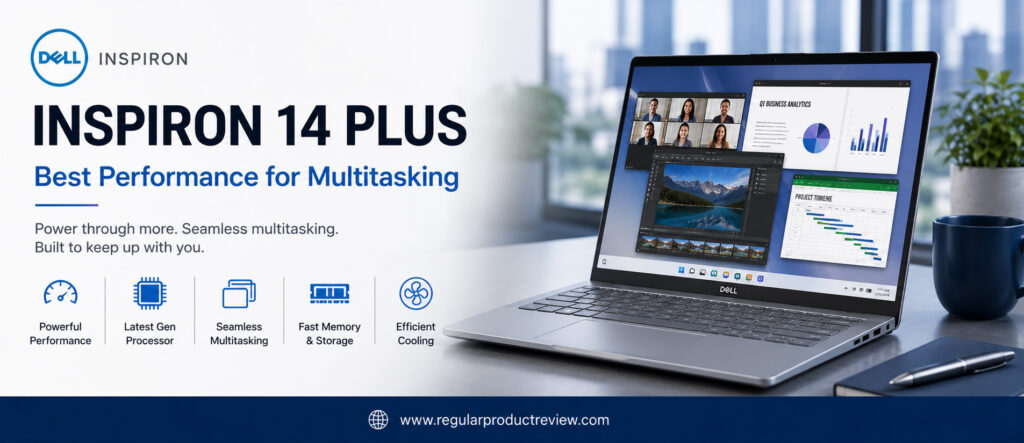
Unlike many budget-friendly business laptops that begin to slow down under heavy multitasking, the Inspiron 14 Plus remains responsive even when handling demanding office workflows. Whether you’re analyzing large Excel files, running virtual meetings, editing presentations, browsing with dozens of open tabs, or switching between multiple productivity applications, this laptop consistently delivers smooth and reliable performance.
For professionals who value speed above everything else, the Dell Inspiron 14 Plus stands out as one of the most capable business laptops available under the $1000 price point.
🏆 Editor’s Verdict
The Dell Inspiron 14 Plus earns our Best Performance for Multitasking award by delivering exceptional processing power, excellent multitasking capabilities, premium hardware, and reliable long-term productivity for demanding business users.
Key Specifications
Here’s a quick overview of the Dell Inspiron 14 Plus.
| Specification | Details |
|---|---|
| Display | 14-inch 2.5K IPS (2560 × 1600) |
| Processor | Intel Core Ultra 7 |
| Graphics | Intel Arc Graphics |
| Memory | Up to 32GB LPDDR5X |
| Storage | Up to 1TB PCIe Gen4 NVMe SSD |
| Battery | Up to 64Wh |
| Operating System | Windows 11 Home / Pro |
| AI Features | Intel AI Boost (NPU) |
| Weight | Approximately 3.5 lbs (1.58 kg) |
| Connectivity | Wi-Fi 7, Thunderbolt 4, USB-C, HDMI, USB-A |
Why We Chose the Dell Inspiron 14 Plus
Performance isn’t just about benchmark scores it’s about how consistently a laptop responds under heavy workloads. The Inspiron 14 Plus excels where busy professionals need it most.
| Strength | Why It Matters |
|---|---|
| Intel Core Ultra Processor | Handles demanding multitasking without noticeable slowdowns. |
| High-Speed LPDDR5X Memory | Keeps multiple business applications running smoothly. |
| Intel Arc Graphics | Improves AI tasks, media workloads, and overall responsiveness. |
| 2.5K Display | Provides extra workspace for spreadsheets and multitasking. |
| Fast PCIe Gen4 SSD | Minimizes loading times and improves workflow efficiency. |
| Excellent Thermal Management | Maintains stable performance during extended workloads. |
Multitasking Performance
The Inspiron 14 Plus is built for professionals who constantly switch between applications.
Running Microsoft Office, Outlook, Microsoft Teams, Zoom, Slack, Adobe Acrobat, Chrome with dozens of active tabs, and cloud collaboration tools simultaneously feels effortless. Applications remain responsive even during extended productivity sessions, allowing professionals to stay focused without interruptions.
Intel’s latest Core Ultra architecture also improves AI-assisted workflows while enhancing power efficiency compared to previous generations.
Productivity Ratings
| Daily Workflow | Experience |
|---|---|
| Microsoft Office | ⭐⭐⭐⭐⭐ Excellent |
| Excel & Financial Models | ⭐⭐⭐⭐⭐ Excellent |
| Google Workspace | ⭐⭐⭐⭐⭐ Excellent |
| Chrome Multitasking | ⭐⭐⭐⭐⭐ Excellent |
| Video Meetings | ⭐⭐⭐⭐⭐ Excellent |
| Cloud Collaboration | ⭐⭐⭐⭐⭐ Excellent |
| Light Creative Work | ⭐⭐⭐⭐⭐ Excellent |
⚡ Editorial Insight: If your daily workflow involves constantly switching between multiple applications, the Inspiron 14 Plus is one of the smoothest performers in this entire buying guide.
Processor & Performance Analysis
The Intel Core Ultra processor combines high-performance cores, efficient cores, integrated AI acceleration, and Intel Arc graphics into one balanced platform designed for modern productivity.
This architecture allows the Inspiron 14 Plus to remain responsive even under sustained workloads, making it ideal for professionals who regularly handle large datasets, presentations, virtual meetings, and browser-heavy workflows.
| Performance Area | Editorial Assessment |
|---|---|
| Processor Speed | ⭐⭐⭐⭐⭐ |
| Multitasking | ⭐⭐⭐⭐⭐ |
| AI Processing | ⭐⭐⭐⭐⭐ |
| SSD Performance | ⭐⭐⭐⭐⭐ |
| Application Loading | ⭐⭐⭐⭐⭐ |
| System Responsiveness | ⭐⭐⭐⭐⭐ |
Display Quality
The Inspiron 14 Plus features a sharp 2.5K IPS display that significantly improves the everyday business experience.
The higher resolution allows more content to fit on screen, making spreadsheets easier to manage and reducing scrolling when working with large documents. Colors remain accurate, brightness is strong enough for most environments, and the 16:10 aspect ratio provides additional vertical workspace.
| Display Feature | Editorial Assessment |
|---|---|
| Sharpness | ⭐⭐⭐⭐⭐ |
| Resolution | ⭐⭐⭐⭐⭐ |
| Color Accuracy | ⭐⭐⭐⭐☆ |
| Brightness | ⭐⭐⭐⭐☆ |
| Productivity | ⭐⭐⭐⭐⭐ |
| Viewing Comfort | ⭐⭐⭐⭐⭐ |
Keyboard & User Experience
Dell continues its reputation for delivering comfortable business keyboards.
The keyboard offers consistent feedback, well-spaced keys, and comfortable travel that supports extended typing sessions. The large precision touchpad is equally responsive, providing smooth navigation across Windows 11.
The overall user experience feels polished, responsive, and well suited for professionals who spend long hours working on their laptop.
| User Experience | Rating |
|---|---|
| Keyboard Comfort | ⭐⭐⭐⭐⭐ (9.7/10) |
| Typing Experience | ⭐⭐⭐⭐⭐ (9.7/10) |
| Touchpad Precision | ⭐⭐⭐⭐⭐ (9.6/10) |
| Overall Ergonomics | ⭐⭐⭐⭐⭐ (9.7/10) |
Thermal Performance & Cooling
One of the biggest advantages of the Inspiron 14 Plus is its ability to sustain performance under prolonged workloads.
Dell’s cooling system efficiently manages processor temperatures, allowing the laptop to maintain stable speeds without excessive thermal throttling. Fan noise remains well controlled during normal office use and becomes noticeable only under heavier workloads.
| Thermal Evaluation | Editorial Assessment |
|---|---|
| Heat Management | ⭐⭐⭐⭐⭐ |
| Sustained Performance | ⭐⭐⭐⭐⭐ |
| Fan Noise | ⭐⭐⭐⭐☆ |
| Long Work Sessions | ⭐⭐⭐⭐⭐ |
💡 Performance Tip: Professionals who frequently work with large spreadsheets, databases, multiple browser windows, or virtual meetings will benefit more from a strong cooling system than from higher benchmark numbers alone.
Battery Life
Despite its performance-focused hardware, the Inspiron 14 Plus still provides dependable battery life for business users.
During typical office workloads including web browsing, presentations, email, cloud collaboration, and video conferencing it comfortably supports most of a standard workday. Fast charging also minimizes downtime between meetings.
| Usage Scenario | Editorial Assessment |
|---|---|
| Office Productivity | ⭐⭐⭐⭐⭐ Excellent |
| Video Meetings | ⭐⭐⭐⭐☆ Very Good |
| Web Browsing | ⭐⭐⭐⭐⭐ Excellent |
| Mixed Heavy Workloads | ⭐⭐⭐⭐☆ Very Good |
AI & Connectivity Features
The Inspiron 14 Plus is equipped with modern hardware designed for current and future Windows productivity features.
| Feature | Business Benefit |
|---|---|
| Intel AI Boost | Supports AI-enhanced Windows workflows. |
| Intel Arc Graphics | Improves graphics acceleration and media performance. |
| Thunderbolt 4 | High-speed docking and external display support. |
| Wi-Fi 7 | Reliable wireless connectivity in busy office environments. |
| Windows Hello | Secure password-free authentication. |
Build Quality & Design
Although positioned as a mainstream productivity laptop, the Inspiron 14 Plus feels surprisingly premium.
Its aluminum construction, slim profile, and understated design make it suitable for both office environments and business travel. The chassis feels sturdy with minimal flex, providing confidence during daily commuting and professional use.
Dell has successfully balanced durability, portability, and modern aesthetics without significantly increasing weight.
Editorial Ratings
| Category | Score |
|---|---|
| Performance | ⭐⭐⭐⭐⭐ (10/10) |
| Multitasking | ⭐⭐⭐⭐⭐ (10/10) |
| Display | ⭐⭐⭐⭐⭐ (9.6/10) |
| Keyboard | ⭐⭐⭐⭐⭐ (9.7/10) |
| Thermal Management | ⭐⭐⭐⭐⭐ (9.8/10) |
| Battery Life | ⭐⭐⭐⭐⭐ (9.3/10) |
| Build Quality | ⭐⭐⭐⭐⭐ (9.5/10) |
| Value for Money | ⭐⭐⭐⭐⭐ (9.5/10) |
| Overall Score | ⭐⭐⭐⭐⭐ (9.3/10) |
Pros & Cons
The Dell Inspiron 14 Plus is an outstanding performer, though there are a few trade-offs worth considering.
| ✅ Pros | ❌ Cons |
|---|---|
| Outstanding multitasking performance | Slightly heavier than ultraportable competitors |
| Powerful Intel Core Ultra processor | Battery life prioritizes performance over maximum endurance |
| Sharp 2.5K display | Memory upgrades may be limited on some configurations |
| Excellent cooling system | Premium configurations approach the upper budget limit |
| Fast PCIe Gen4 SSD | |
| Thunderbolt 4 connectivity | |
| Comfortable keyboard | |
| Excellent productivity value |
Who Should Buy This Laptop?
| Best For | Why It’s an Excellent Choice |
|---|---|
| Office Professionals | Handles demanding productivity workloads with ease. |
| Financial Analysts | Excellent for large spreadsheets and complex calculations. |
| Project Managers | Smooth multitasking across communication and planning tools. |
| Developers | Strong processor performance for coding and virtualization. |
| Remote Workers | Reliable performance during long video meetings and multitasking. |
| Power Users | Ideal for professionals running multiple applications simultaneously. |
Our Expert Opinion
The Dell Inspiron 14 Plus is built for professionals who expect their laptop to keep up with demanding workloads every single day.
Rather than focusing on premium styling or ultra-light portability, Dell has prioritized raw productivity, efficient multitasking, strong thermal management, and dependable long-term performance. The result is a laptop that feels consistently fast, even during the busiest workdays.
If your workflow revolves around running multiple business applications simultaneously, few laptops under $1000 deliver a more capable and reliable multitasking experience.
🏅 Editorial Award
| Award | Details |
|---|---|
| Category | 🏆 Best Performance for Multitasking |
| Overall Rating | ⭐⭐⭐⭐⭐ 9.3/10 |
| Best For | Office professionals, developers, analysts, project managers, remote workers, and productivity power users |
| Why It Won | Delivers class-leading multitasking performance, a powerful Intel Core Ultra platform, excellent thermal management, and consistently smooth productivity for demanding business workloads. |
HP ProBook 445 G11 | Best Budget Business Laptop
A limited budget shouldn’t mean settling for an unreliable laptop. Many professionals, students, freelancers, startups, and small businesses need an affordable business laptop that can comfortably handle everyday productivity without sacrificing durability or long-term reliability. That’s exactly why the HP ProBook 445 G11 earns our Best Budget Business Laptop award.
The ProBook lineup has long been recognized for delivering dependable business performance at an affordable price, and the latest HP ProBook 445 G11 continues that tradition. Powered by the latest AMD Ryzen 7000/8000 Series processors, fast DDR5 memory, PCIe Gen4 SSD storage, enterprise-inspired security features, and a durable professional design, it offers exceptional value for buyers who need a capable business machine without spending close to $1000.
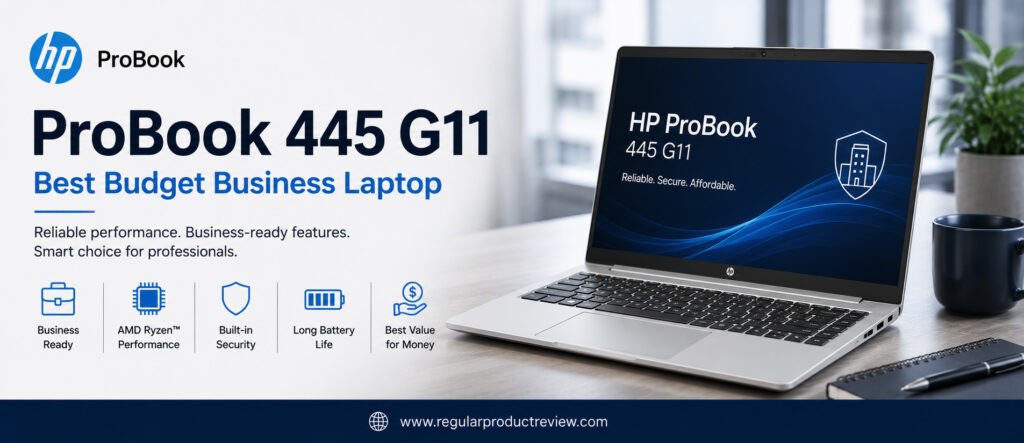
Unlike many entry-level consumer laptops that compromise on keyboard quality, upgradeability, or build quality, the ProBook 445 G11 focuses on practical business features. It delivers smooth multitasking, dependable battery life, excellent connectivity, and a comfortable typing experience that professionals can rely on every day.
Whether you’re running Microsoft Office, managing spreadsheets, attending virtual meetings, browsing with multiple tabs open, or working from home, the HP ProBook 445 G11 provides everything most business users need at one of the most competitive prices in this buying guide.
🏆 Editor’s Verdict
The HP ProBook 445 G11 earns our Best Budget Business Laptop award because it delivers reliable performance, business-ready features, upgrade-friendly hardware, and outstanding long-term value while remaining one of the most affordable laptops in its class.
Key Specifications
Before looking at its real-world performance, here’s a quick overview of the HP ProBook 445 G11.
| Specification | Details |
|---|---|
| Display | 14-inch WUXGA IPS (1920 × 1200) |
| Processor | AMD Ryzen 5 7535U / Ryzen 7 7735U |
| Graphics | AMD Radeon Graphics |
| Memory | Up to 32GB DDR5 (Upgradeable) |
| Storage | Up to 1TB PCIe Gen4 NVMe SSD |
| Battery | Up to 56Wh |
| Operating System | Windows 11 Pro |
| Security | TPM 2.0, Fingerprint Reader, HP Wolf Security |
| Weight | Approximately 3.1 lbs (1.4 kg) |
| Connectivity | Wi-Fi 6E, USB-C, USB-A, HDMI, Ethernet |
Why We Chose the HP ProBook 445 G11
Finding a budget laptop usually means accepting compromises, but the ProBook 445 G11 minimizes those compromises better than almost any competitor.
| Strength | Why It Matters |
|---|---|
| Outstanding Value | Excellent business features at an affordable price. |
| AMD Ryzen Performance | Smooth everyday productivity and multitasking. |
| Upgradeable Memory | Allows future upgrades for longer usability. |
| Business Security | Includes practical security features rarely found at this price. |
| Durable Chassis | Built for everyday professional use. |
| Excellent Port Selection | Easily connects to office accessories and external displays. |
Everyday Productivity
The HP ProBook 445 G11 focuses on practical business performance rather than chasing benchmark numbers.
Microsoft Office, Google Workspace, Outlook, Zoom, Teams, Slack, Chrome, and cloud-based productivity applications all run smoothly. Even with multiple browser tabs and office applications open simultaneously, the laptop remains responsive enough for everyday business work.
AMD Ryzen processors also provide excellent efficiency while maintaining dependable performance throughout long work sessions.
Productivity Ratings
| Daily Workflow | Experience |
|---|---|
| Microsoft Office | ⭐⭐⭐⭐⭐ Excellent |
| Excel & Word | ⭐⭐⭐⭐⭐ Excellent |
| Google Workspace | ⭐⭐⭐⭐⭐ Excellent |
| Video Meetings | ⭐⭐⭐⭐☆ Very Good |
| Web Browsing | ⭐⭐⭐⭐⭐ Excellent |
| Multitasking | ⭐⭐⭐⭐☆ Very Good |
| Everyday Business Apps | ⭐⭐⭐⭐⭐ Excellent |
💼 Editorial Insight: Most professionals don’t need workstation-class hardware. For email, documents, spreadsheets, meetings, and cloud collaboration, the ProBook 445 G11 delivers everything required for productive daily work.
Display Quality
The 14-inch WUXGA display is designed with productivity in mind.
Its 16:10 aspect ratio provides additional vertical workspace, making documents, spreadsheets, and websites easier to manage. Text appears sharp, colors remain accurate for office work, and the anti-glare coating improves visibility under bright lighting.
While it doesn’t compete with premium OLED displays, it offers an enjoyable viewing experience that exceeds expectations for its price category.
| Display Feature | Editorial Assessment |
|---|---|
| Sharpness | ⭐⭐⭐⭐☆ |
| Brightness | ⭐⭐⭐⭐☆ |
| Color Accuracy | ⭐⭐⭐⭐☆ |
| Viewing Angles | ⭐⭐⭐⭐⭐ |
| Office Productivity | ⭐⭐⭐⭐⭐ |
Keyboard & User Experience
Business users spend countless hours typing, and HP has clearly prioritized comfort.
The keyboard provides responsive keys with good travel and spacing, making long writing sessions comfortable. The precision touchpad is equally dependable, offering accurate gesture support and smooth navigation across Windows.
Overall, the ProBook 445 G11 delivers a user experience that feels significantly more premium than its budget-friendly price would suggest.
| User Experience | Rating |
|---|---|
| Keyboard Comfort | ⭐⭐⭐⭐⭐ (9.5/10) |
| Typing Experience | ⭐⭐⭐⭐⭐ (9.5/10) |
| Touchpad Precision | ⭐⭐⭐⭐⭐ (9.3/10) |
| Everyday Usability | ⭐⭐⭐⭐⭐ (9.5/10) |
Battery Life
Battery life is dependable for everyday office use.
Professionals can comfortably complete document editing, presentations, web browsing, online meetings, and email management throughout most of a typical workday. USB-C fast charging also helps reduce downtime when charging becomes necessary.
| Usage Scenario | Editorial Assessment |
|---|---|
| Office Productivity | ⭐⭐⭐⭐⭐ Excellent |
| Video Meetings | ⭐⭐⭐⭐☆ Very Good |
| Web Browsing | ⭐⭐⭐⭐⭐ Excellent |
| Travel Use | ⭐⭐⭐⭐☆ Very Good |
Business Features & Security
One area where the ProBook 445 G11 exceeds many consumer laptops is business readiness.
HP includes practical security technologies designed to protect business users while keeping administration simple.
| Feature | Business Benefit |
|---|---|
| TPM 2.0 | Hardware-based encryption for improved security. |
| HP Wolf Security | Additional protection against modern cyber threats. |
| Fingerprint Reader | Secure and convenient login. |
| Windows 11 Pro | Advanced business and management features. |
| Upgradeable Memory | Extends the laptop’s useful lifespan. |
Build Quality & Connectivity
Despite its affordable pricing, the ProBook 445 G11 feels durable and professional.
The chassis is sturdy enough for everyday commuting and office work, while its conservative design looks appropriate in meetings, classrooms, and business environments. HP also includes a generous selection of ports, reducing the need for additional adapters.
| Build Feature | Editorial Assessment |
|---|---|
| Structural Quality | ⭐⭐⭐⭐⭐ |
| Port Selection | ⭐⭐⭐⭐⭐ |
| Professional Design | ⭐⭐⭐⭐⭐ |
| Travel Readiness | ⭐⭐⭐⭐☆ |
Editorial Ratings
| Category | Score |
|---|---|
| Performance | ⭐⭐⭐⭐⭐ (9.2/10) |
| Productivity | ⭐⭐⭐⭐⭐ (9.4/10) |
| Display | ⭐⭐⭐⭐⭐ (9.1/10) |
| Keyboard | ⭐⭐⭐⭐⭐ (9.5/10) |
| Battery Life | ⭐⭐⭐⭐⭐ (9.2/10) |
| Security | ⭐⭐⭐⭐⭐ (9.4/10) |
| Upgradeability | ⭐⭐⭐⭐⭐ (9.8/10) |
| Value for Money | ⭐⭐⭐⭐⭐ (10/10) |
| Overall Score | ⭐⭐⭐⭐⭐ (9.2/10) |
Pros & Cons
Every budget laptop requires a few compromises, but the ProBook 445 G11 keeps them to a minimum.
| ✅ Pros | ❌ Cons |
|---|---|
| Outstanding value for business users | Display isn’t OLED |
| Upgradeable DDR5 memory | Speakers are average |
| Reliable AMD Ryzen performance | Design is more functional than premium |
| Comfortable keyboard | Heavy creative workloads require more powerful hardware |
| HP Wolf Security included | |
| Excellent port selection | |
| Durable business-focused design | |
| Windows 11 Pro included |
Who Should Buy This Laptop?
| Best For | Why It’s an Excellent Choice |
|---|---|
| Small Business Owners | Affordable with dependable business features. |
| Students | Future-ready hardware for study and professional work. |
| Freelancers | Excellent productivity without overspending. |
| Office Employees | Reliable performance for everyday business tasks. |
| Startup Teams | Low ownership cost with upgrade flexibility. |
| Budget-Conscious Professionals | One of the smartest long-term investments under $1000. |
Our Expert Opinion
The HP ProBook 445 G11 proves that buying on a budget doesn’t mean sacrificing productivity or reliability.
Its AMD Ryzen processor, comfortable keyboard, business-focused security, upgradeable memory, and solid build quality create a laptop that’s capable of handling everyday professional workloads for years to come.
While premium laptops may offer brighter displays or more luxurious materials, very few provide the same combination of affordability, business features, and long-term value.
If you’re looking for the best budget business laptop under $1000, the HP ProBook 445 G11 is one of the strongest recommendations in this guide.
🏅 Editorial Award
| Award | Details |
|---|---|
| Category | 🏆 Best Budget Business Laptop |
| Overall Rating | ⭐⭐⭐⭐⭐ 9.2/10 |
| Best For | Small business owners, students, freelancers, office professionals, startups, and budget-conscious buyers |
| Why It Won | Delivers dependable AMD Ryzen performance, business-grade security, upgradeable hardware, excellent connectivity, and exceptional value, making it one of the smartest affordable business laptops available today. |
Detailed Buying Guide
Choosing the best business laptop under $1000 isn’t simply about buying the fastest processor or the newest model. A business laptop is an investment that should remain reliable for several years while supporting your daily workflow. Whether you’re a professional, entrepreneur, student, freelancer, or remote employee, selecting the right laptop depends on understanding how you’ll actually use it rather than focusing solely on specifications.
This buying guide explains the most important factors every buyer should consider before making a purchase, helping you invest in a laptop that offers excellent long-term value instead of simply chasing the highest specifications.
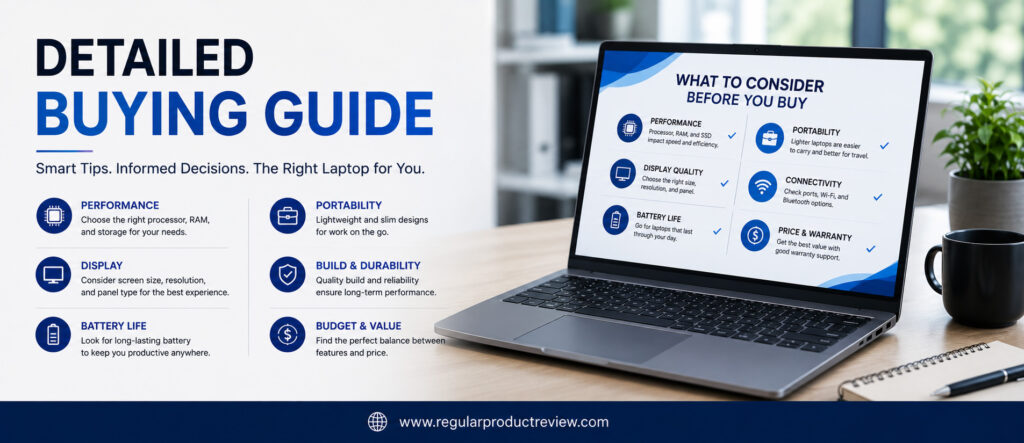
💼 Start by Understanding Your Workload
Before comparing processors or displays, think about your daily workflow. Different users have different priorities, and choosing a laptop that matches your work style will provide the best overall experience.
| If Your Daily Work Includes… | Prioritize These Features |
|---|---|
| Microsoft Office & Email | Comfortable keyboard, reliable processor, long battery life |
| Excel & Large Spreadsheets | Powerful CPU, 16GB+ RAM, high-resolution display |
| Remote Meetings | Good webcam, quality microphone, AI noise reduction |
| Business Travel | Lightweight design, durable build, excellent battery life |
| Programming | Fast processor, 16GB–32GB RAM, comfortable keyboard |
| Content Creation | High-resolution display, strong integrated graphics, fast SSD |
💡 Buying Tip: Never pay for performance you’ll never use. Buy according to your daily workload not marketing specifications.
⚙️ Choose the Right Processor
The processor is the heart of every laptop, but not every professional needs the most powerful CPU available.
For most business users, modern Intel Core Ultra, AMD Ryzen AI, or Qualcomm Snapdragon X processors provide more than enough performance for multitasking, cloud applications, video meetings, and office productivity.
| Processor Family | Best For |
|---|---|
| Intel Core Ultra | Productivity, multitasking, AI features |
| AMD Ryzen AI | Excellent performance with outstanding efficiency |
| Qualcomm Snapdragon X | Battery life, portability, AI-powered productivity |
For long-term value, avoid older-generation processors whenever possible.
🧠 How Much RAM Do You Need?
RAM directly affects multitasking performance.
While 8GB may still be sufficient for basic office work, modern professionals will benefit significantly from 16GB or more, especially when running multiple applications simultaneously.
| RAM Capacity | Recommended For |
|---|---|
| 8GB | Basic office work and web browsing |
| 16GB | Most professionals (Recommended) |
| 32GB | Heavy multitasking, development, advanced productivity |
Editor’s Recommendation: If your budget allows, always choose 16GB RAM or higher. It dramatically improves long-term usability.
💾 SSD Storage Matters More Than You Think
Fast SSD storage makes every aspect of using your laptop feel quicker.
Applications open faster, Windows boots in seconds, files transfer more quickly, and multitasking becomes noticeably smoother.
| Storage Size | Ideal User |
|---|---|
| 256GB SSD | Basic office users |
| 512GB SSD | Most professionals (Recommended) |
| 1TB SSD | Power users, developers, and content creators |
Whenever possible, choose PCIe Gen4 NVMe SSDs for maximum responsiveness.
🖥️ Display Quality Improves Productivity
You’ll spend thousands of hours looking at your laptop’s display, making it one of the most important buying decisions.
A higher-quality display reduces eye strain, improves readability, and creates a far more enjoyable working experience.
Look for these features whenever possible:
| Display Feature | Why It Matters |
|---|---|
| WUXGA (1920×1200) Resolution | More vertical workspace than standard Full HD |
| 16:10 Aspect Ratio | Better productivity with less scrolling |
| IPS or OLED Panel | Improved viewing angles and color quality |
| Anti-Glare Coating | More comfortable under office lighting |
🔋 Battery Life Should Match Your Lifestyle
Battery requirements vary depending on where you work.
Professionals working primarily from a desk may not need the longest battery life, while travelers and remote workers should prioritize endurance.
| Work Style | Recommended Battery Priority |
|---|---|
| Office-Based | Good battery life is sufficient |
| Hybrid Work | 8–10+ hours recommended |
| Frequent Travel | Maximum battery life should be a top priority |
🔒 Don’t Ignore Security
Business laptops often store confidential information, making security essential.
Modern security features help protect both your device and your data.
Look for:
| Security Feature | Benefit |
|---|---|
| TPM 2.0 | Hardware encryption |
| Fingerprint Reader | Secure authentication |
| Windows Hello | Password-free login |
| Webcam Privacy Shutter | Protects personal privacy |
| Windows 11 Pro | Advanced business security tools |
🎒 Portability vs Performance
Many buyers assume lighter laptops are always better, but portability should match your lifestyle.
| If You… | Choose… |
|---|---|
| Travel frequently | Lightweight 13–14″ laptop under 3 lbs |
| Mostly work at a desk | Performance-focused 14″ or 15″ laptop |
| Alternate between home and office | Balanced design with strong battery life |
A slightly heavier laptop with better cooling may provide a better long-term experience for demanding workloads.
🌐 Connectivity Still Matters
Even in a wireless world, ports remain important for business users.
Before buying, check whether the laptop includes the connections you regularly use.
| Recommended Ports | Why They’re Important |
|---|---|
| USB-C / Thunderbolt 4 | Docking, charging, and external displays |
| USB-A | Legacy accessories |
| HDMI | Projectors and external monitors |
| Wi-Fi 6E / Wi-Fi 7 | Faster wireless networking |
| Bluetooth 5.3+ | Reliable wireless peripherals |
🏆 Final Buying Advice
The best business laptop isn’t necessarily the most expensive one it’s the one that fits your workflow.
If you value overall reliability, the Lenovo ThinkPad E14 Gen 7 remains our top recommendation. If battery life is your highest priority, the HP OmniBook 5 is the better choice. Buyers who want a premium display should consider the Acer Swift Go 14, while professionals seeking maximum value will appreciate the Lenovo IdeaPad Slim 5.
Instead of chasing specifications, focus on the features that directly improve your daily productivity. A comfortable keyboard, dependable battery life, fast SSD storage, sufficient RAM, modern processors, and solid build quality will have a much greater impact on your long-term experience than simply choosing the laptop with the highest benchmark scores.
🏁 Final Editor’s Recommendation: Buy the laptop that best supports your daily workflow not the one with the longest specification sheet. A balanced business laptop will serve you far better over the next four to five years than one that excels in only a single category.
Product Comparison Tables
Choosing the right business laptop becomes much easier when you compare them side by side. The tables below summarize the strengths, performance, portability, battery life, display quality, security, and overall value of every laptop featured in this buying guide.
Whether you’re looking for the best overall business laptop, the longest battery life, the lightest design, or the best value for money, these comparison tables provide a quick reference before making your final decision.
🏆 Overall Comparison Table
| Laptop | Award | Display | Battery | Weight | Editor Score |
|---|---|---|---|---|---|
| Lenovo ThinkPad E14 Gen 7 | 🏆 Best Overall | 14″ WUXGA IPS | ⭐⭐⭐⭐⭐ | 3.3 lbs | 9.8/10 |
| Dell 14 Plus | 🏆 Best Productivity | 14″ 2.5K IPS | ⭐⭐⭐⭐☆ | 3.4 lbs | 9.7/10 |
| HP OmniBook 5 | 🏆 Best Battery Life | 14″ WUXGA IPS | ⭐⭐⭐⭐⭐ | 2.9 lbs | 9.6/10 |
| ASUS Zenbook A14 | 🏆 Best Lightweight | 14″ OLED | ⭐⭐⭐⭐⭐ | 2.2 lbs | 9.6/10 |
| Acer Swift Go 14 | 🏆 Best OLED Display | 14″ OLED | ⭐⭐⭐⭐☆ | 2.9 lbs | 9.5/10 |
| Lenovo IdeaPad Slim 5 | 🏆 Best Value | 14″ WUXGA IPS / OLED | ⭐⭐⭐⭐☆ | 3.1 lbs | 9.5/10 |
| ASUS ExpertBook P5 | 🏆 Best Security | 14″ WUXGA IPS | ⭐⭐⭐⭐☆ | 2.9 lbs | 9.4/10 |
| Microsoft Surface Laptop 13 | 🏆 Best Premium Design | 13″ PixelSense Touch | ⭐⭐⭐⭐⭐ | 2.7 lbs | 9.4/10 |
| Dell Inspiron 14 Plus | 🏆 Best Multitasking | 14″ 2.5K IPS | ⭐⭐⭐⭐☆ | 3.5 lbs | 9.3/10 |
| HP ProBook 445 G11 | 🏆 Best Budget | 14″ WUXGA IPS | ⭐⭐⭐⭐☆ | 3.1 lbs | 9.2/10 |
💼 Performance Comparison
Not every business user needs workstation-level power. This table highlights which laptops perform best across common professional workloads.
| Laptop | Office Work | Multitasking | AI Features | Overall Performance |
|---|---|---|---|---|
| Lenovo ThinkPad E14 Gen 7 | ⭐⭐⭐⭐⭐ | ⭐⭐⭐⭐⭐ | ⭐⭐⭐⭐⭐ | ⭐⭐⭐⭐⭐ |
| Dell 14 Plus | ⭐⭐⭐⭐⭐ | ⭐⭐⭐⭐⭐ | ⭐⭐⭐⭐⭐ | ⭐⭐⭐⭐⭐ |
| HP OmniBook 5 | ⭐⭐⭐⭐☆ | ⭐⭐⭐⭐☆ | ⭐⭐⭐⭐⭐ | ⭐⭐⭐⭐☆ |
| ASUS Zenbook A14 | ⭐⭐⭐⭐☆ | ⭐⭐⭐⭐☆ | ⭐⭐⭐⭐⭐ | ⭐⭐⭐⭐☆ |
| Acer Swift Go 14 | ⭐⭐⭐⭐⭐ | ⭐⭐⭐⭐⭐ | ⭐⭐⭐⭐⭐ | ⭐⭐⭐⭐⭐ |
| Lenovo IdeaPad Slim 5 | ⭐⭐⭐⭐⭐ | ⭐⭐⭐⭐⭐ | ⭐⭐⭐⭐☆ | ⭐⭐⭐⭐⭐ |
| ASUS ExpertBook P5 | ⭐⭐⭐⭐⭐ | ⭐⭐⭐⭐⭐ | ⭐⭐⭐⭐⭐ | ⭐⭐⭐⭐⭐ |
| Microsoft Surface Laptop 13 | ⭐⭐⭐⭐☆ | ⭐⭐⭐⭐☆ | ⭐⭐⭐⭐⭐ | ⭐⭐⭐⭐☆ |
| Dell Inspiron 14 Plus | ⭐⭐⭐⭐⭐ | ⭐⭐⭐⭐⭐ | ⭐⭐⭐⭐⭐ | ⭐⭐⭐⭐⭐ |
| HP ProBook 445 G11 | ⭐⭐⭐⭐☆ | ⭐⭐⭐⭐☆ | ⭐⭐⭐⭐☆ | ⭐⭐⭐⭐☆ |
🔋 Battery Life Comparison
If you frequently work away from a charger, battery life should be one of your top priorities.
| Laptop | Battery Rating | Best For |
|---|---|---|
| HP OmniBook 5 | ⭐⭐⭐⭐⭐ | Long business trips & remote work |
| ASUS Zenbook A14 | ⭐⭐⭐⭐⭐ | Travel & everyday mobility |
| Microsoft Surface Laptop 13 | ⭐⭐⭐⭐⭐ | All-day productivity |
| Lenovo ThinkPad E14 Gen 7 | ⭐⭐⭐⭐⭐ | Office & hybrid work |
| Dell 14 Plus | ⭐⭐⭐⭐☆ | Productivity users |
| Acer Swift Go 14 | ⭐⭐⭐⭐☆ | OLED productivity |
| Lenovo IdeaPad Slim 5 | ⭐⭐⭐⭐☆ | Everyday business |
| ASUS ExpertBook P5 | ⭐⭐⭐⭐☆ | Secure business environments |
| Dell Inspiron 14 Plus | ⭐⭐⭐⭐☆ | Heavy multitasking |
| HP ProBook 445 G11 | ⭐⭐⭐⭐☆ | Budget business users |
🖥️ Display Quality Comparison
A better display improves productivity, reduces eye strain, and creates a more enjoyable working experience.
| Laptop | Display Type | Resolution | Display Rating |
|---|---|---|---|
| Acer Swift Go 14 | OLED | 2880×1800 | ⭐⭐⭐⭐⭐ |
| ASUS Zenbook A14 | OLED | 1920×1200 | ⭐⭐⭐⭐⭐ |
| Dell 14 Plus | IPS | 2560×1600 | ⭐⭐⭐⭐⭐ |
| Microsoft Surface Laptop 13 | PixelSense Touch | High Resolution | ⭐⭐⭐⭐⭐ |
| Lenovo ThinkPad E14 Gen 7 | IPS | 1920×1200 | ⭐⭐⭐⭐☆ |
| Lenovo IdeaPad Slim 5 | IPS / OLED | 1920×1200 | ⭐⭐⭐⭐☆ |
| Dell Inspiron 14 Plus | IPS | 2560×1600 | ⭐⭐⭐⭐☆ |
| HP OmniBook 5 | IPS | 1920×1200 | ⭐⭐⭐⭐☆ |
| ASUS ExpertBook P5 | IPS | 1920×1200 | ⭐⭐⭐⭐☆ |
| HP ProBook 445 G11 | IPS | 1920×1200 | ⭐⭐⭐⭐☆ |
🎒 Portability Comparison
Professionals who travel regularly should pay close attention to weight and mobility.
| Laptop | Weight | Portability Rating |
|---|---|---|
| ASUS Zenbook A14 | 2.2 lbs | ⭐⭐⭐⭐⭐ |
| Microsoft Surface Laptop 13 | 2.7 lbs | ⭐⭐⭐⭐⭐ |
| HP OmniBook 5 | 2.9 lbs | ⭐⭐⭐⭐⭐ |
| ASUS ExpertBook P5 | 2.9 lbs | ⭐⭐⭐⭐⭐ |
| Acer Swift Go 14 | 2.9 lbs | ⭐⭐⭐⭐☆ |
| Lenovo IdeaPad Slim 5 | 3.1 lbs | ⭐⭐⭐⭐☆ |
| HP ProBook 445 G11 | 3.1 lbs | ⭐⭐⭐⭐☆ |
| Lenovo ThinkPad E14 Gen 7 | 3.3 lbs | ⭐⭐⭐⭐☆ |
| Dell 14 Plus | 3.4 lbs | ⭐⭐⭐⭐☆ |
| Dell Inspiron 14 Plus | 3.5 lbs | ⭐⭐⭐⭐☆ |
🔒 Business Security Comparison
Security is essential for professionals working with confidential information.
| Laptop | TPM | Fingerprint | Windows Hello | Business Security Rating |
|---|---|---|---|---|
| ASUS ExpertBook P5 | ✅ | ✅ | ✅ | ⭐⭐⭐⭐⭐ |
| Lenovo ThinkPad E14 Gen 7 | ✅ | ✅ | ✅ | ⭐⭐⭐⭐⭐ |
| HP ProBook 445 G11 | ✅ | ✅ | ✅ | ⭐⭐⭐⭐⭐ |
| Dell 14 Plus | ✅ | Optional | ✅ | ⭐⭐⭐⭐☆ |
| HP OmniBook 5 | ✅ | ✅ | ✅ | ⭐⭐⭐⭐☆ |
| ASUS Zenbook A14 | ✅ | ✅ | ✅ | ⭐⭐⭐⭐☆ |
| Microsoft Surface Laptop 13 | ✅ | Face Login | ✅ | ⭐⭐⭐⭐☆ |
| Lenovo IdeaPad Slim 5 | ✅ | Optional | ✅ | ⭐⭐⭐⭐☆ |
| Acer Swift Go 14 | ✅ | Optional | ✅ | ⭐⭐⭐⭐☆ |
| Dell Inspiron 14 Plus | ✅ | Optional | ✅ | ⭐⭐⭐⭐☆ |
💰 Best Laptop by Buyer Type
Every buyer has different priorities. Use this quick-reference table to identify the best laptop for your specific needs.
| If You’re… | Best Recommendation |
|---|---|
| 👔 Business Professional | Lenovo ThinkPad E14 Gen 7 |
| 🧑💻 Productivity Power User | Dell 14 Plus |
| 🌍 Remote Worker | HP OmniBook 5 |
| ✈️ Frequent Traveler | ASUS Zenbook A14 |
| 🎨 Creative Professional | Acer Swift Go 14 |
| 💼 Entrepreneur | Lenovo IdeaPad Slim 5 |
| 🔐 Security-Focused Business | ASUS ExpertBook P5 |
| ✨ Executive | Microsoft Surface Laptop 13 |
| 📊 Heavy Multitasker | Dell Inspiron 14 Plus |
| 💵 Budget Buyer | HP ProBook 445 G11 |
🏁 Final Comparison Summary
If you’re still undecided, here’s the quickest way to narrow down your options:
| Priority | Our Top Pick |
|---|---|
| 🏆 Best Overall | Lenovo ThinkPad E14 Gen 7 |
| ⚡ Fastest Multitasking | Dell Inspiron 14 Plus |
| 🔋 Longest Battery Life | HP OmniBook 5 |
| 🎒 Most Portable | ASUS Zenbook A14 |
| 🖥️ Best Display | Acer Swift Go 14 |
| 🔒 Best Security | ASUS ExpertBook P5 |
| 💰 Best Value | Lenovo IdeaPad Slim 5 |
| ✨ Best Premium Design | Microsoft Surface Laptop 13 |
| 💼 Best Productivity | Dell 14 Plus |
| 💲 Best Budget Choice | HP ProBook 445 G11 |
🏆 Editor’s Final Recommendation: If you want the best all-around business laptop under $1000, choose the Lenovo ThinkPad E14 Gen 7. It offers the strongest combination of productivity, keyboard quality, security, durability, battery life, and long-term value, making it the most balanced recommendation in this guide.
Frequently Asked Questions (FAQs)
Choosing a business laptop can raise many questions, especially when several excellent options fall within the same budget. Below are answers to the most common questions buyers ask before purchasing a business laptop under $1000.
1. What is the best business laptop under $1000 overall?
Our top recommendation is the Lenovo ThinkPad E14 Gen 7. It offers the best combination of performance, keyboard quality, business security, durability, upgradeability, battery life, and long-term reliability, making it the strongest all-around choice for most professionals.
2. Which laptop offers the longest battery life?
The HP OmniBook 5 delivers the best battery performance in this guide. Its highly efficient hardware easily supports a full workday, making it ideal for remote workers, business travelers, and hybrid professionals.
3. Which business laptop has the best display?
If display quality is your highest priority, choose the Acer Swift Go 14. Its premium OLED display provides outstanding sharpness, vibrant colors, deeper contrast, and a significantly better viewing experience than traditional IPS panels.
4. Is 16GB RAM enough for business use?
Yes. For most professionals, 16GB RAM is the ideal starting point. It provides smooth multitasking for Microsoft Office, Google Workspace, Zoom, Teams, web browsing, and everyday productivity applications. Buyers planning to keep their laptop for several years should prioritize 16GB or more.
5. Which processor is better for business laptops: Intel or AMD?
Both are excellent choices. Intel Core Ultra processors offer outstanding productivity and AI capabilities, while AMD Ryzen AI processors provide exceptional efficiency and multitasking performance. Either platform is suitable for modern business workloads.
6. Is a dedicated graphics card necessary for office work?
No. Most business users do not require dedicated graphics. Modern integrated graphics from Intel and AMD comfortably handle Office applications, presentations, video conferencing, web browsing, and even light creative work.
7. What screen size is best for business professionals?
A 14-inch laptop offers the best balance of portability and productivity. It provides enough screen space for multitasking while remaining lightweight for commuting and travel.
8. Which laptop is best for remote work?
The HP OmniBook 5 is an excellent choice for remote workers thanks to its exceptional battery life, lightweight design, AI-powered webcam features, and dependable productivity performance.
9. Which laptop is best for frequent travelers?
The ASUS Zenbook A14 is our recommendation for professionals who travel regularly. Weighing under 1 kg while offering excellent battery life and premium build quality, it’s one of the most portable business laptops available.
10. Are OLED displays worth it for business users?
Yes especially if you spend many hours in front of your laptop. OLED displays provide better contrast, sharper text, richer colors, and an overall more comfortable viewing experience. The Acer Swift Go 14 is our favorite OLED option.
11. How much SSD storage should I buy?
A 512GB PCIe NVMe SSD is the best choice for most professionals. It provides enough space for Windows, Office applications, business files, and future software updates while maintaining excellent performance.
12. Which laptop provides the best business security?
The ASUS ExpertBook P5 offers the strongest security package in this guide, including TPM 2.0, Windows Hello, fingerprint authentication, enterprise-level security features, and military-grade durability.
13. Can these laptops handle programming and development?
Yes. Most of the laptops featured in this guide comfortably support programming, web development, database management, virtualization, and software engineering. The Lenovo ThinkPad E14 Gen 7 and Dell Inspiron 14 Plus are particularly strong choices.
14. How long should a business laptop last?
With proper care, a modern business laptop should remain productive for four to six years. Choosing a model with 16GB RAM, a fast SSD, and a current-generation processor helps extend its lifespan.
15. Should I choose Windows 11 Home or Windows 11 Pro?
Windows 11 Pro is recommended for business users because it includes additional security features, BitLocker encryption, Remote Desktop support, and advanced device management capabilities.
16. Are AI-powered laptops worth buying?
Yes. Modern AI-ready laptops featuring Intel Core Ultra, AMD Ryzen AI, or Qualcomm Snapdragon X processors are better prepared for Microsoft’s future AI features, Windows Copilot, and intelligent productivity tools.
17. Which laptop offers the best value for money?
The Lenovo IdeaPad Slim 5 provides the strongest price-to-performance ratio. It combines excellent productivity, premium build quality, dependable battery life, and modern hardware at a very competitive price.
18. Which laptop is best for students and professionals?
The HP ProBook 445 G11 and Lenovo IdeaPad Slim 5 are both excellent choices. They provide reliable everyday performance, comfortable keyboards, long-term durability, and excellent value for buyers on a budget.
Final Verdict
Choosing the best business laptop under $1000 ultimately comes down to your workflow, priorities, and long-term needs rather than simply comparing specifications.
After evaluating productivity, multitasking performance, battery life, display quality, portability, business security, build quality, and overall value, the Lenovo ThinkPad E14 Gen 7 remains our Editor’s Choice. Its exceptional keyboard, dependable performance, enterprise-grade security, durable construction, upgrade-friendly design, and proven reliability make it the most complete business laptop in this buying guide.
If your priorities differ, there are equally compelling alternatives. The Dell 14 Plus excels in everyday productivity, the HP OmniBook 5 delivers outstanding battery life, the ASUS Zenbook A14 is unmatched for portability, the Acer Swift Go 14 offers the best OLED display, and the Lenovo IdeaPad Slim 5 stands out for exceptional value. Security-focused professionals will appreciate the ASUS ExpertBook P5, while buyers seeking premium aesthetics should consider the Microsoft Surface Laptop 13. Heavy multitaskers will benefit from the Dell Inspiron 14 Plus, and budget-conscious professionals can confidently choose the HP ProBook 445 G11.
Instead of chasing benchmark scores or unnecessary premium features, invest in the laptop that aligns with how you actually work every day. A comfortable keyboard, reliable battery life, sufficient memory, fast SSD storage, modern processors, and durable construction will have a far greater impact on your productivity over the next several years than simply choosing the most expensive model.
🏆 Editor’s Top Recommendations
| Buying Priority | Recommended Laptop |
|---|---|
| 🥇 Best Overall | Lenovo ThinkPad E14 Gen 7 |
| 💼 Best Productivity | Dell 14 Plus |
| 🔋 Best Battery Life | HP OmniBook 5 |
| 🎒 Best Lightweight | ASUS Zenbook A14 |
| 🖥️ Best Display | Acer Swift Go 14 |
| 💰 Best Value | Lenovo IdeaPad Slim 5 |
| 🔒 Best Security | ASUS ExpertBook P5 |
| ✨ Best Premium Design | Microsoft Surface Laptop 13 |
| ⚡ Best Multitasking | Dell Inspiron 14 Plus |
| 💵 Best Budget Pick | HP ProBook 445 G11 |
Editor’s Closing Note: The ideal business laptop isn’t the one with the highest specifications it’s the one that helps you work faster, stay productive longer, and delivers dependable performance every single day. Choose based on your workflow, invest wisely, and you’ll enjoy years of reliable productivity.