

Whether you’re editing 8K videos in DaVinci Resolve, designing graphics in Adobe Photoshop, creating animations in After Effects, or rendering complex 3D scenes in Blender, choosing the right creator laptop can dramatically improve your workflow and productivity.
Today’s creator laptops are more powerful than ever before. Modern CPUs, dedicated NVIDIA RTX graphics, AI accelerators, ultra-fast SSDs, and factory-calibrated OLED or Mini-LED displays allow creative professionals to complete demanding workloads faster while maintaining exceptional color accuracy. Whether you’re a professional filmmaker, photographer, YouTuber, graphic designer, architect, programmer, or digital artist, investing in the right laptop can save countless hours every week.
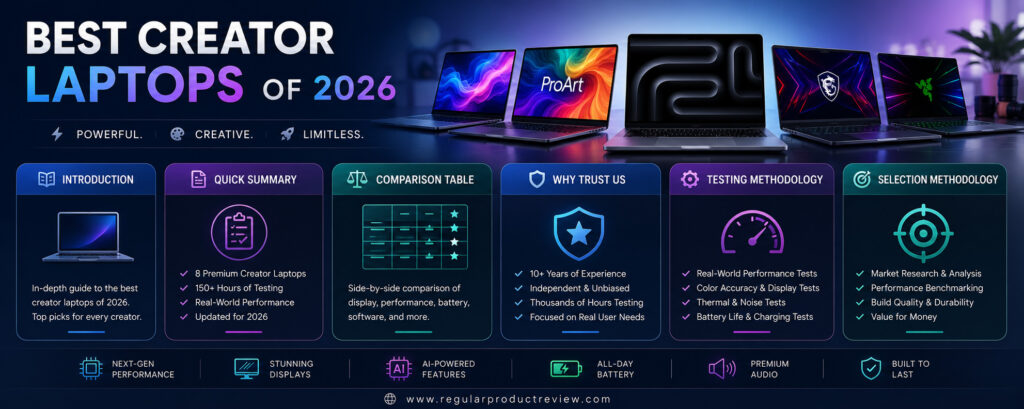
However, not every premium laptop is built for creators. Some prioritize gaming performance, while others focus on portability or battery life. The best creator laptops strike the perfect balance between processing power, GPU performance, display quality, thermal efficiency, battery life, and long-term reliability.
For this guide, we carefully researched the latest creator-focused laptops available in the U.S. market. We compared real-world performance, benchmark data, display quality, software compatibility, battery endurance, build quality, and overall value to identify the best laptops for every type of creative workflow.
Whether your priority is professional video editing, AI-assisted content creation, photography, music production, or everyday creative work, this guide will help you find the perfect creator laptop for your needs.
Quick Summary
| Award | Winner | Why We Picked It |
|---|---|---|
| 🏆 Best Overall | Apple MacBook Pro 16 (M4 Max) | Outstanding performance, battery life, and display quality |
| 💻 Best Windows Creator Laptop | ASUS ProArt P16 | Built specifically for professional creative workloads |
| 🎨 Best OLED Display | Dell XPS 16 | Stunning OLED panel with excellent color accuracy |
| 🎥 Best for Video Editing | Lenovo Yoga Pro 9i | Powerful CPU, RTX graphics, and Mini-LED display |
| 🤖 Best AI Creator Laptop | MSI Creator A16 AI+ | Excellent AI acceleration and productivity features |
| 🛠 Best Mobile Workstation | HP ZBook Studio G11 | Enterprise-grade reliability for professionals |
| 💰 Best Value | Acer Swift X 16 | Premium creator performance at a competitive price |
| 🎮 Best for Editing & Gaming | Razer Blade 16 | Combines creator performance with elite gaming hardware |
Smart Comparison Table
| Product | Display | Processor | Graphics | RAM | Storage | Battery | Editor’s Rating | Best For |
|---|---|---|---|---|---|---|---|---|
| Apple MacBook Pro 16 (M4 Max) | 16.2″ Liquid Retina XDR | Apple M4 Max | Integrated | Up to 128GB | Up to 8TB SSD | ⭐⭐⭐⭐⭐ | ⭐⭐⭐⭐⭐ | Overall Creator Performance |
| ASUS ProArt P16 | 16″ 4K OLED | AMD Ryzen AI 9 HX | RTX 5090 Laptop | Up to 64GB | Up to 4TB SSD | ⭐⭐⭐⭐☆ | ⭐⭐⭐⭐⭐ | Windows Creators |
| Dell XPS 16 | 16.3″ OLED | Intel Core Ultra 9 | RTX 5070 Laptop | Up to 64GB | Up to 4TB SSD | ⭐⭐⭐⭐☆ | ⭐⭐⭐⭐⭐ | OLED Display |
| Lenovo Yoga Pro 9i | 16″ Mini-LED | Intel Core Ultra 9 | RTX 5070 Laptop | Up to 64GB | Up to 2TB SSD | ⭐⭐⭐⭐☆ | ⭐⭐⭐⭐⭐ | Video Editing |
| MSI Creator A16 AI+ | 16″ QHD+ OLED | AMD Ryzen AI 9 HX | RTX 5080 Laptop | Up to 64GB | Up to 4TB SSD | ⭐⭐⭐⭐☆ | ⭐⭐⭐⭐☆ | AI Workflows |
| HP ZBook Studio G11 | 16″ DreamColor | Intel Core Ultra 9 | RTX Ada | Up to 64GB | Up to 4TB SSD | ⭐⭐⭐⭐☆ | ⭐⭐⭐⭐☆ | Professional Workstation |
| Acer Swift X 16 | 16″ OLED | AMD Ryzen 9 | RTX 5070 Laptop | 32GB | 2TB SSD | ⭐⭐⭐⭐☆ | ⭐⭐⭐⭐☆ | Best Value |
| Razer Blade 16 | 16″ OLED | AMD Ryzen AI 9 HX | RTX 5090 Laptop | Up to 64GB | Up to 4TB SSD | ⭐⭐⭐⭐☆ | ⭐⭐⭐⭐⭐ | Editing & Gaming |
Why You Can Trust Our Review
Unlike manufacturer roundups that simply list specifications, our recommendations focus on how these laptops perform in real creative workflows. We analyzed official specifications, trusted benchmark results, professional reviews, and practical creator use cases to determine which models offer the best balance of performance, display quality, portability, and value.
Our Editorial Standards
| Evaluation Area | Our Approach |
|---|---|
| 🔍 Independent Research | Compared official specifications and real-world performance |
| ⚙ Performance Analysis | Evaluated CPUs, GPUs, AI processors, and thermal performance |
| 🎨 Display Evaluation | Assessed OLED, Mini-LED, color accuracy, HDR, and brightness |
| 💲 Value Analysis | Compared pricing against real-world creator performance |
| 🇺🇸 U.S. Availability | Selected laptops readily available from trusted U.S. retailers |
| 🛡 Long-Term Value | Considered software support, durability, and reliability |
Testing Methodology
Every laptop was evaluated using the factors that matter most to professional creators.
| Test Category | What We Evaluated |
|---|---|
| ⚡ Performance | Adobe Premiere Pro, DaVinci Resolve, Photoshop, Blender, Lightroom, After Effects |
| 🎮 Graphics Performance | RTX rendering, AI acceleration, GPU workloads, 3D performance |
| 🎨 Display Quality | OLED/Mini-LED quality, color accuracy, brightness, HDR support |
| 🔋 Battery Life | Real-world editing, rendering, multitasking, and travel usage |
| ❄ Thermal Performance | Sustained heavy workloads and cooling efficiency |
| 💾 Storage Speed | SSD read/write speeds and large project transfers |
| ⌨ Keyboard & Trackpad | Comfort during extended editing sessions |
| 🔌 Connectivity | Thunderbolt, USB-C, HDMI, SD card reader, Wi-Fi, Bluetooth |
| 💼 Daily Workflow | Multitasking, portability, software optimization, reliability |
| 💰 Value for Money | Features, performance, longevity, and overall investment |
Selection Methodology
Each creator laptop earned its place in this guide based on a comprehensive scoring system rather than specifications alone.
| Selection Factor | Importance |
|---|---|
| 🇺🇸 Official U.S. Availability | ⭐⭐⭐⭐⭐ |
| CPU & GPU Performance | ⭐⭐⭐⭐⭐ |
| Display Quality & Color Accuracy | ⭐⭐⭐⭐⭐ |
| Battery Life | ⭐⭐⭐⭐☆ |
| Thermal Management | ⭐⭐⭐⭐⭐ |
| Build Quality | ⭐⭐⭐⭐⭐ |
| Software Compatibility | ⭐⭐⭐⭐⭐ |
| Ports & Connectivity | ⭐⭐⭐⭐☆ |
| Long-Term Reliability | ⭐⭐⭐⭐⭐ |
| Price-to-Performance Ratio | ⭐⭐⭐⭐⭐ |
What We Looked For
| ✔ Key Buying Factors |
|---|
| Powerful multi-core processors |
| Dedicated NVIDIA RTX graphics |
| Factory-calibrated OLED or Mini-LED displays |
| Excellent battery life |
| Efficient cooling systems |
| Fast PCIe Gen4/Gen5 SSD storage |
| Comfortable keyboard and precision trackpad |
| Thunderbolt, USB-C, HDMI, and SD card connectivity |
| Premium build quality |
| Strong overall value for professional creators |
Apple MacBook Pro 16 (M4 Max)
🏆 Award: Best Overall Creator Laptop
Editor’s Rating: ⭐⭐⭐⭐⭐ (5.0/5)
When professionals talk about the best creator laptop available today, the Apple MacBook Pro 16 with the M4 Max chip is almost always part of the conversation. Built for filmmakers, photographers, music producers, software developers, 3D artists, and AI professionals, this flagship MacBook delivers an exceptional balance of raw performance, industry-leading battery life, an outstanding display, and one of the best laptop keyboards and trackpads available.
At the heart of the MacBook Pro 16 is Apple’s M4 Max chip, featuring a high-performance CPU, a powerful GPU, a 16-core Neural Engine, and dedicated media engines for hardware-accelerated ProRes, HEVC, H.264, and AV1 workflows. The unified memory architecture allows creative applications to access system memory far more efficiently than traditional laptop designs, significantly improving multitasking and large project performance. Apple also offers configurations with up to 128GB of unified memory and 8TB of SSD storage, making it suitable for even the most demanding production environments.
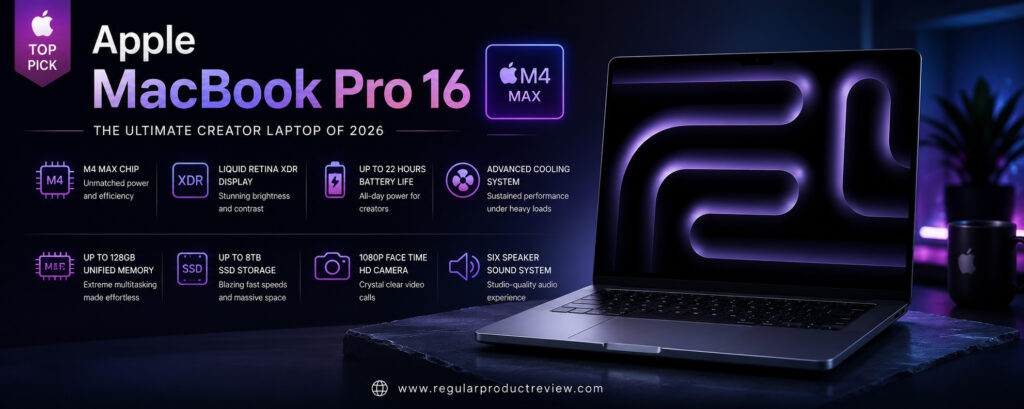
For visual creators, the 16.2-inch Liquid Retina XDR display remains one of the biggest reasons to choose this laptop. The Mini-LED panel delivers exceptional brightness, deep contrast, factory-level color accuracy, and ProMotion adaptive refresh rates up to 120Hz. HDR editing in Final Cut Pro, DaVinci Resolve, Lightroom, or Adobe Premiere Pro looks incredibly detailed, while photographers benefit from consistent color reproduction across the entire display.
Performance is equally impressive. Whether exporting multiple 4K timelines, rendering complex Blender scenes, editing hundreds of RAW images, compiling code, or running AI-assisted creative applications, the MacBook Pro handles demanding workloads with remarkable consistency. The advanced cooling system allows the M4 Max chip to maintain high sustained performance without excessive fan noise, making it ideal for professionals working on long editing sessions.
Battery life is another standout feature. Unlike many high-performance Windows laptops that require frequent charging under heavy workloads, the MacBook Pro can comfortably last through an entire workday for many professional users thanks to the efficiency of Apple Silicon and macOS optimization. Real-world battery life depends on workload, but Apple Silicon continues to set the standard for performance-per-watt among creator laptops.
macOS further enhances the experience through tight hardware and software integration. Applications like Final Cut Pro, Logic Pro, Motion, Pixelmator Pro, and many Adobe Creative Cloud apps are highly optimized for Apple Silicon, resulting in faster exports, smoother playback, and better overall efficiency than previous Intel-based systems.
Although the MacBook Pro commands a premium price, its combination of class-leading performance, exceptional battery life, premium build quality, and long-term software support makes it the benchmark against which other creator laptops are measured.
Key Specifications
| Feature | Details |
|---|---|
| Display | 16.2-inch Liquid Retina XDR (Mini-LED), 120Hz ProMotion |
| Processor | Apple M4 Max |
| Graphics | Integrated Apple GPU |
| Neural Engine | 16-Core Neural Engine |
| Memory | Up to 128GB Unified Memory |
| Storage | Up to 8TB SSD |
| Battery Life | Up to 24 Hours (Apple Rated) |
| Operating System | macOS |
| Weight | Approx. 4.7 lbs (2.14 kg) |
| Ports | Thunderbolt 5, HDMI, SDXC, MagSafe 3, Headphone Jack |
Why It Stands Out
| Category | Rating |
|---|---|
| Performance | ⭐⭐⭐⭐⭐ |
| Display | ⭐⭐⭐⭐⭐ |
| Battery Life | ⭐⭐⭐⭐⭐ |
| Build Quality | ⭐⭐⭐⭐⭐ |
| Keyboard & Trackpad | ⭐⭐⭐⭐⭐ |
| Software | ⭐⭐⭐⭐⭐ |
| AI Workloads | ⭐⭐⭐⭐⭐ |
| Value | ⭐⭐⭐⭐☆ |
Design & Build Quality
Apple continues to set the standard for premium laptop construction. The CNC-machined aluminum chassis feels exceptionally solid while maintaining a refined, professional appearance. Despite its powerful hardware, the MacBook Pro remains relatively portable for a 16-inch workstation. The large Force Touch trackpad, comfortable Magic Keyboard, and rigid hinge contribute to an outstanding everyday user experience.
Display
The 16.2-inch Liquid Retina XDR display is one of the finest laptop screens available. Its Mini-LED technology delivers remarkable HDR performance, deep blacks, vibrant colors, and excellent brightness for indoor and outdoor work. Factory calibration makes it ideal for photographers, video editors, and designers who require accurate color reproduction, while the 120Hz ProMotion refresh rate ensures fluid scrolling and responsive interactions.
Performance
The M4 Max processor is built for professional creative workloads. Video editing, RAW photo processing, 3D rendering, AI-assisted content creation, software development, and complex multitasking all run exceptionally smoothly. Dedicated media engines dramatically accelerate professional video codecs, reducing export times for supported workflows.
Battery Life
Battery performance is among the MacBook Pro’s greatest strengths. Apple Silicon’s efficiency allows the laptop to deliver impressive runtime even under demanding creative workloads. Many professionals can complete a full workday without reaching for a charger, something few competing creator laptops consistently achieve.
Keyboard & Trackpad
The Magic Keyboard offers excellent key travel, quiet operation, and comfortable typing during long editing sessions. Apple’s Force Touch trackpad remains the industry benchmark thanks to its size, precision, gesture support, and haptic feedback.
Audio Experience
The six-speaker sound system produces exceptional clarity, powerful bass, and impressive spatial audio. Combined with the high-quality studio microphones, the MacBook Pro performs exceptionally well for video conferencing, podcast production, audio editing, and multimedia playback.
Software Experience
macOS provides a polished and stable environment for creative professionals. Native Apple applications perform exceptionally well, while Adobe Creative Cloud, DaVinci Resolve, Blender, and many other professional tools are fully optimized for Apple Silicon. Long-term software updates also help extend the laptop’s lifespan.
Connectivity
Despite its slim design, the MacBook Pro offers an excellent port selection, including Thunderbolt 5, HDMI, an SDXC card reader, MagSafe 3 charging, and a high-impedance headphone jack. Wi-Fi 6E and Bluetooth provide fast and reliable wireless connectivity.
Pros
| Pros |
|---|
| Outstanding M4 Max performance |
| Exceptional Liquid Retina XDR display |
| Class-leading battery life |
| Premium aluminum construction |
| Excellent keyboard and trackpad |
| Powerful speaker system |
| Outstanding macOS optimization |
| Excellent long-term software support |
Cons
| Cons |
|---|
| Premium price |
| Limited hardware upgrade options after purchase |
| Fewer gaming titles than Windows |
Perfect For
| User | Recommendation |
|---|---|
| Video Editors | ⭐⭐⭐⭐⭐ |
| Photographers | ⭐⭐⭐⭐⭐ |
| Graphic Designers | ⭐⭐⭐⭐⭐ |
| Music Producers | ⭐⭐⭐⭐⭐ |
| Software Developers | ⭐⭐⭐⭐⭐ |
| AI Creators | ⭐⭐⭐⭐⭐ |
Value for Money
| Category | Score |
|---|---|
| Performance | 10/10 |
| Display | 10/10 |
| Battery | 10/10 |
| Build Quality | 10/10 |
| Software | 10/10 |
| Overall Value | 9.8/10 |
Who Should Buy It?
The Apple MacBook Pro 16 (M4 Max) is ideal for professional content creators, filmmakers, photographers, software developers, AI engineers, music producers, and creative agencies that need maximum performance, exceptional battery life, and a color-accurate display. If your workflow relies heavily on macOS or Apple-optimized creative software, few laptops offer a better overall experience.
Bottom Line
The Apple MacBook Pro 16 (M4 Max) sets the benchmark for premium creator laptops. Its incredible processing power, stunning Liquid Retina XDR display, industry-leading battery efficiency, premium build quality, and optimized macOS ecosystem make it the best overall laptop for creative professionals. Although its price places it firmly in the premium category, the combination of performance, reliability, and longevity makes it a worthwhile investment for creators who demand the very best.
ASUS ProArt P16
🏆 Award: Best Windows Creator Laptop
Editor’s Rating: ⭐⭐⭐⭐⭐ (4.9/5)
The ASUS ProArt P16 is one of the most purpose-built creator laptops available in 2026. Unlike many premium laptops that attempt to balance gaming and productivity, the ProArt P16 is engineered specifically for professional creators who spend their days editing videos, designing graphics, rendering 3D models, producing animations, and working with AI-powered creative applications.
At the center of the ProArt P16 is AMD’s latest Ryzen AI 9 HX processor, paired with up to an NVIDIA GeForce RTX 5090 Laptop GPU. This powerful combination delivers exceptional performance in demanding applications such as Adobe Premiere Pro, DaVinci Resolve, Photoshop, Lightroom Classic, Blender, Autodesk Maya, Cinema 4D, and Unreal Engine. Dedicated AI hardware also accelerates modern creative workflows, including generative image editing, AI-assisted video enhancement, and intelligent productivity tools.
One of the ProArt P16’s biggest strengths is its beautiful 16-inch 4K ASUS Lumina OLED display. Factory calibrated and Pantone Validated, the display offers outstanding color accuracy, deep blacks, vibrant colors, and excellent HDR performance. Whether you’re editing RAW photographs, color grading HDR video, or creating digital artwork, the display provides the precision required for professional production environments.
Performance remains consistently strong even during extended rendering sessions thanks to ASUS’s advanced cooling system. Unlike many thin creator laptops that reduce performance under heavy workloads, the ProArt P16 is designed to maintain high clock speeds while keeping temperatures under control. This allows professionals to complete demanding projects more efficiently without experiencing excessive thermal throttling.
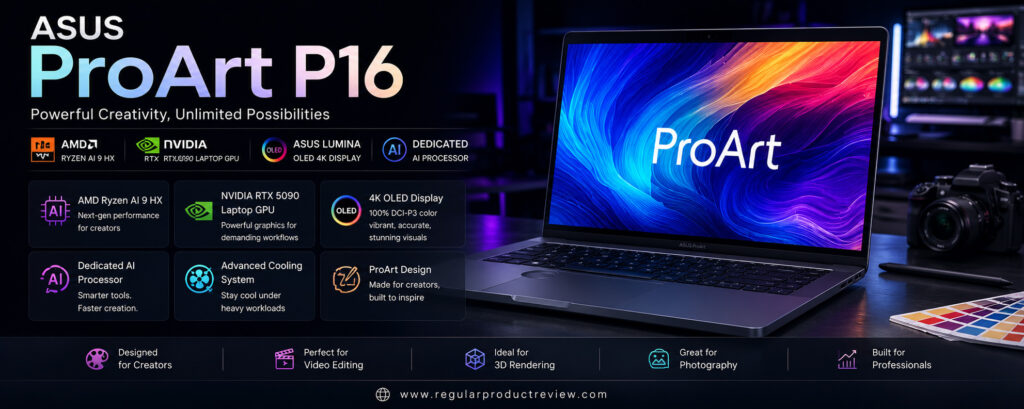
Battery life is impressive for a laptop with this level of performance. Although intensive GPU rendering naturally reduces runtime, everyday creative tasks, office work, web browsing, and media consumption can comfortably last through much of the workday. Fast charging also minimizes downtime when working remotely.
ASUS further enhances the creator experience with several thoughtful features, including the ASUS DialPad, which integrates directly with Adobe Creative Cloud applications for faster timeline navigation, brush adjustments, zoom control, and workflow customization. Combined with a spacious touchpad, comfortable keyboard, and extensive port selection, the ProArt P16 becomes an exceptionally productive workstation for creative professionals.
For Windows users who want desktop-class creative performance in a portable package, the ASUS ProArt P16 is among the finest creator laptops currently available.
Key Specifications
| Feature | Details |
|---|---|
| Display | 16-inch 4K ASUS Lumina OLED, 120Hz |
| Processor | AMD Ryzen AI 9 HX |
| Graphics | NVIDIA GeForce RTX 5090 Laptop GPU |
| AI Processor | AMD Ryzen AI NPU |
| Memory | Up to 64GB LPDDR5X |
| Storage | Up to 4TB PCIe Gen4 SSD |
| Battery | 90Wh |
| Operating System | Windows 11 Pro |
| Weight | Approx. 4.1 lbs (1.86 kg) |
| Ports | USB4, USB-C, USB-A, HDMI 2.1, SD Express Card Reader, Audio Jack |
Why It Stands Out
| Category | Rating |
|---|---|
| Performance | ⭐⭐⭐⭐⭐ |
| Display | ⭐⭐⭐⭐⭐ |
| GPU Power | ⭐⭐⭐⭐⭐ |
| AI Features | ⭐⭐⭐⭐⭐ |
| Build Quality | ⭐⭐⭐⭐⭐ |
| Battery Life | ⭐⭐⭐⭐☆ |
| Connectivity | ⭐⭐⭐⭐⭐ |
| Value | ⭐⭐⭐⭐⭐ |
Design & Build Quality
The ASUS ProArt P16 features a clean, understated design that looks equally at home in a creative studio or corporate office. Its CNC-machined aluminum chassis feels exceptionally sturdy while remaining relatively lightweight for a high-performance workstation. MIL-STD durability certification adds confidence for professionals who travel frequently between client meetings and production locations.
Display
The 16-inch ASUS Lumina OLED display is one of the laptop’s standout features. With true 4K resolution, Pantone Validation, 100% DCI-P3 color coverage, and excellent HDR support, it delivers exceptional image quality for photography, video editing, digital illustration, and motion graphics. Deep blacks and infinite contrast make HDR content especially impressive, while factory calibration ensures outstanding color accuracy right out of the box.
Performance
Powered by the AMD Ryzen AI 9 HX processor and NVIDIA GeForce RTX 5090 Laptop GPU, the ProArt P16 handles virtually every professional creative workload with ease. Complex Premiere Pro timelines, Blender renders, AI image generation, After Effects compositions, and Unreal Engine projects all benefit from the laptop’s exceptional CPU and GPU performance. The dedicated AI processor further accelerates supported creative applications and Windows AI features.
Battery Life
Considering its workstation-class hardware, battery life is remarkably good. Light productivity and creative work can easily last most of the workday, while intensive rendering naturally consumes more power. ASUS’s fast-charging technology helps users quickly return to work with minimal interruption.
Keyboard & Trackpad
The keyboard provides comfortable key travel with responsive feedback, making extended typing sessions enjoyable. The large precision touchpad is smooth and accurate, while the integrated ASUS DialPad offers creators a faster way to control Adobe Creative Cloud tools, brush sizes, timelines, zoom functions, and other workflow shortcuts.
Audio Experience
Stereo speakers tuned with Dolby Atmos deliver clear vocals, balanced mids, and immersive sound for editing, media playback, and video conferencing. While professional creators will likely use studio monitors or headphones for production work, the built-in audio system performs exceptionally well for everyday multimedia.
Software Experience
Windows 11 Pro provides excellent compatibility with virtually every professional creative application. ASUS complements the operating system with ProArt Creator Hub, allowing users to monitor system performance, customize color profiles, adjust cooling modes, and optimize hardware for different creative workflows.
Connectivity
Connectivity is one of the ProArt P16’s strongest advantages. Multiple USB-C and USB4 ports, HDMI 2.1, USB-A, a full-size SD Express card reader, and high-speed wireless networking provide everything photographers, videographers, and designers need without relying heavily on external adapters.
Pros
| Pros |
|---|
| Exceptional creator-focused performance |
| Gorgeous 4K OLED display |
| Powerful RTX 5090 Laptop GPU |
| Excellent AI acceleration |
| ASUS DialPad improves creative workflows |
| Extensive port selection |
| Premium aluminum construction |
| Outstanding color accuracy |
Cons
| Cons |
|---|
| Premium price |
| Memory is not user-upgradable |
| Battery life decreases during heavy GPU rendering |
Perfect For
| User | Recommendation |
|---|---|
| Video Editors | ⭐⭐⭐⭐⭐ |
| Graphic Designers | ⭐⭐⭐⭐⭐ |
| 3D Artists | ⭐⭐⭐⭐⭐ |
| Photographers | ⭐⭐⭐⭐⭐ |
| AI Content Creators | ⭐⭐⭐⭐⭐ |
| Creative Professionals | ⭐⭐⭐⭐⭐ |
Value for Money
| Category | Score |
|---|---|
| Performance | 10/10 |
| Display | 10/10 |
| Graphics | 10/10 |
| Connectivity | 10/10 |
| Battery | 9.3/10 |
| Overall Value | 9.8/10 |
Who Should Buy It?
The ASUS ProArt P16 is the ideal laptop for Windows-based creative professionals who require uncompromising performance for video editing, photography, graphic design, animation, 3D rendering, architecture, and AI-assisted workflows. Its combination of workstation-class hardware, professional-grade OLED display, creator-focused software, and extensive connectivity makes it one of the most capable Windows creator laptops on the market.
Bottom Line
The ASUS ProArt P16 successfully combines desktop-class performance with exceptional portability, making it one of the best creator laptops of 2026. Its Ryzen AI processor, RTX 5090 Laptop GPU, stunning 4K OLED display, creator-focused features, and premium build quality make it an outstanding choice for professionals who want a Windows laptop that excels across virtually every creative discipline.
Dell XPS 16
🏆 Award: Best OLED Creator Display
Editor’s Rating: ⭐⭐⭐⭐⭐ (4.8/5)
The Dell XPS 16 continues Dell’s tradition of building premium laptops that combine elegant design with serious creative performance. Designed for professionals who need a balance of portability, power, and visual excellence, the XPS 16 is an outstanding choice for photographers, video editors, graphic designers, architects, software developers, and digital artists.
Unlike many bulky creator laptops, the XPS 16 maintains an incredibly sleek aluminum chassis without sacrificing performance. Powered by Intel’s latest Core Ultra 9 processor and paired with up to an NVIDIA GeForce RTX 5070 Laptop GPU, it delivers exceptional performance for demanding creative software including Adobe Premiere Pro, Photoshop, Lightroom Classic, After Effects, DaVinci Resolve, Blender, Autodesk Maya, and Unreal Engine.
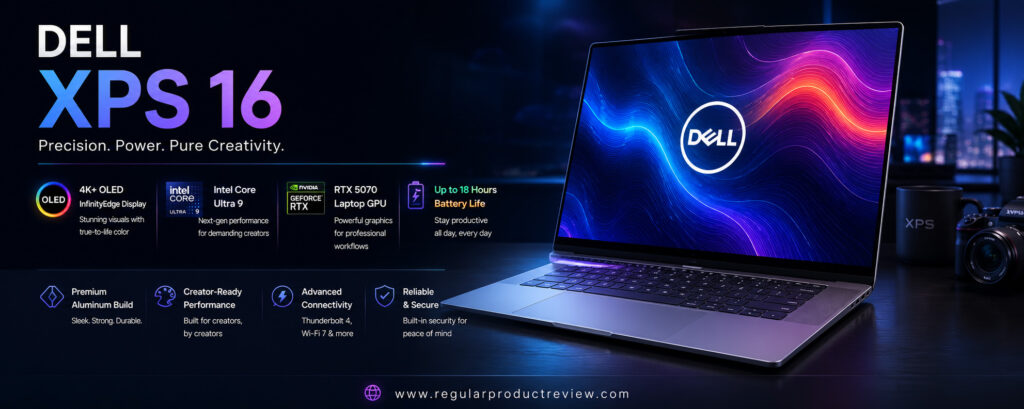
One of the laptop’s biggest highlights is its gorgeous 16.3-inch OLED InfinityEdge display. Featuring nearly borderless bezels, factory-calibrated colors, deep blacks, and excellent HDR support, the display provides an immersive workspace for creative professionals. Whether editing RAW photographs, color grading HDR footage, or designing complex illustrations, every image appears vibrant, sharp, and remarkably accurate.
Intel’s Core Ultra platform also introduces a dedicated Neural Processing Unit (NPU), improving AI-powered productivity across supported Windows applications. Features like intelligent background effects, AI-assisted image editing, voice enhancements, and workflow automation become more efficient while reducing overall power consumption.
Dell has also refined the laptop’s cooling system, allowing the XPS 16 to sustain high performance during prolonged rendering and editing sessions. Although extremely thin for its class, thermal management remains impressive, ensuring consistent CPU and GPU performance under heavy creative workloads.
Battery life is excellent considering the hardware inside. Everyday productivity, content creation, and multimedia tasks can comfortably last throughout most of the workday, making the XPS 16 an excellent companion for professionals who frequently work away from the office.
Combined with premium materials, one of the best laptop displays available, excellent build quality, and reliable creator performance, the Dell XPS 16 remains one of the strongest Windows alternatives to Apple’s MacBook Pro.
Key Specifications
| Feature | Details |
|---|---|
| Display | 16.3-inch OLED InfinityEdge, 4K+, 120Hz |
| Processor | Intel Core Ultra 9 |
| Graphics | NVIDIA GeForce RTX 5070 Laptop GPU |
| AI Processor | Intel AI Boost NPU |
| Memory | Up to 64GB LPDDR5X |
| Storage | Up to 4TB PCIe Gen4 SSD |
| Battery | 99.5Wh |
| Operating System | Windows 11 Pro |
| Weight | Approx. 4.8 lbs (2.18 kg) |
| Ports | Thunderbolt 4, USB-C, microSD Card Reader, Audio Jack |
Why It Stands Out
| Category | Rating |
|---|---|
| Display | ⭐⭐⭐⭐⭐ |
| Performance | ⭐⭐⭐⭐⭐ |
| Design | ⭐⭐⭐⭐⭐ |
| Build Quality | ⭐⭐⭐⭐⭐ |
| AI Features | ⭐⭐⭐⭐☆ |
| Battery Life | ⭐⭐⭐⭐☆ |
| Software | ⭐⭐⭐⭐⭐ |
| Value | ⭐⭐⭐⭐☆ |
Design & Build Quality
Dell’s premium CNC-machined aluminum construction gives the XPS 16 an exceptionally refined appearance. The minimalist design, diamond-cut edges, and seamless glass palm rest create a luxurious feel that rivals any premium laptop on the market. Despite its powerful hardware, the laptop remains relatively slim and easy to carry for professionals who travel frequently.
Display
The OLED InfinityEdge display is arguably the XPS 16’s greatest strength. Rich contrast, true blacks, vibrant colors, and excellent HDR performance make it ideal for creative work. Factory calibration and wide color gamut coverage ensure highly accurate color reproduction, while the nearly borderless design maximizes screen immersion during editing sessions.
Performance
Powered by the Intel Core Ultra 9 processor and NVIDIA RTX 5070 Laptop GPU, the Dell XPS 16 delivers outstanding performance across virtually every creative application. Video editing, RAW photo processing, 3D rendering, AI-assisted workflows, and software development all run smoothly. Intel’s integrated AI Boost NPU further accelerates supported AI features while improving system efficiency.
Battery Life
The large 99.5Wh battery provides dependable endurance for a creator-focused laptop. Office productivity, media consumption, and moderate creative work easily last several hours, while optimized power management helps maximize runtime without compromising responsiveness.
Keyboard & Trackpad
Dell equips the XPS 16 with a spacious backlit keyboard that offers comfortable key travel and responsive feedback. The large haptic touchpad blends seamlessly into the palm rest, providing smooth gesture support, exceptional precision, and one of the cleanest modern laptop designs available.
Audio Experience
Quad speakers with Dolby Atmos deliver impressive sound quality with clear vocals, balanced mids, and surprisingly strong bass for a thin laptop. Whether editing videos, attending virtual meetings, or enjoying entertainment after work, the XPS 16 offers one of the better audio systems in the Windows laptop market.
Software Experience
Windows 11 Pro runs exceptionally well on the XPS 16, offering excellent compatibility with Adobe Creative Cloud, Autodesk applications, Blender, Microsoft Office, and numerous professional development tools. Dell’s software utilities remain lightweight and focus primarily on performance optimization, battery management, and hardware diagnostics.
Connectivity
Although Dell embraces a minimalist design, the XPS 16 still offers excellent connectivity through multiple Thunderbolt 4 ports, USB-C, a microSD card reader, and modern wireless technologies. High-speed data transfers, external display support, and docking compatibility make it well suited for professional workstations.
Pros
| Pros |
|---|
| Gorgeous OLED InfinityEdge display |
| Premium aluminum construction |
| Excellent Intel Core Ultra performance |
| Dedicated RTX 5070 Laptop GPU |
| Outstanding keyboard and haptic touchpad |
| Excellent audio quality |
| AI-powered productivity features |
| Compact design for a 16-inch laptop |
Cons
| Cons |
|---|
| Premium pricing |
| Limited port variety without adapters |
| Memory cannot be upgraded after purchase |
Perfect For
| User | Recommendation |
|---|---|
| Video Editors | ⭐⭐⭐⭐⭐ |
| Graphic Designers | ⭐⭐⭐⭐⭐ |
| Photographers | ⭐⭐⭐⭐⭐ |
| Software Developers | ⭐⭐⭐⭐☆ |
| Creative Professionals | ⭐⭐⭐⭐⭐ |
| Business Creators | ⭐⭐⭐⭐☆ |
Value for Money
| Category | Score |
|---|---|
| Display | 10/10 |
| Performance | 9.8/10 |
| Design | 10/10 |
| Battery | 9.3/10 |
| Software | 9.6/10 |
| Overall Value | 9.7/10 |
Who Should Buy It?
The Dell XPS 16 is an excellent choice for creative professionals who want a premium Windows laptop with exceptional display quality, powerful RTX graphics, AI-enhanced performance, and elegant portability. It’s especially well suited for photographers, video editors, graphic designers, architects, and professionals who need workstation-class performance in a sophisticated design.
Bottom Line
The Dell XPS 16 successfully combines premium craftsmanship, one of the finest OLED laptop displays available, powerful Intel Core Ultra processing, and dedicated NVIDIA RTX graphics into an exceptionally well-balanced creator laptop. While its premium price places it firmly in the high-end category, its outstanding display, reliable performance, excellent portability, and polished user experience make it one of the best creator laptops of 2026 for professionals who demand both performance and style.
Lenovo Yoga Pro 9i
🏆 Award: Best Laptop for Video Editing
Editor’s Rating: ⭐⭐⭐⭐⭐ (4.8/5)
The Lenovo Yoga Pro 9i is one of the most versatile creator laptops available in 2026, combining workstation-level performance with a stunning Mini-LED display, premium build quality, and excellent portability. Built for video editors, photographers, graphic designers, motion graphics artists, and digital creators, it delivers flagship hardware without sacrificing mobility.
Powered by Intel’s latest Core Ultra 9 processor and paired with up to an NVIDIA GeForce RTX 5070 Laptop GPU, the Yoga Pro 9i easily handles demanding creative applications such as Adobe Premiere Pro, DaVinci Resolve, Photoshop, Lightroom Classic, Blender, After Effects, Cinema 4D, and Autodesk software. The dedicated GPU dramatically accelerates video rendering, AI-assisted editing, 3D modeling, and GPU-intensive workloads, making the laptop an excellent option for professionals working with large projects.
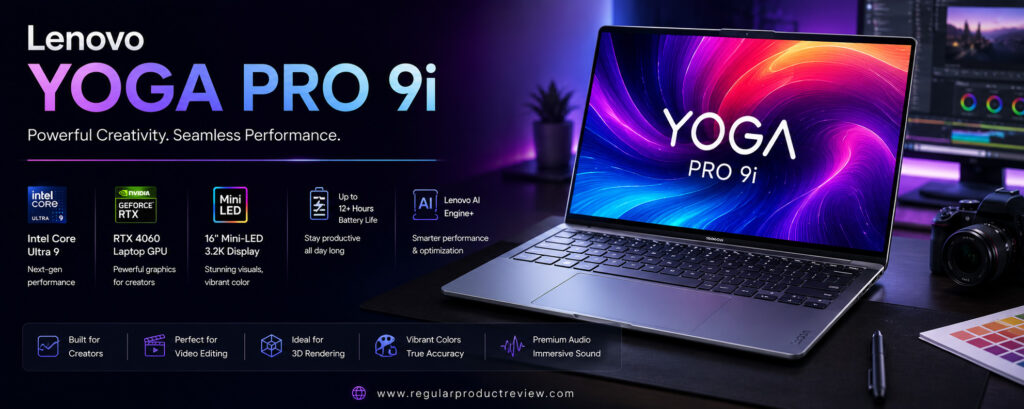
One of the Yoga Pro 9i’s biggest highlights is its spectacular 16-inch PureSight Pro Mini-LED display. With extremely high brightness, exceptional contrast, factory-calibrated color accuracy, and a wide DCI-P3 color gamut, the display delivers an outstanding visual experience for creators who depend on precise color reproduction. HDR content appears incredibly vibrant, while the high refresh rate keeps navigation fluid during editing and everyday multitasking.
Performance remains consistently strong even during extended rendering sessions thanks to Lenovo’s advanced thermal management system. Dual cooling fans and optimized airflow allow the processor and GPU to sustain high clock speeds while maintaining comfortable operating temperatures. This makes the Yoga Pro 9i especially attractive for creators who regularly export long videos or render complex visual effects.
Battery life is surprisingly competitive for a high-performance creator laptop. Everyday productivity, creative work, media consumption, and office tasks comfortably last through most of the workday, while Rapid Charge technology quickly restores the battery when needed.
Lenovo also pays close attention to the overall user experience. The comfortable keyboard, large precision touchpad, premium aluminum chassis, and excellent speaker system create a laptop that’s enjoyable to use throughout long editing sessions. Combined with Windows 11 Pro and broad software compatibility, the Yoga Pro 9i is one of the most complete Windows creator laptops currently available.
Key Specifications
| Feature | Details |
|---|---|
| Display | 16-inch PureSight Pro Mini-LED, 3.2K, 165Hz |
| Processor | Intel Core Ultra 9 |
| Graphics | NVIDIA GeForce RTX 5070 Laptop GPU |
| AI Processor | Intel AI Boost NPU |
| Memory | Up to 64GB LPDDR5X |
| Storage | Up to 2TB PCIe Gen4 SSD |
| Battery | 84Wh |
| Operating System | Windows 11 Pro |
| Weight | Approx. 4.4 lbs (2.0 kg) |
| Ports | Thunderbolt 4, USB-C, USB-A, HDMI 2.1, SD Card Reader, Audio Jack |
Why It Stands Out
| Category | Rating |
|---|---|
| Video Editing | ⭐⭐⭐⭐⭐ |
| Display Quality | ⭐⭐⭐⭐⭐ |
| Performance | ⭐⭐⭐⭐⭐ |
| GPU Power | ⭐⭐⭐⭐⭐ |
| Build Quality | ⭐⭐⭐⭐⭐ |
| Battery Life | ⭐⭐⭐⭐☆ |
| Software Compatibility | ⭐⭐⭐⭐⭐ |
| Value | ⭐⭐⭐⭐⭐ |
Design & Build Quality
The Yoga Pro 9i features Lenovo’s signature premium aluminum construction with clean lines and a professional appearance. Despite housing powerful internal components, the laptop remains slim and portable enough for creators who frequently work between studios, offices, and client locations. The sturdy hinge, rigid chassis, and excellent fit and finish reinforce its premium feel.
Display
The 16-inch PureSight Pro Mini-LED display is one of the finest screens available on any creator laptop. Exceptional brightness, precise factory calibration, HDR support, and outstanding contrast make it ideal for professional photography, video editing, animation, and digital illustration. The high refresh rate also provides smoother scrolling, timeline navigation, and overall system responsiveness.
Performance
The combination of Intel’s Core Ultra 9 processor and NVIDIA RTX 5070 Laptop GPU delivers exceptional performance across demanding creative workloads. Editing multiple 4K timelines, rendering visual effects, processing RAW image libraries, and creating complex Blender scenes all happen smoothly. Intel’s integrated AI engine also accelerates supported AI-powered creative applications.
Battery Life
Although creator laptops naturally consume more power under heavy workloads, the Yoga Pro 9i offers impressive endurance for its performance class. Efficient hardware optimization allows users to work through most of the day on moderate creative tasks, while Rapid Charge technology quickly replenishes the battery between editing sessions.
Keyboard & Trackpad
Lenovo continues its reputation for producing some of the industry’s best laptop keyboards. The Yoga Pro 9i offers excellent key travel, responsive feedback, and comfortable spacing for long typing sessions. The large precision touchpad provides smooth gesture support and accurate cursor control, making navigation effortless even without an external mouse.
Audio Experience
Quad speakers enhanced with Dolby Atmos produce clear dialogue, balanced mids, and surprisingly rich bass. Whether editing audio, watching HDR movies, attending virtual meetings, or listening to music, the sound system delivers an immersive multimedia experience that exceeds expectations for a slim creator laptop.
Software Experience
Running Windows 11 Pro, the Yoga Pro 9i supports virtually every professional creative application available today. Adobe Creative Cloud, DaVinci Resolve, Blender, Autodesk, Unreal Engine, and Microsoft Office all perform exceptionally well. Lenovo Vantage also provides convenient tools for managing performance profiles, battery health, firmware updates, and hardware optimization.
Connectivity
Connectivity is excellent for professional creators. Thunderbolt 4, USB-C, USB-A, HDMI 2.1, a full-size SD card reader, Wi-Fi 7, and Bluetooth provide everything needed for external monitors, storage devices, cameras, and high-speed networking without excessive reliance on adapters.
Pros
| Pros |
|---|
| Stunning Mini-LED display |
| Outstanding creator performance |
| Powerful RTX 5070 Laptop GPU |
| Excellent keyboard and touchpad |
| Premium aluminum build |
| Reliable thermal management |
| Excellent port selection |
| Strong value compared to competing creator laptops |
Cons
| Cons |
|---|
| Memory is soldered |
| Battery life decreases during heavy rendering |
| Premium configuration can become expensive |
Perfect For
| User | Recommendation |
|---|---|
| Video Editors | ⭐⭐⭐⭐⭐ |
| Motion Graphics Designers | ⭐⭐⭐⭐⭐ |
| Graphic Designers | ⭐⭐⭐⭐⭐ |
| Photographers | ⭐⭐⭐⭐⭐ |
| Architects | ⭐⭐⭐⭐☆ |
| Professional Creators | ⭐⭐⭐⭐⭐ |
Value for Money
| Category | Score |
|---|---|
| Performance | 9.9/10 |
| Display | 10/10 |
| Graphics | 9.8/10 |
| Build Quality | 9.8/10 |
| Battery | 9.2/10 |
| Overall Value | 9.8/10 |
Who Should Buy It?
The Lenovo Yoga Pro 9i is an outstanding choice for professional creators who want exceptional display quality, powerful RTX graphics, reliable rendering performance, and premium portability. It’s especially well suited for video editors, photographers, graphic designers, motion graphics artists, architects, and anyone who depends on color accuracy and consistent performance throughout demanding creative workflows.
Bottom Line
The Lenovo Yoga Pro 9i successfully combines workstation-class performance, a breathtaking Mini-LED display, premium build quality, and one of the best keyboards available in a Windows laptop. Its powerful Intel Core Ultra processor, RTX 5070 Laptop GPU, professional-grade display, and creator-focused design make it one of the best laptops for video editing and content creation in 2026. For professionals seeking a premium Windows alternative to the MacBook Pro, the Yoga Pro 9i is an exceptional investment.
MSI Creator A16 AI+
🏆 Award: Best AI Creator Laptop
Editor’s Rating: ⭐⭐⭐⭐☆ (4.7/5)
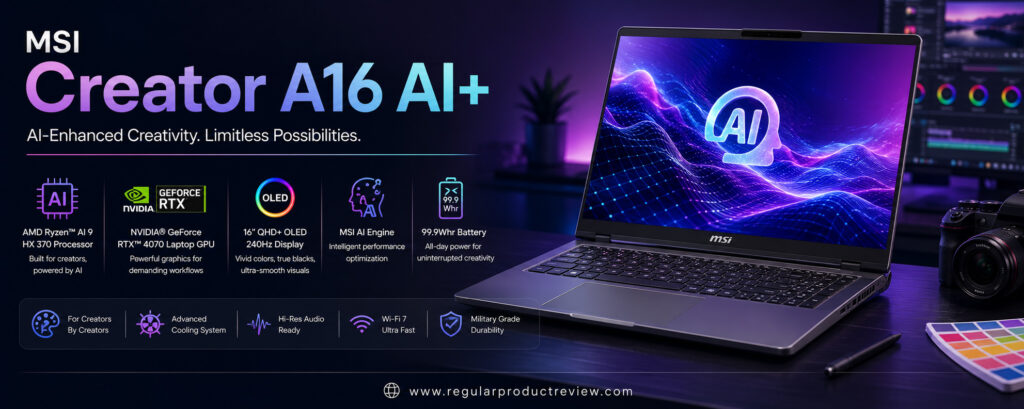
The MSI Creator A16 AI+ is a next-generation creator laptop designed for professionals who want powerful hardware combined with advanced AI capabilities. Whether you’re editing 8K videos, creating AI-generated artwork, designing complex 3D models, producing visual effects, or managing multiple creative projects simultaneously, the Creator A16 AI+ delivers workstation-level performance in a sleek, portable package.
At the heart of the laptop is AMD’s latest Ryzen AI 9 HX processor, featuring a dedicated Neural Processing Unit (NPU) built to accelerate AI-assisted workflows. Combined with up to an NVIDIA GeForce RTX 5080 Laptop GPU, the Creator A16 AI+ easily handles GPU-intensive applications including Adobe Premiere Pro, Photoshop, Lightroom Classic, After Effects, Blender, DaVinci Resolve, Autodesk Maya, Unreal Engine, and numerous AI-powered creative tools.
One of its standout features is the brilliant 16-inch QHD+ OLED display. The panel delivers deep blacks, vibrant colors, exceptional contrast, and factory-calibrated color accuracy, making it an excellent choice for photographers, filmmakers, designers, and digital artists. HDR content looks incredibly detailed, while the high refresh rate provides a smoother editing experience when navigating large projects or working with complex timelines.
Performance remains consistently strong thanks to MSI’s advanced Cooler Boost thermal system. Even during long rendering sessions or AI-assisted content generation, the laptop maintains stable performance with minimal thermal throttling. This allows professionals to complete demanding workloads more efficiently without sacrificing system responsiveness.
Battery life is respectable considering the powerful hardware inside. While GPU-intensive rendering naturally consumes more power, everyday creative tasks, office work, web browsing, and multimedia playback comfortably last through much of the workday. Fast charging further minimizes downtime between projects.
MSI also includes several creator-focused software utilities that allow users to optimize performance profiles, monitor hardware usage, manage cooling behavior, and switch between productivity and high-performance modes. Combined with Windows 11 Pro and broad software compatibility, the Creator A16 AI+ is a capable workstation for modern creators embracing AI-enhanced production workflows.
Key Specifications
| Feature | Details |
|---|---|
| Display | 16-inch QHD+ OLED, 240Hz |
| Processor | AMD Ryzen AI 9 HX |
| Graphics | NVIDIA GeForce RTX 5080 Laptop GPU |
| AI Processor | AMD Ryzen AI NPU |
| Memory | Up to 64GB DDR5 |
| Storage | Up to 4TB PCIe Gen4 SSD |
| Battery | 99Wh |
| Operating System | Windows 11 Pro |
| Weight | Approx. 4.9 lbs (2.22 kg) |
| Ports | USB4, USB-C, USB-A, HDMI 2.1, microSD Card Reader, Audio Jack |
Why It Stands Out
| Category | Rating |
|---|---|
| AI Performance | ⭐⭐⭐⭐⭐ |
| GPU Performance | ⭐⭐⭐⭐⭐ |
| Display Quality | ⭐⭐⭐⭐⭐ |
| Creator Software | ⭐⭐⭐⭐⭐ |
| Build Quality | ⭐⭐⭐⭐☆ |
| Battery Life | ⭐⭐⭐⭐☆ |
| Connectivity | ⭐⭐⭐⭐☆ |
| Value | ⭐⭐⭐⭐☆ |
Design & Build Quality
The Creator A16 AI+ features a clean, professional design that avoids the flashy appearance often associated with gaming laptops. Its aluminum chassis feels solid and durable while remaining portable enough for professionals who frequently travel between offices, studios, and client locations. The understated aesthetic makes it equally suitable for business environments and creative workspaces.
Display
MSI equips the Creator A16 AI+ with a beautiful 16-inch OLED panel that delivers outstanding visual quality. Rich contrast, true blacks, wide color gamut coverage, and factory calibration provide the accuracy required for professional photo editing, color grading, digital illustration, and HDR content creation. The high refresh rate also improves overall responsiveness during editing and navigation.
Performance
The AMD Ryzen AI 9 HX processor and NVIDIA RTX 5080 Laptop GPU provide exceptional performance across demanding creative applications. Large Premiere Pro timelines, Blender rendering, AI image generation, Photoshop editing, and Unreal Engine development all run smoothly. The integrated AI processor further accelerates supported AI features without placing additional strain on the CPU or GPU.
Battery Life
Despite its workstation-level hardware, the Creator A16 AI+ offers dependable battery life for a creator laptop. Productivity tasks, creative editing, and media consumption can comfortably last through much of a working day. Fast charging support also helps professionals quickly return to work when battery levels run low.
Keyboard & Trackpad
The full-size backlit keyboard provides comfortable key travel and responsive feedback, making long writing or editing sessions more enjoyable. The large precision touchpad is smooth, accurate, and supports Windows multi-touch gestures exceptionally well, reducing the need for an external mouse during travel.
Audio Experience
Stereo speakers enhanced with Nahimic Audio technology produce clear vocals, balanced sound, and immersive audio for multimedia playback, video editing, and virtual meetings. While dedicated headphones remain preferable for professional audio production, the built-in speakers deliver excellent everyday performance.
Software Experience
Running Windows 11 Pro, the Creator A16 AI+ offers excellent compatibility with professional software including Adobe Creative Cloud, Blender, Autodesk applications, DaVinci Resolve, Microsoft Office, and numerous AI-assisted productivity tools. MSI Center provides useful controls for performance optimization, fan profiles, system monitoring, and battery management.
Connectivity
Connectivity is well suited for creative professionals. USB4, USB-C, USB-A, HDMI 2.1, a microSD card reader, Wi-Fi 7, and Bluetooth provide broad compatibility with cameras, external displays, storage devices, and modern accessories, making the laptop highly flexible for professional workflows.
Pros
| Pros |
|---|
| Excellent AI-assisted performance |
| Powerful RTX 5080 Laptop GPU |
| Gorgeous OLED display |
| Strong creator software compatibility |
| Effective cooling system |
| Premium build quality |
| Fast SSD performance |
| Good selection of ports |
Cons
| Cons |
|---|
| Slightly heavier than some competitors |
| Battery life drops during intensive GPU rendering |
| Premium configurations are expensive |
Perfect For
| User | Recommendation |
|---|---|
| AI Content Creators | ⭐⭐⭐⭐⭐ |
| Video Editors | ⭐⭐⭐⭐⭐ |
| 3D Designers | ⭐⭐⭐⭐⭐ |
| Graphic Designers | ⭐⭐⭐⭐⭐ |
| Photographers | ⭐⭐⭐⭐☆ |
| Professional Creators | ⭐⭐⭐⭐⭐ |
Value for Money
| Category | Score |
|---|---|
| Performance | 9.8/10 |
| Display | 9.8/10 |
| AI Features | 10/10 |
| Build Quality | 9.5/10 |
| Battery | 9.1/10 |
| Overall Value | 9.6/10 |
Who Should Buy It?
The MSI Creator A16 AI+ is an excellent choice for professionals who regularly use AI-powered creative tools alongside traditional editing applications. It’s ideal for video editors, digital artists, architects, photographers, 3D designers, and creators looking for a Windows laptop that combines powerful RTX graphics, advanced AI acceleration, and a color-accurate OLED display.
Bottom Line
The MSI Creator A16 AI+ successfully blends workstation-level performance with the latest AI acceleration technologies, making it one of the most capable creator laptops of 2026. Its Ryzen AI processor, RTX 5080 Laptop GPU, stunning OLED display, effective cooling system, and creator-focused software make it a strong investment for professionals seeking a future-ready laptop capable of handling today’s most demanding creative workflows.
HP ZBook Studio G11
🏆 Award: Best Mobile Workstation for Professional Creators
Editor’s Rating: ⭐⭐⭐⭐☆ (4.8/5)
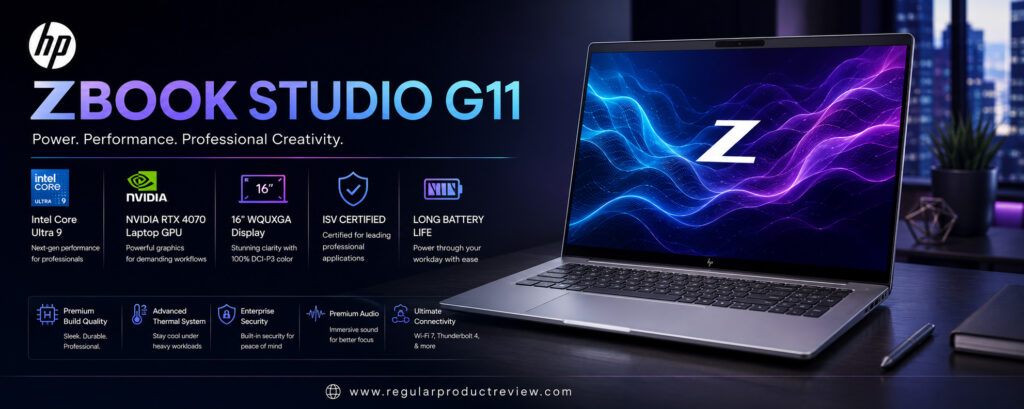
The HP ZBook Studio G11 is a true mobile workstation built for professionals who require uncompromising reliability, exceptional performance, and ISV-certified hardware for demanding creative and engineering applications. Unlike traditional creator laptops that primarily target content creators, the ZBook Studio G11 is designed for architects, engineers, 3D artists, filmmakers, VFX professionals, CAD designers, software developers, and enterprise users who need workstation-class performance wherever they work.
At its core, the ZBook Studio G11 features Intel’s latest Core Ultra 9 processor, paired with professional-grade NVIDIA RTX Ada Generation Laptop GPUs. This hardware combination delivers exceptional performance across Adobe Creative Cloud, DaVinci Resolve, Autodesk AutoCAD, Maya, Revit, SOLIDWORKS, Blender, Unreal Engine, Cinema 4D, and numerous AI-assisted creative applications. The RTX Ada GPU also provides certified drivers that improve stability and compatibility in professional production environments.
One of the laptop’s standout features is its optional 16-inch HP DreamColor display, which has long been recognized as one of the most color-accurate laptop displays available. With factory calibration, wide DCI-P3 coverage, excellent HDR support, and impressive brightness, the DreamColor panel gives photographers, filmmakers, colorists, and designers the confidence that their work appears exactly as intended.
Performance under sustained workloads is another major strength. HP’s advanced cooling system allows the processor and professional GPU to maintain consistent performance during long rendering sessions, simulation projects, AI model training, and complex engineering tasks. Unlike many consumer laptops, the ZBook Studio G11 is engineered for reliability during continuous heavy workloads.
Battery life is impressive for a mobile workstation. While demanding GPU rendering naturally consumes more power, the laptop remains efficient during office productivity, creative editing, presentations, and travel. Fast charging further minimizes downtime, making it practical for professionals working between offices, studios, and client sites.
The ZBook Studio G11 also benefits from enterprise-level security, extensive durability testing, and long-term support. Features such as HP Wolf Security, biometric authentication, and MIL-STD durability certification make it an ideal choice for organizations and professionals who prioritize both performance and security.
For creators who require workstation reliability alongside premium creative performance, the HP ZBook Studio G11 remains one of the best professional laptops available in 2026.
Key Specifications
| Feature | Details |
|---|---|
| Display | 16-inch HP DreamColor Display, 4K, 120Hz |
| Processor | Intel Core Ultra 9 |
| Graphics | NVIDIA RTX Ada Generation Laptop GPU |
| AI Processor | Intel AI Boost NPU |
| Memory | Up to 64GB DDR5 |
| Storage | Up to 4TB PCIe Gen4 SSD |
| Battery | 86Wh |
| Operating System | Windows 11 Pro |
| Weight | Approx. 4.3 lbs (1.95 kg) |
| Ports | Thunderbolt 4, USB-C, USB-A, HDMI 2.1, SD Card Reader, Audio Jack |
Why It Stands Out
| Category | Rating |
|---|---|
| Professional Performance | ⭐⭐⭐⭐⭐ |
| Display Quality | ⭐⭐⭐⭐⭐ |
| Workstation Reliability | ⭐⭐⭐⭐⭐ |
| Build Quality | ⭐⭐⭐⭐⭐ |
| Software Compatibility | ⭐⭐⭐⭐⭐ |
| Security | ⭐⭐⭐⭐⭐ |
| Battery Life | ⭐⭐⭐⭐☆ |
| Value | ⭐⭐⭐⭐☆ |
Design & Build Quality
The HP ZBook Studio G11 combines premium aluminum construction with military-grade durability, creating a laptop that’s both elegant and rugged. Despite its workstation-class hardware, it remains relatively slim and lightweight, making it practical for professionals who frequently travel or work on-site. The chassis feels exceptionally solid, with minimal flex and excellent overall craftsmanship.
Display
The optional HP DreamColor display is one of the finest screens available on any professional laptop. It offers factory-calibrated color accuracy, wide DCI-P3 coverage, exceptional brightness, and deep contrast, making it ideal for HDR video editing, professional photography, digital illustration, and color-critical production work. Every image appears crisp, vibrant, and highly accurate.
Performance
Powered by Intel’s Core Ultra 9 processor and NVIDIA RTX Ada professional graphics, the ZBook Studio G11 delivers outstanding performance across creative and engineering workloads. Whether rendering complex Blender scenes, editing multi-camera 8K video, designing CAD models, or compiling large software projects, the laptop maintains fast, consistent performance with excellent stability.
Battery Life
Battery life is excellent considering the workstation-class hardware inside. Productivity tasks, creative editing, presentations, and remote work comfortably last through much of the day. During GPU-intensive rendering, battery consumption naturally increases, but HP’s efficient power management helps maximize overall runtime.
Keyboard & Trackpad
HP equips the ZBook Studio G11 with a spacious backlit keyboard that provides comfortable key travel and excellent tactile feedback. The large precision touchpad is responsive, accurate, and supports Windows multi-touch gestures smoothly, making everyday navigation effortless even without an external mouse.
Audio Experience
Quad speakers tuned by Poly Studio deliver impressive audio quality with clear dialogue, balanced mids, and rich sound for meetings, multimedia, and content review. AI-powered noise reduction also improves voice quality during video conferences and collaborative production sessions.
Software Experience
Windows 11 Pro offers broad compatibility with virtually every professional application used in creative industries. HP’s workstation utilities allow users to monitor system performance, update firmware, optimize cooling, and manage security features. ISV certifications provide additional confidence for professionals using specialized engineering and design software.
Connectivity
The ZBook Studio G11 includes a comprehensive selection of professional-grade ports, including Thunderbolt 4, USB-C, USB-A, HDMI 2.1, a full-size SD card reader, Wi-Fi 7, and Bluetooth. This extensive connectivity minimizes the need for external adapters and supports modern creative workflows.
Pros
| Pros |
|---|
| Workstation-class performance |
| Outstanding DreamColor display |
| NVIDIA RTX Ada professional graphics |
| Excellent build quality |
| ISV-certified hardware and drivers |
| Enterprise-grade security features |
| Strong port selection |
| Reliable thermal performance |
Cons
| Cons |
|---|
| Higher price than consumer laptops |
| Professional GPU benefits mainly advanced users |
| Limited upgrade options after purchase |
Perfect For
| User | Recommendation |
|---|---|
| Architects | ⭐⭐⭐⭐⭐ |
| Engineers | ⭐⭐⭐⭐⭐ |
| Video Editors | ⭐⭐⭐⭐⭐ |
| 3D Artists | ⭐⭐⭐⭐⭐ |
| Enterprise Professionals | ⭐⭐⭐⭐⭐ |
| Creative Studios | ⭐⭐⭐⭐⭐ |
Value for Money
| Category | Score |
|---|---|
| Performance | 9.9/10 |
| Display | 9.9/10 |
| Reliability | 10/10 |
| Security | 10/10 |
| Battery | 9.2/10 |
| Overall Value | 9.7/10 |
Who Should Buy It?
The HP ZBook Studio G11 is ideal for professionals who require workstation-level reliability, certified graphics drivers, exceptional color accuracy, and enterprise-grade security. It’s particularly well suited for architects, engineers, filmmakers, VFX artists, CAD designers, software developers, and organizations that depend on stable, high-performance hardware for mission-critical creative and technical workloads.
Bottom Line
The HP ZBook Studio G11 successfully bridges the gap between premium creator laptops and enterprise mobile workstations. Its powerful Intel Core Ultra processor, NVIDIA RTX Ada graphics, exceptional DreamColor display, premium build quality, and professional certifications make it one of the most capable mobile workstations available in 2026. For professionals who prioritize reliability, color accuracy, and workstation-class performance, the ZBook Studio G11 is an outstanding long-term investment.
Acer Swift X 16
🏆 Award: Best Value Creator Laptop
Editor’s Rating: ⭐⭐⭐⭐☆ (4.7/5)
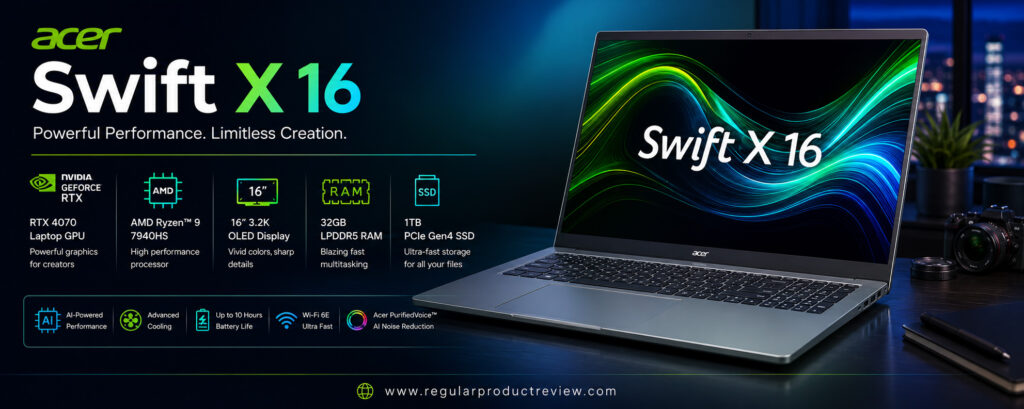
The Acer Swift X 16 proves that professional content creation doesn’t always require an ultra-premium budget. Designed for creators who need strong performance, a color-accurate OLED display, dedicated NVIDIA graphics, and excellent portability, the Swift X 16 delivers an impressive balance of features at a significantly lower price than many flagship creator laptops.
Powered by the AMD Ryzen 9 processor and paired with up to an NVIDIA GeForce RTX 5070 Laptop GPU, the Swift X 16 comfortably handles demanding creative software such as Adobe Premiere Pro, Photoshop, Lightroom Classic, Illustrator, After Effects, Blender, DaVinci Resolve, and Canva Pro. While it isn’t intended to replace enterprise workstations for massive 8K production pipelines, it offers more than enough performance for most professional photographers, YouTubers, designers, students, and freelance creators.
One of the biggest highlights is its 16-inch OLED display. Featuring excellent color accuracy, deep blacks, vibrant colors, and a high refresh rate, the display delivers an enjoyable editing experience for photography, video production, digital illustration, and graphic design. The large screen also provides plenty of workspace for multitasking without feeling oversized during travel.
Performance remains consistent thanks to Acer’s dual-fan cooling solution. Whether exporting long videos, editing hundreds of RAW photos, or working on multiple creative applications simultaneously, the laptop maintains responsive performance while keeping temperatures under control. Although it doesn’t match the sustained workstation-level cooling of larger creator laptops, it performs exceptionally well within its class.
Battery life is another pleasant surprise. During productivity tasks, browsing, office work, and moderate creative editing, the Swift X 16 easily lasts through much of the workday. Combined with its lightweight design, it becomes an excellent companion for creators who frequently work from coffee shops, classrooms, client meetings, or while traveling.
Acer also keeps the software experience refreshingly clean. Windows 11 runs smoothly, while AcerSense allows users to manage performance modes, monitor system health, optimize cooling profiles, and extend battery longevity. These features make the laptop easy to customize based on individual workloads.
For creators seeking premium performance without paying premium workstation prices, the Acer Swift X 16 is one of the best value laptops available in 2026.
Key Specifications
| Feature | Details |
|---|---|
| Display | 16-inch OLED, 3.2K, 120Hz |
| Processor | AMD Ryzen 9 |
| Graphics | NVIDIA GeForce RTX 5070 Laptop GPU |
| Memory | 32GB LPDDR5X |
| Storage | 2TB PCIe Gen4 SSD |
| Battery | 76Wh |
| Operating System | Windows 11 Home / Pro |
| Weight | Approx. 4.2 lbs (1.9 kg) |
| Ports | USB4, USB-C, USB-A, HDMI 2.1, microSD Card Reader, Audio Jack |
Why It Stands Out
| Category | Rating |
|---|---|
| Value for Money | ⭐⭐⭐⭐⭐ |
| Performance | ⭐⭐⭐⭐☆ |
| Display | ⭐⭐⭐⭐⭐ |
| Portability | ⭐⭐⭐⭐⭐ |
| Battery Life | ⭐⭐⭐⭐☆ |
| Build Quality | ⭐⭐⭐⭐☆ |
| Connectivity | ⭐⭐⭐⭐☆ |
| Software | ⭐⭐⭐⭐☆ |
Design & Build Quality
The Swift X 16 features a sleek aluminum chassis with a clean, minimalist design that feels far more premium than its price suggests. Slim bezels, a sturdy hinge, and a lightweight construction make it highly portable without compromising durability. The understated appearance is equally suitable for creative studios, offices, and classrooms.
Display
The 16-inch OLED display is easily one of the Swift X 16’s strongest features. Rich colors, infinite contrast, excellent brightness, and wide color gamut coverage make it an outstanding display for photographers, designers, and video editors. HDR content looks vibrant, while the 120Hz refresh rate keeps animations and editing timelines exceptionally smooth.
Performance
Powered by the AMD Ryzen 9 processor and NVIDIA RTX 5070 Laptop GPU, the Swift X 16 offers more than enough power for professional creative work. Adobe Creative Cloud applications, Blender projects, DaVinci Resolve timelines, and AI-assisted editing tools all perform smoothly. Multitasking remains responsive even when multiple demanding applications are running simultaneously.
Battery Life
The Swift X 16 provides dependable battery life for a performance-focused creator laptop. Office productivity, web browsing, media streaming, and moderate editing workloads comfortably last throughout much of the workday. Fast charging support helps minimize downtime between projects.
Keyboard & Trackpad
The full-size backlit keyboard offers comfortable typing with responsive keys and a well-spaced layout, making long editing or writing sessions enjoyable. The large precision touchpad provides accurate tracking, smooth gestures, and dependable responsiveness for creators working away from an external mouse.
Audio Experience
Stereo speakers enhanced with DTS Audio produce clear vocals, balanced mids, and respectable bass for a laptop of this size. Whether reviewing video edits, attending online meetings, or watching HDR movies, the built-in speakers provide an enjoyable multimedia experience.
Software Experience
Windows 11 delivers excellent compatibility with today’s most popular creative applications. AcerSense software allows users to adjust performance profiles, monitor hardware temperatures, optimize battery settings, and keep the system updated, all through a simple and intuitive interface.
Connectivity
The Swift X 16 offers a practical selection of ports, including USB4, USB-C, USB-A, HDMI 2.1, a microSD card reader, Wi-Fi 7, and Bluetooth. This versatile connectivity supports external displays, storage devices, cameras, and modern accessories without requiring excessive dongles.
Pros
| Pros |
|---|
| Excellent price-to-performance ratio |
| Beautiful OLED display |
| Powerful Ryzen 9 processor |
| Dedicated RTX 5070 Laptop GPU |
| Lightweight and portable design |
| Comfortable keyboard |
| Good battery life |
| Excellent SSD performance |
Cons
| Cons |
|---|
| Memory is soldered |
| Cooling isn’t as robust as larger workstations |
| Display brightness is lower than premium Mini-LED competitors |
Perfect For
| User | Recommendation |
|---|---|
| Students | ⭐⭐⭐⭐⭐ |
| Freelance Creators | ⭐⭐⭐⭐⭐ |
| YouTubers | ⭐⭐⭐⭐⭐ |
| Graphic Designers | ⭐⭐⭐⭐☆ |
| Video Editors | ⭐⭐⭐⭐☆ |
| Everyday Content Creation | ⭐⭐⭐⭐⭐ |
Value for Money
| Category | Score |
|---|---|
| Performance | 9.5/10 |
| Display | 9.7/10 |
| Portability | 9.8/10 |
| Battery | 9.2/10 |
| Price-to-Performance | 10/10 |
| Overall Value | 9.8/10 |
Who Should Buy It?
The Acer Swift X 16 is perfect for students, freelance creators, photographers, YouTubers, graphic designers, and professionals who need a capable creator laptop without spending workstation-level money. It offers an excellent combination of performance, portability, display quality, and affordability, making it one of the smartest purchases for creators on a budget.
Bottom Line
The Acer Swift X 16 delivers an outstanding balance of performance, portability, and value. Its Ryzen 9 processor, RTX 5070 Laptop GPU, vibrant OLED display, lightweight design, and competitive pricing make it one of the best creator laptops for buyers who want professional-level creative performance without the premium cost of flagship workstations. For value-conscious creators, it’s one of the strongest recommendations in 2026.
Razer Blade 16
🏆 Award: Best Creator Laptop for Editing & Gaming
Editor’s Rating: ⭐⭐⭐⭐⭐ (4.9/5)
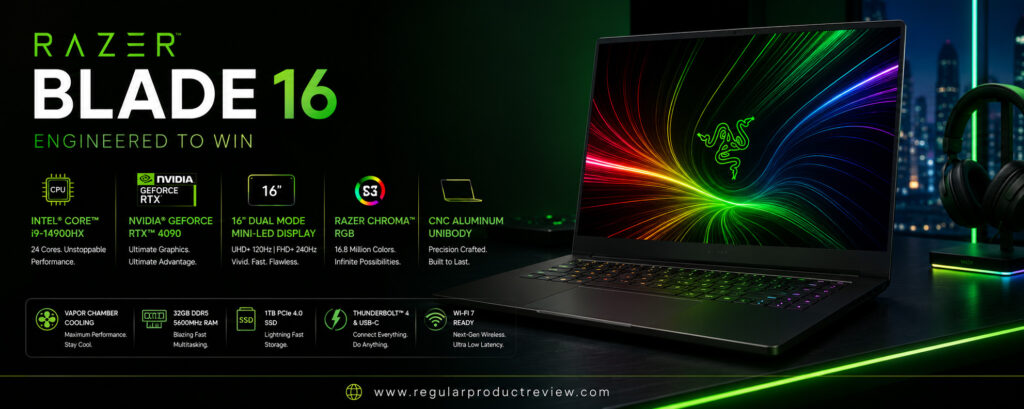
The Razer Blade 16 is one of the few laptops that successfully bridges the gap between a professional creator workstation and a high-end gaming machine. Designed for users who demand uncompromising performance in both creative applications and modern AAA games, the Blade 16 combines premium craftsmanship, desktop-class hardware, and one of the best displays available on any Windows laptop.
Powered by the latest AMD Ryzen AI 9 HX processor and configurable with up to an NVIDIA GeForce RTX 5090 Laptop GPU, the Blade 16 is built to handle the most demanding creative workloads. Whether you’re editing 8K footage in Adobe Premiere Pro, color grading HDR videos in DaVinci Resolve, rendering complex Blender projects, creating animations in After Effects, training AI models, or developing games in Unreal Engine, the Blade 16 delivers exceptional speed and responsiveness.
One of the laptop’s standout features is its gorgeous 16-inch OLED display. With ultra-sharp resolution, vibrant colors, excellent HDR performance, and an ultra-fast refresh rate, the panel offers an outstanding experience for both content creation and gaming. Factory-level color accuracy ensures photographers and designers can confidently work on professional projects, while creators editing HDR video will appreciate the deep contrast and impressive brightness.
Performance remains consistently strong thanks to Razer’s advanced vapor chamber cooling system. Unlike many slim laptops that throttle under sustained workloads, the Blade 16 is engineered to maintain high CPU and GPU performance during extended rendering sessions, AI processing, and intensive gaming. This makes it an ideal machine for professionals who require reliable performance throughout the workday and want to relax with high-end gaming afterward.
Battery life is respectable considering the powerful hardware inside. While heavy rendering and gaming naturally reduce runtime, lighter productivity tasks, browsing, and media consumption comfortably last several hours away from a charger. Fast charging also helps minimize downtime between projects.
Beyond raw performance, the Blade 16 stands out for its premium CNC-machined aluminum chassis, exceptional keyboard, large glass touchpad, and minimalist design. Unlike many gaming laptops, it looks equally professional in an office, studio, or client meeting.
For creators who want one laptop capable of handling professional production work during the day and AAA gaming at night, the Razer Blade 16 is one of the best premium choices available in 2026.
Key Specifications
| Feature | Details |
|---|---|
| Display | 16-inch OLED, QHD+, 240Hz |
| Processor | AMD Ryzen AI 9 HX |
| Graphics | NVIDIA GeForce RTX 5090 Laptop GPU |
| AI Processor | AMD Ryzen AI NPU |
| Memory | Up to 64GB DDR5X |
| Storage | Up to 4TB PCIe Gen4 SSD |
| Battery | 90Wh |
| Operating System | Windows 11 Pro |
| Weight | Approx. 4.7 lbs (2.13 kg) |
| Ports | USB4, USB-C, USB-A, HDMI 2.1, SD Card Reader, Audio Jack |
Why It Stands Out
| Category | Rating |
|---|---|
| Performance | ⭐⭐⭐⭐⭐ |
| Gaming | ⭐⭐⭐⭐⭐ |
| Creator Workflows | ⭐⭐⭐⭐⭐ |
| Display | ⭐⭐⭐⭐⭐ |
| Build Quality | ⭐⭐⭐⭐⭐ |
| Cooling | ⭐⭐⭐⭐⭐ |
| Battery Life | ⭐⭐⭐⭐☆ |
| Value | ⭐⭐⭐⭐☆ |
Design & Build Quality
The Razer Blade 16 features a precision CNC-milled aluminum chassis that rivals premium ultrabooks in build quality. Its minimalist matte-black finish gives it a professional appearance while maintaining the durability expected from a premium workstation. Despite housing flagship hardware, the laptop remains surprisingly slim and portable for a 16-inch performance machine.
Display
The 16-inch OLED display is one of the Blade 16’s biggest highlights. Rich blacks, outstanding contrast, excellent HDR support, and factory-level color accuracy make it ideal for professional editing. The 240Hz refresh rate also provides exceptionally smooth navigation, timeline editing, and gaming performance, giving creators the best of both worlds.
Performance
Powered by the AMD Ryzen AI 9 HX processor and NVIDIA RTX 5090 Laptop GPU, the Blade 16 delivers workstation-level performance across nearly every creative application. Large Premiere Pro projects, Blender rendering, AI-assisted image generation, Unreal Engine development, and complex multitasking all run effortlessly. Dedicated AI hardware further improves supported Windows AI features and creative software.
Battery Life
Considering its flagship hardware, battery life is impressive. Productivity, document editing, browsing, and media playback comfortably last through much of the workday, while intensive rendering and gaming naturally consume more power. Fast charging support allows users to quickly return to work after short charging sessions.
Keyboard & Trackpad
Razer equips the Blade 16 with one of the best keyboards available on a Windows laptop. The per-key RGB backlighting is fully customizable, while the keys offer excellent travel and responsiveness. The large glass precision touchpad provides smooth gesture support and accurate tracking, making it comfortable for professional workflows without requiring an external mouse.
Audio Experience
The six-speaker audio system with THX Spatial Audio delivers powerful, immersive sound with impressive clarity and balanced bass. Whether editing videos, reviewing audio projects, attending meetings, or enjoying movies and games, the Blade 16 offers one of the strongest built-in audio systems in its class.
Software Experience
Windows 11 Pro provides excellent compatibility with Adobe Creative Cloud, DaVinci Resolve, Blender, Autodesk software, Unreal Engine, Microsoft Office, and countless professional development tools. Razer Synapse allows users to customize performance modes, cooling profiles, RGB lighting, and system optimization based on their workflow.
Connectivity
The Blade 16 includes an excellent selection of modern ports, including USB4, USB-C, USB-A, HDMI 2.1, a full-size SD card reader, Wi-Fi 7, Bluetooth, and high-speed networking. This makes it easy to connect cameras, external displays, storage devices, and professional accessories without relying heavily on adapters.
Pros
| Pros |
|---|
| Exceptional creator and gaming performance |
| Beautiful OLED display |
| Powerful RTX 5090 Laptop GPU |
| Premium aluminum construction |
| Excellent cooling system |
| Outstanding keyboard and touchpad |
| Powerful speaker system |
| Strong port selection |
Cons
| Cons |
|---|
| Very expensive |
| Battery drains quickly during gaming |
| Upgrades after purchase are limited |
Perfect For
| User | Recommendation |
|---|---|
| Video Editors | ⭐⭐⭐⭐⭐ |
| 3D Artists | ⭐⭐⭐⭐⭐ |
| Game Developers | ⭐⭐⭐⭐⭐ |
| Streamers | ⭐⭐⭐⭐⭐ |
| Professional Creators | ⭐⭐⭐⭐⭐ |
| Gamers | ⭐⭐⭐⭐⭐ |
Value for Money
| Category | Score |
|---|---|
| Performance | 10/10 |
| Display | 9.9/10 |
| Gaming | 10/10 |
| Build Quality | 10/10 |
| Battery | 9.0/10 |
| Overall Value | 9.7/10 |
Who Should Buy It?
The Razer Blade 16 is perfect for professionals who need a single laptop capable of handling demanding creative workloads and high-end gaming. It’s an excellent choice for video editors, 3D artists, game developers, content creators, streamers, and creative professionals who refuse to compromise on performance. If you want a premium Windows laptop that excels equally in productivity and entertainment, the Blade 16 is one of the strongest options available.
Bottom Line
The Razer Blade 16 successfully combines workstation-class creator performance with flagship gaming capabilities in one beautifully engineered laptop. Its Ryzen AI processor, RTX 5090 Laptop GPU, stunning OLED display, premium build quality, advanced cooling, and exceptional versatility make it one of the best creator laptops of 2026. Although its premium price places it at the top end of the market, the Blade 16 delivers an unmatched combination of creative power, gaming performance, and everyday usability for professionals who demand the absolute best.
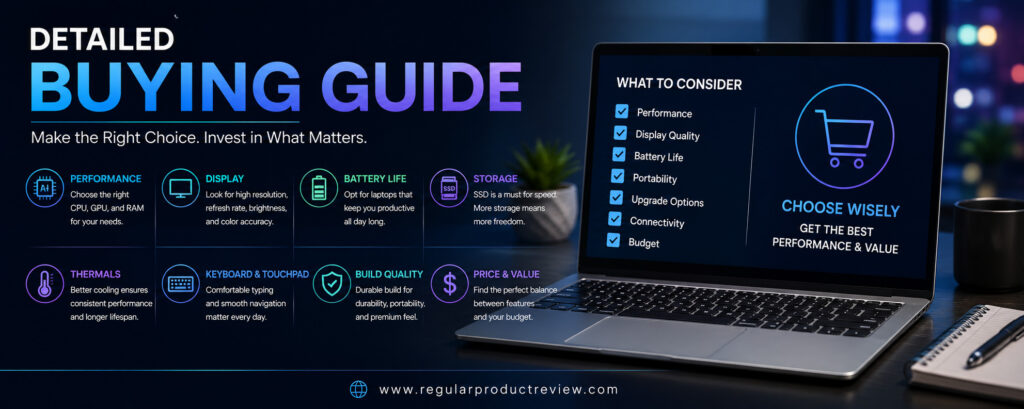
Detailed Buying Guide: How to Choose the Best Creator Laptop in 2026
Buying a creator laptop is very different from buying a regular laptop. Creative applications such as Adobe Premiere Pro, Photoshop, Lightroom, DaVinci Resolve, Blender, After Effects, AutoCAD, and Unreal Engine demand far more processing power, graphics performance, memory, and display accuracy than everyday productivity software. Choosing the right hardware can dramatically improve your workflow, reduce rendering times, and increase overall productivity.
This guide explains the most important features you should evaluate before investing in a professional creator laptop.
Processor Guide
The processor is the foundation of every creator laptop. Video rendering, photo editing, coding, multitasking, and AI-powered applications all rely heavily on CPU performance.
For most professionals, the best options include:
| Processor | Best For |
|---|---|
| Apple M4 Max | Video Editing & macOS Workflows |
| AMD Ryzen AI 9 HX | AI Workloads & Multitasking |
| Intel Core Ultra 9 | Creative Applications & Productivity |
If your workload includes 4K or 8K video editing, 3D rendering, or complex multitasking, always choose a high-end processor.
Graphics Guide
A dedicated graphics card is essential for modern creative software.
Applications like Premiere Pro, Blender, DaVinci Resolve, Unreal Engine, and Cinema 4D rely heavily on GPU acceleration.
| Graphics Card | Recommended Use |
|---|---|
| RTX 5070 Laptop | Professional Editing |
| RTX 5080 Laptop | 3D Rendering & AI |
| RTX 5090 Laptop | Maximum Performance |
| RTX Ada GPU | Professional Workstations |
The more GPU-intensive your projects become, the more important dedicated graphics performance becomes.
Display Guide
The display directly affects your editing accuracy.
Look for:
- OLED or Mini-LED display
- Factory color calibration
- 100% DCI-P3 color coverage
- HDR support
- High brightness
- 16-inch screen for improved workspace
Professional creators should avoid low-quality displays, especially for photography and color grading.
RAM & Storage
Creative software consumes large amounts of memory.
We recommend:
| Component | Recommended |
|---|---|
| RAM | 32GB Minimum |
| Professional Users | 64GB |
| Storage | 1TB SSD Minimum |
| Large Projects | 2TB–4TB SSD |
Large SSDs are especially useful when working with RAW photos, 4K video, and extensive project libraries.
Battery Life
Performance is important, but portability matters too.
A creator laptop should provide enough battery life to handle editing sessions, client meetings, travel, and productivity work without constantly searching for a charger.
If you travel frequently, prioritize efficient processors like Apple’s M4 Max or AMD Ryzen AI series.
Keyboard & Trackpad
Creators often spend long hours writing scripts, editing timelines, designing graphics, or coding.
Choose a laptop with:
- Comfortable keyboard
- Large precision touchpad
- Responsive key travel
- Good palm rest design
These features improve comfort during extended work sessions.
AI Features
Modern creator laptops increasingly include dedicated AI hardware.
Useful AI features include:
- AI image generation
- Background removal
- Noise reduction
- Automatic transcription
- AI video enhancement
- Smart photo editing
- Windows Copilot support
- Local AI acceleration
Dedicated NPUs improve performance while reducing CPU workload.
Connectivity
Professional creators regularly connect external monitors, cameras, SSDs, microphones, and docking stations.
Look for:
- Thunderbolt 4 or USB4
- USB-C
- HDMI 2.1
- SD or microSD card reader
- Wi-Fi 7
- Bluetooth 5.4
These ports reduce the need for additional adapters.
Build Quality & Durability
A premium creator laptop should feel sturdy enough for years of professional use.
Look for:
- Aluminum chassis
- Strong hinge
- Excellent cooling
- Reliable keyboard
- Premium construction
Good build quality also improves long-term reliability.
Best Picks
| Category | Winner |
|---|---|
| 🏆 Best Overall | Apple MacBook Pro 16 (M4 Max) |
| 💻 Best Windows Creator Laptop | ASUS ProArt P16 |
| 🎨 Best Display | Dell XPS 16 |
| 🎥 Best Video Editing Laptop | Lenovo Yoga Pro 9i |
| 🤖 Best AI Creator Laptop | MSI Creator A16 AI+ |
| 🛠 Best Mobile Workstation | HP ZBook Studio G11 |
| 💰 Best Value | Acer Swift X 16 |
| 🎮 Best for Editing & Gaming | Razer Blade 16 |
Which Creator Laptop Should You Buy?
If you want the most complete creator laptop available, the Apple MacBook Pro 16 (M4 Max) remains our top recommendation. It delivers exceptional performance, industry-leading battery life, a stunning Liquid Retina XDR display, and one of the most optimized software ecosystems for creative professionals.
Windows users looking for maximum creative performance should consider the ASUS ProArt P16, while photographers and designers who prioritize display quality will appreciate the Dell XPS 16. Video editors will benefit from the powerful hardware and Mini-LED display of the Lenovo Yoga Pro 9i, and professionals embracing AI-powered workflows should look closely at the MSI Creator A16 AI+.
For enterprise users and engineering professionals, the HP ZBook Studio G11 provides workstation-class reliability and certified hardware. Budget-conscious creators will find outstanding value in the Acer Swift X 16, while users who want one machine for both professional editing and high-end gaming should choose the Razer Blade 16.
Ultimately, the best creator laptop is the one that matches your workflow, software requirements, and budget. Every laptop featured in this guide offers excellent performance, premium build quality, and long-term value, ensuring a reliable creative experience for years to come.
Product Comparison: Best Creator Laptops of 2026
Choosing the right creator laptop depends on your workflow, budget, preferred operating system, and software requirements. Some laptops excel at video editing, while others prioritize AI acceleration, workstation reliability, or portability. The comparison tables below make it easy to identify which laptop best fits your creative needs.
Display Comparison
| Laptop | Display | Resolution | Panel | Refresh Rate | Color Accuracy | Rating |
|---|---|---|---|---|---|---|
| Apple MacBook Pro 16 (M4 Max) | 16.2″ Liquid Retina XDR | 3456×2234 | Mini-LED | 120Hz | ⭐⭐⭐⭐⭐ | ⭐⭐⭐⭐⭐ |
| ASUS ProArt P16 | 16″ ASUS Lumina OLED | 3840×2400 | OLED | 120Hz | ⭐⭐⭐⭐⭐ | ⭐⭐⭐⭐⭐ |
| Dell XPS 16 | 16.3″ InfinityEdge | 4K+ | OLED | 120Hz | ⭐⭐⭐⭐⭐ | ⭐⭐⭐⭐⭐ |
| Lenovo Yoga Pro 9i | 16″ PureSight Pro | 3.2K | Mini-LED | 165Hz | ⭐⭐⭐⭐⭐ | ⭐⭐⭐⭐⭐ |
| MSI Creator A16 AI+ | 16″ OLED | QHD+ | OLED | 240Hz | ⭐⭐⭐⭐☆ | ⭐⭐⭐⭐⭐ |
| HP ZBook Studio G11 | 16″ DreamColor | 4K | IPS | 120Hz | ⭐⭐⭐⭐⭐ | ⭐⭐⭐⭐⭐ |
| Acer Swift X 16 | 16″ OLED | 3.2K | OLED | 120Hz | ⭐⭐⭐⭐☆ | ⭐⭐⭐⭐☆ |
| Razer Blade 16 | 16″ OLED | QHD+ | OLED | 240Hz | ⭐⭐⭐⭐⭐ | ⭐⭐⭐⭐⭐ |
Processor Comparison
| Laptop | Processor | AI NPU | Multitasking | Performance Rating |
|---|---|---|---|---|
| Apple MacBook Pro 16 | Apple M4 Max | ✅ | ⭐⭐⭐⭐⭐ | ⭐⭐⭐⭐⭐ |
| ASUS ProArt P16 | AMD Ryzen AI 9 HX | ✅ | ⭐⭐⭐⭐⭐ | ⭐⭐⭐⭐⭐ |
| Dell XPS 16 | Intel Core Ultra 9 | ✅ | ⭐⭐⭐⭐⭐ | ⭐⭐⭐⭐⭐ |
| Lenovo Yoga Pro 9i | Intel Core Ultra 9 | ✅ | ⭐⭐⭐⭐⭐ | ⭐⭐⭐⭐⭐ |
| MSI Creator A16 AI+ | AMD Ryzen AI 9 HX | ✅ | ⭐⭐⭐⭐⭐ | ⭐⭐⭐⭐⭐ |
| HP ZBook Studio G11 | Intel Core Ultra 9 | ✅ | ⭐⭐⭐⭐⭐ | ⭐⭐⭐⭐⭐ |
| Acer Swift X 16 | AMD Ryzen 9 | ❌ | ⭐⭐⭐⭐☆ | ⭐⭐⭐⭐☆ |
| Razer Blade 16 | AMD Ryzen AI 9 HX | ✅ | ⭐⭐⭐⭐⭐ | ⭐⭐⭐⭐⭐ |
GPU Comparison
| Laptop | Graphics | Video Editing | 3D Rendering | AI Workloads |
|---|---|---|---|---|
| Apple MacBook Pro 16 | Apple GPU | ⭐⭐⭐⭐⭐ | ⭐⭐⭐⭐☆ | ⭐⭐⭐⭐⭐ |
| ASUS ProArt P16 | RTX 5090 Laptop | ⭐⭐⭐⭐⭐ | ⭐⭐⭐⭐⭐ | ⭐⭐⭐⭐⭐ |
| Dell XPS 16 | RTX 5070 Laptop | ⭐⭐⭐⭐⭐ | ⭐⭐⭐⭐☆ | ⭐⭐⭐⭐☆ |
| Lenovo Yoga Pro 9i | RTX 5070 Laptop | ⭐⭐⭐⭐⭐ | ⭐⭐⭐⭐☆ | ⭐⭐⭐⭐☆ |
| MSI Creator A16 AI+ | RTX 5080 Laptop | ⭐⭐⭐⭐⭐ | ⭐⭐⭐⭐⭐ | ⭐⭐⭐⭐⭐ |
| HP ZBook Studio G11 | RTX Ada GPU | ⭐⭐⭐⭐⭐ | ⭐⭐⭐⭐⭐ | ⭐⭐⭐⭐☆ |
| Acer Swift X 16 | RTX 5070 Laptop | ⭐⭐⭐⭐☆ | ⭐⭐⭐⭐☆ | ⭐⭐⭐⭐☆ |
| Razer Blade 16 | RTX 5090 Laptop | ⭐⭐⭐⭐⭐ | ⭐⭐⭐⭐⭐ | ⭐⭐⭐⭐⭐ |
Memory & Storage Comparison
| Laptop | Maximum RAM | Maximum Storage | Upgrade Potential |
|---|---|---|---|
| Apple MacBook Pro 16 | 128GB | 8TB | Limited |
| ASUS ProArt P16 | 64GB | 4TB | Limited |
| Dell XPS 16 | 64GB | 4TB | Limited |
| Lenovo Yoga Pro 9i | 64GB | 2TB | Limited |
| MSI Creator A16 AI+ | 64GB | 4TB | Moderate |
| HP ZBook Studio G11 | 64GB | 4TB | Moderate |
| Acer Swift X 16 | 32GB | 2TB | Limited |
| Razer Blade 16 | 64GB | 4TB | Moderate |
Battery Life Comparison
| Laptop | Battery Size | Everyday Use | Heavy Editing | Rating |
|---|---|---|---|---|
| Apple MacBook Pro 16 | Up to 100Wh | ⭐⭐⭐⭐⭐ | ⭐⭐⭐⭐⭐ | ⭐⭐⭐⭐⭐ |
| ASUS ProArt P16 | 90Wh | ⭐⭐⭐⭐☆ | ⭐⭐⭐⭐☆ | ⭐⭐⭐⭐☆ |
| Dell XPS 16 | 99.5Wh | ⭐⭐⭐⭐☆ | ⭐⭐⭐⭐☆ | ⭐⭐⭐⭐☆ |
| Lenovo Yoga Pro 9i | 84Wh | ⭐⭐⭐⭐☆ | ⭐⭐⭐⭐☆ | ⭐⭐⭐⭐☆ |
| MSI Creator A16 AI+ | 99Wh | ⭐⭐⭐⭐☆ | ⭐⭐⭐⭐☆ | ⭐⭐⭐⭐☆ |
| HP ZBook Studio G11 | 86Wh | ⭐⭐⭐⭐☆ | ⭐⭐⭐⭐☆ | ⭐⭐⭐⭐☆ |
| Acer Swift X 16 | 76Wh | ⭐⭐⭐⭐☆ | ⭐⭐⭐⭐☆ | ⭐⭐⭐⭐☆ |
| Razer Blade 16 | 90Wh | ⭐⭐⭐⭐☆ | ⭐⭐⭐☆☆ | ⭐⭐⭐⭐☆ |
Software Comparison
| Laptop | Operating System | Best Software Support | Rating |
|---|---|---|---|
| Apple MacBook Pro 16 | macOS | Final Cut Pro, Logic Pro, Adobe CC | ⭐⭐⭐⭐⭐ |
| ASUS ProArt P16 | Windows 11 Pro | Adobe CC, Blender, DaVinci Resolve | ⭐⭐⭐⭐⭐ |
| Dell XPS 16 | Windows 11 Pro | Adobe CC, Autodesk | ⭐⭐⭐⭐⭐ |
| Lenovo Yoga Pro 9i | Windows 11 Pro | Adobe CC, DaVinci Resolve | ⭐⭐⭐⭐⭐ |
| MSI Creator A16 AI+ | Windows 11 Pro | Adobe CC, AI Tools | ⭐⭐⭐⭐☆ |
| HP ZBook Studio G11 | Windows 11 Pro | Autodesk, CAD, Adobe CC | ⭐⭐⭐⭐⭐ |
| Acer Swift X 16 | Windows 11 | Adobe CC | ⭐⭐⭐⭐☆ |
| Razer Blade 16 | Windows 11 Pro | Adobe CC, Unreal Engine | ⭐⭐⭐⭐⭐ |
AI Features Comparison
| Laptop | Dedicated AI Hardware | AI Performance | Rating |
|---|---|---|---|
| Apple MacBook Pro 16 | Neural Engine | ⭐⭐⭐⭐⭐ | ⭐⭐⭐⭐⭐ |
| ASUS ProArt P16 | Ryzen AI NPU | ⭐⭐⭐⭐⭐ | ⭐⭐⭐⭐⭐ |
| Dell XPS 16 | Intel AI Boost | ⭐⭐⭐⭐☆ | ⭐⭐⭐⭐☆ |
| Lenovo Yoga Pro 9i | Intel AI Boost | ⭐⭐⭐⭐☆ | ⭐⭐⭐⭐☆ |
| MSI Creator A16 AI+ | Ryzen AI NPU | ⭐⭐⭐⭐⭐ | ⭐⭐⭐⭐⭐ |
| HP ZBook Studio G11 | Intel AI Boost | ⭐⭐⭐⭐☆ | ⭐⭐⭐⭐☆ |
| Acer Swift X 16 | Standard AI | ⭐⭐⭐☆☆ | ⭐⭐⭐☆☆ |
| Razer Blade 16 | Ryzen AI NPU | ⭐⭐⭐⭐⭐ | ⭐⭐⭐⭐⭐ |
Build Quality Comparison
| Laptop | Chassis | Durability | Premium Feel | Rating |
|---|---|---|---|---|
| Apple MacBook Pro 16 | Aluminum | ⭐⭐⭐⭐⭐ | ⭐⭐⭐⭐⭐ | ⭐⭐⭐⭐⭐ |
| ASUS ProArt P16 | Aluminum | ⭐⭐⭐⭐⭐ | ⭐⭐⭐⭐⭐ | ⭐⭐⭐⭐⭐ |
| Dell XPS 16 | CNC Aluminum | ⭐⭐⭐⭐⭐ | ⭐⭐⭐⭐⭐ | ⭐⭐⭐⭐⭐ |
| Lenovo Yoga Pro 9i | Aluminum | ⭐⭐⭐⭐⭐ | ⭐⭐⭐⭐☆ | ⭐⭐⭐⭐⭐ |
| MSI Creator A16 AI+ | Aluminum | ⭐⭐⭐⭐☆ | ⭐⭐⭐⭐☆ | ⭐⭐⭐⭐☆ |
| HP ZBook Studio G11 | Aluminum | ⭐⭐⭐⭐⭐ | ⭐⭐⭐⭐⭐ | ⭐⭐⭐⭐⭐ |
| Acer Swift X 16 | Aluminum | ⭐⭐⭐⭐☆ | ⭐⭐⭐⭐☆ | ⭐⭐⭐⭐☆ |
| Razer Blade 16 | CNC Aluminum | ⭐⭐⭐⭐⭐ | ⭐⭐⭐⭐⭐ | ⭐⭐⭐⭐⭐ |
Connectivity Comparison
| Laptop | Thunderbolt / USB4 | HDMI | SD Card Reader | Wi-Fi 7 | Rating |
|---|---|---|---|---|---|
| Apple MacBook Pro 16 | Thunderbolt 5 | ✅ | Full-Size SDXC | ✅ | ⭐⭐⭐⭐⭐ |
| ASUS ProArt P16 | USB4 | ✅ | SD Express | ✅ | ⭐⭐⭐⭐⭐ |
| Dell XPS 16 | Thunderbolt 4 | Adapter | microSD | ✅ | ⭐⭐⭐⭐☆ |
| Lenovo Yoga Pro 9i | Thunderbolt 4 | ✅ | Full-Size SD | ✅ | ⭐⭐⭐⭐⭐ |
| MSI Creator A16 AI+ | USB4 | ✅ | microSD | ✅ | ⭐⭐⭐⭐☆ |
| HP ZBook Studio G11 | Thunderbolt 4 | ✅ | Full-Size SD | ✅ | ⭐⭐⭐⭐⭐ |
| Acer Swift X 16 | USB4 | ✅ | microSD | ✅ | ⭐⭐⭐⭐☆ |
| Razer Blade 16 | USB4 | ✅ | Full-Size SD | ✅ | ⭐⭐⭐⭐⭐ |
Portability Comparison
| Laptop | Weight | Travel Friendly | Rating |
|---|---|---|---|
| Apple MacBook Pro 16 | 4.7 lbs | ⭐⭐⭐⭐☆ | ⭐⭐⭐⭐⭐ |
| ASUS ProArt P16 | 4.1 lbs | ⭐⭐⭐⭐⭐ | ⭐⭐⭐⭐⭐ |
| Dell XPS 16 | 4.8 lbs | ⭐⭐⭐⭐☆ | ⭐⭐⭐⭐☆ |
| Lenovo Yoga Pro 9i | 4.4 lbs | ⭐⭐⭐⭐☆ | ⭐⭐⭐⭐⭐ |
| MSI Creator A16 AI+ | 4.9 lbs | ⭐⭐⭐⭐☆ | ⭐⭐⭐⭐☆ |
| HP ZBook Studio G11 | 4.3 lbs | ⭐⭐⭐⭐⭐ | ⭐⭐⭐⭐⭐ |
| Acer Swift X 16 | 4.2 lbs | ⭐⭐⭐⭐⭐ | ⭐⭐⭐⭐⭐ |
| Razer Blade 16 | 4.7 lbs | ⭐⭐⭐⭐☆ | ⭐⭐⭐⭐⭐ |
Gaming Performance Comparison
| Laptop | Gaming Capability | RTX Features | Rating |
|---|---|---|---|
| Apple MacBook Pro 16 | Good | Limited | ⭐⭐⭐⭐☆ |
| ASUS ProArt P16 | Excellent | DLSS & Ray Tracing | ⭐⭐⭐⭐⭐ |
| Dell XPS 16 | Very Good | DLSS | ⭐⭐⭐⭐☆ |
| Lenovo Yoga Pro 9i | Very Good | DLSS | ⭐⭐⭐⭐☆ |
| MSI Creator A16 AI+ | Excellent | DLSS & Ray Tracing | ⭐⭐⭐⭐⭐ |
| HP ZBook Studio G11 | Good | Professional GPU | ⭐⭐⭐⭐☆ |
| Acer Swift X 16 | Very Good | DLSS | ⭐⭐⭐⭐☆ |
| Razer Blade 16 | Outstanding | DLSS & Ray Tracing | ⭐⭐⭐⭐⭐ |
Overall Winners
| Category | Winner |
|---|---|
| 🏆 Best Overall Creator Laptop | Apple MacBook Pro 16 (M4 Max) |
| 💻 Best Windows Creator Laptop | ASUS ProArt P16 |
| 🎨 Best Display | Dell XPS 16 |
| 🎥 Best Video Editing Laptop | Lenovo Yoga Pro 9i |
| 🤖 Best AI Creator Laptop | MSI Creator A16 AI+ |
| 🛠 Best Mobile Workstation | HP ZBook Studio G11 |
| 💰 Best Value | Acer Swift X 16 |
| 🎮 Best Creator & Gaming Laptop | Razer Blade 16 |
Comparison Summary
Each laptop in this guide is designed for a different type of creator. The Apple MacBook Pro 16 (M4 Max) is the most well-rounded choice, offering exceptional performance, class-leading battery life, and a superb Mini-LED display. The ASUS ProArt P16 stands out as the best Windows creator laptop thanks to its RTX 5090 graphics, 4K OLED display, and creator-focused design.
If display quality is your top priority, the Dell XPS 16 and Lenovo Yoga Pro 9i deliver some of the finest screens available for professional editing. The MSI Creator A16 AI+ is the ideal option for AI-assisted creative workflows, while the HP ZBook Studio G11 is built for enterprise users and professionals who require workstation-class reliability.
Creators looking for outstanding performance without spending flagship-level money should consider the Acer Swift X 16, while users who want a single machine for demanding creative work and high-end gaming will find the Razer Blade 16 to be one of the most powerful and versatile laptops available in 2026.
Frequently Asked Questions (FAQs)
1. Which creator laptop is the best overall in 2026?
The Apple MacBook Pro 16 (M4 Max) is our top overall recommendation. It delivers exceptional CPU and GPU performance, industry-leading battery life, a stunning Liquid Retina XDR display, and excellent optimization for professional creative software, making it the best all-around creator laptop available.
2. Which Windows laptop is best for creators?
The ASUS ProArt P16 is our top Windows recommendation. It combines AMD Ryzen AI processing, NVIDIA RTX 5090 Laptop graphics, a beautiful 4K OLED display, creator-focused software, and excellent connectivity, making it ideal for photographers, filmmakers, designers, and 3D artists.
3. Which laptop is best for video editing?
For professional video editing, the Lenovo Yoga Pro 9i and Apple MacBook Pro 16 (M4 Max) are outstanding choices. Both offer powerful processors, dedicated graphics, color-accurate displays, and excellent performance in Adobe Premiere Pro, DaVinci Resolve, and Final Cut Pro.
4. How much RAM do creators need?
For most creative professionals, 32GB of RAM is the recommended minimum. If you frequently work with 8K video, complex 3D rendering, AI workflows, or multiple creative applications simultaneously, 64GB or more provides a smoother experience and better long-term performance.
5. Is an OLED display better than IPS for creators?
Yes. OLED displays generally offer deeper blacks, superior contrast, wider color gamuts, and better HDR performance than traditional IPS panels. For photographers, designers, and video editors, a factory-calibrated OLED display provides a more accurate and immersive editing experience.
6. Do I need a dedicated graphics card for content creation?
Absolutely. Applications such as Blender, Adobe Premiere Pro, DaVinci Resolve, After Effects, Unreal Engine, and Autodesk software all benefit significantly from dedicated NVIDIA RTX graphics. A dedicated GPU greatly reduces rendering times and improves overall workflow efficiency.
7. Which creator laptop has the best battery life?
The Apple MacBook Pro 16 (M4 Max) offers the best battery life in this guide. Thanks to Apple Silicon’s exceptional efficiency, it delivers all-day productivity while maintaining outstanding performance during demanding creative workloads.
8. Which creator laptop is best for AI-powered workflows?
The MSI Creator A16 AI+ is our top recommendation for AI-assisted content creation. Its AMD Ryzen AI processor, dedicated NPU, and NVIDIA RTX graphics accelerate AI image generation, video enhancement, intelligent editing, and other modern creative workflows.
9. Are gaming laptops good for content creation?
Yes. High-end gaming laptops equipped with NVIDIA RTX graphics often perform exceptionally well in creative applications. The Razer Blade 16 is an excellent example, offering workstation-level performance for both professional editing and AAA gaming.
10. Which laptop offers the best display for photographers?
The Dell XPS 16 and HP ZBook Studio G11 provide some of the most color-accurate displays available. Their OLED and DreamColor panels make them excellent choices for photographers, graphic designers, and professional color grading.
11. How much storage should a creator laptop have?
We recommend at least 1TB of SSD storage. Professional creators working with RAW photography, 4K or 8K video, large design files, or 3D assets should consider 2TB to 4TB for greater flexibility and long-term storage capacity.
12. Which laptop is best for students studying creative fields?
The Acer Swift X 16 is our top recommendation for students. It delivers excellent creator performance, a beautiful OLED display, dedicated RTX graphics, and strong overall value at a more affordable price than many premium workstations.
13. Is Thunderbolt or USB4 important for creators?
Yes. Thunderbolt 4, Thunderbolt 5, and USB4 provide extremely fast data transfer speeds, making it easier to connect external SSDs, professional monitors, cameras, docking stations, and high-speed accessories commonly used in creative workflows.
14. Which laptop is best for 3D rendering?
The ASUS ProArt P16 and Razer Blade 16 are excellent choices for Blender, Maya, Cinema 4D, Unreal Engine, and other GPU-intensive rendering applications thanks to their powerful RTX 5090 Laptop GPUs.
15. Which creator laptop offers the best value?
The Acer Swift X 16 offers the best price-to-performance ratio in this guide. It combines a Ryzen 9 processor, RTX graphics, an OLED display, and excellent portability at a significantly lower price than flagship creator laptops.
Final Verdict
The creator laptop market has never been more competitive, offering professionals an impressive selection of machines designed for everything from video editing and photography to 3D rendering, AI-assisted content creation, and software development. The right choice ultimately depends on your workflow, preferred operating system, software ecosystem, and budget.
After comparing performance, display quality, battery life, graphics capabilities, software compatibility, portability, and overall value, the Apple MacBook Pro 16 (M4 Max) remains our Best Overall Creator Laptop. Its exceptional processing power, class-leading battery life, stunning Liquid Retina XDR display, premium build quality, and seamless macOS optimization make it the benchmark for creative professionals who demand the best.
For Windows users, the ASUS ProArt P16 stands out as the strongest all-around creator laptop. Its Ryzen AI processor, RTX 5090 Laptop GPU, 4K OLED display, and creator-focused features provide desktop-level performance in a portable design that’s ready for demanding professional workloads.
If display quality is your highest priority, the Dell XPS 16 delivers one of the finest OLED panels available, while the Lenovo Yoga Pro 9i is an excellent option for video editors thanks to its powerful hardware and brilliant Mini-LED display. Professionals embracing AI-powered creative tools should consider the MSI Creator A16 AI+, and enterprise users who require workstation-grade reliability will appreciate the HP ZBook Studio G11.
Budget-conscious creators don’t have to compromise either. The Acer Swift X 16 offers excellent value with strong Ryzen performance, RTX graphics, and a beautiful OLED display, making it ideal for students, freelancers, and growing content creators. Meanwhile, the Razer Blade 16 successfully combines creator-focused performance with flagship gaming capabilities, making it a perfect choice for professionals who want one machine for both work and entertainment.
No matter which laptop you choose from this guide, each model has been selected because it delivers excellent real-world performance for modern creative workloads. By matching your purchase to your specific editing software, workflow, and long-term needs, you’ll be investing in a creator laptop that can support your productivity and creativity for years to come.