

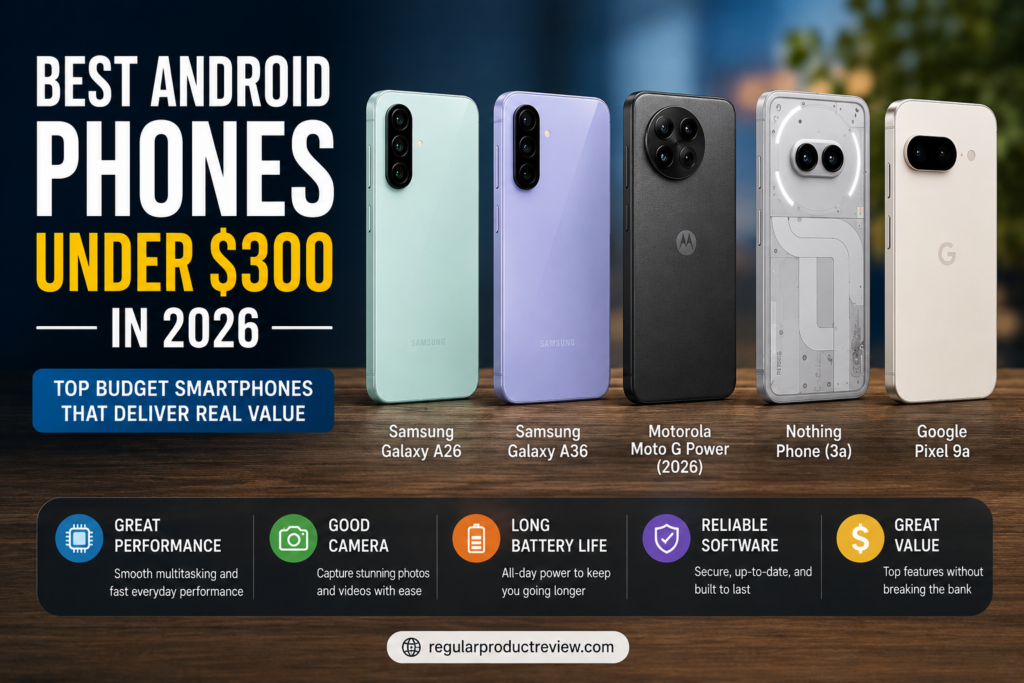
📱 Best Android Phones Under $300 in 2026
Finding a great Android smartphone no longer requires spending flagship-level money.
Over the past few years, manufacturers have significantly improved their budget and mid-range lineups, bringing premium features to far more affordable devices. Displays have become brighter and smoother, cameras produce noticeably better photos, batteries last longer, and software support has improved across many brands.
For most people, spending over $1,000 on a smartphone simply isn’t necessary anymore.
Whether you’re upgrading your current device, shopping for a student’s first smartphone, replacing an older phone, or simply looking for the best value, there are plenty of excellent Android phones available for less than $300.
The challenge isn’t finding a good phone—it’s choosing the one that best matches your needs.
Some buyers prioritize battery life, while others care more about camera quality, software updates, gaming performance, or display quality. The right choice depends on how you actually use your smartphone every day.
To help simplify your decision, we compared these popular Android smartphones using official U.S. specifications, published software-support commitments, current price positioning, feature differences, and the compromises that matter in everyday ownership.
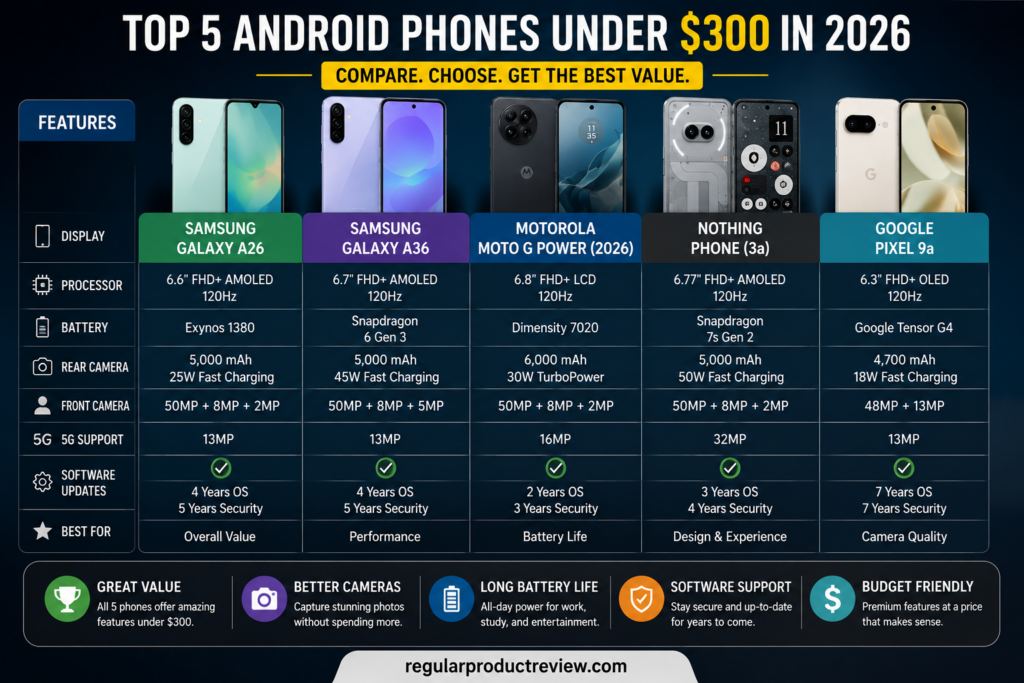
Comparison-image note: The original graphic is retained, but its “under $300” label should be read together with the current price disclosures below. Only the Galaxy A26 and Moto G Power (2026) meet the limit at their standard U.S. launch prices; the other three are conditional deal picks.
This guide highlights two phones with official U.S. prices at or below $300 and three higher-MSRP alternatives worth watching only when an unconditional sale or reputable refurbished offer brings them within budget. Always verify the final price, storage configuration, carrier requirements, and return policy before buying.
🏆 Quick Picks
| 🏅 Category | 📱 Recommendation |
|---|---|
| ⭐ Best Overall | Samsung Galaxy A26 |
| 🔋 Best Battery Life | Motorola Moto G Power (2026) |
| 📷 Best Camera When Discounted to $300 | Google Pixel 9a |
| 🎨 Best Design When Discounted to $300 | Nothing Phone (3a) |
| ⚡ Best Performance When Discounted to $300 | Samsung Galaxy A36 |
📊 Quick Comparison Table
| Phone | Position | Display | Battery | Camera | Software | U.S. Price Status |
|---|---|---|---|---|---|---|
| Samsung Galaxy A26 | Best Overall | 6.7-inch AMOLED, 120Hz | 5,000mAh | 50MP main with OIS | Six OS upgrades; six years security | $299.99 launch price |
| Motorola Moto G Power (2026) | Battery Life | 6.8-inch LCD, 120Hz | 5,200mAh | 50MP OIS + 8MP ultrawide | Android 16 at launch; verify policy | $299.99 MSRP |
| Google Pixel 9a | Photography | 6.3-inch pOLED, 120Hz | 5,100mAh | 48MP + 13MP ultrawide | Seven years from launch | From $499; conditional deal pick |
| Nothing Phone (3a) | Design | 6.77-inch AMOLED, 120Hz | 5,000mAh | 50MP + 50MP tele + 8MP ultrawide | Nothing OS; verify support and U.S. availability | Former $379 U.S. beta offer ended; conditional |
| Samsung Galaxy A36 | Performance | 6.7-inch AMOLED, 120Hz | 5,000mAh | 50MP main with OIS | Six OS upgrades; six years security | $399.99 launch price; conditional |
Price and methodology note: Availability, pricing, hardware configurations, and software support may vary by region, carrier, and retailer. The Pixel 9a, Nothing Phone (3a), and Galaxy A36 are included as conditional deal picks, not as products with standard U.S. prices below $300. This guide is based on official specifications and pricing information; it does not claim that all five phones were tested together in a controlled lab.
🎯 How We Selected These Phones
Choosing the best Android phone under $300 isn’t simply about comparing specifications.
Many smartphones look impressive on paper but fail to deliver a satisfying experience in everyday use. A faster processor means little if the software feels sluggish, and a large battery isn’t particularly useful if the phone performs poorly in other important areas.
Rather than focusing solely on headline specifications, we compared each device using factors that have the greatest impact on long-term ownership and daily usability.
⚙️ Performance
A budget Android phone should remain responsive during everyday tasks.
We considered how each device handles:
- ✔ Web browsing
- ✔ Social media
- ✔ Video streaming
- ✔ Productivity apps
- ✔ Multitasking
- ✔ Casual gaming
We favored hardware and software combinations that should be appropriate for routine tasks, while avoiding benchmark or responsiveness claims that were not measured in the same controlled test.
📷 Camera Quality
For many buyers, a smartphone is their primary camera.
We considered the available camera hardware, manufacturer features, and limitations reported consistently across reliable sources, including:
- ✔ Daylight photography
- ✔ Low-light performance
- ✔ Portrait quality
- ✔ Video recording
- ✔ Selfie performance
- ✔ Overall image consistency
Rather than treating megapixel counts as a quality score, we considered image processing, optical stabilization, lens options, and the situations in which each camera is most useful. Camera comments in this guide are comparative buying guidance, not results from our own side-by-side photo test.
🔋 Battery Life
Battery performance remains one of the most important factors when choosing a smartphone.
Our recommendations favor larger battery capacities and sensible charging support. Actual runtime depends on brightness, signal strength, refresh rate, apps, gaming, navigation, and individual usage, so we avoid promising a fixed number of hours without a controlled test.
Phones with strong power efficiency and dependable endurance received higher consideration.
🖥️ Display Experience
A great display improves nearly every interaction with a smartphone.
We considered:
- ✔ Brightness
- ✔ Color accuracy
- ✔ Viewing angles
- ✔ Outdoor visibility
- ✔ Overall readability
Whether you’re watching videos, reading articles, or scrolling through social media, display quality plays a significant role in the overall user experience.
💻 Software Experience
Good software can make even affordable hardware feel significantly better.
We compared:
- ✔ Overall interface quality
- ✔ Ease of use
- ✔ Software stability
- ✔ Security update commitment
- ✔ Long-term usability
Manufacturers offering cleaner software and stronger update policies generally ranked higher.
💰 Overall Value
The goal wasn’t to recommend the cheapest Android phones available.
Instead, we looked for devices that either have an official U.S. price at or below $300, or become relevant only when a clearly identified sale or refurbished price reaches that limit.
Every smartphone included here serves a distinct buyer priority, but only the Galaxy A26 and Moto G Power (2026) meet the $300 ceiling at their standard U.S. launch prices. The other three require a verified discount, trade-in-free promotion, or reputable refurbished offer to fit the title’s budget.
🥇 Samsung Galaxy A26
Best Overall Android Phone Under $300 in 2026
⭐ Overview
If you’re looking for the best balance of performance, display quality, battery life, software support, and overall value, the Samsung Galaxy A26 is our top recommendation.
Samsung has spent years refining its Galaxy A-series, and the Galaxy A26 follows that approach. Rather than focusing on one standout specification, it combines a 120Hz AMOLED display, OIS, IP67 protection, and long software support for mainstream buyers.
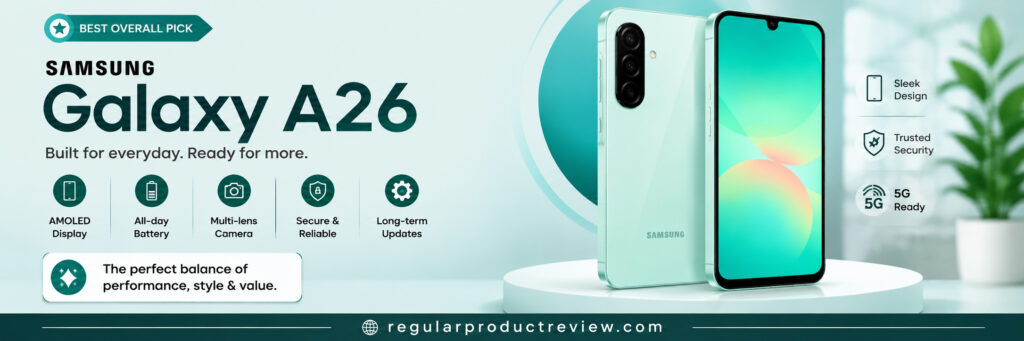
Whether you’re upgrading from an older Android device, replacing a budget phone, or purchasing your first smartphone, the Galaxy A26 offers dependable everyday performance without stretching your budget.
Its combination of a vibrant AMOLED display, reliable battery life, polished One UI software, and Samsung’s strong software support policy makes it one of the safest choices in the under-$300 category.
U.S. price check: Samsung announced the Galaxy A26 5G at $299.99. Availability, sale pricing, carrier conditions, and hardware configurations can vary, so confirm the exact model before checkout.
📋 Key Specifications
| Feature | Details |
|---|---|
| Operating System | Android with Samsung One UI |
| Display | 6.7-inch FHD+ Super AMOLED, up to 120Hz |
| Processor | Exynos 1380 on the U.S. model |
| RAM | 6GB on the U.S. 128GB model |
| Storage | 128GB on the U.S. model |
| Rear Camera | 50MP main camera with OIS, 8MP ultrawide, 2MP macro |
| Front Camera | 13MP |
| Battery | 5,000mAh typical capacity |
| Charging | Up to 25W wired charging |
| Security | Side fingerprint sensor; Samsung Knox Vault |
| Network | 5G; verify carrier compatibility |
| Expandable Storage | microSD support; capacity support can vary by market |
✅ Pros
- Official $299.99 U.S. launch price
- 6.7-inch FHD+ Super AMOLED display with up to 120Hz
- Exynos 1380 and 6GB RAM for mainstream everyday use
- Large 5,000mAh battery capacity
- Six OS upgrades and six years of security updates
- IP67 rating and Gorilla Glass Victus+ front protection
- 50MP main camera with OIS
❌ Cons
- Not designed for heavy mobile gaming
- Charging speed isn’t the fastest in its class
- Low-light camera results will not match current flagships
- Hardware configuration may vary by region
⚡ Expected Everyday Performance
Based on its Exynos 1380 platform, 6GB of RAM, 120Hz display support, and intended market position, the Galaxy A26 should be suitable for mainstream everyday use.
Daily tasks such as web browsing, messaging, video streaming, email, navigation, online shopping, and social media are a reasonable fit for this hardware. Performance can vary with app load, storage use, temperature, and software updates.
The 6GB configuration is adequate for ordinary multitasking, but buyers who keep many demanding apps open should not expect flagship-level headroom.
Casual games should be within reach; graphically demanding titles may require lower settings. This is a specification-based expectation, not a benchmark result from our own lab.
Overall, the Galaxy A26 strikes an impressive balance between performance and efficiency, making it suitable for students, professionals, and families alike.
🖥️ Display
One of the Galaxy A26’s biggest strengths is its AMOLED display.
Compared with many LCD panels found in competing phones, the AMOLED screen delivers deeper blacks, richer colors, and improved contrast, making videos, photos, and everyday apps look more vibrant.
The FHD+ resolution and up-to-120Hz refresh rate support clear text and smoother scrolling. Outdoor readability still depends on brightness settings and direct sunlight.
For buyers upgrading from an older budget smartphone, the display quality is likely to be one of the first improvements they’ll notice.
📷 Camera
The Galaxy A26 pairs a 50MP main camera with optical image stabilization, an 8MP ultrawide, and a 2MP macro camera—a flexible hardware package for everyday shooting at this price.
The stabilized main camera is the most useful lens for routine photos and video. Actual color, exposure, and detail depend on lighting, software processing, and shooting technique.
OIS can help reduce camera shake, but buyers should still expect more noise and less detail in low light than from a current flagship.
Portrait processing and the 13MP front camera cover the expected selfie and video-call functions; we are not assigning an image-quality score without controlled sample comparisons.
While photography enthusiasts may still prefer Google’s Pixel series, the Galaxy A26 offers a dependable all-around camera experience.
🔋 Battery Life
The Galaxy A26 includes a 5,000mAh typical-capacity battery, which is competitive for this price class.
Samsung markets it for extended everyday use, but actual runtime varies considerably with display brightness, refresh rate, mobile signal, apps, camera use, and gaming. Buyers should treat “all-day” or “two-day” language as usage-dependent rather than guaranteed.
💻 Software Experience
Samsung’s One UI continues to be one of Android’s most polished software experiences.
The interface is clean, intuitive, and packed with useful features while remaining approachable for first-time smartphone users.
One UI includes organized settings plus Samsung productivity, security, and accessibility tools. Interface preference remains subjective.
Perhaps more importantly, Samsung’s reputation for providing long-term software and security updates gives the Galaxy A26 an advantage over many competitors in this price range.
🛠️ Build Quality & Design
The Galaxy A26 features Samsung’s modern design language with a clean, understated appearance.
Its IP67 rating is a meaningful durability advantage at this price, although water resistance is not permanent and should not be treated as waterproofing.
The design follows Samsung’s current Galaxy A-series styling. Comfort and perceived build quality are subjective, so buyers who can should handle the phone before purchase.
While premium materials remain reserved for flagship devices, the Galaxy A26 delivers excellent fit and finish for its class.
📶 Connectivity
The Galaxy A26 includes the connectivity features most buyers expect from a modern Android smartphone.
Connectivity Highlights
- ✔ 5G connectivity (market dependent)
- ✔ Wi-Fi
- ✔ Bluetooth
- ✔ GPS navigation
- ✔ USB-C charging
- ✔ NFC (availability varies)
- ✔ Expandable storage on selected models
👤 Who Should Buy It
The Samsung Galaxy A26 is an excellent choice for:
- Students looking for long-term value.
- Professionals who need a dependable daily smartphone.
- Families purchasing a reliable device.
- Users upgrading from older Android phones.
- Buyers who value software support.
- Anyone seeking the best all-around Android phone under $300.
🚫 Who Should Avoid It
Consider another phone if you:
- Primarily play demanding mobile games.
- Want flagship-level camera performance.
- Require the fastest charging speeds available.
- Prefer stock Android over Samsung’s One UI.
⚖️ Why It’s Our Top Pick
| Category | Research-based assessment |
|---|---|
| Performance | Good for routine apps; limited for demanding gaming |
| Display | Strong: FHD+ AMOLED with up to 120Hz |
| Camera | Versatile hardware; no controlled image score assigned |
| Battery Life | Strong 5,000mAh capacity; runtime varies by use |
| Software | Strong: six OS upgrades and six years of security updates |
| Value for Money | Strong at the $299.99 U.S. launch price |
🏁 Bottom Line
The Samsung Galaxy A26 remains our Best Overall Android Phone Under $300 in 2026 because its official $299.99 U.S. launch price, AMOLED display, IP67 rating, stabilized main camera, and long update commitment create a strong overall package on paper.
Rather than relying on one headline feature, it combines capable mainstream hardware, display quality, battery capacity, software support, and durability at the price ceiling. That combination makes it the most broadly applicable standard-price option in this list.
If you want one Android phone under $300 that does almost everything well, the Samsung Galaxy A26 is the safest and most complete recommendation.
Editorial assessment: Best overall balance at the official sub-$300 price. We have removed the previous numerical score because the phones were not measured together under one documented test protocol.
Best For: Everyday users, students, professionals, families, and anyone looking for the best overall Android smartphone under $300 in 2026.
🔋 Motorola Moto G Power (2026)
Best Battery Life Android Phone Under $300 in 2026
⭐ Overview
For many smartphone buyers, battery life is the single most important feature and that’s exactly where the Motorola Moto G Power (2026) stands out.
Rather than chasing flagship-level specifications, Motorola has focused on a 5,200mAh battery, practical midrange hardware, and stronger physical protection. That combination makes it especially relevant to commuters, travelers, and people who spend long periods away from a charger, although actual runtime still depends on use.
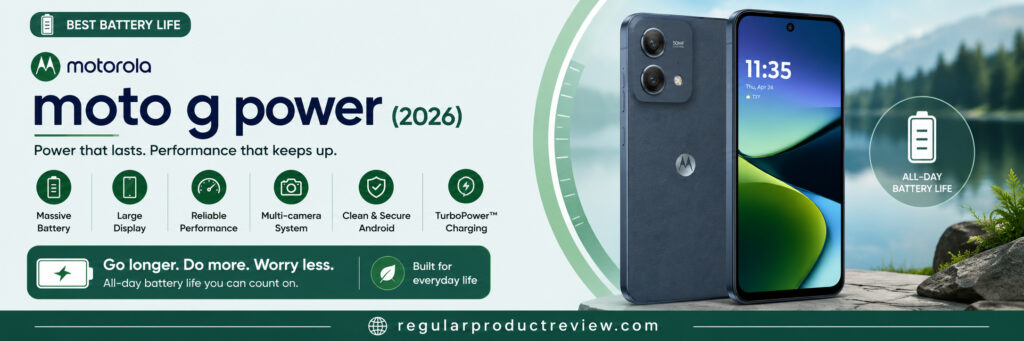
The Moto G Power series has built a strong reputation for longevity, and the 2026 model continues that tradition. It offers a clean Android experience, practical features, and reliable day-to-day usability, making it an excellent choice for users who value endurance above everything else.
U.S. price check: Motorola announced the Moto G Power (2026) at $299.99 MSRP. Availability, sale pricing, carrier conditions, and configurations may vary.
📋 Key Specifications
| Feature | Details |
|---|---|
| Operating System | Android 16 at launch |
| Display | 6.8-inch FHD+ LCD, up to 120Hz |
| Processor | MediaTek Dimensity 6300 |
| RAM | 8GB |
| Storage | 128GB; expandable storage support |
| Rear Camera | 50MP main camera with OIS plus 8MP ultrawide |
| Front Camera | 32MP |
| Battery | 5,200mAh |
| Charging | Up to 30W wired charging |
| Network | 5G; verify carrier compatibility |
| Security | Fingerprint reader and face unlock |
| Expandable Storage | microSD support |
✅ Pros
- Large 5,200mAh battery capacity
- 6.8-inch FHD+ display with up to 120Hz
- Android 16 at launch
- Dimensity 6300 with 8GB RAM
- IP68/IP69 protection and MIL-STD-810H testing claims from Motorola
- $299.99 MSRP
❌ Cons
- Camera performance is average compared to leading competitors
- Software update commitment isn’t as strong as some rivals
- LCD display lacks the deep contrast of AMOLED panels
- Not intended for demanding mobile gaming
⚡ Expected Everyday Performance
The Moto G Power (2026) is positioned for consistency rather than flagship-level speed.
Its Dimensity 6300 processor and 8GB of RAM should be appropriate for messaging, web browsing, streaming, navigation, video calls, and social media. Actual responsiveness depends on app load, updates, temperature, and storage use.
The 8GB RAM allocation is helpful for ordinary multitasking. Casual games should be manageable, while demanding 3D games may require reduced graphics settings. These are hardware-based expectations rather than results from our own benchmark suite.
For most people, the Moto G Power delivers exactly what a dependable daily smartphone should.
🖥️ Display
The Moto G Power features a spacious LCD display that offers an enjoyable viewing experience for everyday activities.
Watching YouTube, browsing websites, reading articles, and streaming movies feel comfortable thanks to the generous screen size.
While LCD technology does not produce the pixel-level blacks of AMOLED, the FHD+ resolution and up-to-120Hz refresh rate are useful specifications for reading, video, and scrolling. Color accuracy and outdoor readability were not measured by us.
Buyers who prioritize battery life over premium display technology are unlikely to be disappointed.
📷 Camera
The camera hardware is practical for everyday photography, led by a 50MP main sensor with optical image stabilization and supported by an 8MP ultrawide camera.
OIS can help reduce camera shake, but final color, exposure, and detail depend on lighting and Motorola’s processing.
The Pixel line is generally the more camera-focused alternative, while the Moto G Power emphasizes battery capacity and durability. We have not assigned a photo-quality score without controlled comparison files.
The front camera is suitable for selfies, video calls, and virtual meetings, making it a practical choice for students and professionals alike.
Overall, the Moto G Power prioritizes consistency rather than photography leadership.
🔋 Battery Life
Battery capacity is where the Moto G Power most clearly stands out on its specification sheet.
The 5,200mAh capacity is larger than the 5,000mAh batteries in several alternatives here. It may benefit travel, classes, and long workdays, but it does not guarantee a specific runtime; signal strength, display settings, navigation, gaming, and camera use can materially change the result.
For buyers who value long-lasting battery life above all else, few phones in this price category offer a better overall experience.
💻 Software Experience
Motorola continues to offer one of the cleanest Android experiences available in the budget segment.
Motorola keeps the interface relatively close to familiar Android, with its own additions. Buyers who prefer a simpler layout may value that approach.
Motorola includes its own gestures and connectivity features without substantially changing Android’s familiar organization.
Although Motorola’s software support policy generally isn’t as extensive as Samsung’s, the overall user experience remains polished and approachable.
🛠️ Build Quality & Design
The Moto G Power features a practical design that emphasizes comfort and durability.
Its IP68/IP69 ratings are meaningful on-paper advantages against water and dust exposure. Motorola also describes MIL-STD-810H testing, but that is not a guarantee against damage and water resistance can diminish over time.
Although it doesn’t attempt to imitate flagship materials or styling, the phone maintains a clean and understated appearance that many users will appreciate.
The design prioritizes function over unnecessary embellishments, making it a dependable companion for daily life.
📶 Connectivity
The Moto G Power includes the connectivity features expected from a modern Android smartphone.
Connectivity Highlights
- ✔ 5G connectivity (market dependent)
- ✔ Wi-Fi
- ✔ Bluetooth
- ✔ GPS navigation
- ✔ USB-C charging
- ✔ NFC (availability varies)
- ✔ Expandable storage on selected models
👤 Who Should Buy It
The Motorola Moto G Power (2026) is an excellent choice for:
- Travelers who spend long hours away from charging points
- Students attending full days of classes
- Professionals who rely on their phones throughout the workday
- Users who prioritize battery life above everything else
- Anyone seeking a dependable Android phone under $300
🚫 Who Should Avoid It
Consider another phone if you:
- Want the strongest camera performance in this price range
- Prefer an AMOLED display
- Expect long-term software support similar to Samsung or Google
- Play graphics-intensive mobile games regularly
⚖️ Why It Stands Out
| Category | Research-based assessment |
|---|---|
| Performance | Suitable for routine tasks; not a flagship gaming platform |
| Display | Large FHD+ 120Hz LCD; AMOLED alternatives offer deeper blacks |
| Camera | Useful OIS and ultrawide hardware; no controlled image score |
| Battery Life | Class-leading 5,200mAh capacity among these picks |
| Software | Clean interface; verify the exact update policy before purchase |
| Value for Money | Strong at the $299.99 MSRP for durability-focused buyers |
🏁 Bottom Line
The Motorola Moto G Power (2026) is the ideal smartphone for buyers who place battery life above everything else.
It doesn’t attempt to outperform every competitor in camera quality or gaming performance. Instead, it focuses on what matters most to many users: dependable daily performance, a clean Android experience, a large display, and exceptional battery endurance.
If your top priority is staying powered throughout long days without constantly reaching for a charger, the Motorola Moto G Power (2026) remains one of the strongest Android phones available under $300.
Editorial assessment: Best battery-and-durability package at the official sub-$300 MSRP. The previous numerical score has been removed because the phones were not measured together under one documented test protocol.
Best For: Travelers, students, professionals, heavy daily users, and anyone who values outstanding battery life over premium flagship features.
📸 Google Pixel 9a
Best Camera Deal Pick If the Price Reaches $300 or Less
⭐ Overview
If mobile photography is your highest priority, the Google Pixel 9a deserves a place at the top of your shortlist.
Google’s Pixel A-series emphasizes computational photography rather than relying only on sensor specifications. The Pixel 9a combines stabilized wide and ultrawide cameras with Google features for HDR, portraits, and low-light processing.
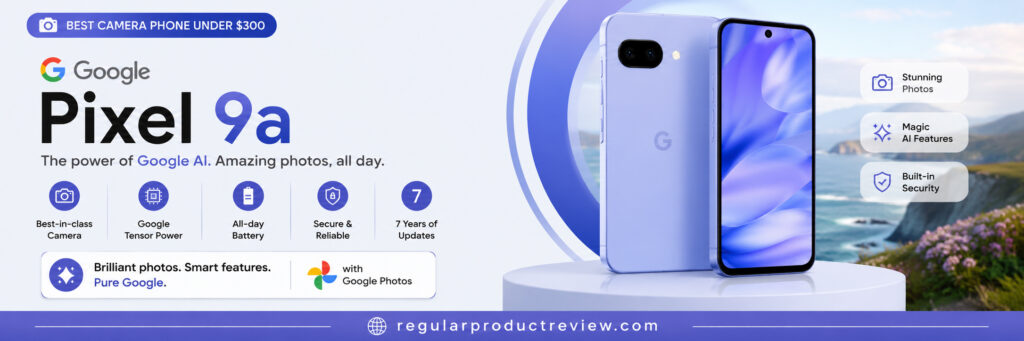
The Pixel 9a is included as a conditional deal pick, not as a standard under-$300 phone. Google lists it from $499 in the U.S.; it fits this guide only when an unconditional sale or reputable refurbished offer brings the final price to $300 or less.
For users who capture family memories, travel photos, social media content, or everyday moments, the Pixel 9a offers an experience that’s difficult to match in its price range.
Price check: The Google Store lists the Pixel 9a from $499. Do not buy it on the assumption that it normally costs less than $300. Confirm the price at checkout and separate an immediate discount from trade-in value, bill credits, or a required service plan. Future discounts are possible, but no price drop is guaranteed.
📋 Key Specifications
| Feature | Details |
|---|---|
| Operating System | Android |
| Display | 6.3-inch Actua pOLED, 60–120Hz |
| Processor | Google Tensor G4 |
| RAM | 8GB |
| Storage | 128GB or 256GB |
| Rear Camera | 48MP wide camera plus 13MP ultrawide |
| Front Camera | 13MP |
| Battery | 5,100mAh typical capacity |
| Charging | Fast wired charging and Qi wireless charging |
| Network | 5G; verify carrier and model compatibility |
| Security | Fingerprint Unlock and Face Unlock; seven years of updates from launch |
✅ Pros
- 48MP stabilized main camera plus 13MP ultrawide
- Google computational-photography features
- Tensor G4 with 8GB RAM
- Seven years of OS, security, and Pixel Drop updates from launch
- 6.3-inch 60–120Hz pOLED display
- 5,100mAh battery and Qi wireless charging
❌ Cons
- Standard U.S. price starts at $499, well above this guide’s budget
- Standard U.S. price starts at $499, so a substantial verified discount is required
- Charging performance isn’t the fastest in its segment
- Heavy gamers may prefer performance-focused alternatives
⚡ Expected Everyday Performance
The Pixel 9a uses Google’s Tensor G4 with 8GB of RAM, a combination designed for Google’s Android and on-device features.
That hardware should be appropriate for browsing, email, video, maps, video calls, photography, and ordinary multitasking. Actual responsiveness, heat, and battery use vary by app and workload.
Google’s software optimization helps maintain fluid performance during everyday use, making the phone feel polished and consistent rather than simply powerful on paper.
Casual gaming should be manageable, while sustained demanding games can be more sensitive to heat and may benefit from adjusted settings. This is not a result from our own controlled benchmark run.
Overall, the Pixel 9a focuses on delivering a refined user experience instead of chasing benchmark numbers.
🖥️ Display
The Pixel 9a features an OLED display that provides an enjoyable viewing experience for everyday use.
OLED technology provides pixel-level blacks, and the 60–120Hz refresh range supports smoother motion than a fixed 60Hz panel. We did not independently measure color accuracy or peak brightness.
Text appears sharp, images look natural, and the display remains comfortable for extended viewing sessions.
The overall screen quality contributes significantly to the premium feel of the device despite its affordable price category.
📷 Camera
Photography is where the Pixel 9a truly separates itself from many competitors.
Google combines a 48MP wide camera, 13MP ultrawide camera, optical stabilization, and its computational photography features. Those are meaningful camera strengths, but results still vary with scene and processing preference.
The Pixel series is widely camera-focused, particularly for HDR, portraits, and low-light processing; however, we are not presenting these statements as findings from our own side-by-side photo test.
Portrait mode delivers convincing subject separation, and HDR processing helps preserve detail in challenging lighting situations.
For social media creators, travelers, students, and anyone who frequently takes photos, the Pixel 9a is a strong camera-focused Android phone to consider only if its verified final price reaches $300 or less.
🔋 Battery Life
The 5,100mAh typical capacity is competitive on paper. Actual endurance depends on brightness, 5G signal, camera use, navigation, gaming, and the selected refresh-rate behavior, so a full-day result should not be treated as guaranteed.
The balance between battery life, software efficiency, and overall performance makes the Pixel 9a practical for everyday ownership.
💻 Software Experience
One of the Pixel 9a’s biggest strengths is its software.
Google provides its own relatively uncluttered Android interface with Pixel-specific calling, photography, security, and AI features.
The operating system remains easy to navigate while offering thoughtful features that improve daily usability without becoming distracting.
Another important advantage is Google’s commitment to software and security updates, helping the device remain useful for years after purchase.
For buyers who value a streamlined Android experience, few competitors offer a cleaner interface.
🛠️ Build Quality & Design
The Pixel 9a follows Google’s familiar design philosophy with a clean, understated appearance.
The design is relatively compact compared with the larger 6.7- and 6.8-inch phones in this guide. Hand comfort remains subjective.
An IP68 rating is a practical durability specification for commuting and travel, although water resistance is not permanent and does not make the phone damage-proof.
While it doesn’t attempt to imitate luxury materials, the overall construction provides a premium impression within the budget category.
📶 Connectivity
The Pixel 9a includes the essential connectivity features expected from a modern Android smartphone.
Connectivity Highlights
- ✔ 5G connectivity (availability varies)
- ✔ Wi-Fi
- ✔ Bluetooth
- ✔ GPS navigation
- ✔ USB-C charging
- ✔ NFC (market dependent)
👤 Who Should Buy It
The Google Pixel 9a is an excellent choice for:
- Photography enthusiasts
- Social media creators
- Travelers who frequently capture photos
- Students and professionals who appreciate clean Android
- Buyers looking for long-term software support
- Buyers who find a legitimate, no-trade-in price of $300 or less and prioritize camera features
🚫 Who Should Avoid It
Consider another phone if you:
- Need the longest possible battery life
- Prioritize gaming performance over photography
- Want the fastest charging available
- Prefer heavily customized Android interfaces
⚖️ Why It Stands Out
| Category | Research-based assessment |
|---|---|
| Performance | Strong mainstream hardware; not assessed with our own benchmark suite |
| Display | Strong pOLED 60–120Hz specification |
| Camera | Camera-focused hardware and processing; no controlled image score |
| Battery Life | 5,100mAh capacity; actual runtime varies |
| Software | Strong: seven years of OS, security, and Pixel Drop updates |
| Value for Money | Conditional value only at a verified $300-or-less price |
🏁 Bottom Line
The Google Pixel 9a remains our best camera-focused conditional pick because of its camera system, Google software, and seven-year update commitment—but its $499 starting price means it belongs in an under-$300 shortlist only when a legitimate discount or reputable refurbished price reaches the budget.
While battery life and charging speed may not lead the category, the overall user experience remains among the best available at this price point.
If photography matters more than maximum battery capacity or gaming performance, the Pixel 9a may be a smart buy at $300 or less. At a price above that limit, compare it with newer midrange alternatives instead of treating it as an under-$300 recommendation.
Editorial assessment: Strong camera deal pick at $300 or less; not a standard-price member of this budget category. The previous numerical score has been removed because the phones were not measured together under one documented test protocol.
Best For: Photography enthusiasts, travelers, social media creators, students, professionals, and buyers who want a clean Android experience with excellent cameras.
🎨 Nothing Phone (3a)
Best Design Deal Pick If the Price Reaches $300 or Less
⭐ Overview
Most budget smartphones follow a familiar formula, offering similar designs, software experiences, and overall aesthetics. The Nothing Phone (3a) takes a different approach.
Rather than blending into the crowd, it uses a distinctive transparent-inspired design, the Glyph lighting system, and Nothing OS to create a visibly different alternative.
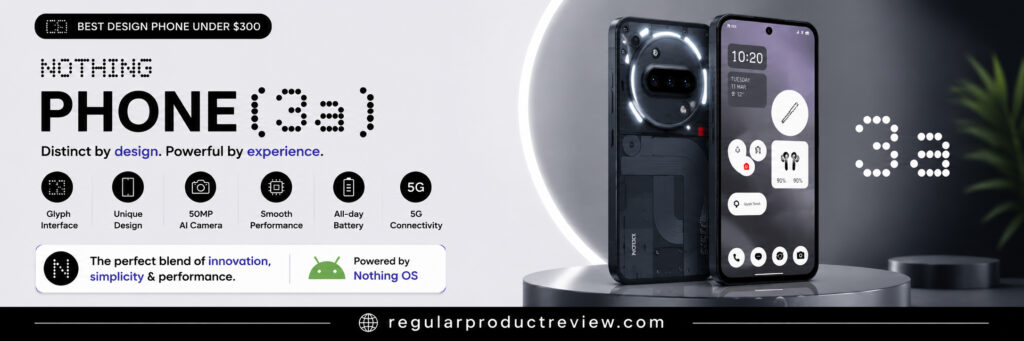
While design alone shouldn’t determine your buying decision, the Nothing Phone (3a) proves that a budget-friendly smartphone can look and feel unique while still delivering dependable everyday performance.
For buyers who appreciate thoughtful industrial design and a clean software experience, it becomes an interesting option if a verified sale or reputable refurbished offer brings it to $300 or less.
U.S. availability and price check: Nothing’s former U.S. Beta Program offered the 12GB/256GB Phone (3a) for $379, but the program has ended and that purchase price no longer applies. Nothing also warned that full carrier functionality was not guaranteed. Treat this as a conditional refurbished/import deal pick, verify warranty and carrier compatibility, and do not assume a future price drop.
📋 Key Specifications
| Feature | Details |
|---|---|
| Operating System | Android with Nothing OS |
| Display | 6.77-inch flexible AMOLED, up to 120Hz |
| Processor | Qualcomm Snapdragon 7s Gen 3 |
| RAM | 12GB on the former U.S. beta configuration |
| Storage | 256GB on the former U.S. beta configuration |
| Rear Camera | 50MP main, 50MP 2x telephoto, 8MP ultrawide |
| Front Camera | 32MP |
| Battery | 5,000mAh |
| Charging | Up to 50W wired charging |
| Network | 5G; verify U.S. carrier and band compatibility |
| Security | In-display fingerprint sensor and face unlock; IP64 rating |
✅ Pros
- Unique and modern design
- Distinctive Nothing OS interface
- 6.77-inch AMOLED display with up to 120Hz
- Large 5,000mAh battery capacity
- Snapdragon 7s Gen 3 and 12GB RAM in the former U.S. beta model
- Distinctive Glyph design and dedicated Essential Key
❌ Cons
- U.S. beta sales ended and full carrier functionality was not guaranteed
- Nothing’s U.S. beta sales program has ended; warranty and carrier support require extra care
- Software ecosystem is smaller than Samsung’s
- Buyers focused only on specifications may find stronger alternatives
⚡ Expected Everyday Performance
The Snapdragon 7s Gen 3 and 12GB of RAM in the former U.S. beta configuration provide a strong midrange specification base.
That hardware should be suitable for web browsing, messaging, streaming, productivity apps, social media, navigation, and video calls. Actual responsiveness depends on workload, temperature, storage use, and software version.
Nothing OS remains responsive and uncluttered, helping the hardware feel more fluid than many heavily customized Android interfaces.
Casual games should be manageable, while demanding titles may benefit from adjusted graphics settings. This is not a result from our own benchmark suite.
Overall, the phone emphasizes consistency and usability rather than chasing benchmark numbers.
🖥️ Display
One of the highlights of the Nothing Phone (3a) is its OLED display.
The AMOLED panel provides pixel-level blacks, while the up-to-120Hz refresh rate supports smoother motion. We did not independently measure color accuracy or peak brightness.
Its resolution and up-to-120Hz refresh rate support clear text and smoother animation. Brightness, color accuracy, and viewing comfort were not independently measured by us.
Whether you’re streaming movies, scrolling through social media, or reading articles, the display remains one of the phone’s strongest features.
📷 Camera
The Nothing Phone (3a) offers an unusually flexible camera specification for its class: a 50MP main camera, a 50MP 2x telephoto camera, and an 8MP ultrawide.
The telephoto lens is a useful differentiator for portraits and closer framing. Image quality still depends on lighting and processing, and we have not assigned a photo score without controlled comparison files.
Although camera quality doesn’t quite match photography-focused competitors like the Google Pixel series, it remains capable of capturing attractive everyday photos.
The triple-camera layout covers standard, ultrawide, and 2x telephoto framing without relying on a digital-only zoom for every closer shot.
🔋 Battery Life
The 5,000mAh capacity and up-to-50W charging are competitive specifications. Actual runtime varies with brightness, 5G signal, Glyph use, navigation, camera activity, and gaming, so an all-day result is not guaranteed for every user.
💻 Software Experience
Software is one of the biggest reasons to consider the Nothing Phone (3a).
Nothing OS offers a clean, modern, and thoughtfully designed interface that stays close to Android while introducing its own distinctive visual identity.
Nothing OS uses a consistent monochrome-inspired design and relatively limited pre-installed software compared with many carrier-customized phones.
Whether that interface is preferable to Samsung One UI or Google’s Pixel software depends on the buyer’s design and feature preferences.
If you appreciate clean software without excessive customization, Nothing OS is among the most refreshing Android interfaces currently available.
🛠️ Build Quality & Design
Design is where the Nothing Phone (3a) truly differentiates itself.
Its minimalist styling, transparent-inspired design language, and attention to visual detail create a smartphone that immediately stands apart from traditional budget devices.
Its transparent-inspired styling and Glyph interface are visually distinctive. Comfort and perceived build quality are subjective, while the former $379 U.S. beta price sat above this article’s normal budget ceiling and the beta sales program has since ended.
Rather than imitating flagship smartphones, Nothing has developed a recognizable design philosophy that gives the device its own identity.
For buyers who want something visually different without sacrificing usability, the Nothing Phone (3a) is an excellent choice.
📶 Connectivity
The Nothing Phone (3a) includes the modern connectivity features expected from an Android smartphone.
Connectivity Highlights
- ✔ 5G connectivity (availability varies)
- ✔ Wi-Fi
- ✔ Bluetooth
- ✔ GPS navigation
- ✔ USB-C charging
- ✔ NFC (market dependent)
👤 Who Should Buy It
The Nothing Phone (3a) is an excellent choice for:
- Buyers who value distinctive design
- Users who enjoy clean Android software
- Students and professionals
- Social media users
- Everyday smartphone owners
- Anyone looking for something different from mainstream Android devices
🚫 Who Should Avoid It
Consider another phone if you:
- Want the absolute best camera in this price range
- Prioritize maximum gaming performance
- Need the longest software support commitment
- Prefer Samsung’s ecosystem or Google’s Pixel experience
⚖️ Why It Stands Out
| Category | Research-based assessment |
|---|---|
| Performance | Strong midrange specification; no in-house benchmark score |
| Display | Strong AMOLED 120Hz specification |
| Camera | Versatile triple-camera hardware; no controlled image score |
| Battery Life | 5,000mAh capacity and 50W charging; runtime varies |
| Software | Distinctive, relatively clean Nothing OS experience |
| Design | Clear differentiator: Glyph design and Essential Key |
| Value for Money | Conditional value only at a verified $300-or-less price |
🏁 Bottom Line
The Nothing Phone (3a) remains our best design-focused conditional pick because it combines distinctive styling, Nothing OS, capable midrange hardware, and an AMOLED display. Its former $379 U.S. beta offer has ended, so it qualifies for this budget only through a reputable $300-or-less refurbished/import offer with verified carrier compatibility and warranty terms.
While its camera processing and support policy may not lead the group, the Glyph system and Nothing OS clearly differentiate it from more conventional designs.
If you want an Android phone that stands out visually, the Nothing Phone (3a) is worth watching—but buy it as an under-$300 option only when the verified final price actually reaches that limit.
Editorial assessment: Best design-focused deal pick at $300 or less; not a standard-price member of this budget category. The previous numerical score has been removed because the phones were not measured together under one documented test protocol.
Best For: Design-conscious buyers, students, professionals, Android enthusiasts, and users who want a clean software experience with a unique look and feel.
⚡ Samsung Galaxy A36
Best Performance Deal Pick If the Price Reaches $300 or Less
⭐ Overview
For buyers who want a stronger combination of performance, display quality, software support, and long-term value, the Samsung Galaxy A36 is worth considering only if a verified discount brings it to $300 or less.
Samsung positions the Galaxy A36 above the Galaxy A26 in its A-series lineup, with a Snapdragon 6 Gen 3 processor, 45W charging, a brighter AMOLED display, and a larger vapor chamber.
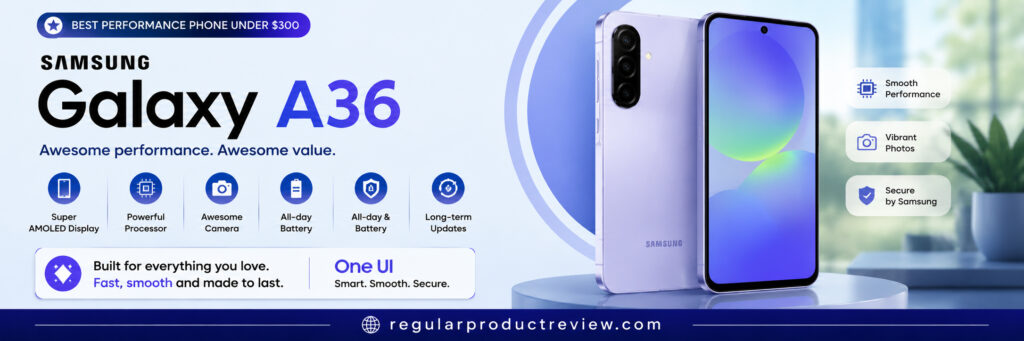
Its processor, 6GB of RAM in the U.S. base model, and 120Hz display are suited to multitasking, streaming, virtual meetings, and casual gaming, although we did not benchmark these phones together.
Combined with Samsung’s polished One UI software and long-term update commitment, it’s an excellent choice for buyers who want a phone that remains enjoyable to use for years rather than months.
U.S. price check: Samsung launched the Galaxy A36 5G at $399.99. It is a conditional deal pick rather than a standard under-$300 recommendation. Do not assume a future price cut; verify that any $300-or-less offer is an immediate price rather than trade-in value or long-term carrier bill credits.
📋 Key Specifications
| Feature | Details |
|---|---|
| Operating System | Android with Samsung One UI |
| Display | 6.7-inch FHD+ Super AMOLED, up to 120Hz |
| Processor | Qualcomm Snapdragon 6 Gen 3 on the U.S. model |
| RAM | 6GB on the U.S. 128GB model |
| Storage | 128GB on the U.S. base model |
| Rear Camera | 50MP main camera with OIS, 8MP ultrawide, 5MP macro |
| Front Camera | 12MP |
| Battery | 5,000mAh typical capacity |
| Charging | Up to 45W wired charging |
| Security | In-display fingerprint sensor; Samsung Knox Vault |
| Network | 5G; verify carrier compatibility |
✅ Pros
- Snapdragon 6 Gen 3 on the U.S. model
- 6.7-inch FHD+ Super AMOLED display with up to 120Hz
- Larger vapor chamber than the previous model
- Large 5,000mAh battery capacity and 45W charging
- IP67 rating and Gorilla Glass Victus+ protection
- 50MP main camera with OIS
- Six OS upgrades and six years of security updates
❌ Cons
- Camera system is good but not class-leading
- Heavy gamers may prefer dedicated gaming phones
- Standard U.S. price is $399.99, above this guide’s budget ceiling
- Availability may differ by region
⚡ Expected Everyday Performance
Performance is the Galaxy A36’s main reason for inclusion as a conditional deal pick.
The Snapdragon 6 Gen 3 and 6GB of RAM should be suitable for browsing, switching among common apps, editing documents, streaming video, and video meetings. Actual speed depends on workload, storage use, heat, and software version.
Its larger vapor chamber is intended to help thermal management, but we did not conduct a sustained performance or temperature test.
Casual games should be manageable; demanding titles may require adjusted graphics settings. No benchmark score is assigned here without a controlled comparison.
Together, the processor, vapor chamber, 120Hz display, and 6GB RAM make it the strongest performance-oriented specification set among the five retained products, subject to the $300 deal requirement.
🖥️ Display
Samsung continues to impress with its AMOLED display technology.
Its FHD+ Super AMOLED panel provides pixel-level blacks and up-to-120Hz refresh. Samsung rates peak brightness at up to 1,200 nits, but we did not independently measure brightness or color accuracy.
Watching Netflix, YouTube, Disney+, or browsing social media becomes more enjoyable thanks to the rich color reproduction and sharp image quality.
Samsung rates the display at up to 1,200 nits, which is relevant to outdoor use; actual visibility still depends on direct sunlight, content, and display settings.
For many buyers, the display alone makes the Galaxy A36 worth considering.
📷 Camera
The Galaxy A36 combines a 50MP stabilized main camera, 8MP ultrawide, and 5MP macro camera.
The hardware covers common wide and ultrawide shooting needs, while OIS can help reduce camera shake. Actual color, detail, and low-light results depend on processing and conditions.
Portrait mode creates pleasing background separation, and the front-facing camera is well suited for selfies, video calls, and virtual meetings.
The Pixel 9a remains the more camera-focused alternative in this list. We do not assign a photo-quality winner without our own controlled sample set.
🔋 Battery Life
The 5,000mAh battery and up-to-45W charging are competitive specifications. Actual runtime varies with signal strength, display settings, camera use, navigation, and gaming, so a full-day result is not guaranteed for every user.
While battery-focused devices like the Moto G Power may last longer, the Galaxy A36 strikes an excellent balance between endurance and performance.
💻 Software Experience
Samsung’s One UI remains one of Android’s strongest software experiences.
One UI is feature-rich and integrates with Samsung services and other Galaxy devices; buyers who prefer a simpler interface may favor Pixel or Motorola software.
Navigation is smooth, multitasking features are practical, and Samsung’s ecosystem integration adds convenience for users who own other Galaxy devices.
Perhaps most importantly, Samsung’s commitment to software and security updates helps extend the phone’s usable lifespan, making the Galaxy A36 a smart long-term investment.
🛠️ Build Quality & Design
The Galaxy A36 adopts Samsung’s clean and recognizable design language.
Its slim profile and glass back distinguish it from some lower-priced models, while IP67 protection is a practical durability feature. Comfort and perceived quality remain subjective.
The glass back, Gorilla Glass Victus+ protection, and IP67 rating are concrete build advantages. Hand comfort and perceived quality remain subjective.
📶 Connectivity
The Galaxy A36 includes the connectivity features expected from a modern Android smartphone.
Connectivity Highlights
- ✔ 5G connectivity (market dependent)
- ✔ Wi-Fi
- ✔ Bluetooth
- ✔ GPS navigation
- ✔ USB-C charging
- ✔ NFC (availability varies by market)
👤 Who Should Buy It
The Samsung Galaxy A36 is an excellent choice for:
- Professionals who multitask throughout the day
- Students using productivity and study applications
- Users upgrading from older Android smartphones
- Buyers looking for long-term software support
- Everyday users who want flagship-like responsiveness without flagship pricing
- Buyers who find a legitimate $300-or-less deal and want stronger performance than typical entry-level phones
🚫 Who Should Avoid It
Consider another phone if you:
- Prioritize photography above everything else
- Need the absolute longest battery life
- Prefer stock Android over Samsung’s One UI
- Want a dedicated gaming smartphone
⚖️ Why It Stands Out
| Category | Research-based assessment |
|---|---|
| Performance | Strong midrange specification; no in-house benchmark score |
| Display | Strong FHD+ AMOLED 120Hz specification |
| Camera | Versatile stabilized main camera; no controlled image score |
| Battery Life | 5,000mAh capacity and 45W charging; runtime varies |
| Software | Strong: six OS upgrades and six years of security updates |
| Build Quality | IP67 and glass-backed construction |
| Value for Money | Conditional value only at a verified $300-or-less price |
🏁 Bottom Line
The Samsung Galaxy A36 remains our best performance-focused conditional pick because it combines stronger midrange hardware, a 120Hz AMOLED display, 45W charging, IP67 protection, and a long update commitment. Its $399.99 launch price means it belongs here only when a legitimate sale or reputable refurbished offer reaches $300 or less.
Rather than focusing on one feature, it combines a stronger processor, 120Hz AMOLED panel, 45W charging, IP67 protection, and extended updates. Those advantages must be weighed against its above-budget standard price.
If your priority is stronger performance without exceeding a $300 budget, consider the Galaxy A36 only after confirming that the final no-trade-in price actually meets the limit.
Editorial assessment: Best performance-focused deal pick at $300 or less; not a standard-price member of this budget category. The previous numerical score has been removed because the phones were not measured together under one documented test protocol.
Best For: Professionals, students, and multitaskers who find a legitimate no-trade-in price of $300 or less and want stronger midrange performance.
🛒 Buying Guide: How to Choose the Best Android Phone Under $300
Choosing the best Android phone under $300 isn’t simply about buying the phone with the longest specification sheet. The right smartphone depends on how you plan to use it every day.
Some users care most about photography, while others prioritize battery life, software support, gaming performance, or overall value.
Before making your decision, consider what matters most to you.
📸 If You Want the Best Camera
👉 Recommended Choice
Google Pixel 9a
If photography is your top priority, the Pixel 9a is the strongest camera-focused conditional pick here—but only when its verified final price is $300 or less.
Its camera hardware and Google’s processing make it relevant for daylight, HDR, portrait, and low-light photography. We have not presented a controlled side-by-side camera score.
Best For
- Travel photography
- Social media creators
- Family photos
- Everyday photography
🔋 If Battery Life Matters Most
👉 Recommended Choice
Motorola Moto G Power (2026)
For buyers who spend long hours away from a charger, the Moto G Power offers the largest battery capacity in this group at 5,200mAh.
Runtime varies with signal strength, screen brightness, refresh rate, apps, navigation, and gaming; neither one-day nor two-day endurance is guaranteed for every user.
Best For
- Travelers
- Students
- Business users
- Heavy daily users
⚡ If You Want Maximum Performance
👉 Recommended Choice
Samsung Galaxy A36
The Galaxy A36 offers a strong combination of speed, multitasking capability, display quality, and long-term support if a verified deal brings its $399.99 launch price to $300 or less.
Best For
- Productivity
- Multitasking
- Streaming
- Casual gaming
⭐ If You Want the Best Overall Value
👉 Recommended Choice
Samsung Galaxy A26
The Galaxy A26 strikes the best overall balance between display quality, battery life, software support, camera performance, and everyday usability.
For most buyers, this is the safest recommendation.
Best For
- Everyday users
- Families
- Students
- Professionals
🎨 If You Want Something Different
👉 Recommended Choice
Nothing Phone (3a)
The Nothing Phone (3a) stands out with its distinctive design language and clean software experience.
It is relevant to buyers who want a distinctive design, but the former $379 U.S. beta offer has ended. It qualifies here only as a reputable $300-or-less refurbished/import purchase with verified carrier compatibility and warranty terms.
Best For
- Design-conscious buyers
- Android enthusiasts
- Users seeking clean software
📊 Budget Phones vs Flagship Phones
Many shoppers wonder whether spending $1,000 on a flagship smartphone is truly necessary.
For most people, the answer is no.
Current Android phones under $300 are designed to handle everyday tasks such as:
- ✔ Messaging
- ✔ Social media
- ✔ Web browsing
- ✔ Video streaming
- ✔ Video calls
- ✔ Navigation
- ✔ Mobile banking
- ✔ Online shopping
- ✔ Everyday photography
Flagship smartphones still offer advantages, including:
- Better camera systems
- Faster processors
- Premium materials
- Advanced AI features
- Higher gaming performance
Whether those flagship advantages justify the additional cost depends on the buyer’s camera, gaming, material, and software-feature priorities.
⚠️ Common Mistakes When Buying a Budget Android Phone
1. Choosing Based Only on Specifications
Large numbers don’t always translate into a better experience.
Software optimization, stability, and long-term support often matter more than raw specifications.
2. Ignoring Software Updates
Software support plays a major role in a phone’s lifespan.
Manufacturers that provide regular Android and security updates generally offer better long-term value.
3. Buying the Cheapest Phone Available
The least expensive phone isn’t always the smartest purchase.
Spending a little more often results in noticeably better performance, cameras, software support, and overall reliability.
4. Ignoring Battery Performance
A powerful smartphone becomes frustrating if it can’t last through a normal day.
Battery life should always be considered alongside performance.
5. Forgetting Carrier Compatibility
Before purchasing, verify that the phone supports your carrier’s network bands and connectivity features.
❓ Frequently Asked Questions
What is the best Android phone under $300 in 2026?
For most buyers, the Samsung Galaxy A26 offers the best balance of performance, battery life, display quality, software support, and overall value.
Which Android phone has the best camera under $300?
Among the five products retained in this guide, the Google Pixel 9a is the camera-focused conditional pick. Its standard U.S. price starts at $499, so it belongs in the under-$300 category only when the final no-trade-in price reaches $300 or less. At normal pricing, the Galaxy A26 is the relevant in-budget camera option.
Which Android phone has the best battery life?
The Motorola Moto G Power (2026) is our top recommendation for buyers who prioritize long-lasting battery performance.
Is Samsung or Motorola better under $300?
Samsung generally offers stronger software support and AMOLED displays, while Motorola often focuses on battery life and a clean Android experience.
The better choice depends on your priorities.
Are Android phones under $300 worth buying?
Yes.
Modern Android smartphones under $300 can provide good value for web browsing, streaming, messaging, navigation, routine photography, and productivity. Performance varies by app, storage use, network conditions, and the exact hardware configuration.
Which phone is best for students?
The Samsung Galaxy A26 and Motorola Moto G Power (2026) are excellent choices for students because they combine dependable performance, long battery life, and strong overall value.
Which phone offers the best value for money?
For most users, the Samsung Galaxy A26 provides the strongest overall value thanks to its balanced feature set and long-term usability.
🏁 Final Verdict
The competition among affordable Android smartphones has never been stronger.
Each phone featured in this guide excels in a different area, making it easier to choose a device based on your personal priorities rather than simply buying the most expensive option.
Our Top Recommendations
🏆 Best Overall: Samsung Galaxy A26
🔋 Best Battery Life: Motorola Moto G Power (2026)
📷 Best Camera Deal Pick at $300 or Less: Google Pixel 9a
🎨 Best Design Deal Pick at $300 or Less: Nothing Phone (3a)
⚡ Best Performance Deal Pick at $300 or Less: Samsung Galaxy A36
If you want the safest all-around recommendation, the Samsung Galaxy A26 remains our top pick thanks to its balanced combination of performance, AMOLED display, dependable battery life, polished software, and long-term value.
Buyers who prioritize photography can consider the Google Pixel 9a only after confirming a $300-or-less final price, while those who prioritize battery capacity can look at the Motorola Moto G Power (2026) at its $299.99 MSRP.
If your focus is stronger midrange performance, the Samsung Galaxy A36 is worth watching for a genuine $300-or-less deal. The Nothing Phone (3a) is the design-focused alternative under the same condition. Neither should be described as a standard-price under-$300 phone.
Ultimately, the best choice depends on your needs, usage habits, carrier compatibility, and the actual checkout price—not simply the highest specifications. The Galaxy A26 and Moto G Power (2026) are the normal-price budget picks; the other three are conditional deal picks.
⭐ Editor’s Choice
🥇 Samsung Galaxy A26
Editorial assessment: Best overall balance at the official sub-$300 price. No numerical rating is assigned because this comparison is based on documented specifications and research rather than one controlled test protocol for all five phones.
Why We Recommend It
- ✔ Excellent overall performance
- ✔ Vibrant AMOLED display
- ✔ Competitive 5,000mAh battery capacity
- ✔ Strong software support
- ✔ Practical hardware for routine everyday use
- ✔ Outstanding value for money
For the vast majority of buyers, the Samsung Galaxy A26 is the Android phone we would confidently recommend under $300 in 2026.